Splunk Cloud DIY: Even More Self-Service Options to Manage Your Cloud Environment
Platform Azmir MohamedSplunk Cloud has been rapidly evolving to deliver richer capabilities and meet your unique business needs. One theme that has guided Splunk Cloud’s evolution is the notion of empowering customers with faster outcomes and easier-to-use self-service capabilities.
We’ve focused on the following areas of the Splunk Cloud self-service experience:
- Health and Performance Management
- Index Management and Data Retention
- User Authentication and Management
Health and Performance Management
Your Splunk Cloud comes with the Cloud Monitoring Console (CMC) app, which provides cloud monitoring insights into how areas of your Splunk Cloud environment are performing. CMC displays pertinent information about the status of your Splunk Cloud environment using pre-built dashboards, including:
- Search and indexing performance
- Forwarder connections status
- User activity
- Storage and license usage
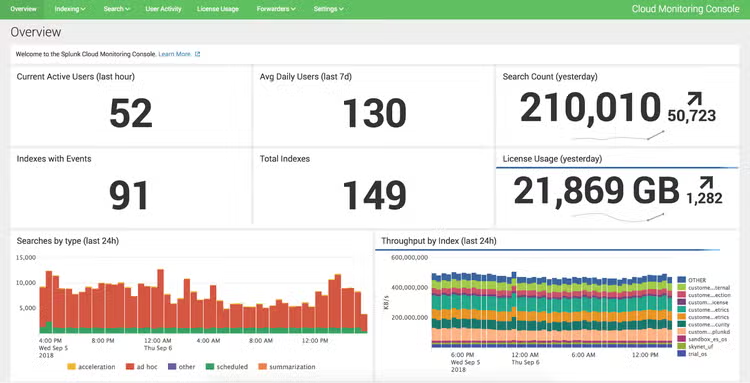
CMC dashboard showing overall Splunk Cloud statistics
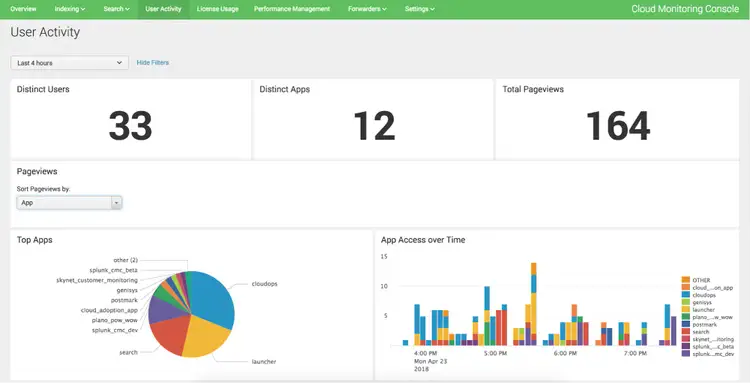
CMC dashboard showing Splunk Cloud user activity
With CMC, Splunk allows you to understand the health of your Splunk Cloud at a glance. CMC pinpoints issues in areas that you control and manage that the Splunk Cloud team doesn’t have the context to act on your behalf.
Index Management and Data Retention
One of the core capabilities of Splunk is the ability to take and index any source of machine data. Splunk Cloud allows you to self-service the management of your indexes across multiple tasks such as:
- Creating, updating, deleting, and viewing index properties
- Modifying retention settings for individual indexes
- Specifying data sources stored in specific indexes
This level of flexibility allows you to optimize the data you send to Splunk Cloud depending on your business needs. In addition, with the availability of Dynamic Data Self-Storage (DDSS), keeping your data under your control for as long as you desire is seamless. Your data’s entire lifecycle—ingestion, indexing, and retention—is in your control with Splunk Cloud.
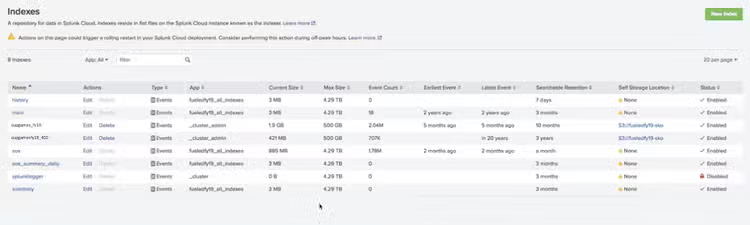
Manage indexes and data retention settings
Find more details about Managing Index Settings in the Splunk Cloud User Manual.
User Authentication and Management
In most organizations, there is hierarchy of users who use Splunk. Some need to administer various aspects of Splunk, while others are only interested in using dashboards. Splunk Cloud enables you to configure account policies that control what your users are permitted do within Splunk Cloud. Assign defined roles and capabilities, specify access to indexes, and define resource use limits.
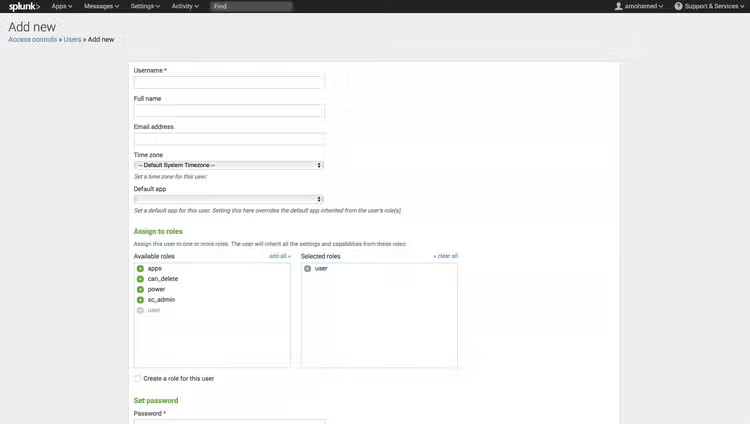
Creation of new users and role assignment
And since you know your users better than anyone, Splunk Cloud provides the tools to create and administer user accounts, their assigned roles, their respective authentication methods, and your global password policies.
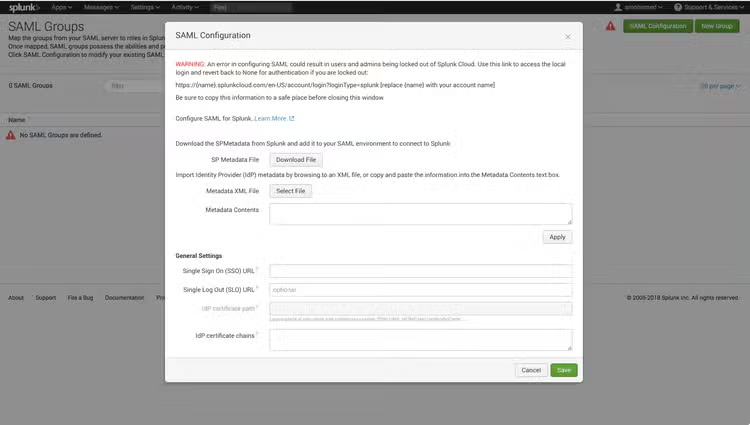
Single Sign-On configuration using a SAML v2 provider
This is just the beginning; we see more opportunities for further customization of Splunk Cloud to meet your business needs. More control, smarter customizations, and faster time to value—what’s not to like?
----------------------------------------------------
Thanks!
Azmir Mohamed
Related Articles
Splunk AR: Admin AR Web App
Announcing new AWS Lambda Blueprints for Splunk