Notable features in Splunk SOAR
SOAR apps


Splunkbase features an extensive catalog of SOAR apps, which facilitate integration across 300+ third-party tools and support 2,800+ automated actions. This allows you to connect and coordinate complex workflows across your teams and tools, so you don’t need to rip and replace your existing stack.
Prompt-driven automation

Prompt-driven automation lets you send real-time, secure prompts to teams outside the SOC to streamline response workflows and resolve security incidents faster. Deliver prompts through any ITOps, ChatOps or ticketing applications.
Wayfinder

Wayfinder is a dynamic navigation tool within Splunk SOAR designed to help you move around the Splunk SOAR user interface quickly and easily. By using straightforward keyboard shortcuts, you can jump directly to key incidents, automation playbooks, and other critical information without wading through multiple menus. Wayfinder enhances your experience by making navigation intuitive and efficient.
Guided automation

Guided automation unlocks a whole new visual experience overlaying real incident data atop the logical sequencing in a playbook. Analysts can drastically reduce the time to build automation and improve accuracy.
Playbook building with natively integrated SIEM and SOAR

See how to easily create a Splunk SOAR playbook in your SIEM workflows. Playbooks and actions are directly integrated within the Splunk Enterprise Security analyst queue. Run playbooks and see the results without leaving the product’s interface.
Main Dashboard

Splunk SOAR’s customizable main dashboard allows users to track key metrics such as mean time to detect and respond, time and dollars saved, and much more. You can adjust the location of dashboard panels to ensure you have the information that matters most to you right at your fingertips.
App Editor

In addition to our out-of-the-box apps, Splunk SOAR also allows you to create custom apps to best fit the use cases that matter most to you. With Splunk SOAR's App Editor, you can easily view and add code, test actions, see log results and troubleshoot. This additional visibility into how well your app works enables you to iterate it to suit your needs and evolve as your SOC evolves.
Playbooks

Automate security tasks to conquer complex workflows faster with SOAR playbooks. Leverage Splunk’s out-of-the-box SOAR playbooks, and easily build and edit playbooks in the Visual Playbook Editor.
Visual Playbook Editor and Input Playbooks

Whether you’re new to coding or a Python expert, Splunk SOAR provides you with the means to create and customize playbooks. The Visual Playbook Editor simplifies the playbook creation process by allowing you to assemble custom workflows with prebuilt code blocks and action strings. Splunk SOAR also features input playbooks for basic IT tasks, which can be integrated into larger playbooks and security workflows. With a variety of prebuilt playbooks, you can immediately start automating.
Case Management

Splunk SOAR orchestrates workflows and responses across your security and IT stack so that each tool is active in your defense strategy. Case management functionality uses workbooks to codify your processes into reusable templates. Whether you're using custom templates or industry standards for incident response, Splunk SOAR facilitates task segmentation, assignment, and documentation, ensuring a cohesive and collaborative investigative process.
Event Management

Analysts are often overwhelmed by a large volume of security events. Splunk SOAR makes event management easy by consolidating all events from multiple sources into one place. Analysts can sort and filter events to identify high fidelity notable events and prioritize action.
Logic Loops
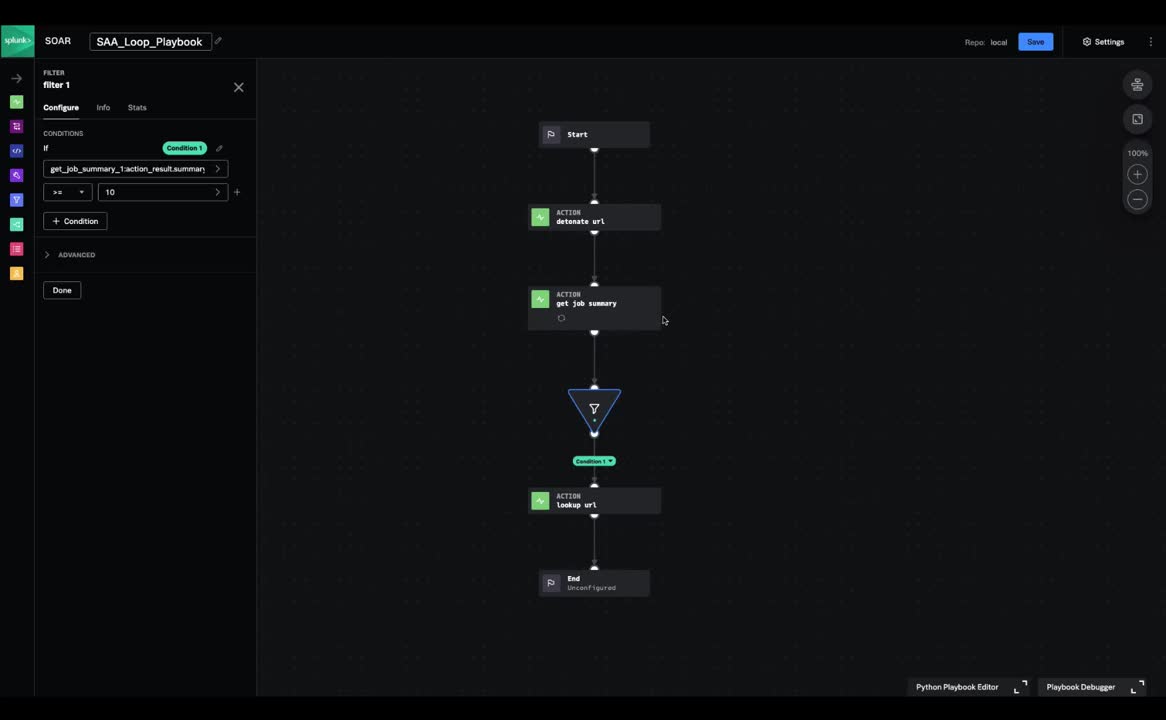
Logic Loops are a feature in Splunk SOAR that allow users to reduce the operational complexity of building and maintaining playbooks that require repeatable looping functionalities without having to write their own custom code. This iterative function allows users to automatically retry playbook actions if they fail, or continue with the rest of the playbook when the action succeeds. This function can be applied to use cases like sandbox engines for malicious URL quarantine and remediation as well as forensic investigation workflows.
Custom Functions

SOAR’s custom functions allow you to share custom code across playbooks while introducing complex data objects into the execution path. These aren’t just out-of-the-box playbooks, but custom blocks that save you time and effort. These capabilities provide the building blocks for scaling your automation, even for those without coding capabilities.
Contextual Action Launch

Splunk SOAR apps have a parameter for action inputs and outputs called "contains". These are used to enable contextual actions in the Splunk SOAR user interface. A common example is the contains type "ip". This is a powerful feature that the platform provides, as it allows the user to chain the output of one action as input to another.
Investigation Command Line
When you're on the Splunk SOAR investigation page, there are several ways to run actions. One of the easiest ones is to use the command line, down where you would write comments in the event. If you start off with a slash (/) you get prompting for the action you would like to choose.
Create Manual Event

If you haven’t done anything on your Splunk SOAR instance yet you'll see zeros across the top in what we call the ROI summary. So how do you get started creating events in Splunk SOAR? You create one manually.
Configure Third Party Tools

To get started in Splunk SOAR, you will need to configure an asset. Assets are the security and infrastructure assets that you integrate with the Splunk SOAR platform, like firewalls and endpoint products. Splunk SOAR connects to these assets through apps. Apps extend the platform by integrating third-party security products and tools.
Splunk SOAR Playbooks
Investigation
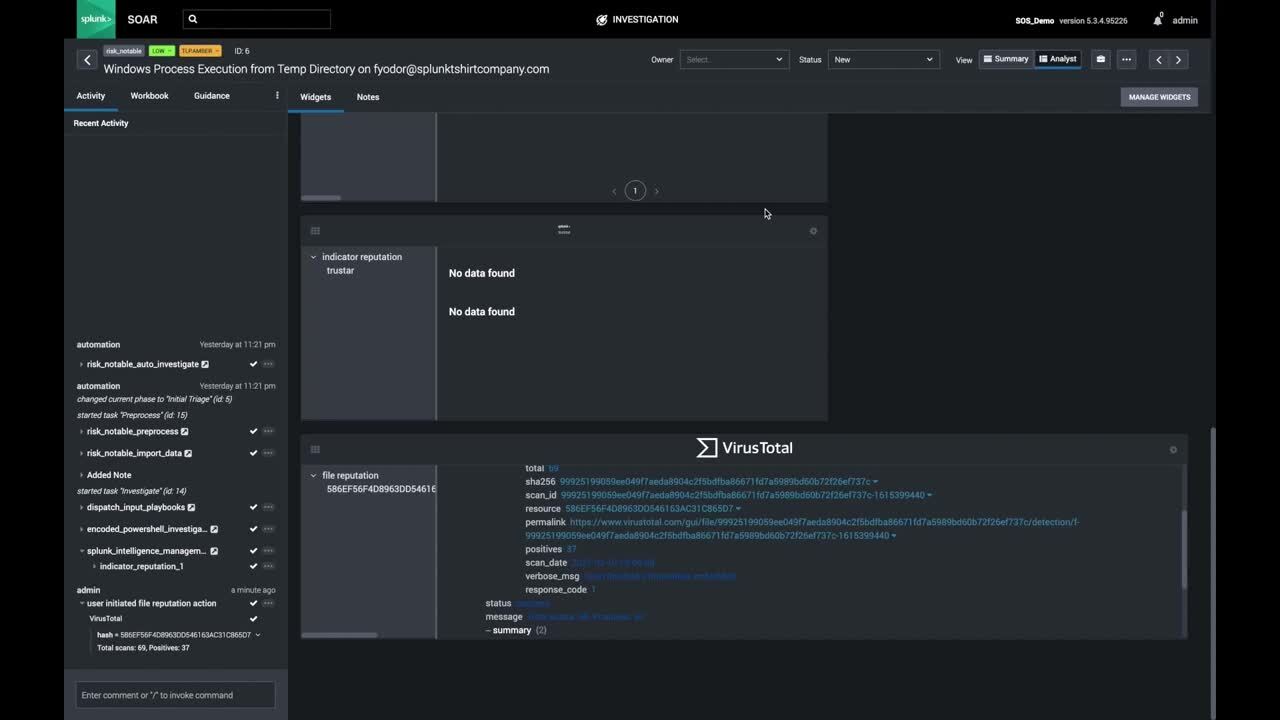
Learn how Splunk SOAR can help security practitioners perform investigations at machine speed.
Threat Hunting
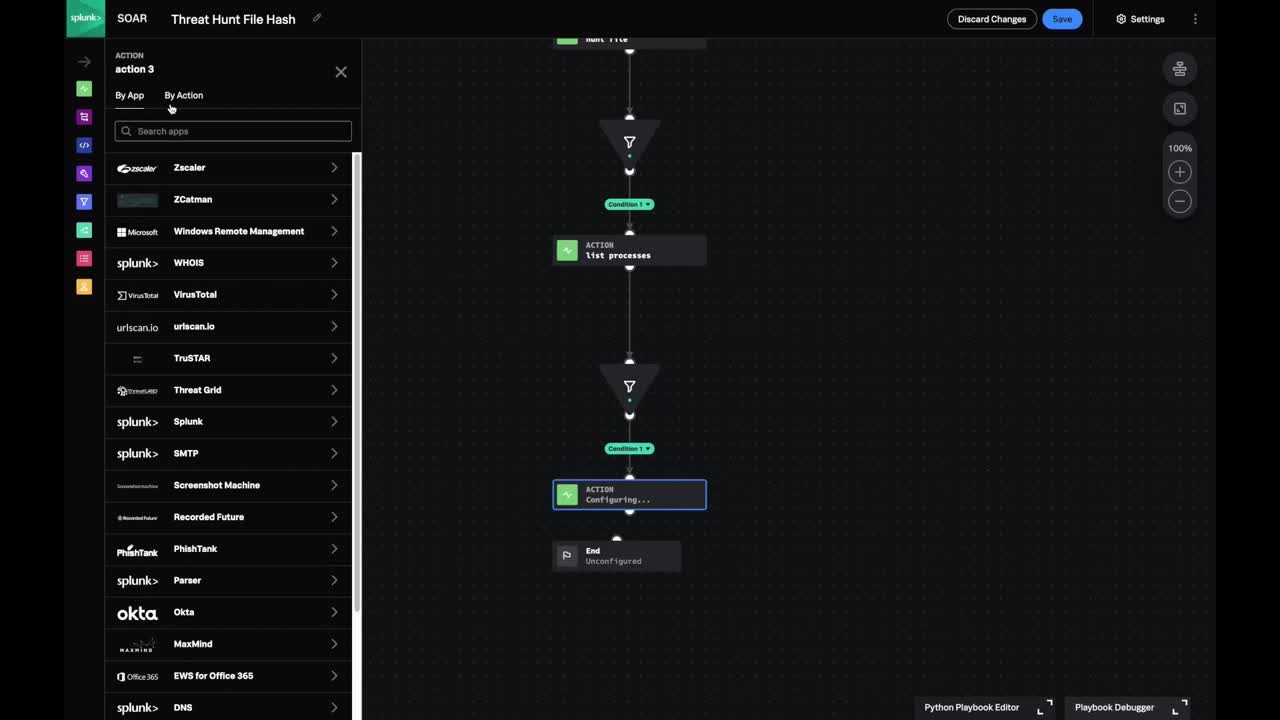
Learn how Splunk SOAR can help security practitioners perform threat hunting activities at machine speed.
Dynamic Identifier Reputation Analysis
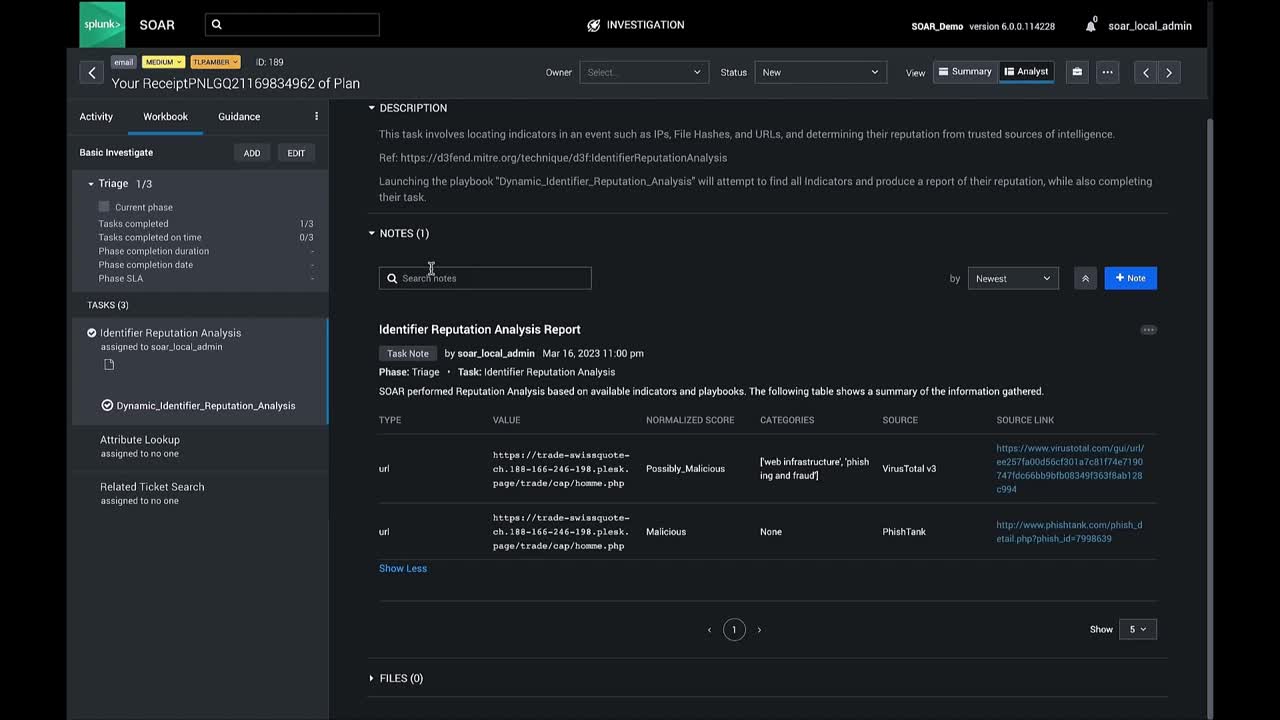
The Dynamic Identifier Reputation Analysis playbook is an essential tool for any security operations center (SOC) team looking for a comprehensive view of their environment’s threat landscape. By leveraging MITRE DEFEND's approach for dynamic identifier reputation analysis, SOC teams can quickly identify potential threats and vulnerabilities and take proactive steps towards mitigating risk before it causes damage.