SOAR in Seconds with Splunk Feature Overviews
Security Splunk
Splunk’s SOAR tool, Splunk Phantom, combines security infrastructure orchestration, automation, threat intelligence, and case management capabilities to streamline your team, processes and tools. This blog is an introduction to Splunk Phantom’s features and capabilities, supported by a series of short videos entitled “SOAR in Seconds.” If you’re new to SOAR tools or Splunk Phantom, we hope these videos will set you up for success.
Main Dashboard
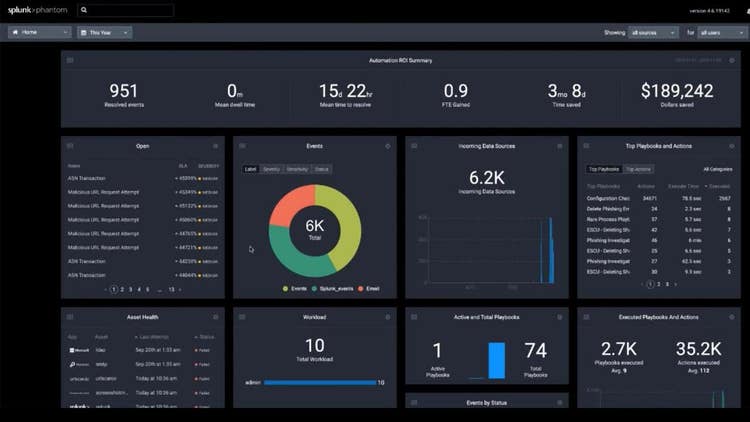
Phantom’s Main Dashboard provides an overview of all your data and activity; notable events and their severity; playbooks; connections with other security tools; team workloads; and a summary of ROI from automated actions.
Apps
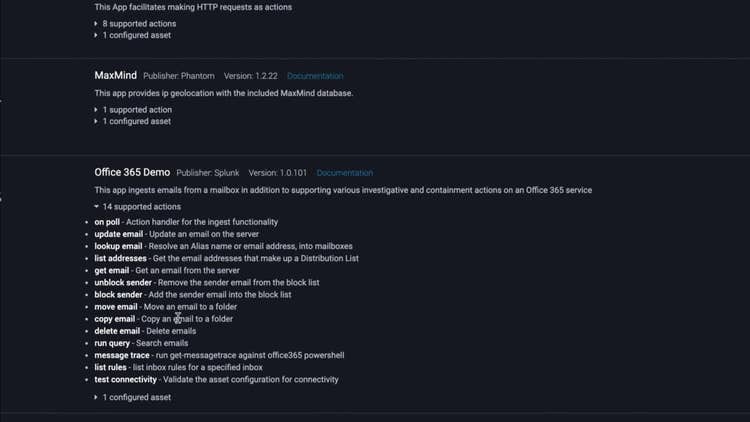
Apps are the integration points between Splunk Phantom and your other security technologies. Through Apps, Phantom directs your other security tools to perform “actions.” Phantom’s App model supports 300+ tools and 2000+ APIs, so you can connect and coordinate workflows across your team and tools. You can also create custom apps using the App Wizard.
Playbooks
Playbooks automate security actions at machine speed. Playbooks execute a series of actions across your security tools in seconds, versus hours or longer if performed manually. For instance, a playbook can tell your sandbox to detonate a suspected malicious file, while also telling your endpoint security tool to quarantine a device. By offloading these otherwise manual, interdependent security tasks, your team can save hours per day in time and resources spent on mundane, repetitive tasks. Phantom comes with more than 100 pre-made playbooks out-of-the-box.

Event Management
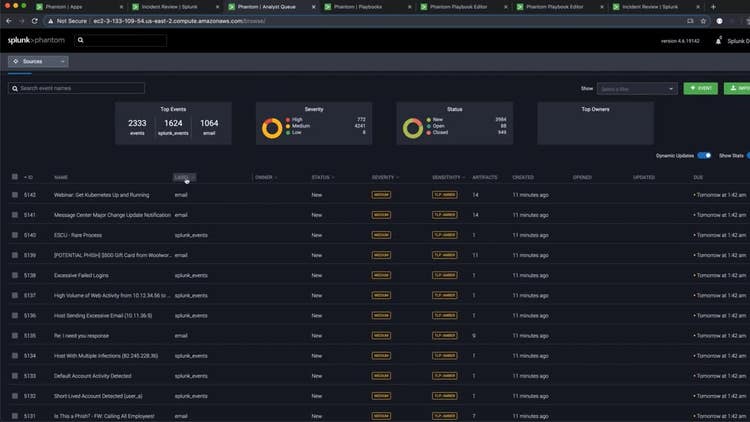
Analysts are often overwhelmed with a large volume of security events. Phantom makes event management easy by consolidating all events (from multiple sources) in one place. Analysts can sort and filter events to quickly identify high fidelity notable events and prioritize action.
Case Management
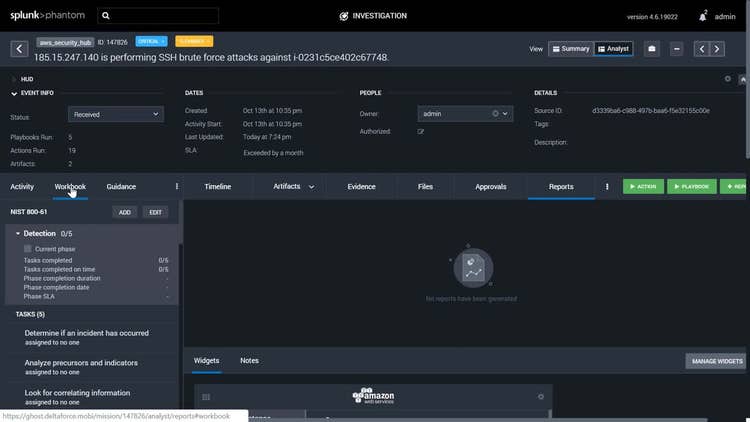
Case Management is fully integrated into Splunk Phantom, allowing you to easily promote a verified event to a case. It also allows continued access to all tools, features and data available in one interface. Case Management supports case tasks that map to your defined Standard Operating Procedures (SOPs). Case Management also provides full access to the Phantom automation engine, allowing you to launch actions and playbooks as part of a task.
Phantom on Splunk Mobile
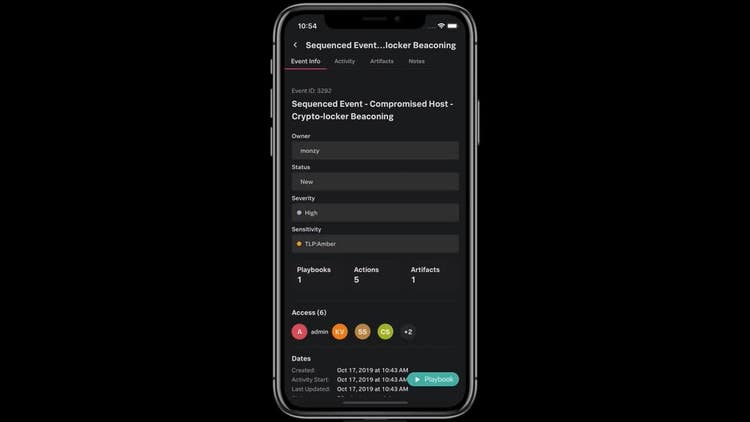
Security orchestration, automation and response is available from your mobile device. Work smarter, respond faster and strengthen your defenses from the palm of your hand — from anywhere, at any time. Respond to events faster than ever because, via your mobile device, you’re reachable from anywhere. Run playbooks, triage events and collaborate with colleagues on the go.
----------------------------------------------------
Thanks!
Olivia Courtney
Related Articles

Using metadata & tstats for Threat Hunting

AI for Humans: A Beginner’s Field Guide