Securely Access your Information in Splunk AR: Splunk FileLink
Platform Sammy LeeOne of the key features of Splunk Augmented Reality (AR) is that it allows workforces to directly access live data while working on field assets. This enables quicker troubleshooting on the job and helps technicians repair issues on the first try which saves companies valuable time and money.
Last year, we announced that we were launching Splunk FileLink as a secure way to access your content in your Enterprise Content Management (ECM) app, such as Google Drive. We’re excited to share that Splunk FileLink is now available to all Splunk AR customers!
Splunk AR currently allows external media to be leveraged in AR workspaces. Oftentimes, these assets provide detailed documentation that is helpful when performing routine maintenance or repairs. For example, for a field worker trying to troubleshoot an electrical charger, it is very helpful to have an easily accessible repair video showing how to reset the device. Ultimately this saves costs, reduces repair time, and decreases machine downtime. Before FileLink, files were available by posting a public link for Splunk AR to gain access and leverage it, which makes the file accessible but public to the world.
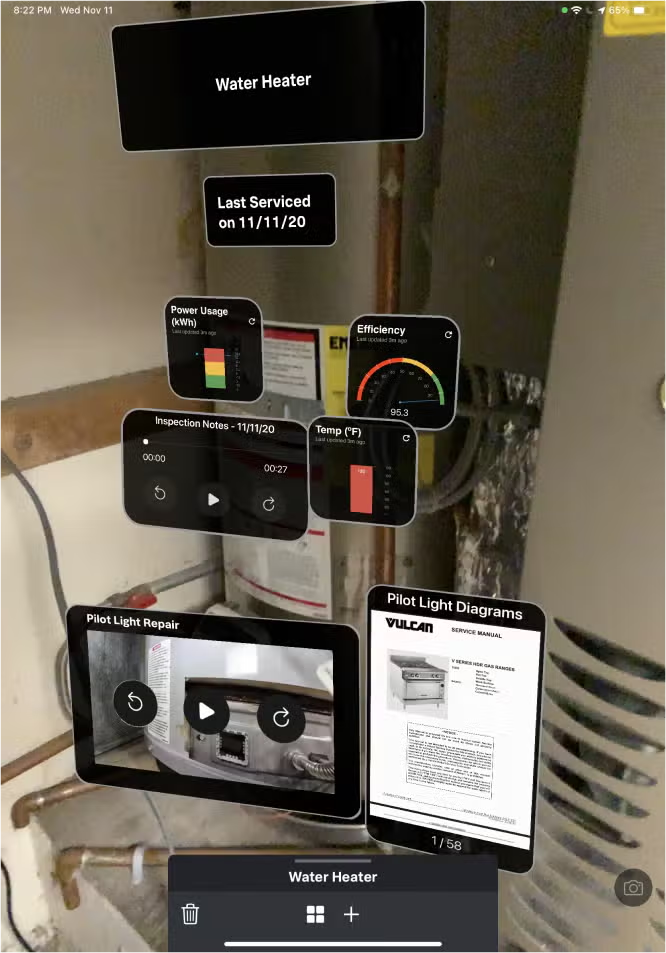
Splunk FileLink now allows technicians to access any secure documentation, content, or other information directly from their ECM. These assets can be linked directly into a workspace without requiring any public-facing URL to be created. Currently, Splunk FileLink supports Google Drive. In the future, we plan to support other major providers, such as Box and Microsoft OneDrive.
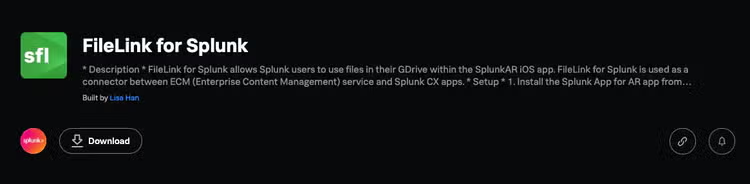
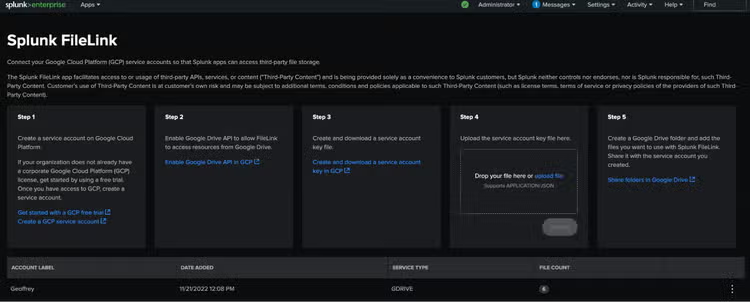
Splunk FileLink can be easily downloaded from Splunkbase, and it is very easy to get started and set up on your Splunk AR instance.
Next Steps
Interested in trying Splunk AR out? Check out our documentation to see how to get started, and download the Splunk AR app via the following links:
Get connected to the Splunk AR team by joining us in the Splunk Community Slack! We hang out in the #mobile channels and are always happy to help.
If you have a feature you’d like to see in the future for Splunk AR, submit your ideas in Splunk Ideas to help us prioritize it on our roadmap.
Last but not least, don’t forget to keep an eye out for more Connected Experiences blogs and review the past ones here.
This article was co-authored by Sammy Lee, Product Manager for AR and Jesse Chor, former Head of Mobile Engineering.
Related Articles
Stream Your AWS Services Metrics to Splunk
Dashboard Studio on the Go