Data Exfiltration Detections: Threat Research Release, June 2021

Data exfiltration is often the last step in a cyberattack and thus the last chance to detect the cyberattack. Therefore, the Splunk Threat Research team focused on developing detections to detect data exfiltration for the June release.

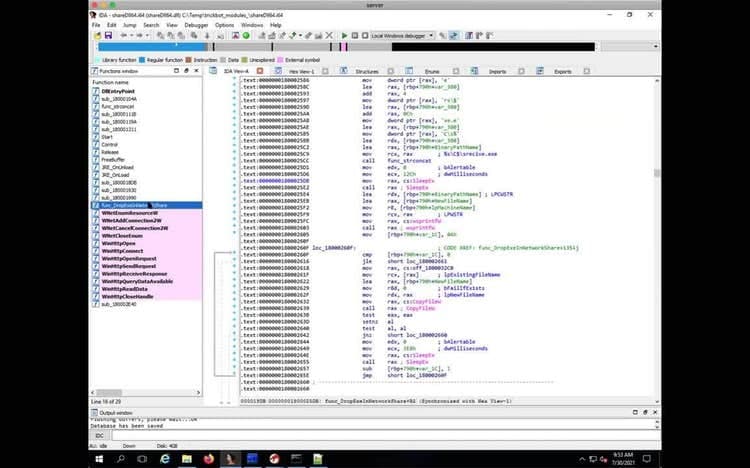
Watch the video to understand how data exfiltration detections can be developed with Splunk Attack Range and use Continuous Integration / Continuous Development (CI/CD) to test them:
What is Data Exfiltration?

Data exfiltration also referred to as data extrusion, data exportation, or data theft is a technique used by adversaries to steal data. Data exfiltration — also referred to as data extrusion, data exportation, or data theft — is a technique used by adversaries to steal data. Data exfiltration comes in many flavors. Adversaries can collect data over encrypted or unencrypted channels. They can utilize Command and Control (C2) channels that are already in place to exfiltrate data. They can use both standard data transfer protocols such as FTP, SCP, etc. to exfiltrate data. Or, they can use non-standard protocols such as DNS, ICMP, etc. with specially crafted fields to try and circumvent security technologies in place.

Cloud data storage is also abused as another data exfiltration channel. Examples of cloud storage are Dropbox, Google Drive, or AWS Simple Cloud Storage (S3). Transferring data to another cloud account is another way for attackers to perform data exfiltration. For example, when an attacker can compromise an email admin account on Office 365, he can transfer the emails to the compromised account and exfiltrate them.

The Analytics Story Data Exfiltration is focused on detecting the different variations of data exfiltration. The detections include:

These detections are designed to leverage network tools or network logs to detect exfiltration attempts. Adversaries using certain tools to collect and exfiltrate data. These tools are detected by the following detections:

As described in the previous section, transferring data to another cloud account, or more specifically giving a compromised Office 365 account access to other mailboxes, is an often-used technique by threat actors. The abuse of Office 365 to exfiltrate data can be detected with:

A summary of all detections in security content for the tactics data exfiltration can be found in the following table:

Name
Technique ID
Tactic
Description
DNS Exfiltration Using Nslookup App
T1048
Exfiltration
This detection is looking for the unique use of nslookup where it tries to use specific record types, TXT, A, AAAA, that are commonly used by the attacker and also the retry parameter which is designed to query C2 DNS multiple times.
Excessive Usage of NSLOOKUP App
T1048
Exfiltration
This search detects potential DNS exfiltration using nslookup application.
Multiple Archive Files Http Post Traffic
T1048.003
Exfiltration
This search is designed to detect the high frequency of archive files data exfiltration through HTTP POST method protocol. This is one of the common techniques used by APT or trojan spy after doing the data collection like screenshot, recording, and sensitive data to the infected machines.
Plain HTTP POST Exfiltrated Data
T1048.003
Exfiltration
This search is to detect potential plain HTTP POST method data exfiltration. This network traffic is commonly used by trickbot, trojan spy, keylogger, or APT adversary, where arguments or commands are sent in plain text to the remote C2 server using HTTP POST method as part of data exfiltration.
Detect Renamed RClone
T1020
Exfiltration
The following analytic identifies the usage of `rclone.exe`, renamed, being used to exfiltrate data to a remote destination. RClone has been used by multiple ransomware groups to exfiltrate data.
Detect Renamed 7-Zip
T1560.001
Collection
The following analytic identifies renamed 7-Zip usage using Sysmon. At this stage of an attack, review parallel processes and file modifications for data that is staged or potentially have been exfiltrated.
Detect Renamed WinRAR
T1560.001
Collection
The following analytics identifies renamed instances of `WinRAR.exe`. In most cases, it is not common for WinRAR to be renamed, however it is common to be installed by a third-party application and executed from a non-standard path.
O365 Suspicious User Email Forwarding
T1114.003
Collection
This search detects when multiple users configured a forwarding rule to the same destination.
O365 Suspicious Admin Email Forwarding
T1114.003
Collection
This search detects when an admin configured a forwarding rule for multiple mailboxes to the same destination.
O365 PST export alert
T1114
Collection
This search detects when a user has performed an Ediscovery search or exported a PST file from the search. This PST file usually has sensitive information including email body content.

Responding to Data Exfiltration with Automated Playbooks

Splunk SOAR uses automated playbooks to detect and respond to threats. We listed the playbooks, which can help you to detect and respond to data exfiltration:

Name
Technique ID
Tactic
Description
Extrahop detect data exfiltration
T1048
Exfiltration
This playbook processes an ExtraHop Addy anomaly indicating potential data exfiltration on the network. It first retrieves all of the peers acting as a client in the last 30 minutes for the device that triggered the anomaly. Then it filters out private IP Addresses as defined in RFC1918. Next, it looks up IP reputation scores for each of the non-private IP Addresses that have communicated with the device that triggered the anomaly in the last 30 minutes. If a known-bad IP is found then that device will be tagged with "bad_ip_reputation" in ExtraHop and a Phantom task will be created to track further manual investigation of this event.
Extrahop externally accessible database
T1048
Exfiltration

This playbook processes an ExtraHop detection of an internal database being accessed externally. The playbook will block the corresponding client source IP Address on a Palo Alto Networks Firewall as well as retrieve the following information on both the client and server:

- ExtraHop device objects

- List of peer devices communicated with in the last 30 minutes

- List of client and server protocols spoken in the last 30 minutes

Why Should You Care About Data Exfiltration?

A data breach can be very costly. Some of the costs can be fines and legal fees, costs for performing the forensic investigation, costs for business disruption, revenue lost from downtime, and many more. The cost of a data breach depends on the Meantime to detect or discover (MTTD), which is the time between the attacker compromised a system and the appropriate parties becoming aware of it.

By using an effective monitoring strategy and deploying detections, such as the introduced data exfiltration detections, the MTTD can be heavily reduced and therefore the costs of a data breach.

For a full list of security content, check out the release notes on Splunk Docs:

Learn More

You can find the latest content about security analytic stories on GitHub and in Splunkbase. Splunk Security Essentials also has all these detections now available via push update.

Feedback

Any feedback or requests? Feel free to put in an issue on Github and we’ll follow up. Alternatively, join us on the Slack channel #security-research. Follow these instructions If you need an invitation to our Splunk user groups on Slack.

Contributors

We would like to thank the whole threat research team Jose Hernandez, Rod Soto, Bhavin Patel, Mauricio Velazco, Michael Haag, Teoderick Contreras, Patrick Bareiss for their contribution on this release.

Related Articles

Is Your Cyber Team Overwhelmed by System Alerts?
Security
4 Minute Read

Is Your Cyber Team Overwhelmed by System Alerts?

Wondering how to prevent alert fatigue and turnover within your cyber team? Learn how Splunk can help Cyber professionals with a more efficient way to view, assess, and prioritize system alerts before devoting time to investigations.
Staff Picks for Splunk Security Reading July 2024
Security
4 Minute Read

Staff Picks for Splunk Security Reading July 2024

Welcome to the Splunk staff picks blog, featuring a curated list of presentations, whitepapers, and customer case studies that our Splunk security experts feel are worth a read.
Cybersecurity Awareness Month Spotlight: Insights from the Cisco Talos & SURGe Teams
Security
3 Minute Read

Cybersecurity Awareness Month Spotlight: Insights from the Cisco Talos & SURGe Teams

The Cisco Talos and SURGe by Splunk teams gathered for a special episode of Talos Takes filled with engaging cybersecurity discussions and candid opinions.