Data management and federation
From agents to add-ons, we offer a variety of tools to make it easy to get all of your data into Splunk and manage your growing number of data sources. Data Manager offers a simple and modern user experience to onboard your data in minutes. Plus, you can enjoy centralized control with the ability to create, monitor and troubleshoot all of your data configurations in one place.
Dashboards and visualizations

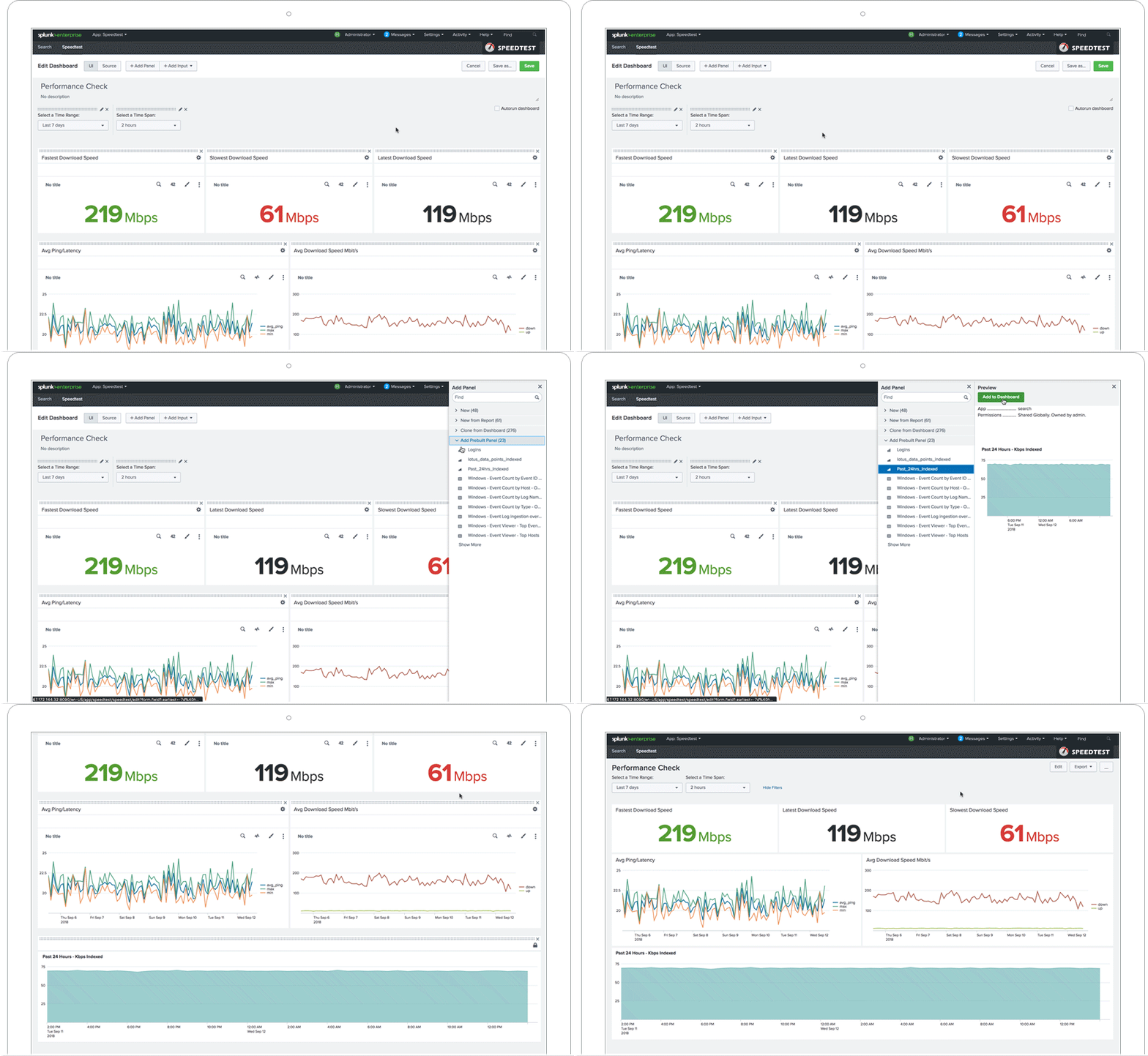
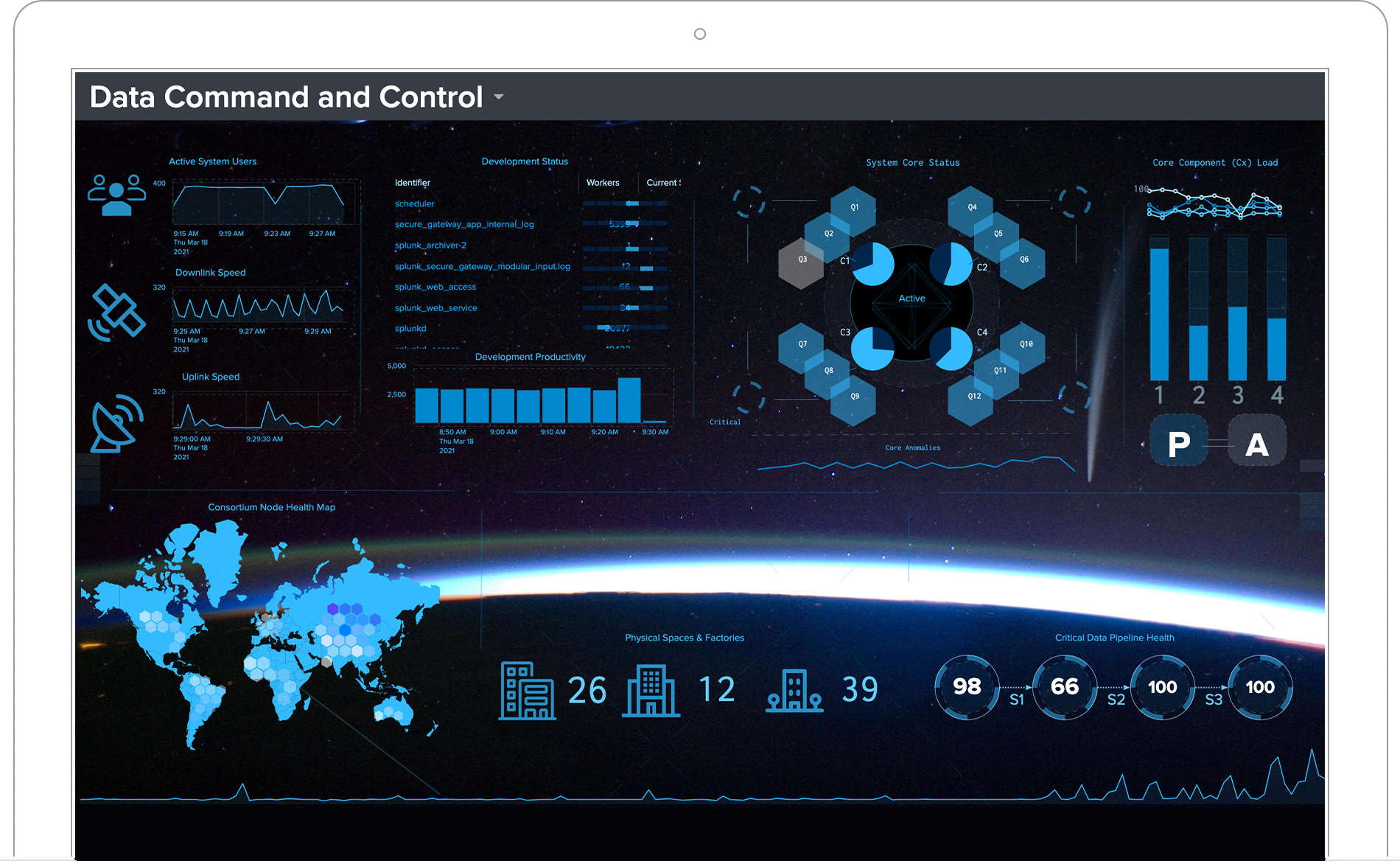
Choose from a wide range of charts and other visualizations to tell a data story that is compelling and actionable. Intuitive and interactive tools make sense of complex data, empowering you to identify issues and opportunities.
Dashboards integrate charts, reports and re-usable panels to display a comprehensive data story. Build and personalize dashboards to display the most relevant information for different audiences and use cases. Additionally, use the same data and tailor it specifically for management, business and security analysts, auditors, developers, and operations teams to help them act fast.
Monitoring and alerting
Continuous monitoring of events, conditions, and critical KPIs helps keep your operations running smoothly. With scheduled searches you can create real-time dashboards and visualizations that keep your team and management informed. Out-of-the box monitoring dashboards for common IT, security, and application environments are also available in the Splunkbase app store.
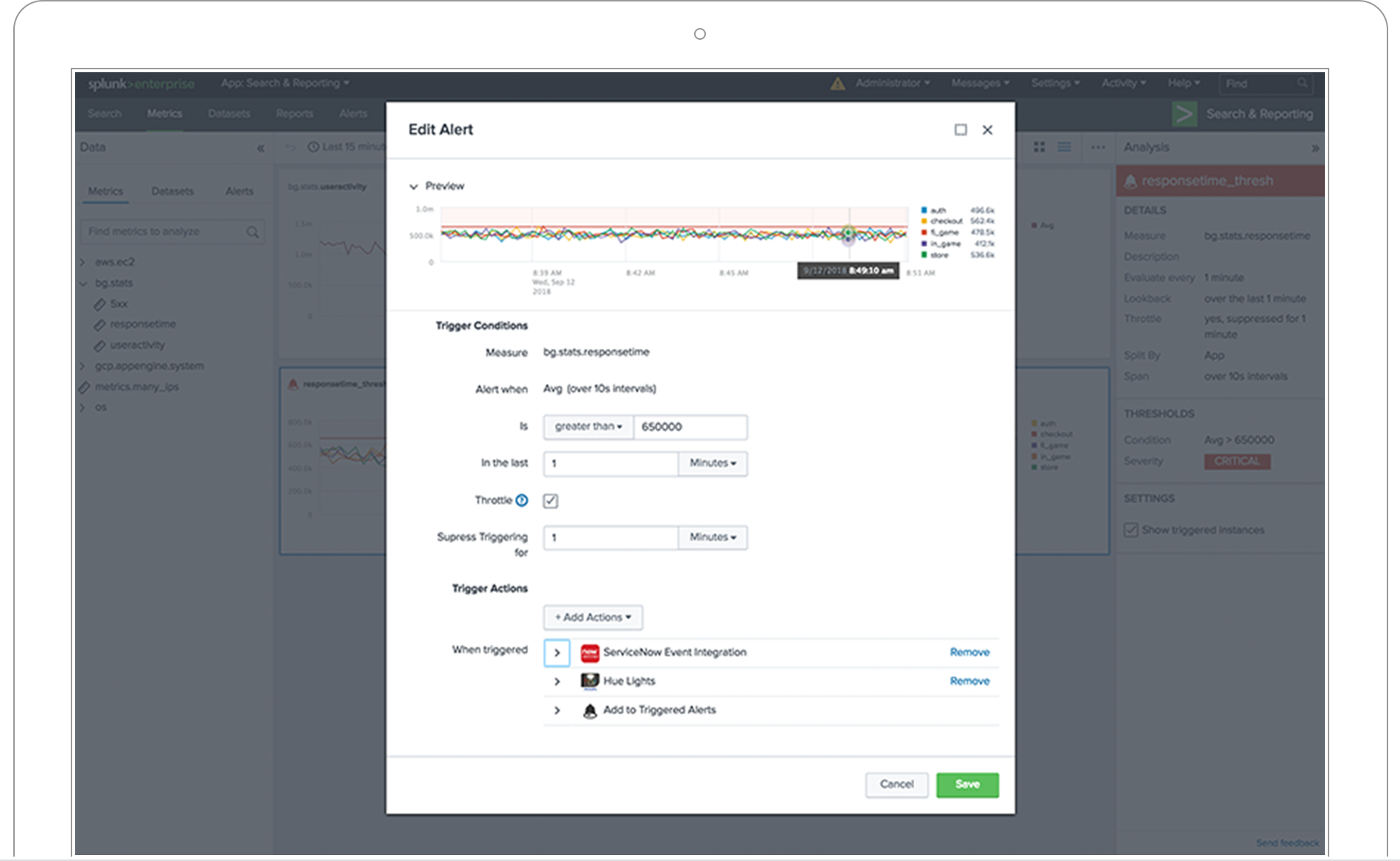
Alerts can signal critical events and impending conditions in real-time. Splunk's custom alert actions feature makes it simple to automatically kickoff subsequent action (think: sending emails and executing remediation scripts) when an alert is triggered. Further, these custom alerts can be set to varying levels of granularity based on a variety of conditions (e.g. data thresholds, trend-based conditions, and behavorial pattern recognition, like abandoned shopping carts, brute force attacks, and fraud scenarios).
Reporting
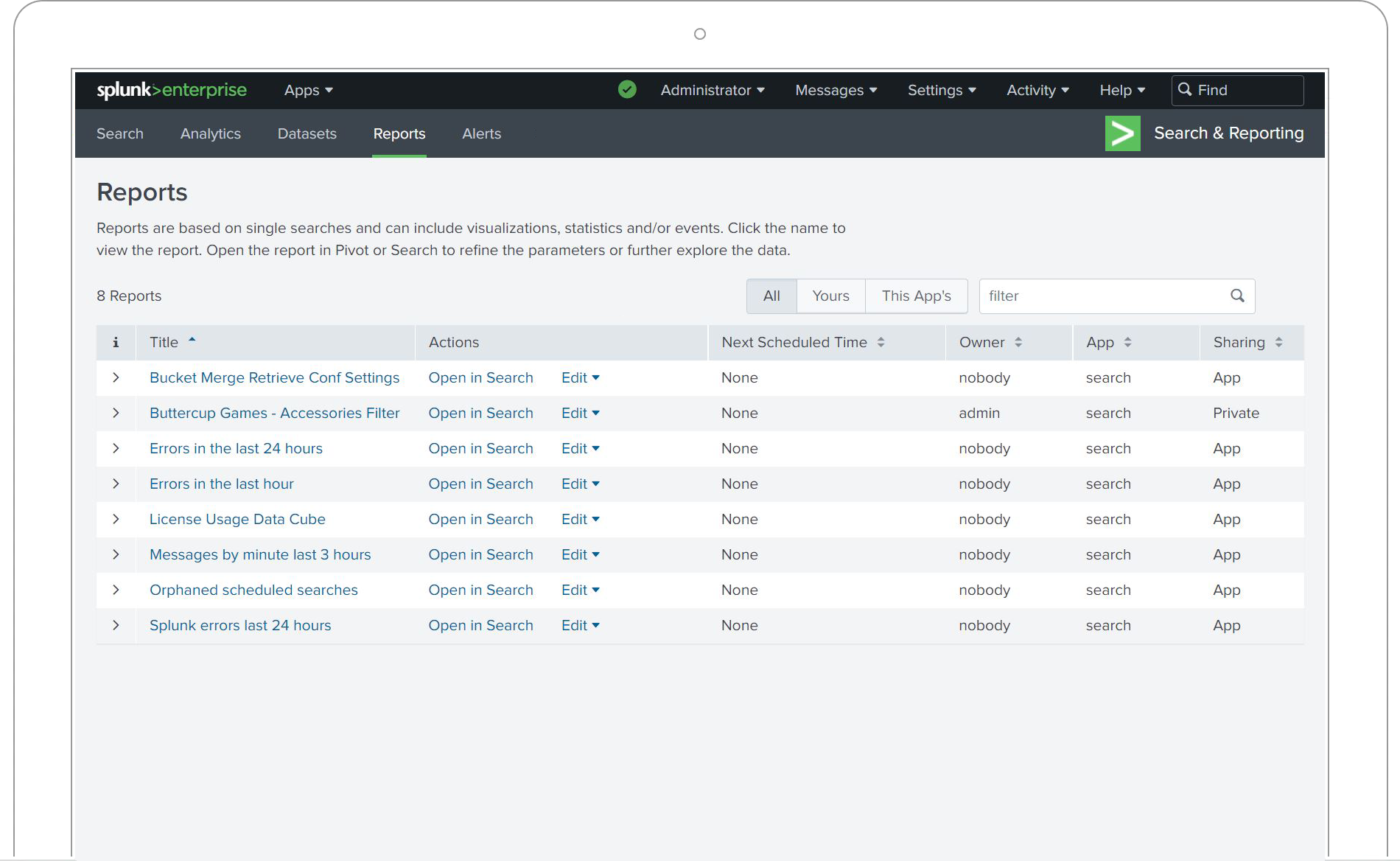
Reports can be created in real time, scheduled to run at any interval and used in your dashboards. They can also be saved and shared in secure, read-only formats like PDFs via ODBC.
Metrics

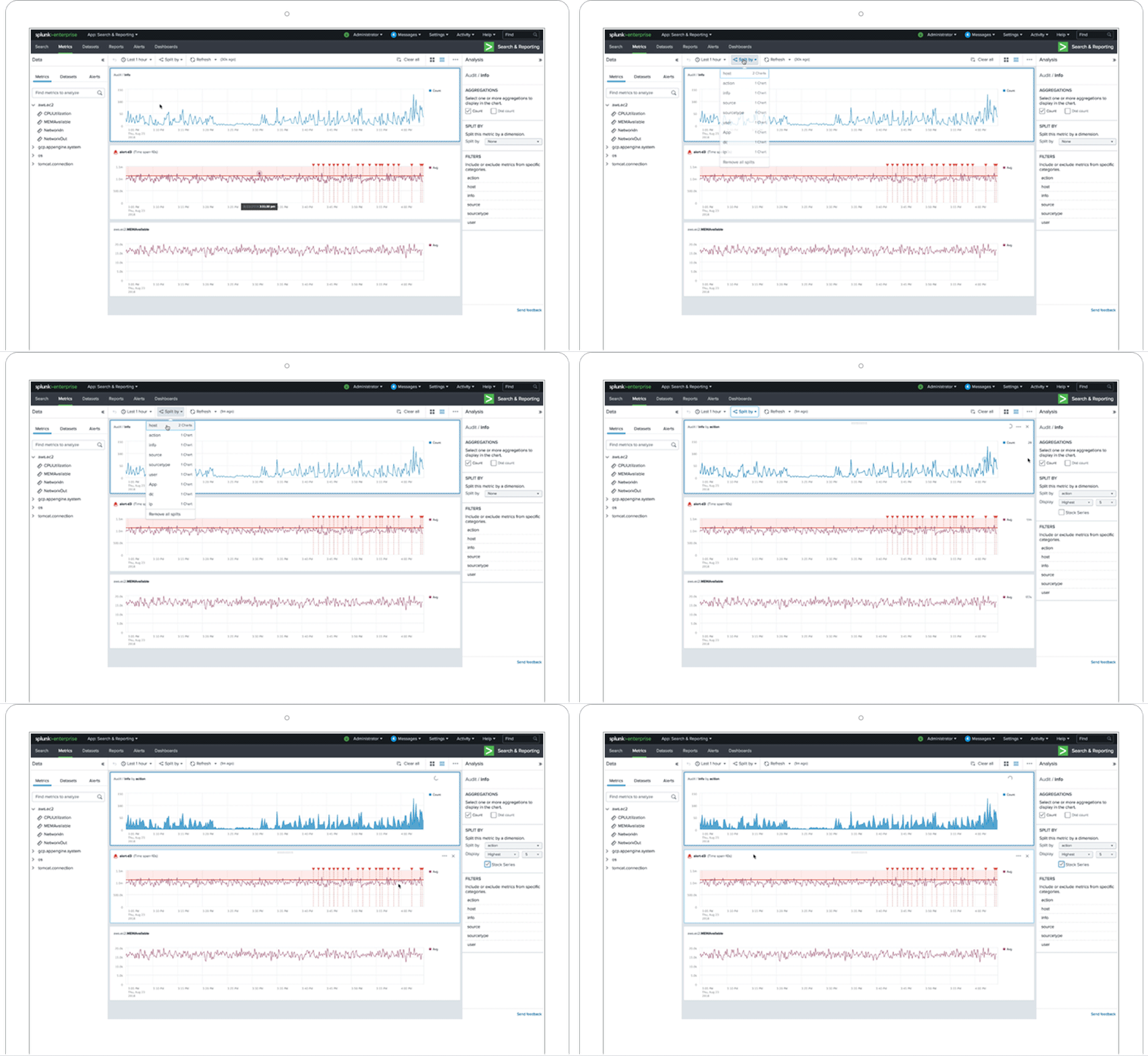
Splunk allows for complete utilization of metrics data to boost search performance and save in data storage costs. And now with Analytics Workspace, you don't need to know SPL to browse, analyze and transform large (or small) metrics data sets or compare them with other events or non-metrics data. Accelerate time to action with easy-to-use, visual data analysis capabilities of the Analytics Workspace.
Logs to Metrics. Metrics data are numerical data points captured over time that can be compressed, stored, processed and retrieved more efficiently than logs. Scale your ability to use this data type by converting your logs into metrics.
Analytics Workspace. The Analytics Workspace is the place to quickly visually analyze metrics and events data, and take action. Technical and non-technical users can now analyze metrics as well as non-time series data with charts and visualizations such as bar charts, column charts, reference lines, and scatter plots in a visual-friendly environment. Create better performing alerts in a few quick steps directly from visual analysis results.
We chose Splunk to help us monitor and manage our mobile battery systems in the field... Now we can proactively maintain our battery systems on customer sites which enables us to improve the overall customer experience.

AI Toolkit

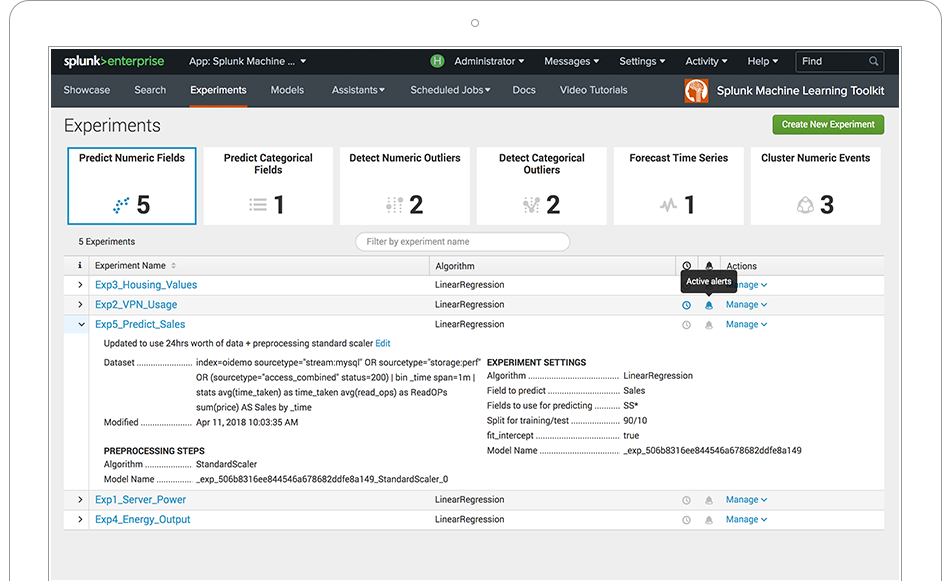
Use pre-built Splunk machine learning analytics for idenfitied use cases or create your own custom machine learning models to tackle impactful issues or opportunities in your company. Splunk AI Toolkit supports custom machine learning model development through guided assistants, providing flexibility if you want to go beyond configuring a pre-built solution. The AI Toolkit extends the Splunk platform with outlier and anomaly detection, predictive analytics and clustering to filter out the noise. Leverage pre-packaged and open source algorithms to operationalize your data with machine learning in your production environment. New, smart assistants have an easier-to-use, GUI-based approach that guide you through each step of the process, writing SPL in the background that you can review later for insight into further customization.
Splunk AI Toolkit, and the new Splunk Community for AI Toolkit Algorithms on GitHub enables our Professional Services Consultants to deliver broader and more valuable data science and machine learning solutions. We can now use the most appropriate algorithm to solve complex business problems in a clean, consistent and supportable manner, which means our customers get more powerful, focused solutions and a much more satisfying experience.
Scale and manageability
SmartStore maximizes data management flexibility while maintaining search performance by allowing compute (CPUs) and data storage to be independently scaled up or down based on business demands. It automatically evaluates users’ data access patterns via an application-aware cache and places actively accessed data in local storage for real-time analytics and unused/inactive data in lower-cost, remote storage.
This maximizes scalability and data availability by expanding data retention capabilities while significantly lowering cost of ownership and increasing flexibility with built-in applications and an index-aware cache. Additionally, it simplifies indexer maintenance as all data gets pushed to remote storage to assist with patching, upgrading or replacing indexes without impacting data integrity.
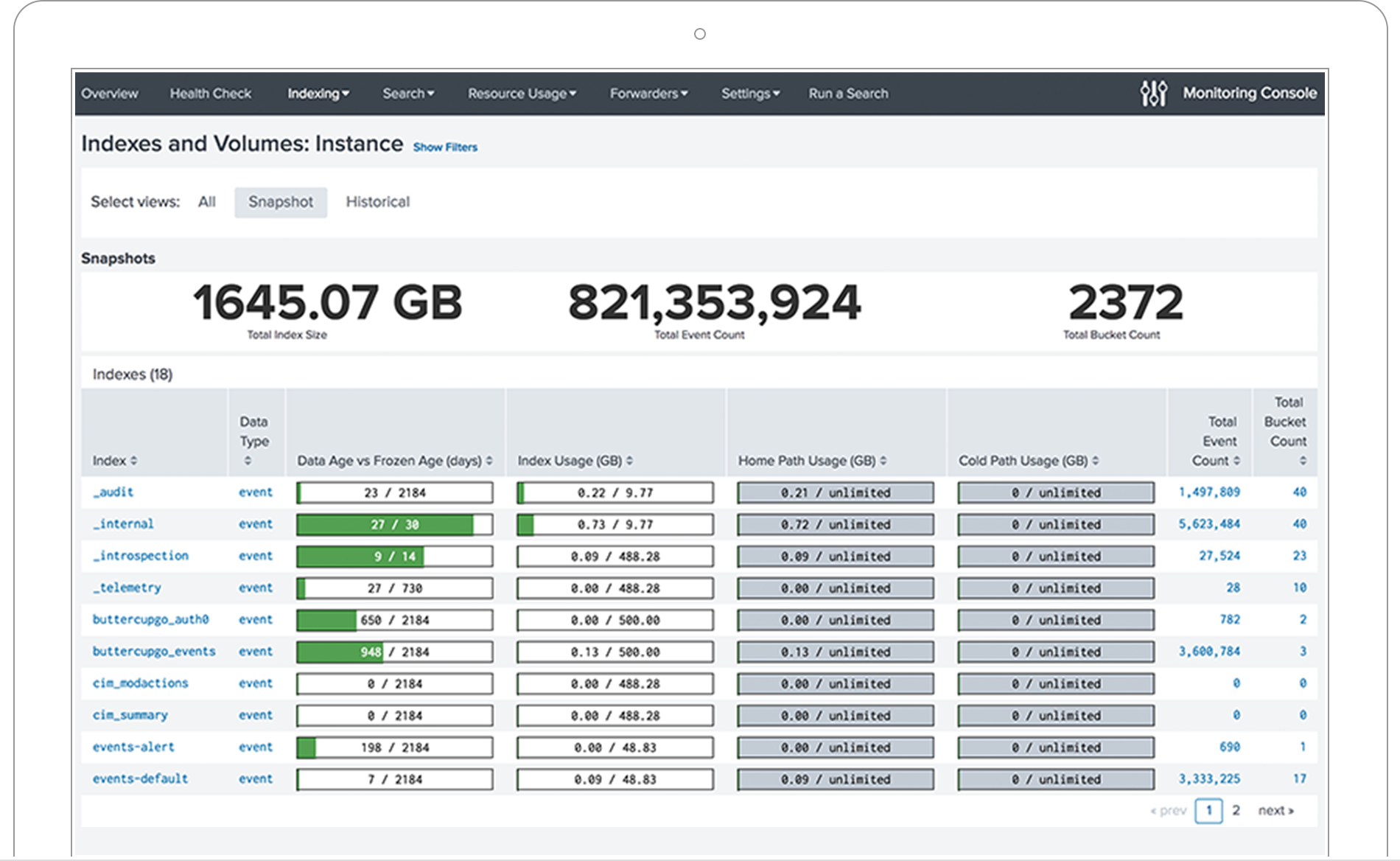
The Splunk Monitoring Console for Splunk Enterprise provides a complete system and feature monitoring interface — including topology views and alerting of system status and health — for all components of on-premises deployments. The console creates a single interface to view the status, performance, capacity and interconnectivity of these components, allowing the admin to optimize their system.
Performance
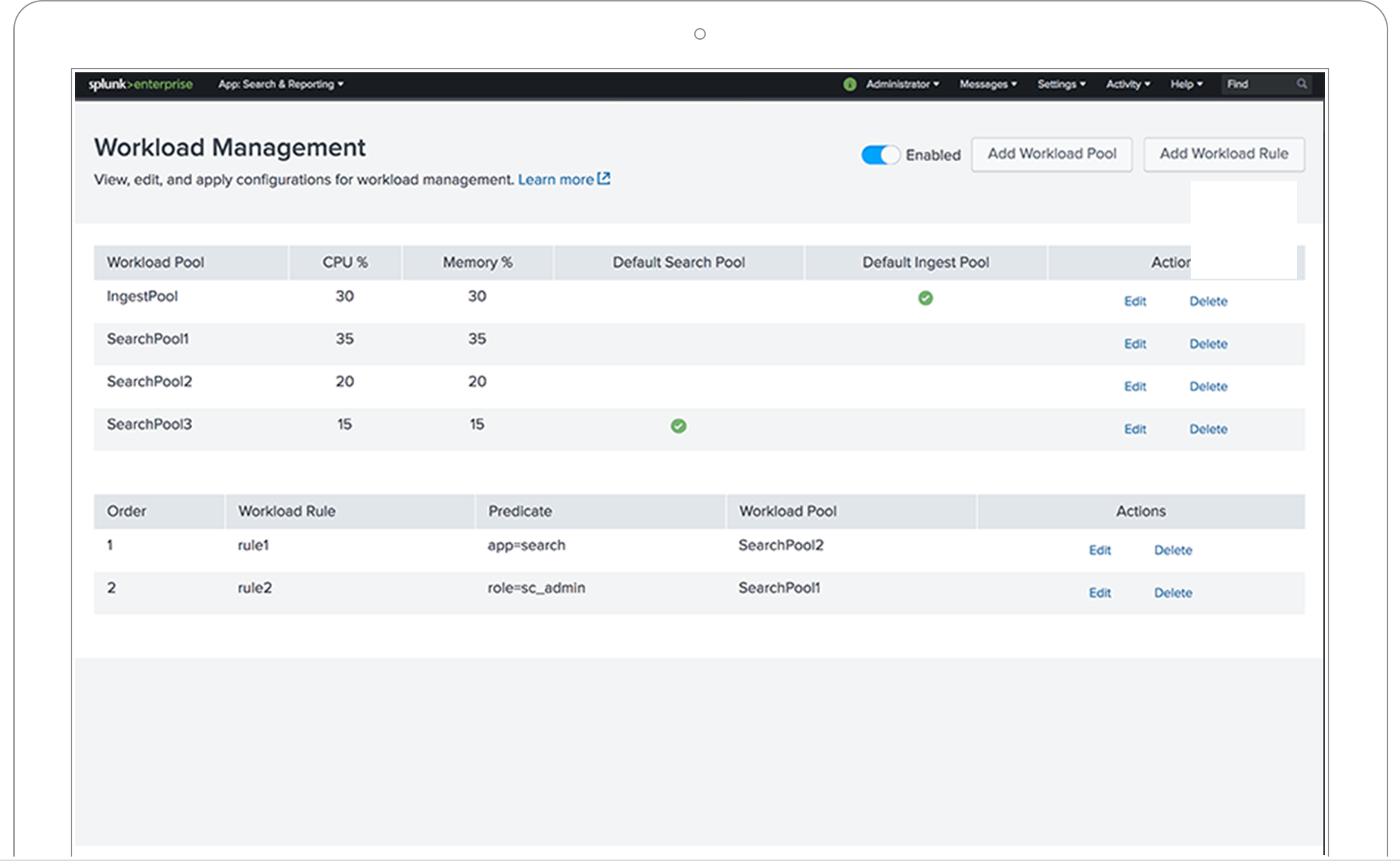
Splunk's Workload Management feature provides a policy-based mechanism that enables you to reserve system resources (e.g. CPU and memory) for ingestion and search workloads based on your organization’s priorities. This enables administrators to classify workloads into different groups and then reserve system resources for higher-priority workload groups.
Integrations
Embed Splunk reports in any application or use our ODBC integrations to access Splunk data in applications such as Microsoft Excel or Tableau. And with Splunk alerts, you can automatically trigger actions in ticketing or other task assignment systems. Additionally, rich SDKs let your team integrate Splunk data and functionality in ways we may not have even thought of yet.
Splunk Enterprise supports SAML integration for single sign-on through most popular identity providers like Okta, PingFederate, Azure AD, CA SiteMinder, OneLogin and Optimal IdM. Splunk Enterprise can also integrate with other authentication systems, including LDAP, Active Directory, and e-Directory.


Data retention costs are a significant part of your analytics budget, so Splunk Enterprise offers two options to reduce historical data storage costs by up to 80 percent while retaining Splunk search capabilities. Keep historical data within Splunk and reduce the data footprint of seldom-analyzed, cold data or roll your data to an existing Hadoop or Amazon Simple Storage Service (Amazon S3) data lake.

Certifications
ISO 27001, SOC 2 Type 2, GDPR, PCI DSS, HIPAA, FedRAMP, no matter, Splunk is certified with industry bodies to ensure your data's security.


Apps and add-ons
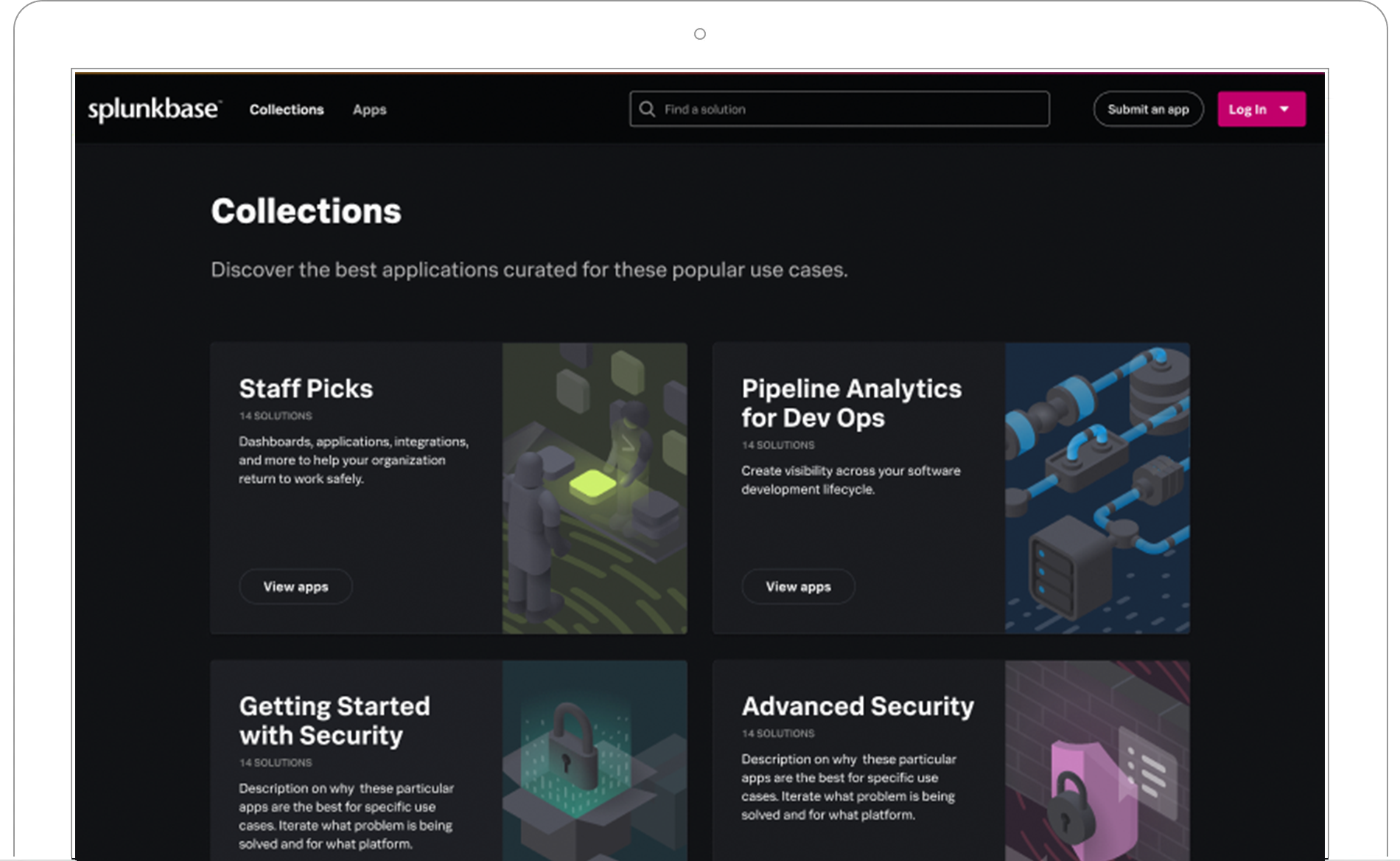
Splunkbase has 1000+ apps and add-ons from Splunk, our partners and our community and most are compatible and vetted for Splunk Enterprise. Find an app or add-on for most any data source and use case.
Using all your data
With a variety of standard and custom input methods, Splunk Enterprise can ingest all kinds of data types. File-based data can be sent via forwarders that reside directly on the data sources, while data from DevOps, IoT and other sources can be directly ingested using the Event Collector API. Additionally, common IT, security and application data sources can be onboarded and analyzed directly with hundreds of free apps and add-ons available on Splunkbase.
Splunk Search Processing Language (SPL)
SPL is our secret sauce. This powerful query language is what enables you to investigate your machine data. With support for five different correlation types (i.e. time, transactions, sub-searches, lookups and joins) and over 140 analytical commands, you can conduct deep analysis, use event pattern detection, and apply machine learning methods to predict outcomes and even discover new opportunities in your data.
Splunk Training
Splunk Training is the place for coursework on specific Splunk topics and learning paths to take you from novice to power user. Go from investigative keyword searches to creating rich reports and visualizations from scratch. Learning paths range from topics focusing on end users to those focused on administering Splunk Enterprise, including user provisioning, data source inputs and system configurations.
Support and services
Your success is our top priority. Splunk offers a variety of Support and Professional Services options that address your business needs and help you harness the value of Splunk.
From adoption assistance to accelerated onsite implementation, our professional service levels are arranged to get you up and running fast
Whether it's guaranteed response times or direct access to Splunk’s Support team for hands-on issue resolution, choose the level of support best suited for your organization
Customer Success brings together Support and Professional Services resources to craft a success plan tailored to your specific business and Splunk configuration
Pricing
Splunk Enterprise offers options by data volume or compute power, allowing you to find the right fit for your needs
With scalable, flexible and predictable pricing options, Splunk can help you bring data to every question, every decision and every action.
Splunk Enterprise software is priced by your compute capacity or by how much data you send into your Splunk installation in a day. Your compute capacity, measured in vCPUs, is the calculation of CPU resources allocated and available to Splunk for Search Head and Indexer components. Pricing by compute capacity is a standard, value-oriented way to align your Splunk investment with your search activity, freeing you up to bring in as much data you want.
If you prefer to price by how much data you send into your Splunk installation in a day, we recommend that you purchase a license size that aligns with the maximum amount of data you expect to send to Splunk in one day. With this pricing model, you pay once to index the data and then can perform unlimited searches against that data, as well as store it for as long as you like.
Licensing
Splunk offers *Term licenses. A Term License is for a specific time period—usually a year—during which you are allowed to access and use Splunk Enterprise.
*As of November 1, 2019, all Splunk products and services feature term licenses. We no longer sell any products with perpetual licenses. For more information click here.
© 2005 - 2026 Splunk LLC All rights reserved.