splunk agent launchpad
Turn operational signals into agent-powered action
Splunk Agent Launchpad turns alerts, searches, and investigations into agent-powered action in Splunk. Build, deploy, and review with no code required.
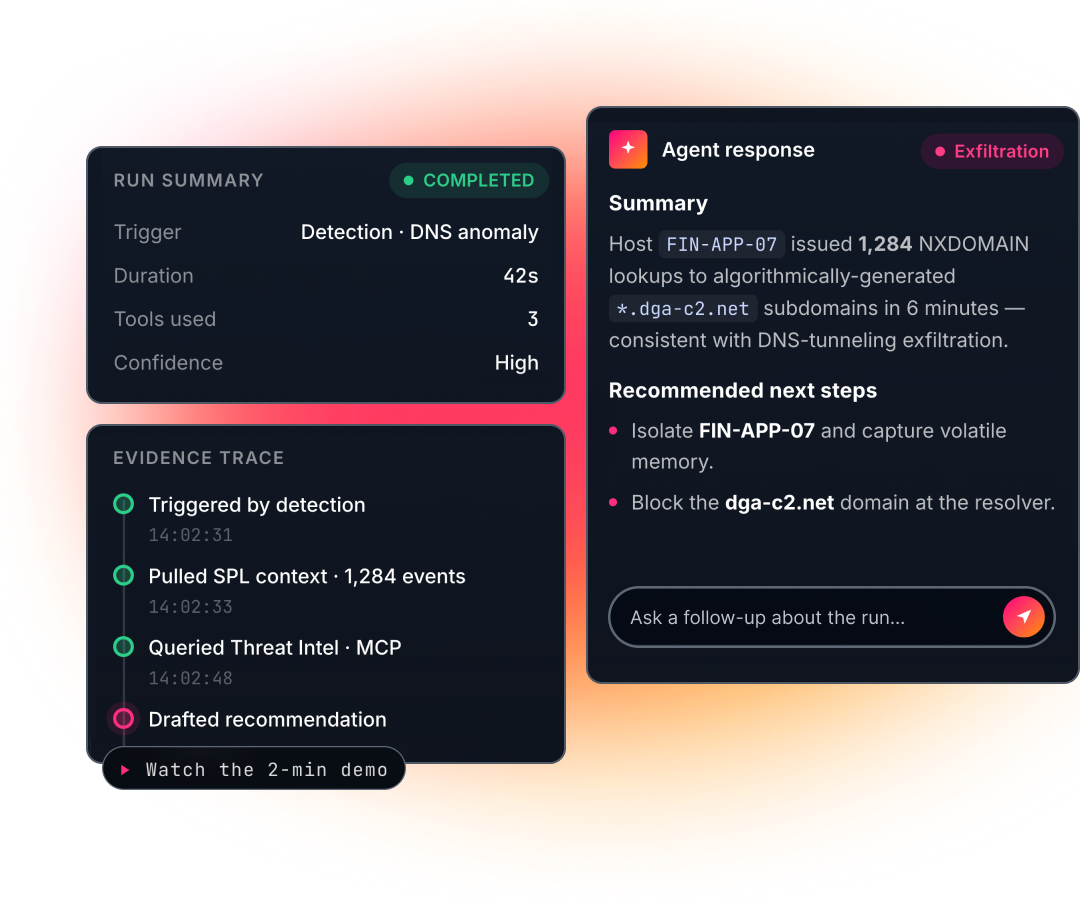
Agents start in your workflows, grounded in your data
Agent Launchpad lives where your teams already work. Agents launch from the alerts, searches, and detections that surface issues, and every run is grounded in trusted Splunk data. Investigation starts in context, not from a blank prompt.
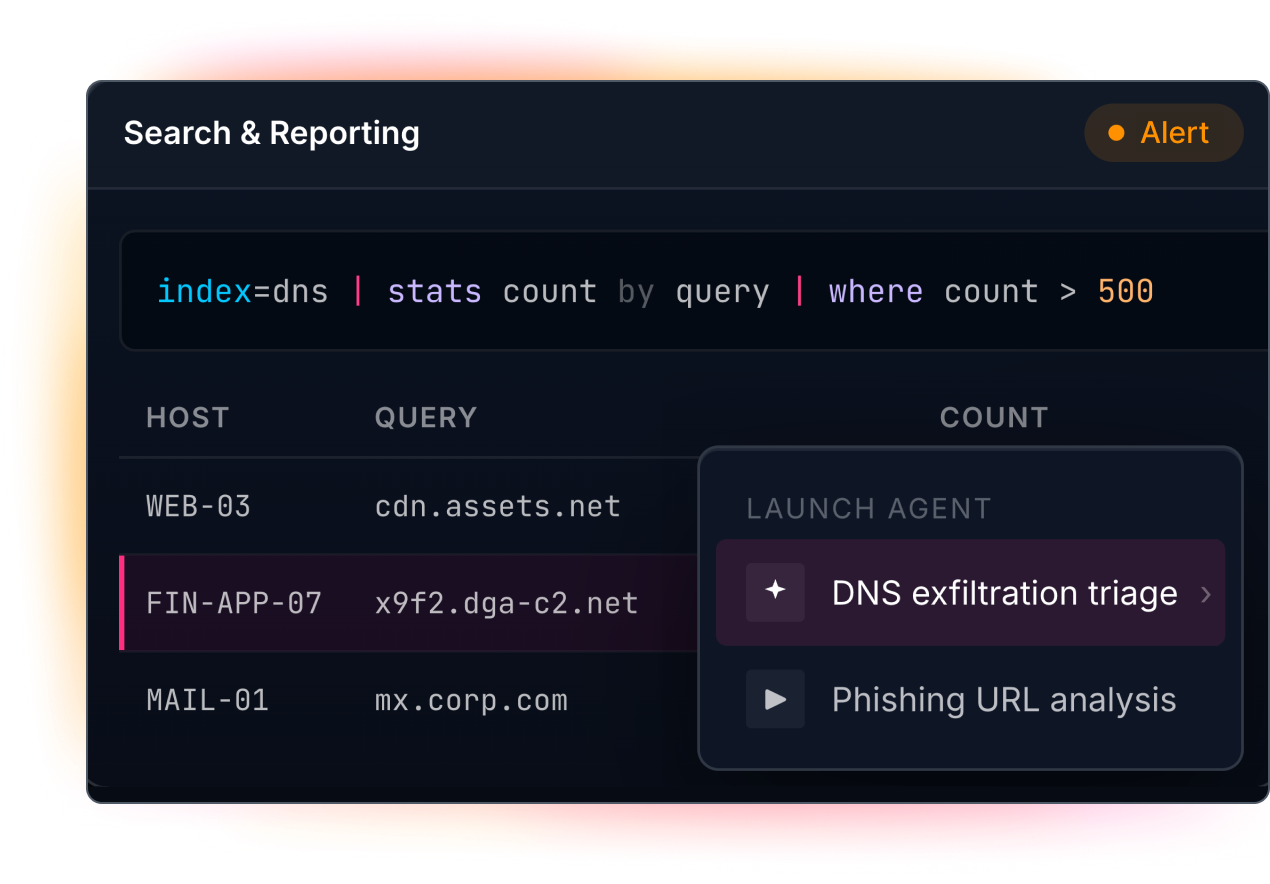
Simple for operators, governed by platform teams
Analysts and operators build and activate agents point-and-click, with no code or data science required. Splunk admins decide which tools, systems, and knowledge sources agents can reach. Teams move fast while platform owners keep control.
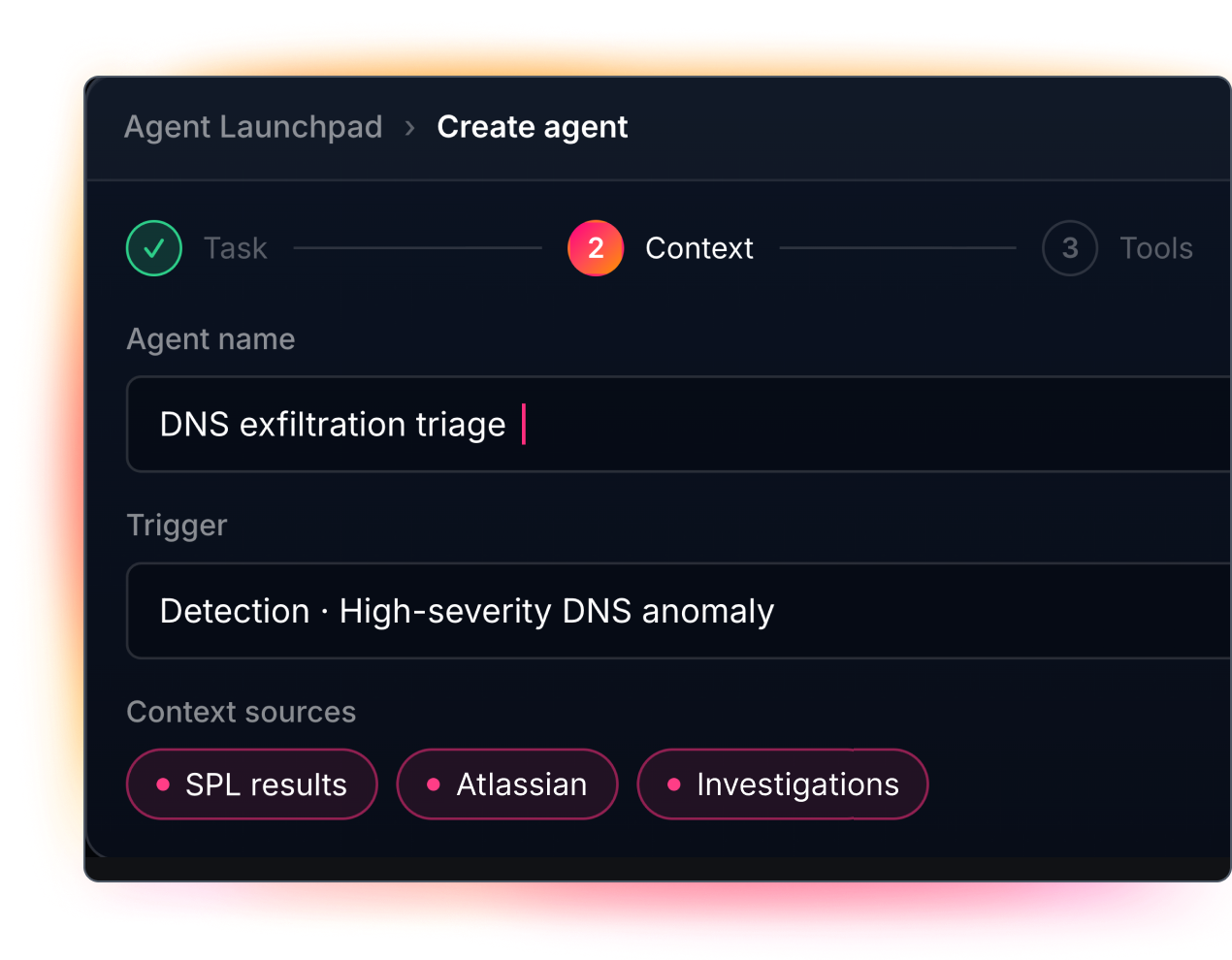
Every run is reviewable and traceable
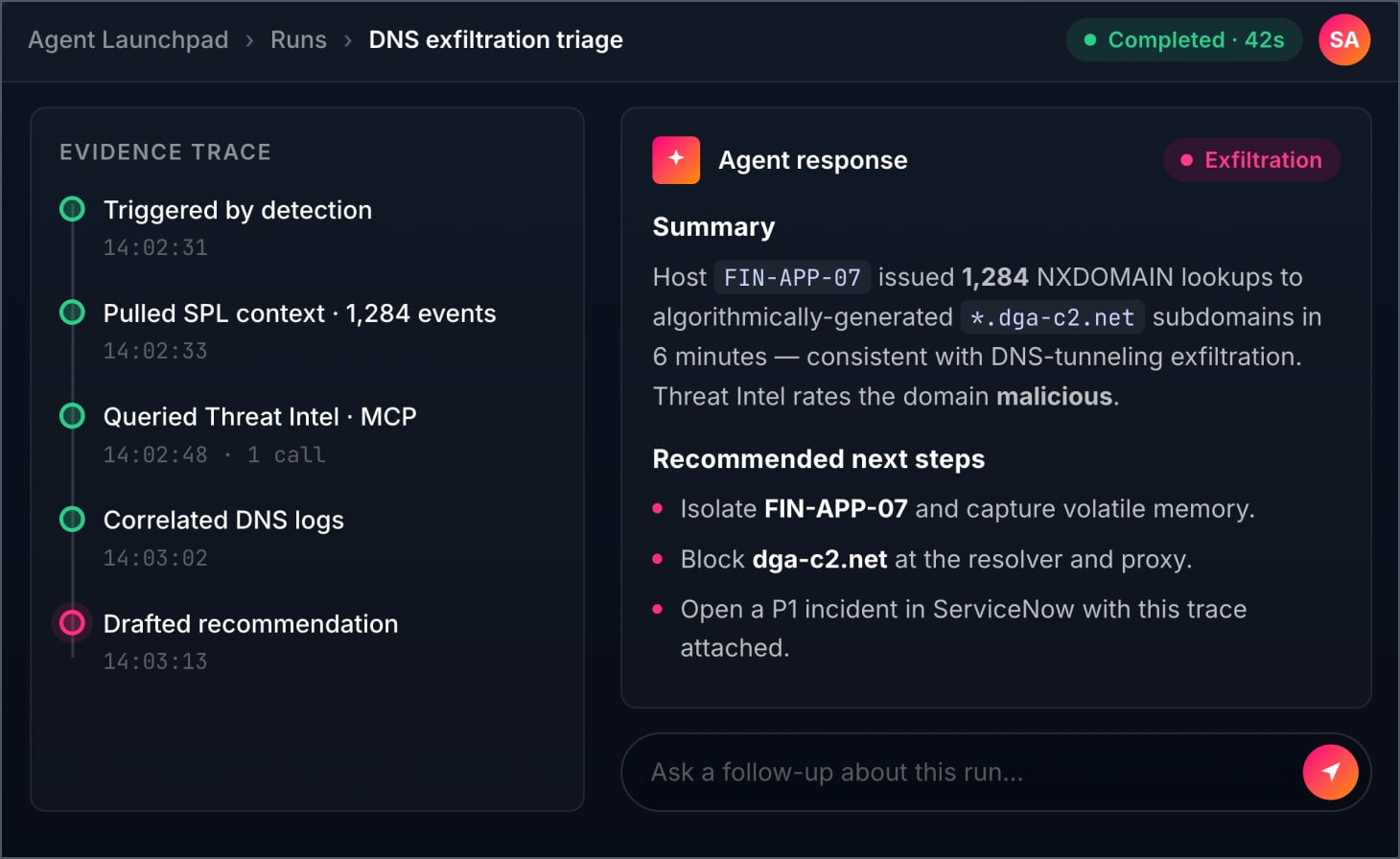
Every run is recorded and reviewable. See the evidence trace, tool usage, errors, and responses, ask follow-up questions, and check the work before acting. Trust builds with each run.
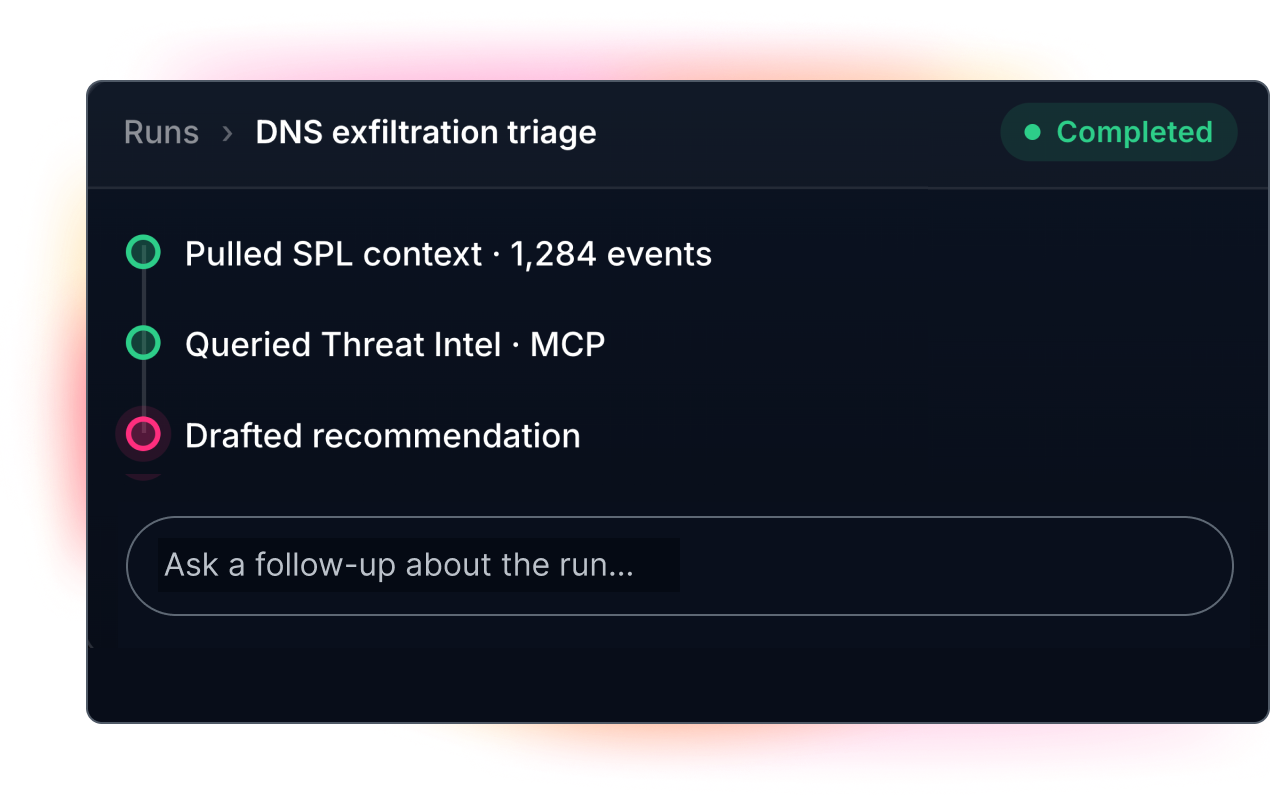
Inside Agent Launchpad
A closer look at the agent lifecycle, from build to review
No-code agent creation
Create operational agents point-and-click, no code required
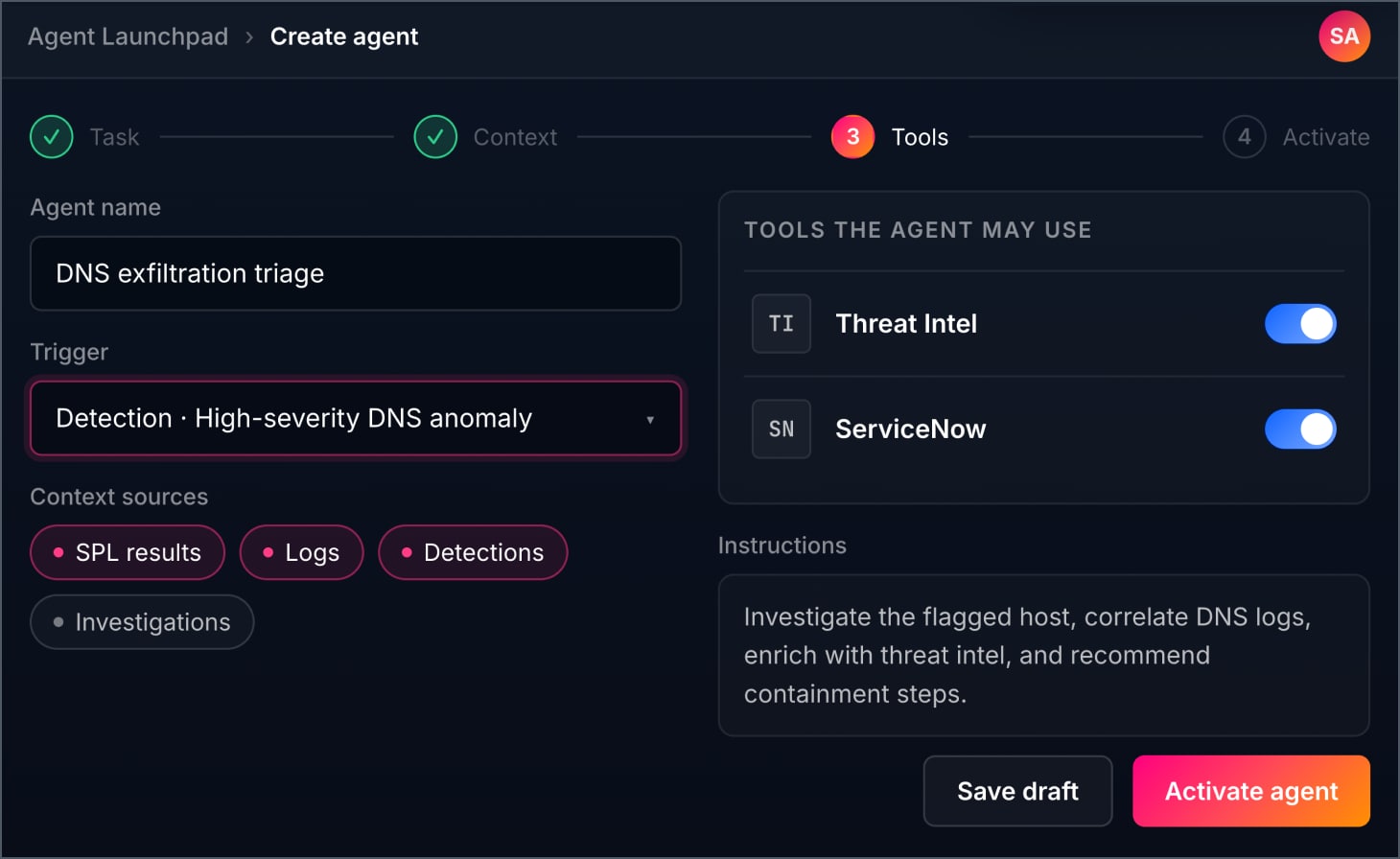
Build agents through a guided, point-and-click experience. Define the task, the context, and the tools, then activate. Analysts and operators ship agents without writing code or building custom ML models.
Workflow triggers
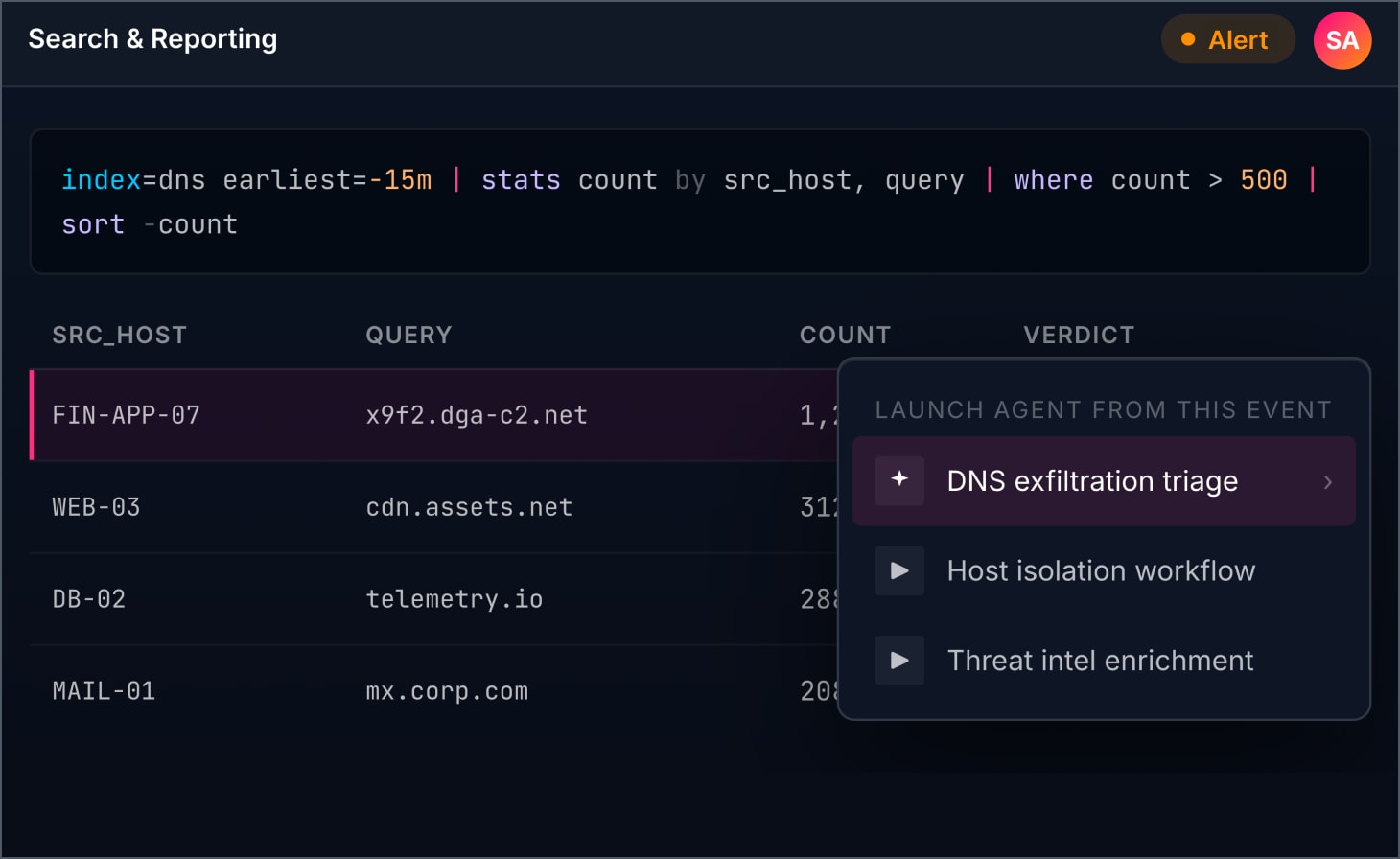
Launch agents from alerts, searches, and detections
Activate the right agent from the Splunk workflows where signals first appear. Trigger from alerts, ad hoc and scheduled searches, search commands, detections, and investigations, so action starts in context.
Splunk context
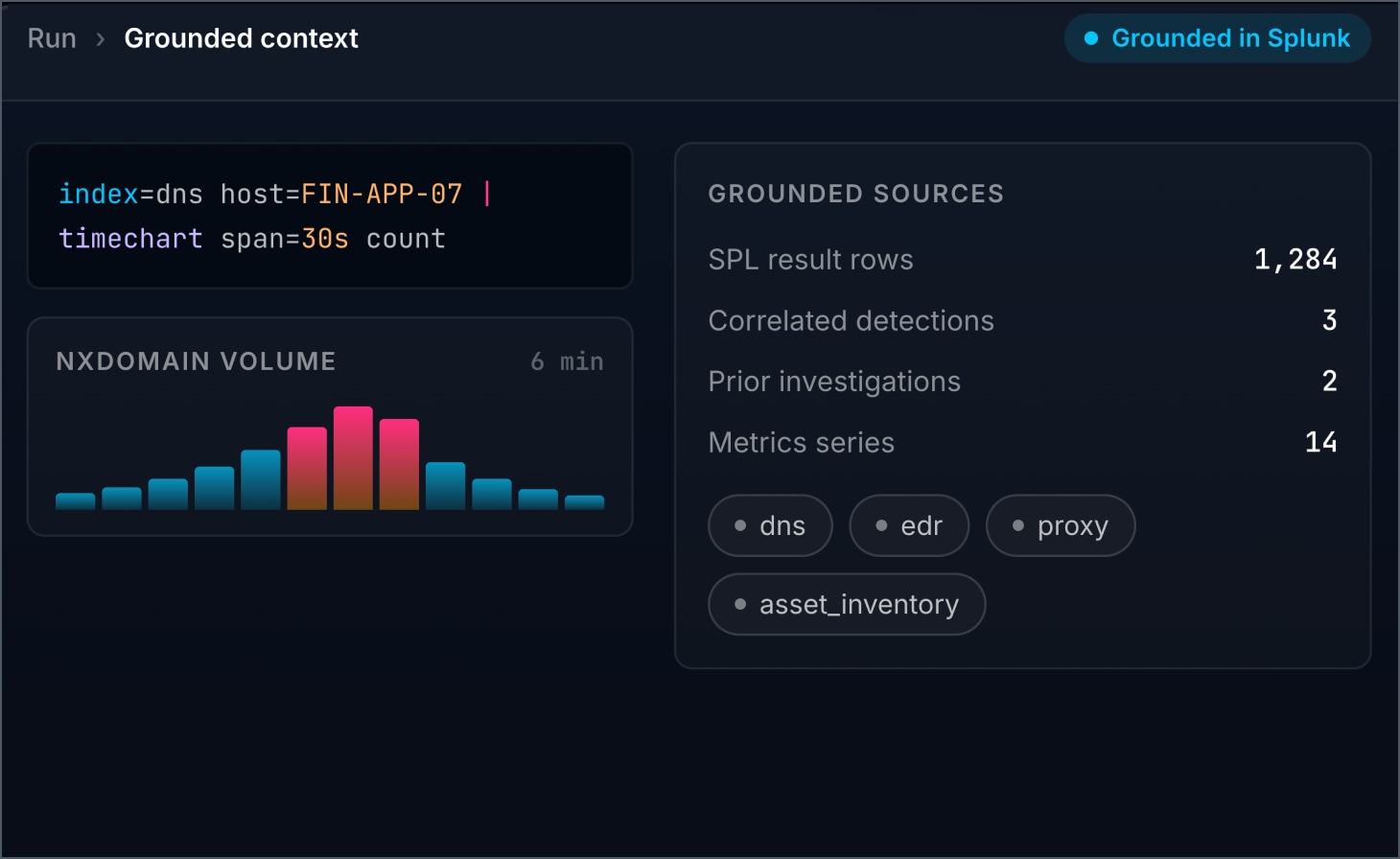
Ground agents in SPL results, logs, metrics, and detections
Every run starts with trusted Splunk data. Agents draw on SPL results, alerts, logs, metrics, detections, anomalies, and prior investigations to reason over real operational context instead of guesswork.
Approved tools
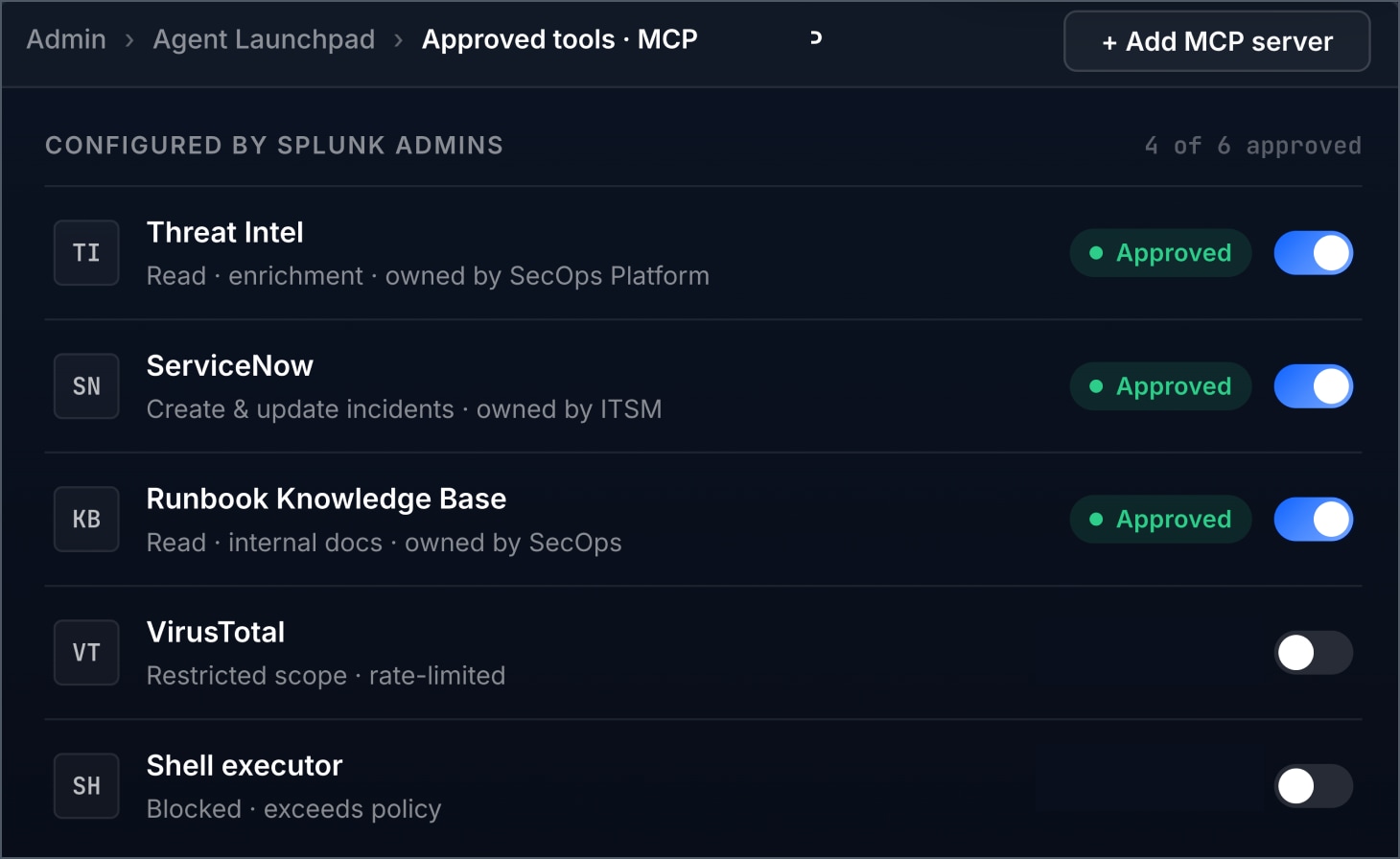
Connect approved MCP tools under admin governance
Splunk admins define which MCP tools, external systems, and knowledge sources agents can reach. Operators get a simple experience. Platform teams keep control over access, governance, and boundaries.
Run review
Inspect every run with full evidence and traceability
Review completed runs before acting. See run history, tool usage, evidence trace, errors, and Markdown responses, and ask run-scoped follow-up questions to build trust in agent behavior over time.
Resources
Explore more from Splunk


Splunk Agent Launchpad FAQs
Splunk Agent LaunchPad is a no-code Splunk-native experience that helps security and IT teams build, launch, and review custom AI agents from Splunk signals and workflows.
It helps teams accelerate productivity and turn operational signals into agent-powered action using the workflows, context, and systems they already trust in Splunk.
Agents can be launched from Splunk search, scheduled searches, and alerts.
Agents can use Splunk context such as search results, alert context, and prior agent outputs, along with approved tools and knowledge sources.
It can support operational workflows such as investigation, triage, enrichment, reporting, health checks, and response support.
It is designed for security, IT, and network teams, including SOC analysts, incident responders, IT Ops, SRE teams, and platform owners to simplify their workflow and accelerate outcomes.
Examples include automated phishing triage, cross-stack IP investigation, and proactive infrastructure health checks.
Administrators can configure approved connections, tools, and knowledge sources centrally, and access is governed through Splunk permissions and RBAC.
Users can review run history, inspect tool calls and evidence, see clearer errors, and ask follow-up questions tied to a completed run.
Yes. It supports multiple Splunk connections and expanded connectivity, including custom MCP servers, so teams can connect to the systems they already use.
Related products
Splunk Enterprise Security
Unified threat detection, investigation, and response for the agentic SOC.
Splunk IT Service Intelligence
Predict and prevent IT issues with AI-driven service monitoring.