What is Splunk Enterprise?

The Platform for Machine Data

Your IT systems and technology infrastructure generate massive amounts of data. Machine data—generated by websites, applications, servers, networks, mobile devices and the like.

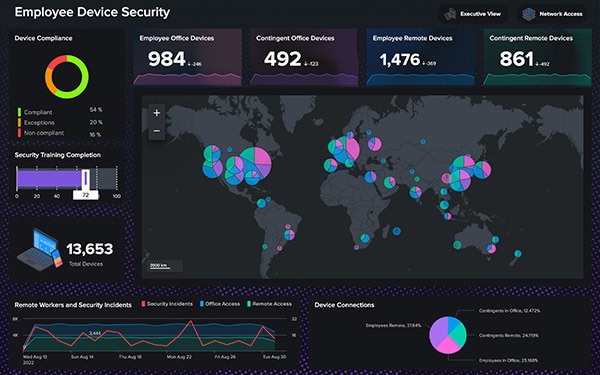
By monitoring and analyzing everything from customer clickstreams and transactions to network activity to call records, Splunk Enterprise turns your machine data into valuable insights.

Troubleshoot problems and investigate security incidents in minutes (not hours, or days). Monitor your end-to-end infrastructure to avoid service degradation or outages. And gain real-time visibility into customer experience, transactions and behavior.

It's Software—Download and Install in Minutes

Try Splunk Enterprise on your laptop and then deploy it to your datacenter or cloud environment. It's a self-contained software package that runs on all major operating systems—just pick your platform, download and install. You're up and running with a web interface for users and a powerful enterprise platform for indexing your machine data.

Indexes Any Data from Any Source

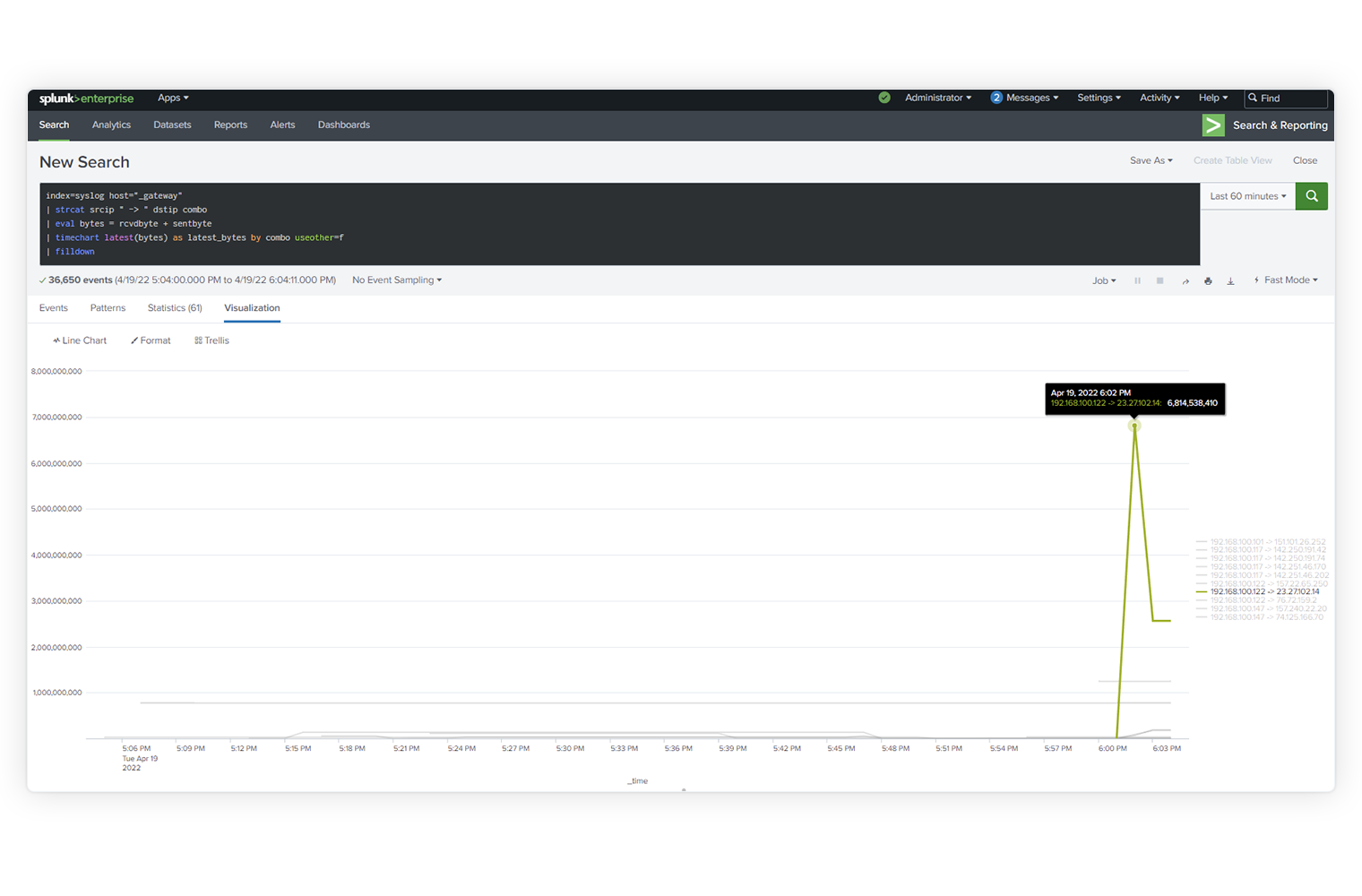
Splunk Enterprise collects and indexes any machine-generated data from virtually any source, format or location in real time. This includes data streaming from packaged and custom applications, app servers, web servers, databases, networks, virtual machines, telecoms equipment, operating systems, sensors and much more. There's no requirement to "understand" the data upfront. Just point Splunk Enterprise at your data, and it immediately starts collecting and indexing—so you can start searching and analyzing.

What is machine data?

index any data

Forwards Data from Remote Systems

Splunk forwarders can be deployed in situations where the data you need isn't visible over the network. Splunk forwarders deliver reliable, secure, real-time data collection for up to tens of thousands of sources. They can monitor local application logfiles, capture the output of status commands on a schedule, grab performance metrics from virtual or non-virtual sources or watch the file system for configuration, permissions and attribute changes. They are lightweight, can be deployed quickly and at no additional cost.

Splunk Forwarders Technical Brief

forward data from remote systems via splunk forwarders

Correlates Complex Events

With Splunk Enterprise you can correlate complex events spanning many diverse data sources across your environment. Types of correlation include:

  • Time-based correlations, to identify relationships based on time, proximity or distance
  • Transaction-based correlations, to track a series of related events as a single transaction to measure duration, status or other analysis
  • Sub-searches, taking the results of one search and using them in another
  • Lookups, correlating with external data sources outside of Splunk
  • Joins, to support SQL-like inner and outer joins

Correlating events to enable richer analysis and insight from your machine data.

Event Correlation Technical Brief

correlate complex events from multiple data sources across your IT infrastructure

Delivers Enterprise-class Scale, Resilience and Interoperability

Splunk Enterprise scales to collect and index tens of terabytes of data per day. And because the insights from your data are mission-critical, Splunk software's index replication technology provides the availability you need, even as you scale out your low-cost, distributed computing environment.

Automatic load balancing optimizes workloads and response times and provides built-in failover support. Out-of-the-box reporting and analytics capabilities deliver rapid insights from your data.

Splunk DB Connect delivers reliable, scalable, real-time integration between Splunk and traditional relational databases.

Splunk Hadoop Connect provides bi-directional integration to easily and reliably move data between Splunk Enterprise and Hadoop.

Big Data Video Big Data Solution Page

splunk vertical scaling

Scales from Datacenter to Cloud

The Splunk software distributed architecture lets your search and reports span multiple Splunk deployments within a single datacenter or globally across multiple datacenters and cloud infrastructures. With role-based access you can control how far a given user's search will span—wherever your data resides. Get the visibility and intelligence you need from your data, all from one place. Securely connecting your Splunk installation takes just minutes, allowing you to design a manageable enterprise data fabric.

splunk distributed search across datacenters

Provides Granular, Role-based Security

Underlying everything Splunk Enterprise does is a robust security model. Every Splunk transaction is authenticated, including user activities through the web user interface, command line interface and system activities through the Splunk API. You can define your own roles for Splunk users with a comprehensive set of documented control points that limit functionality by user type. These fine-grained access controls limit the searches, alerts, reports, dashboards and views that different Splunk roles can see. Splunk software also integrates with external LDAP and Active Directory servers to enforce enterprise-wide security policies. Single sign-on integration is also available to enable pass-through authentication of user credentials. Since all the data needed to troubleshoot, investigate security incidents and demonstrate compliance is persisted in Splunk, you can restrict access to sensitive production servers.

role base access controls

A Platform for Enterprise Apps

Developer teams will find a whole host of ways to leverage Splunk Enterprise. Debug and troubleshoot applications during development and test cycles or integrate data from Splunk Enterprise into custom applications. Output data from any API endpoint in JSON and ensure custom Splunk development over time, with API versioning. Splunk Enterprise ships with the JavaScript SDK with additional downloadable SDKs for Java, Python and PHP making it easy to customize and extend the power of Splunk Enterprise.

Platform for Building Enterprise Apps