Machine Learning Guide: Choosing the Right Workflow
Machine learning (ML) and analytics make data actionable. Without it, data remains an untapped resource until a person (or an intelligent algorithm) analyzes that data to find insights relevant to addressing a business problem.
For example, amidst a network outage crisis a historical database of network log records is useless without analysis. Resolving the issue requires an analyst to search the database, apply application logic, and manually identify the triggering series of events. However, ML-powered analytics can automate these steps, powering data pipelines and applications that provide actionable insights to deliver faster, more accurate data-driven decisions.
Intelligent ML capabilities leverage common mathematical techniques — like pattern recognition, numerical trends, or similarity (or dissimilarity) calculations — and apply these methods to massive volumes of data. The resulting algorithms learn from past data in order to make predictions about future data. This approach is scalable and robust, faster and more comprehensive than traditional programming that requires engineers to manually design algorithms for each new problem statement.
At Splunk, machine learning is used across our product suite to power actionable, data-driven decision making. Splunk distinguishes itself in tackling use cases such as identifying anomalies to anticipate issues, detecting suspicious activity to protect against fraud, and pinpointing root causes in an investigation.
Splunk Platform Offers an Ecosystem of ML Capabilities
ML capabilities are embedded throughout the entire Splunk suite of products, and surfaces in a variety of ways ranging from core platform capabilities, to advanced data analytics toolkits to ML-powered experiences in premium apps. As a core platform capability, we try to help our users do more with their data in Splunk. Offerings such as the Splunk Machine Learning Toolkit (MLTK) and Splunk Machine Learning Environment (SMLE), soon to be offered out-of-the-box, guide users through specific use cases and provide developer-friendly options for experimenting, prototyping, and operationalizing advanced analytic workflows in customer environments.
Second, we realize that many Splunk users are not data scientists, but still want the benefits of ML-powered techniques. We are building frameworks to allow SPL users to incorporate pre-trained models and cutting-edge streaming algorithms into their traditional workflows. This capability distinguishes Splunk in marrying two worlds — that of a data scientist and the typical Splunk / Splunk app user. Finally, each of our premium applications is boosted with industry-specific ML techniques and algorithms designed for IT, Security, and DevOps use cases. For example, our cutting edge adaptive thresholding approach reduces the time to set up Splunk IT Service Intelligence (ITSI), and our next gen Cloud UEBA offering brings to market several first-of-a-kind ML-powered detections.
As an integrated ecosystem, ML capabilities across the Splunk portfolio allow you to automate workflows, reduce time to value, and provide decision support for critical operations. Today, developers, data scientists, and analysts can collaborate, choosing the appropriate workflow for their needs and skill levels. Splunk provides a range of capabilities to support users who have varying familiarity with ML concepts, varying levels of coding expertise, and varying scale of data management.
For example, an NOC/SOC analyst may use Splunk Machine Learning Toolkit (MLTK) to apply a Smart Assistant workflow to their data, delivering ML-powered insights to their operations without the need for deep algorithm expertise. Instead, MLTK Smart Assistants offer pre-configured models through proven and repeatable solutions identified by Splunk users to solve common data challenges.
A data scientist collaborating with the NOC/SOC analyst may want to experiment under-the-hood with the underlying ML models to customize the algorithm for a more advanced problem. To do so, she can invoke Streaming ML algorithms or apply custom models in Jupyter notebooks on Splunk Machine Learning Environment (SMLE) to evaluate different ML approaches versus the pre-configured option in the Smart Assistant.
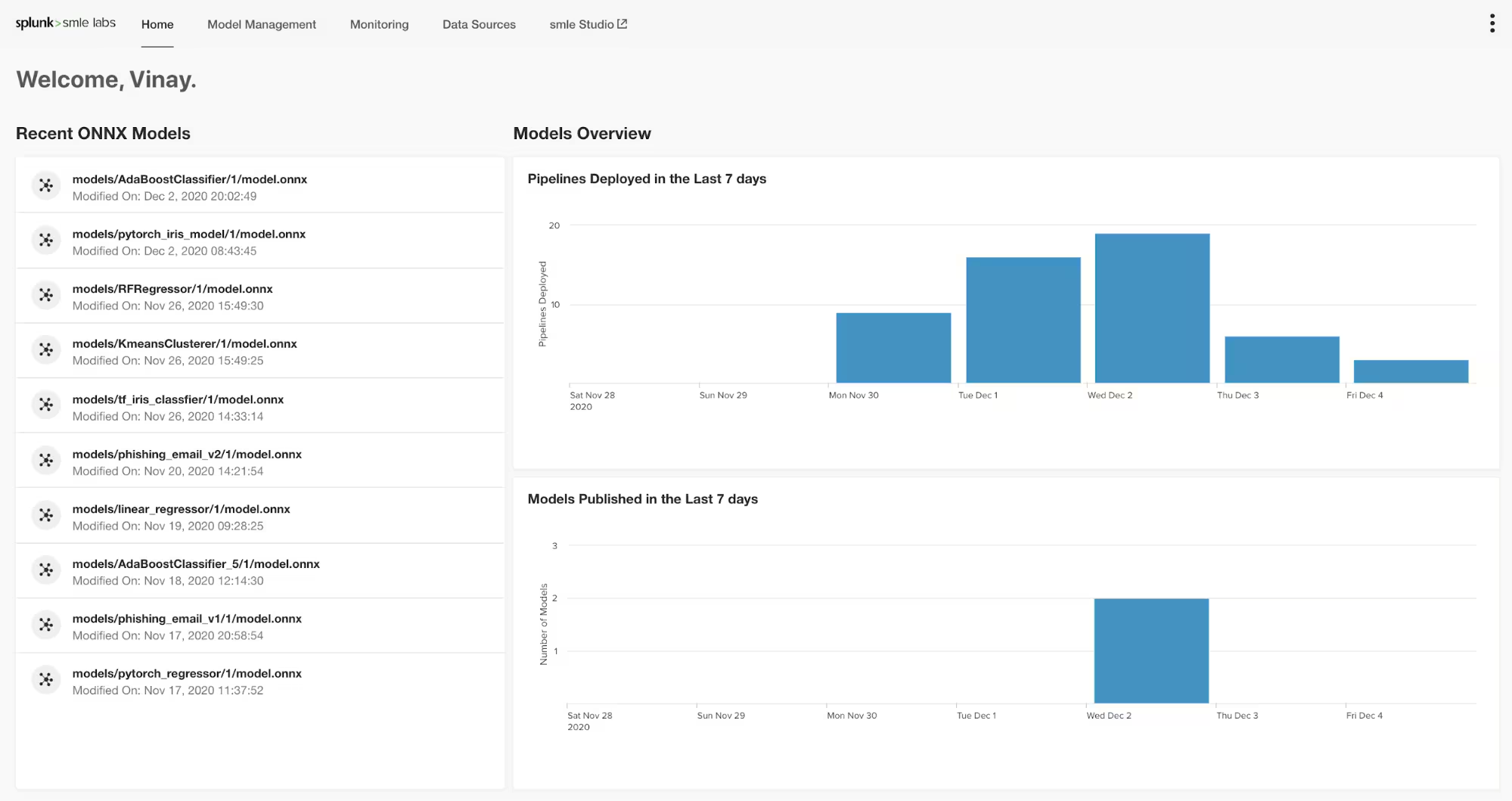
SMLE
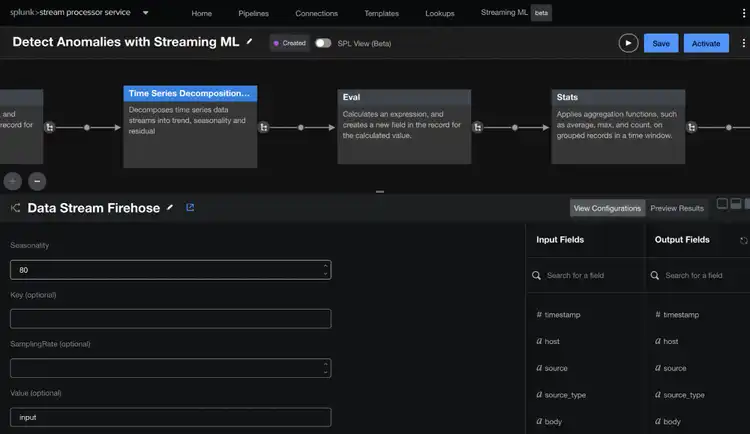
Streaming ML in DSP
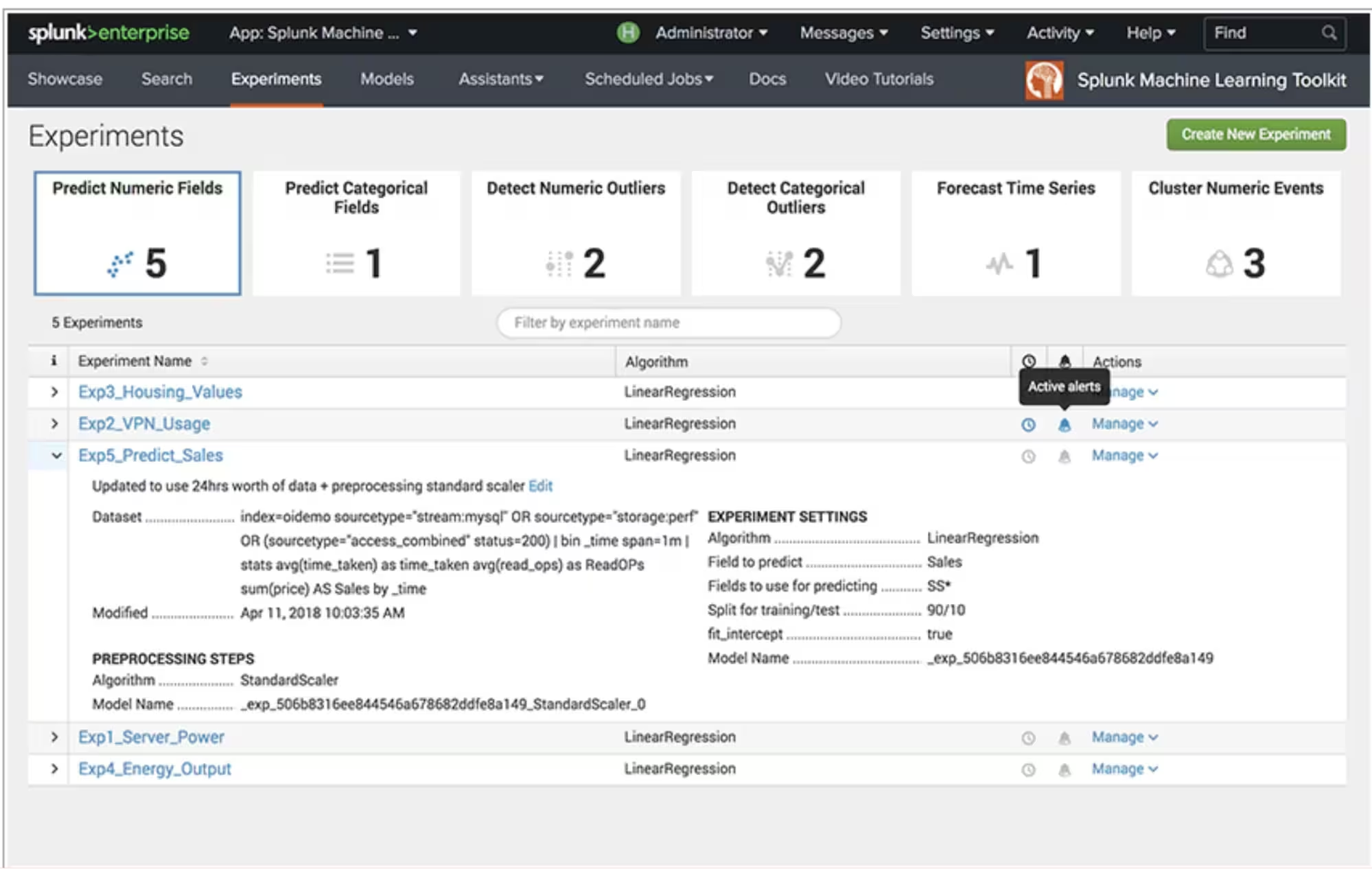
MLTK
The Splunk AI/ML ecosystem delivers advanced capabilities while supporting flexibility for all users. Choosing the right workflow for your use case is as simple as answering three easy questions:
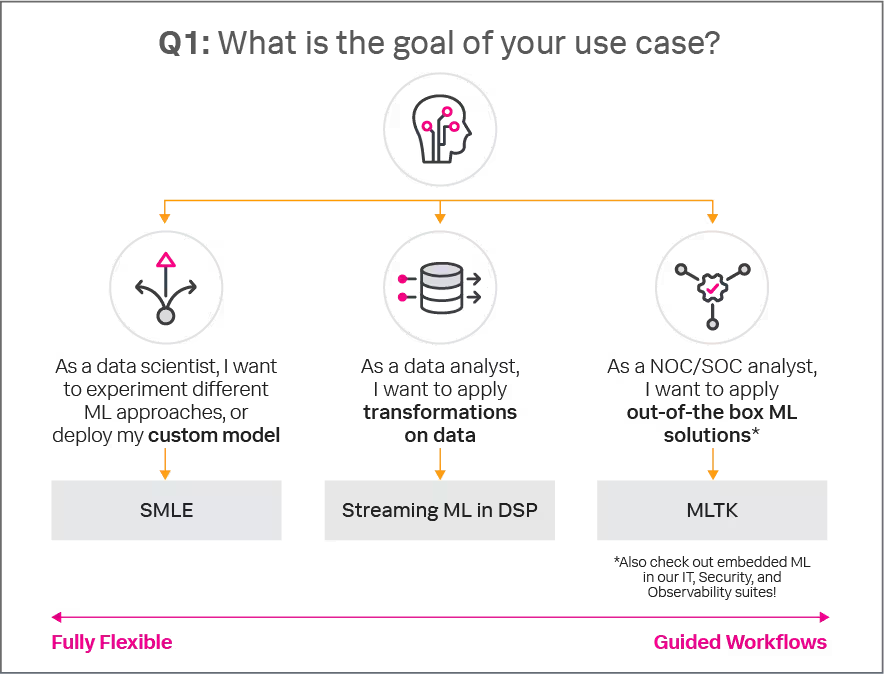
What is the goal of your use case?
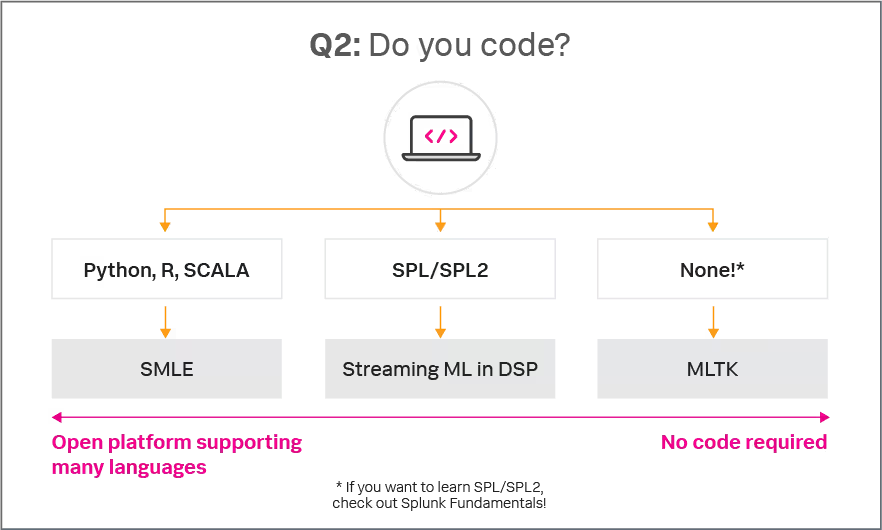
Do you code?
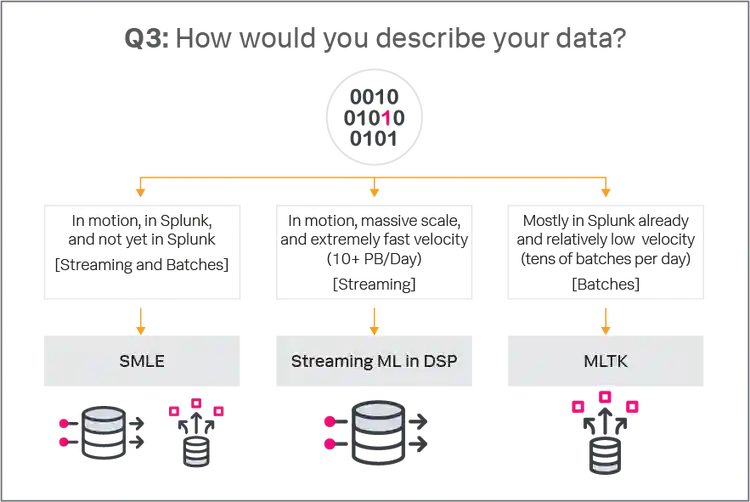
How would you describe your data?
The simple decision diagrams below will help you answer these questions to choose the right Splunk AI/ML workflow for your business needs.
What is the goal of your use case?
Splunk users face a variety of data challenges, from processing terabytes of streaming metrics to deep-diving into a historical search. Each use case benefits from applying the right ML workflow to achieve optimal outcomes.
Users who want to build custom ML models, experiment with different approaches, or have a fully-flexible data science experience should take advantage of Splunk Machine Learning Environment (SMLE). SMLE allows users to have complete flexibility and control over their model experimentation, operationalization, and management experience.
Users who want to apply transformations like data pre-processing, filtering, and identifying drift in streaming data should use Streaming ML in DSP. This framework is designed to give Splunk users flexibility to build custom pipelines, but offers the assurance that algorithms are designed for streaming data and will work natively in Splunk environments.
Finally, users who want out-of-the-box ML solutions should apply Machine Learning Toolkit (MLTK). MLTK offers pre-packed Smart Workflows and Smart Assistants to automatically apply ML models to common use cases and frequently observed data challenges for Splunk users.
Do you code?
Splunk users are focused on different business outcomes, and all can use Splunk and machine learning to drive results.
If you are comfortable with Python, R, or Scala, you may want to write custom code in a Jupyter environment on SMLE. This custom code can be converted into SPL2, and run in your Splunk environment.
If you are an experienced Splunk developer, comfortable in SPL or SPL2, you can build custom pipelines and apply Streaming ML operators in DSP. You can also write pipelines in SMLE, which supports SPL2 code as well.
If you do not code, you can create ML workflows in MLTK, which offers a drag-and-drop experience to apply pre-configured ML models and out-of-the-box workflows to your data. Streaming ML in DSP also supports a no-code experience for creating custom data pipelines.
How would you describe your data?
Data in Splunk comes in all shapes, volumes, and velocities! Understanding your data is the first step to empowering your decisions with ML.
If your data is in motion at a massive scale, or has extremely fast velocity (e.g., 10+ PB/day), you should take advantage of Streaming ML in DSP. This lightning-fast framework is designed to support online machine learning to deliver insights in real time.
If your data is already in Splunk and updates with relatively lower velocity, or you can apply less frequent predictions on your data (e.g., tens of batches per day), you can apply models in MLTK. These models aggregate data into batches, allowing for a more traditional stepwise approach to the machine learning workflow.
If you have a mix of data in motion and data at rest, or a mix of data in- and out- of Splunk, SMLE provides the most flexible option to meet varying data needs.
Get Started
Still not sure which workflow is best for you? Reach out to your account rep who can help you determine the best tools for your unique needs, or check out the resources below for more product details.
Splunk’s suite of machine learning products has capabilities for your broad range of needs. Now that you know how to choose the right product for your use case, you can get started by learning more about each option with the resources below or subscribe to Splunk Blogs to keep an eye out for weekly ML blogs!
Interested in trying SMLE? Sign up for our beta program!
This article was co-authored by Lila Fridley, Senior Product Manager for Machine Learning, and Mohan Rajagopalan, Senior Director of Product Management for Machine Learning.
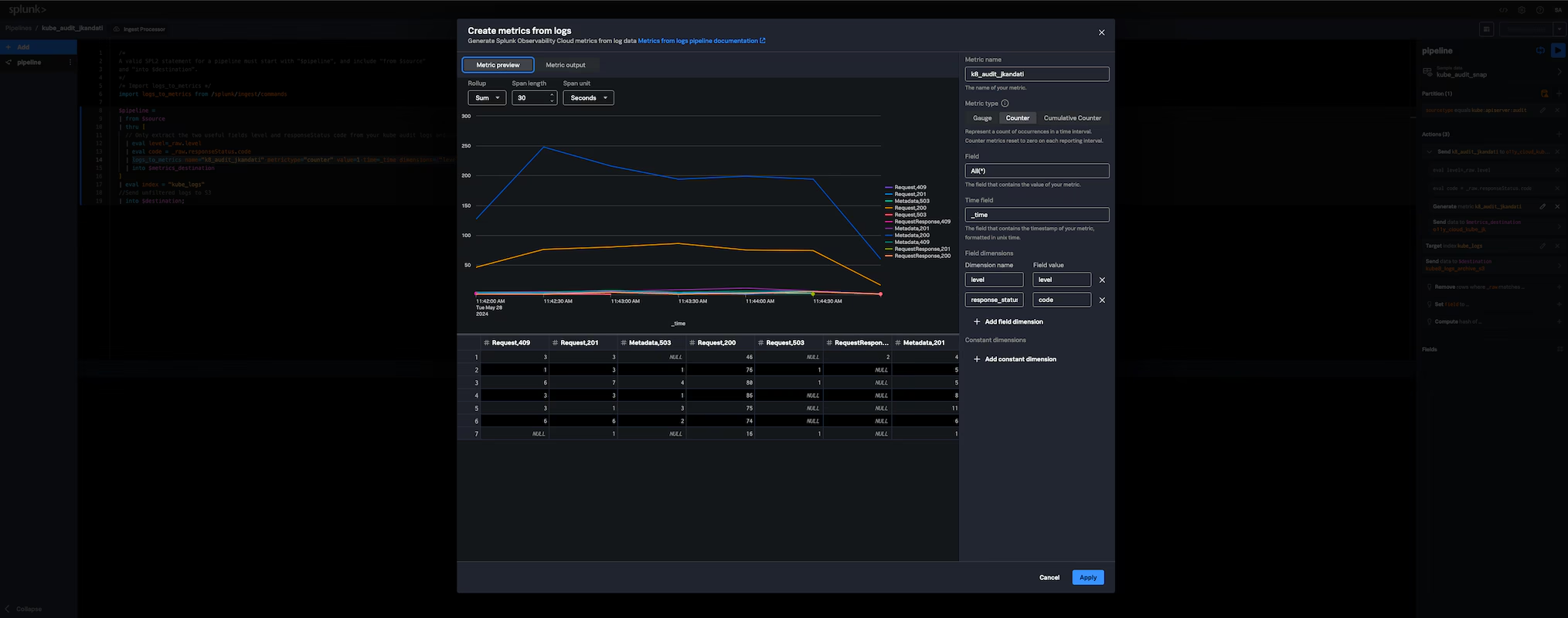
Splunk is pleased to announce the general availability of Ingest Processor, a Splunk-hosted offering within Splunk Cloud Platform designed to help customers achieve greater efficiencies in data transformation and improved visibility into data in motion.