Splunk Data Manager’s Custom Logs: Expanding AWS Log Ingestion Capabilities
The latest feature release of Splunk Data Manager – Custom Logs – empowers users with access to a wide spectrum of AWS service logs, ensuring comprehensive coverage among an ever-evolving cloud computing landscape.
Before you dive into the detailed blog content, take a moment to check out our video explaining Custom Logs. This quick introduction is designed to give you a clear overview of how Custom Logs can improve your log management experience.
This article is divided into two sections: first, we explore the essence of 'Custom Logs', and then we provide a detailed, user-centric guide for integrating custom logs into Splunk using EC2 and Lambda logs.
What Are Custom Logs?
Encountered challenges in ingesting diverse logs from your AWS services? Custom Logs in Splunk Data Manager are here to change that. This feature broadens your log ingestion capabilities, allowing for seamless integration of a wider array of AWS service logs into Splunk. It's all about adaptability and user-centricity.
With Custom Logs, you're no longer limited to standard log types. From intricate AWS service logs to unique application logs, you have the flexibility to bring everything into Splunk for comprehensive analysis. This enhancement is more than a feature; it's your solution to the increasing complexity of cloud-based log data, tailored to offer deeper insights and a clearer view of your entire AWS landscape.
The Rationale Behind Custom Logs
Splunk Cloud Platform customers engage with a diverse range of AWS services, each producing its own set of logs stored in CloudWatch Logs groups. While Data Manager efficiently supports a subset of these services, a broad spectrum of AWS services and custom log groups were not fully addressed. The implementation of Custom Logs is Splunk's response to this challenge.
EC2 Logs Ingestion into Splunk
For users interested in leveraging our Custom Logs feature, we have prepared guided walkthroughs of two sample use cases. These examples will help you understand how the feature works.
1. Prepare EC2 Logs for CloudWatch
Begin by installing the CloudWatch Logs agent on your EC2 instances. Configure this agent to target specific logs to a designated CloudWatch Logs group.
2. Ingest EC2 Logs with Data Manager Custom Logs
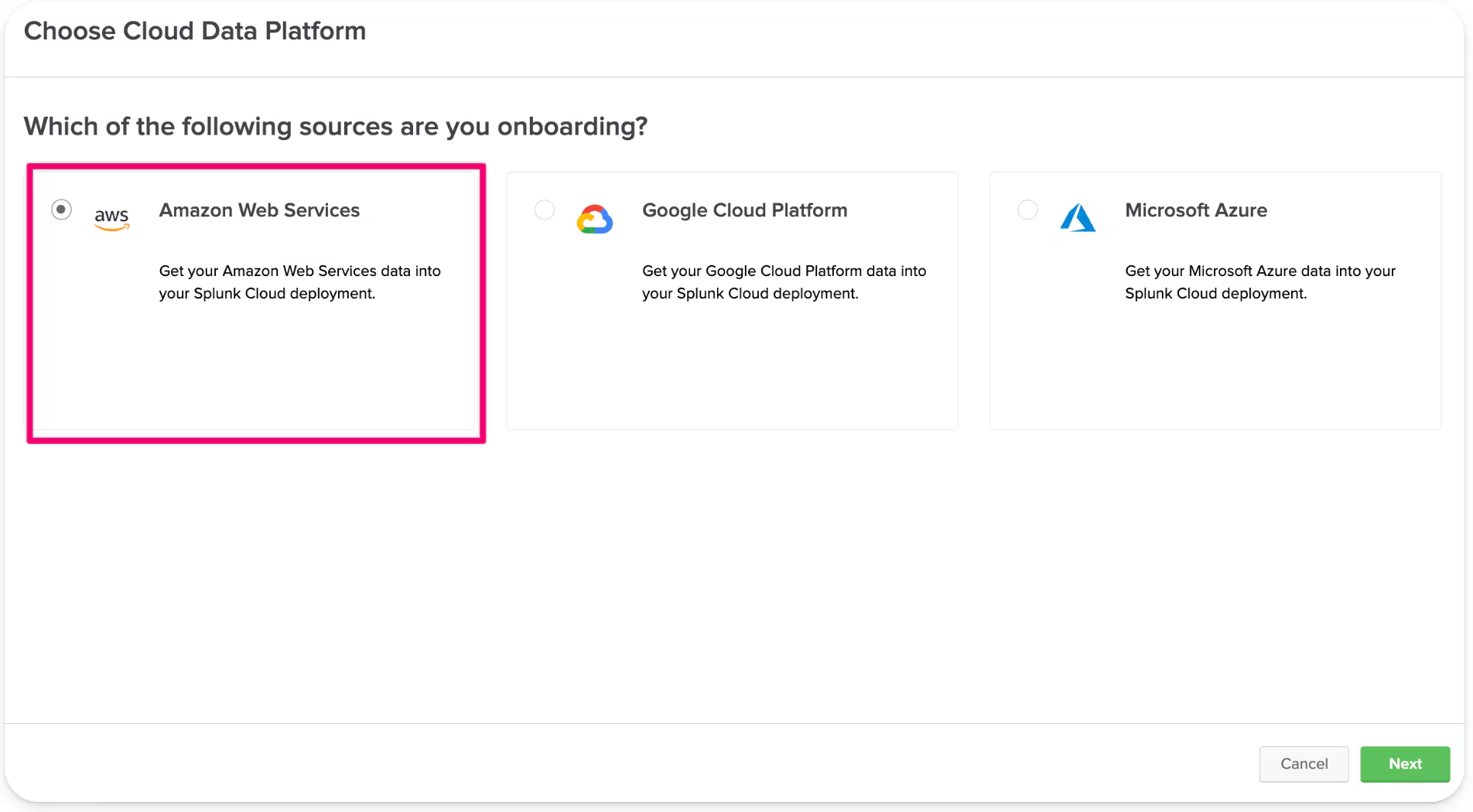
2.1. Create AWS input in Data Manager.
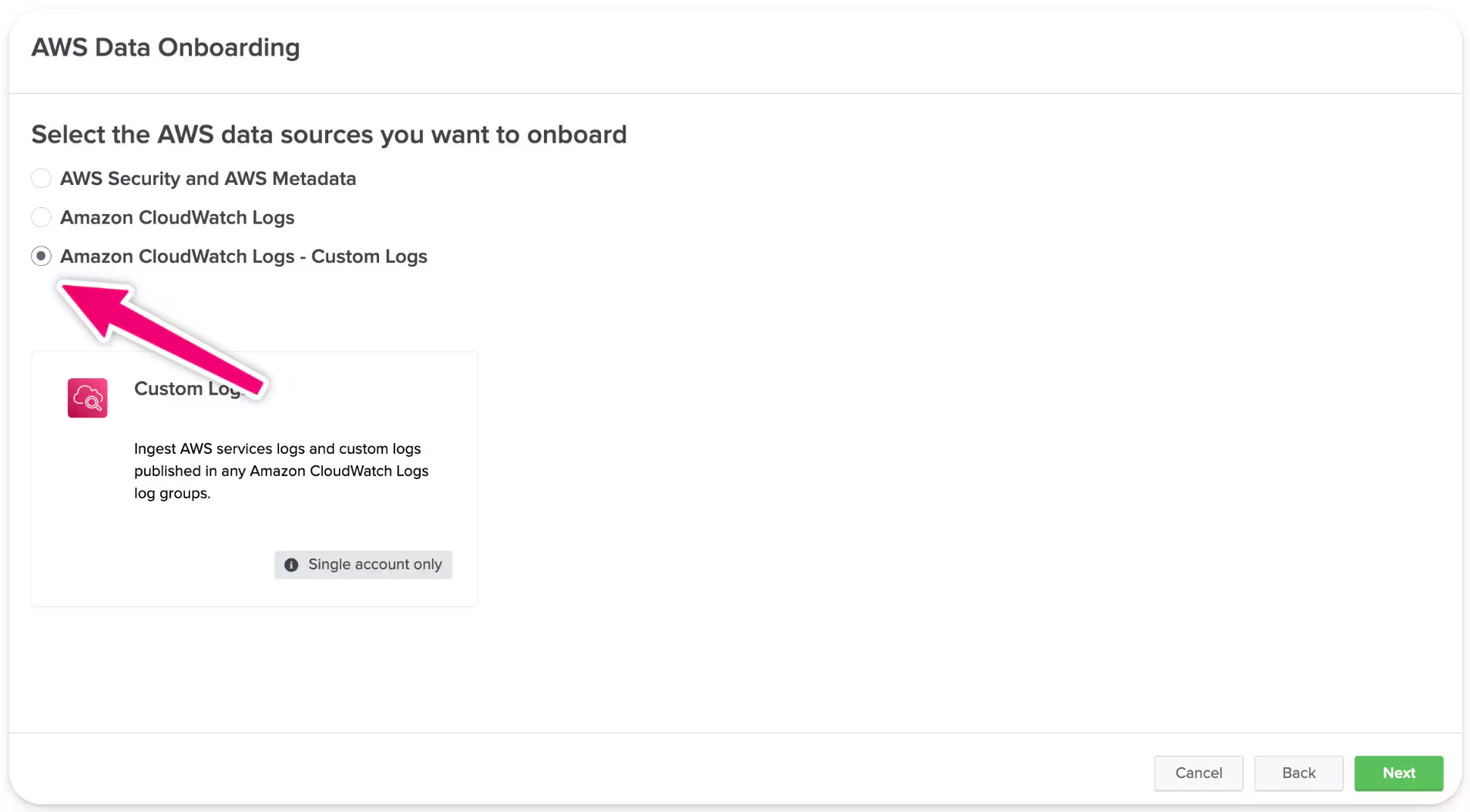
2.2. Select Custom Logs data source.
2.3. Complete all the fields on Input Amazon CloudWatch Logs Data Information - Custom Logs.
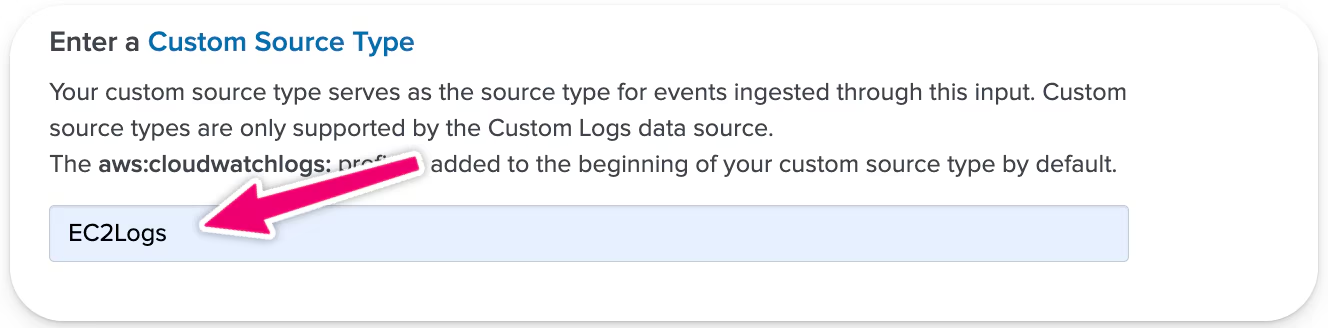
2.4. There are two new sections on Input Page: Custom Source Type And Onboard log groups.
2.5. Enter Custom Source Type: You can specify a source type to use in Splunk Search.
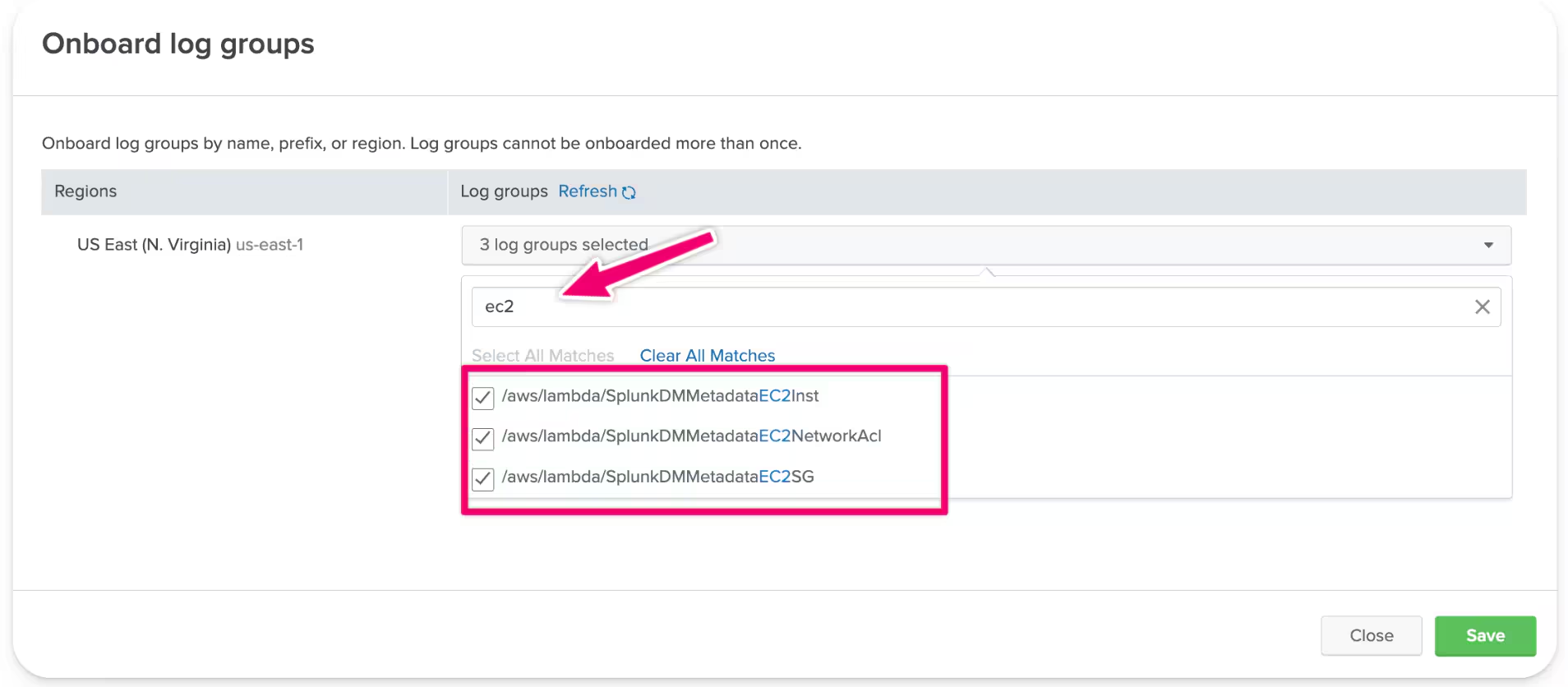
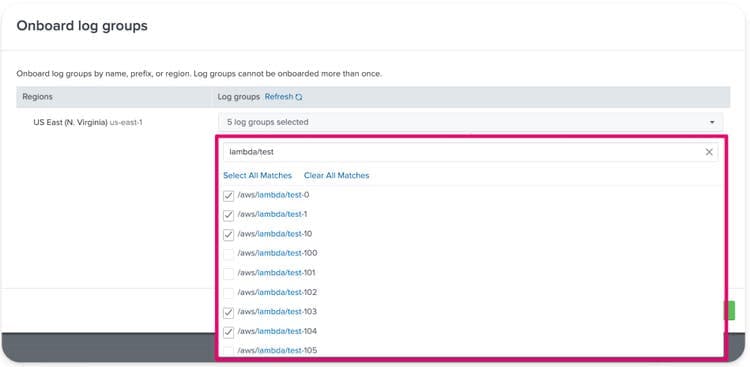
2.6. Log Group Onboarding: If the agent configuration was successful, you should be able to view logs from your EC2. You can filter names you want to onboard, or search through all available log groups.
2.7. Review input details.
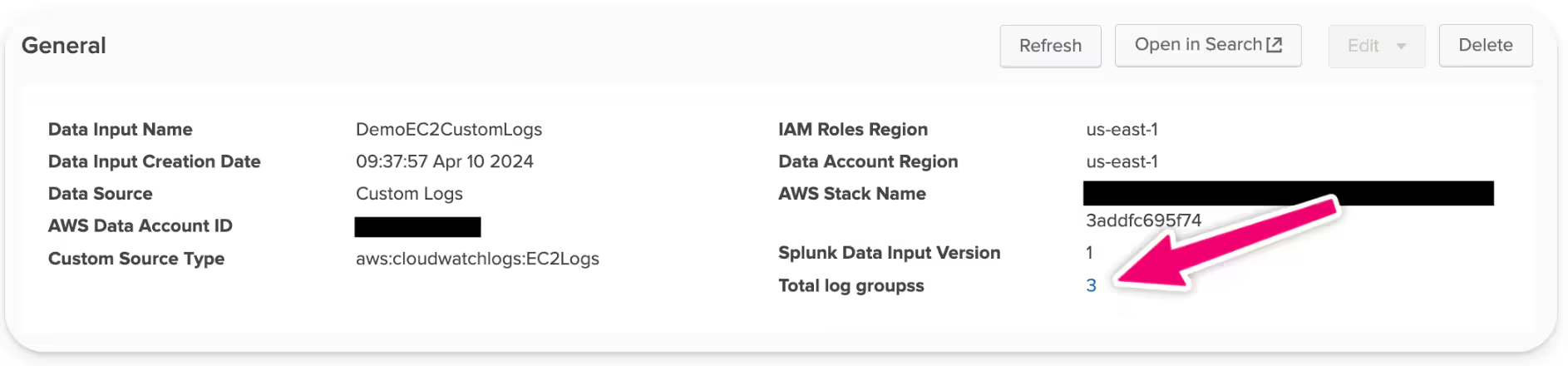
2.8. Now you can check what log groups have been onboarded.
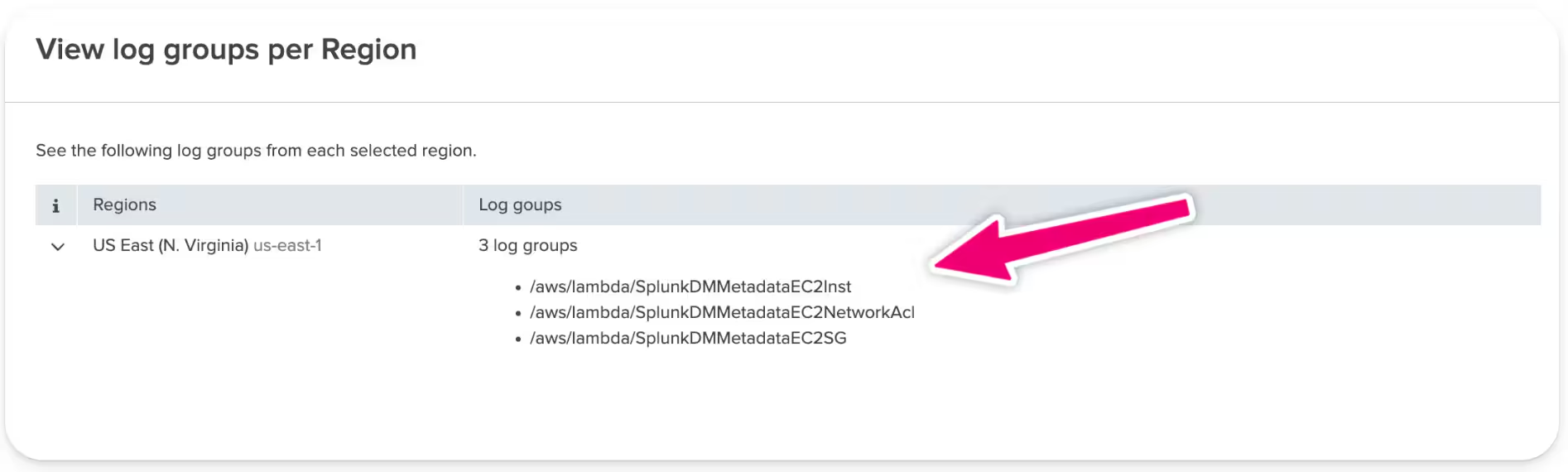
Lambda Log Integration into Splunk
1. Configure Lambda Logs for CloudWatch - AWS offers automatic integration for AWS Lambda to push logs to CloudWatch which simplifies the initial setup.
2. Setting Up Data Manager for Custom Logs
2.1. Choose 'Amazon CloudWatch Logs - Custom Logs' under new data input.
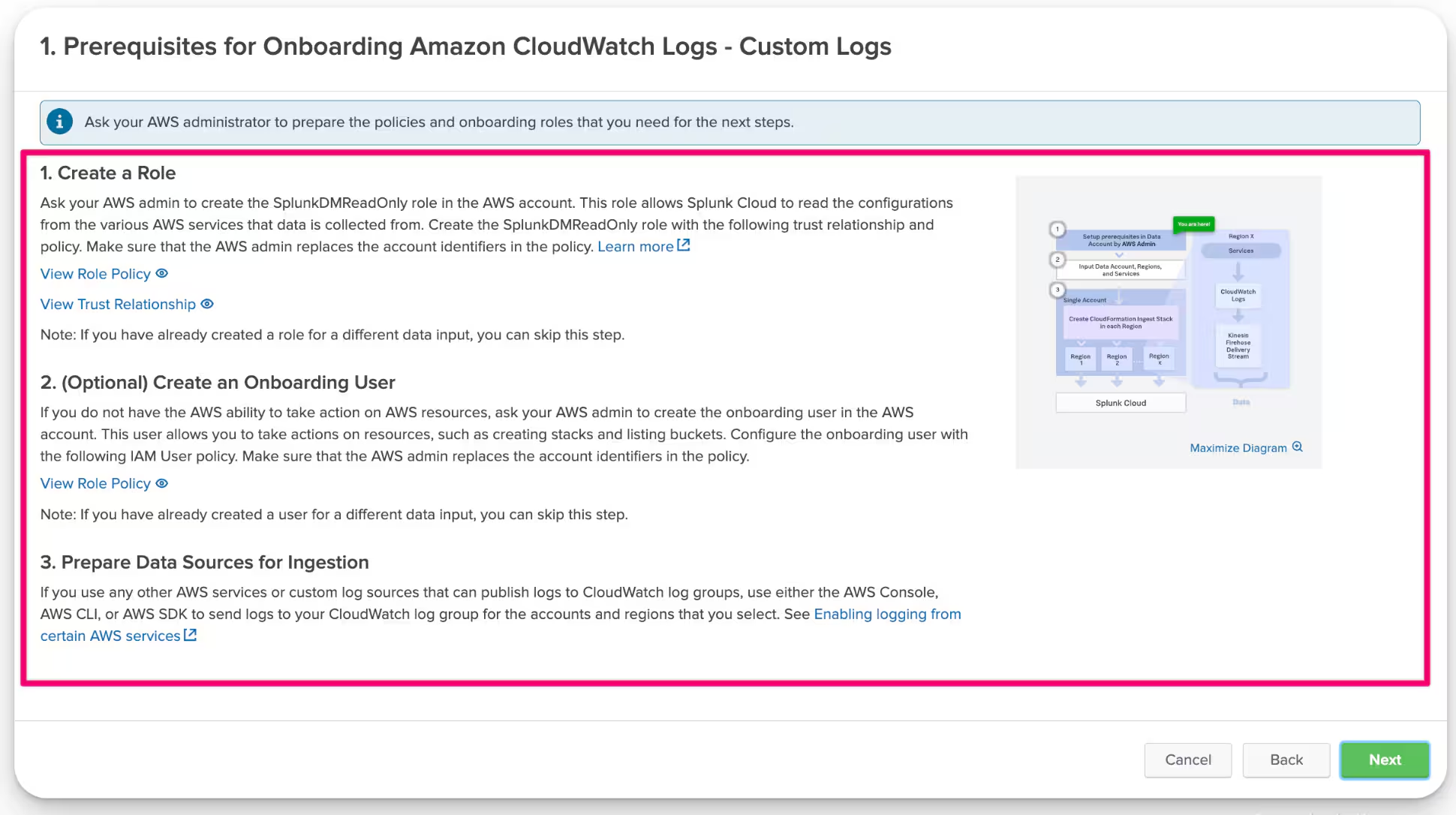
2.2. Complete all prerequisites.
2.3. Complete the required fields in the 'Input Amazon CloudWatch Logs Data Information - Custom Logs' section.
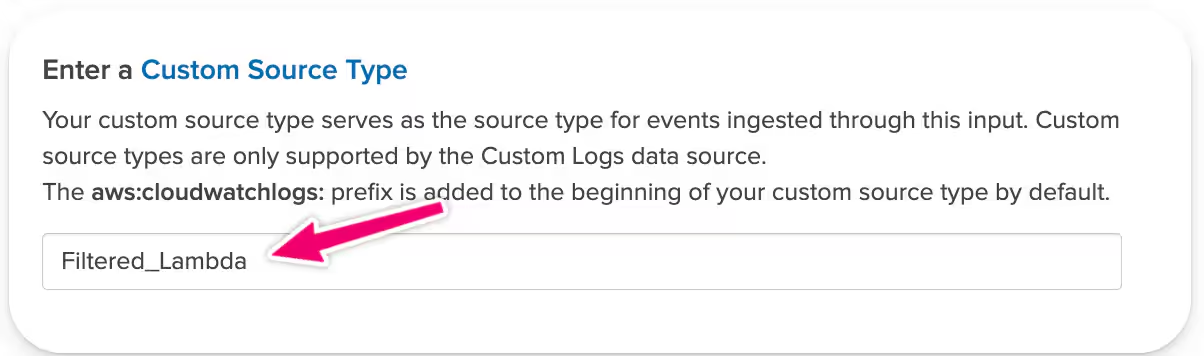
2.4. Define a custom source type if new to Custom Logs.
2.5. Onboard the desired log groups and review the data input setup.
2.6. Review and Finish your input setup.
As we've discussed previously, we've only scratched the surface with two use cases, but, as you might have figured it out, the potential applications are vast. Custom Logs empower you to selectively focus on the log groups that are most relevant to your needs. This means no longer having to ingest every log group from a data source, which improves the data ingestion process significantly.
Also, Custom Logs offer the flexibility to incorporate log types that are not yet natively supported by Data Manager. This ensures that your log management system can evolve and adapt, keeping pace with your growing and changing data needs.
Conclusion: Transforming Log Management with Custom Logs
With Custom Logs, your journey in log management is transformed, offering you a level of clarity and control over your AWS environment. This feature enriches the variety of log sources available to you, equipping users with more refined tools for effective and scalable log analysis. Whether dealing with conventional EC2 instances or other AWS services, the Custom Logs feature in Data Manager is an invaluable asset for holistic log management.
Are you ready to take your log management to the next level? Explore the full capabilities of Custom Logs and start refining your AWS monitoring today. Unlock the full potential of your data with tailored, efficient, and scalable solutions right now. Custom Logs are available with Data Manager 1.9.0+.
Related Articles

Announcing the General Availability of Splunk POD: Unlock the Power of Your Data with Ease

Introducing the New Workload Dashboard: Enhanced Visibility, Faster Troubleshooting, and Deeper Insights

Leading the Agentic AI Era: The Splunk Platform at Cisco Live APJ

Dashboard Studio: Token Eval and Conditional Panel Visibility

Introducing Resource Metrics: Elevate Your Insights with the New Workload Dashboard

Powering AI Innovation with Splunk: Meet the Cisco Data Fabric

Remote Upgrader for Windows Is Here: Simplifying Fleet-Wide Forwarder Upgrades

Dashboard Studio: Spec-TAB-ular Updates
