What are SaaS, PaaS, & IaaS?
Learn Shanika WickramasingheThe emergence of cloud computing. Arguably the biggest change in technology in decades, cloud computing changed how technology would now develop and how businesses and organizations would operate.
Indeed, the enormous popularity of cloud services is due precisely to that: you can get different models depending on your operational needs.
To properly utilize these cloud service models, you should understand the differences in their functional capabilities and the ideal use cases for each model. Whether you’re a small business owner, developer or you’re just curious, this article will give you a clear idea of how these models operate.
Understanding cloud service models
There are mainly three types of cloud services: SaaS, PaaS, and IaaS. Each type gives you a different level of access and control. As you get more access, you also have more responsibilities.
Let's understand what these services are.
Software as a Service (SaaS)
SaaS is a software delivery model that allows you to use software without needing to install it. It is often compared to subscribing to a service rather than buying the software yourself.
How SaaS works: SaaS platforms operate over the Internet. You access these applications by going to a certain URL that leads to their login form and entering your sign-in credentials.
Pros/cons of SaaS: SaaS gives you the least access to the underlying hardware and operating systems. You are only allowed to use the functionalities and services provided by the SaaS vendors — and for many people, this is exactly its primary benefit: you are not responsible for managing and maintaining complex infrastructure. Instead, the service provider will be taking care of everything like:
- The servers
- Databases
- Overall app security
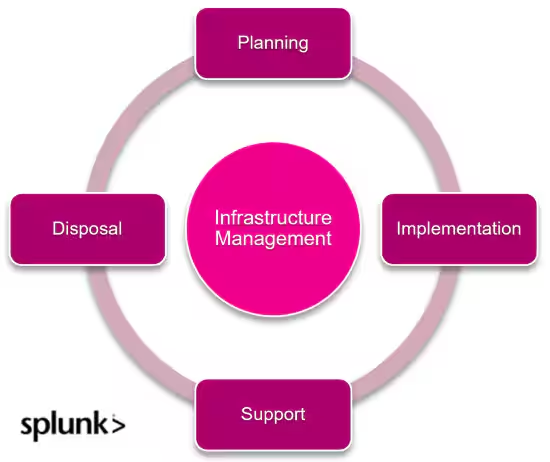
(Related reading: infrastructure management & infrastructure security.)
Infrastructure as a Service (IaaS)
IaaS is a cloud computing model that provides virtualized physical computing resources over the Internet.
How IaaS works: The IaaS service allows organizations to rent infrastructure on an as-needed basis, avoiding the cost and complexity of buying and managing physical servers and data center infrastructure.
Pros/cons of IaaS: In IaaS, you can control and manage the computing resources such as CPU, memory, storage, and networking. This model gives you the freedom to install and run your own operating systems, applications, and security measures, offering a high level of control and customization.
Platform as a Service (PaaS)
PaaS is a cloud computing model that provides a platform allowing customers to develop, run, and manage applications without the complexity of building and maintaining the underlying infrastructure.
How PaaS works: On the spectrum of cloud service models, this model sits between SaaS and IaaS, providing a pre-configured environment where developers can easily create, deploy, and manage applications.
Pros/cons of PaaS: PaaS includes development tools, languages, libraries, and services that enable developers to build complex applications rapidly. It’s designed for developers who want to focus on their application code and business logic, without getting bogged down by hardware, networking, or storage management tasks.
Comparing SaaS, IaaS & PaaS
With that basic understanding of the three cloud service models, we can look at the three models through a variety of lenses, including:
- Service model deployment
- The learning curve
- Security
- Customization
- Scalability
- Cost and pricing
- Management and maintenance
Model deployment
Each of these models offers a different degree of access to computational power. As a result, the complexity of setting up the model varies as well. There is a direct correlation between:
- The complexity of the setup
- The level of control the cloud service model offers
SaaS deployment. Because it’s web-based, SaaS offers the simplest deployment. You don’t even have to install any software or get additional infrastructure to access it. All you need to do with a typical SaaS application is to sign up for the service, get the credentials to access it, and start using it through a web browser or an app.
IaaS deployment. In the Infrastructure as a Service model, you’ll be entirely responsible for the infrastructure, including setting up the virtual environment yourself. This process is quite time-consuming and requires technical expertise.
This makes IaaS the model with the most complex deployment out of the three.
PaaS deployment. The deployment complexity of PaaS is somewhat intermediate when considering the three cloud service models, as it is less straightforward than SaaS but significantly easier than IaaS. This is because PaaS platforms often provide built-in development tools, CI/CD pipelines, and integrated databases.
Some platforms may even offer drag-and-drop features for deployment, simplifying the process further. While this reduces the complexity, users are still responsible for some setup tasks.
Learning curve
When using a cloud service model, it is obviously important to know how to properly configure it to function the way you want it to. Each of the cloud service models introduce different levels of complexity, which result in learning curves of different magnitudes.
Learning SaaS. This model requires only the most basic computer skills. All you need to be able to do is understand how to navigate a user interface, and the basic functions of the software and follow instructions specific to the software. All you need to know can be found in the user guides and in-app support. Most SaaS providers have very easy-to-follow step-by-step guides on their websites.
Learning Paas. In PaaS, you are expected to do a certain amount of development and configurations. Thus, you are supposed to have technical knowledge and skills related to the platform you are using.
These skills include the knowledge of programming languages, APIs, SDLC concepts, and basic cloud computing concepts. You’ll be able to learn these skills from developer communities and online courses.
Learning IaaS. IaaS demands high technical expertise in managing cloud infrastructure. To operate IaaS yourself, you’d need to be well-versed in:
- Networking concepts
- Virtualization technologies
- Cloud security
- Scripting languages
If you were to implement an IaaS, it’s best to have a team of professionals on your side.
Security
All three cloud models we discuss follow a shared responsibility model. This means that while the cloud service provider is responsible for the security of the cloud infrastructure, the customer is responsible for securing their data and applications within that infrastructure.
However, the division of responsibility varies for each cloud service model.
SaaS security. Although the service provider handles most of the management in SaaS, the user should be mostly responsible for the security:
- The service provider will handle the application security.
- The user should secure access controls and their own data.
A perfect example of this is Google Workspace, a common SaaS platform. Google Workspace protects against common security threats — but the user, you, is responsible for access controls and who can see what data and information they’re putting into Google Workspace.
Users should watch out for unauthorized access, insider threats, and data exfiltration. Although users can do their best to prevent these threats, they don't have any control over application security.
PaaS security. In this case, the provider secures the basic infrastructure, but the user should be responsible for application and data security on the platform. Users should also implement good access controls and assess vendor security practices to further secure the system.
IaaS security. In IaaS, the provider is responsible for the protection of the physical infrastructure. The customer, on the other hand, is responsible for everything built on top of that, including:
- The security of the operating system
- The network configuration and security
- Identity management
- Storage encryption
- The applications running on the servers
Customization
When managing a cloud-native system, having the option to configure the environment to align with the goals of your organization is important.
Customizing SaaS. Owing to the limited control users have over SaaS models, the customization options are somewhat limited, but it does have a few options:
- SaaS users can typically adjust settings and make a few configurations depending on predefined options created by the vendor.
- However, they cannot make any modifications to the way the model functions.
Customizing PaaS. Users of PaaS systems get a moderate amount of customization capabilities. PaaS allows you to use development tools and APIs to design your applications to meet your needs. This means you can build custom features and integrate your applications with other software.
However, the availability of these options depends on the provider.
Customizing IaaS. As you might’ve guessed, this is the model with the highest customization capabilities. Users will have full control over the whole infrastructure including Operating Systems, software, and configuration settings. IaaS allows for maximum adaptability to the circumstances and facilitates highly specialized applications.
For example, Microsoft Azure allows users to deploy various configurations to their infrastructure.
Scalability
As your customer base expands, your computational requirements to provide the same services with the same quality will also increase. Therefore, you must make sure the cloud service model you choose can support these growing business demands.
SaaS scalability. Most SaaS applications are designed to scale according to the user’s demands. The users would have limited control over the scaling as they would have to choose from predefined tiers to get the amount of resources they want.
This process is usually a few clicks away (automated in some cases) so you can quickly change the tier you are using according to the demand.
PaaS scalability. Organizations using PaaS have access to a moderate amount of scalability as they can adjust resources like CPU, bandwidth, and storage (which could be different for certain platforms). However, as we discussed, this would require you to modify code or configuration settings which might need some expertise.
Some database platforms, such as Oracle Exadata Database, can scale horizontally and vertically, making them suitable to house a huge amount of applications.
IaaS scalability. The scalability of IaaS is entirely dependent on the user. If done right, the scalability can be highly flexible as users have complete control over their resources and virtual infrastructure. (Google Cloud has highly scalable resources that can be scaled to fulfill demand spikes.) But this of course requires significant expertise in system administration and resource management to achieve.
Although the manual process could be grueling, the high scalability ceiling can allow your business to grow rapidly.
Cost and pricing models
Pricing for all cloud service models typically depends on usage. However, the resources available in each cloud service model differ greatly.
Particularly, the options you have for scaling your business vary significantly from one cloud model to another. This is the main factor that determines the cost of the cloud model you choose.
SaaS pricing model. As SaaS doesn't require any infrastructure and doesn’t have to deal with management, it avoids those costs and instead invests in operational expenditure, which will be very beneficial for the company.
PaaS pricing model. The pricing plan for PaaS is a combination of a subscription model and pay-as-you-go. This is mainly for resources like storage and network usage. You would also have to spend on configuration and management as the environment isn’t completely managed by the provider.
Although this is somewhat expensive compared to SaaS, the scalable nature of the payment model gives PaaS some flexibility and helps optimize the cost of resources.
IaaS pricing model. The IaaS model comes with maximum control—with pricing of a similar magnitude. Although IaaS comes with a pay-as-you-go model where you only have to pay for the resources you use, the additional cost can get overwhelming.
To properly manage the amount of control, you need technical expertise. IaaS also requires high initial investments, additional software licenses, and expertise for deploying applications on the platform.
Management & maintenance
Selecting different cloud service models can result in different management and maintenance requirements. This of course is because of the different levels of access, and responsibility the user is given at each instance.
SaaS management. In this cloud service model, the provider handles all the infrastructure, updates, and security. This means SaaS gives its users minimum management burdens, and you wouldn’t have to handle maintenance either.
While this “no maintenance” presents as a benefit, in some cases the software updates initiated by the vendor might lead to downtime, disrupting your operations.
IaaS management. The users of IaaS have total control over their environments, this also includes management and maintenance. The process of managing the cloud environment would include:
- Patching operating systems.
- Managing the security.
- Configuring software according to the need.
- And, of course, maintaining all of these on a regular basis.
For example, AWS EC2 is an IaaS. Here, users can spin up virtual machines and manage their own server instances.
Although this gives you flexibility over the process, it can not only be time-consuming but also resource-intensive, especially for organizations without an appropriately resourced IT team.
PaaS management. In the case of PaaS, the burden is shared. The service provider will be handling the infrastructure while you as the user must manage:
- The application code
- The environment
- Your data
This is ideal for developers as they can focus on building applications while the infrastructure is managed on its own. For example, Heroku is a popular PaaS: here, developers deploy and manage applications while Heroku manages the servers, networks, and databases.
Cloud service models: know what you need
Overall, selecting the right cloud service model mostly depends entirely on the needs and constraints of your organization.
If your organization needs a ready-to-use application without the need for customization, you can choose SaaS. You could go with PaaS if your organization wants to develop and deploy software applications without worrying about infrastructure. Or if you have a team of developers and a need for full control over your infrastructure, IaaS would be suitable for you.
It is best to carefully consider all the factors we discussed to make an informed decision.
Related Articles

What’s CaaS? Containers as a Service Explained

Data Backup Strategies: The Ultimate Guide