Bringing You Context-Driven, In-Product Guidance

Ever been stuck, trying to figure out how to craft a search to answer your question? Splunk is providing guidance right at your fingertips to help you meet your company's objectives, accomplish your end-to-end use cases, and get value out of your Data-to-Everything Platform investment. Whether your question is “How do I get started?," “What data can / should I add?," “What search do I run?," “What do I do next?," or “How do I monitor my network data?," Splunk Product Guidance (SPG) is here to assist you with answers to aid you in accomplishing your goals.

Splunk Product Guidance provides robust guidance for numerous use cases and tasks, without navigating away from the product. SPG is for all Splunk users, regardless of their role and expertise level, who are looking for timely, contextually-appropriate guidance to help answer their questions.

The content provided by SPG is powered by the Splunk Lantern Adoption Resource Hub. Splunk Lantern provides clear and actionable guidance from Splunk experts including step-by-step procedures for tasks like monitoring IT systems, investigating user activity, and monitoring network connections.

How Do I Access SPG?

SPG is packaged as an app (“Splunk Product Guidance”) and is available to all Splunk Cloud customers via self-service app installation. Installing the app on the search head will enable users access to SPG in their Splunk Cloud web application.

Note: Currently, it is not available for Splunk Enterprise Security or Splunk IT Service Intelligence premium search heads.
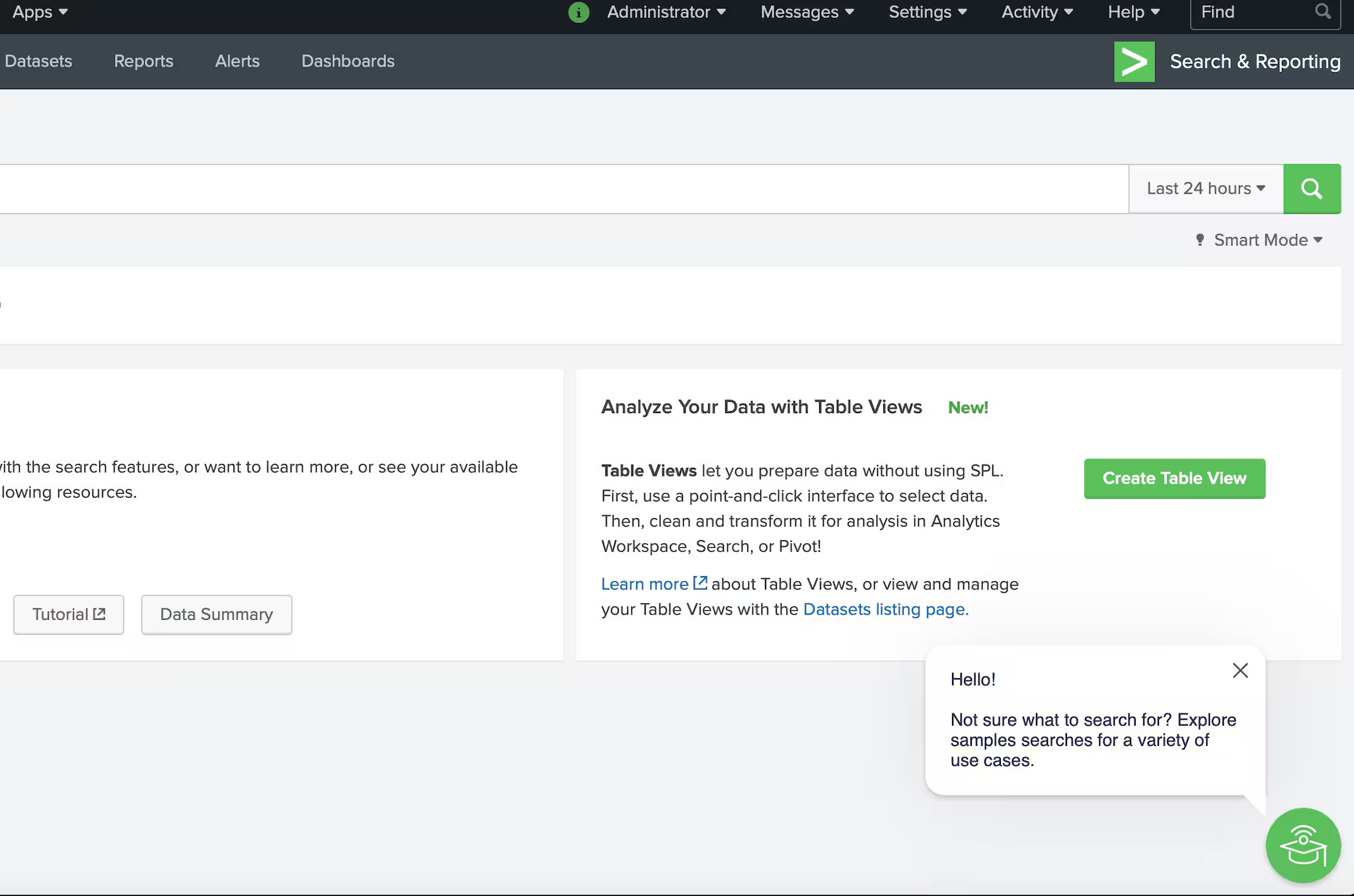
How Do I Use SPG?

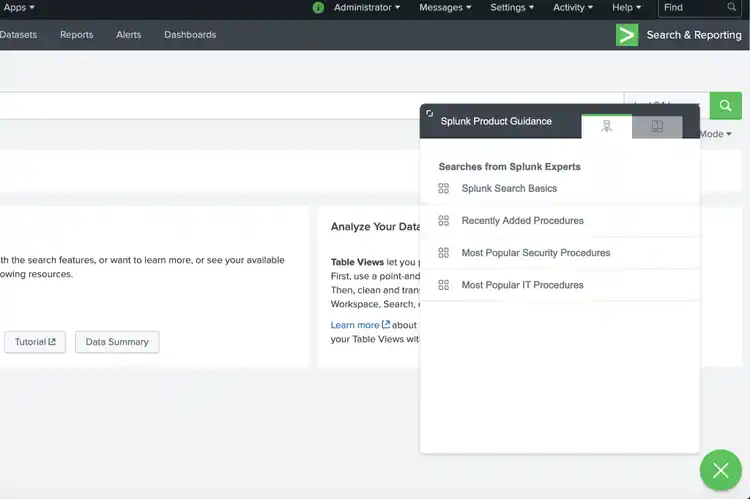
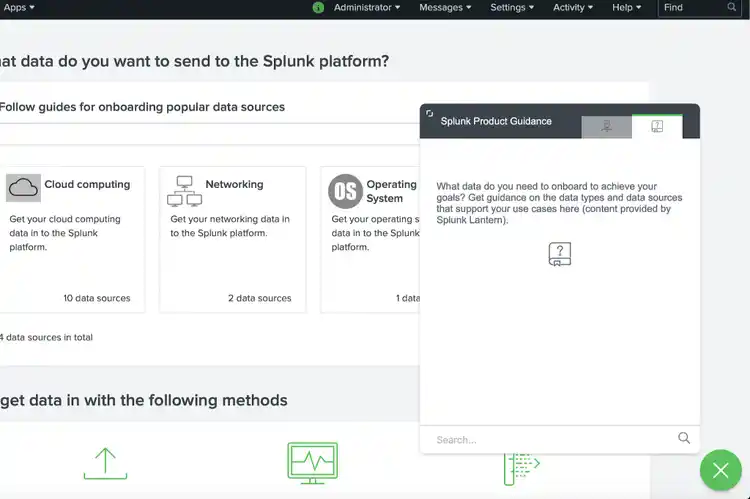
SPG provides guidance in two crucial areas of your data journey — Search and Data Onboarding (Add data, Sourcetypes). Upon engaging with the SPG widget, users can:

1. View a list of categorized articles
2. Search for articles matching their use cases and tasks
Check out the new Splunk Product Guidance app on Splunkbase.

Splunk is committed to the continued enhancement of products and experiences for our customers. We are just getting started with in-product guidance and want to know what you think of this new feature via the Splunk Community.

As always, keep on rocking with Splunkin'!

Related Articles

Announcing the General Availability of Splunk POD: Unlock the Power of Your Data with Ease

Platform
2 Minute Read

Announcing the General Availability of Splunk POD: Unlock the Power of Your Data with Ease

Splunk POD is designed to simplify your on-premises data analytics, so you can focus on what really matters: making smarter, faster decisions that drive your business forward.
Introducing the New Workload Dashboard: Enhanced Visibility, Faster Troubleshooting, and Deeper Insights

Platform
3 Minute Read

Introducing the New Workload Dashboard: Enhanced Visibility, Faster Troubleshooting, and Deeper Insights

Announcing the general availability of the new workload dashboard – a modern and intuitive dashboard experience in the Cloud Monitoring Console app.
Leading the Agentic AI Era: The Splunk Platform at Cisco Live APJ
Platform
5 Minute Read

Leading the Agentic AI Era: The Splunk Platform at Cisco Live APJ

The heart of our momentum at Cisco Live APJ is our deeper integration with Cisco, culminating in the Splunk POD and new integrations, delivering unified, next-generation data operations for every organization.
Dashboard Studio: Token Eval and Conditional Panel Visibility

Platform
4 Minute Read

Dashboard Studio: Token Eval and Conditional Panel Visibility

Dashboard Studio in Splunk Cloud Platform can address more complex use cases with conditional panel visibility, token eval, and custom visualizations support.
Introducing Resource Metrics: Elevate Your Insights with the New Workload Dashboard

Platform
4 Minute Read

Introducing Resource Metrics: Elevate Your Insights with the New Workload Dashboard

Introducing Resource Metrics in Workload Dashboard (WLD) – a modern and intuitive monitoring experience in the Cloud Monitoring Console (CMC) app.
Powering AI Innovation with Splunk: Meet the Cisco Data Fabric

Platform
3 Minute Read

Powering AI Innovation with Splunk: Meet the Cisco Data Fabric

The Cisco Data Fabric brings AI-centric advancements to the Splunk Platform, seamlessly connecting knowledge, business, and machine data.
Remote Upgrader for Windows Is Here: Simplifying Fleet-Wide Forwarder Upgrades

Platform
3 Minute Read

Remote Upgrader for Windows Is Here: Simplifying Fleet-Wide Forwarder Upgrades

Simplify fleet-wide upgrades of Windows Universal Forwarders with Splunk Remote Upgrader—centralized, signed, secure updates with rollback, config preservation, and audit logs.
Dashboard Studio: Spec-TAB-ular Updates

Platform
3 Minute Read

Dashboard Studio: Spec-TAB-ular Updates

Splunk Cloud Platform 10.0.2503 includes a number of enhancements related to tabbed dashboards, trellis for more charts, and more!
Introducing Edge Processor for Splunk Enterprise: Data Management on Your Premises
Platform
2 Minute Read

Introducing Edge Processor for Splunk Enterprise: Data Management on Your Premises

Announcing the introduction of Edge Processor for Splunk Enterprise 10.0, designed to help customers achieve greater efficiencies in data transformation and improved visibility into data in motion.