What Is Splunk? The Complete Overview of What Splunk Does
Every second, organizations generate massive amounts of machine data — but without the right tools, this data remains untapped potential. Splunk transforms this chaos into actionable insights, powering everything from cybersecurity to observability to IT operations.
Whether you're wondering what Splunk does, how Splunk works, or what Splunk is used for, this guide has you covered. Let’s explore the meaning of Splunk, why it’s essential for modern businesses, and how it stands out from the competition.
What is Splunk?
Though Splunk can refer to the company or its broader technology suite, it’s anchored by a unified core: the Splunk platform, delivered as Splunk Enterprise for on-premises environments and Splunk Cloud Platform for SaaS. Regardless of deployment, this powerful data platform helps organizations collect, analyze, and act on machine-generated data in real time, powering solutions across observability, security, IT operations, and business analytics.
Built on the unified Splunk platform, Splunk’s solutions — including Enterprise Security (SIEM), Observability Cloud, and SOAR — extend its core capabilities to meet specific security and IT needs. These aren’t standalone tools, but powerful use-case layers built directly on the platform.
What’s in a name?
Splunk takes its name from the term "spelunking," which means exploring caves. Just like spelunkers explore physical caves, Splunk users explore "data caves" to uncover hidden insights.
Why Splunk?
- Real-time visibility: Analyze massive amounts of machine data instantly.
- Scalability: Works seamlessly and at scale, perfect for enterprise organizations.
- Flexibility: Supports cloud, on-premises, and hybrid environments.
Quick facts about Splunk
- Founded: 2003 by Eric Swan, Michael Baum, and Rob Das.
- Patents: More than 1,020 issued patents to date.
- Global presence: Available in 21 regions around the world.
- Trusted by leaders: Used by organizations like Heineken, McLaren, and Cal Poly.
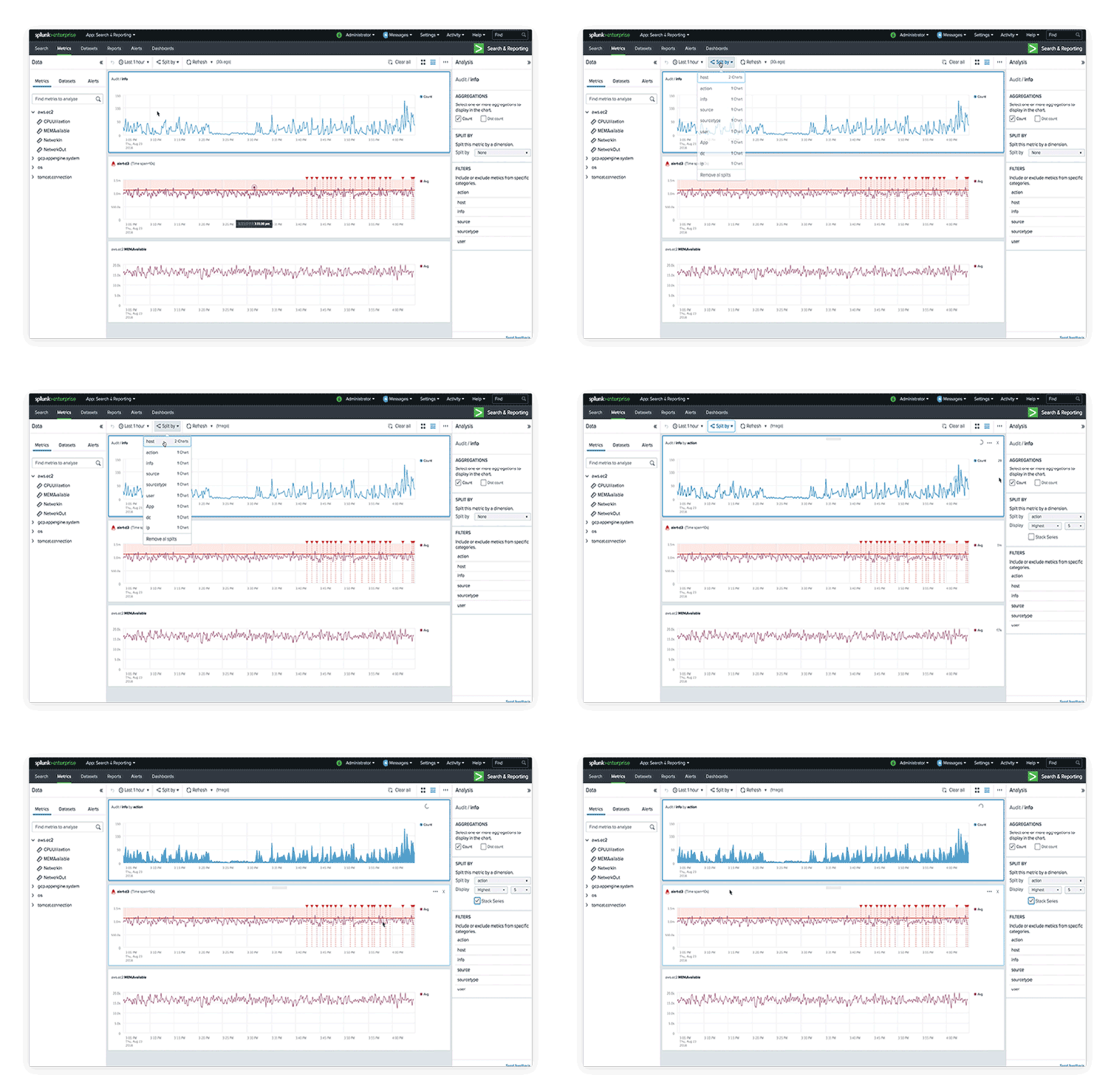
A brief history of Splunk
Splunk was born in the early 2000s with a mission to make sense of the overwhelming volume of machine-generated data. Inspired by “spelunking” (exploring caves), the founders envisioned a platform to help businesses dig through their “data caves” and uncover actionable insights.
Key milestones
- 2003: Splunk founded as a log file indexing and search tool.
- 2004: First version of Splunk released.
- 2015: Expanded into cybersecurity with Splunk Enterprise Security.
- 2023: Celebrated 20 years of innovation.
- 2024: Officially joined Cisco, enhancing capabilities in cybersecurity and observability.
Today, Splunk is a global leader in enterprise resilience, helping organizations adapt to digital disruptions, secure their systems, and optimize their operations.
What can Splunk’s unified platform do?
Splunk empowers organizations to harness the power of their data for end-to-end visibility that enables better decision-making and operational efficiency. Here’s an overview of its key applications:
Cybersecurity use cases
Splunk provides advanced tools for detecting, investigating, and responding to cyber threats.
- Example: A financial institution uses Splunk to detect fraudulent transactions in real time, saving millions in potential losses.
- Why it matters: Correlating data across IT systems makes it easier to identify anomalies — which may be threats or attacks in action — before they escalate.
- Explore Splunk cybersecurity solutions.
IT Operations and AIOps use cases
Splunk monitors IT infrastructure, identifies performance bottlenecks, and ensures systems run smoothly.
- Example: E-commerce platforms use Splunk to prevent downtime during high-traffic events like Black Friday.
- Why It Matters: Rapid troubleshooting reduces downtime, saving both time and money.
- Explore Splunk ITOps and AIOps solutions.
Observability and monitoring use cases
Splunk provides end-to-end visibility into applications, infrastructure, and user experiences.
- Example: Healthcare providers monitor critical applications to ensure seamless patient care.
- Why it matters: Observability helps resolve issues faster, enhancing user satisfaction and building brand trust.
- Explore Splunk observability solutions.
Fun, creative use cases
Splunk’s flexibility extends beyond traditional applications. Some creative uses include:
- Brewing beer: Breweries monitor fermentation with Splunk.
- Tracking puppies: Shelters use Splunk dashboards to track growth.
- Saving bees: Beekeepers analyze hive health data.
Features deep dive
Splunk’s cutting-edge features make it indispensable for modern enterprises. Here’s a closer look:
Universal Forwarder
A lightweight Splunk agent designed for efficient, secure collection and forwarding of log or event data from remote sources.
- Supported platforms: Windows, Linux, Unix.
- Data formats: Handles syslog, CSV, JSON, XML, and custom log formats.
- Configuration: Uses inputs.conf to specify monitored files or directories; supports SSL encryption for secure data transmission.
- Scaling: Multiple Universal Forwarders can send data to a single or clustered set of indexers for load balancing.
Search Processing Language (SPL)
Splunk’s proprietary query language for searching, filtering, and transforming machine data.
- Syntax: Command-based, similar to Unix pipelines (e.g.,
index=web_logs | stats count by status_code). - Key commands:
search, stats, eval, rex, table, sort. - Advanced functions: Supports subsearches, lookups, and custom macros; enables complex analytical queries for real-time and historical data.
Splunk recently introduced SPL2, a newer version of SPL, designed to support both SPL and SQL syntax. It is more concise and easier to learn while maintaining compatibility with the original SPL. SPL2 introduces enhancements such as improved syntax consistency and expanded functionality.
Dashboards and visualizations
Provide interactive, real-time monitoring and reporting interfaces.
- Components: Panels, charts (bar, line, pie), tables, and event viewers.
- Customization: Dashboards are configured via XML or the Splunk Web UI; support dynamic tokens and drilldown actions.
- Sharing: Role-based access control (RBAC) allows different users to view or edit specific dashboards.
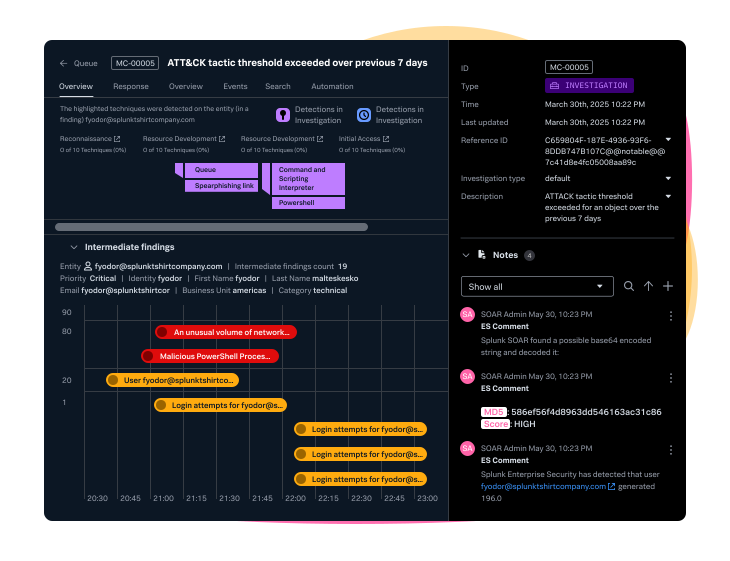
How does Splunk work?
Splunk processes machine data through a structured pipeline. Here’s how the Splunk data pipeline works:
- Forwarders: Collect data from remote systems.
- Indexers: Process and store the data for fast retrieval.
- Search Head: Enables users to search, analyze, and visualize the data.
Now, let's break these components down.
Splunk data pipeline: Technical breakdown
Splunk’s architecture follows a distributed model, separating data ingestion, indexing, and search for scalability and performance.
1. Universal forwarder (UF)
The Splunk UF is a lightweight agent installed on source systems to securely collect and forward raw event/log data.
- Uses
inputs.confto define monitored files or streams. - Supports SSL/TLS encryption for data transmission.
- Can forward to one or multiple indexers or heavy forwarders for redundancy.
(Download or learn more about the Splunk Universal Forwarder.)
2. Heavy forwarder (HF)
The heavy forwarder sends data to other Splunk instances or to third-party systems. It can parse, filter, and route data before forwarding.
- Useful for pre-processing large log streams, masking sensitive data, or selectively routing events.
- Supports custom scripts for complex transformations.
3. Indexer
The indexer is the component that creates and manages indexes (the repositories for your Splunk data). The primary functions of an indexer are:
- Receives data from forwarders.
- Parses, transforms, and indexes incoming data for optimized search.
- Stores indexed data in buckets (hot, warm, cold, frozen).
- Handles search requests distributed from the Search Head for fast retrieval.
4. Search head
The search head is a Splunk instance that handles search and search management functions in a distributed search environment.
- Provides the user interface (Splunk Web) and REST API for searching, reporting, and visualization.
- Distributes search queries to one or more indexers in a cluster.
- Supports scheduled searches, alerts, and dashboard creation.
- Can be deployed in clusters for high availability.
5. Deployment server & license manager (LM)
- Deployment Server: Manages configuration updates for large Splunk environments (e.g., updating all Universal Forwarders).
- License Manager: Centralizes Splunk licensing, tracking indexed data volume per day.
Data flow example
- Logs generated on an application server are collected by the Universal Forwarder.
- Data is securely forwarded to an Indexer.
- Indexer parses and stores the data, making it searchable.
- A user accesses Splunk Web (Search Head), runs a query (using SPL), and views results via dashboards or reports.
Splunk vs. competitors: Core platform comparison
Unlike micro-focused tools, Splunk’s core platform is a universal data engine: designed to ingest nearly any machine data format, index at scale, and deliver lightning-fast, schema-on-read searches using SPL. Splunk stands out by handling entire data lifecycles — from ingest to analysis — under a unified architecture that’s deployment-flexible and cost-transparent.
Why Splunk wins for core platform use
- Flexible data ingestion: Schema-on-read approach means structure is applied at search time — ideal for high-volume, varied log data.
- Scalable indexing: Automatic data compression and hot/warm/cold storage tiers reduce cost and improve performance.
- Centralized management: One unified architecture handles forwarding, indexing, searching, and visualizing — no need to juggle multiple tools.
- SPL (Search Processing Language): A powerful, consistent query language across data types, with AI assistance for ease.
- OpenTelemetry support: Native collector support ensures vendor-agnostic telemetry ingestion for holistic observability.
- Cost predictability: Token/quota-based billing gives budget control, avoiding surprise spikes.
Security and Observability: Built on the Splunk platform
Splunk’s unified platform isn’t just extensible — it’s built to power robust, domain-specific solutions.
- For Security: The same platform that ingests and analyzes machine data also underpins Splunk Enterprise Security, our SIEM, plus UEBA, automated SOAR workflows, and more — all without needing to rearchitect your environment.
- For Observability: Splunk Observability Cloud builds on the core to deliver full-fidelity data monitoring, alerting, and troubleshooting across infrastructure, applications, and user experiences, without sacrificing depth or data flexibility.
These solutions extend the Splunk platform’s real-time, scalable architecture. Explore the entire Splunk product portfolio >
The Unified Security and Observability Platform
Splunk’s market-leading security and observability solutions secure and optimize performance of your digital ecosystem. Prevent major issues, bounce back, adapt and innovate quickly, at enterprise scale.
Splunk’s unique community and culture
Splunk isn’t just about technology — it’s about people. Our vibrant community includes IT professionals, data scientists, security teams, developers, and business leaders, all united by a shared passion: turning data into action.
How to get involved
You can join the global conversation in many ways:
- Participate in Splunk user groups and online forums.
- Attend webinars featuring product experts and real-world use cases.
- Meet us at major events like .conf, our flagship event, and Cisco Live! or regional tech meetups.
- Dive into learning sessions tailored for every skill level.
Whether you're just getting started or scaling enterprise-wide, there's a place for you in the Splunk community.
Learning with Splunk year-round
We host live and on-demand webinars year-round to help you get hands-on with new features, understand real customer deployments, and grow your skills.
Splunk also features prominently at major industry events, where we demo integrations, share product roadmaps, and connect with users in person. Wherever you are, we offer ways to learn, ask questions, and explore new use cases.
The spirit of Splunk: Buttercup the Pwny 🐴
Our mascot, Buttercup the Pwny, embodies Splunk’s playful, creative culture. From quirky stickers to limited-edition swag, Buttercup represents the curiosity and innovation that drives our community.
How to learn Splunk
Learning Splunk opens up a world of possibilities, and the more you get Splunk, the more value you’ll get. Here are some ways to get started:
Explore free resources
- Splunk Help: Official documentation for in-depth guidance.
- Splunk Lantern: A library of customer success stories and best practices.
- Splunkbase: Apps, add-ons, and OOTB and customizable integrations
Train up and get certified
Make the most of Splunk: get trained, follow courses, and earn certificates, for individuals and teams alike.
Practice with hands-on projects
- Try Splunk Cloud Platform for free. (Pull in data, build alerts and dashboards, and experiment.)
- Try Splunk Enterprise for free. (On-premises version)
- Explore all free trials and downloads.
Build enterprise resilience and unlock more opportunities with Splunk
Splunk is the key to unlocking your organization’s potential. Whether you’re safeguarding data, optimizing IT, or exploring creative use cases, Splunk empowers you to act on your data in real time.
Are you ready to learn more about using Splunk in your enterprise? Get in touch with us today!
Frequently asked questions (FAQs) about Splunk
Related Articles

Managed Security Service Providers (MSSPs) Explained: Benefits, Core Services, and Industry Growth

IT Automation vs. Orchestration: What’s the Difference and Why Does It Matter?

AWS re:Invent Conference 2025: The Complete Guide

How Smart Robots Work: AI Perception, Planning & Execution Explained

Choosing the Right Load Balancing Approach for Your Network: Static, Dynamic, & Advanced Techniques

What Is Prompt Injection? Understanding Direct Vs. Indirect Attacks on AI Language Models

Energy-Efficient Computing: How To Cut Costs and Scale Sustainably in 2026

How GSLB Improves Reliability and Performance Across Multi-Cloud Environments