Log Analytics: How To Turn Log Data into Actionable Insights
Learn Austin Chia , Muhammad RazaKey Takeaways
- Log analytics transforms raw log data from various sources into actionable insights, enabling organizations to detect issues, monitor performance, and identify security threats in real time.
- Effective log analytics supports rapid troubleshooting, enhances security monitoring, and helps meet compliance requirements by structuring, indexing, and visualizing log events for quick analysis.
- Automation, machine learning, and scalable tools are revolutionizing log analytics, empowering teams to shift from reactive problem-solving to proactive, data-driven decision-making.
Every system generates logs, from a simple web app to a large-scale distributed infrastructure. This log data is wildly valuably to operations, business, and for delivering great customer and user experiences.
Log analytics is the comprehensive process of collecting, aggregating, parsing, and analyzing log data from diverse systems to extract meaningful insights. It forms the backbone of observability, helping organizations identify issues, understand trends, and improve overall system health.
In this article, we’ll explore:
- What log analytics is and why it matters
- The typical architecture of a log analytics pipeline
- Common tools and platforms for log analytics
- Example workflows of log analytics (using Python and SQL)
- Best practices for designing scalable log analytics solutions
What is log analytics?
But what exactly is log data, and how does it get created?
Understanding log data
Log data is information that machines generate, coming from a huge variety of sources: software applications, network devices, servers, connected sensors, and even consumer online activities.
When a user or software performs an action on a system, all the different parts involved keep track of what's happening. More precisely, each part of the technology system performs a sequence of steps, and at each step, information is collected and recorded about:
- The current state of the system
- The computing request that was made
- The new state of the system after the request has been processed
In essence, every action a user or software makes on a technology system generates a log of information about that action and its effects. These logs are metadata — data about data. This metadata, when looked at together, contains crucial information, including:
- The time certain action(s) occurred
- What part of the system was involved (e.g., networking protocols)
- Any errors that might have occurred
Logs are typically generated by:
- Applications (e.g., API requests, error messages)
- Servers (e.g., system metrics, kernel logs)
- Network devices (e.g., firewall, router logs)
- Cloud services (e.g., AWS CloudWatch, Azure Monitor)
Log analytics: getting value from log data
While most systems generate logs, the true utility often comes from proper configuration and analysis. These logs can effectively piece together a comprehensive picture of how a system behaves and analyzing them provides insights that would otherwise remain hidden.
Analysis of these logs can enable teams to:
- Detect anomalies and performance degradation early.
- Investigate errors or outages post-mortem.
- Understand user behavior patterns.
- Generate audit trails for compliance.
This makes for a good continuous improvement process that can help to reveal more information about how applications perform under real-world conditions.
How log analytics works
Log analytics is a highly applied field within data analytics, but for many organizations, analyzing logs can be complicated. To make sense of the logs generated by a given technology system using log analytics, you’ll need two important pieces of information:
- The workload of the computing interactions/activity
- The environment in which these interactions occur
The data points found through these two pieces of information can be captured and monitored on a large scale and in real-time to identify potential threats or spot unusual behavior. This can be automated in log applications in a log analytics pipeline.
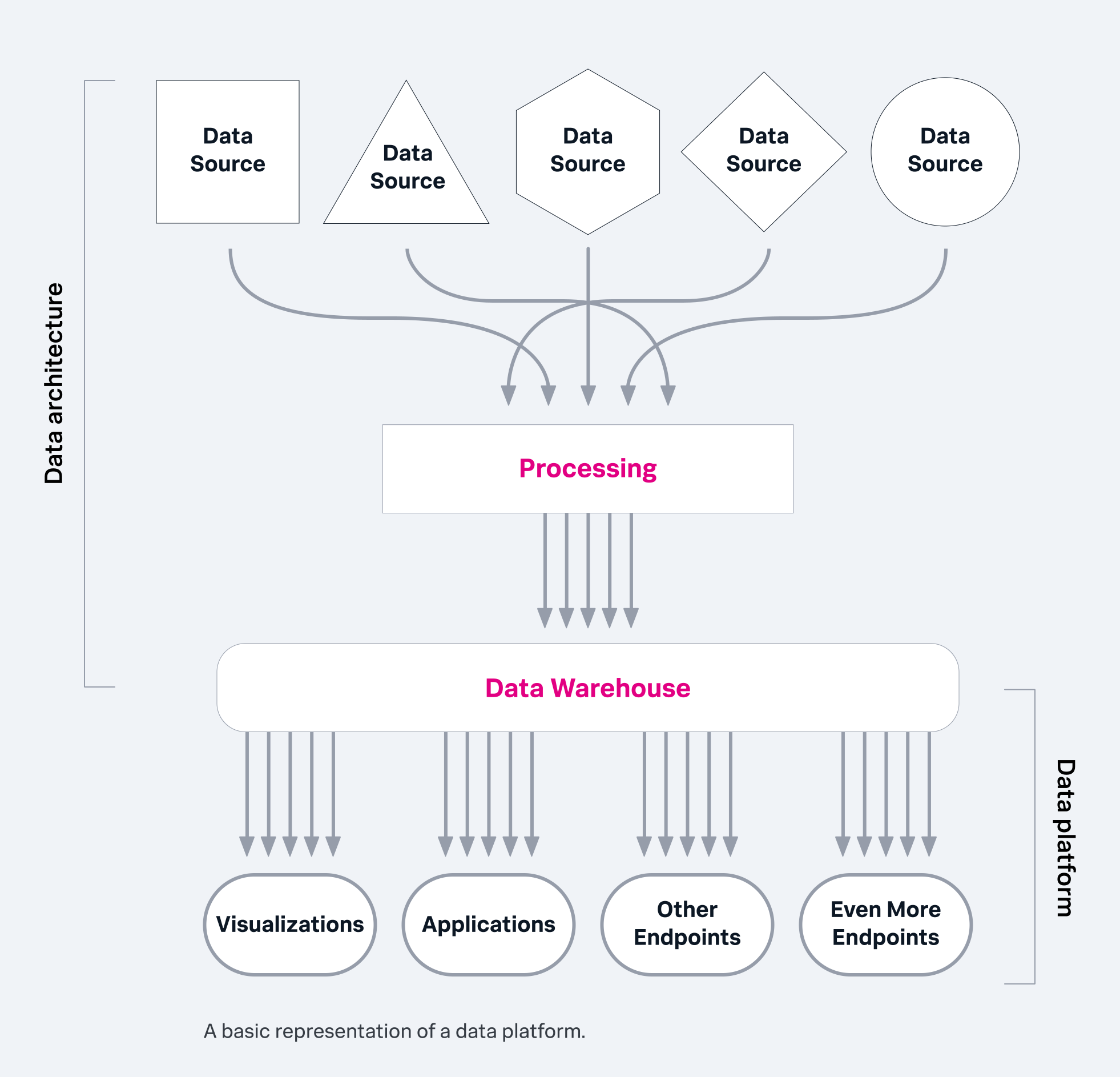
Log analytics pipeline
A typical log analytics pipeline transforms raw data into actionable intelligence through a series of interconnected stages:
- Log collection: Capturing raw log data from all sources using agents, APIs, or native integrations.
- Log ingestion: Streaming or batching collected data into a processing and storage system, ensuring high throughput and reliability.
- Parsing and enrichment: Structuring raw, often unstructured, log data into a consistent format (e.g., JSON) and adding contextual metadata for deeper analysis.
- Storage & Indexing: Persisting structured logs in optimized databases for rapid search, retrieval, and long-term retention.
- Querying and visualization: Empowering users to explore data with specialized query languages or SQL-like tools, and presenting insights through interactive dashboards, charts, and alerts.
- Action and iteration: Evaluating the insights generated, quantifying business outcomes, and triggering necessary operational responses or auto-remediation workflows. This stage also includes continuously refining data collection methods, metrics, and analytical processes to ensure ongoing relevance and accuracy.
Each stage in the pipeline has a distinct role. Log collection ensures no critical event is missed. Ingestion pipelines handle data throughput and reliability. Parsing and enrichment turn unstructured lines into analyzable datasets, while indexing makes retrieval fast and efficient. Finally, visualization enables human-friendly interpretation, leading to informed action and continuous optimization.
This iterative approach ensures that log analytics continually evolves to meet changing business needs and provides increasingly accurate and relevant insights.
Log analytics for observability
Log analytics works as part of the broader observability ecosystem, which also includes metrics, events, and traces (MELT). Together, these pillars help you fully understand how systems behave and interact. Observability enables a shift from reactive monitoring (fixing issues after they occur) to a more proactive approach for system monitoring.
Use cases for log analytics
While log analytics is widely used for troubleshooting, its applications go far beyond basic debugging. It powers several mission-critical capabilities that improve system responsiveness, business intelligence, and security posture.
1. Real-time monitoring
IT teams rely on data to make important, often real-time decisions about things like:
- Workload distribution
- Network traffic controls
- Resource management
- Incident containment
Log analytics enables real-time tracking of such application and infrastructure events. Continuous collection and analysis of logs can help identify performance issues, detect anomalies, and trigger alerts rapidly, often within seconds for critical events, though achieving this at scale can be an engineering challenge.
This allows operations teams to respond proactively to incidents such as failed deployments, API errors, or sudden traffic spikes before users are affected. Real-time log monitoring also supports auto-remediation workflows, where predefined actions are executed automatically based on log patterns.
2. Clickstream analytics
Beyond infrastructure monitoring, log analytics can provide deep insights into user behavior through clickstream analysis.
Interactions like clicks, scrolls, or transactions on a website generate log entries that reflect how users interact with digital platforms. This data is captured not just by server logs but also through client-side instrumentation, device browser session data, and cookies.
With the information taken from the website users, teams can observe and interpret website behavior. This helps to identify user journeys, drop-off points, and conversion patterns.
This data is also invaluable for optimizing website design, marketing strategies, and customer engagement. For example, e-commerce platforms use clickstream log analytics to personalize product recommendations or detect fraudulent browsing activity.
3. Enhanced cybersecurity
Security teams rely heavily on log analytics for detecting and responding to threats. Logs from firewalls, authentication systems, and intrusion detection tools contain critical evidence of malicious activities such as unauthorized access attempts or data exfiltration.
Putting together logs across multiple systems can enable analysts to spot patterns indicative of cyberattacks, such as repeated login failures or unusual data transfers.
Modern, unified platforms like Splunk enhance this process with machine learning models that flag anomalies and prioritize high-risk events. Log analytics thus forms the backbone of modern Security Information and Event Management (SIEM) platforms. SIEMs often enhance their data collection by deploying additional endpoint agents to gather relevant information from critical points within the network, providing a more comprehensive view of potential threats
These use cases demonstrate that log analytics is not only about understanding what went wrong, but also about enabling proactive decisions across IT operations, user experience, and cybersecurity.
Challenges of log analytics
While log analytics offers immense value, it's not without its inherent complexities. Making sense of the vast amounts of data generated can be complicated for many organizations, presenting several significant hurdles.
Volume of data
One of the foremost challenges is log data volume. Modern systems, from web apps to large-scale distributed infrastructures, generate logs at an exponential and rapid pace. This sheer volume quickly overwhelms traditional data processing and storage systems, making real-time analysis and efficient querying incredibly difficult.
Without a robust infrastructure, organizations risk drowning in data rather than extracting insights.
Sensitive information
Another critical concern is the presence of sensitive information within log data. Logs often contain details regarding mission-critical technology systems, user activities, and potentially personally identifiable information (PII) or other regulated data.
This necessitates stringent security measures and compliance protocols to protect privacy and prevent unauthorized access or data breaches.
How modern data platforms support log volume
To effectively overcome these challenges, organizations need a data platform capable of two vital pieces:
- Efficient data pipeline processing for real-time log data streams.
- The ability to ingest, analyze, and store at scale large volumes of structured, unstructured, and semi-structured log data assets.
This is why many organizations are increasingly adopting scalable cloud-based platforms for their log analytics needs. These modern architectures provide the flexibility, scalability, and cost-effectiveness required to manage massive log volumes, handle diverse data formats, and support the complex analytical workloads necessary for comprehensive log analytics.
Examples of log analytics
Ok, so log analytics help with monitoring. But how does that actually work? Let’s look at some sample data and examples of log analytics in action below.
Example 1: Parsing Web Server Logs in Python
One of the most common use cases of log analytics is analyzing web server logs. These logs track every request made to a web application, making them invaluable for performance monitoring and security analysis.
Suppose we have Apache access logs like this:
```
192.168.1.1 - - [11/Nov/2025:10:23:45 +0800] "GET /index.html HTTP/1.1" 200 532
192.168.1.2 - - [11/Nov/2025:10:23:47 +0800] "POST /api/login HTTP/1.1" 401 128
```
We can parse and analyze these logs using Python.
```
import re
import pandas as pd

# Define regex pattern for Apache logs
log_pattern = re.compile(r'(\S+) - - \[(.*?)\] "(.*?)" (\d{3}) (\d+)')

# Load logs
with open('access.log', 'r') as file:
    logs = file.readlines()

# Parse logs into a DataFrame
data = []
for line in logs:
    match = log_pattern.match(line)
    if match:
        ip, timestamp, request, status, size = match.groups()
        method, endpoint, protocol = request.split()
        data.append((ip, timestamp, method, endpoint, int(status), int(size)))
df = pd.DataFrame(data, columns=['ip', 'timestamp', 'method', 'endpoint', 'status', 'size'])
print(df.head())
```
Here’s an explanation of the above code:
- The regex extracts the IP, timestamp, HTTP request, status code, and response size.
- We store them in a pandas DataFrame for easy analysis.
Once parsed, we can start analyzing the logs:
```
# Example queries
df['status'].value_counts()
df.groupby('method').size()
large_responses = df[df['size'] > 500]
```
With just a few lines of Python shown above, we’ve turned raw server logs into structured data that can be filtered, grouped, and summarized. This workflow forms the foundation of exploratory log analytics.
Example 2: Querying Logs in SQL
When logs are ingested into structured databases or cloud warehouses, SQL becomes a powerful analytical tool. Using SQL, you can aggregate millions of log entries to uncover trends, spot anomalies, or track performance degradation over time.
While incredibly effective in these environments, many modern log analytics platforms also utilize their own specialized query languages or NoSQL-based querying mechanisms for optimal performance and flexibility. (For example, the language for the Splunk platform is SPL: Search Processing Language.)
Assume we have an access_logs table:
Using SQL, we can easily extract valuable metrics:
Find average response time per endpoint:
```
SELECT endpoint, AVG(response_time) AS avg_time
FROM access_logs
GROUP BY endpoint
ORDER BY avg_time DESC;
```
Detect anomalies (high error rates):
```
SELECT DATE(timestamp) AS day,
       COUNT(*) AS total_requests,
       SUM(CASE WHEN status >= 500 THEN 1 ELSE 0 END) AS error_count,
       ROUND(SUM(CASE WHEN status >= 500 THEN 1 ELSE 0 END) * 100.0 / COUNT(*), 2) AS error_rate
FROM access_logs
GROUP BY day
HAVING error_rate > 5;
```
These queries transform massive datasets into meaningful metrics. For example, a sudden spike in 500-level errors can indicate an application outage or a failed deployment.
Example 3: Correlating Logs and Metrics in Python
Let’s see a mini example using synthetic log and metric data to demonstrate correlation.
```
import pandas as pd

# Simulated logs
df_logs = pd.DataFrame({
    'timestamp': pd.date_range('2025-11-11 10:00', periods=6, freq='min'),
    'status': [200, 200, 500, 200, 500, 500]
})

# Simulated metrics
df_metrics = pd.DataFrame({
    'timestamp': pd.date_range('2025-11-11 10:00', periods=6, freq='min'),
    'cpu_usage': [45, 48, 95, 50, 93, 97]
})

# Join logs with metrics
merged = pd.merge(df_logs, df_metrics, on='timestamp')
print(merged)

# Find correlation
error_periods = merged[merged['status'] >= 500]
print(error_periods[['timestamp', 'cpu_usage']])
```
In the code above, we’ve started off by creating some simulated log data and metric data, followed by merging the datasets together and filtering them out based on error periods.
This type of analysis can help teams quickly spot relationships between system performance and error rates. In this example, spikes in CPU usage align with HTTP 500 errors, suggesting a possible performance bottleneck.
Best practices for log analytics
Designing a robust log analytics system requires balancing visibility, cost, and performance. Here are key principles to follow:
- Centralize your logs: Simplify management and make cross-system analysis possible. Collect logs from all services and environments into one searchable location.
- Structure your logs early: Unstructured logs are harder to parse later. Using JSON ensures consistency and allows efficient filtering and analysis.
- Implement log retention policies: Determine how long you need to store data based on compliance and operational needs. Use tiered storage or summarize older logs to control costs.
- Use contextual metadata: Include additional attributes like environment (prod, staging) or version numbers. Context is critical when investigating issues.
- Leverage automation and alerts: Automated alerts detect anomalies faster than humans. Combine thresholds, trend analysis, and ML-based anomaly detection for proactive monitoring.
- Ensure security and compliance: Logs can contain sensitive data. Always sanitize and encrypt logs to protect user privacy and comply with regulations.
- Monitor log volume: Large-scale systems generate massive logs. Implement rate limits, filters, or sampling mechanisms to reduce noise.
Future trends of log analytics
As systems grow in complexity, the future of log analytics is shifting toward intelligent automation. Other key trends include:
- AI-assisted log analysis: Using LLMs to summarize incidents and detect anomalies automatically.
- Cost-optimized storage: Tiered storage and compression strategies to handle exponential log growth.
- Streaming log analytics: Real-time insights powered by event streaming platforms like Kafka or Flink.
- Unified observability platforms: Integrating logs, metrics, and traces to provide holistic visibility.
As organizations move away from reactive to proactive monitoring, there will be more demand for observability platforms to integrate AI to automate these processes on a larger scale.
One such AI-powered application was observed in a study of LLMLogAnalyzer, an LLM chatbot, for interpreting logs.
Final words
Log analytics has a huge part to play in improving businesses as well as boosting security for them. It transforms raw, noisy data into actionable insights that keep systems reliable and performant.
Ultimately, implementing log analytics requires a combination of a technical understanding and an operational mindset that empowers teams to see beyond symptoms and uncover the true causes behind every system behavior.
Related Articles

Generative AI in 2026: What Is GenAI?

What Is CX? Customer Experience, Defined