Tips & Tricks Blogs
Latest Articles
template
category
category
Tips & Tricks
hideCategoryPill
true
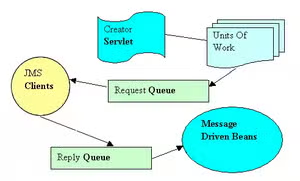
Splunk as a Recipient on the JMS Grid
A number of years ago, I was fascinated by the idea of SETI@home. The idea was that home computers, while idling, would be sent calculations to perform in the search for extraterrestrial life.
Splunking Heroku
I love Heroku. I’ve been using it for some time because it is just so simple to deploy applications. However, I’ve never really looked too deeply into the logs produced by my apps via the command line. Queue Splunk. In this post we’ll look at how you can start Splunking data from apps deployed in Heroku, and some recipes to visualise it using the SPL.
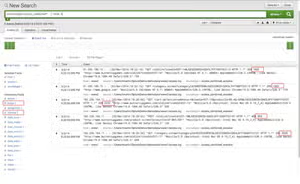
Search Command> stats, eventstats and streamstats
Advance past “super grep” searching & learn; Web log example of 5 events shows how stats, eventstats & streamstats commands work & ways they differ step-by-step.
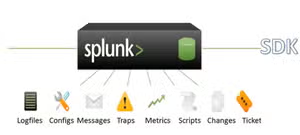
Using Splunk as a data store for developers
A number of years ago, I wrote a blog entry called Everybody Splunk with the Splunk SDK, which succinctly encouraged developers to put data into Splunk for their applications and then search on the indexed data to avoid doing sequential search on unstructured text.

Splunk Coalesce Command
Logging standards & labels for machine data/logs are inconsistent in mixed environments. Splunk Coalesce command solves the issue by normalizing field names.
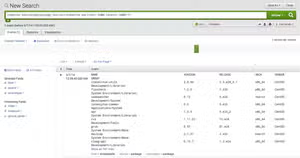
Search Command> diff
What’s the grooviest Splunk search command goin’ round? It’s diff man, can you dig it?

Search Command>
Over the day in the life of a Splunk user, he or she probably utilizes less than 50% of the available Splunk commands. It may be that the most popular commands such as stats, transaction, eval, top, timechart, chart, etc are already sufficient enough to do the types of manipulation and reporting that is required for the use case.
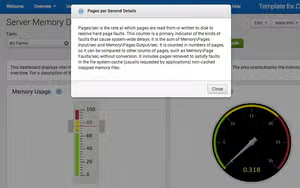
Using Bootstrap Modal with Splunk Simple XML
While working on a performance dashboard recently, I wanted an area to further explain the performance metric currently being displayed without taking up too much screen real estate. In the end, I ended up using a Bootstrap modal dialog to display the metric details when a user clicks an information icon. Here is the end result:
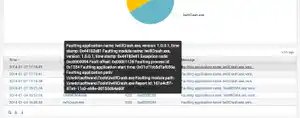
Add a Tooltip to Simple XML Tables with Bootstrap and a Custom Cell Renderer
Since a lot of Bootstrap is built right into Splunk 6, adding a little JavaScript allowed me customize the display to show the “Message” field when hovering over some text or icon.