Tips & Tricks Blogs
Latest Articles
template
category
category
Tips & Tricks
hideCategoryPill
true
Monitor Processes Per User on Microsoft Remote Desktop Services Session Host
Microsoft Windows Remote Desktop Session Host (formerly Terminal Services) hosts multiple users on the same Windows Server Operating System.

Comparing week-over-week results
Comparing week to week data is no longer a pain in Splunk. A new search command does that all for you and makes tracking this data easier.

Decoding IIS Logs
Everyone (just about) knows that there is a table of status codes that HTTP/1.1 defines. However, IIS gives you two more status codes in the log files. The HTTP/1.1 status is stored in sc_status (and it is automagically decoded for you in Splunk 6). There is also an extended code called sc_substatus and a Win32 error code. How can you really decode these, especially since the sc_win32_status seems to have really large numbers?
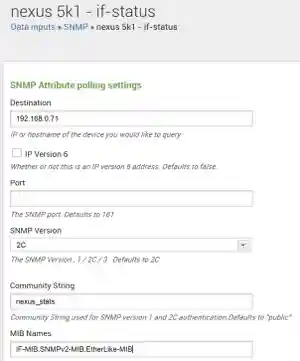
Adventures with SNMP and Cisco Nexus (Part 1)
What to do to get data switches to Splunk by using the SNMP modular input.

Splunking Windows PowerShell Commands
This years user conference was another great conference and we got a ton of questions from you during the conference. Some of them I couldn’t answer at the time – I’m making up for that in between blog posts about new features. The first one was “Is there any way I can splunk what PowerShell commands are being executed on a server?”

Pivot a Single Row Table with a DataTemplate View
PowerShell has some cool object formatting features. Two of the most common are called Format-Table and Format-List.

Windows Event Logs in Splunk 6
Quite a while ago I wrote a blog post entitled The Splunk App for Active Directory and How I tamed the Security Log. It detailed how to limit the amount of data that was going into the Splunk index through filtering.

Export Search Results with PowerShell
A while back, I wrote an introduction to how you could play with our C# SDK from PowerShell. And just the other day, Adrian wrote a post talking about how you could export really large result sets to CSV, using the REST API.

Monitoring Scheduled Tasks with PowerShell
I did the unthinkable yesterday. I combed through my posts for non-spam comments. I apologize to everyone whom I didn’t answer – we get a lot of comment spam that I have to wade through when I do this. However, there were a couple of requests in there for future topics and I’ll try and cover those requests in the next few weeks.