API Monitoring Explained: How To Monitor APIs Today
Key Takeaways
- API monitoring is essential for ensuring the reliability, performance, and security of applications by continuously tracking metrics such as availability, latency, error rates, and throughput.
- Implementing robust API monitoring strategies, including real-time analytics, synthetic checks, distributed tracing, and automated alerting, enables early detection, rapid troubleshooting, and proactive maintenance.
- Establish clear Service Level Indicators (SLIs), Service Level Objectives (SLOs), and Service Level Agreements (SLAs), and integrate monitoring with CI/CD pipelines and observability platforms to maintain compliance and optimize user experience.
API monitoring ensures the performance, reliability, and security of critical access points.
Simple API monitoring involves checking whether API resources are available, working correctly, and responding to calls. But with interconnected, intricate microservice architectures and cloud-native environments — standard for the digital world — API monitoring can become pretty complex.
In this article, let’s discuss this necessary business and IT practice, including how API monitoring works, why it matters, key metrics to watch, challenges, and best of all: how you can begin monitoring APIs in your organization, with tips and actions for the real world.
Let’s start with the basics…
Brief overview: how APIs work
An application programming interface (API) is a set of programming instructions and protocols that enable software applications or services to communicate with each other.
Today’s digital world heavily relies on APIs — that’s because they provide the functionality for different application components to interact with one another. The points where they connect are known as endpoints.

This simple illustration shows how a mobile app makes an API call and the backend services respond back, in a call and response process.
Entire applications and businesses are built on top of APIs. They rely on this capability to pass data back and forth between systems. This is known as an API call. APIs can:
- Live behind the scenes and connect the microservices that make up internal business applications.
- Be public-facing and expose access points for integrations.
For example, say you use Slack at work for group and team messaging, and it’s embedded into a lot of your work. You likely have extra apps that connect to Slack — email, calendar, ticketing workflows, etc. — and you likely also have some automations. These apps and automations rely on APIs to provide the access to read, write, and update different types of data in Slack.
That is one small, simple example of how APIs work.
What is API monitoring? Monitoring API calls
API monitoring provides insight into the availability, functionality, and performance of APIs through the instrumentation and reporting of API interactions. Metrics related to API calls — including internal API calls between microservices and external calls to third-party services — offer the data needed to:
- Analyze and troubleshoot issues.
- Observe and alert on performance.
- Maintain application security.
- Ultimately, provide a better user experience.
API testing vs. monitoring: both is best
Unlike pre-deployment API testing, API monitoring offers continuous insight into functionality rather than snapshot views. This real-time view enables faster development, increased reliability, and improved security.
However, both API monitoring and API testing are critical players in the API lifecycle:
- API testing helps ensure that the API code going out to a production environment is reliable and performant.
- API monitoring ensures its resilience once that code is in the wild and users interact with it.
Importance of API monitoring
APIs help businesses and organizations grow, scale, and provide new capabilities fast. With APIs, development teams can add functionality through integrations without requiring massive code additions to core applications.
Additionally, modern applications are composed of many — sometimes hundreds of — distributed services, some of which live outside of the application’s environment. APIs connect these services and integrations and touch nearly every aspect of modern applications.
Here are some examples:
In many applications, login is the first entry point for user interaction. If the authentication API behind the process of logging in starts experiencing latency, users won’t be able to log in and interact with the rest of the application. (That’s a business and IT fail.)
In e-commerce applications, if a third-party API call to a payment processing site fails, users cannot complete purchases. This impacts user experience and revenue equally.
How API monitoring helps
API monitoring can help address these kinds of issues by:
- Detecting and alerting on performance thresholds and API availability before they impact users and SLAs or SLOs.
- Capturing trends and patterns for API response times to optimize application performance.
- Validating API response values and structure.
- Supporting quick troubleshooting of issues to lower mean time to resolution (MTTR).
- Providing data around user analytics to help identify the most frequently used functionality, assist in API version cutovers, detect security threats, and identify performance bottlenecks
Without these kinds of insights into the APIs that support our applications and businesses, we can’t ensure their availability, performance, and security.
So, what to monitor?
When it comes to monitoring APIs, you want to ensure that everything is functioning correctly and is as performant as possible. Monitoring specific focus areas can provide helpful insight into API health and performance.
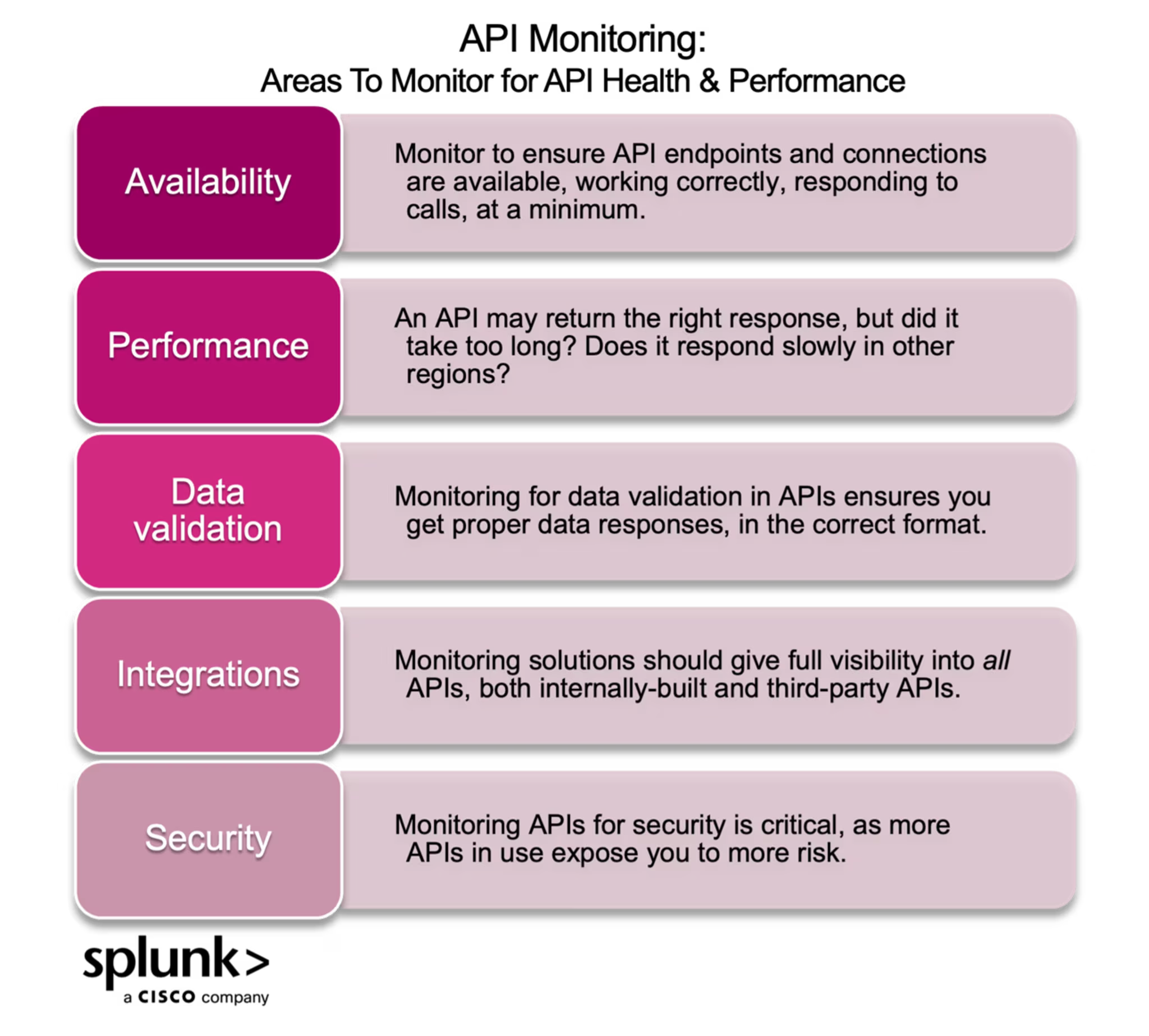
So, where and what should you monitor? Here are the critical areas to focus on:
Availability
API monitoring checks to see if API endpoints and connected resources are available, working correctly, and responding to calls.
With the increasing interdependence of applications on other apps and services, API monitoring is often extended to monitoring the availability of the resources your APIs rely on.
(Related reading: the complete guide to IT and system availability.)
Performance
Even if an API returns the correct response, its speed may not be up to par. How quick are the responses? Is the response content verbose or redundant? Are response times degrading? Does the API’s performance vary in different environments or regions such as development versus production or North America versus Europe?
Data validation
Your API may be available and respond to requests, but it could send back incorrect data or data formatted in unexpected ways. Monitoring for data validation ensures you get the proper responses in the correct format.
This is especially important for multi-step processes or situations where different versions of your APIs are deployed to different regions — in this case, the API may be available but respond with differing or incompatible data.
Integrations
Apps and services, such as Slack, Confluence, and OAuth, often rely on both managed and third-party APIs — from a user’s perspective, the two are frequently indistinguishable.
But for those working on in-house and third-party APIs, a monitoring solution gives you visibility across all APIs, whether interfaces between your individual microservices or integrations with AWS, Google authentication, credit card providers, etc.
Security
The more an organization is exposed to outside connections, the more likely malicious actors will take advantage of vulnerabilities. When you use an API, you assume:
- That the API is secure and the security settings are maintained.
- The risk of other APIs that feed into it.
API monitoring ensures the authentication and security of APIs connected to your apps by surfacing anomalous behavior that could signify a security breach and identifying threats in real time.
Key API metrics
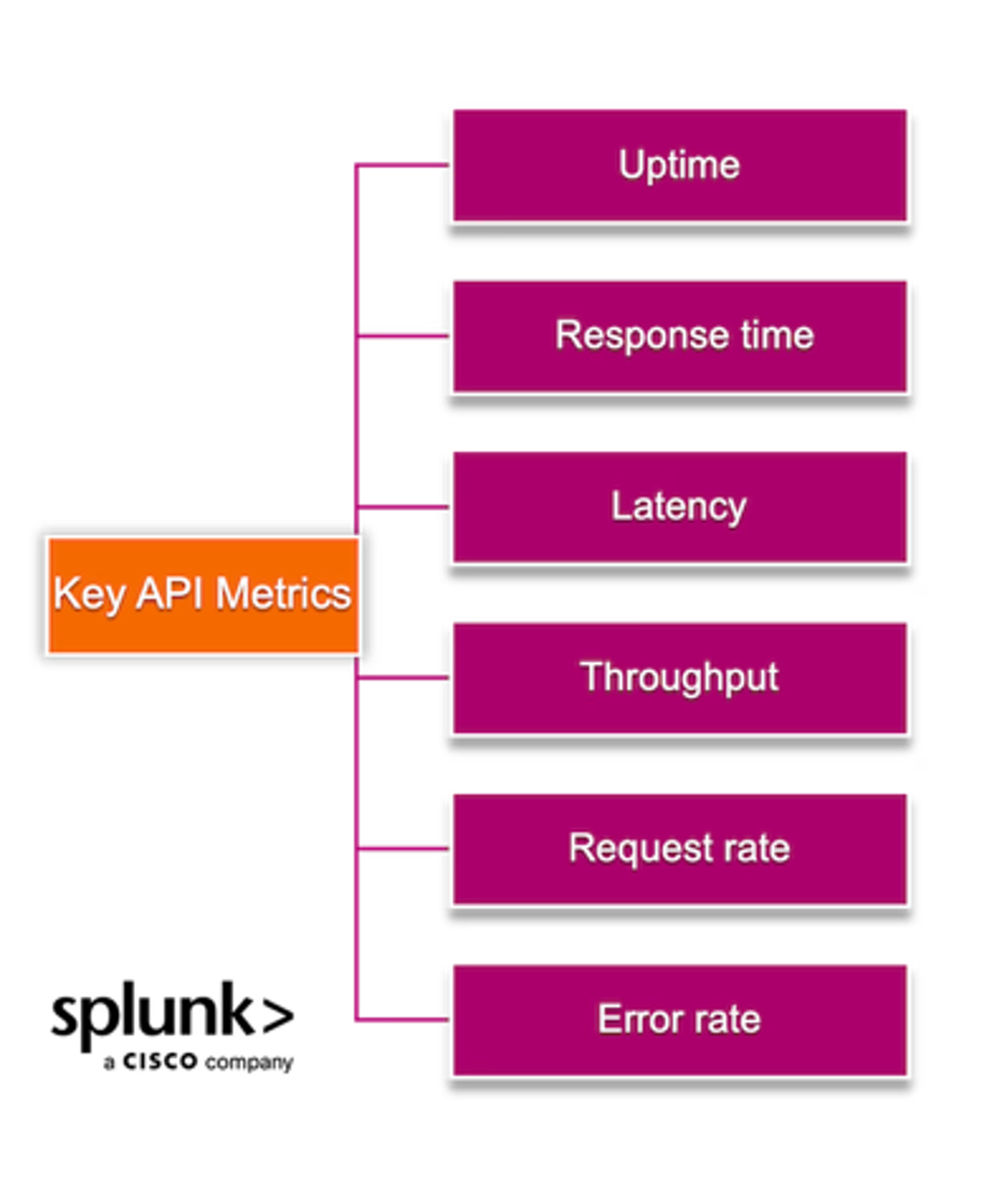
The key metrics that offer concrete data to gain visibility into the specific focus areas for API monitoring include:
- Uptime: For APIs to be effective, they must be up and running. Monitoring for uptime is the most straightforward metric to determine an API's general usability. Uptime is measured as a percentage of the total time the API is available. The typical target is 99.9% or even 99.99% uptime. Some users flip the statistics and report on the percentage of downtime.
- Response time: To ensure dependent services or users are getting the data they need, APIs need to maintain fast and consistent response times. Response times measure how long it takes for a response to come back once the API endpoint is requested.
- Latency: Similar to response time, latency reflects how long an API takes to receive a request and respond.
- Throughput: Throughput measures API usage and can be calculated as requests-per-minute, requests-per-second, or transactions-per-second.
- Request rate: The number of requests being facilitated for a specific time period provides invaluable usage information. Unusual spikes in traffic can often indicate a security incident, such as a DDoS attack. In times where increased traffic or usage is expected, monitoring request rate can also inform resource allocation decisions.
- Error rate: The error rate measures how often an API does not return the intended result. An error can indicate a problem with the API itself or with the services it calls.
(Related reading: rate, errors, and duration make up RED monitoring.)
Challenges of monitoring APIs
Because APIs are so widely used, interconnected, interdependent, distributed, and complex, monitoring them can be challenging. Some challenges around API monitoring include:
Monitoring third-party APIs and dependencies: Getting insight into external APIs or dependencies isn’t always easy. Monitoring tools must infer and analyze data interactions, responses, and latency between your own APIs and those you might not own.
Rate limiting: Monitoring tools count towards the rate limits often set on APIs to prevent overuse and exploitation. These limits must be accounted for when monitoring APIs.
Performance impacts: Some API monitoring solutions can degrade system performance and introduce additional latency. When selecting an API monitoring solution, find one that does not slow things down.
Versioning: Just as APIs need to be versioned, backward compatible, and gracefully handle deprecations, monitoring solutions must be fully capable of tracking and evolving along with API versions.
Protocols: Although REST (Representation State Transfer) is the current dominant protocol, API protocols vary and include SOAP (Simple Object Access Protocol), GraphQL, gRPC, and others.
Monitoring tools need to be able to handle all protocols and potentially standardize metric data to make analysis and troubleshooting easy regardless of the protocol used.
Balancing security with visibility: API requests and responses contain sensitive data ranging from access tokens to Personally Identifiable Information (PII). Monitoring solutions need to both:
- Respect security and access requirements.
- Provide the ability to redact or exclude sensitive data.
API monitoring: must-have features & capabilities
When choosing a monitoring tool, it’s important to find one that includes key features critical to API monitoring:
Synthetic monitoring
Synthetic monitoring provides visibility into frontend and backed digital experience components to help teams detect and resolve customer experience issues — across APIs, business transactions, and the entire user journey — before they impact customers and businesses.
Synthetic monitoring offers insight into customer experience from locations around the globe through simulated traffic (aka synthetic data). Synthetic monitoring tools should offer guided performance recommendations, benchmarks, and customizable performance metrics to help you quickly understand, prioritize, and collaborate to resolve issues.
Real user monitoring (RUM)
Real user monitoring captures real-time end-user experiences for end-to-end visibility into every user session and interaction. Monitoring actual user journeys through applications helps you to:
- Find problems fast.
- See how system performance impacts real users.
- Continuously optimize user experience.
Application performance monitoring (APM)
APM helps engineering teams monitor performance and troubleshoot applications. APM offers full system visibility and context related to application interactions and performance.
APM combines related system data — metrics, logs, and traces — along with visibility and insight into inferred or third-party services, which is a key requirement for applications that depend on internal or third-party APIs.

Splunk Observability Cloud
Monitor your APIs the right way — with full visibility. Splunk is an industry leader for monitoring and observability solutions.
Getting started
Once you find a solution that works for you, your company, and your APIs, knowing where and what to start monitoring can be overwhelming.
Discovering and prioritizing APIs. I recommend that you start by first identifying:
- The third-party APIs that your application or services rely on for critical data or processes
- A prioritized list of the APIs that your customers, end users, or developers rely on for data or processes
It’s also important to identify and define SLOs and SLAs or clear thresholds for your APIs so your monitoring solution can help inform clear objectives.
Instrumenting your APIs. When you’re ready to instrument your APIs, keep in mind the previously discussed focus areas and key metrics that will help provide visibility into functionality, performance, and security:
- Availability: Is this API endpoint up? Is it returning an error?
- Performance: How quickly is the API returning responses? Is the response time degrading over time? Is it worse in production than in pre-production?
- Data validation: Is the API returning the correct data in the proper format? Is the API returning data consistently over regions?
- Integrations: Are third-party interactions working as expected? How do slow downs in third-party interactions affect your APIs?
- Security: Is usage at an expected level? Are there any anomalous spikes in requests? Is there a high rate of requests from the same origination point? Is there a high rate of failed requests?
Iterating and maturing your alerting and anomaly detection. From here, you can configure alerting and anomaly detection for proactive monitoring and quick insight into issues.
Remember that iteration is all a part of the process. Once you’ve gained visibility into these key areas, you can add, fine-tune, or remove metrics as you go.
API monitoring is critical in an API-connected world
APIs are the backbone of so much business-critical functionality. Thanks to the high stakes associated with any type of downtime, it’s essential for companies to build robust API monitoring practices to ensure that everything is working as expected and customers are continuing to have positive experiences.
With comprehensive monitoring, businesses can get quick insight into downtime, performance, and security and take fast action to keep services and products up and running.
Related Articles

What is Cloud Native Application Protection Platform: Everything You Need to Know

What Is Distributed Tracing?

What Is InfoSec? Information Security Explained

What Is Risk Assessment? Steps, Types, and Challenges

Cloud Monitoring: What It Is & How It Works

What Is Network Intelligence?

Open Neural Network Exchange (ONNX) Explained

DevOps Conferences & Events 2026: Complete Guide