Dashboard Studio: Small Changes, Big Impact
Small changes can make a big difference. We’re tackling paper cuts once again, and in Splunk Cloud Platform 9.3.2411, we’ve delivered these enhancements to improve the overall dashboarding experience.
Visualization Improvements
Previously, we shipped the ability to specify the color of the title and description in a given panel using source code options. In Splunk Cloud Platform 9.3.2411, you can access this feature via the UI.
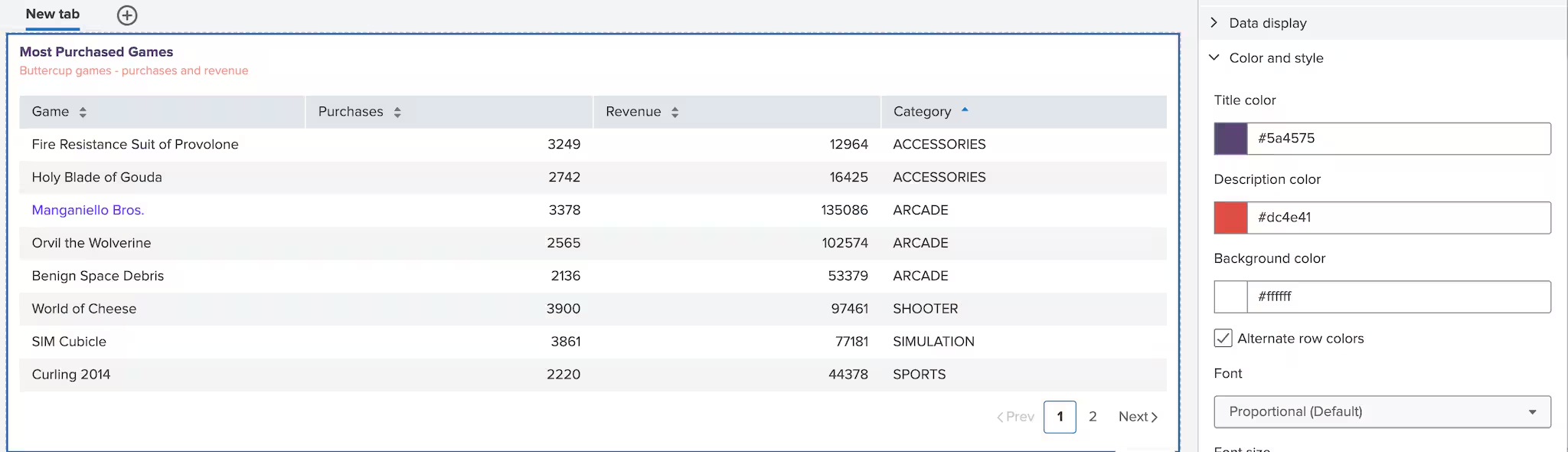
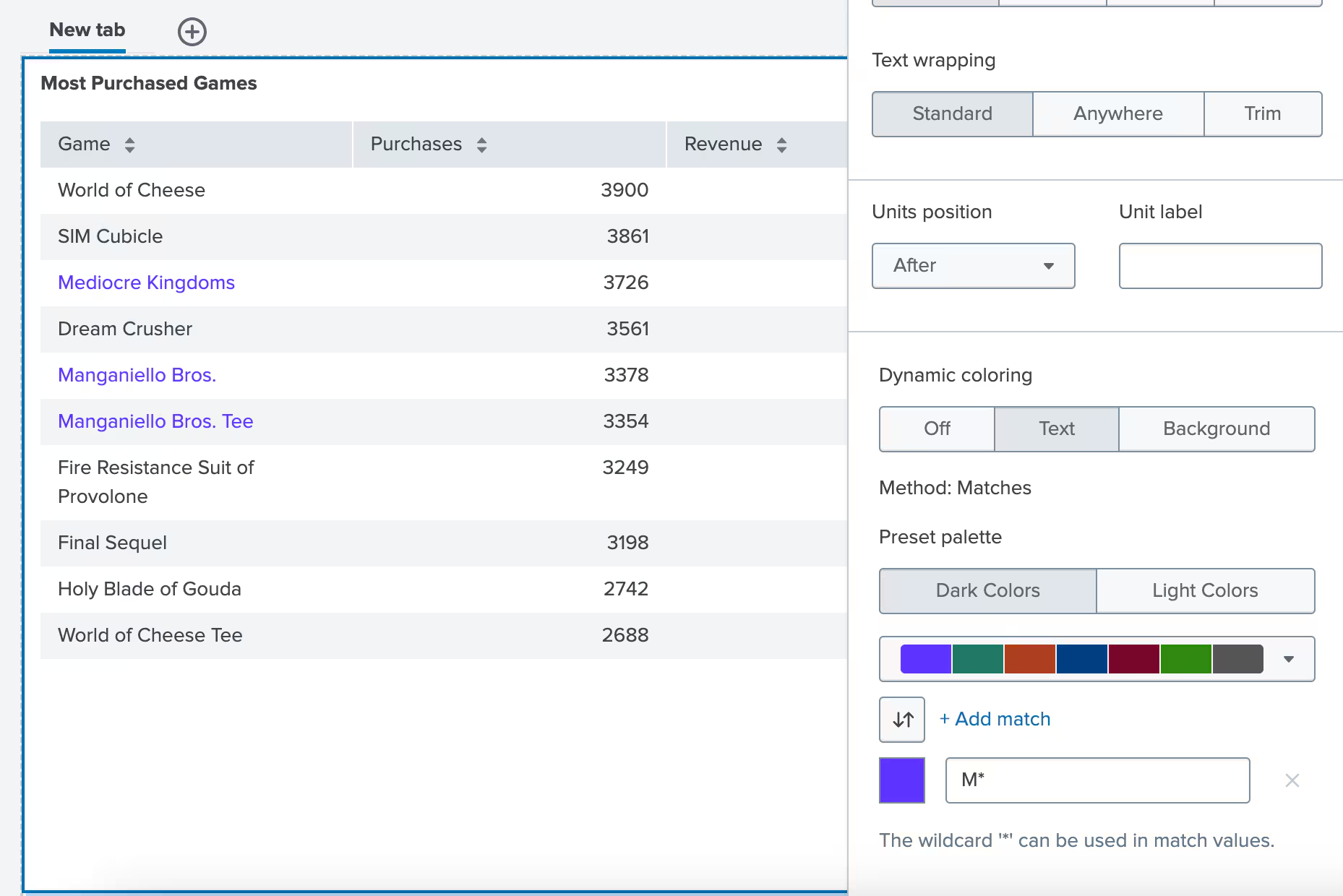
We also added wildcard ‘*’ support for dynamic coloring, allowing more flexible matching of values in table columns. In this example, all cells in the “Game” column that start with the letter “M” will be colored purple.
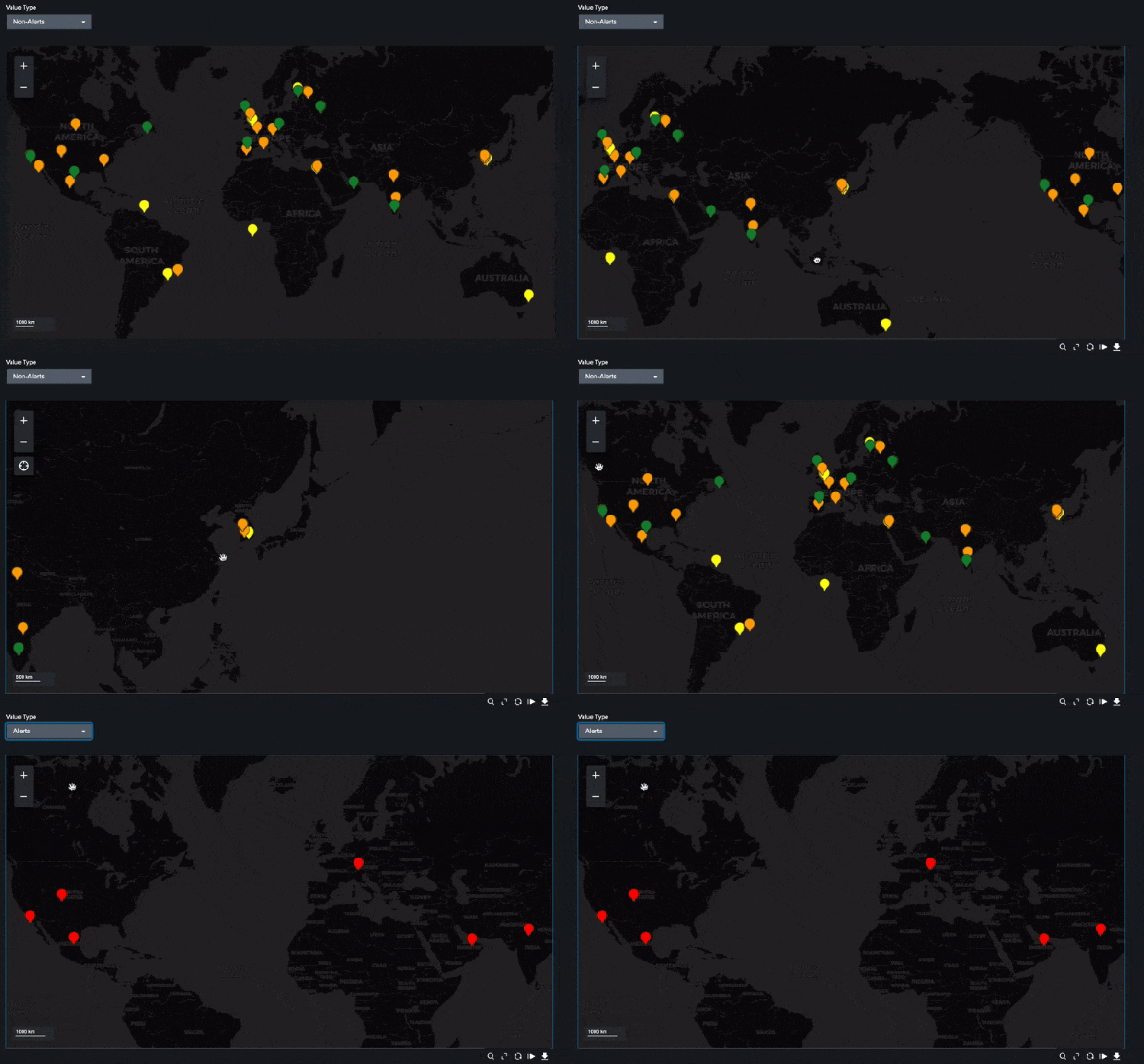
Customers have increasingly requested the need for dynamic and highly configurable map visualization in Dashboard Studio—and we’ve delivered! We’re bringing to you automatic center and zoom based on available data with the “Fit to data” button. This enhancement also allows the map to dynamically re-center to reflect updated values, particularly useful when tokens are used to filter data.
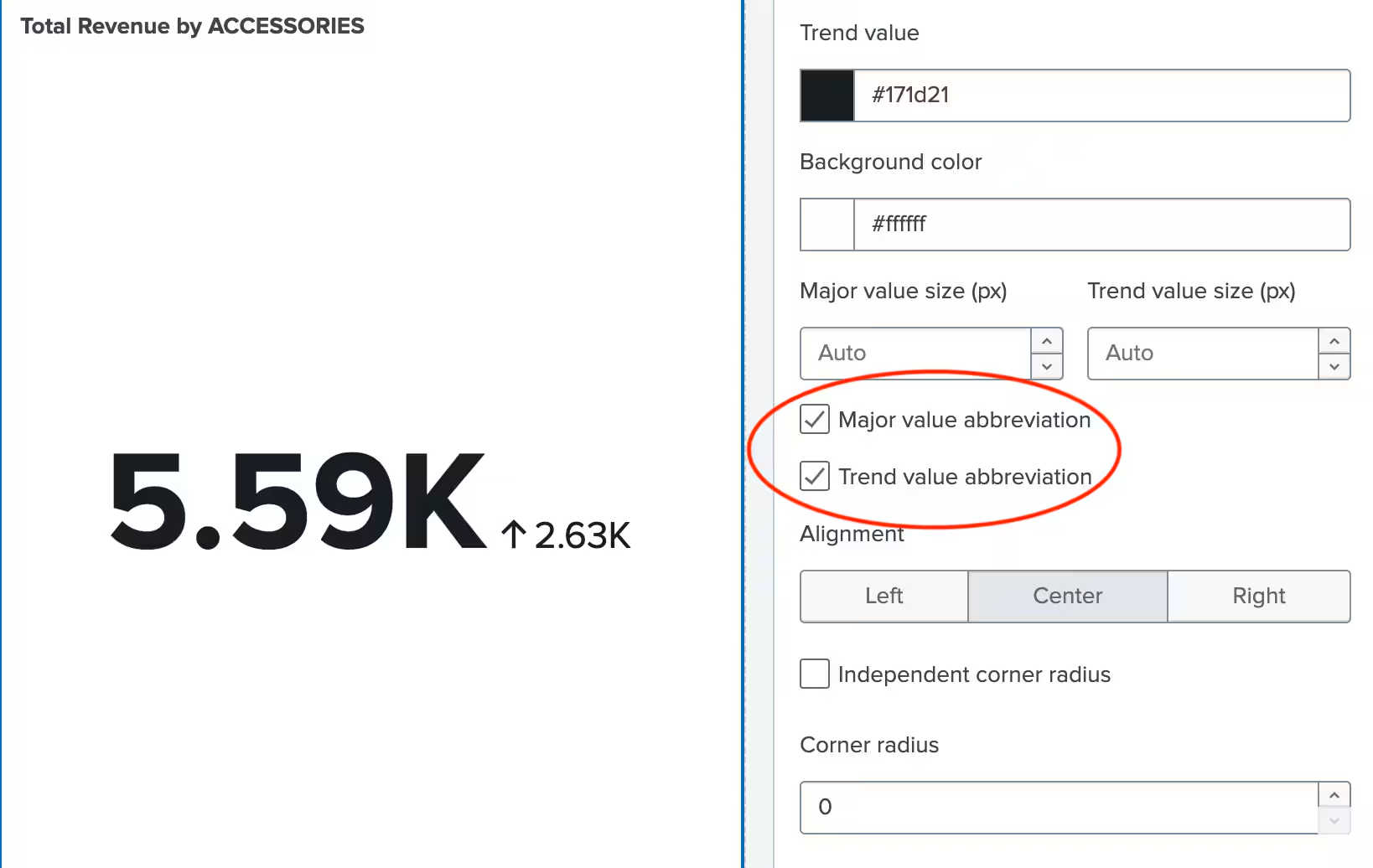
Single value visualizations now have the option to abbreviate both their major and trend values from the configuration panel.
Show/Hide Action Menu
There may be cases where you want to hide the action menu for visualizations or images in view mode, preventing users from actions like exporting or opening in full screen.
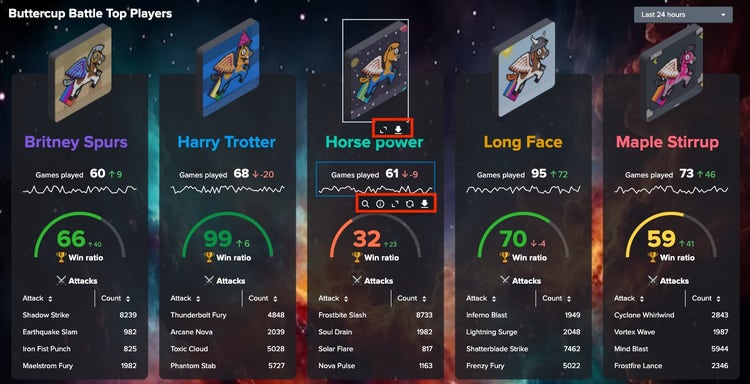
To address this, we introduced a new toggle “Show Action Menu” in the configuration panel which enables you to hide the action menu for all objects on the dashboard.
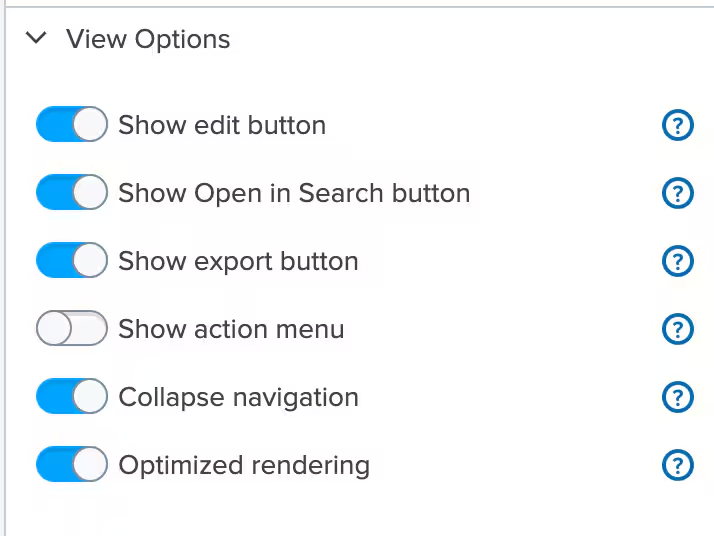
Event Sampling in Dashboard Studio
If you're familiar with event sampling in Classic dashboards for inline searches, you'll be happy to know we've brought this feature to Dashboard Studio! With this release, you can specify a sampling ratio for your search, which retrieves a subset of search results for faster, more efficient analysis.
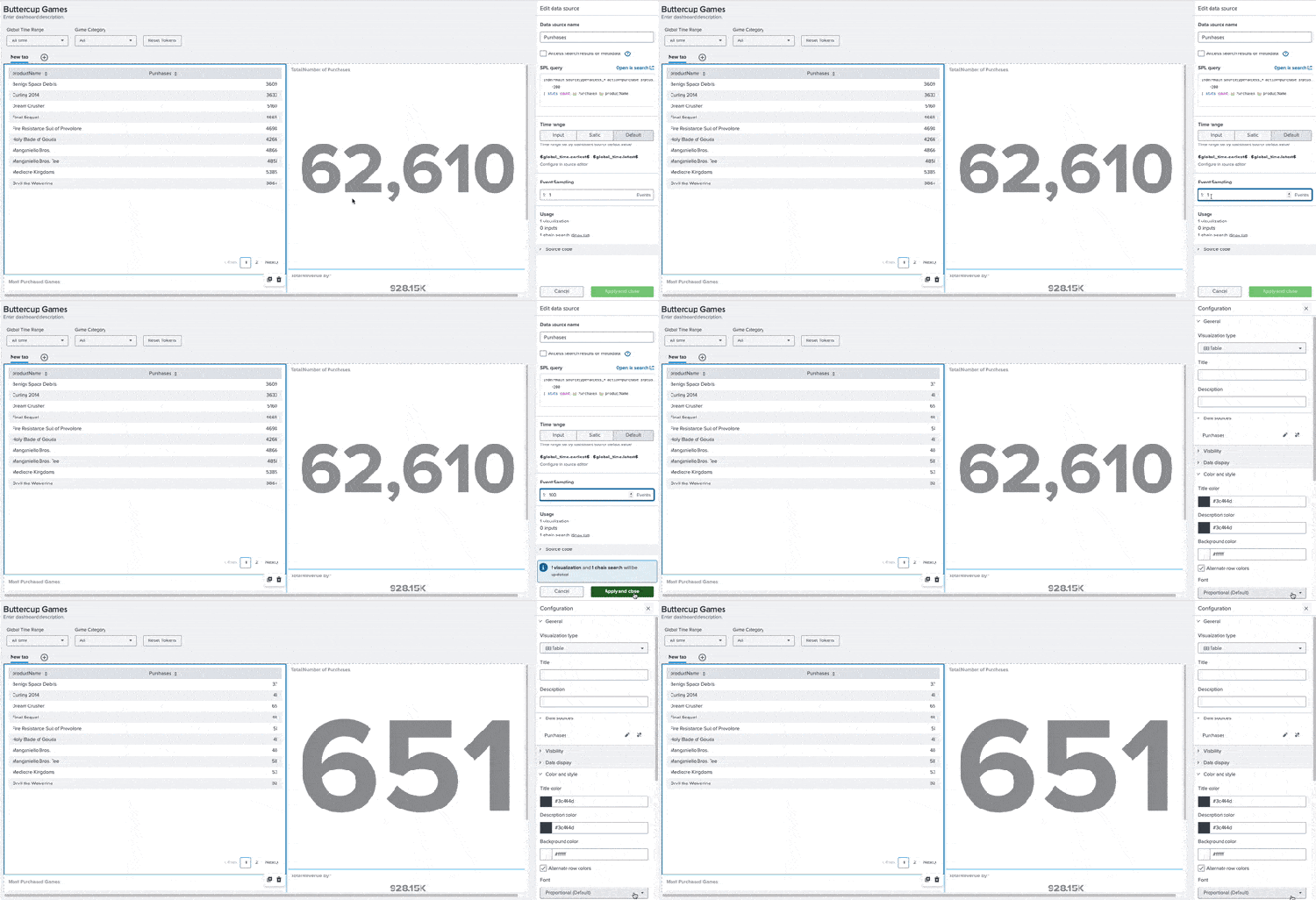
You can learn more about event sampling here.
Background Improvements
You can change the background color of your canvas in Absolute layout, and now we've extended the same capability to Grid layout as well.
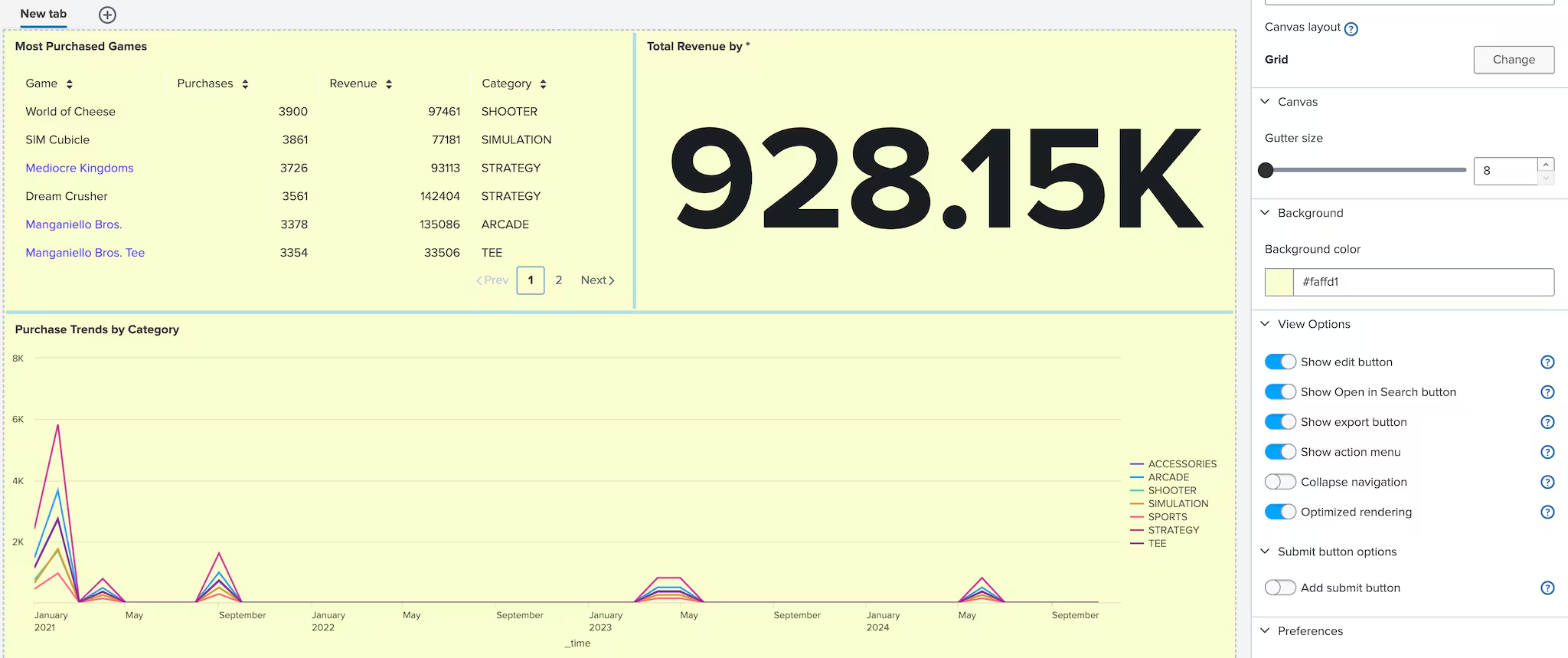
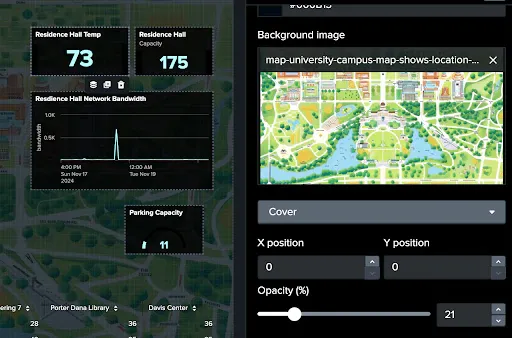
Ever find the background image being too bright and compete with the visualizations on your dashboard? With this release, you’ll be able to adjust the opacity of the uploaded image in the configuration panel.
Coming Soon
Check out Dashboard Studio and send in your feedback through Splunk Ideas, and you might see your feature request listed on a future blog's "coming soon" list! We are continuing to work on new capabilities, which are delivered incrementally with Splunk Cloud Platform and Splunk Enterprise releases.
Next up….
- Tabbed dashboard improvements
- Trellis for axis charts
- Timeline visualization
Helpful Resources
- Dashboard Studio demo
- Dashboard Studio Blogs - Catch up on our other recent updates with Studio
- Dashboard Studio Tutorial
- Improving Dashboard Performance and Resource Usage Tech Talk
- Splunk Dashboard Studio Documentation
- Splunk Ideas - Dashboard Studio for feature or enhancement Requests
- Examples Hub - Find the Examples Hub from the Dashboards page in Search & Reporting
- Splunk Community - Dashboards & Visualizations for questions
* This information is subject to change at any time, at the sole discretion of Splunk Inc. and without notice. This roadmap information shall not be incorporated into any contract or other commitment. Splunk undertakes no obligation to either develop or deliver any product, features, or functionality described here.
Related Articles

Announcing the General Availability of Splunk POD: Unlock the Power of Your Data with Ease

Introducing the New Workload Dashboard: Enhanced Visibility, Faster Troubleshooting, and Deeper Insights

Leading the Agentic AI Era: The Splunk Platform at Cisco Live APJ

Dashboard Studio: Token Eval and Conditional Panel Visibility

Introducing Resource Metrics: Elevate Your Insights with the New Workload Dashboard

Powering AI Innovation with Splunk: Meet the Cisco Data Fabric

Remote Upgrader for Windows Is Here: Simplifying Fleet-Wide Forwarder Upgrades

Dashboard Studio: Spec-TAB-ular Updates
