Introducing Splunk Extension for AWS Lambda
Platform Splunk
Using the Splunk extension, DevOps teams can automatically ingest Lambda platform performance metrics in real-time and easily understand the performance, usage and bottlenecks across the entire Lambda environment. Splunk extension plug directly into Lambda's execution environment to capture telemetry data using independent parallel processes – before, during and after the function invocation. Splunk extension becomes the foundation for end-to-end observability in AWS Lambda environments.
The Splunk extension for Lambda is available as a Lambda layer in different AWS regions.
What Are Lambda Extensions?
When you invoke a Lambda function, the request is processed in a new sandbox called the execution environment. The Lambda platform manages the execution environment's lifecycle to ensure you only pay for that function invocation and avoid idle compute costs. After the function invocation, Lambda freezes the code runtime and thaws when new invokes are received and a frozen environment is available. If a function has not been executed for some time or if you need to process more concurrent requests, AWS Lambda will start a new environment to execute your functions.
Lambda extensions are shared libraries that run side-by-side with functions inside the same execution environment. Using the Lambda Extension API, Splunk extension influences and participates in the function lifecycle to process low latency and high-resolution observability data.
Why Lambda Extensions?
The Splunk extension for Lambda provides the following advantages:
- The flexibility to use any Lambda runtime and language: Since the extension is an external process to function execution, it is not dependent on the function's runtime environment. Splunk extension for Lambda is written in highly performant Golang. Still, it provides real-time observability into Lambda functions written in all languages, giving you the flexibility to deploy whichever Lambda functions suit your environment.
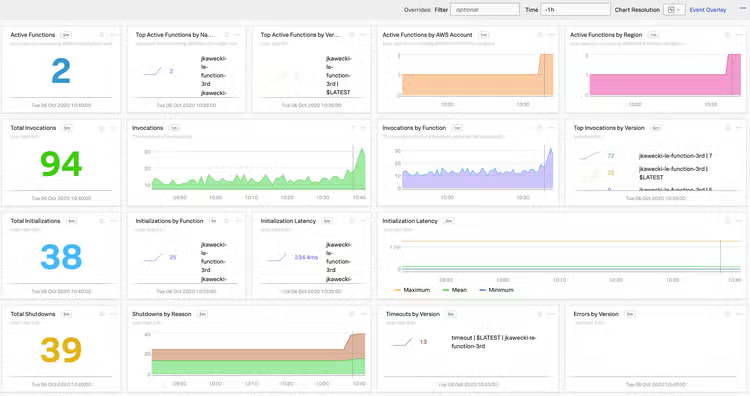
- Transparent and seamless data collection: Splunk extension automatically collects important performance data and gives visibility into the number of invocations, errors, execution duration and cold starts in real-time without developers having to instrument code.
- Auto-instrumentation by influencing the runtime: Splunk extension can set language-specific environment variables and tools, for example, SignalFx Microservices APM’s auto-instrumentation agent using javaagent parameter to the Java Virtual Machine. Auto-instrumentation automatically identifies which frameworks and libraries are in use within your application and instrument those libraries to capture tracing instrumentation – all without having to make any code change.
Comprehensive, Real-Time Observability
Whether your applications are 100% serverless or a mix of serverless and traditional apps, you can monitor your entire cloud stack with Splunk in real-time.
Use the Splunk extension for Lambda, functions wrappers and the CloudWatch integration to get comprehensive, end-to-end visibility:
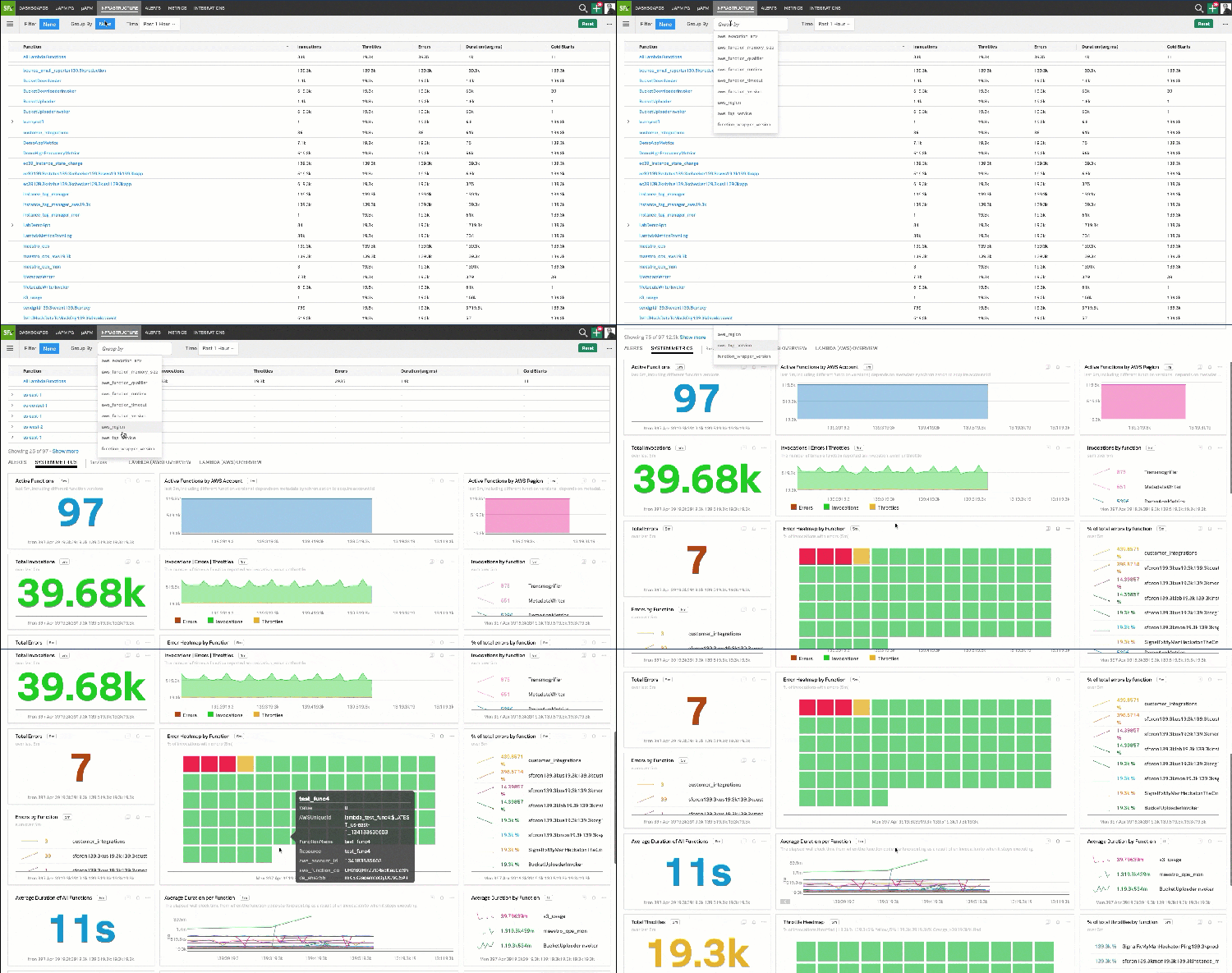
- Aggregate view for all serverless functions: A pre-built dashboard with key metrics across all serverless functions provides a bird’s-eye view to understand how your serverless architecture is performing. Quickly search, filter and sort to drill down into functions with errors, high latency or cold starts. Tag and group functions based on usage, location, account, runtime, resources or any other dimension.
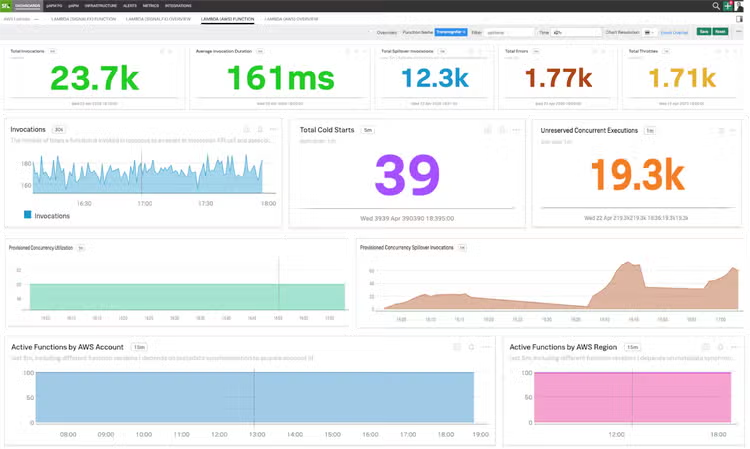
- Drill-downs to optimize performance and cost: To avoid cold starts, development teams can use the Provisioned Concurrency feature. Functions can instantaneously serve a burst of traffic with consistent start-up latency. However, you pay for the amount and the duration of provisioned concurrency. It is critical to understand how much of provisioned concurrency is used and what the percentage of spillovers is. Our pre-built dashboards give deeper insights into cold starts, concurrency, throttles and spillovers to manage under-provisioned functions, optimize latency and reduce cost.
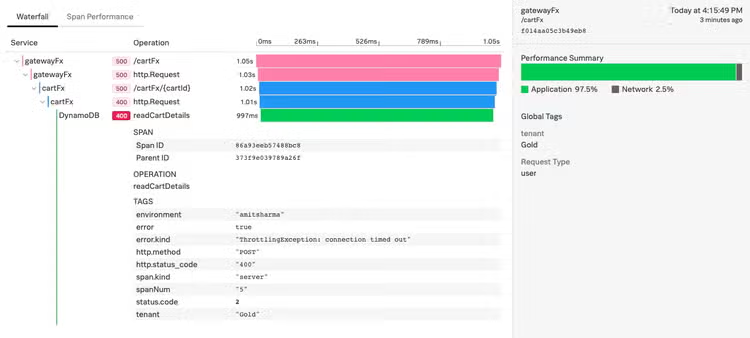
- Service visualization, dependency mapping and troubleshooting: Visualize your services and their dependencies with automatic service maps created by SignalFx Microservices APM based on real-time data interactions among your services — serverless functions, traditional apps, third-party APIs, database calls and more.
Get granular details on every transaction with trace view. SignalFx Microservices APM captures every transaction across all services with NoSample full-fidelity trace ingestions to analyze every trace.
- Monitor key business performance metrics:
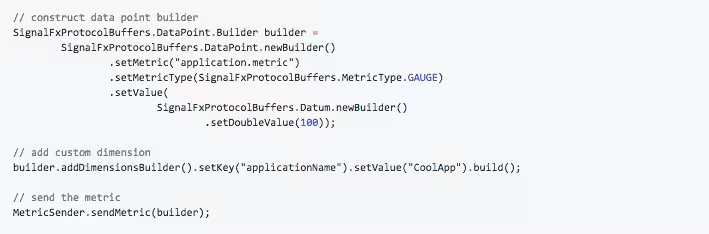
Splunk function wrappers provide an easy mechanism to instrument your code for custom metrics that matter, e.g. business KPIs – simply add a few additional lines within your function to capture and send those metrics to SignalFx without incurring any performance overhead.
We currently provide Lambda wrappers in Node.js, Java, Python, Ruby, Golang and C#. You can either choose SignalFx request handlers to use wrappers out-of-the-box or manually instrument your code.
To reduce the size of your functions, streamline dependency management and simplify upgrades of your functions, you can use language-specific Lambda layers hosted by SignalFx in your AWS region.
Get Started With AWS Lambda Observability
We are excited to partner with AWS in launching Lambda Extensions to simplify monitoring and observability in Lambda environments; we also look forward to accelerating the journey to serverless for our joint customers. Future-proof your observability investment with an enterprise-grade solution trusted by enterprises for advanced use cases at a massive scale. Serverless monitoring is included with SignalFx Infrastructure Monitoring. Get started with a free trial today.
----------------------------------------------------
Thanks!
Amit Sharma
Related Articles

The Insider's Guide to Splunk Enterprise Upgrades: Before, During, and After

Splunking F1: Part One