Making Smarter Predictions in ITSI
Splunk is committed to using inclusive and unbiased language. This blog post might contain terminology that we no longer use. For more information on our updated terminology and our stance on biased language, please visit our blog post. We appreciate your understanding as we work towards making our community more inclusive for everyone.
Some of you may have seen recently that we are trying to commoditize machine learning through our MLTK smart workflows. Here I’d like to outline another example of an MLTK smart workflow, designed to help improve the usability of the predictive capabilities in ITSI.
We are often asked by customers ‘what is the best algorithm to use in ITSI?’ Unfortunately, this can be a really difficult question to answer as it depends massively on the data that they are using and how they have defined the KPIs and services in ITSI.
To help with this we’ve been putting together a new workflow built around ITSI that allows users to select a service, visually inspect the KPIs that relate to the service, run some correlation analysis against the KPIs and the health score to assess how accurate a predictive model might be before allowing users to run several algorithms against their data and recommend the best one to deploy.
This whole workflow sits in the Smart ITSI Insights app for Splunk under the ITSI Predictive Analytics Workflow tab.
Selecting a Service
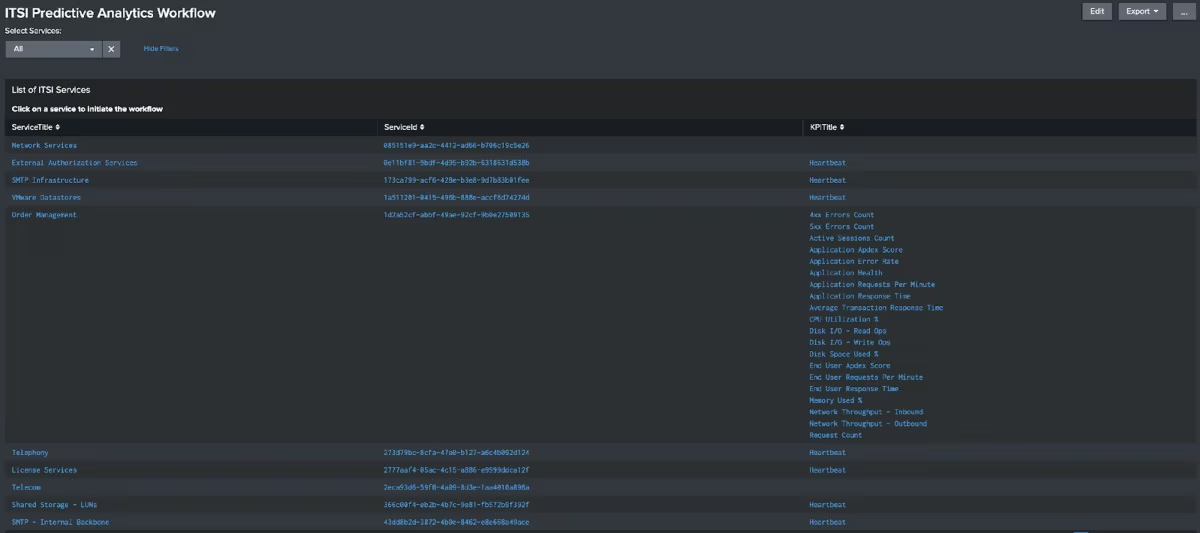
As with ITSI, the first step in generating a predictive analytic is to select the service that you want to apply it to. This is fairly simple in the app, where you can select a service from the table - clicking on a service will drill down in an analysis dashboard.
Analyzing the behavior of the service
Once you have selected a service you will be presented with a dashboard that presents some high level insights about the service. Under the service summary, you will be able to view how frequently the service is operating abnormally and how many times there has been unusual behaviour in the service over the selected time period.
If your service has a high number of outliers or spends a large amount of time in a degraded state then you might want to consider the service definition - especially if it is reporting as degraded, but you don’t actually have any outage data that corresponds to the degradation.

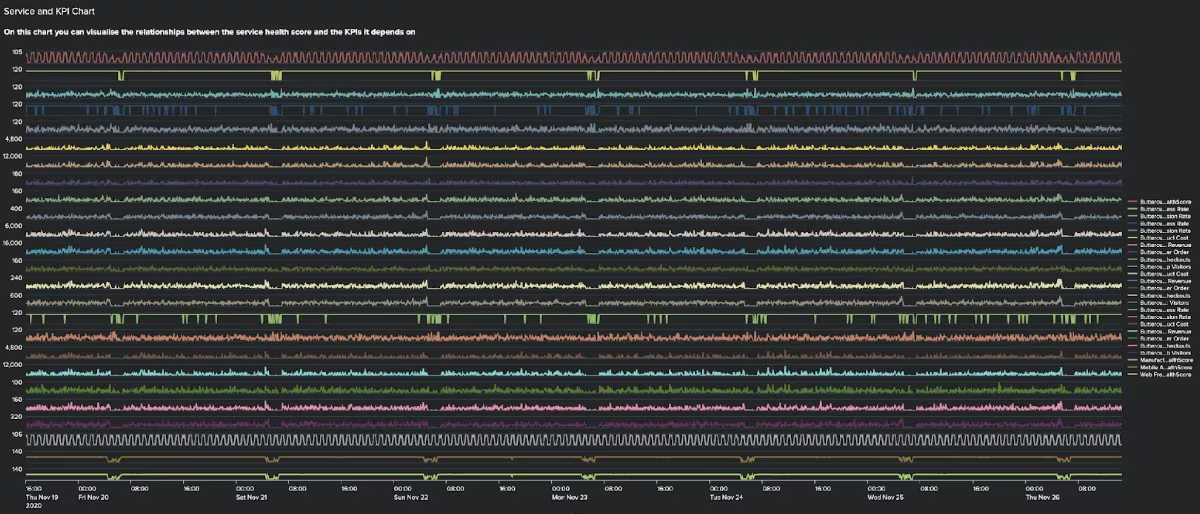
Under the show service health score and associated KPIs section you will be able to visually inspect the health score against all of the KPIs it depends on - the key here is to look for similar patterns of behaviour to see which KPIs appear to have the biggest impact on the health score. For example, if the health score always drops when a latency KPI goes up then I would suggest they are fairly well coupled. More on this shortly!
Finally, if you have incident data in your Splunk instance, and know how it is linked to the service you are analysing you can also overlay your health score data with incident information under the show incident details section.
Identifying the KPIs that are correlated with the future health score
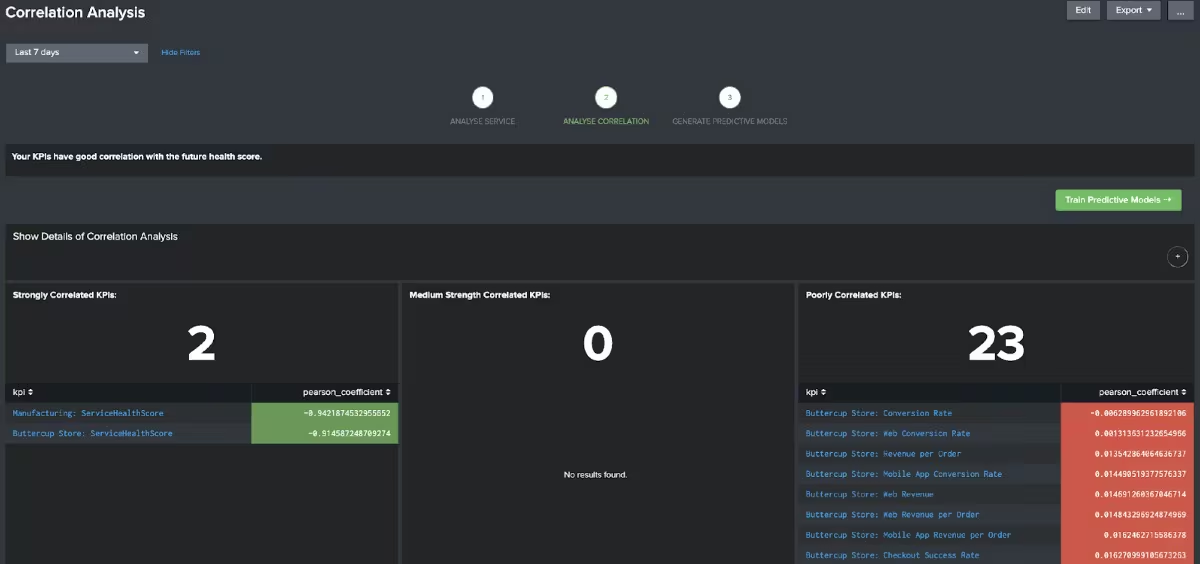
After inspecting the service you can click on the Analyze Service Health & KPI Correlation button to move to the next stage of the workflow. On this dashboard, each KPI that the service relies on will be compared with the future health score (i.e. the health score 30 minutes ahead of the KPI metrics) to determine how strongly correlated the KPI is with the health score.
The results will be split into strongly correlated KPIs, medium strength KPIs and weakly correlated KPIs. Provided there is some decent correlation in your data feel free to click on the Train Predictive Models button, which will take you to the next stage of the workflow.
If you don’t have any strong or medium strength correlations in the data then it is highly likely you won’t be able to create a good prediction in ITSI. If this is the case you can click on the View KPI Relationships button you will be taken to a further dashboard that will make some suggestions about the KPI importance settings in your ITSI instance.
Training a predictive model
On this dashboard,you can train a set of predictive models to estimate the future health score for the service. By default, the models will be trained using only the KPIs that were identified as having strong or medium strength correlation from the previous dashboard, but you can choose to use all KPIs if you wish.
On clicking the train predictive models button several algorithms will be tested against the data, and after a while (a while depends on how many KPIs you are using and the period of time you train the model for) a recommendation will be made stating the best algorithm to use in production. Each of the algorithms will also have a descriptive assessment so you can easily see if they are good enough to deploy in production as well.
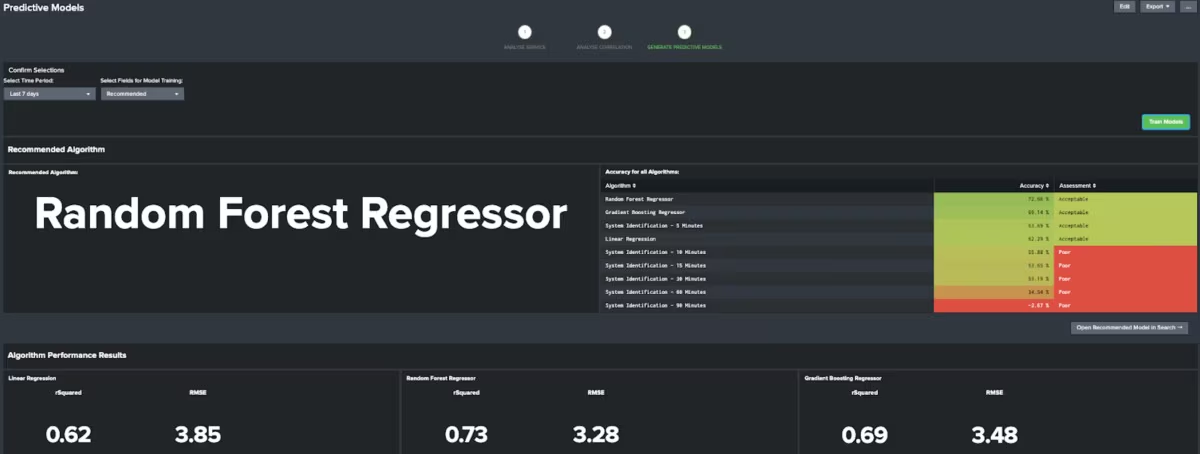
Provided you are happy with the recommendation you can click on the ‘Open Recommended Model in Search’ button to open the prediction in the search window.

Include your predictions in ITSI
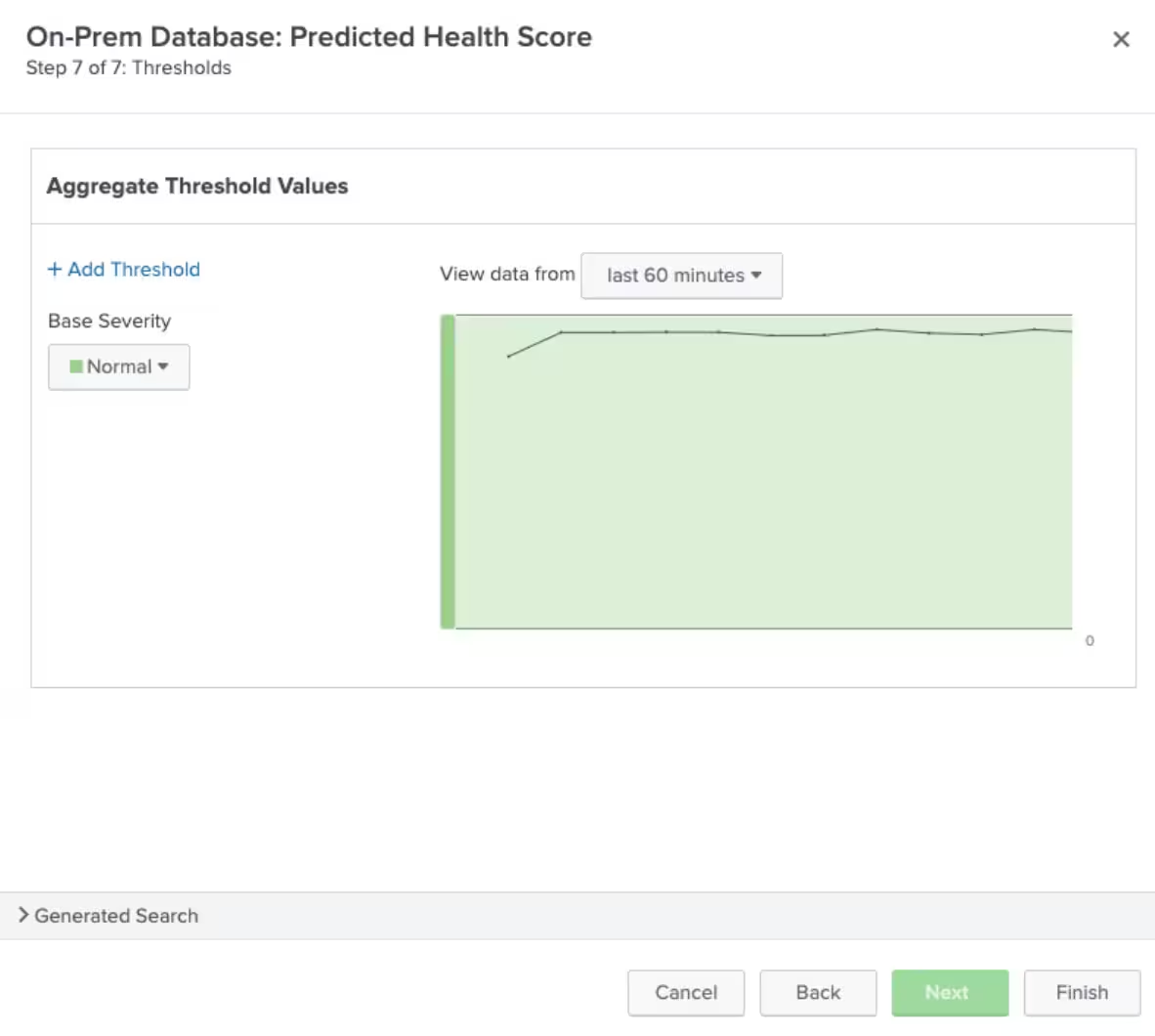
Once you are happy with the results and have the appropriate search you can then take the search and include it as another KPI for the relevant service (in this case it would be ‘On-Prem Database’).
To do this browse to ITSI > Configuration > Services and select the service you have just trained a model for. On the KPIs tab create a new Generic KPI and use the search that the predictive workflow generated with the predicted_hs as the ‘Threshold Field’.
Once the KPI is activated don’t forget to set the KPI importance to 0 on the settings page for your newly created KPI - you don’t want your prediction to affect the current health score!
Summary
We have now shown you how you can use the Smart ITSI Insights App for Splunk to generate smarter predictions in ITSI. Hopefully, this has inspired you to go and download the app and see if you can get even more accurate predictions for your ITSI services.
Happy Splunking!
Related Articles

Announcing the General Availability of Splunk POD: Unlock the Power of Your Data with Ease

Introducing the New Workload Dashboard: Enhanced Visibility, Faster Troubleshooting, and Deeper Insights

Leading the Agentic AI Era: The Splunk Platform at Cisco Live APJ

Dashboard Studio: Token Eval and Conditional Panel Visibility

Introducing Resource Metrics: Elevate Your Insights with the New Workload Dashboard

Powering AI Innovation with Splunk: Meet the Cisco Data Fabric

Remote Upgrader for Windows Is Here: Simplifying Fleet-Wide Forwarder Upgrades

Dashboard Studio: Spec-TAB-ular Updates
