Fastest Time-to-Value Anomaly Detection in Splunk: The Splunk App for Anomaly Detection 1.1.0
Anomaly detection in metrics or time series data is the most used machine learning use case among Splunk Security and Observability customers. Customers are looking for easy-to-use ML-powered high-fidelity anomaly detection, so that they can be alerted at the first sign of a failure point or security incident.
While customer demand for ML insights has grown rapidly, many Splunk customers have not been able to incorporate ML into their Splunk environment. Most Splunk admins, analysts, and other users are not data scientists or ML engineers, and don’t have the domain knowledge or experience with ML frameworks required to take advantage of many of the benefits ML can provide. Existing marketplace solutions for anomaly detection require intensive and continual time and resource investments as end users are left to determine which data is adequate for ML, select the appropriate ML models, train the models, and additionally monitor and maintain those models. If the data has seasonality that needs to be accounted for while detecting anomalies, current ML solutions require users to manually input the seasonality, making the model susceptible to user error, especially as expected seasonality is prone to change over time. Splunk customers want to unlock the benefits of ML-based insights without having to immerse themselves in the weeds of ML practice and methodology.
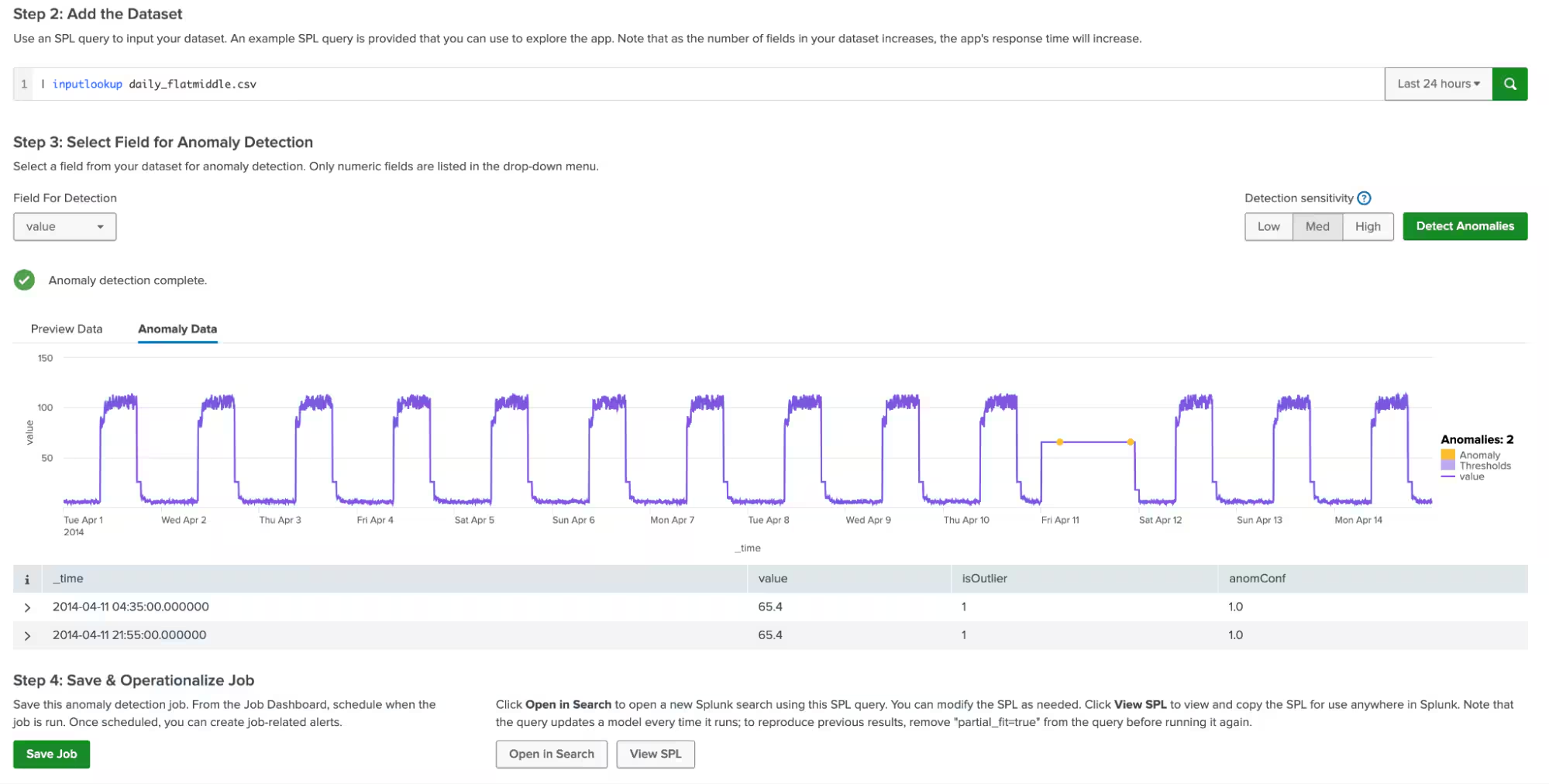
Today, you can say goodbye to these challenges with The Splunk App for Anomaly Detection! The Splunk App for Anomaly Detection lowers the barriers to customers unlocking the power of ML in everyday workflows, while also simplifying tasks that were previously complex and time consuming. The app helps you find anomalies in your dataset in just a few clicks. Simply load your time-series dataset, choose the field you’re interested in monitoring, and click “Detect Anomalies." The guesswork of configuring the detection is now gone.
A huge improvement over existing anomaly detection solutions in Splunk is that the Splunk App for Anomaly Detection automatically detects and takes into account the seasonality of the data. You do not need to inform the app about the different time blocks in which the data behaves differently, nor do you need to update the seasonality as your business and its competitive landscape evolves. This saves a lot of upfront setup effort and time, substantially reducing the time to value for users.
Data Health Check
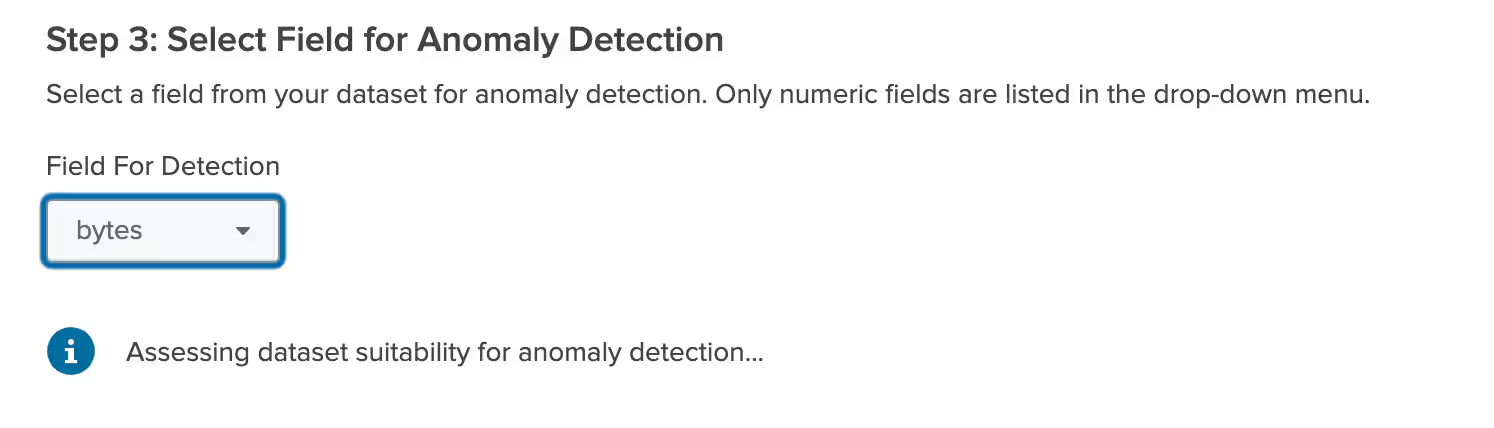
A cool feature of the Splunk App for Anomaly Detection is the data health diagnostic which runs when you select the field for anomaly detection. The app runs a check to make sure the data is suitable for anomaly detection using the app’s algorithm. If the health check indicates that the data is ready for anomaly detection, you can proceed to detect anomalies. However, if the health check comes back with issues, the app makes it very easy for you to modify the data to run anomaly detection.
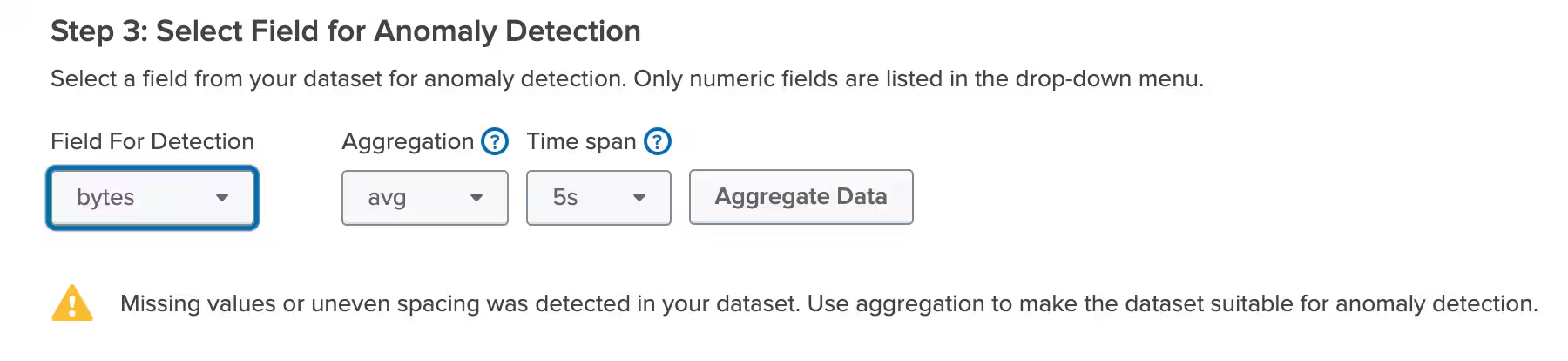
A remediation workflow allows you to easily create evenly-spaced buckets to run anomaly detection on when your data has inconsistencies like unevenly spaced timestamps. The app also performs data interpolation to fill in missing data points and will alert the user about the missing data. All these strategies ensure that users can fix the data instead of dealing with mysterious failures and trial and error.
Operationalize Anomaly Detection Jobs with a Simple UI
Apart from making it easier to detect anomalies, the Splunk App for Anomaly Detection comes equipped with a host of features to make it easier to operationalize anomaly detection. You can adjust the sensitivity of the results with the click of a button. Once you are happy with the results, you can create a new anomaly detection job that can be managed in the Job Dashboard. However, if you want to create an SPL query and operationalize it elsewhere within Splunk, the app provides an easy way to do that too!
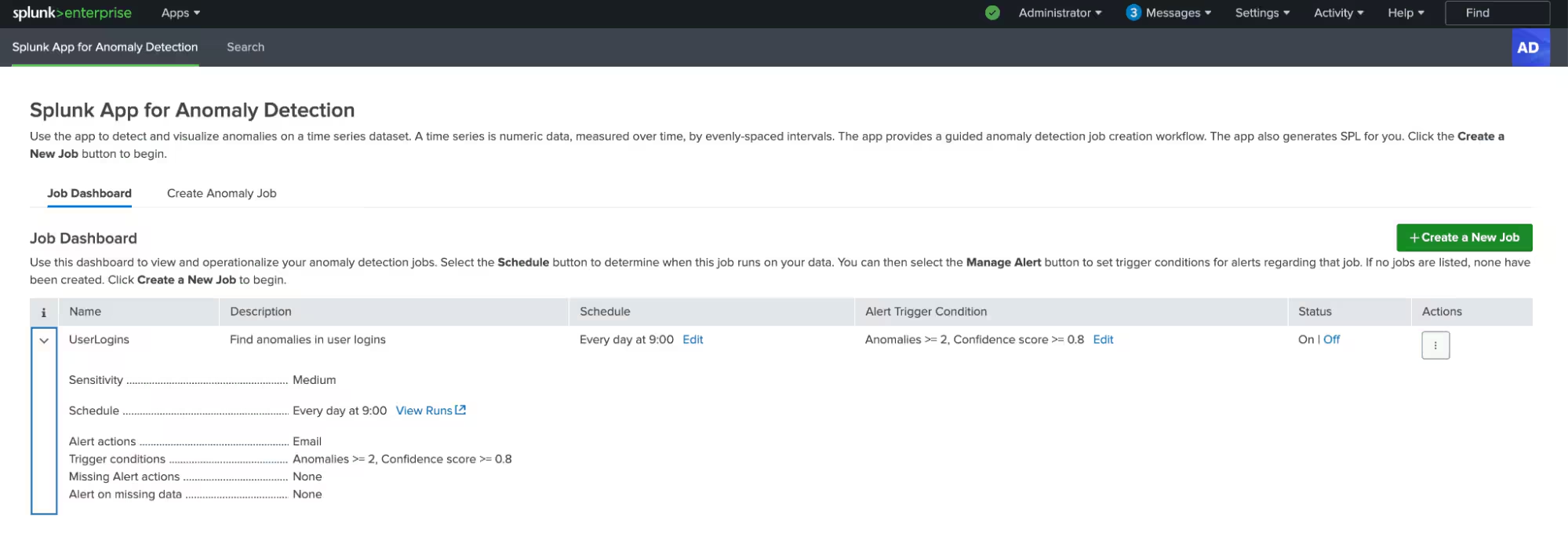
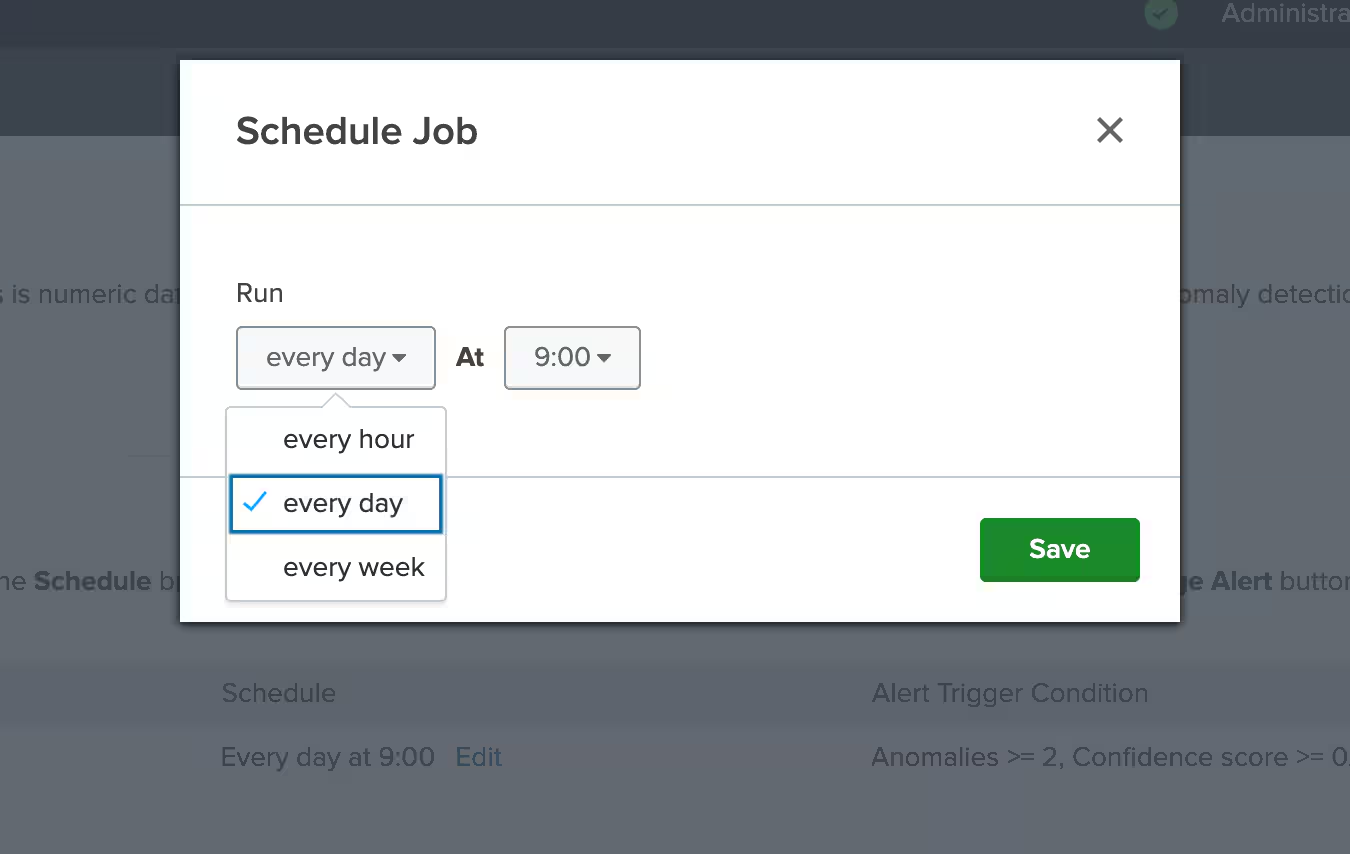
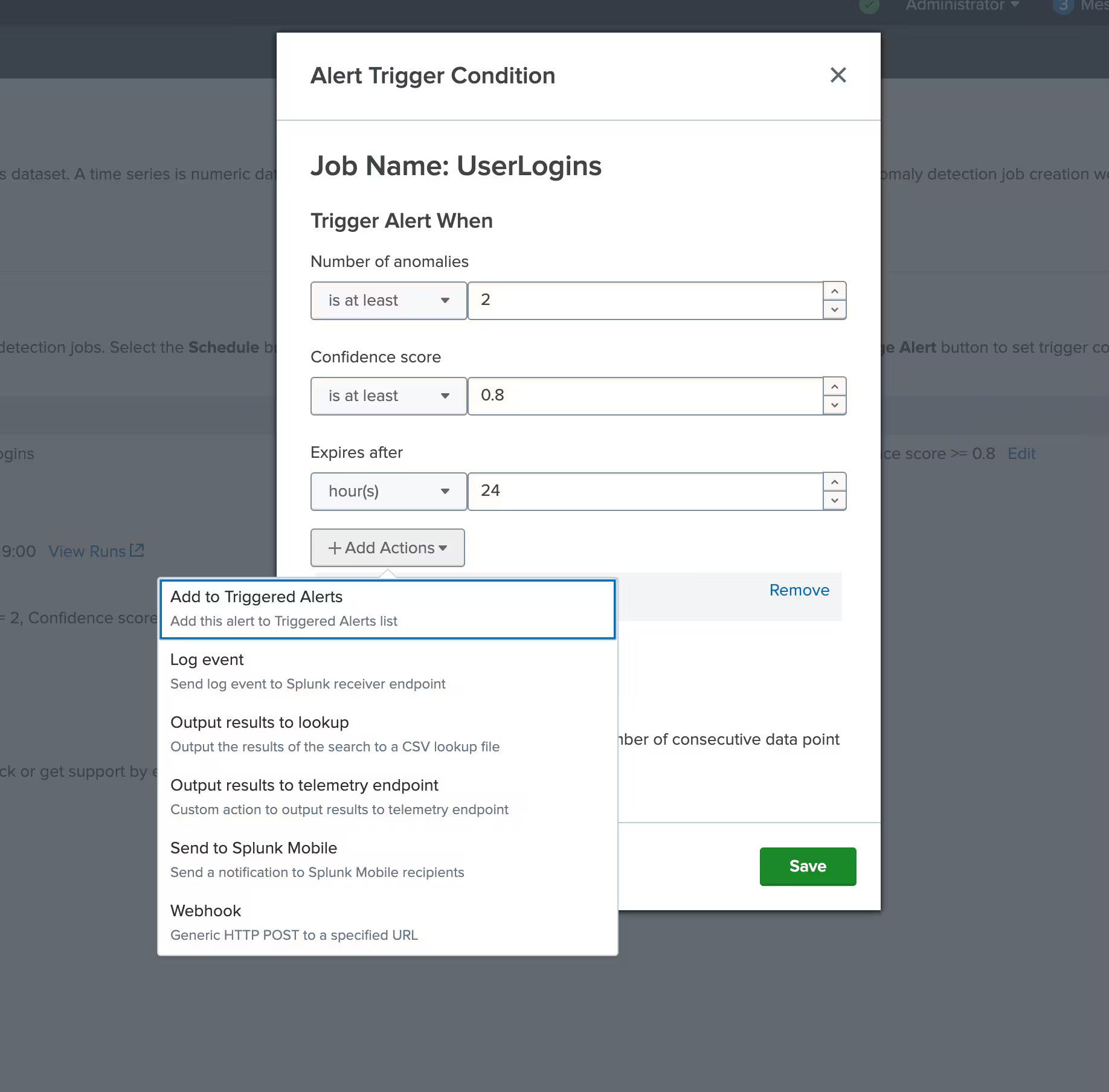
From the Job Dashboard, you can schedule jobs to run at a set cadence as needed. You can also configure alerts based on the number of anomalies found and their confidence score. You can choose from several actions to be taken when an alert is triggered, such as, add to triggered alerts or log event. You can also choose to get alerted on missing data. The app lets you choose the number of consecutive missing data points to trigger an alert.
Next Steps
The Splunk App for Anomaly Detection 1.1.0 is available today on Splunkbase for use with Splunk Cloud Platform as well as with Splunk Enterprise. For more information on how to use this app, refer to the documentation. To get started with this new version today, visit Splunkbase.
Related Articles

Announcing the General Availability of Splunk POD: Unlock the Power of Your Data with Ease

Introducing the New Workload Dashboard: Enhanced Visibility, Faster Troubleshooting, and Deeper Insights

Leading the Agentic AI Era: The Splunk Platform at Cisco Live APJ

Dashboard Studio: Token Eval and Conditional Panel Visibility

Introducing Resource Metrics: Elevate Your Insights with the New Workload Dashboard

Powering AI Innovation with Splunk: Meet the Cisco Data Fabric

Remote Upgrader for Windows Is Here: Simplifying Fleet-Wide Forwarder Upgrades

Dashboard Studio: Spec-TAB-ular Updates
