Between Two Alerts: Easy VPN Security Monitoring with Splunk Enterprise Security
Security SplunkWelcome to the new world, my friends. Now that working from home is our new reality, we've found that many of our customers are taking a much closer look at the technology that binds us all together and allows us to access corporate resources: the humble VPN. In the spirit of enablement, I’ve put together a quick list of dashboards that can help add that extra bit of visibility for our faithful Splunk Enterprise Security customers. Also, be sure to check out the additional posts my colleagues have shared about keeping your infrastructure secure in this new environment we all live in.
VPNs transmit sensitive information over both public and private networks. That extension of the corporate network is a tasty vector because it’s much more accessible for attackers. Hackers no longer have to breach the perimeter itself to find sensitive data, but rather, exploiting even just one remote access flaw could be sufficient to breach a system. VPNs often don’t contain the layers of security found in perimeter defenses, yet provide access from outside the network. If 2FA (two factor authentication) isn’t in place, credential stuffing is a very real way to break in.
Some of the largest breaches in history involved the VPN. Heartland, Target and Home Depot all come to mind, not just from an attack perspective, but also from a vulnerability perspective. So first things first, let’s make sure that VPN and perimeter of yours is up to date. Let’s start with leveraging that vulnerability assessment tool that’s been laying around, and scan the VPN and any perimeter related devices. Then, we can take a peek via the Vulnerability Center dashboard.
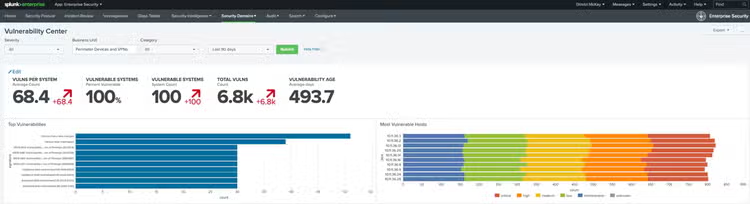
OR, if you want to be more specific, you can target specific CVEs or specific hosts via the Vulnerability Search dashboard.
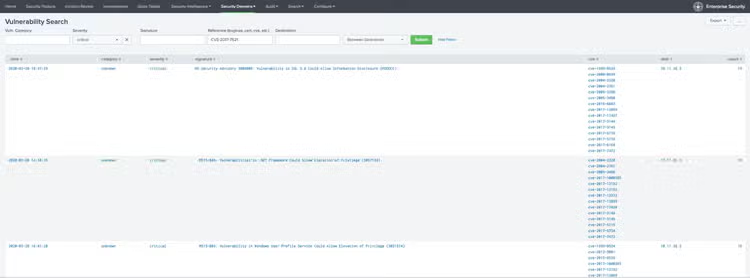
Once you’ve identified the perimeter and VPN vulnerabilities it’s time to get to patching!
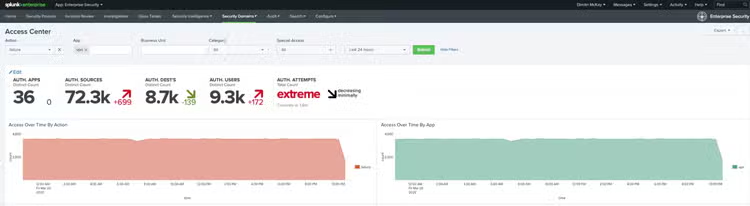
Next up, time to track your volume of VPN connections. Tracking VPN connections over time is a great way to identify any spikes that may pop up. You’ll probably see a big spike at the usual start of the business day, but if it’s in the middle of the night, it might be worth peeking at.
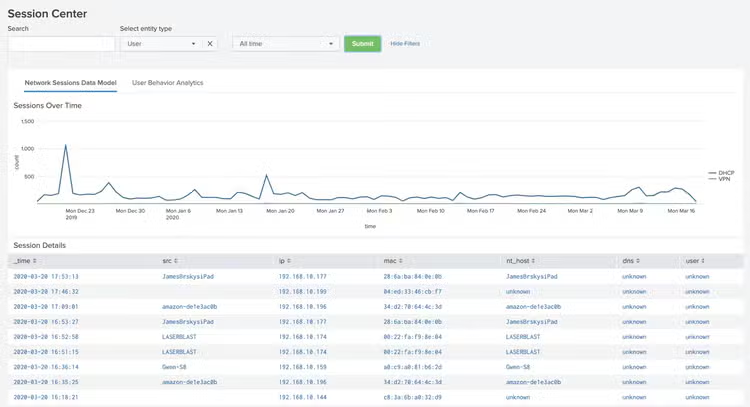
To do that, I’d peek at the Access Center. Now, your authentication events may come directly from the VPN itself, or from your Active Directory events. Either way, they should be populating the Authentication data model. When looking for Credential Stuffing, look for a spike of failed authentications coming from a single IP. If password spraying is the attack method, you may see a single auth attempt per account. Then, I’d pivot, looking for successful authentications via that same IP. That’s generally where a password did match, and the bad guy got in. Sorry about that. Moving on.
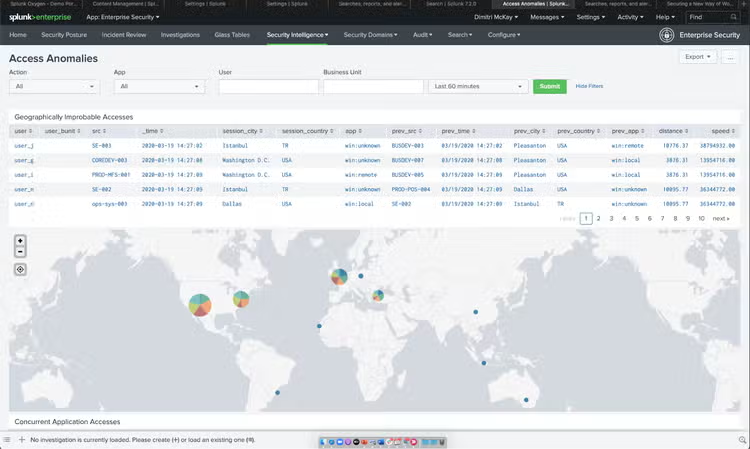
Oftentimes, when an attacker is logging into a valid user account, they’ll do so during business hours to disguise the traffic in the mass of other traffic. Time to look for a user account logging in from multiple geographies where, short of having an FTL drive, it’s impossible to be in two places at nearly the same time. The Access Anomalies dashboard is the perfect built-in tool for that very use case.
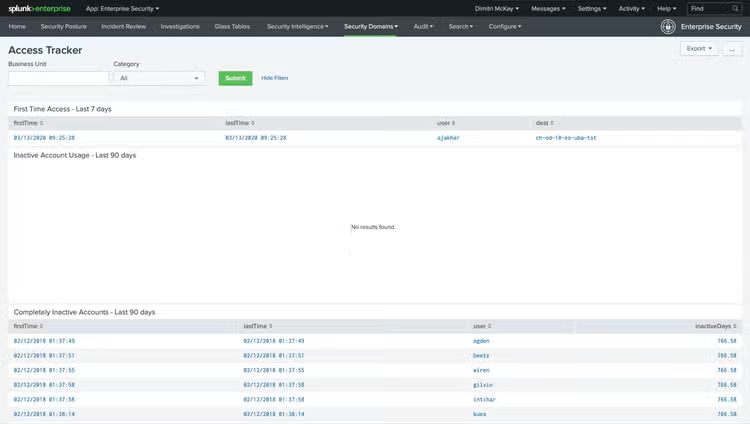
But hopefully, it doesn’t get to that. I recommend taking a more preventative approach. It’s always a good idea to peek at the Access Tracker dashboard. There you can see brand new logins, and completely inactive accounts. This is where it is important that your Assets and Identities within Enterprise Security up to date!
It doesn’t hurt to verify that first time logins are for brand new employees, and any old accounts are disabled, not that your Active Directory isn’t absolutely pristine. ☺
Lastly, if those new accounts look a little funny, it doesn’t hurt to jump into the Account Management dashboard and take a peek at WHO might be creating new accounts, modifying permissions, or deleting accounts (especially within a short window). Bad guys will also want to escalate privs, and you’d have some visibility into that right there!
It’s a whole new world we’re living in, at least for now. This little tutorial will help you stay on top of your security game while in the world of Splunk Enterprise Security. Just because we’re forced to shut-in doesn’t mean we shouldn’t keep the bad guys shut-out.
If you want to watch this in action, tune into our Between Two Alerts webinar episode, "Easy VPN Security Monitoring With Splunk Enterprise Security."
Cheers!
Dimitri McKay
This blog is part of Splunk's always-on digital series, Between Two Alerts*. Click here to see more from the series.*
----------------------------------------------------
Thanks!
Dimitri McKay
Related Articles

Detect Money Laundering, Healthcare Fraud, and Unemployment Fraud with the New Version of the Splunk App for Fraud Analytics