Splunk Expands Data Management Capabilities To Include Ingest Monitoring
Managing data ingestion at scale is no easy task. As organizations onboard hundreds or even thousands of data sources into the Splunk platform for security, observability, and other business-critical use cases, it becomes increasingly complex to ensure data is consistently available and onboarded efficiently.
Historically, Splunk admins had to rely on custom dashboards and/or third-party apps to monitor their data ingestion metrics. These apps required installation, upgrades, and maintenance, adding to admin toil. But today, that changes! We’re excited to announce an expansion of our data management capabilities in Splunk Cloud Platform to now include ingest monitoring. Ingest monitoring provides a set of out-of-the-box dashboards that are designed to help admins easily monitor ingestion across their entire Splunk deployment - without needing custom dashboards or the overhead of installing and maintaining third-party apps.
See What Matters, Instantly
With ingest monitoring, admins can:
- Track ingestion metrics such as Event count, Volume, and Latest latency across all data sources;
- Slice and dice metrics by index, host, source type, or source, or any combination of these, for granular visibility;
- Detect spikes quickly by comparing current ingestion patterns with historical baselines. For example, see how today’s volume for a sourcetype compares to the same time yesterday or last week;
- Spot data gaps easily, including missing data sources or newly ingested ones;
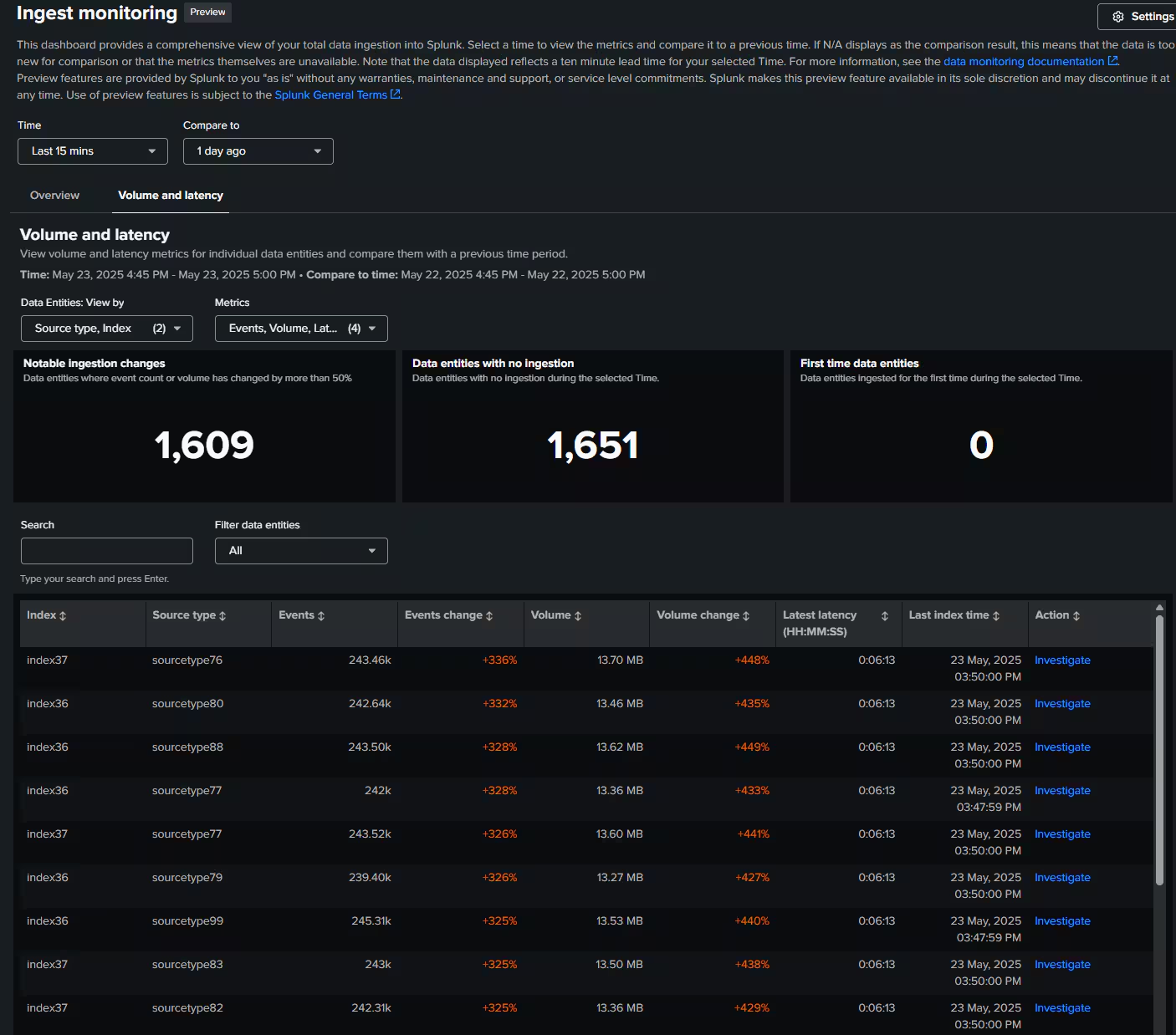
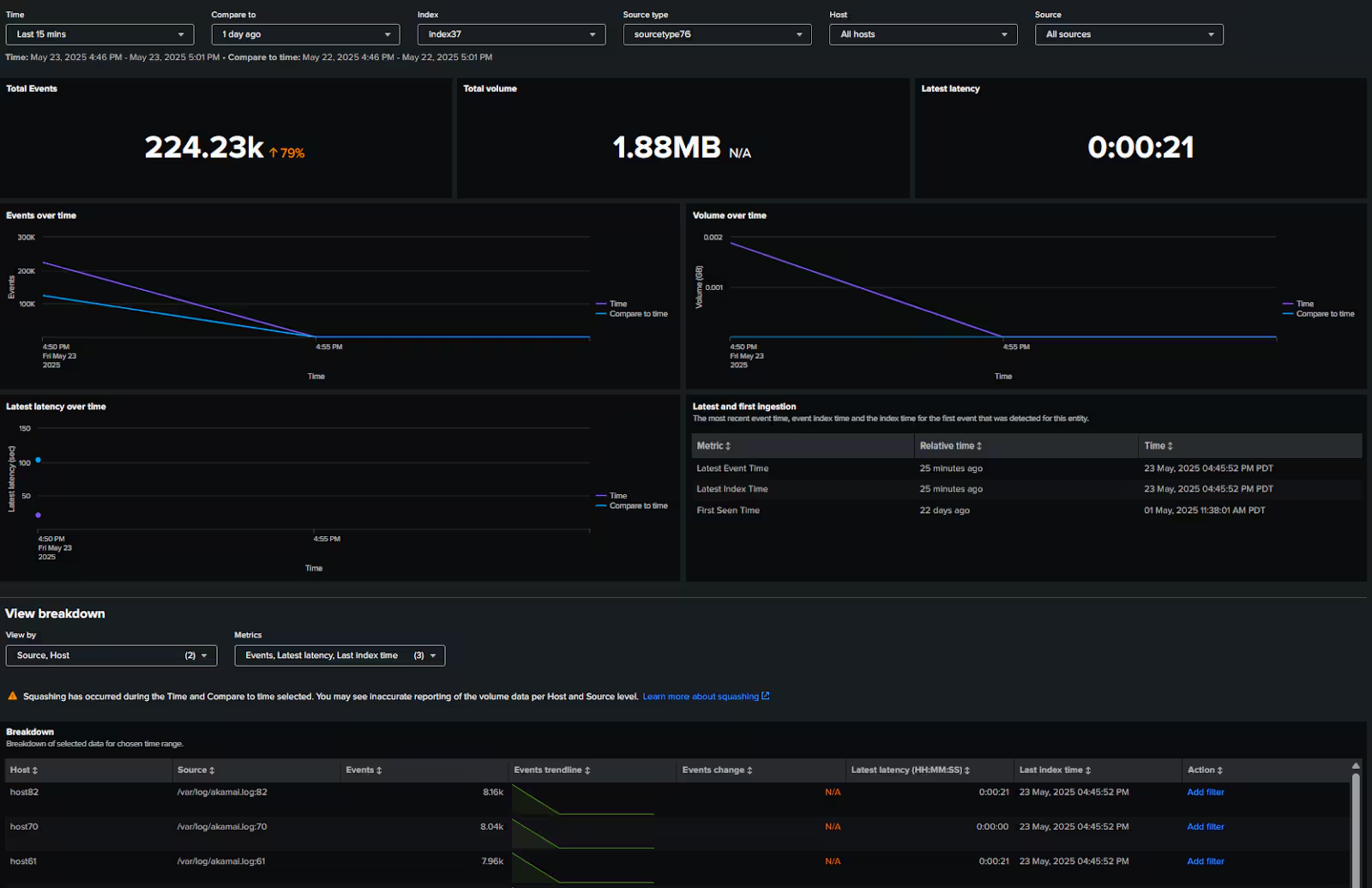
- Investigate issues faster: If you notice a spike or drop in volume, simply click on the “Investigate” button to access metrics like last event time, last index time, and more. Apply filters to narrow down the issue to a specific host or a set of hosts.
Integration with Your Existing Monitoring Workflow
Ingest monitoring integrates directly into the Splunk Cloud Monitoring Console (CMC), an experience you already know and use. When you enable ingest monitoring on your deployment, you can choose to add a new "New source types" metric to your CMC Overview dashboard. From there, a single click brings you to the ingest monitoring app for detailed analysis, allowing you to leverage your existing monitoring workflows.
Getting Started
If you're a Splunk Cloud Platform customer, ingest monitoring is either already available to you or will be rolled out to your deployment in the next few weeks. Once available, you can find it in the Apps dropdown in your deployment. The first time you launch ingest monitoring, a brief onboarding workflow will guide you through setup and ask for permission to run scheduled searches that power the dashboards. This is a one-time setup.
For complete information, visit Splunk Docs.
Related Articles

Announcing the General Availability of Splunk POD: Unlock the Power of Your Data with Ease

Introducing the New Workload Dashboard: Enhanced Visibility, Faster Troubleshooting, and Deeper Insights

Leading the Agentic AI Era: The Splunk Platform at Cisco Live APJ

Dashboard Studio: Token Eval and Conditional Panel Visibility

Introducing Resource Metrics: Elevate Your Insights with the New Workload Dashboard

Powering AI Innovation with Splunk: Meet the Cisco Data Fabric

Remote Upgrader for Windows Is Here: Simplifying Fleet-Wide Forwarder Upgrades

Dashboard Studio: Spec-TAB-ular Updates
