Splunk Expands Data Management Capabilities To Include Agent Management
Splunk is pleased to announce the expansion of its Data Management capabilities to now include agent management to streamline operations in your Splunk environment. This innovation unlocks greater efficiency, enhanced visibility, and simplified administration of fleet management.
Agent management brings together the ability to manage forwarders, configurations, applications, and OTel Collectors through a centralized UI.
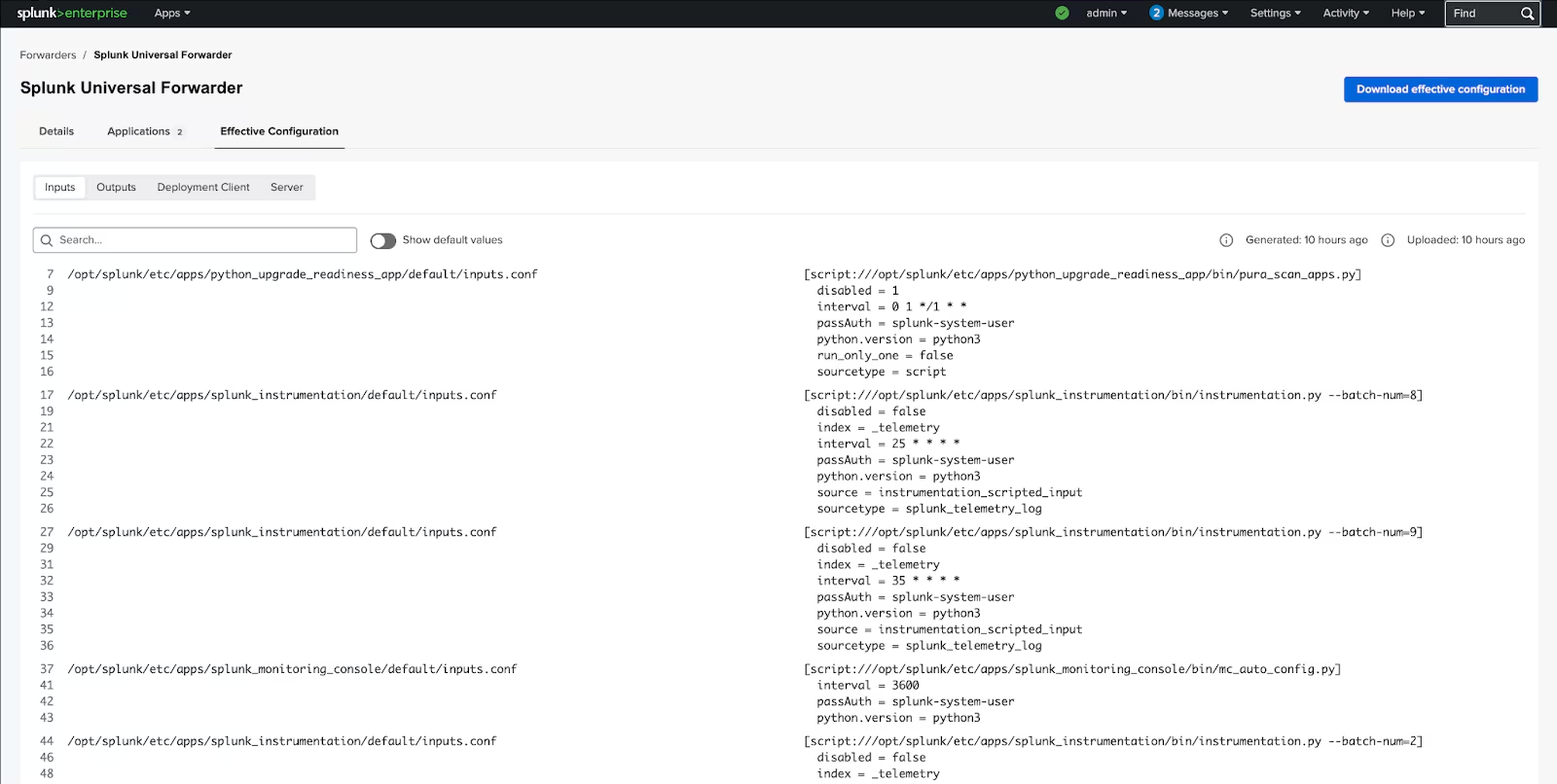
Effective configuration: A centralized agent management interface provides seamless access to configuration files for your connected agents. Fully aligned with btool-generated data, this feature enhances Splunk Admins’ visibility into agent configuration.
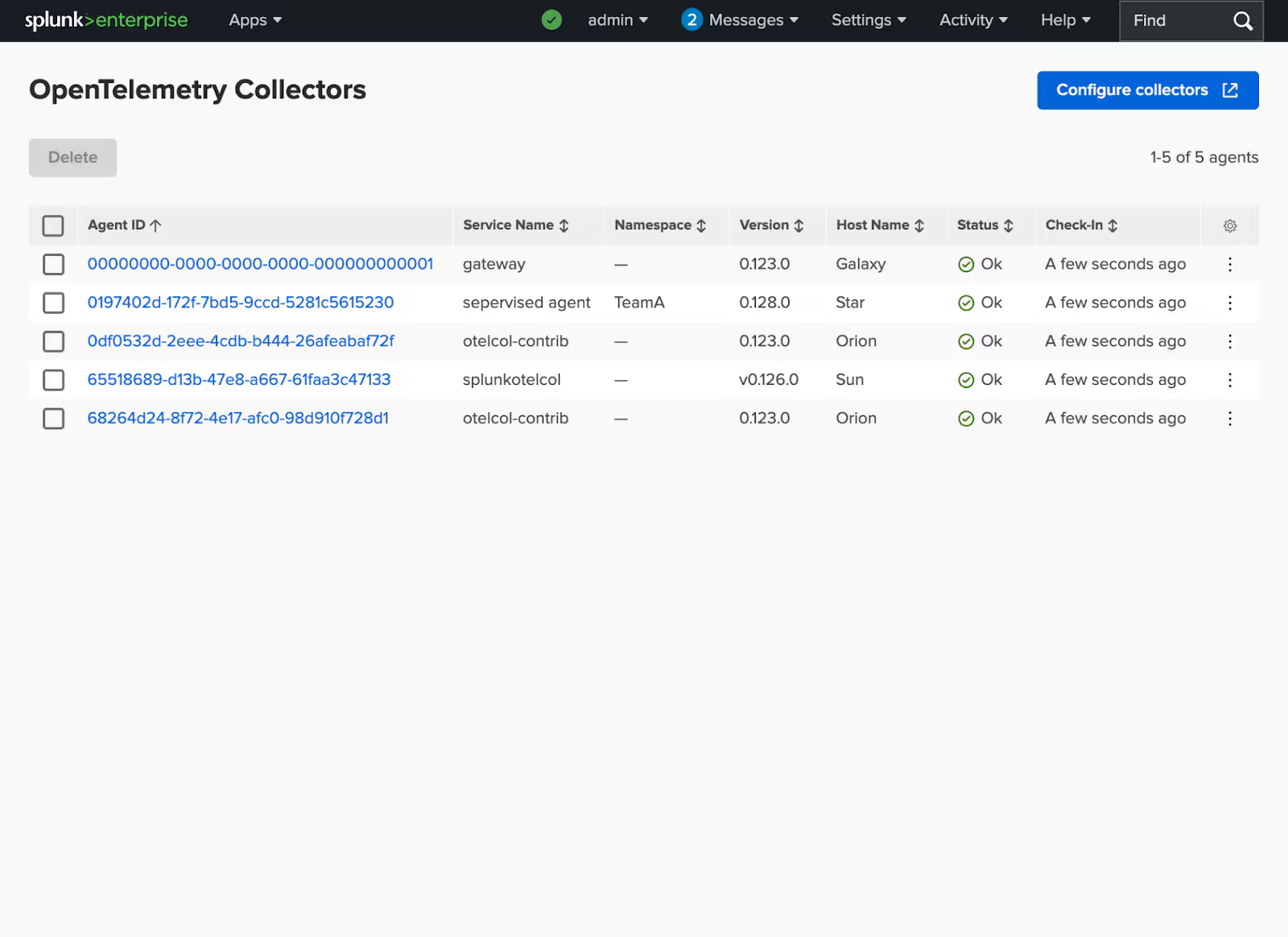
OTel Collectors Fleet Overview: With this release, users gain access to a Read-only Open Telemetry (OTel) Collectors Fleet Overview, enabling users to monitor collector status and health.
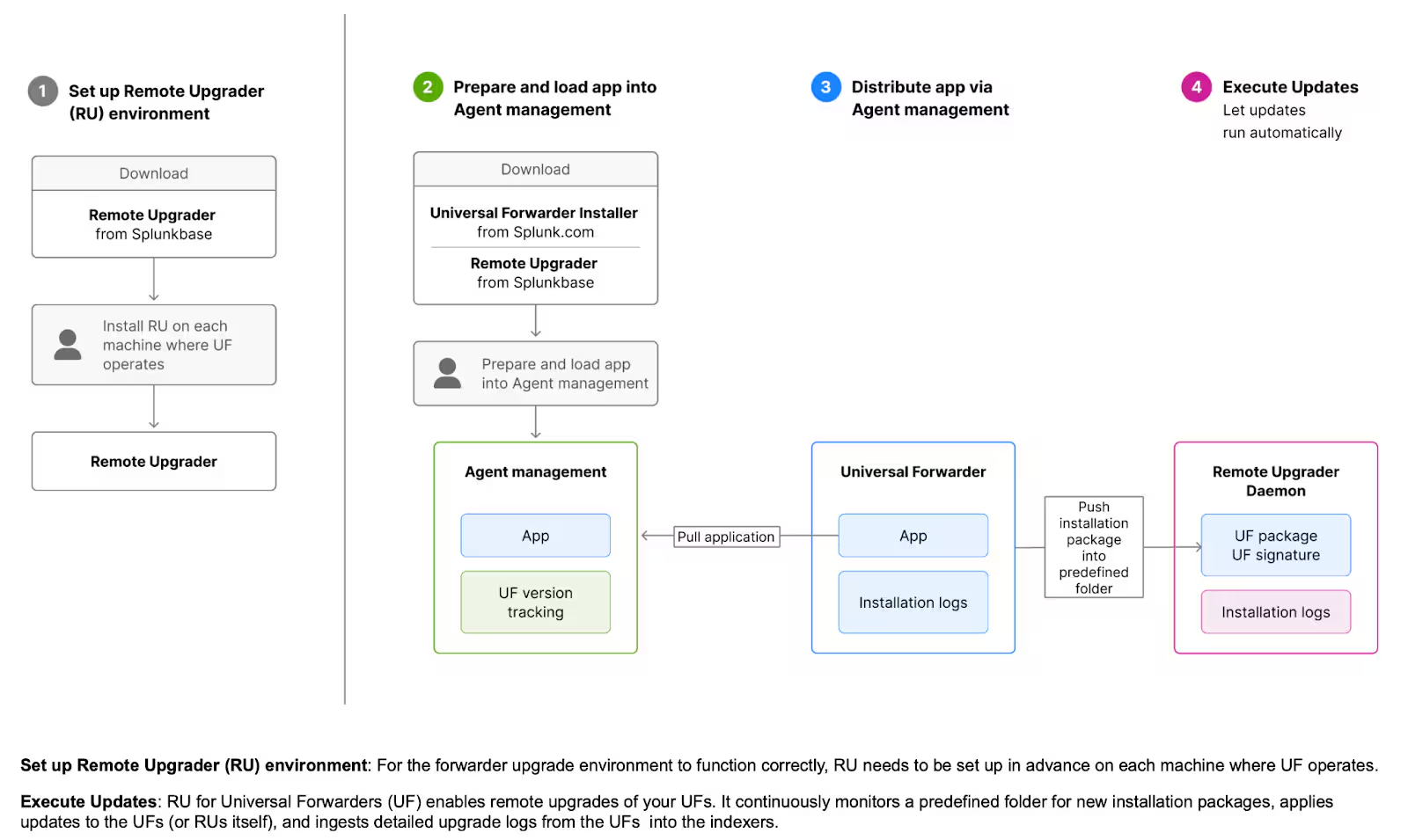
Remote Upgrade: Upgrading forwarders can be complex and time-consuming. With Agent management and Remote Upgrader Splunkbase App, upgrading forwarders across Linux and Windows environments has never been easier. Once the Remote Upgraders are installed on your UF machines, you can upgrade all your forwarders from a single centralized location: Agent management. This puts you, the Splunk administrator, in control of keeping the Forwarder fleet up to date. No need to wait for other teams to perform upgrades on your behalf. For more details, check out Splunk Docs.
The release of agent management maintains full backward compatibility with Deployment Server, ensuring that all configuration files and setups remain unchanged and fully compatible. Additionally, all command-line interface (CLI) operations continue to function as before.
For complete information about agent management, check out Splunk Docs. As always, we welcome your feedback and suggestions on future enhancements — if interested, please submit through Splunk Ideas.
Related Articles

Announcing the General Availability of Splunk POD: Unlock the Power of Your Data with Ease

Introducing the New Workload Dashboard: Enhanced Visibility, Faster Troubleshooting, and Deeper Insights

Leading the Agentic AI Era: The Splunk Platform at Cisco Live APJ

Dashboard Studio: Token Eval and Conditional Panel Visibility

Introducing Resource Metrics: Elevate Your Insights with the New Workload Dashboard

Powering AI Innovation with Splunk: Meet the Cisco Data Fabric

Remote Upgrader for Windows Is Here: Simplifying Fleet-Wide Forwarder Upgrades

Dashboard Studio: Spec-TAB-ular Updates
