Pivotal Cloud Foundry Health Monitoring
So, you downloaded the Splunk Firehose Nozzle for Pivotal Cloud Foundry and are ingesting PCF data—now what? The nozzle is a great mechanism to get data out of PCF into Splunk, but you shouldn’t stop there. The Pivotal Cloud Foundry Health application is designed to give you some out of the box visualizations to monitor Application as well as Operational metrics.
In the sections below, we'll walk you through the configuration of the PCF Healthwatch app and the Splunk Nozzle, as well as the layout of the Pivotal Cloud Foundry Health application.
Prerequisites
In order to generate some of the metrics in the PCF Ops section of the Pivotal Cloud Foundry Health app, you need to download the Healthwatch app and install this in your PCF environment. For a full list of these metrics, please see the PCF Healthwatch Metrics documentation.
Install and Configuration
Healthwatch
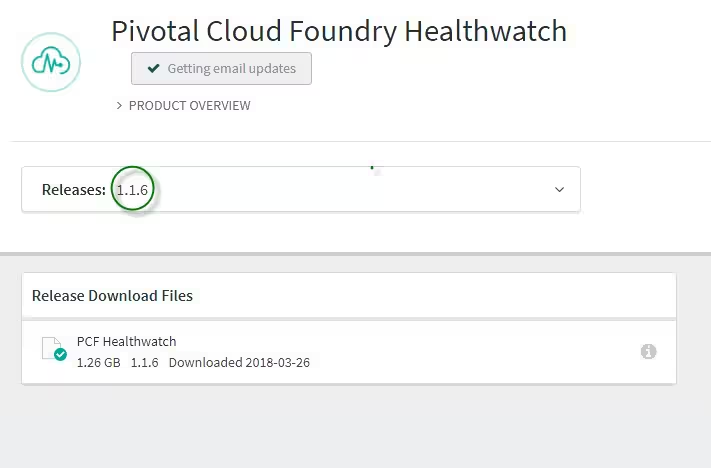
1. Download the current release of Healthwatch. Note: The current release at the time of the creation of this blog post was 1.6, but all future versions should work just fine.
2. Import the downloaded .pivotal file downloaded in step 1 above.
3. Make sure that you put the foundation name in the configuration so as to be able to do foundation-specific searching:

Splunk Configuration
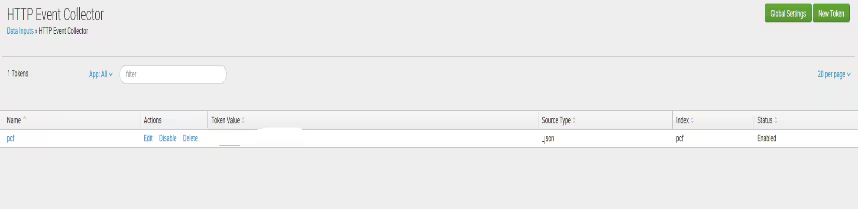
1. The only Splunk configuration required is to create an HTTP event collector data input. When finished it should look something like this:
Install and Configure the Splunk Nozzle
1. Deploy the Nozzle by either downloading the nozzle from here or installing from the marketplace.
2. Open up the configuration in your PCF environment(s) and head to Splunk Settings

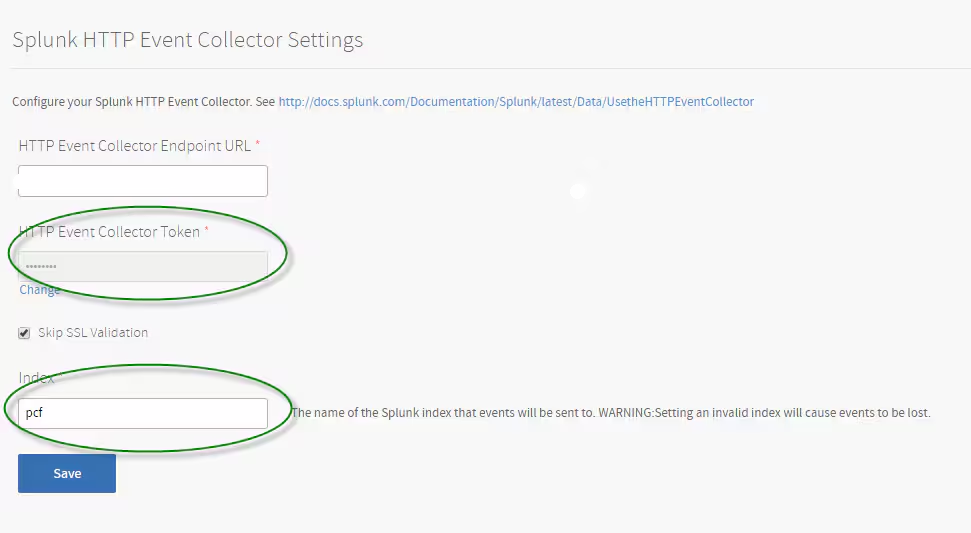
3. In the Splunk Settings you are going to plugin the HTTP Event collector token as well as Splunk server URL (and don’t forget a valid index to put the data into). After this, save your configuration and Apply Changes.
Splunk Pivotal Cloud Foundry Health App Introduction
The UI is broken down into sections, with the major sections described below:
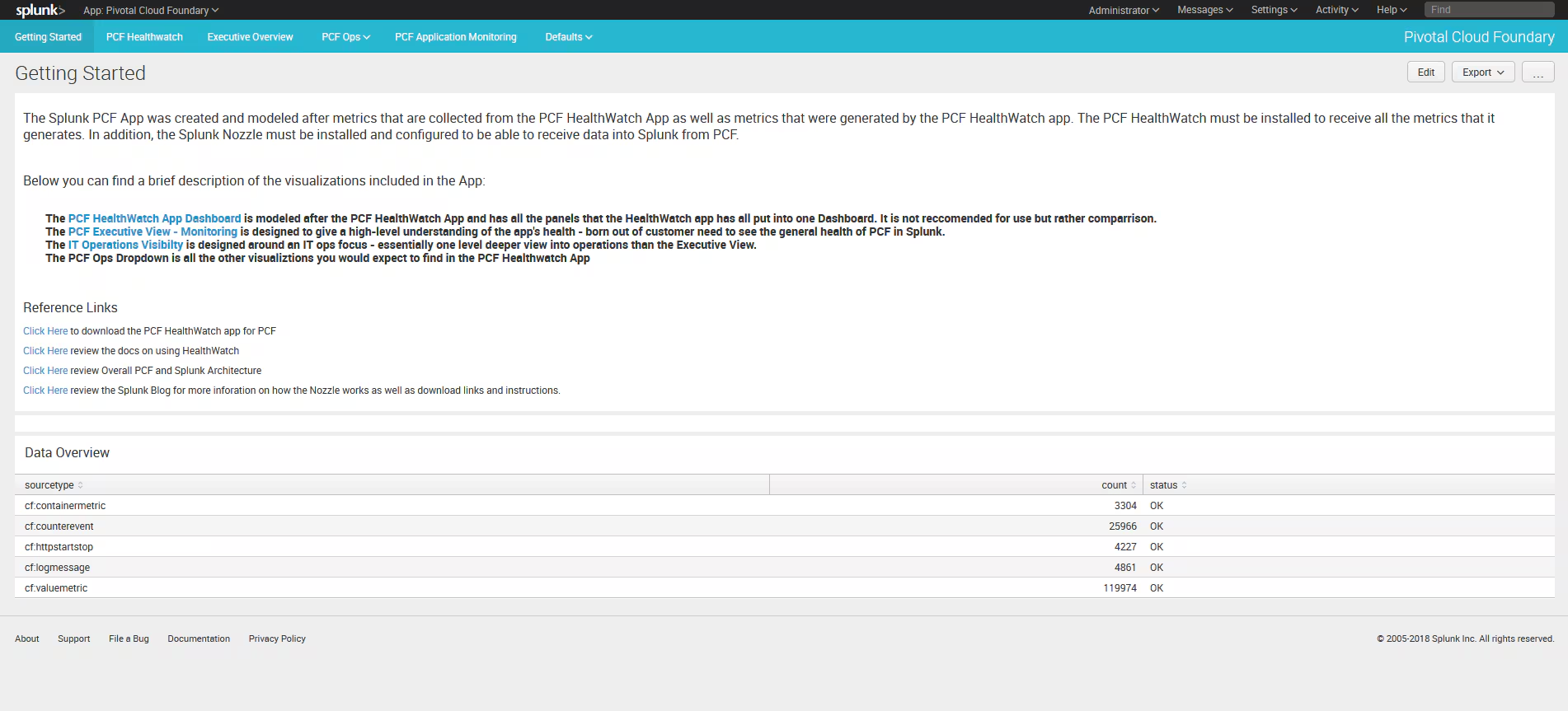
Getting Started – This dashboard is not only designed to give an overview (some of which is described in this blog post), but also shows the sourcetypes for the app and validation that all the sourcetypes are flowing into Splunk correctly.
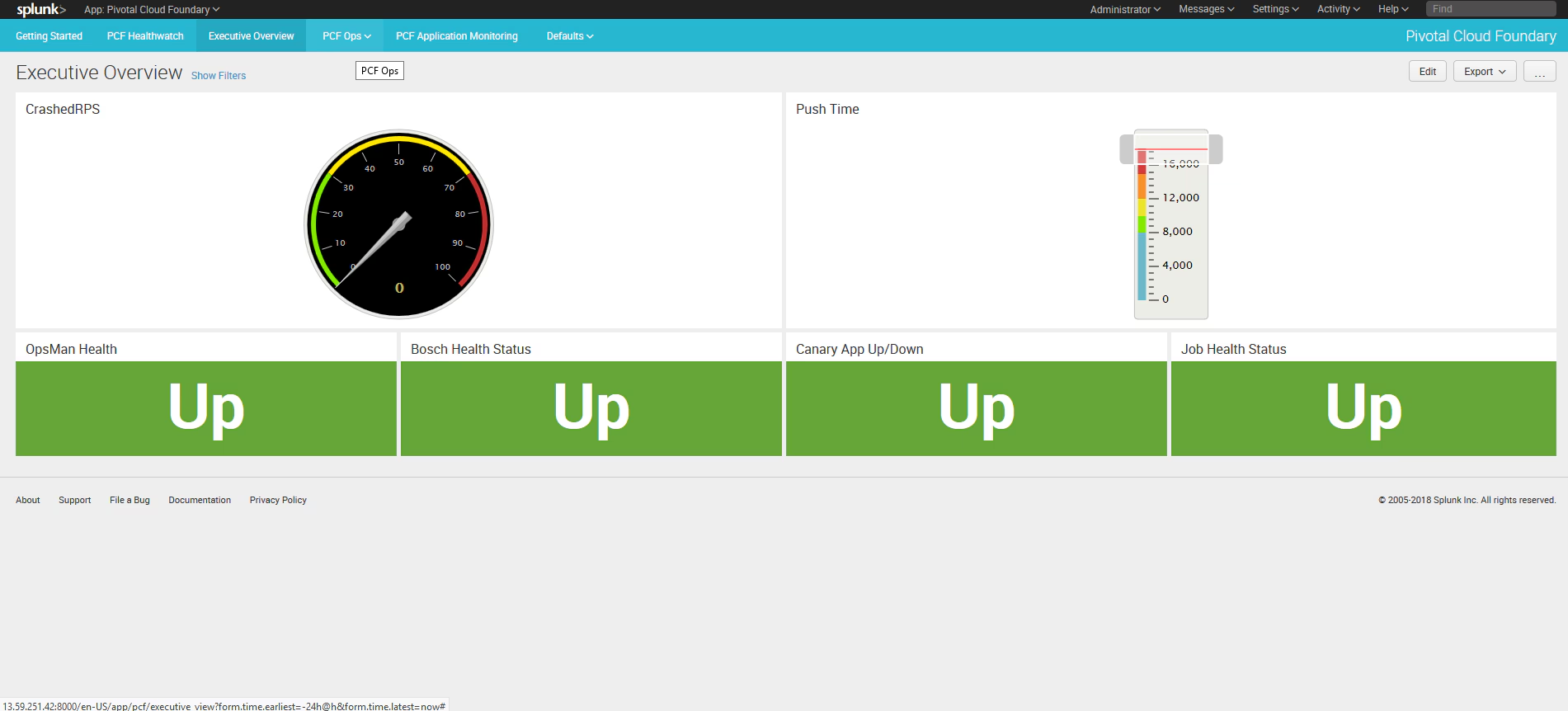
Executive Overview – Designed to give high-level metrics as of the status of various metrics that represent overall health of the environment. This dashboard contains both operational metrics as well application-level metrics.
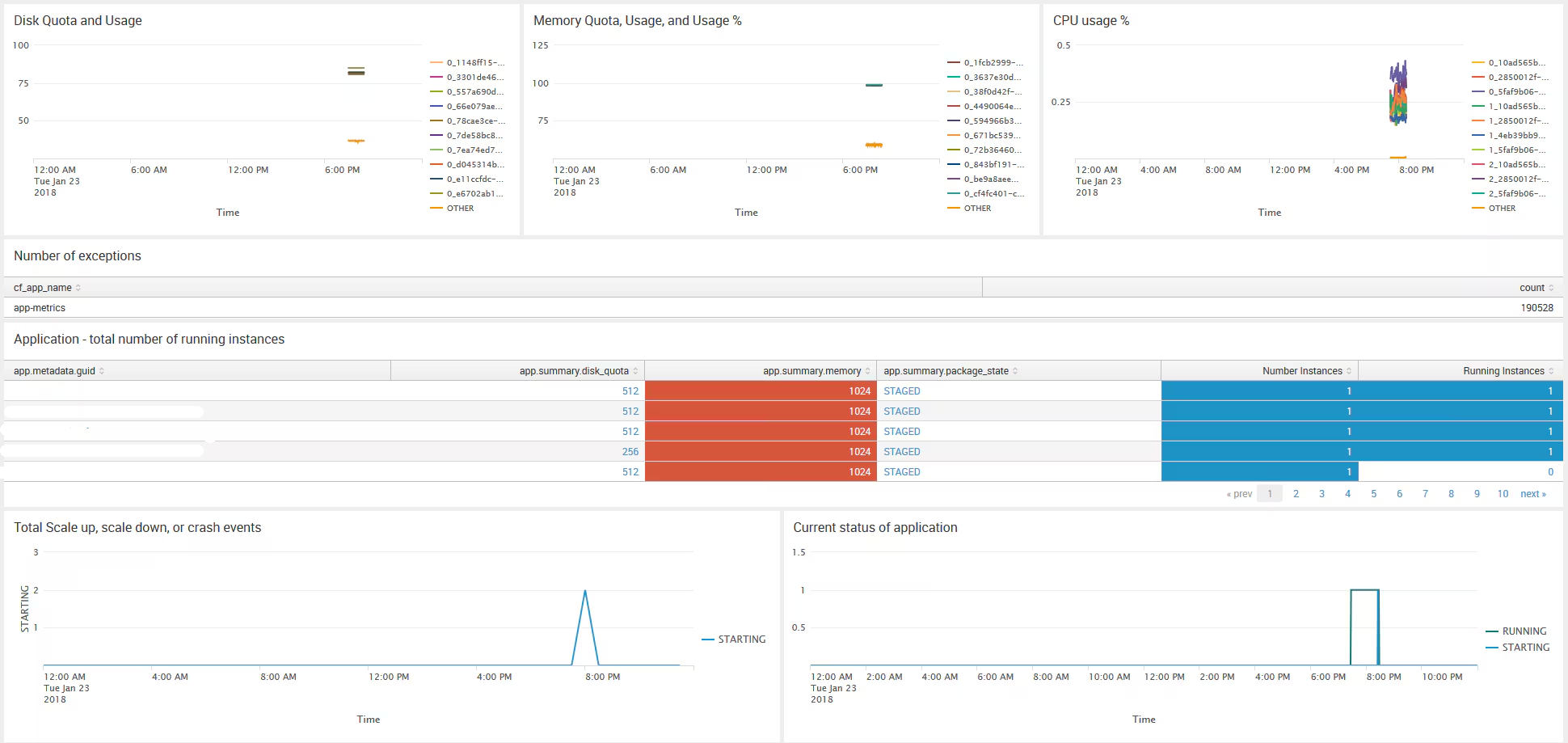
PCF Application Monitoring – The Application Monitoring is really designed to give you insights into how your applications are performing.
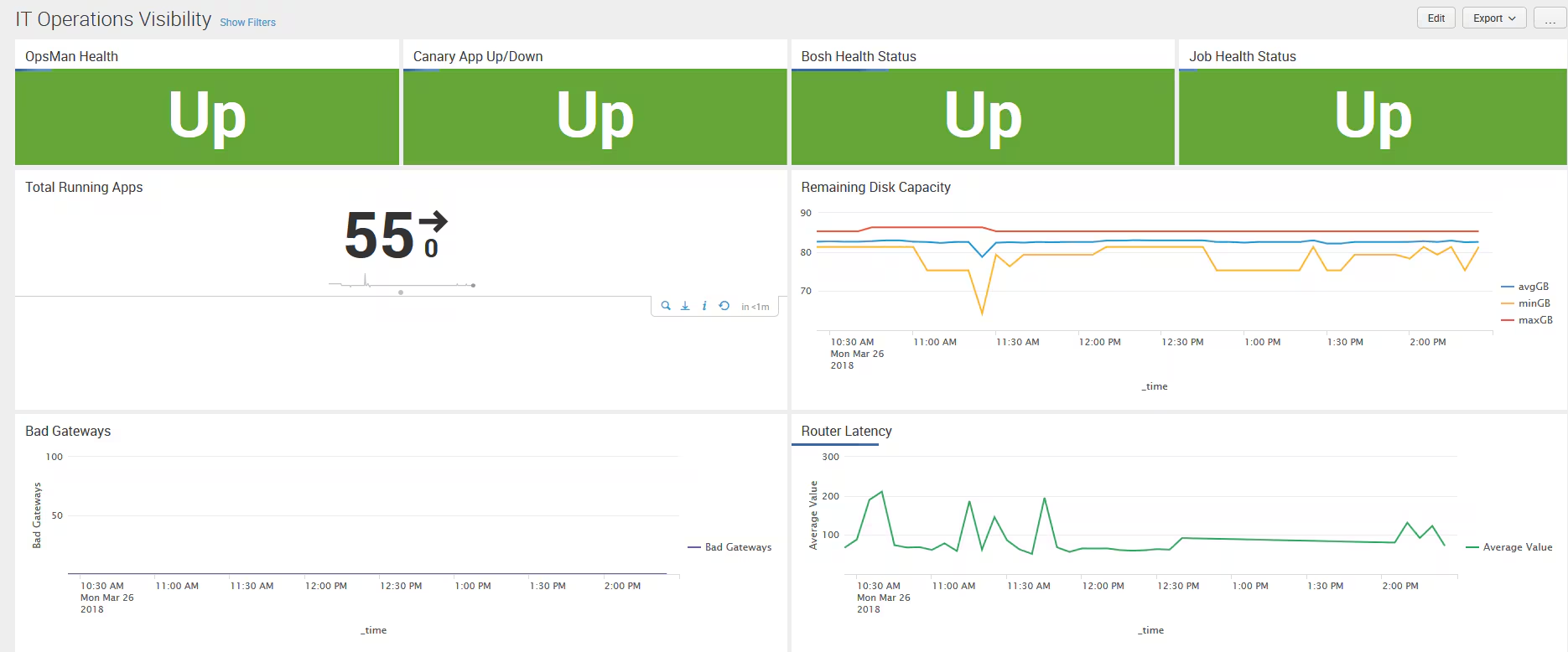
IT Operations Visibility – The IT Operations Visibility is a mash-up of critical metrics, most of which are generated by the PCF Healthwatch Application. These app metrics also have some drilldown capability and are designed to provide a bit more granularity than the Executive Overview.
PCF Healthwatch – This is the original dashboard that was modeled directly after the original PCF Healtwatch release. All the panels in this dashboard are broken down and put in to more granular dashboards, Executive Overview and IT Operations Visibility.
Future Enhancements
- Install videos for Healthwatch as well as the Pivotal Cloud Foundry Health app
- More application-level metrics and dashboards with deeper dive views to gain deeper insight into your applications' health
- Continued dashboard enhancements such as dynamic drilldowns
- Continued enhancements based on customer feedback
Feedback or Enhancement Requests
For technical feedback and questions, please reach out to Splunk directly here or raise any questions on Splunk Answers.
Related Articles

Announcing the General Availability of Splunk POD: Unlock the Power of Your Data with Ease

Introducing the New Workload Dashboard: Enhanced Visibility, Faster Troubleshooting, and Deeper Insights

Leading the Agentic AI Era: The Splunk Platform at Cisco Live APJ

Dashboard Studio: Token Eval and Conditional Panel Visibility

Introducing Resource Metrics: Elevate Your Insights with the New Workload Dashboard

Powering AI Innovation with Splunk: Meet the Cisco Data Fabric

Remote Upgrader for Windows Is Here: Simplifying Fleet-Wide Forwarder Upgrades

Dashboard Studio: Spec-TAB-ular Updates
