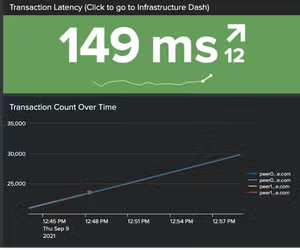
Introducing Splunk IT Service Intelligence 5.0
Observability Cale HiltsKey takeaways
- Splunk ITSI 5.0 helps IT operations teams get to value faster with a new installer, home page, broader alert integrations, AI powered service and KPI discovery, and easier content pack management across Splunk and third-party monitoring tools.
- New Event iQ Detect and Diagnose capabilities reduce alert noise and speed troubleshooting with AI-powered event correlation, episode summarization, root cause guidance, CMDB enrichment, and change context from tools like ServiceNow and Jira.
- A modernized ITSI experience improves day-to-day operations with a redesigned episode review workflow, central admin console, stronger team-based access controls, service tagging, and flexible maintenance windows that help teams work faster and prioritize by business impact.
What does your team see first when something breaks?
A clear picture of service health? Or a rush of alerts, a handful of dashboards, and a scramble to figure out what changed?
That tension sits at the center of IT operations. Teams are expected to move fast, cut through noise, and keep critical services running, all while managing growing complexity across applications, infrastructure, networks, and the tools watching them. The cost of downtime is still significant. Splunk’s The Hidden Costs of Downtime report found that Global 2000 companies lose $600 billion annually to downtime, and Uptime Institute’s latest outage research shows that major outages continue to carry serious financial impact.
That’s the backdrop for Splunk IT Service Intelligence 5.0.
This release focuses on three things IT teams care about every day: faster time to value, working with less friction, and moving from alert noise to action with better context. For new and current ITSI customers, that means meaningful improvements across onboarding, event analytics, and day-to-day operations. For Splunk users who may have looked at ITSI before and decided to wait, it’s worth another look.
If you already use Splunk Enterprise or Splunk Cloud Platform, ITSI helps you get more from the data you already collect. It also works naturally alongside Splunk Observability Cloud, Splunk Enterprise Security, and Splunk SOAR, while connecting and correlating data across with third party tools teams already rely on to better understand your environment.
A Better Place To Begin
One of the first things you notice in ITSI 5.0 is that getting started feels different.
The new ITSI Home page gives you a "Mission Control" experience that combines guided installation, real-time operational visibility, and learning resources in a single, data-aware view showing top episodes, top services, and direct links into key workflows.
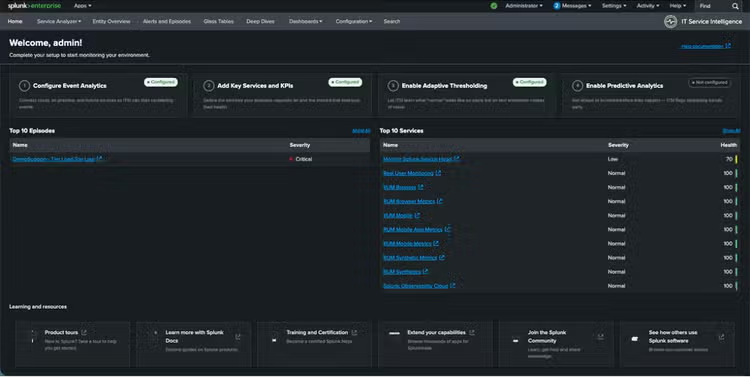
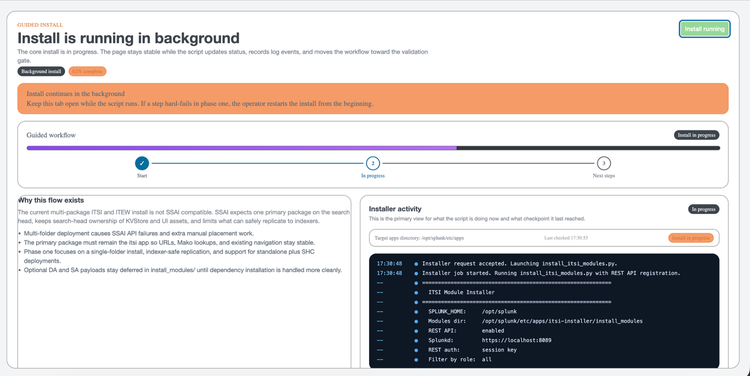
Getting started has never been easier. Move from first login to operational visibility without guesswork or the toil of reading through product documentation to know what to configure, where to find it, and in what order. The new guided installation wizard does the heavy lifting so you can go from the landing page to meaningful workflow in just 2 clicks.
That same speed and simplicity carries into Alert Data Integrations. ITSI now includes a broader set of prebuilt integrations for third party monitoring tools, along with AI driven field discovery and mapping to help standardize alerts as they come in. The result is less manual normalization work and faster event correlation across tools.
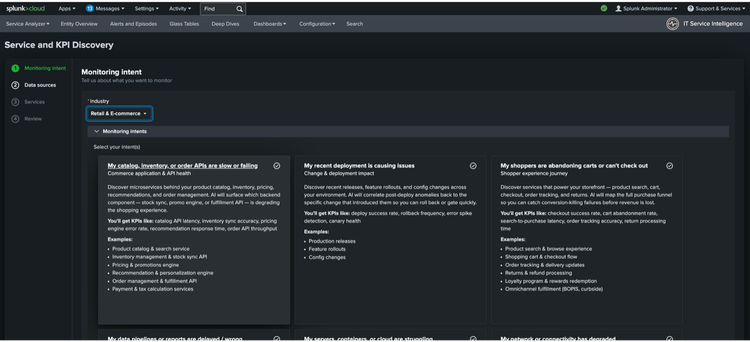
There’s also AI powered Service and KPI Discovery, available in preview. It analyzes existing Splunk data, recommends services and KPIs, and creates sandbox configurations for teams to review before publishing. What used to take deep product knowledge and a fair amount of time now starts with a guided workflow.
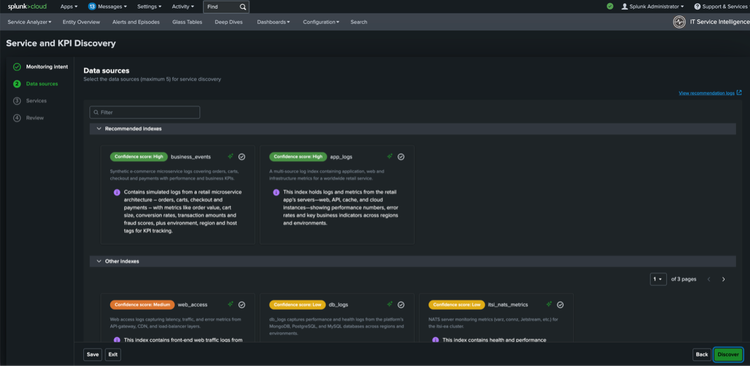
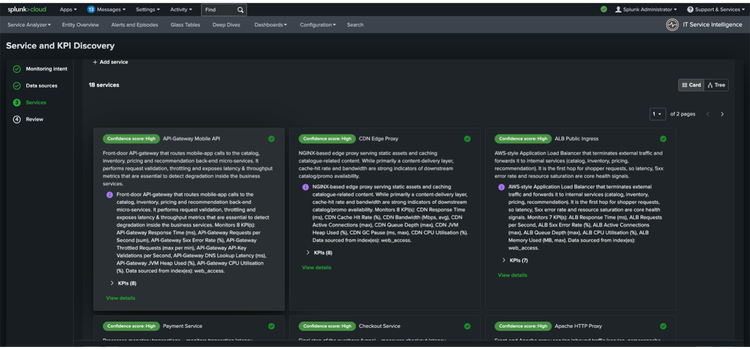
A few other changes strengthen the foundation. Content Pack Lifecycle Improvements make it easier to install, upgrade, review, and remove content packs without creating problems down the line. And the new Data Model Definition for ITSI introduces a more consistent schema for alerts and events, giving teams a cleaner base for enrichment, policies, and correlation across sources.
The Daily Work Got Easier
Of course, setup is only part of the story. The real test is what the product feels like when operators are triaging incidents and admins are tuning the system.
That’s where ITSI 5.0 makes another strong showing.
The Episode Review experience has been redesigned to make triage more intuitive. The layout is cleaner. Details are easier to organize. Teams can save and share views, and they can now split and merge episodes directly in the interface. For operators, that means less friction in the workflow they spend the most time in.
On the admin side, the new Central Admin Console brings Event Analytics settings and advanced application controls into one place. It cuts down on page hopping and gives administrators a more coherent way to manage the environment.
We also improved Notable Event Aggregation Policies, so teams have better control over how alerts are grouped and prioritized. Better aggregation means less noise, cleaner episodes, and incidents that more accurately reflect what is happening in the environment.
And for larger organizations, the role-based access control revamp introduces a stronger shared service model. Teams can share visibility across services when needed, while still keeping access boundaries in place. It’s a practical fix for a very common operational headache.
Less Noise, More Direction
Reducing noise matters. But once the noise drops, teams still need to answer the next question quickly: What happened, and what should we do next?
That’s where the new workstream improvements come in.
Event iQ Detect (previously announced as Event iQ) is an AI powered alert correlation engine that groups related alerts into episodes using cross field matching, topology awareness, and fuzzy matching. It is designed to operate at high volume, up to 100,000 alerts per minute, and helps teams focus on higher fidelity incidents instead of wading through disconnected notifications.
With the 5.0 release, Event iQ Detect now includes user feedback-based learning so it can now learn from your analysts, too. When responders split an episode that grouped unrelated alerts, or merge episodes that should have been one incident, that feedback is captured directly in Episode Review and fed back into the Event iQ model during retraining. Over time, alert grouping gets more accurate without manual tuning. Admins stay in control with retraining schedules, approval settings, and auto training options in policy configuration. The result is practical and immediate: clearer episode titles, better correlation summaries, fewer grouping mistakes, and event correlation that improves with use, even at high volume.
Then there’s Event iQ Diagnose (initially called Episode Summarization). Simply put, Event iQ Detect groups the alerts, and Event iQ Diagnose explains the episode and with the 5.0 release now brings AI-assisted troubleshooting into the episode workflow. It uses a large language model to generate a plain language summary of what happened, when it started, key contributing events, identifies likely root cause, and offers confidence scored recommendations for the next step. That makes incident triage faster for Level 1 analysts, improves escalations during high priority incidents, and gives senior engineers more time to focus on resolution instead of reconstruction. It can also correlate with change data from tools like ServiceNow and Jira, giving operators useful context early in the investigation instead of after a long search.
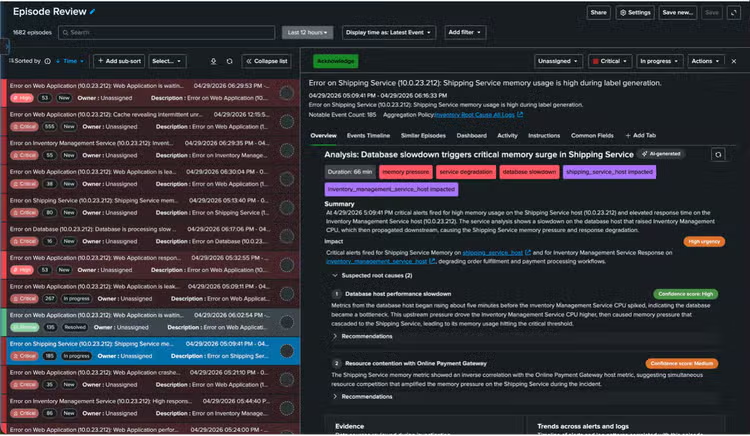
ITSI 5.0 also improves enrichment in ways that matter during triage. With third party CMDB and change data enrichment, alerts can carry configuration item metadata, topology, routing, and change context from systems such as ServiceNow. That gives teams a clearer view of what changed, what is affected, and how an incident connects to the services they support.
Service and KPI tagging based enrichment add another layer of context. Teams can tag services or KPIs with labels like critical or customer facing, and that context follows alerts through the pipeline. It becomes easier to filter, route, correlate, and prioritize based on what matters to the business, not only what is loudest.
And because planned work should not create unnecessary churn, flexible recurring maintenance windows now support recurring and multi day schedules, along with broader maintenance workflows. That helps suppress expected noise during planned changes and keeps operators focused on the issues that actually need action.
Why This Release Matters
ITSI has always been about helping teams connect service health to business impact. This release makes that job easier.
For new and current customers, ITSI 5.0 improves the workflows they rely on every day, from onboarding and configuration to event correlation and troubleshooting. For Splunk users not using ITSI, this release gives you a lot of reasons to take a second look.
The experience is cleaner. The setup path is clearer. And the product does more of the heavy lifting, from normalizing alerts to surfacing likely causes.
That matters because ITOps teams do not need more raw data. They need fewer dead ends. They need faster triage. They need to see what matters, act on it, and keep the business moving.
Splunk IT Service Intelligence 5.0 will be generally available at the end of June. See how your team can reduce alert noise, speed resolution, and connect service performance to business impact.
Related Articles

Staff Picks for Splunk Security Reading December 2020

Splunk Integrates with Amazon Security Lake to Deliver Analytics Using the Open Cybersecurity Schema Framework