Understanding Network Traffic & Network Congestion: Metrics, Measurement, and Optimization
Learn Chrissy Kidd , Muhammad RazaKey Takeaways
- Network traffic congestion occurs when demand for network resources exceeds available capacity, resulting in slow data transmission, high latency, and potential data loss.
- Common causes of congestion include increased user demand, limited bandwidth, hardware limitations, inefficient network configurations, and unexpected traffic spikes.
- To maintain reliable network performance, organizations should monitor network traffic, identify root causes, and implement proactive management strategies such as capacity planning, quality-of-service policies, traffic shaping, and infrastructure upgrades.
Picture the lanes on a highway. The number of lanes determines the maximum traffic capacity of the highway at any given instance. However, a variety of factors determine how fast traffic can actually go from point A to point B across the highway — despite the maximum number of lanes.
This is exactly how network traffic behaves, too.
Let’s take a look at network traffic and congestion, including the many contributing factors that determine how your network can handle traffic — especially during high-traffic periods.
What’s network traffic?
Network traffic is simply how much data is moving across a computer network at a given moment. It’s a point-in-time number: the traffic right now may be more, less, or the same as it was 30 minutes ago.
Traffic data is broken down into smaller segments of data, known as data packets. These data packets are sent over a network, where the receiving device reassembles it. When these moving data packets get slowed down, your network traffic slows.
Network uptime and network speed are the backbone of nearly every business today. No matter your industry, network systems down is a problem you want to avoid.
(See how Splunk helps you deliver great customer experiences, especially when traffic spikes.)
Network bandwidth & network capacity
So, let’s talk about one term commonly associated with network traffic: bandwidth. (Bandwidth is only one part of your network traffic and congestion problems, and we’ll talk about others shortly.)
Network bandwidth is the maximum capacity of a network to transmit data across the network’s path — logical or physical — at a given time. It is measured in bits per second (bps).
A theoretical and fixed parameter, network bandwidth corresponds to the maximum capacity of a network. This measure may include the protocol packet overhead involved in communication protocols necessary for secure, robust, and reliable data transmission, such as:
-
Error correction codes
-
IP identifiers
Network bandwidth in cloud services
For cloud-based services, network bandwidth is allocated as part of a service level agreement. A cloud-based service may measure network bandwidth based on either:
-
Egress, the outbound traffic flowing out of a cloud server
-
Ingress, the inbound traffic flowing into the cloud server
Routing within and outside of the cloud network may depend on a few factors, including your service level agreement (SLA), configurations, and the resource allocation in your network architecture.
(Related reading: the OSI model for networks.)
Defining metrics for network bandwidth
Bandwidth is an important metric that determines the maximum data-carrying capacity of your network, directly impacting how many users and traffic workloads your systems can support at any given time.
Most Service Level Agreements (SLAs) sell communication-based services based on capacity, which in turn determines how many concurrent users (and traffic workloads) can visit your Web services before it goes down. The term “capacity” can be interpreted in several ways, so it’s critical to define how bandwidth is measured to avoid confusion. Let’s break down the three key definitions for the measurement of the bandwidth metric:
Capacity
Capacity refers to the maximum rate at which data can be transferred across a network segment. At the Layer 2 (Data Link Layer) of the OSI model — whether it’s a physical point-to-point connection or a virtual circuit — data can move at a constant rate limited by the physical infrastructure and the type of transmission medium (such as optical fiber or electronic).
However, at Layer 3 (the Network Layer), as data passes through each network hop (a pathway connecting multiple network segments), the network capacity is reduced due to overhead such as encapsulation and framing of the Data Link layer. Some pathways may also include traffic shapers and data transmission rate limiters that further reduce the capacity.
For an end-to-end network path, capacity is defined by the hop with the lowest throughput (the “bottleneck”). In other words, the maximum possible data transfer rate between the source and destination is limited by the slowest link in the chain. This can be represented mathematically as:
- Capacity, C = min (C i ), where i refers to a network hop at layer 3 and i = 1 to N for a total of N number of hops between the source and destination of the network.
- In other words, the maximum network capacity is determined by the narrowest network hop link.
Available bandwidth
This metric refers to the maximum available capacity that is not used by other users sharing the same network channels at any given time. It can be defined by:
Available Capacity = IP (layer capacity) – Utilized capacity
Since networks are often shared among multiple users and organizations, Internet Service Providers (ISPs) typically sell network bandwidth with a guaranteed minimum available capacity at any moment. However, most users do not leverage their entire assigned capacity or available bandwidth, which allows ISPs to overbook their subscriptions.
This oversubscription can cause network bottleneck and slower data transfer speeds during peak usage periods — when the actual available bandwidth can be less than what’s assigned. For this reason, most SLAs include additional network performance metrics such as latency, throughput, quality of service, and network utilization to give a clearer picture of expected network performance.
Bulk Transfer Capacity (BTC) or TCP Throughput
To account for real-world limitations, Bulk Transfer Capacity (BTC) is used. It is the expected long-term average data rate that can be achieved over a congestion-aware TCP network path.
However, precisely defining BTC is challenging due to several factors:
- Available bandwidth can change rapidly and unpredictably.
- Data volume and traffic type (UDP/TCP).
- Competing connection requests.
- TCP socket buffer sizes.
- Levels of congestion along the network path.
All these factors can significantly affect Bulk Transfer Capacity. As a result, network bandwidth is often interpreted as either network capacity or available bandwidth, rather than as throughput-based metrics like BTC, which depend on variable and sometimes unpredictable factors.
Estimating network bandwidth: Common techniques
Because so many factors can influence actual network capacity, all bandwidth measurements are ultimately estimates. Here are some of the most common techniques used to estimate network bandwidth:
Variable Packet Size (VPS)
This method measures the round-trip time (RTT) between a source and each network hop, as a function of packet size. By sending packets of different sizes and analyzing the relationship between RTT and delay, you can estimate per-hop network capacity.
Packet Pair/Train Dispersion (PPTD)
In this approach, back-to-back data packets are sent across the network, and the time gap between their arrivals at the receiver is measured. An increasing gap indicates the presence of a bottleneck link, and mathematical models (like the Probe Gap Model) can estimate available bandwidth by comparing the sent and received intervals.
Self-Loading Periodic Streams (SLoPS)
Here, equal-sized packets are sent as a periodic stream at varying rates. On the receiving side, an increase in delay signals that the data rate is exceeding available bandwidth. When the measured delay remains constant, it means there is still spare bandwidth available. By varying the data rate until this steady state is reached, you can estimate the available bandwidth.
Trains of Packet Pairs (TOPP)
This technique sends repeated packets at different input rates, measuring the output rate at each step. The available bandwidth is the highest output rate that matches the input rate — exceeding this point results in a bottleneck and indicates the link’s maximum available bandwidth.
The importance of monitoring network traffic
You can, and should, measure how your traffic demands and usage patterns align with the allocated network bandwidth.
As the information flow in the network increases beyond the available network bandwidth, packets begin to drop. This is known as data packet loss. Packet loss occurs due to network congestion, which may happen at a state lower than the allocated network bandwidth.
Limitations of network bandwidth
By definition, network bandwidth is a fixed parameter constant and cannot be increased without upgrading the underlying resources. These resources include:
-
Hardware devices and communication infrastructure
-
Network architecture and configurations
Another piece is that network bandwidth may be limited due to factors beyond your control.
For example, an outside adversary attacking your network with a DDoS can flood your network with traffic, fully capturing the available network bandwidth. As a result, any new traffic requests to your servers are denied, queued, or rerouted.
Assuming a constant network bandwidth that does not scale dynamically according to the traffic demands, incoming data packets may also be lost. (This is why your network congestion management strategy should include DDoS detection mitigation capabilities.)
Networking congestion contributing factors
In our highway traffic example from above, network bandwidth equates to the number of lanes available. The lanes are an important, but fixed, factor — and those lanes alone cannot tell you how well traffic is moving at any given point.
Let’s look at additional factors that contribute to network congestion, too.
Network capacity
Network capacity is described in terms of parameters such as:
-
Network bandwidth
-
Data rate
-
Throughput
These terms may be used interchangeably, but can have vastly different implications for your actual SLA performance.
Data rate
Data rate is the volume of data transmitted per unit of time–and we can think of this as the network speed. Like bandwidth, data rate is also measured in bits per second.
Unlike network bandwidth, data rate does not refer to the maximum data volume that can be transmitted per unit of time. Instead, data rate measures the volume of information flow across the network, within the maximum available network capacity.
Throughput
Throughput is the volume of data successfully transmitted between the nodes of the network per unit of time, measured in bits per second. Throughput accounts for the information loss and delays that ultimately show up as:
-
Packet loss
-
Network congestion
-
Jitter
-
Latency
Throughput is often used together with network bandwidth to describe network capacity, though beware the differences:
-
Network bandwidth is a theoretical measure of network capacity.
-
Throughput tells you how much data can actually be transferred.
Latency
Network latency refers to the time it takes for information to travel between the source and destination in a communication network. Delays are caused due to:
-
The distance between network source and endpoints
-
Network congestion
-
Packet processing time
-
Protocol overheads
-
Propagation and routing delays
-
The transmission medium
Quality of Service
Quality of Service (QoS) is the network’s ability to optimize traffic routing for:
-
End-user experience
-
Network performance
QoS planning involves policies and algorithms that determine how specific packet data and traffic are processed and delivered in the context of the available networking resources such as network bandwidth, capacity, switching performance, network topology, and service level agreements.
Network utilization
Network utilization is the percentage of available network bandwidth utilized per unit of time. While the network capacity may be high, limitations — like network congestion, bottlenecks, and capacity issues such as packet loss — may prevent total network utilization.
This is often used as an indication to design the network architecture, switching topologies, routing policies, and QoS algorithms, such that network utilization is maximized at all times.
It is also important to understand that network utilization comes as a trade-off against other parameters, such as:
-
Power consumption
-
Cooling supply
-
Device maintenance cycles
For this reason, network utilization and capacity planning requires strong stakeholder buy-in and executive support.
How to optimize network performance
As discussed earlier, bandwidth is a fixed parameter that alone will not improve your network congestion. However, there are plenty of network optimization techniques to explore:
-
Creating network subnets with strategically installed routers, switches, and modems
-
Scheduling software updates and storage backups during off-peak hours
-
Using traffic shaping, traffic policing, and load balancing
All of these techniques can assist in streamlining data flows and decreasing traffic/network congestion.
(Related reading: network performance monitoring.)
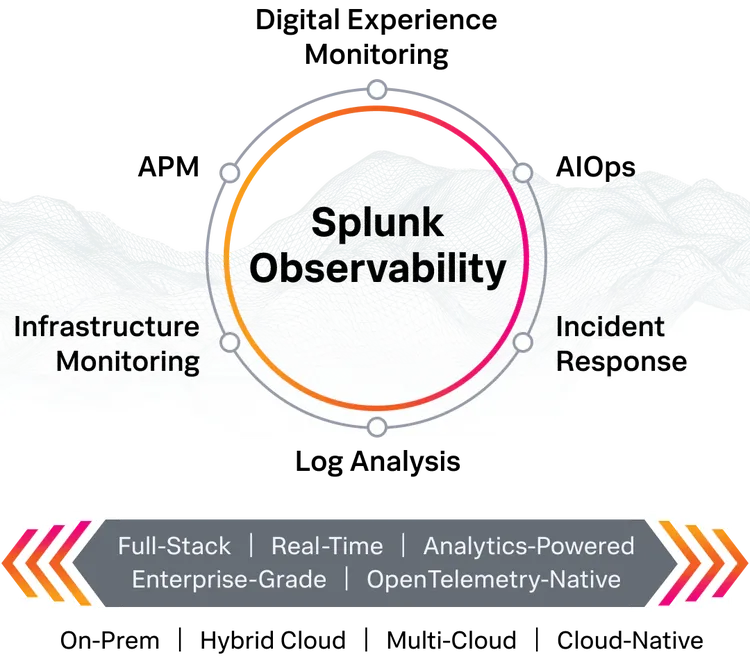
Splunk for network monitoring
Splunk is a leader in monitoring and observability. Whether you need to monitor your network from the NOC or you want complete visibility across your entire tech stack, Splunk can help. Explore the Splunk Observability solutions portfolio.
FAQs about Network Traffic & Network Congestion
Related Articles

What’s Reliability? Reliability Metrics To Know

Website Performance Monitoring: The Complete Guide