Dashboard Studio: What's New in Splunk Enterprise 10.0 and 9.4
This blog will highlight some of the top requested dashboard features that were released in Splunk Enterprise 10.0 and 9.4. To keep up to date with the latest new features, check out What's New in Dashboard Studio in our documentation.
What’s New in Dashboard Studio in Splunk Enterprise 10.0
Starting in Splunk Enterprise 10.0, you will be able to share Studio dashboards without requiring a log in to Splunk – the top requested dashboard feature on Splunk Ideas! Now you can easily share data visualizations with your executives, business analysts, and other colleagues who don't have access to Splunk. When you publish a dashboard, you can specify the interval at which you want the dashboard to refresh with new data and when you want the published link to expire.
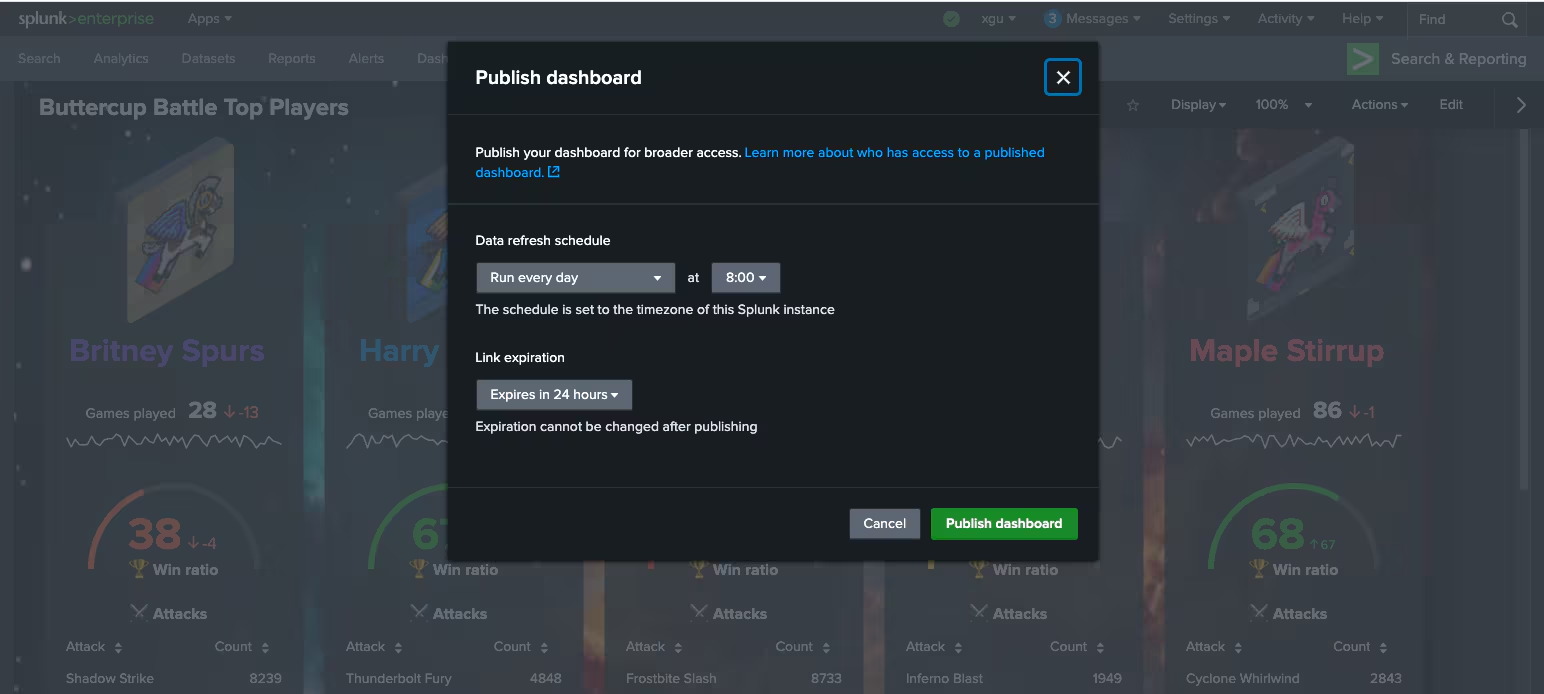
For a deeper dive, visit Dashboard Studio: Your Dashboards, Now Guest Friendly.
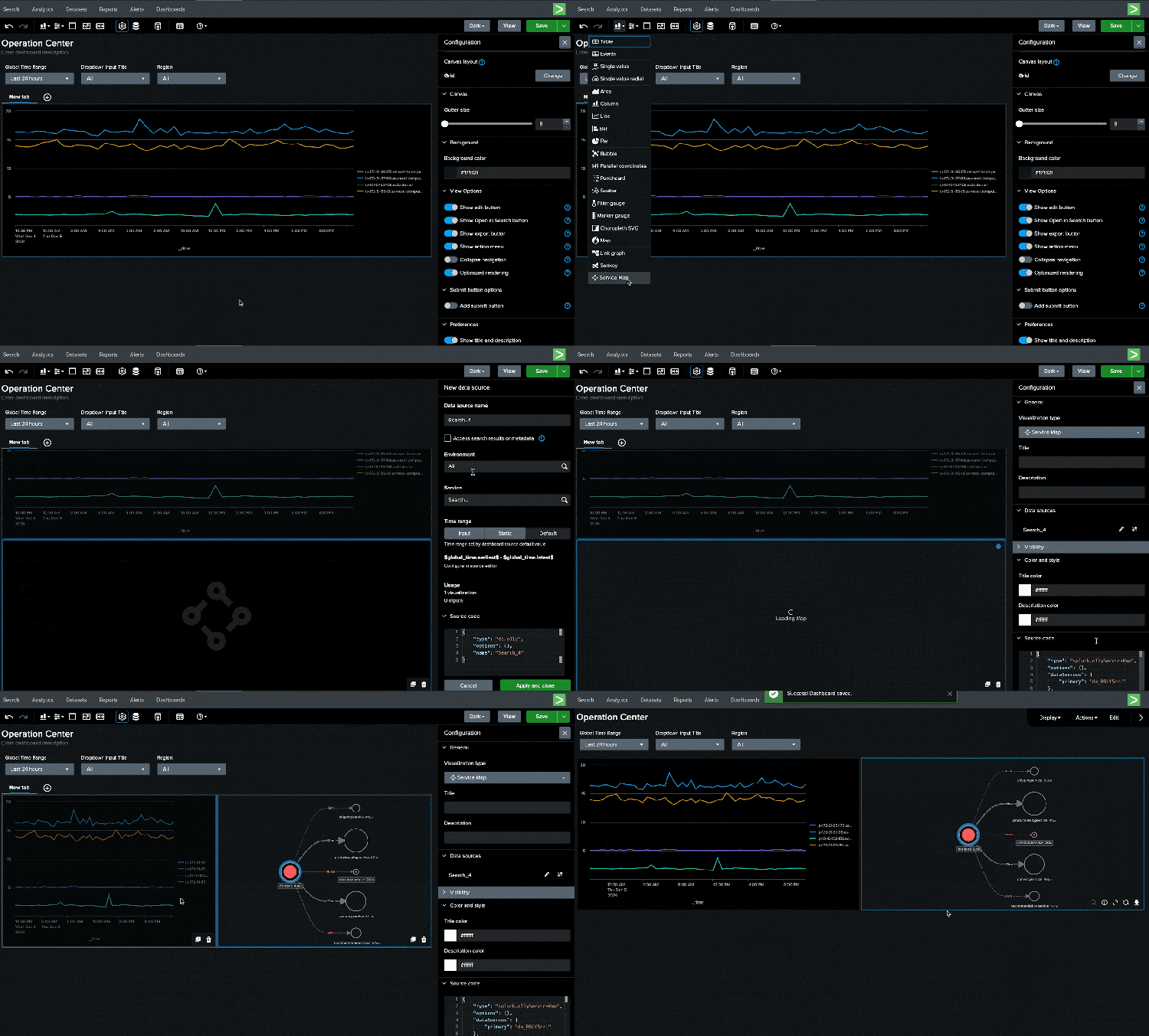
Customers with Splunk Observability Cloud will be able to view their metrics in Dashboard Studio in a single pane of glass. There are three ways to add metrics to your dashboard: browse metrics from within your dashboard and apply analytics, import a chart, or import a pre-built navigator. You can also add Splunk Observability Cloud service maps to your Splunk Dashboard Studio dashboard.
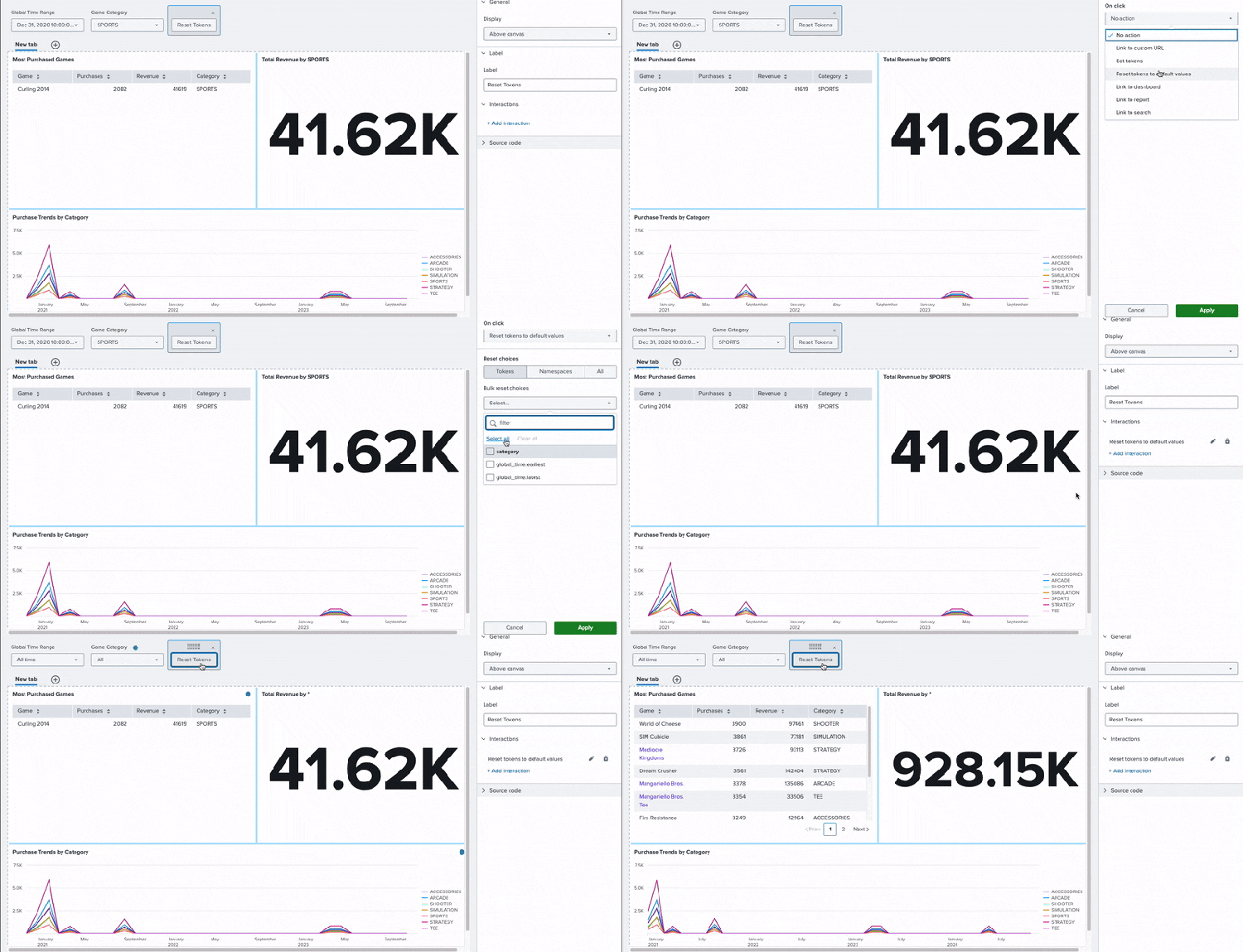
For more interactive dashboards, we've introduced a new button component for end users to interact with. In addition to the existing interaction options, you can also configure your button to reset tokens to default values, effectively resetting the dashboard to its initial state.
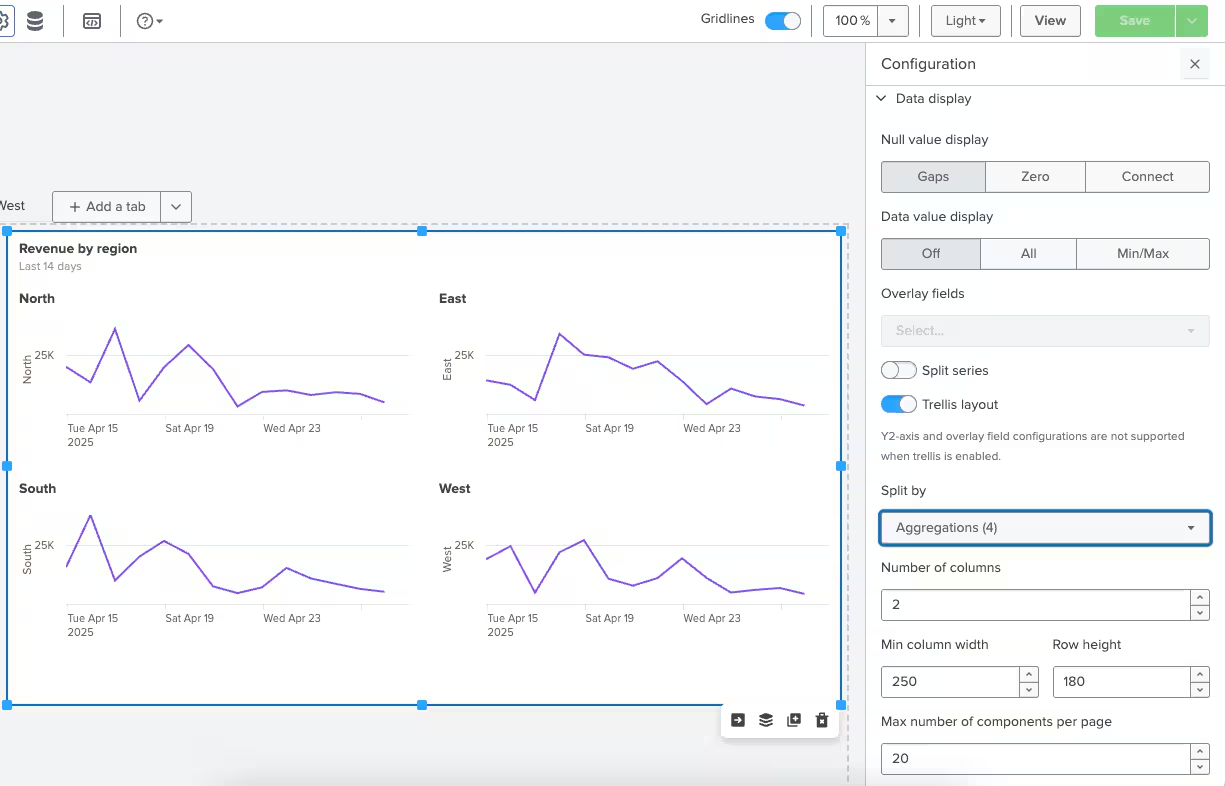
Trellis layout support has been expanded to more visualizations. Now, in addition to single value visualizations, you can apply trellis layout to area, line, bar, and column charts.
Other notable features included in Splunk Enterprise 10.0 are:
- The option to hide visualization action menu when viewing a dashboard
- Maps improvements: UI to dynamically color marker and bubble maps and automatic zooming and centering of the map based on the data displayed
- The ability to view token values in source mode
Learn about additional features in Dashboard Studio: Small Changes, Big Impact.
What’s New in Dashboard Studio in Splunk Enterprise 9.4
The biggest change to Dashboard Studio in Splunk Enterprise 9.4 is the introduction of tabs for dashboards. You will now be able to create multiple tabs in one dashboard — think of it like multiple dashboards in one! You can share searches, inputs, and visualizations across tabs to help users maintain context as they switch between tabs.

For a deeper dive, visit Dashboard Studio: Tabbed Dashboards.
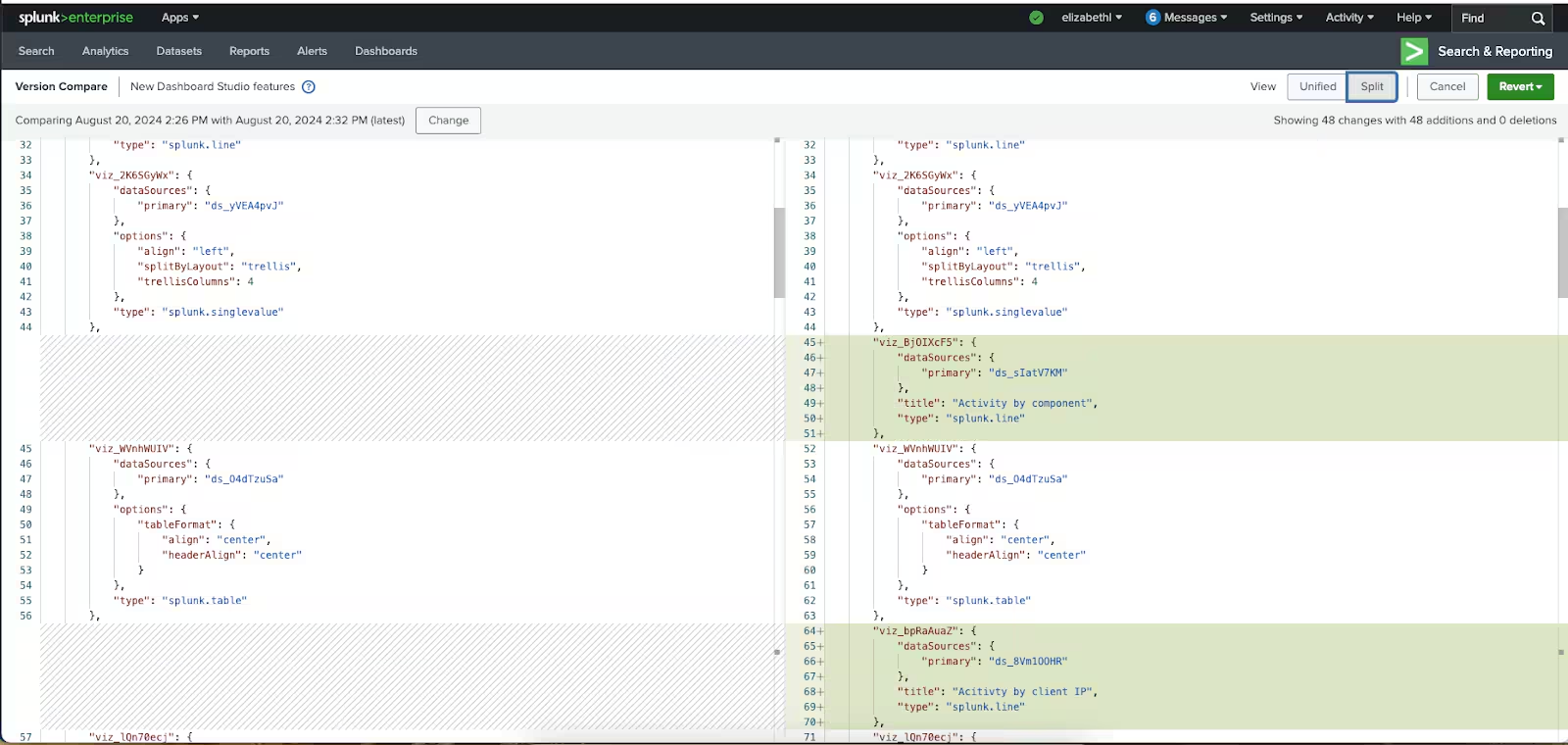
Starting in Splunk Enterprise 9.4, you'll also be able to track the version history of your dashboards. Every time a user saves dashboard changes, a new version will be persisted. Dashboard Studio provides UI to add comments, compare previous versions, and revert to a previous version. Check out our click through version history demo to see it in action.
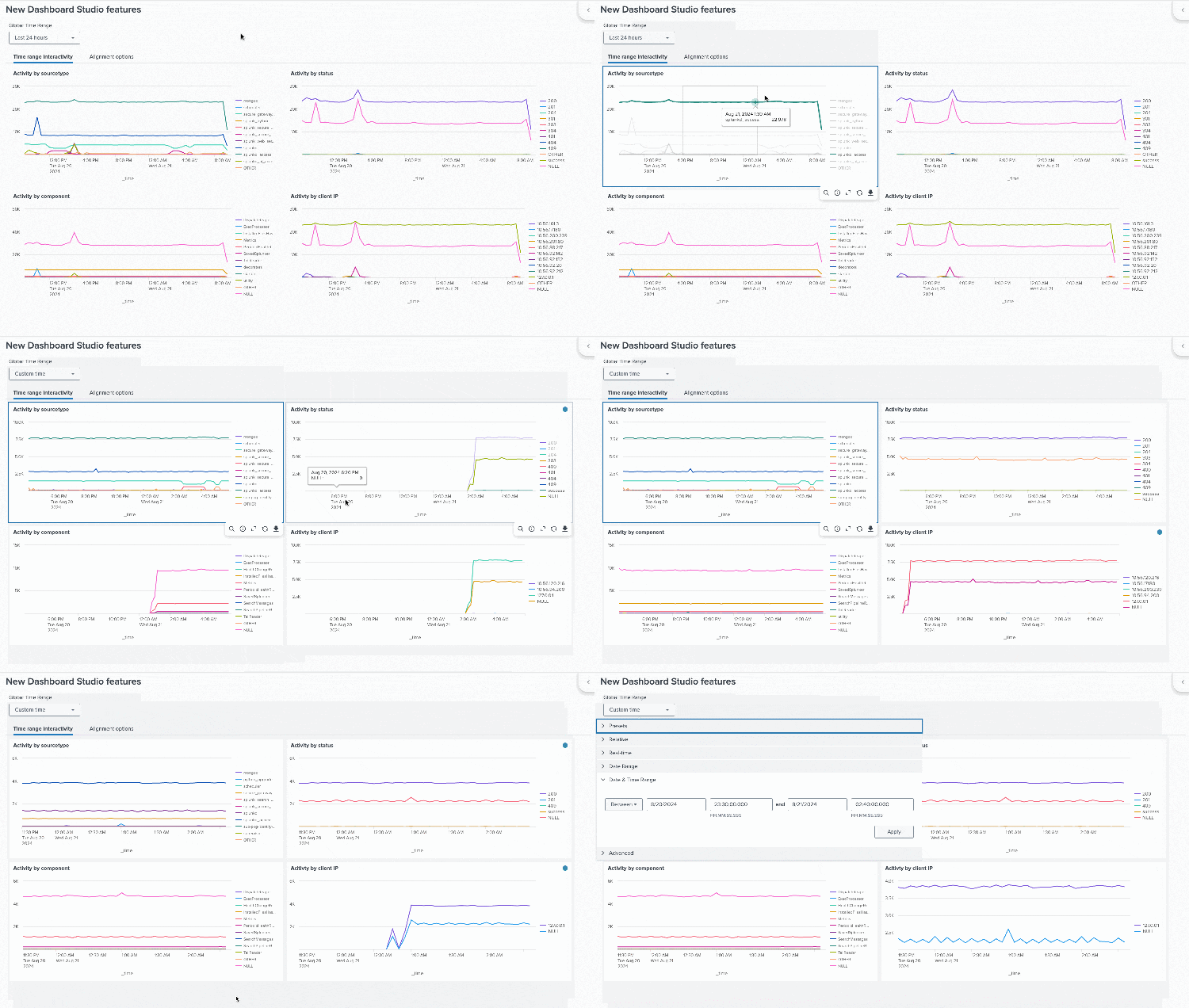
When performing investigations, you can now zoom into a particular time range on one chart and have all the other charts in the dashboard update accordingly. You can apply this to your dashboard using a new interaction called Set time range.
Other notable features included in Splunk Enterprise 9.4 are:
- The ability to collapse the Splunk and app bars while viewing a dashboard
- Optimized rendering for data-dense time series charts,
- UI to browse and add saved searches to Dashboard Studio
Learn about these features and more in Dashboard Studio: New Version Loading.
Helpful Resources
- Dashboard Studio demo
- Dashboard Studio Blogs – Catch up on our other recent updates with Studio
- Dashboard Studio Tutorial
- Improving Dashboard Performance and Resource Usage Tech Talk
- Splunk Dashboard Studio Documentation
- Splunk Ideas – Dashboard Studio for feature or enhancement Requests
- Examples Hub – Find the Examples Hub from the Dashboards page in Search & Reporting
- Splunk Community – Dashboards & Visualizations for questions
* This information is subject to change at any time, at the sole discretion of Splunk Inc. and without notice. This roadmap information shall not be incorporated into any contract or other commitment. Splunk undertakes no obligation to either develop or deliver any product, features, or functionality described here.
Related Articles

Announcing the General Availability of Splunk POD: Unlock the Power of Your Data with Ease

Introducing the New Workload Dashboard: Enhanced Visibility, Faster Troubleshooting, and Deeper Insights

Leading the Agentic AI Era: The Splunk Platform at Cisco Live APJ

Dashboard Studio: Token Eval and Conditional Panel Visibility

Introducing Resource Metrics: Elevate Your Insights with the New Workload Dashboard

Powering AI Innovation with Splunk: Meet the Cisco Data Fabric

Remote Upgrader for Windows Is Here: Simplifying Fleet-Wide Forwarder Upgrades

Dashboard Studio: Spec-TAB-ular Updates
