Splunk AR: Using Splunk AR Has Never Been Easier!
In 2021, Splunk AR is better than ever. We’ve launched many features in both the Splunk AR mobile app and the Splunk App for AR web app. In this blog post, we’ll talk about these updates and go in detail about the exciting features in Splunk AR 4.0 and Splunk App for AR 2.0.
Splunk AR 4.0
The Splunk AR mobile app for iOS is more powerful than ever. With the Remote Collaboration feature, users can collaborate from anywhere in the world. Onsite workers can invite an expert to join the AR experience and start working together immediately. With a tap of a button, Splunk AR users can invite a remote expert to join them from anywhere in the world. The remote expert receives a push notification that allows them to join immediately and start triaging with the onsite worker. In Splunk AR 4.0, Remote Collaboration offers two new features: Spray Paint and voice and audio support. While the existing laser pointer feature lets users point at a specific part or object, Spray Paint highlights a general area of interest. Users can “paint” an area and guide others in the remote collaboration session so it’s easier to work together. Voice and audio support further enhance communication so that remote collaboration experiences are even more effective.
Manage AR workspaces in finer detail with a new visualization feature, Level of Detail. Represent visualization panels with dynamic orbs to place them in tight areas or indicate broader areas. As Splunk AR users scale their view closer to the orbs, the orbs transform into full visualization panels while moving the camera view away from the panels transforms the visualizations back into orbs to keep the AR workspace clean and organized. Splunk AR users can now focus on important visualizations as the right panel comes into view.
Splunk App for AR 2.0
The Splunk App for AR version 2.0 has an improved user interface with a new onboarding flow, an administrator dashboard for deployment monitoring, and a new feature called Smart Workspaces.
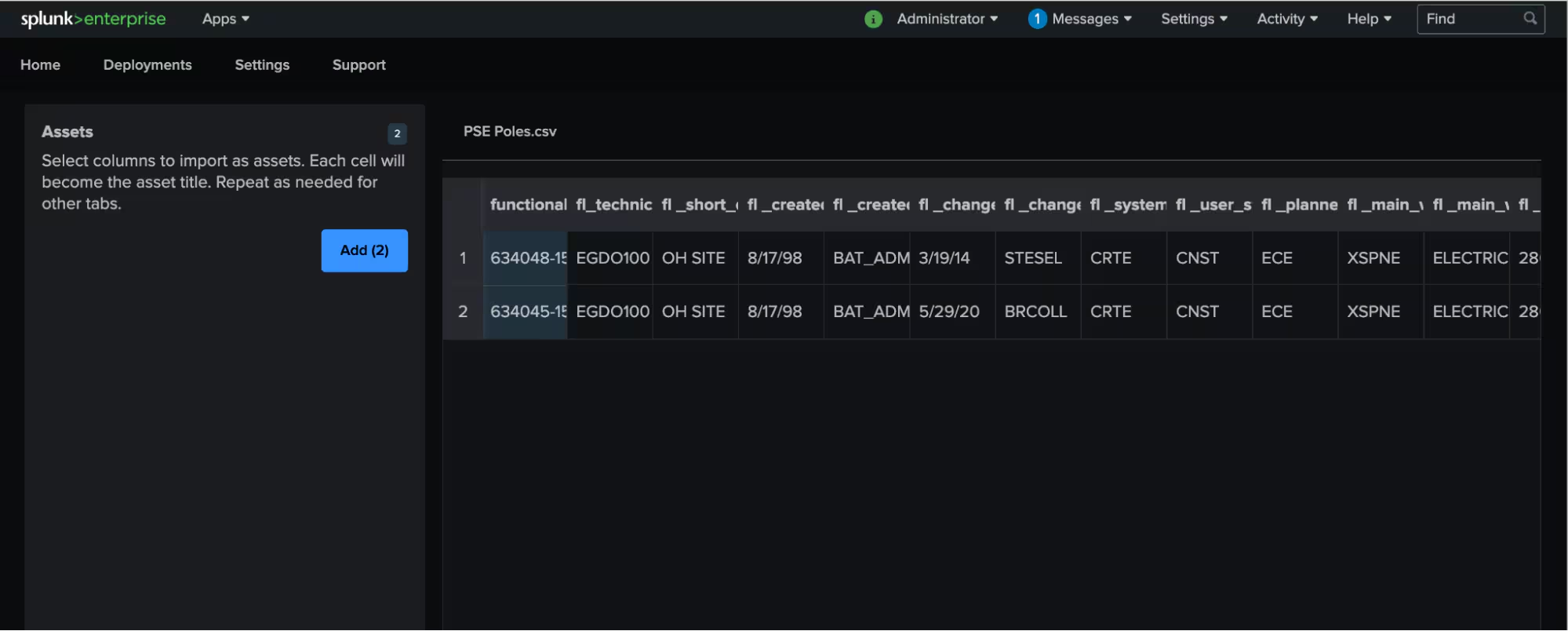
The onboarding flow makes it easy to deploy assets, whether you want to deploy few or many. In the new experience, every asset is part of a deployment (formerly called asset groups). Also, you can now import a CSV file with your deployment details and specify which parts are relevant to your deployment. The new flow provides flexibility and makes it easy for you to scale your Splunk AR usage.
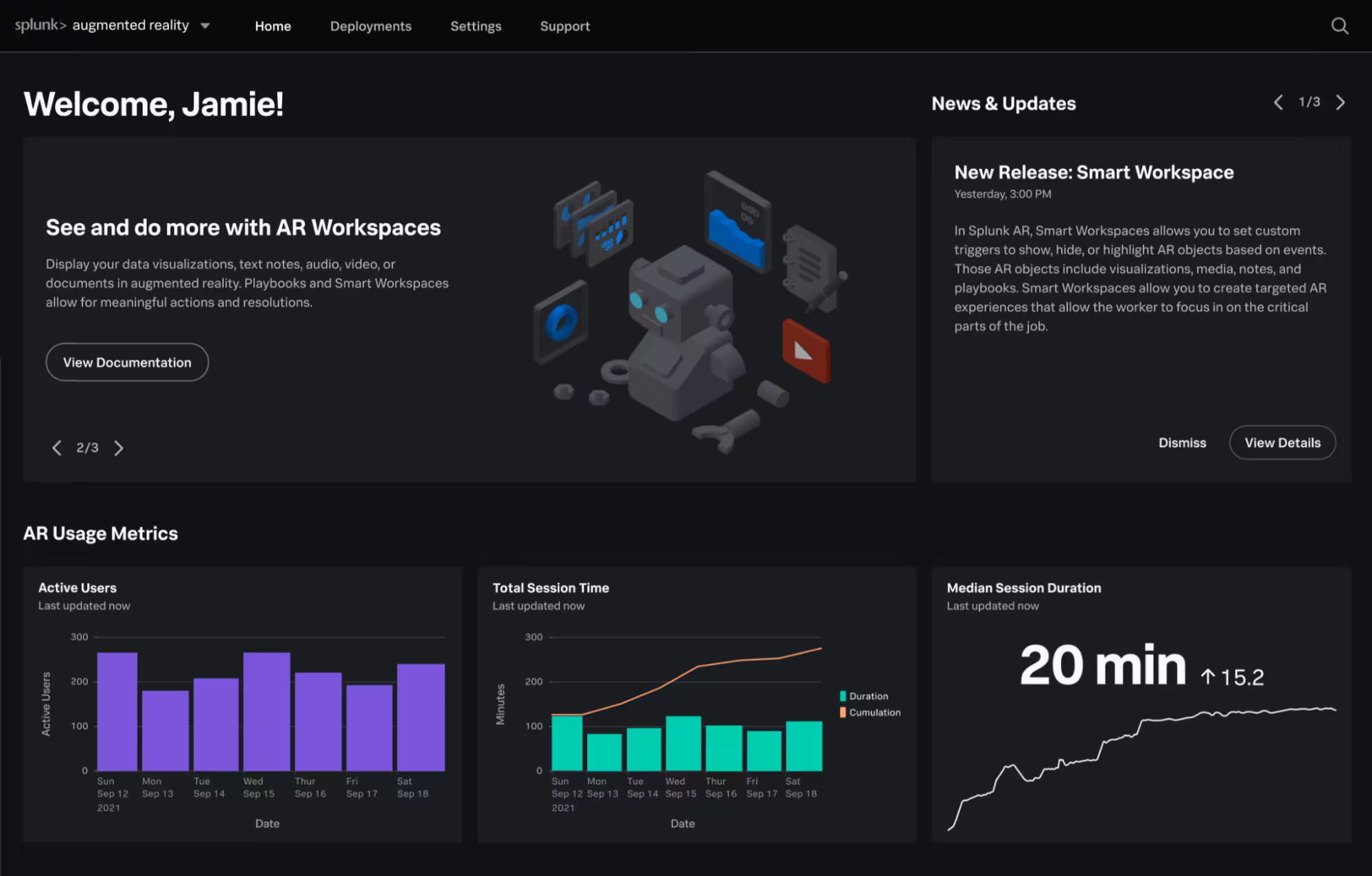
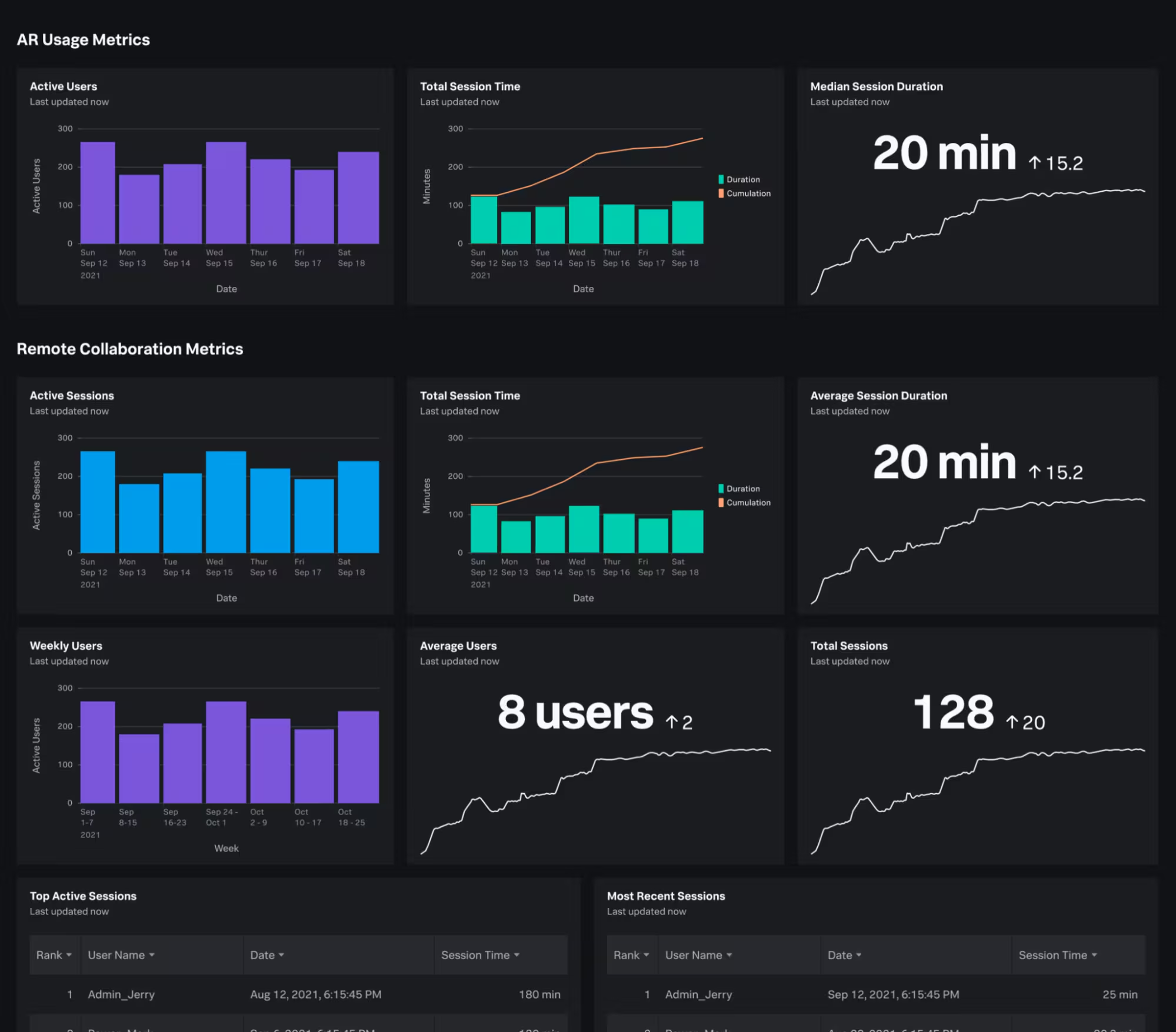
The Admin Dashboard is a new feature that makes it simple to understand Splunk AR effectiveness and usage with pre-built dashboard visualizations. Some visualizations you can monitor include session times, active users, and playbooks. There’s also a Remote Collaboration dashboard that provides insights on metrics such as session length and number active sessions.You can use the form inputs to change the time span and dates to better equip your metrics analysis.
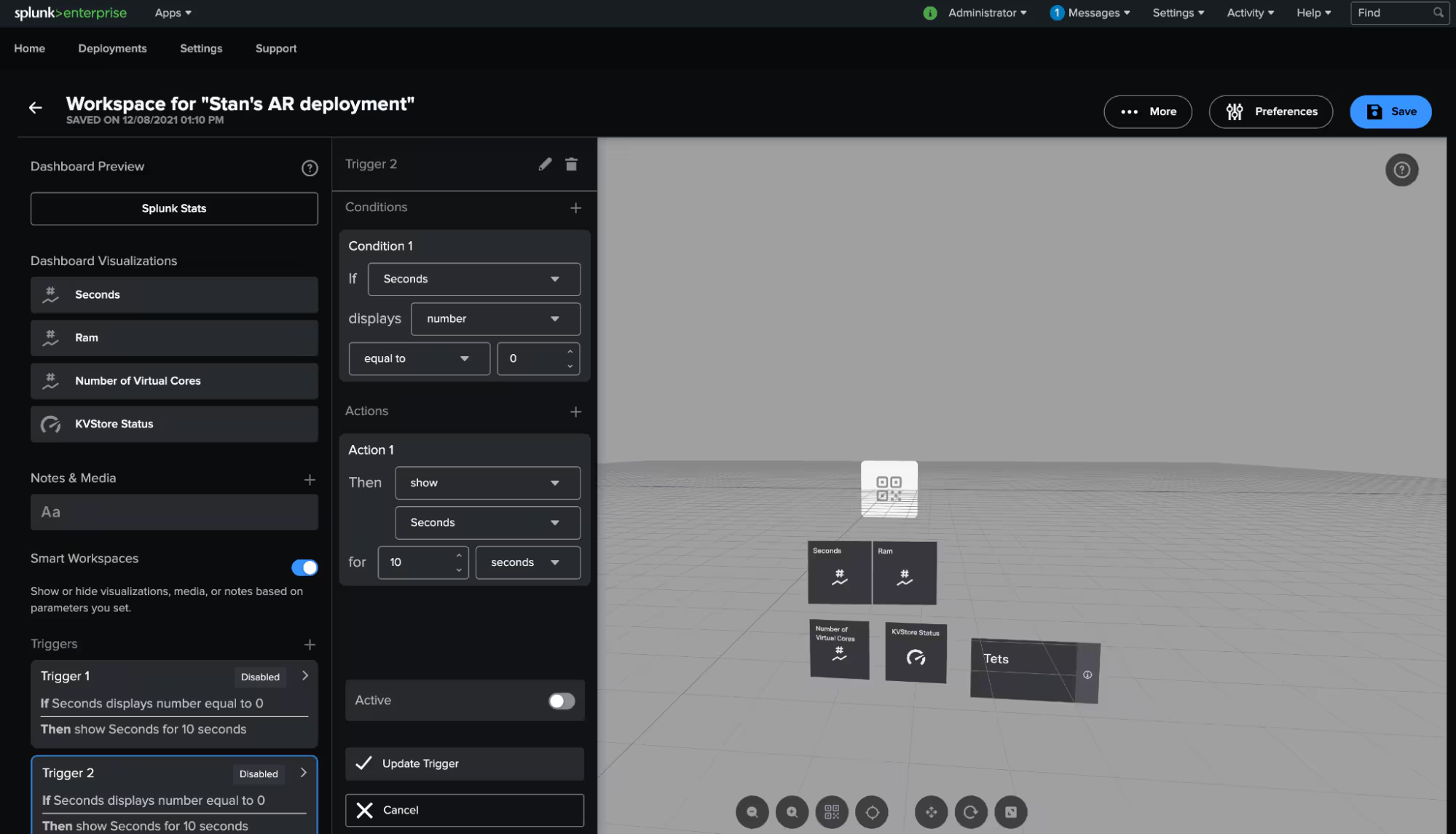
With the Splunk App for AR 2.0 and Splunk AR 4.0, The Smart Workspaces feature lets you create triggers based on Splunk events to show, hide, or highlight AR objects in the workspace. For example, imagine managing a data center, and you want to show workers how to reset a server when the power value equals zero. You create a trigger to show a video when the Splunk data indicates that the power is equal to zero. When the worker shows up to the affected server, Splunk AR highlights the instruction video on how to reset a server Smart Workspaces makes an easy experience for field workers so they know what to hone in on during critical situations.
For a demo of these updates, you can watch our “What’s New for conf21” video.
Most of these new features were developed with your partnership and support. We hope to continue our partnership and build the future of Splunk AR. Please continue to give us your feedback and suggestions on Splunk Ideas or email us at ssg-mobile-ar-team@splunk.com.
If you’re new to Splunk AR, try out our Tutorial Mode feature to see the app in action. Follow this link: splk.it/splunkar to get started.
This article was co-authored by Sammy Lee, Product Manager for AR, and Jesse Chor, VP of Engineering.
----------------------------------------------------
Thanks!
Jesse Chor
Related Articles

Announcing the General Availability of Splunk POD: Unlock the Power of Your Data with Ease

Introducing the New Workload Dashboard: Enhanced Visibility, Faster Troubleshooting, and Deeper Insights

Leading the Agentic AI Era: The Splunk Platform at Cisco Live APJ

Dashboard Studio: Token Eval and Conditional Panel Visibility

Introducing Resource Metrics: Elevate Your Insights with the New Workload Dashboard

Powering AI Innovation with Splunk: Meet the Cisco Data Fabric

Remote Upgrader for Windows Is Here: Simplifying Fleet-Wide Forwarder Upgrades

Dashboard Studio: Spec-TAB-ular Updates
