The Queue Is a Graph, Not a To-Do List
Security Christopher Van Der MadeKey takeaways
- Grouping related security alerts by shared hosts, domains, or timing revealed hidden connections, turning up to 40 separate alerts into one clear investigation.
- Splunk's AI Triage Agent summarized alerts and suggested reasons for suspicious activity, but analysts still verified the evidence before making final decisions.
- Combining AI assistance with human judgment reduced duplicate work and improved handoffs between analyst teams during live threat investigations.
At .conf 2026 in Denver, I had the opportunity (and honor) to work in the Security Operations Center (SOC) as a Tier 2 analyst. What I learned is a Finding is a starting point, a cluster is a story and evidence decides how the story ends. This approach helped analysts reduce duplicate work, see related activity faster, and make better escalation decisions.
The Event SOC had been transformed into an Agentic SOC, showing how a large organization can use Cisco and Splunk security technologies to respond to live threats. I entered the live SOC exercise with an unusual perspective: I’m an engineering product manager with years of experience in SOC automation, but limited hands-on experience working a Splunk Enterprise Security (ES) queue.
That combination made the exercise especially valuable. I understood the automation concepts, but had to apply them one finding at a time while learning where analyst judgment still mattered alongside ES’s built-in Triage Agent (our Tier 1 analyst).
The Event SOC’s modus operandi was straightforward and effective:
- Select an unassigned Finding from the queue.
- Assign it to yourself and change status to ‘In Progress’.
- Review the AI triage assessment.
- Verify its claims against available evidence.
- Document the reasoning and next steps in Notes; promote to an Investigation when needed.
- Escalate to Tier 3 when a final determination or deeper analysis is needed by changing the status to ‘Pending’.
The key nuance was that the AI prepared the investigation, while the human remained accountable for the decision. The Event SOC team summarized it this way:
Agents prepare. Humans decide. Evidence proves.
Automating the Queue
After my first few Finding-based investigations, I felt a familiar urge: what else could be automated? I found that queue coverage improved when I stopped treating Findings as isolated tickets.
To me, a queue is better understood as a graph. Hosts connect to domains, domains connect to IPs, detections share rules, and timestamps reveal activity bursts. Once those relationships become visible, several “separate” Findings can become one coherent investigation.
I applied this “Finding graph method” using several clustering signals:
- Shared source entities
- Shared destination domains or IP addresses
- Findings created close together in time
- Repeated detection logic
- Similar AI triage conclusions
- Related Findings visible through entity analysis
Starting with the queue and looking sideways added a step to the modus operandi, but it also let me investigate multiple Findings together. We found clusters of up to 40 Findings. Splunk ES supported this workflow well. I also used my personal AI assistant (Codex), integrated into Splunk ES to help with clustering and handoffs.
This reduced duplicate work and improved handoffs. Instead of sending Tier 3 disconnected alerts, I could explain that the Findings involved the same host, related domains, and a common time window.
Let AI Prepare and Let Evidence Decide
The Splunk ES Triage Agent was useful for prioritization and hypothesis generation. It summarized a Finding, identified notable entities, and suggested why the activity might be suspicious. It also provided the SPL queries it ran as supporting evidence.
The triage label was stored separately from the final disposition, so it was a useful starting point rather than a final verdict. In some cases, it also helped me cluster Findings.
As a Tier 2 analyst, I was trying to answer what belongs together and form a hypothesis about why. After doing this a few times, I recognized a pattern: the repetitive parts of this modus operandi were good candidates for further automation:
- Group Findings by shared entities and observables
- Identify activity bursts
- Highlight repeated detection rules
- Find related investigations
- Draft structured investigation notes
Using my AI assistant alongside Splunk ES, I was able to automate much of this workflow.
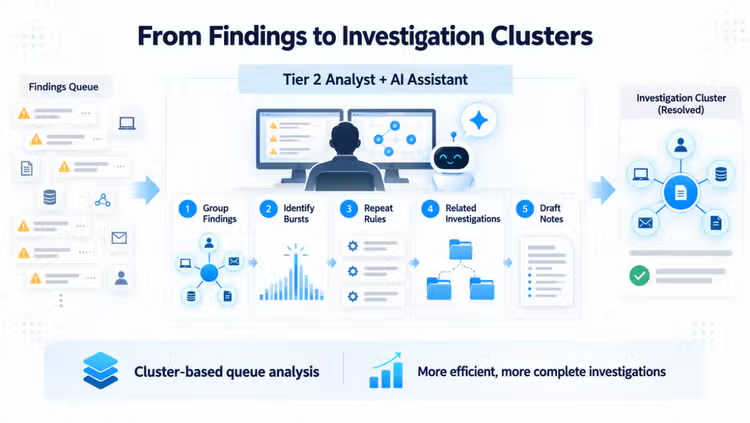
Cluster-based queue analysis made investigations more efficient and more complete. It exposed relationships that were easy to miss when working Finding by Finding, while preserving the analyst’s responsibility to validate the evidence.
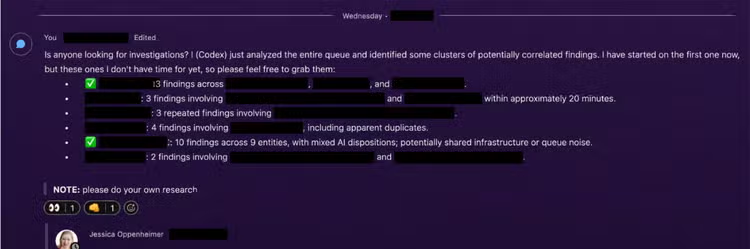
Each time I ran the clustering analysis, multiple clusters surfaced, and I started with the most prominent one. I shared the others in our SOC group’s Webex space so we could see whether someone else was working on similar Findings, or if someone had bandwidth to start a new one.
Coming from SOC automation into more hands-on Splunk ES work, the experience reinforced a simple idea: A Finding is a starting point. A cluster is a story. Evidence decides how the story ends.
That is what made the Event SOC feel different: AI helped prepare and connect the work, while humans stayed accountable for the decisions. For me, that is the real promise of the Agentic SOC.
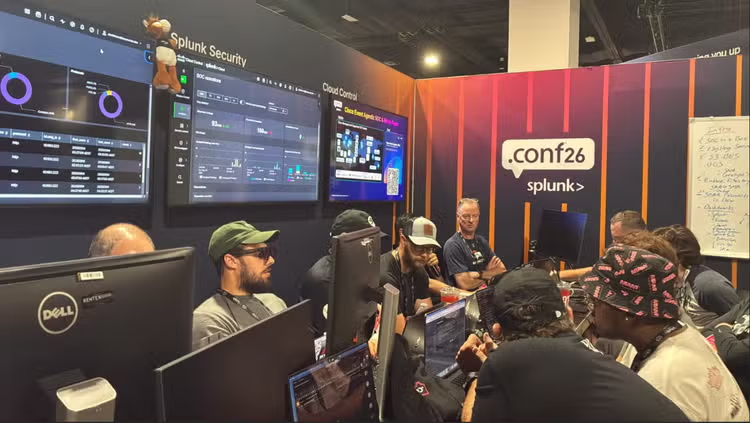
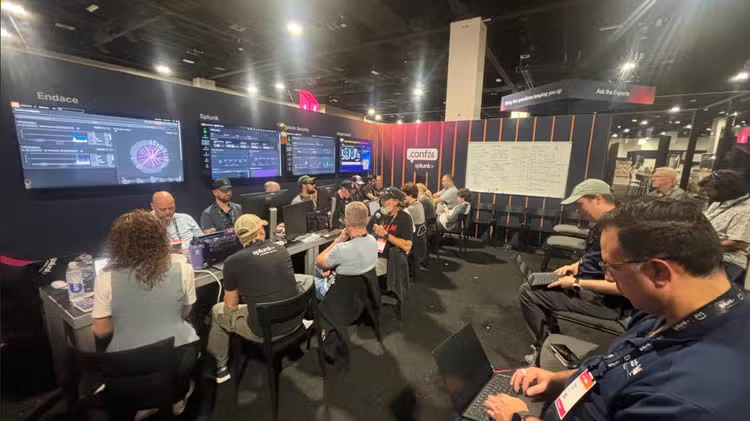
Below, you can see our team assembled for training in the use of the AI SOC workforce, prior to operations beginning.
Check out the other blogs by the humans in the .conf26 Agentic SOC.
Related Articles

Taking Automation Beyond the SOC With Advanced Network Access Control