Hunting for Malicious PowerShell using Script Block Logging
Splunk is committed to using inclusive and unbiased language. This blog post might contain terminology that we no longer use. For more information on our updated terminology and our stance on biased language, please visit our blog post. We appreciate your understanding as we work towards making our community more inclusive for everyone.
The Splunk Threat Research Team recently evaluated ways to generate security content using native Windows event logging regarding PowerShell Script Block Logging to assist enterprise defenders in finding malicious PowerShell scripts. This method provides greater depth of visibility as it provides the raw (entire) PowerShell script output. There are three sources that may enhance any defender's perspective: module, script block and transcript logging. We focused our security content on script block logging (4104) as it provides the most granular visibility of PowerShell scripts that execute on an endpoint. However, we also provided a way to gather all three for testing validation, production or curiosity.
Summary of Logging Types
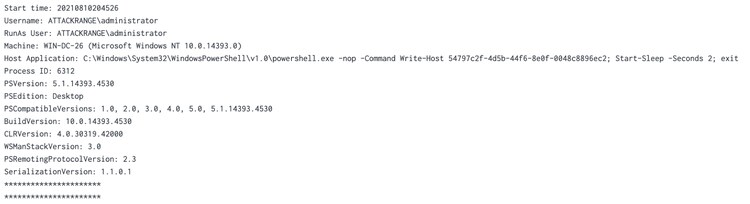
- Transcript Logging: As described by Microsoft, Transcript Logging provides a summary of what’s happening in a PowerShell session as if you were looking over the shoulder of the person typing. It will provide the commands and the output of those commands. This is fairly verbose in most organizations and would require filtering (via the Splunk UF, in Splunk) or logging only on critical assets. What does it look like?
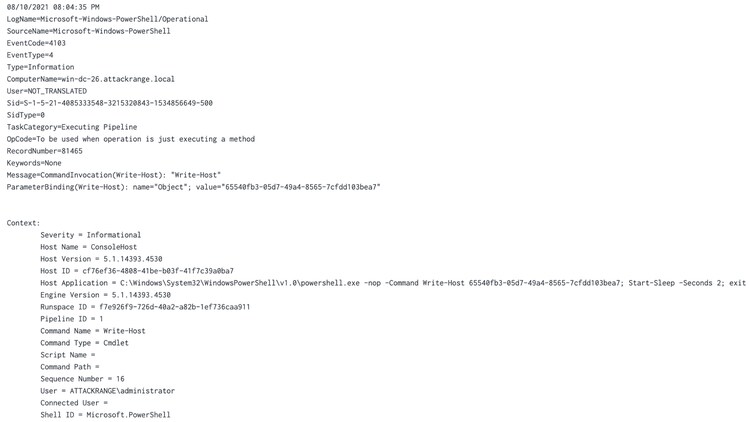
- Module Logging: module logging is a bit different in that it includes the command invocations and portions of the script. It’s possible it will not have the entire details of the execution and the results. EventCode = 4103. What does it look like?
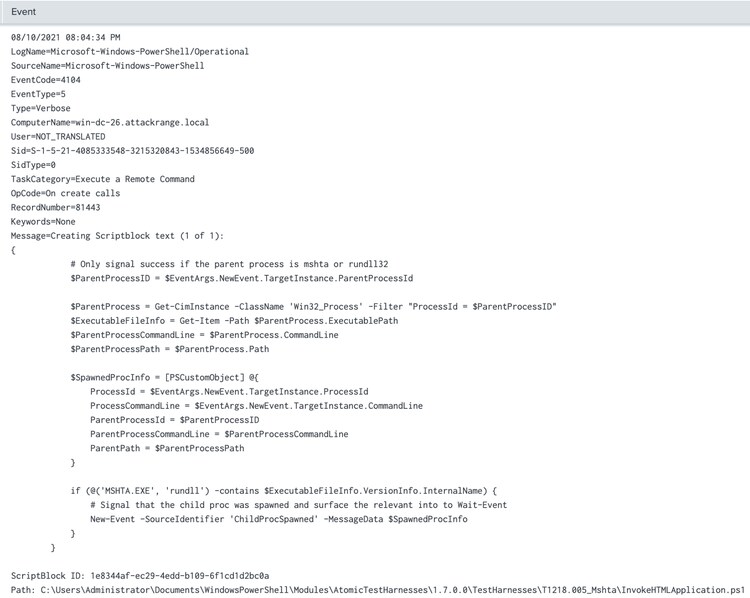
- Script Block Logging: This is the raw, deobfuscated script supplied through the command line or wrapped in a function, script, workflow or similar. Think of everytime an adversary executes an encoded PowerShell script or command, script block logging provides that data in its raw form. EventCode = 4104. What does it look like?
Hunting Analytic
As we began generating content, we wanted a way to evaluate the dataset created to identify keywords that would ultimately convert to new analytics. We utilized all the standard frameworks in use; Empire, Cobalt Strike, Metasploit, Atomic Red Team and AtomicTestHarnesses. Script block provides a voluminous amount of data and we didn’t want to be too selective on our keywords for the analytics we wanted to produce. With this release, we’re publishing a hunting analytic that will assist with combing through 4104 event data. This detection is powered by the merging of two queries (Thank you Alex Teixeira) to assist with maximizing the identification of suspicious PowerShell usage. The detection may be found on our Security Content repository here.
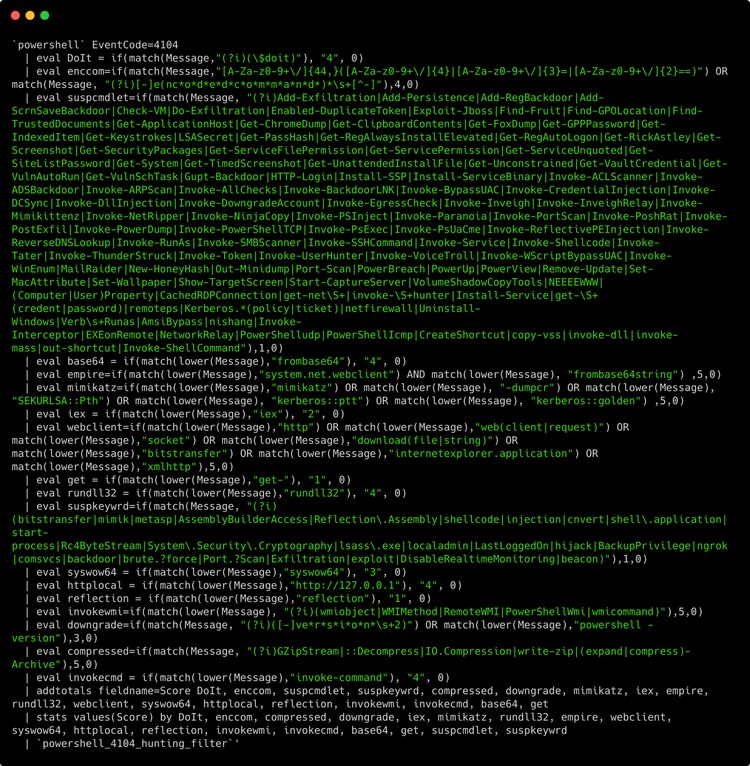
As we played with the data more and more, we have found that it’s even more useful by adding scores to each keyword. Keywords in this case are each `eval`. In this instance, the scoring is based on fidelity. $DoIt is a function that Cobalt Strike uses, therefore the score is set to 4. Keywords like IEX are more commonly used and I’ve set the score to 2. An example of the scoring used in the following capture showcases how the scores can help bring up interesting PowerShell scripts. It is also easy enough to copy and paste an eval statement and add new keywords. Our example is not exhaustive, but a starting point for defenders to begin digging deeper.

Detections
Following our research effort, we were able to compile a good amount of new analytics. We hope this inspires others to contribute (via GitHub Issues or PR) to continue to enhance coverage for the community.
How to Enable It?
There are three effective ways to enable PowerShell Logging. Depending upon the deployment method or if needing to deploy across a large fleet, the registry or Group Policy will be the best bet. If testing in a lab setting, all three methods following will help.
Registry
This method may be useful if using a deployment or logon script.
-
Enable ScriptBlock Logging
- HKLM\SOFTWARE\Wow6432Node\Policies\Microsoft\Windows\PowerShell\ScriptBlockLogging
- EnableScriptBlockLogging = 1
- HKLM\SOFTWARE\Wow6432Node\Policies\Microsoft\Windows\PowerShell\ScriptBlockLogging
-
Enable Module Logging
- HKLM\SOFTWARE\Wow6432Node\Policies\Microsoft\Windows\PowerShell\ModuleLogging
-
EnableModuleLogging = 1
- HKLM\SOFTWARE\Wow6432Node\Policies\Microsoft\Windows\PowerShell\ModuleLogging \ModuleNames
- * = *
- HKLM\SOFTWARE\Wow6432Node\Policies\Microsoft\Windows\PowerShell\ModuleLogging \ModuleNames
-
Transcription
-
HKLM\SOFTWARE\Wow6432Node\Policies\Microsoft\Windows\PowerShell\Transcription\
- EnableInvocationHeader = 1
- EnableTranscripting = 1
- OutputDirectory = <path_to_directory>
-
The PowerShell Operational Log may be found here:
%SystemRoot%\system32\winevt\logs\Microsoft-Windows-PowerShell%4Operational.evtx
PowerShell
In any case, Hurricane Labs references a script written by Tim Ip that we have borrowed and expanded on. We enhanced it with the following abilities:
- Enable one or all PowerShell logging methods
- Create a new inputs.conf to capture transcript logs and PowerShell Operational logs
- Disable all logging
- Enables Process Creation with Command-Line (4688)
Get Invoke-SPLPowerShellAuditLogging here.
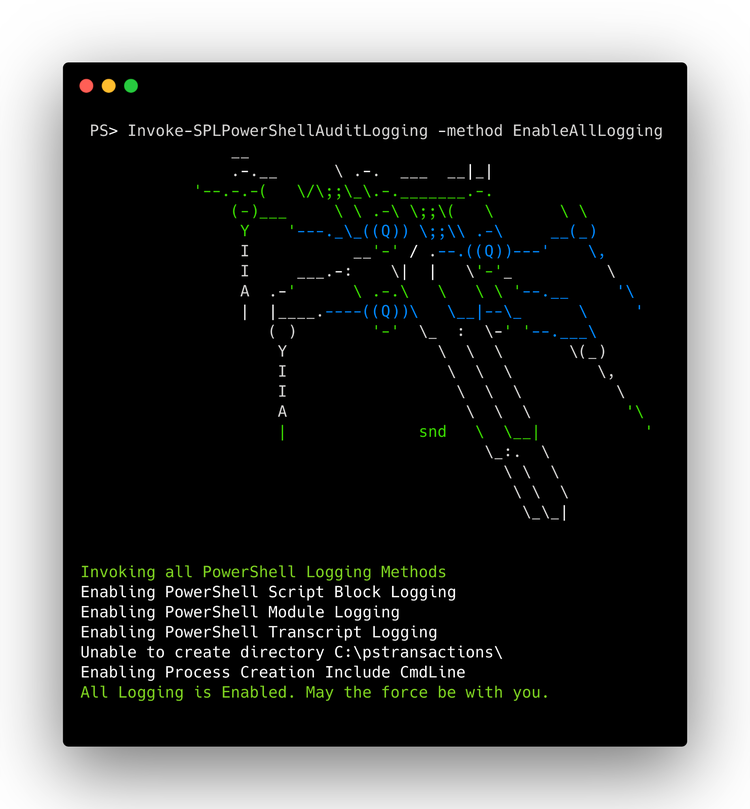
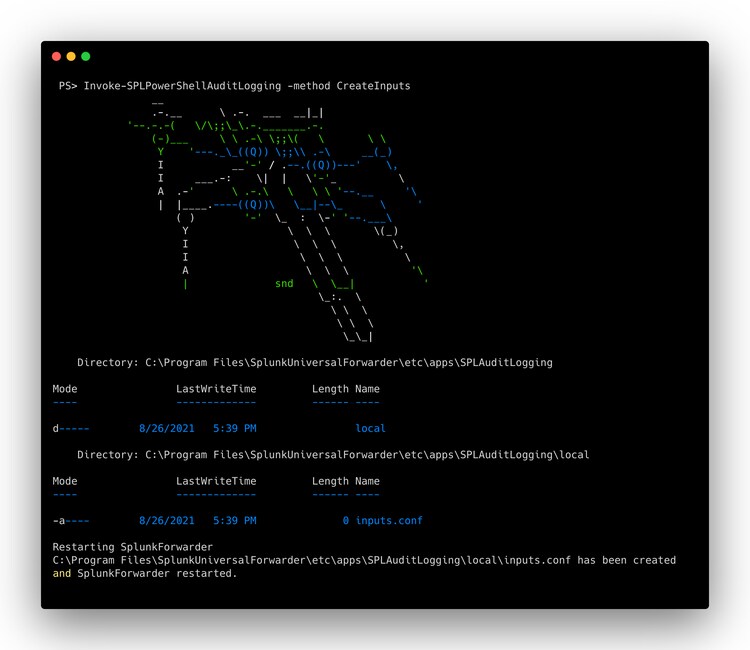
Update a currently used Windows inputs.conf on the Splunk Universal Forwarder or use Invoke-SPLPowerShellAuditLogging to create the inputs.
[WinEventLog://Microsoft-Windows-PowerShell/Operational]
source = XmlWinEventLog:Microsoft-Windows-PowerShell/Operational
renderXml = 0
disabled = false
index = win
[monitor://c:\pstransactions\]
sourcetype = powershell:transcript
disabled = false
multiline_event_extra_waittime = true
time_before_close = 300
index = win
`Invoke-SPLPowerShellAuditLogging -method CreateInputs`
Enable Logging via Group Policy Objects
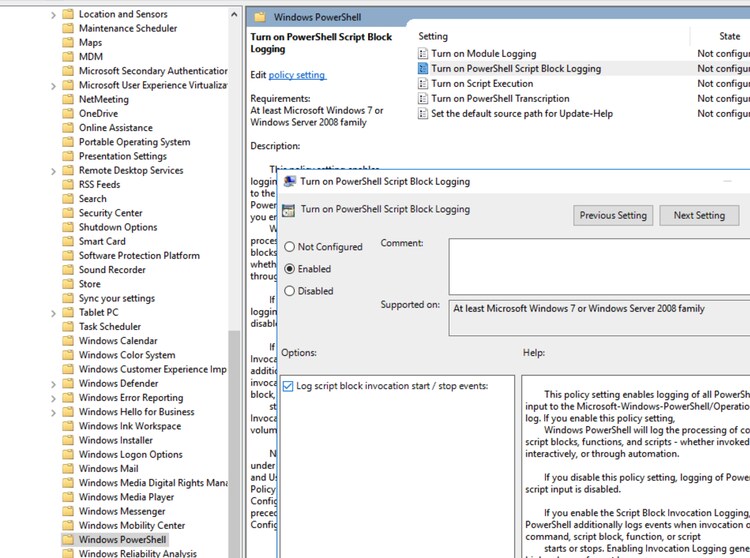
For a more enterprise and granular policy deployment approach, within the Group Policy Management Console, create a new or modify an existing object, browse to Computer Configuration > Policies > Administrative Templates > Windows Components > Windows PowerShell
From here, enable the policies of interest and begin logging. Deploy to critical assets or all as needed.
This work was inspired by many others who have written about PowerShell Logging, but not limited to:
- Get Data into Splunk User Behavior Analytics - PowerShell logging
- Blueteam Powershell Recommendations
- PowerShell ♥ the Blue Team - Microsoft
- about_Logging - Microsoft Docs
- Greater Visibility Through PowerShell Logging - FireEye
- How to Use PowerShell Transcription Logs in Splunk - Hurricane Labs
- Hurricane Labs Add-on for Windows PowerShell Transcript
- How to detect suspicious PowerShell activity with Splunk? - Alex Teixeira
Test Yourself
Atomic Red Team: Using Atomic Red Team, we can simulate PowerShell commands simply using Invoke-AtomicRedTeam. To begin, check out the Wiki and follow along.
In a lab setting, or authorized device, run the following commands to get started:
IEX (IWR 'https://raw.githubusercontent.com/redcanaryco/invoke-atomicredteam/master/install-atomicredteam.ps1' -UseBasicParsing);
Install-AtomicRedTeam -getAtomics -force
This will install Invoke-AtomicRedTeam. From here, we may now run T1059.001 from Atomic Red Team.
invoke-AtomicTest T1059.001
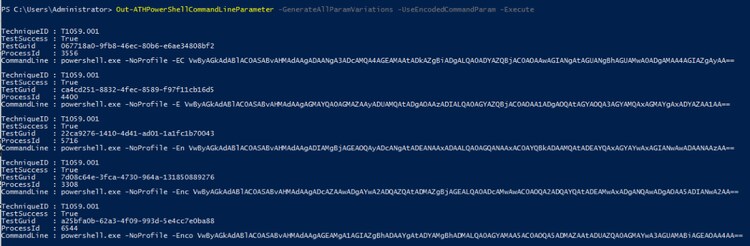
Want some more data? Check out AtomicTestHarnesses.
Out-ATHPowerShellCommandLineParameter -GenerateAllParamVariations -UseEncodedCommandParam -Execute
Learn More
To learn more, watch the on-demand Splunk Tech Talk "Hunting for Malicious PowerShell using Script Block Logging" now.
Related Articles

Crossed Swords 2025: Lessons From the Frontlines of Cyber Defense with Splunk Enterprise Security

NotDoor Insights: A Closer Look at Outlook Macros and More

Hide Me Again: The Updated Multi-Payload .NET Steganography Loader That Includes Lokibot
Strengthen Your Security Operations in the Era of Agentic AI

Splunk Security Content for Threat Detection & Response: October Recap

Understanding Cyber Resilience with the World Economic Forum

Splunk Ranked Number 1 in the 2025 Gartner® Critical Capabilities for Security Information and Event Management Use Cases
The Lost Payload: MSIX Resurrection