Detecting Typosquatting, Phishing, and Corporate Espionage with Enterprise Security Content Update
Security SplunkThere’s a critical, unavoidable hole in your security infrastructure: human fallibility.
You can educate your users and customers. You can codify procedures and publish playbooks. You can conduct regular penetration tests. But you can never completely eliminate the vulnerability presented by oversight, laziness, corporate espionage, or garden-variety screwups.
Unfortunately, your adversaries know this and will capitalize on it in any way they can, including internal and external phishing with lookalike addresses, typosquatting, embedding faux command-and-control domains in malware, and hosting malicious content on domains that closely mimic your corporate servers.
After all, we’re busy people. It’s easy for the mind’s eye to mistake “splunnk.com,” “splounk.com.” or “spunk.net” for “splunk.com.” While it's impossible to anticipate every legitimate permutation of a given domain name or sender email address, it’s the kind of error that can expose you to significant liability.
While most security-prevention technologies can’t block this type of activity, Splunk’s Enterprise Security Content Update (ESCU) app can provide you with early warnings and situational awareness—powerful elements of an effective defense.
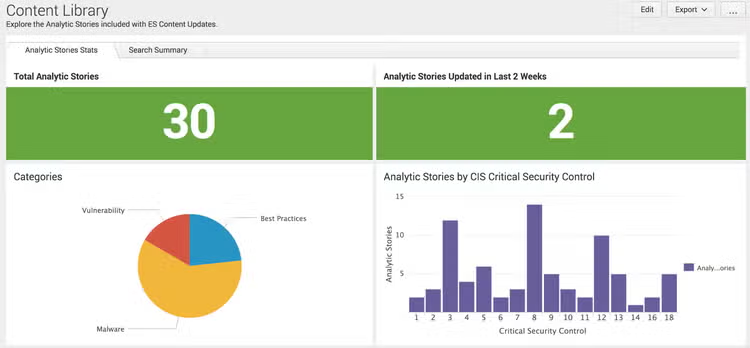
The Mechanics of Brand Monitoring
Once configured, the ESCU app can leverage our adaptation of DNSTwist to generate a list of possible permutations of specified brand names and/or faux domains. Then Splunk continually scans email sender addresses, web traffic, and DNS requests to provide you with notable events that might match these brands of interest. A drilldown will provide you with even more actionable information, such as IP addresses, URLs, and user data.
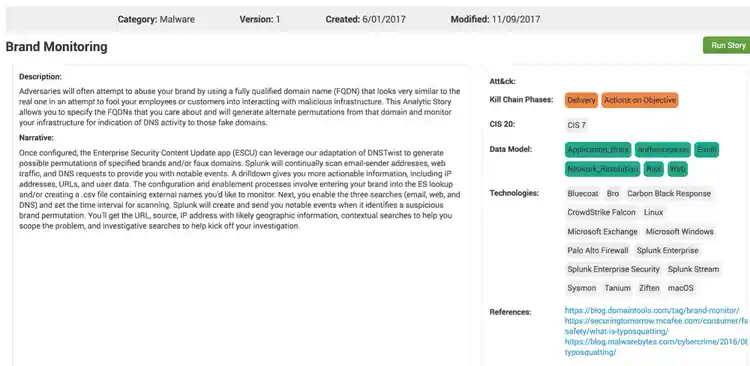
Configuration and Deployment
Here’s how to get started:
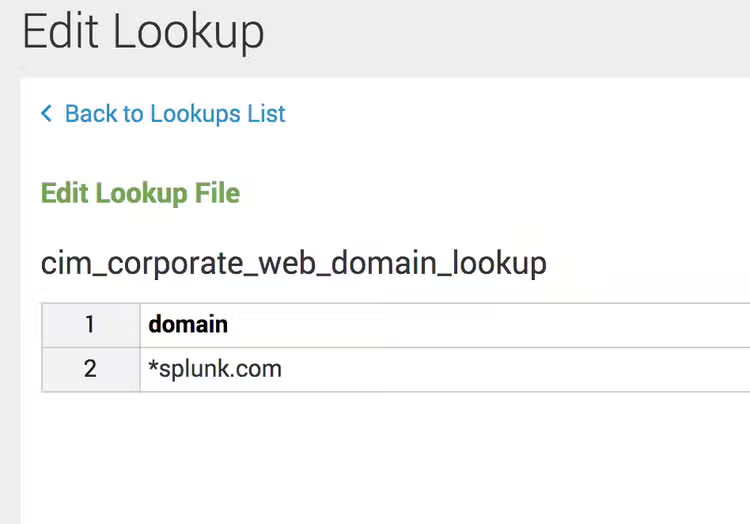
1. Open the lookup files' Corporate Email Domains and Corporate Web Domains in Splunk Enterprise Security (ES) and add your company’s brand name.
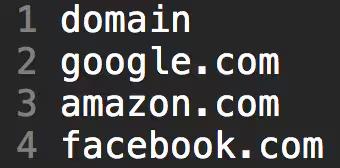
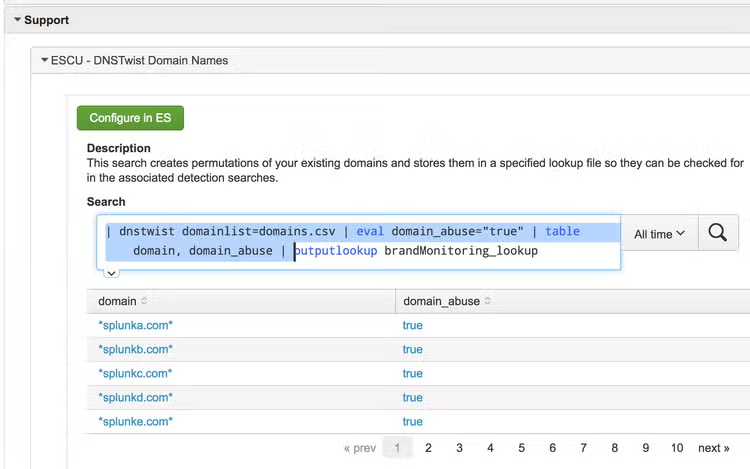
2. Set up monitoring for outside domains. Create a file called “domains.csv.” in $SPLUNK_HOME/etc/apps/DA-ESS-ContentUpdates/lookups. Insert a header field by entering “domain” as the first word. Then list the domains you want to monitor—one per line.
3. Enable Searches. Navigate to ES. Click Configure, then go to "Content Management.” In app field, select the Content Update App (DA-ESS-ContentUpdate). Type Brand into the filter field. This will bring up the three associated searches (DNS, email, and brand). Click Enable for the ones you want to monitor. By default, they’ll run every hour. You can change this setting by clicking the search name on the Content Management page.
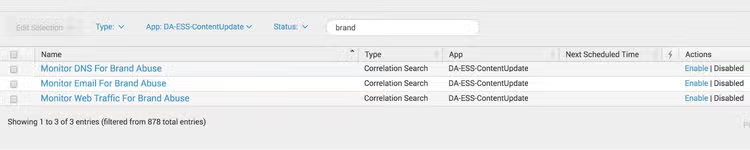
Lastly, run the support search (ESCU DNSTwist Domain Names).
Beginner Tip: Use the Lookup File Editor
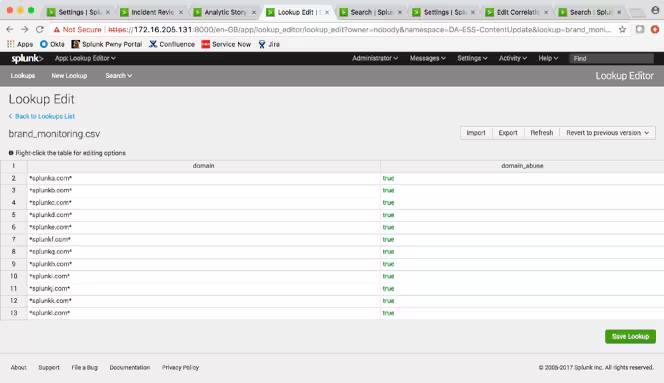
For those of you whom don’t have the time or the interest in doing daring highwire stunts with the command line interface (CLI), consider using the Lookup File Editor authored by Luke Murphey, Senior Manager of Engineering at Splunk. This app lets you make edits to a lookup file within an easy to use Excel-like interface. Check out the screenshot, below.
Sit Back and Wait for Notable Events
Splunk will create notable events when it detects a suspicious brand permutation. You’ll get the URL, source, IP address with likely geographic information, contextual searches to help you scope the problem, and investigative searches.
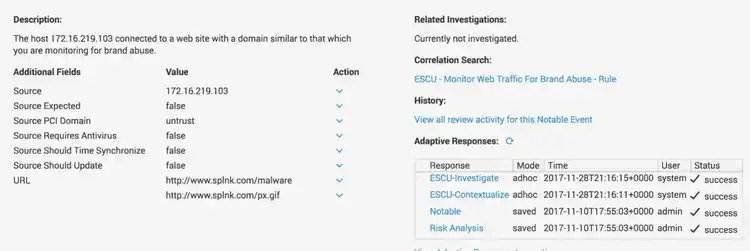
And there you have it! With just a few clicks, you’ve kickstarted your investigation to identify brand abuse within your environment.
Download the Enterprise Security Content Update app to get started.
If you’d like to learn more about the solutions Splunk offers for your analytics-driven SIEM journey and how you can leverage analytic stories in your environment, watch our on-demand webinar, “Analytics Driven Security - How to Start and Continue the Journey.”
The Security Research Team is devoted to delivering actionable intelligence to Splunk's customers in an unceasing effort to safeguard them against modern enterprise risks. Composed of elite researchers, engineers, and consultants who have served from across public and private sector organizations, this innovative team of digital defenders obsessively monitors emerging cybercrime trends and techniques, then translates them into practical analytics that Splunk users can immediately operationalize within their environments. Download the Splunk Enterprise Security Content Update app to learn more.

----------------------------------------------------
Thanks!
Rich Barger
Related Articles

I Azure You, This Will Be Useful

Nothing PUNY About OpenSSL (CVE-2022-3602)