Conti Threat Research Update and Detections
Splunk is committed to using inclusive and unbiased language. This blog post might contain terminology that we no longer use. For more information on our updated terminology and our stance on biased language, please visit our blog post. We appreciate your understanding as we work towards making our community more inclusive for everyone.
The Splunk Threat Research team has researched two of the current payloads involved in these heinous campaigns against healthcare and first responder organizations such as Conti & REvil. In the first blog, we explored the REvil ransomware group and in this blog, we will explore Conti.
The Conti ransomware payload is said to have surfaced in the year 2020 and is associated with some of the following attack vectors:
- RDP brute force
- Use of weaponized word documents
- Use of Cobalt Strike payload
- Emotet payload
- Delivery via DLLs
- Credential access via Mimikatz
- Sysinternals tools
- Trickbot payload
- Double extortion plot. Besides ransomware deployment, the threat of publishing sensitive information if the ransom is not paid
- Communication with victims via VOIP or Protonmail
- Remote Access Tools using VPS Infrastructure (Ports 80,443,8080,8443)
- Use of internet storage service MegaNZ
- AES-256 Encryption applied to system objects (files, shares)
In this blog, I’ll show you how I used Splunk Attack Range, an open-source tool used to simulate cyber attacks. The following screen captures show how Conti ransomware was executed via Splunk Attack Range.
How Conti Ransomware is Executed in a Simulation
First, we see the ransomware note, presenting a Darkweb address that victims need to visit in order to receive further instructions.
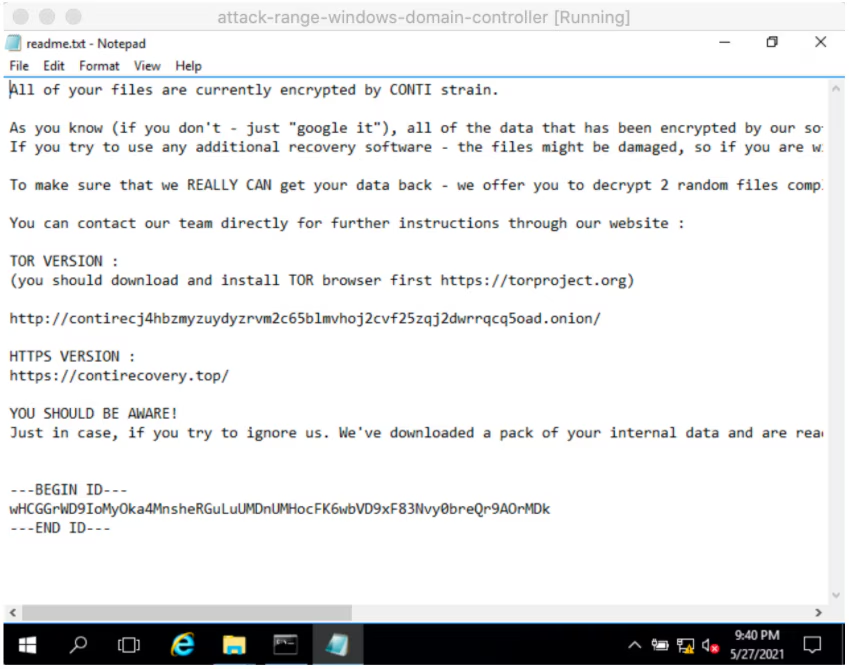
In the following graphic, the victim is asked to upload readme.txt created by the Conti ransomware payload.
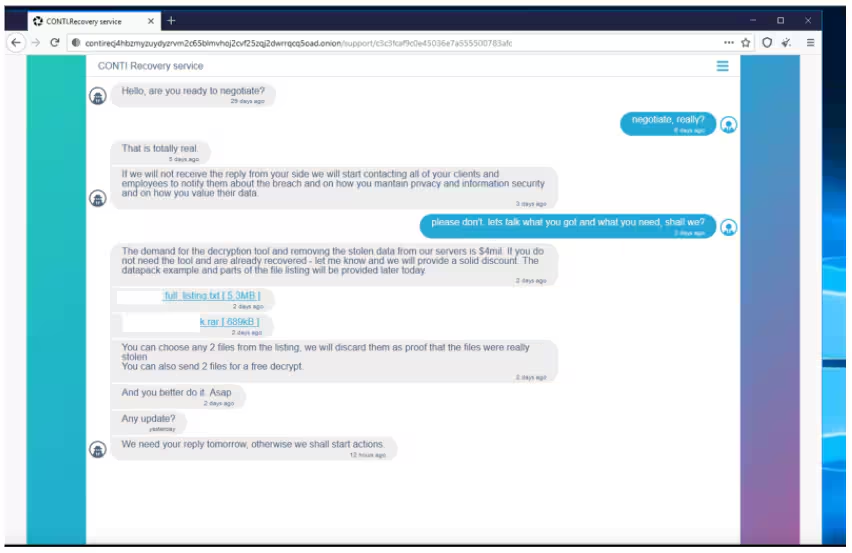
Once we upload the readme.txt to the Conti recovery service site hosted at the Darkweb we are presented with a chat window where we can see actual victims being threatened and trying to negotiate ransom payments in a chat platform titled “CONTI Recovery service”. Criminals have also observed posting files they allegedly obtained from victim systems
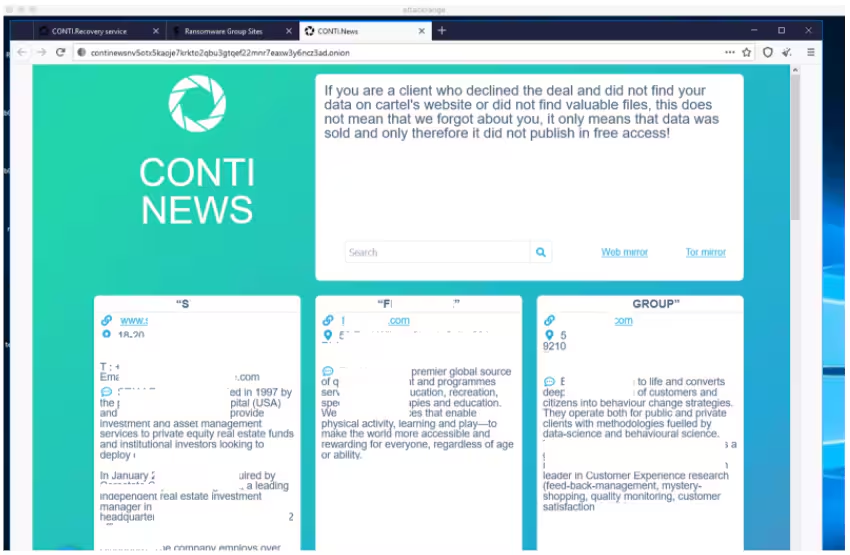
Further research on this group’s pages at the dark web reveals a “news” site where they publish information obtained from victims.
Conti Ransomware Features
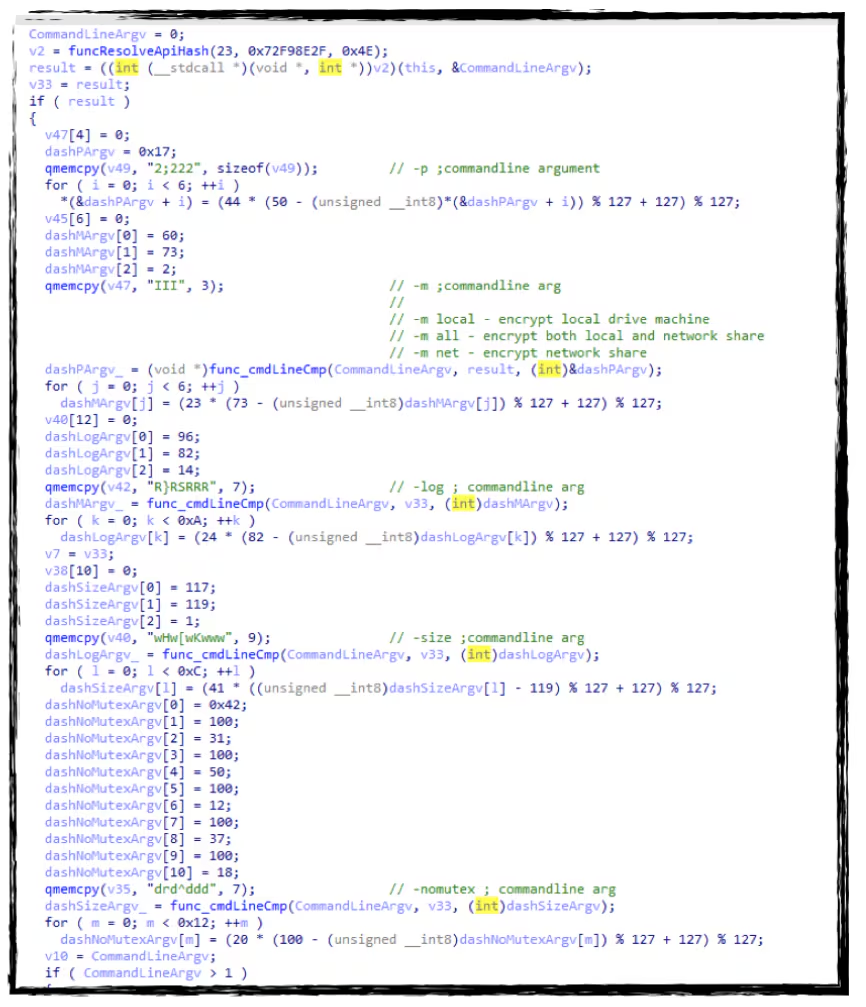
Ransomware Conti is also known for obfuscating and encrypting its code. The screenshot below shows the different encrypted command line parameters that will be decrypted to check which file encryption feature it needs to execute in a compromised host. If no parameter is found the default is to encrypt all local drives and network share.
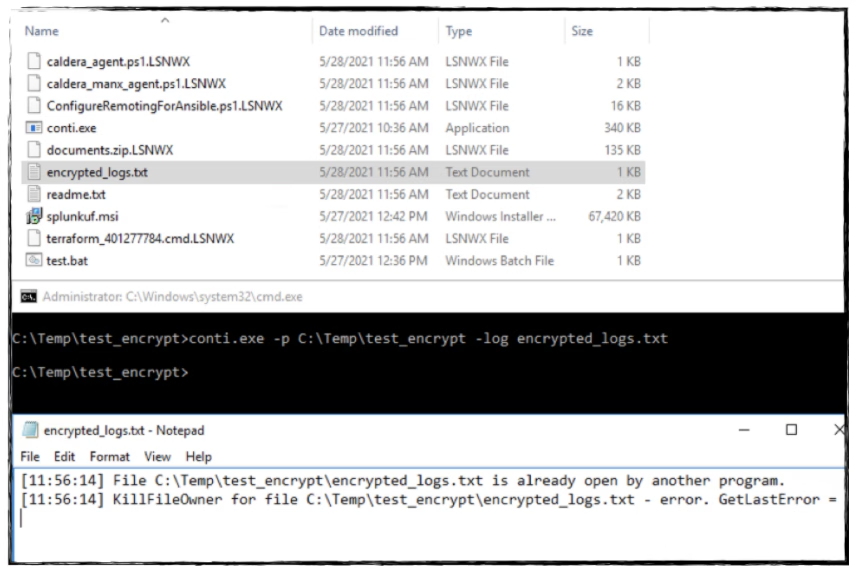
Log File: Below is the screenshot of a Conti log file generated as you use the -log feature.
File Encryption and Ransomware Notes
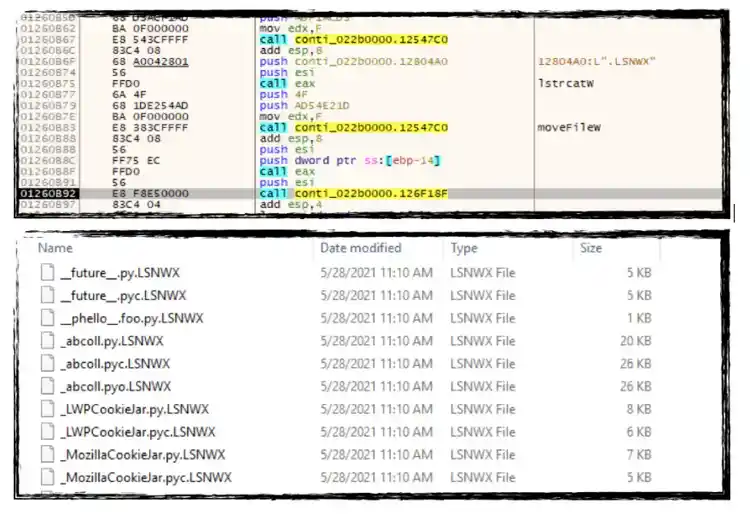
In the Conti sample we have analyzed, we found that it uses the “.LSNWX” file extension for all files it will encrypt in either/both local drive and network share. Below are screenshots of its code creating .LSNWX files, as well as some files getting encrypted.
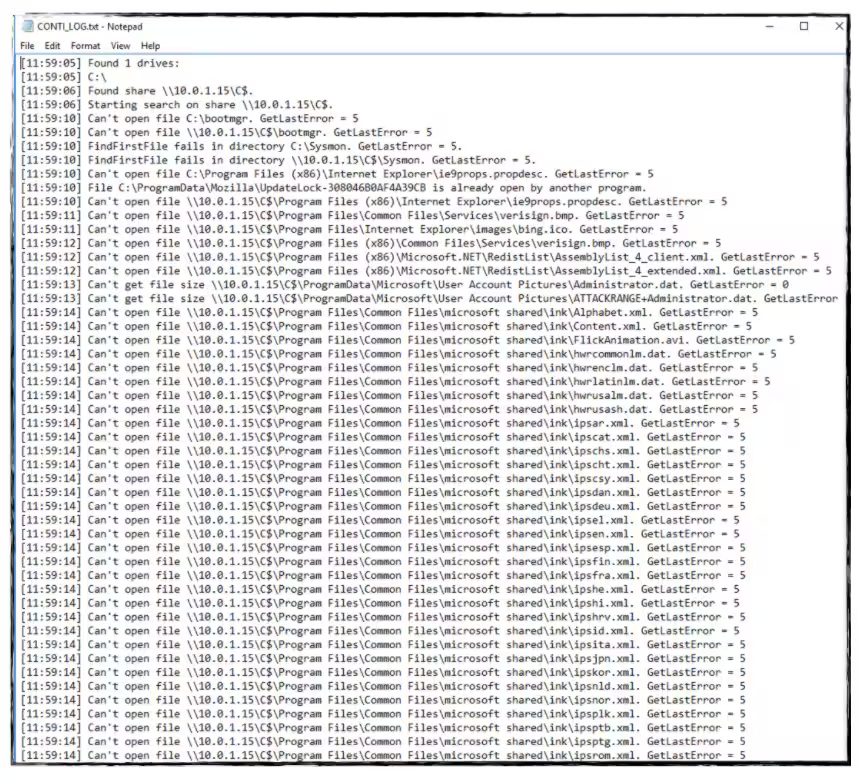
Below is the screenshot of a log file generated with -m full parameter.
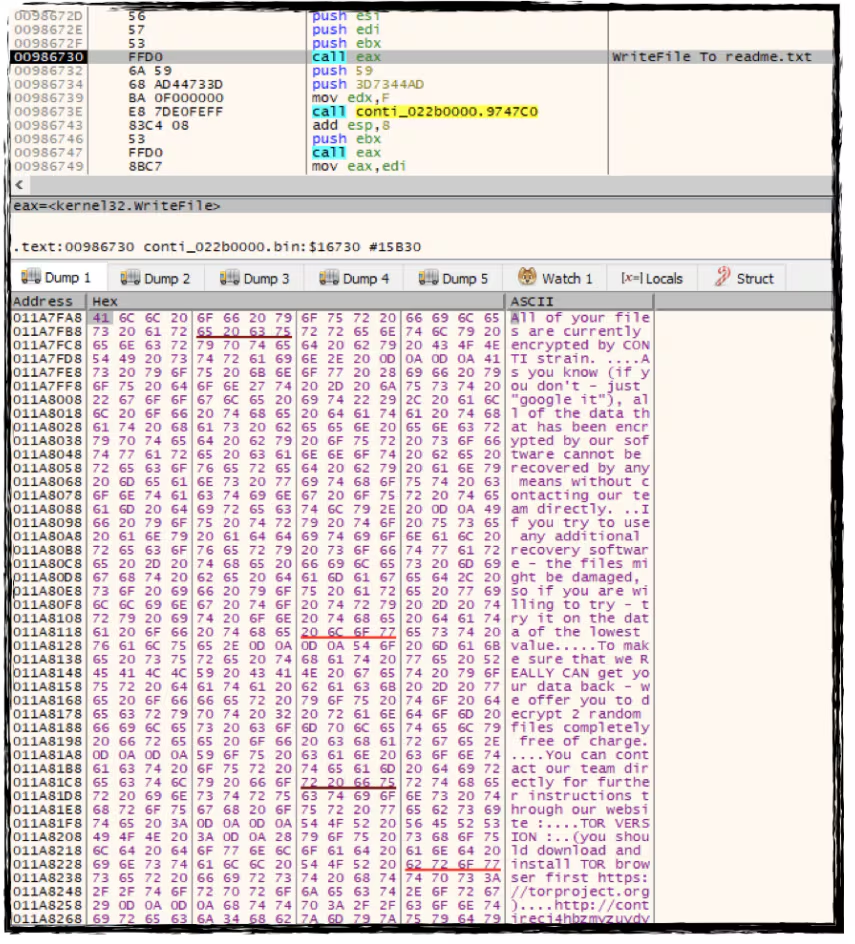
Conti code as it generates the ransomware notes on the affected directory, root drive or network share.
File Extensions Avoided
As soon as Conti ransomware finds some files during the encryption process, it will check its file extensions or file name if it is one of the file extensions it wants to avoid encrypting. Below is the list of file extensions and file names we found skips in this malware sample.
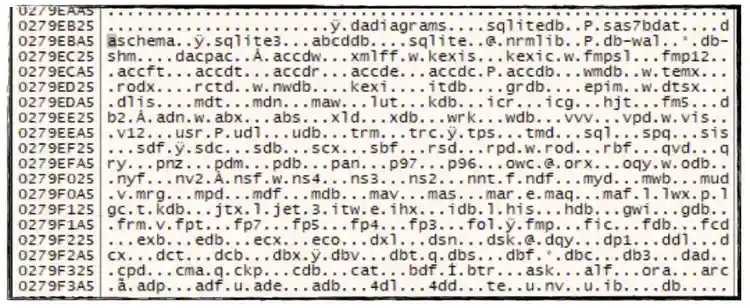
Targeted File Extensions: We also found several file extensions decrypted by this ransomware in memory for small and big files that it wants to encrypt. Below is the screenshot of memory as well as the complete list of the file extensions.
Conti Detections
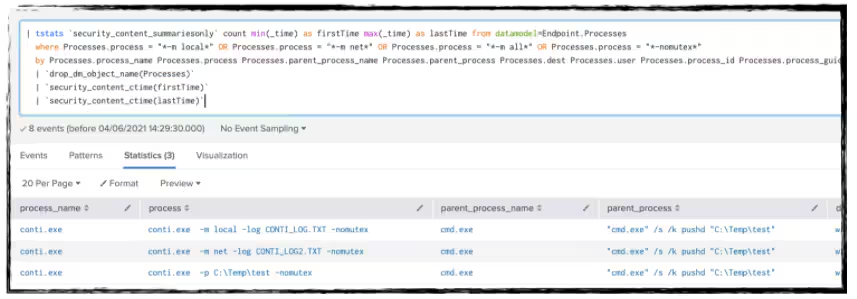
Conti Common Exec parameter (New)
| tstats `security_content_summariesonly` count min(_time)
as firstTime max(_time) as lastTime from datamodel=Endpoint.Processes
  where Processes.process = "*-m local*" OR Processes.process = "*-m net*"
OR Processes.process = "*-m all*" OR Processes.process = "*-nomutex*"
  by Processes.process_name Processes.process Processes.parent_process_name
Processes.parent_process Processes.dest Processes.user Processes.process_id Processes.process_guid
Conti Malware
SHA256: 59A9F0DE96EFF57768E995B296AE75778A232F30D95A7B7AB5048C621B50C66D
You can also simulate the attack with Splunk Attack Range and use our pre-built tested detections to monitor the environment.
Related Articles

Predicting Cyber Fraud Through Real-World Events: Insights from Domain Registration Trends

When Your Fraud Detection Tool Doubles as a Wellness Check: The Unexpected Intersection of Security and HR

Splunk Security Content for Threat Detection & Response: November Recap

Security Staff Picks To Read This Month, Handpicked by Splunk Experts

Behind the Walls: Techniques and Tactics in Castle RAT Client Malware

AI for Humans: A Beginner’s Field Guide

Splunk Security Content for Threat Detection & Response: November 2025 Update

Operation Defend the North: What High-Pressure Cyber Exercises Teach Us About Resilience and How OneCisco Elevates It
