Access the Cloud Monitoring Console from Anywhere
Have you ever wanted to check the status of your Splunk Cloud Platform deployment but can't easily access your laptop? We've got you covered — the Cloud Monitoring Console is now available on Spunk Mobile.
Understand Your Deployment with CMC
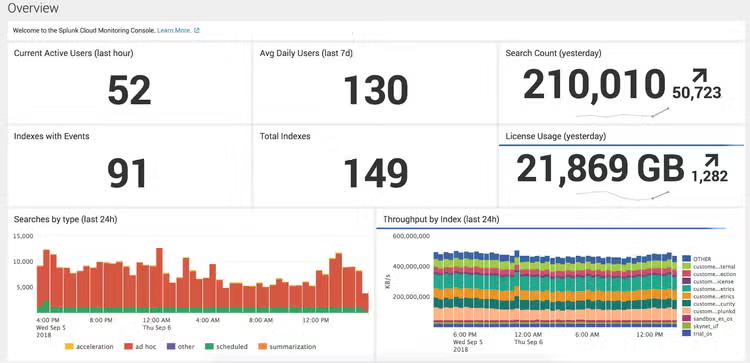
The Cloud Monitoring Console (CMC) lets Splunk Cloud Platform administrators view information about the status and performance of their Splunk Cloud Platform deployment at a glance.
You can gain a better understanding of your organization's Splunk Cloud Platform usage and learn about the best practices to ensure success and satisfaction using the CMC. CMC provides insights across many areas including:
- Deployment Health: Understand if your Splunk Cloud deployment is currently performing in a desired state and see if end users are experiencing slowness.
- Indexing: Get details on your indexes to enhance the quality of search results and accuracy of data insights across your deployment.
- Search Performance: Review search patterns to understand if search workloads are healthy. Investigate whether a specific user, search, dashboard, or app is inhibiting performance and then work with users to optimize their searches.
- License Usage: Monitor your Splunk Cloud subscription entitlement and ensure it doesn't exceed license limits.
- Getting data in: Get information about forwarder connections and ensure your forwarders are correctly transmitting data to the indexers.
Access CMC Anywhere, Anytime.
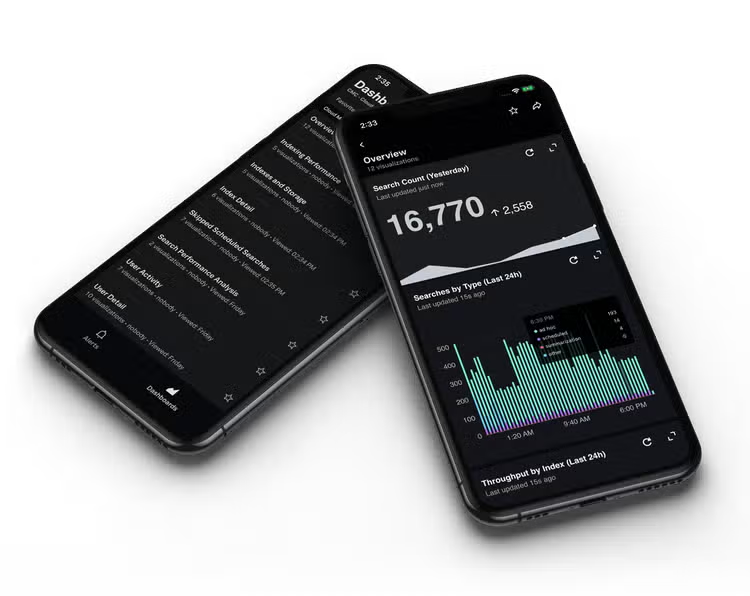
On Splunk Mobile, you can access many of the same dashboards as on Splunk Web. Whether you’re interested about your users, indexes, searches, or ingest volume, you can access this data on the go or at the comfort of your own couch.
Splunk Mobile is easy to set up — once you log into Splunk Mobile with your credentials, you’re ready to get started. If you’re able to view CMC on your desktop, then you’ll be able to view CMC on Mobile. It's that easy.
Never Miss a Beat with Alerts in Splunk Mobile
Get it Now
Splunk Mobile is available on Android and iOS. If you’re excited about everything you just read, Download Splunk Mobile here:
If you have any feedback for us after you give it a spin, share it with us on the Mobile board of Splunk Ideas! Want to learn more about Splunk Mobile? Check out these resources:
- Tech Talk for a Splunk Mobile overview
- Documentation for step-by-step guidance
This article was co-authored by Richard Shum, Director of Product Management for Connected Experiences, Mythili Gopalakrishnan, Director of Admin Experiences and Jesse Chor, VP of Engineering.
----------------------------------------------------
Thanks!
Jesse Chor
Related Articles

Introducing Inputs Data Manager on Splunk Cloud

Dashboard Studio: What's New in Splunk Enterprise 10.0 and 9.4