Streamline Your Amazon VPC Flow Logs Ingestion to Splunk
Amazon Web Services (AWS) recently announced the ability to publish VPC Flow Logs directly to Amazon Kinesis Data Firehose. For Splunk customers, this feature helps to optimize the architecture to send VPC Flow Logs directly to Splunk Enterprise or Splunk Cloud Platform. With a fully managed service like Amazon Kinesis Data Firehose, users don’t have to worry about scaling, and can optionally transform their data in near real-time and enjoy the cost-effective, reliable service. Moreover, Splunk customers can leverage the native connector for Amazon Kinesis Data Firehose to send data to Splunk Enterprise or Splunk Cloud Platform via the HEC endpoint.
This blog outlines the steps needed to configure VPC Flow Logs with Amazon Kinesis Data Firehose delivery stream and Splunk Enterprise.
Configure Splunk for Amazon Kinesis Data Firehose
To prepare your Splunk environment to receive a data stream from Amazon Kinesis Data Firehose, you need to follow the below configuration steps:
- Make sure you install the Splunk Add-on for Amazon Web Services (AWS)
- Follow the steps mentioned to configure your HEC data input
- Set the sourcetype of configured HEC input to awsvpcflow
- Configure an Elastic Load Balancer or use the Splunk Cloud endpoint to properly route data to Splunk
Configure Amazon Kinesis Data Firehose Delivery Stream
Follow these steps to configure the Amazon Kinesis Data Firehose delivery stream to send data to Splunk.
Set the Splunk endpoint type as RAW for proper event formatting.
The below AWS Lambda transformation should be attached to the delivery stream and is required for proper ingestion of VPC Flow Logs to Splunk Enterprise or Splunk Cloud Platform.
The serverless application splunk-firehose-flowlogs-processor is now available on AWS Serverless Application Repository for deployment.
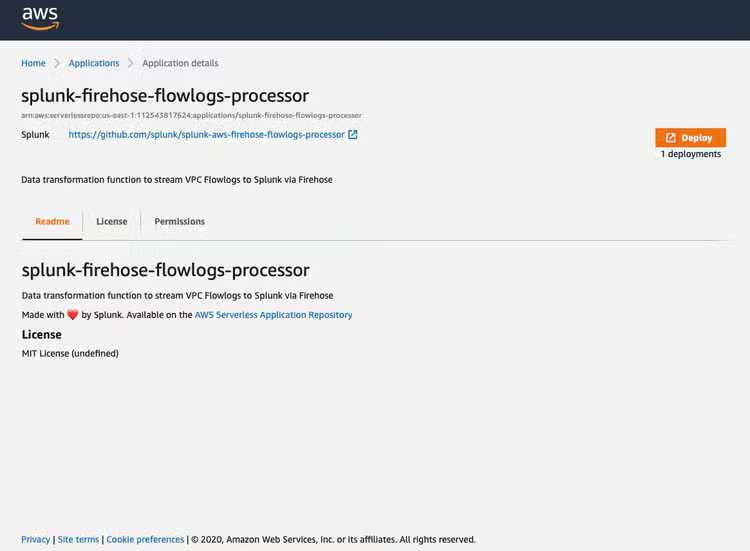
The function source code is available on Splunk GitHub.
Create VPC Flow Logs Subscription
Use the AWS CLI to create a flow log that is bound to the ARN of the Amazon Kinesis Firehose Data stream.
aws ec2 create-flow-logs \
--resource-type VPC \
--resource-ids <vpc-id> \
--log-destination-type kinesis-data-firehose \
--traffic-type ALL \
--log-destination arn:aws:firehose:<aws-region>:XXXXXXXXXXX:deliverystream/<stream-name> \
--max-aggregation-interval 60
NOTE: Creating a VPC Flow Log subscription will also create some additional resources such as AWS Identity and Access Management (IAM) service-linked roles to be used to deliver VPC Flow Log data to Amazon Kinesis Data Firehose.
Additionally, it is possible to perform cross-account delivery by creating a subscription to send flow logs from one account to a delivery stream in another account.
VPC flow logs data is used in multiple Splunk solutions, like the Splunk App for AWS Security Dashboards for traffic analysis or Splunk Security Essentials (SSE) that leverages the data to give you deeper insights into the security posture of your environment. So go ahead and try out this new quick and hassle-free way of sending your VPC flow logs to Splunk Enterprise or Splunk Cloud Platform via Amazon Kinesis Data Firehose.
Related Articles

Esports Racing Analytics, Powered By Splunk

Back to Basics at McLaren Racing