Improvements to Detecting Modern Financial Crime
Last year, we talked about different techniques for using Splunk Enterprise, Splunk Cloud Platform, and Splunk Enterprise Security to detect modern financial crime using risk scores with aggregated rules and the power of the Splunk platform. For Spunk Enterprise and Splunk Cloud Platform in particular, we discussed running a series of saved searches per rule and aggregating them using either a join (only discussed for the concept as join is discouraged due to scalability concerns), append or stats command. Although this works, at large scale, it may be better to run each individual fraud detection search independently on a schedule and save the results into a risk index. This blog will expand upon the steps to accomplish this goal.
Let’s first outline the example from last year as follows. What we had suggested is that each fraud risk score should be calculated at once per a saved search and aggregated per user.
index=transactions |fields username | dedup username
| join type=left username
 [savedsearch RiskScore_ConnectionFromRiskyCountry]
| join type=left username
 [savedsearch RiskScore_ExcessiveLogins]
| join type=left username
 [savedsearch RiskScore_AccuntPasswordChange]
…```Use fillnull to put 0 into risk scores, if nothing returns.
| eval RiskScore_ConnectionFromRiskyCountry=RiskScore_ConnectionFromRiskyCountry*0.75
| eval RiskScore_ExcessiveLogins=RiskScore_ExcessiveLogins*1.5
| eval RiskScore_AccuntPasswordChange=RiskScore_AccuntPasswordChange*.90
| eval Total_Risk=RiskScore_ConnectionFromRiskyCountry+RiskScore_AccuntPasswordChange+
 RiskScore_AccuntPasswordChange | table Username, Total_Risk…
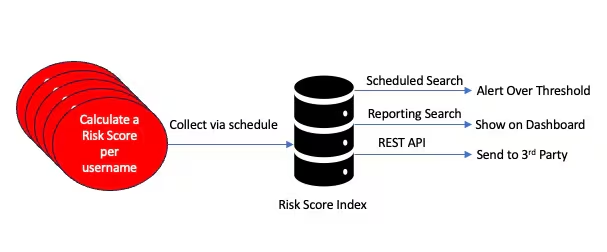
The join command is used as a concept as most people are familiar with it, but I also encouraged using append. (Note that the join command is highly inefficient compared to other ways to aggregate data within Splunk). The problem with this approach is that many saved searches are run at once on a schedule to compute a total risk score. As the amount of data and rules increase, this may start to tax the system as any saved search that calls multiple other searches at the same time on a schedule is going to be an intense CPU activity. What if we run each saved search separately on a staggered schedule, save the results to a risk index, and then, when needed, perform the aggregation per user to get to the same result? What’s more, the risk index can store more context such as a timestamp, amount transferred, recipient, location, etc. This is more in tune with the way Splunk Enterprise Security works with risk-based alerting (RBA). After storing the data in a separate risk index, it can be aggregated per entity (customer, username, account ID) to send as an alert, if the total risk score is over a threshold,, show on a dashboard, or send the results to a 3rd party system for further analysis. The picture below summarizes this approach.
Collect Risk Scores Per Rule Per Username
Our first step would be to schedule a saved search that collects results for any particular rule, including a risk score per fraud rule for the user. For example, see below.

I used the Splunk collect command to add the results of the saved search to a risk index, which in this case is searching for all users who have connected from a risky country. Optionally, addinfo is set to false to avoid collecting some Splunk metadata, which we may not use. The risk index is a Splunk summary index. Let’s see what the data may look like in this summary index. I am only showing some relevant fields.
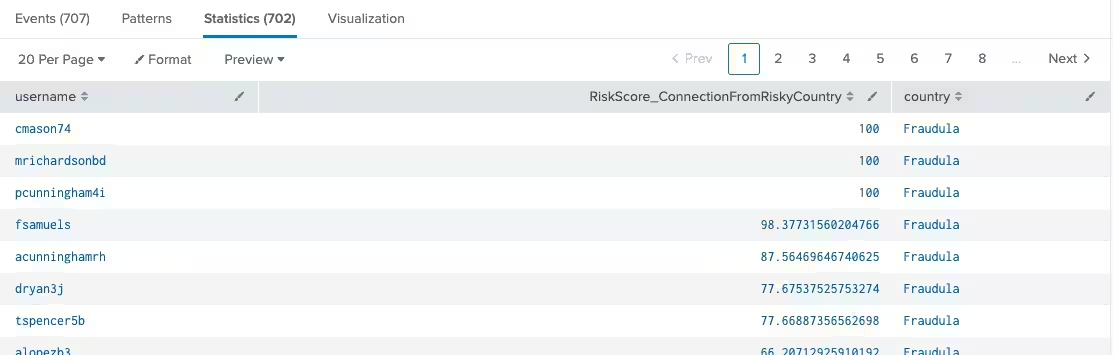
Likewise, for each rule that computes a risk score, the risk score, username and context can be placed into the risk index. We should avoid storing risk scores that are 0 as they do not contribute to the overall risk. For convenience, all risk scores start with the prefix RiskScore.
Aggregation of Results
Now that we have collected the data, we need to aggregate the results per user. Here’s one way to do it using the stats command, which scales well.
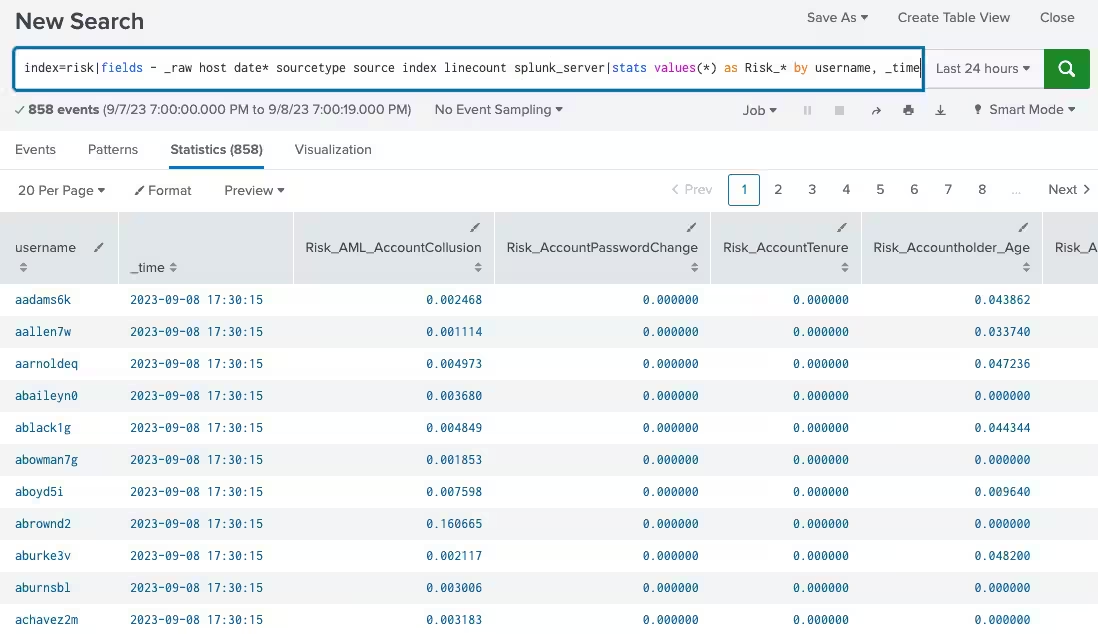
As an aside, the risk scores in this particular risk index do not start with RiskScore, so I conveniently put Risk_ as a prefix for all risk scores. This is good to show in a report, but what we really need is the total risk score per user as that can then be compared with a threshold for alerting when a user is definitely a risk to commit financial crime, when they have exceeded a threshold. Let’s do that next.
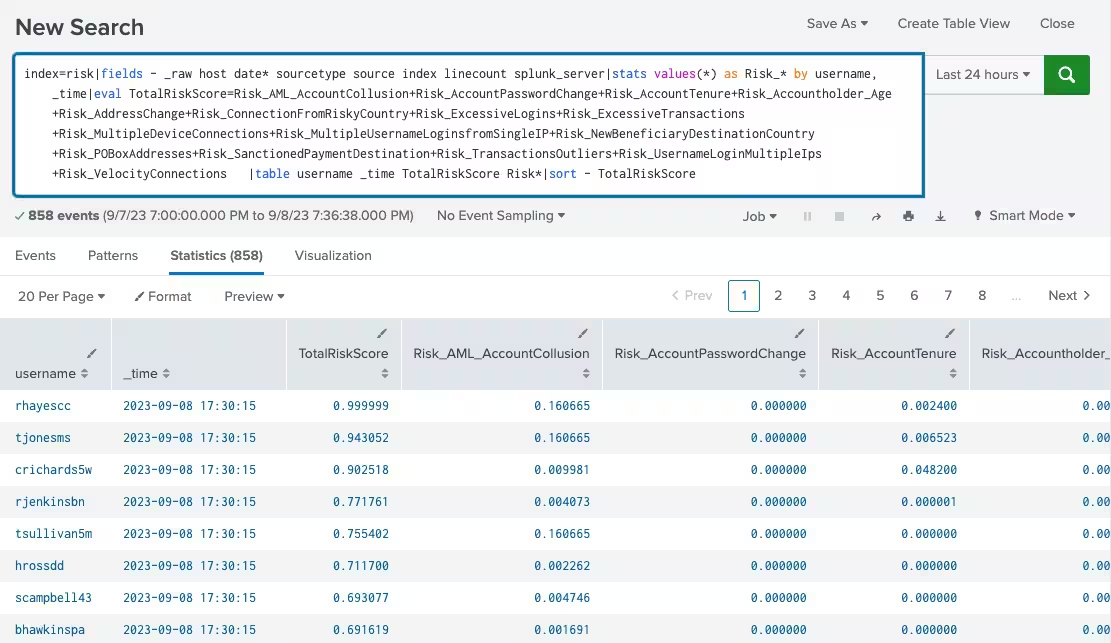
In this example, we are adding up all possible risk scores per username and putting them into a TotalRiskScore variable. Depending on how often you want to run this, it may be run say, every 20 minutes with a look back of a few hours to a few days depending on what type of fraud is being investigated. The TotalRiskScore can be compared to a threshold and alerted upon.
If the requirement is not to immediately alert upon the summation of each risk score per user, but to store the summation in another risk index, that can be done as well. Here’s a snippet of what that would look like:
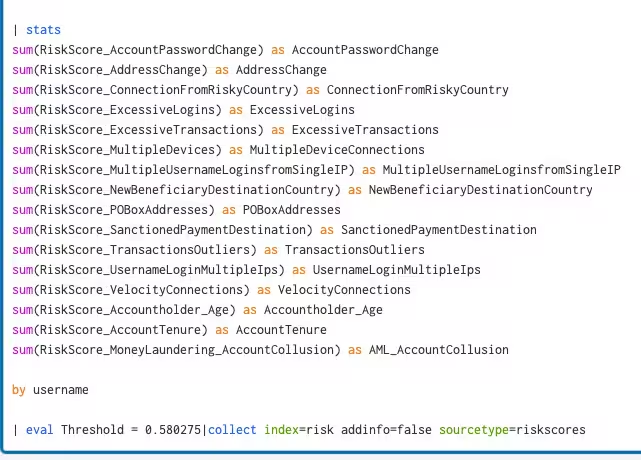
Either way, the aggregate risk scores are now available per user name and ready to compare to a threshold. I also mentioned that this data can be sent periodically to a 3rd party by having the 3rd party call the Splunk REST API to search for the data and process it. Why? Suppose a 3rd party software just came up with a simple technique to use AI against risk scores to do deep analysis with the data. Predicting future risk scores per user, finding subtle outliers per risk score grouping, clustering risk score types, finding out which risk scores contribute most to fraud, and examining which risk score aggregations always get near the threshold, but never exceed it come to mind. Of course, all of these ideas can be tried out in the Splunk Machine Learning Tool Kit (Splunk MLTK), but we must keep in mind that this is an open system and if there are more advanced AI tools out there, yet to be invented for deeper analysis, they could be employed in the future.
Splunk Enterprise or Splunk Cloud in either case has done the heavy lifting to gather unstructured data, index it, create a schema on the fly, further summarize the data with fraud rules and associated risk scores, and finally aggregate the risk scores to look for fraud. Any use case beyond that is welcomed.
Data Models
As the approach here is about scale, one suggestion that was made is to use a Spunk Data Model on top of the summary index data where the username and associated risk score would be the primary fields. Other fields could still be in the raw data, but these two fields are the main drivers to find fraud per user. In this manner, data model acceleration could be used to speed up access and the tstats command could be used for aggregation. If the amount of risk score events being searched is in the many millions, a data model should be considered. However, if you are only aggregating a few million events every hour, the stats command should be fine.
In the extreme case, where an individual search rule itself involves millions of events in a short time period, consider creating an accelerated data model for that sourcetype to scale the search.
Anomalies
Before we conclude, I wanted to point out that even if the Splunk user is not familiar with the Splunk MLTK or machine learning in general, there is a simple free app called Splunk App for Anomaly Detection to find anomalies or outliers for our risk scores. The input is any risk score field name and a machine learning function is applied to the data to find the outlier. With my very limited sample dataset, I’ll show what it looks like to find one anomaly for a particular risk score and for the Total Risk Score of all users.
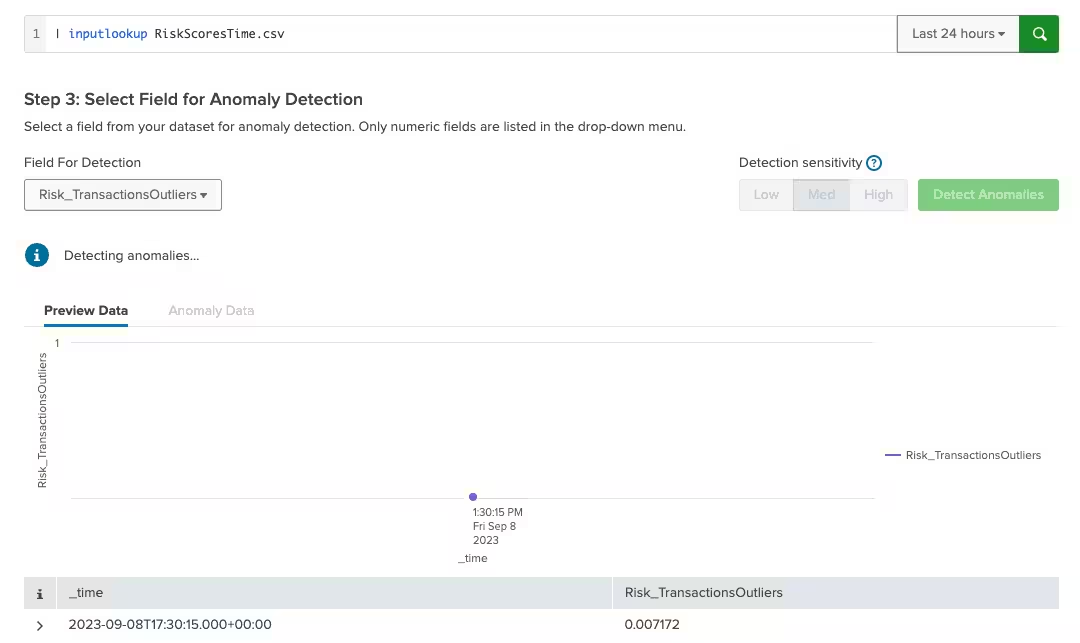
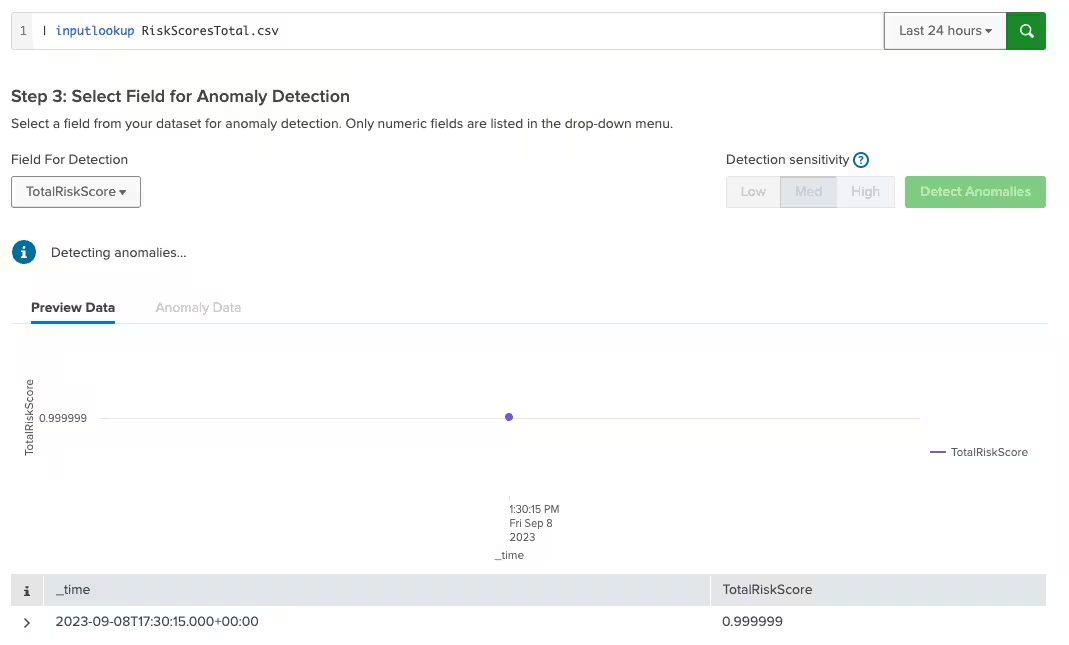
I would suggest using this app as a preliminary check against your data, but to do any type of further machine learning analysis for anomaly detection, the Splunk MLTK app should be your next app to use.
Conclusion
In this blog article, we have broken down risk scores that are used to find fraudulent activity into their own individual components and stored them into a risk index. This index’s risk scores can then be aggregated with the summation of all risk scores per user to show results on a dashboard, compare results to a threshold for alerting, or sent to a 3rd party for further analysis. This suggestion is meant to increase the scalability of the system as not all searches run at once and provide flexibility for the downstream usage of collected fraud risk scores.
Related Articles

Transforming Government: State Legislatures Drive Efficiency and Combat Fraud with Splunk

Drive Public Sector Efficiencies of Scale with Splunk and AWS

Stopping the Silent Drain: How Governments Can Combat Property Tax Fraud

The Symphony of a Manufacturing Supply Chain

Monitoring Telecommunications Network with Splunk

AI + Quantum in Manufacturing: Bold Predictions, Reality Checks and Real-Life Examples

Digital Resilience for State and Local Governments (Part One)

The Imperative of Cyber Resilience: Shaping a Secure Future for Public and Private Sectors
