Visual Link Analysis with Splunk: Part 1 - Data Reduction
R
- Part 1 will cover extracting all the linked data from a larger data set
- Part 2 will cover visualizations of the relationships found in that data
- Part 3 will address additional steps to limit noise that inhibits visualizations, without losing linkages
Link Analysis Using Splunk - Part 1
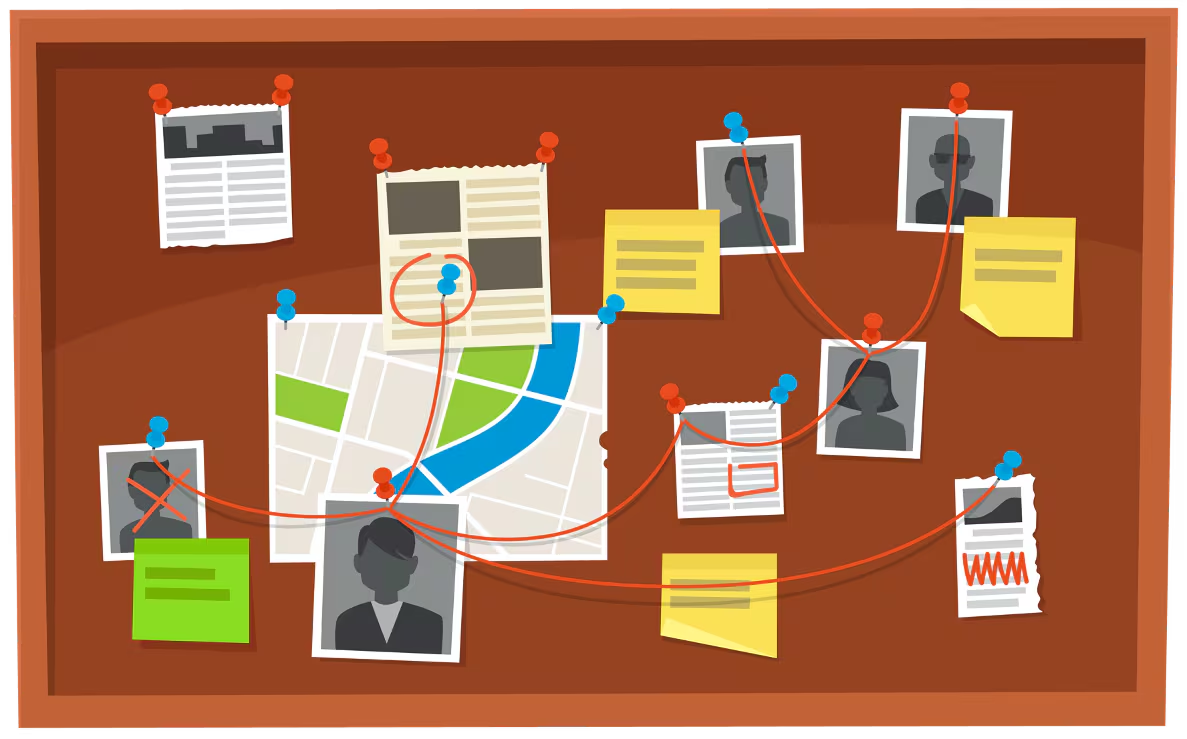
At Splunk, our mission is “data to everything," which got me thinking about how users can create visual link analysis from their data using Splunk. When it comes to investigating fraud or cybersecurity incidents (and in some cases IT issues), the ability to easily link events together can expose relationships that were previously hidden. Being able to visualize this makes the links become even more apparent. I like to talk about the “crime board” that we see on police shows and the strings that connect the perpetrators to events and to other actors; that kind of visualization is very powerful when trying to expose how large an incident actually is. One contemporary example of using link analysis with Splunk is in Unemployment Benefits Fraud, which I recently wrote about in my last blog post on ways to detect unemployment fraud.
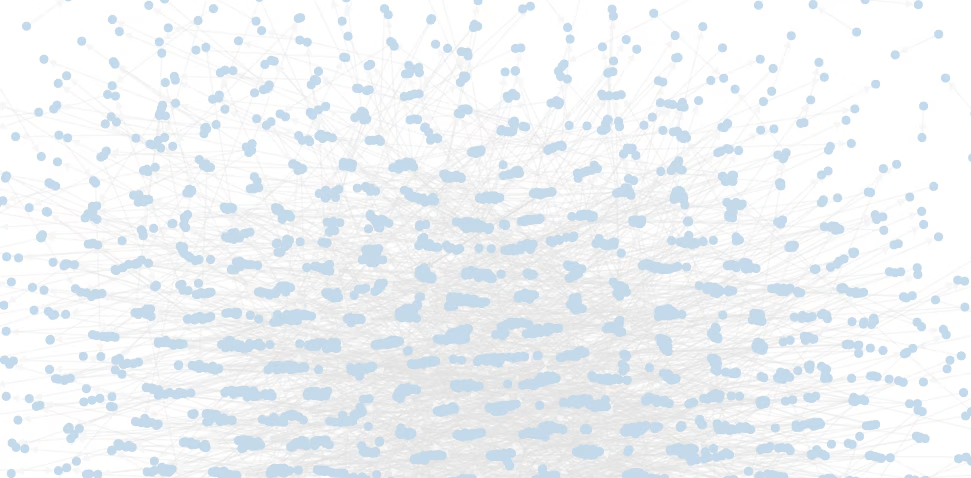
So I pondered the idea of “how do I reduce the data to only stuff I care about?” And I uncovered a novel way to do this within Splunk.
Let’s look at a basic (but fictitious) set of data we want to analyze. This dataset contains usernames, which is a unique value, and other fields that can link users together. I have a source with 3,972 events that contain basic demographic information. Some of the fields we plan to look for links in are IP Address, password and phone number.
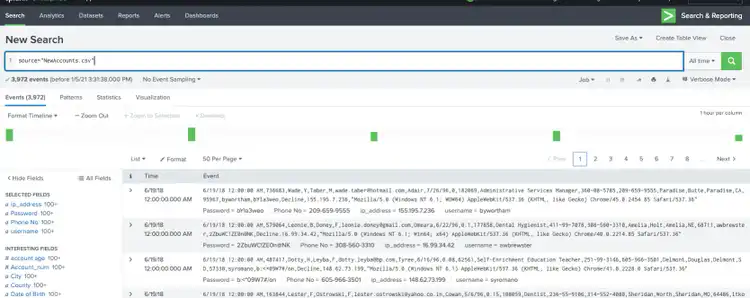
For there to be a link between two events (or records), they must have something in common – so in essence, we are looking for duplicates. Normally in Splunk we want to remove duplicates using the dedup command, so how can we count the number of duplicates and track them against a unique value? In this case, username is my unique value and I settled on using eventstats to count duplicates:
source="NewAccounts.csv"
| eventstats count as dupip by ip_address (COMMENT: dupip is my new field I created)
| where dupip >1
| sort -dupip
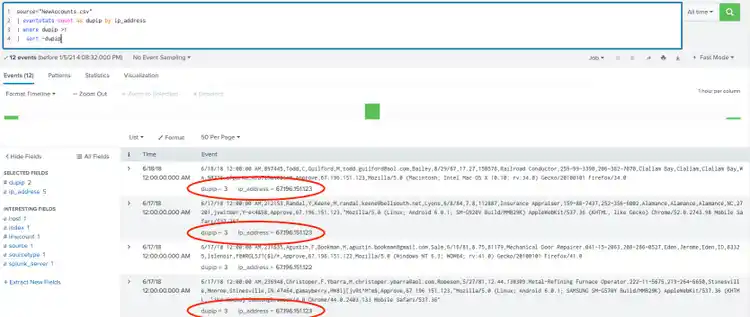
In the above example, “eventstats count as dupip by ip_address” looks at the ip_address in each event, and whenever it sees the same ip_address, it increments the dupip field and saves that count with the event. Any event with a dupip greater than one, has a link via ip_ddress. You can see the dupip value is 3 for the three events with the same IP Address of 67.196.15.123.
We can extend this to as many fields as we want to search for links:
source="NewAccounts.csv"
| rename "Phone No" as phone
| eventstats count as dupphone by phone
| eventstats count as dupip by ip_address
| eventstats count as duppass by Password
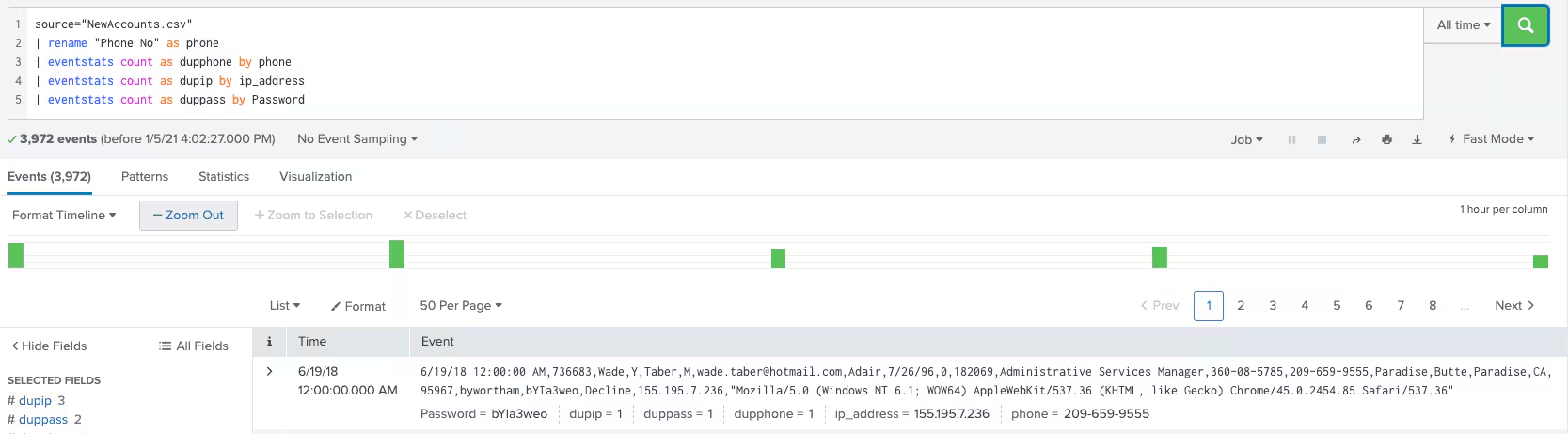
To make this easier to evaluate, we can total the values that eventstats gives us. Remember, eventstats is counting values in the data set, and adding to each event. If a value is unique (no duplicates/links), it has a count of 1.
If we have three fields to look for links, then any total greater than three means I have at least one link:
source="NewAccounts.csv"
| rename "Phone No" as phone
| eventstats count as dupphone by phone
| eventstats count as dupip by ip_address
| eventstats count as duppass by Password
| eval total = dupphone+dupip+duppass
| where total > 3
| table username, phone, ip_address, Password, total, dupphone, dupip, duppass
| sort -total
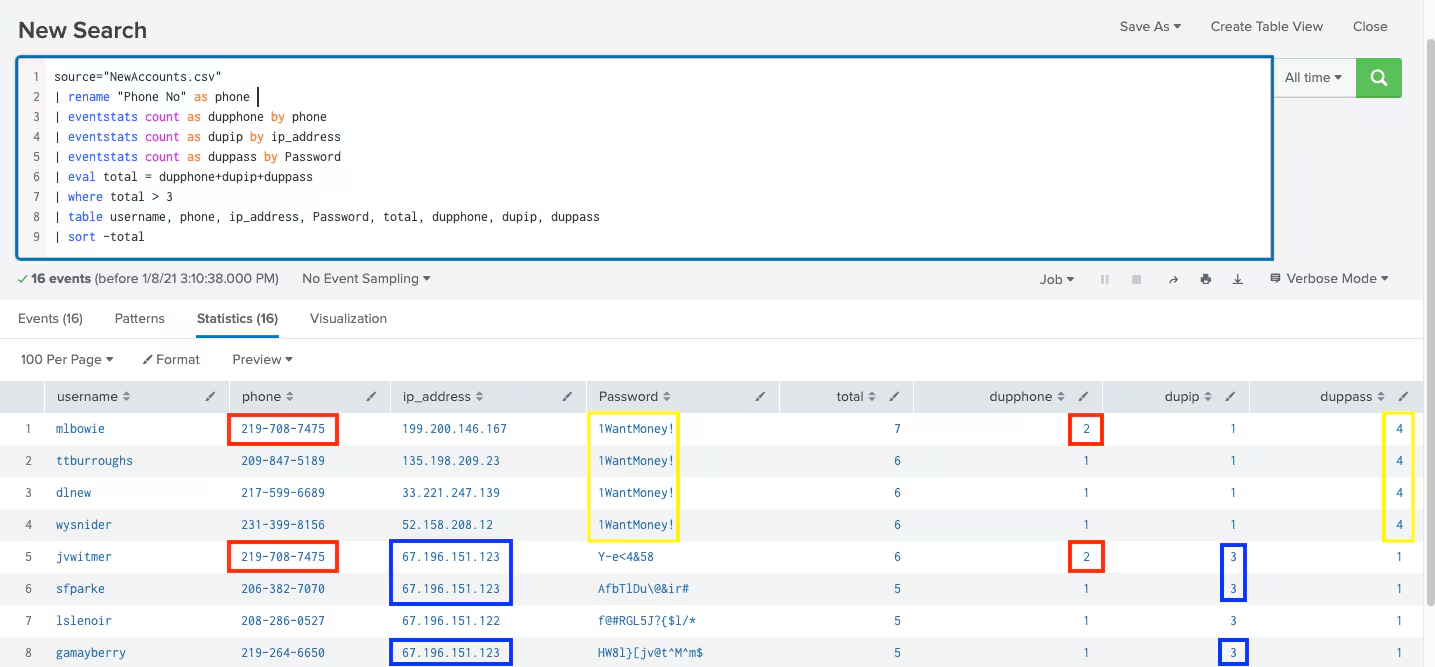
In this small output it is easy to see what is linked together by scanning the output. In the above example, I know the first four users are linked by password, and the user on line 5 is also linked to this group by phone number. Finally, I can see that users on line 6 and 8 are linked to the group via IP Address.
What I like about this technique is that it can be extended to any number of fields, but you only need to consider the valid fields. For example, gender is not a field we would use to link individuals for fraud or a security investigation. We can keep the data, but we don’t spend time evaluating gender with eventstats.
This technique also makes it possible to search by large time windows and hopefully avoid missing links to older data. I have used eventstats with 500,000 events and multiple fields, and performance on my test machine was just over one minute. This could easily be a scheduled search that delivers new data overnight so no one has to wait for results.
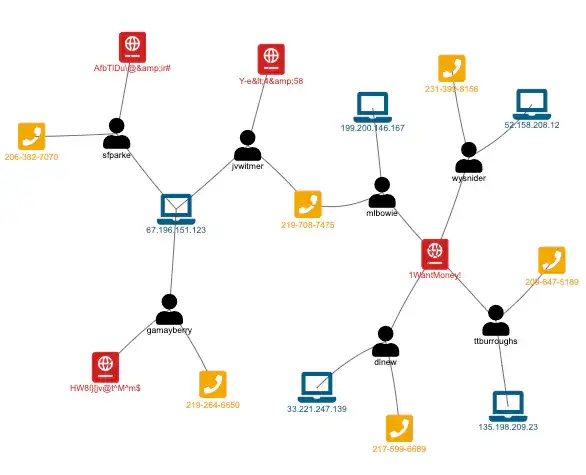
Stay tuned for part 2 where we turn this data into a visualization to make it even easier to see how entities are linked together. Something like this:
Thanks for following along, and happy Splunking!
----------------------------------------------------
Thanks!
Andrew Morris
Related Articles

Predicting Cyber Fraud Through Real-World Events: Insights from Domain Registration Trends

When Your Fraud Detection Tool Doubles as a Wellness Check: The Unexpected Intersection of Security and HR

Splunk Security Content for Threat Detection & Response: November Recap

Security Staff Picks To Read This Month, Handpicked by Splunk Experts

Behind the Walls: Techniques and Tactics in Castle RAT Client Malware

AI for Humans: A Beginner’s Field Guide

Splunk Security Content for Threat Detection & Response: November 2025 Update

Operation Defend the North: What High-Pressure Cyber Exercises Teach Us About Resilience and How OneCisco Elevates It
