Updated Baseline Creation and Dashboards in OT Security Add-on for Splunk Version 2.3
Version 2.3 of the OT Security Add-on for Splunk is here, and it delivers three main updates!
- The creating a baseline from assets feature allows quicker creation of baselines for OT assets.
- The OT Data Source Integration Dashboard helps users analyze their data sources to see what could potentially be misconfigured.
- OT dashboards have been updated to the UDF format from simpleXML.
Creating a Baseline
A baseline for assets in an OT environment is an important feature in which you can see which assets in a group are not up to date or do not share similar setups with their operating system, applications, services, or network configurations compared to other members in their group. This allows for identification of potential security issues and out-of-date software to provide information for administrators to be able to take action and update these assets to make them consistent with other members in their group.
Within the OT Secuirty Add-on for Splunk, a baseline can be created by navigating to Enterprise Security -> Operational Technology -> Tools -> OT Tools - Baseline Builder. Here you can create a new empty baseline by clicking on “Create New Baseline” and selecting a group and an asset type.
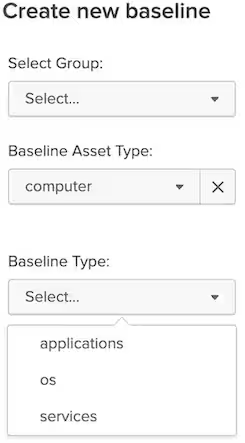
After creating the empty baseline, you can populate it with the desired values you want to include. As an example below, if you were creating an Applications Baseline, you can select Acrobat Reader version 10.0.1 or 8.0 to be added. This will add the name publisher, version, and software type of the application to the baseline.

After this is complete you can approve the baseline and it will be stored in the kvstore. You can monitor baseline compliance by going to either the OT Computer - Baseline Monitoring or OT Network - Baseline Monitoring dashboards. Here you can see the assets with deviations from their group baseline and allows you to see which assets need to be updated to be consistent with other assets in the group.
New Feature: Creating a Baseline from an Asset
Baseline creation now has a new feature to create a baseline based upon the current state of an asset, making that asset the “golden image” to use as the baseline. Users can now select the current state of an asset’s current operating system, applications, and services to create a computer baseline or an asset’s port configuration to create a networking baseline.
This provides a quicker way to create a baseline for the group as users no longer have to manually enter in the information for each group and baseline. This leads to a reduction in time to create the baseline as well as accuracy, as you are pulling from the current state of an asset without having to enter each value in one by one, reducing the potential for human error. This is especially helpful when onboarding new groups of assets into Splunk as you don’t have to enter in tens of values for multiple groups. All that is required is to select the group and the values from the asset you want to include in your baseline and the baseline is created for you automatically.
You can access this new feature by going to the OT Tools - Baseline Builder page and clicking on “Create New Baseline From Asset”.
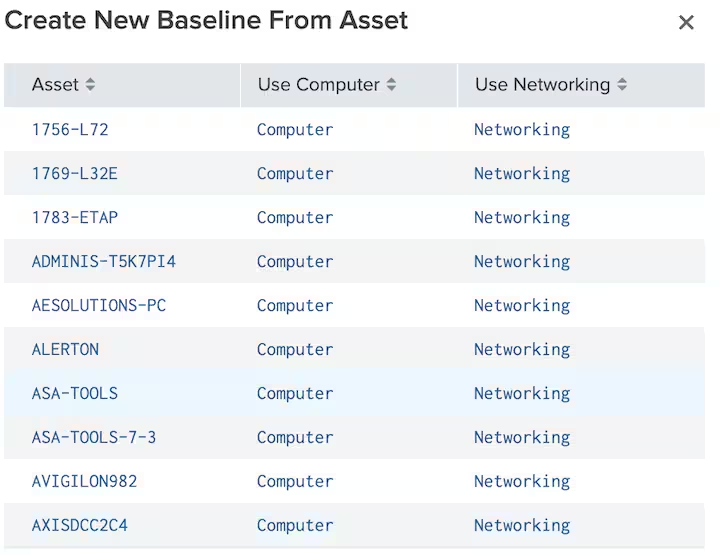
This page will list your OT assets and an option to “Use Computer” for OS, Services, and Application baselines or “Use Networking” for network baselines. After you select Computer or Networking you will be brought to the next page that shows the current state of your asset. After selecting a group that you want the baseline to be created for, you can click on the particular button you would like to create, whether it’s OS, Apps, or Services. This will generate a baseline with all of the values that are currently listed on this page for that category.
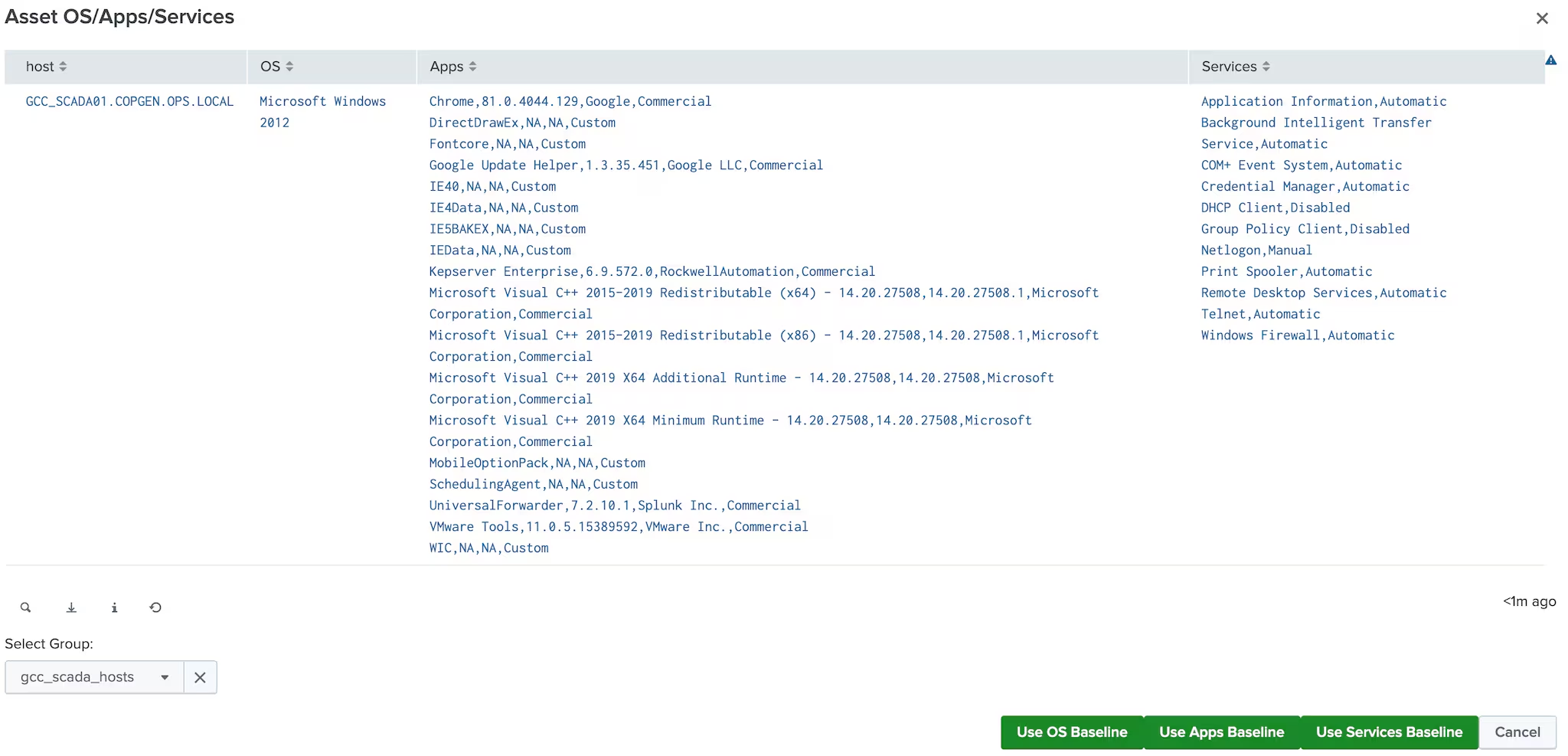
The last step is approving the created baseline so that it takes effect and is stored in the kvstore. You can monitor baseline compliance the same way as creating a baseline from scratch, by going to either the OT Computer - Baseline Monitoring or OT Network - Baseline Monitoring dashboards.
Helping Identify Gaps in Data Sources
One of the areas where customers sometimes struggle with implementing security in OT is understanding the important and relevant data sources that should be used. Key data sources for the Splunk OT Security Add-on in the documentation, however, gaps can still occur when trying to determine data sources that may be wrong or misconfigured. The OT Tools - OT Data Source Integration Dashboard can help users identify which components like the Asset Framework or integration with other technologies may be misconfigured or missing. This dashboard can be found in Enterprise Security -> Operational Technology -> Tools -> OT Data Source Integration.
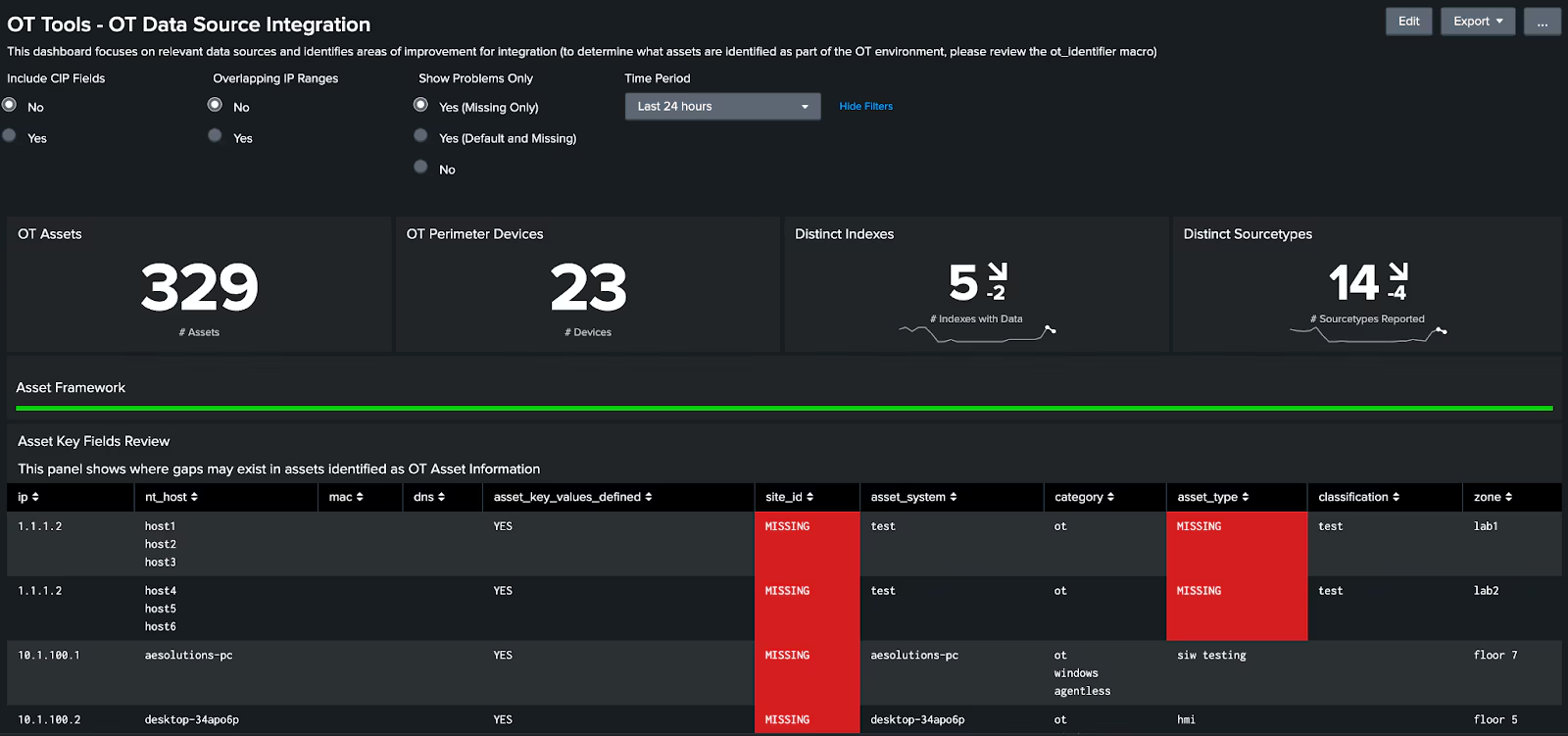
Dashboard Updates
In this new release, many of the OT dashboards have been converted from SimpleXML to Dashboard Studio/UDF format. These updated dashboards now are consistent in style with the other dashboards within Enterprise Security. The new Dashboard Studio/UDF style also has a more modern look and color scheme compared to the classic, SimpleXML format allowing for a fresher user experience.
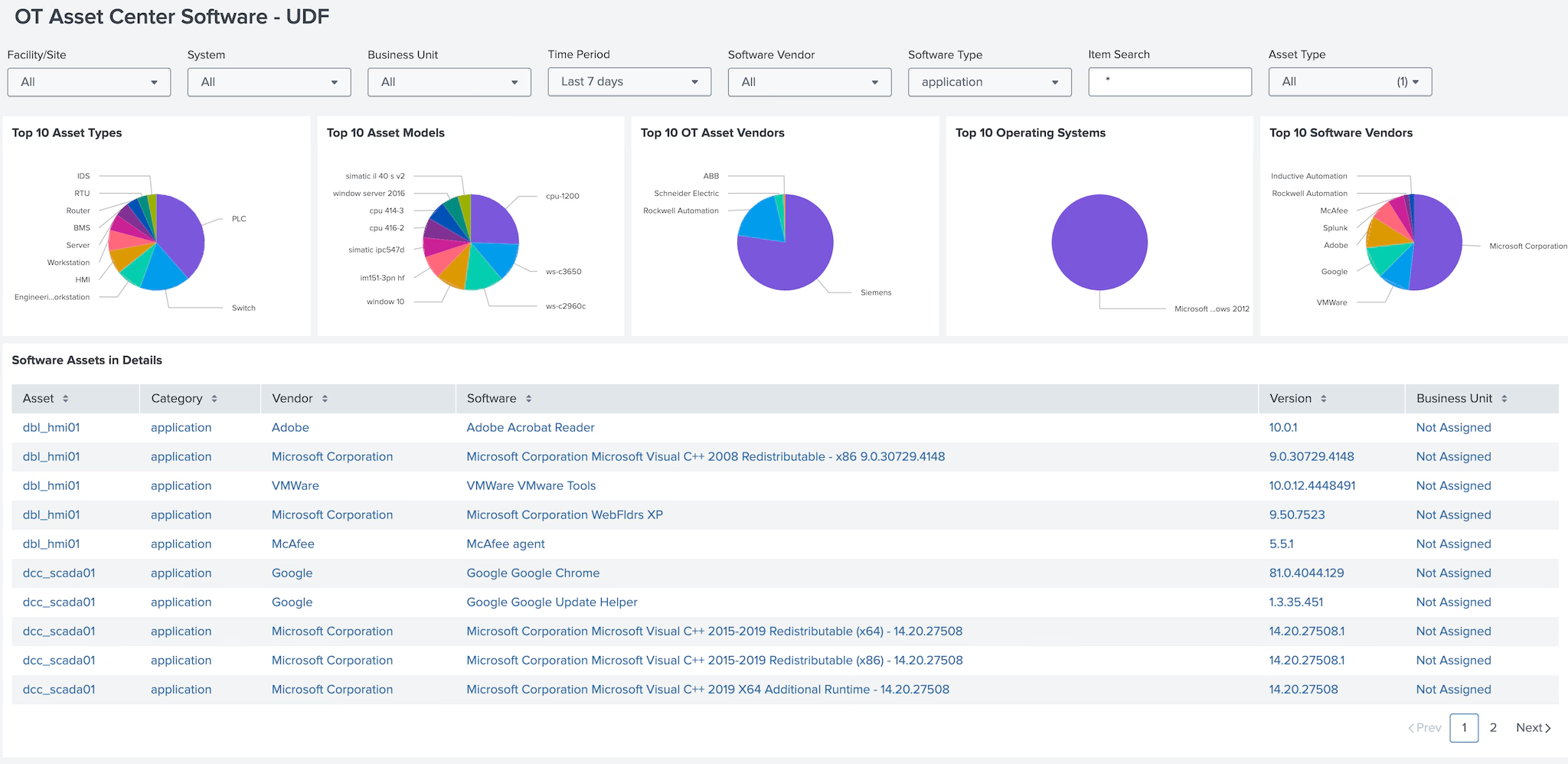
Download version 2.3 of the OT Security Add-on for Splunk today!
This article was co-authored by Andrew Lee, Senior Technical Support Engineer 5.
Related Articles

Predicting Cyber Fraud Through Real-World Events: Insights from Domain Registration Trends

When Your Fraud Detection Tool Doubles as a Wellness Check: The Unexpected Intersection of Security and HR

Splunk Security Content for Threat Detection & Response: November Recap

Security Staff Picks To Read This Month, Handpicked by Splunk Experts

Behind the Walls: Techniques and Tactics in Castle RAT Client Malware

AI for Humans: A Beginner’s Field Guide

Splunk Security Content for Threat Detection & Response: November 2025 Update

Operation Defend the North: What High-Pressure Cyber Exercises Teach Us About Resilience and How OneCisco Elevates It
