Threat Update: Industroyer2
Splunk is committed to using inclusive and unbiased language. This blog post might contain terminology that we no longer use. For more information on our updated terminology and our stance on biased language, please visit our blog post. We appreciate your understanding as we work towards making our community more inclusive for everyone.
The Splunk Threat Research Team (STRT) continues to monitor new relevant payloads to the ongoing conflict in Eastern Europe. One of these new payloads was found by the Ukranian CERT named “Industroyer2.” The name of this new payload references the original "Industroyer" malicious payload used against the country of Ukraine's power grid in 2016 and allegedly was able to affect a fifth of the power capacity of the city of Kyiv.
According to the recent Ukraine CERT and ESET report, Industroyer2 resembles the former Industroyer in functionality and is also targeting the electric grid containing commands targeting high-voltage electrical substations. It was reported that Industroyer2 was also used along with CaddyWiper, another payload recently addressed by the Splunk Threat Research Team. This payload — in combination with previous featured destructive payloads — targets CPEs. These customer premise devices such as modems, cable modems, and internet gateways are devices that provide connectivity to the great majority of commercial and residential customers, and speak to the attacker’s intention of overwhelming or degrading the victim's infrastructure.
The following is an analysis of relevant detection opportunities of this payload and observed TTPs during the deployment of this payload.
Parameter Check
The first part of its code is checking parameters that can execute some of its features related to timing and logging. Below is the code screenshot of this checking with its 2 parameters.
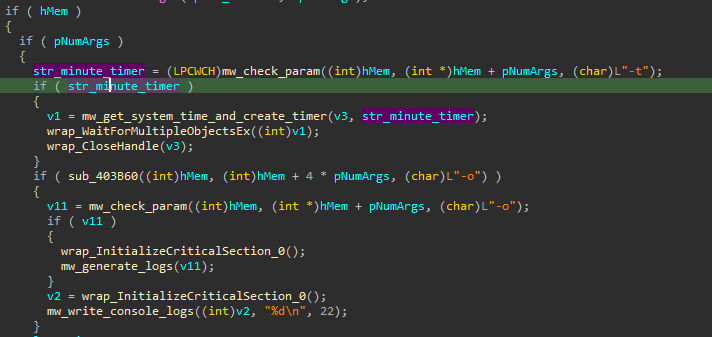
The first parameter is “-t” which will trigger a waiting timer relative to the current minute of the system time. For example, if your system time is 14:19:22 PM and you use this parameter with a value of 25 as the third parameter, it means it will wait 5 mins before it executes its code like the screenshot below.
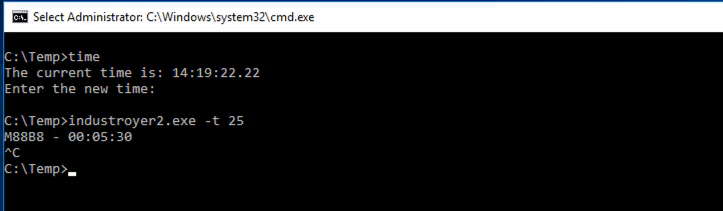
While the “-o” parameter is a feature to redirect its console logs to a debug log file you inputted as the 3rd parameter.
Console Logs
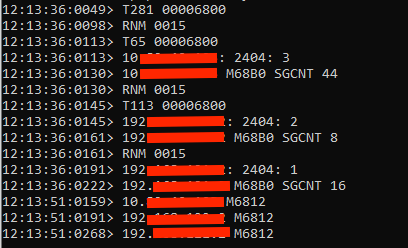
Upon executing this malware, it outputs some console logs with a customized code structure that tells something about what features it executes. Some of it will be discussed further in the next subheadings. Below is an example of the console logs during its execution.
Terminate Process and Rename Process File Path
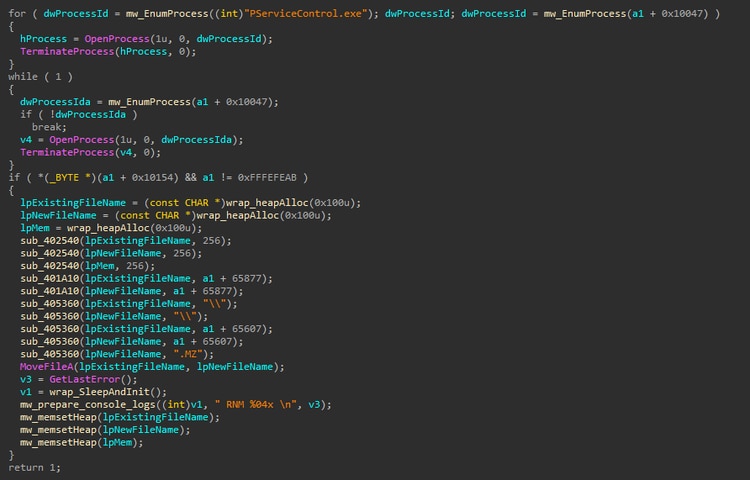
This function enumerates all running processes in the targeted host and looks for the process named “PServiceControl.exe” and also the process name stated in its config data. It will also look for the file path of that process in a specific folder that is in the config file and rename it with “.MZ” file extension.
The code screenshot below shows the process termination and renaming of process file path. We can see in the code snippet the code “RNM” plus the last error code after the call MoveFileA() function that will be displayed in its console logs after executing this part of the code. You can see that in the console log screenshot earlier.
HardCoded Configuration Data
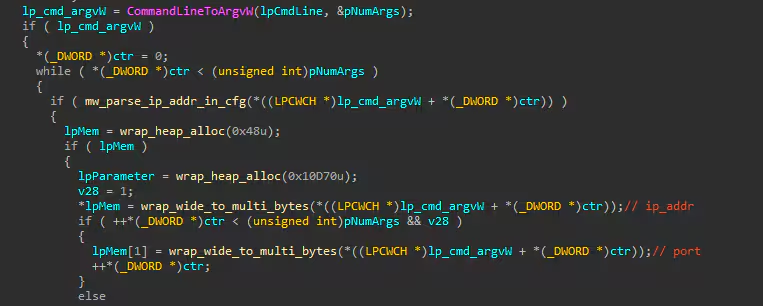
This malware contains hardcoded configuration files that will be parsed with the help of CommandLineToArgvW() function and put in a structure that will be used later in its code. Below is the screenshot of the parsing function.
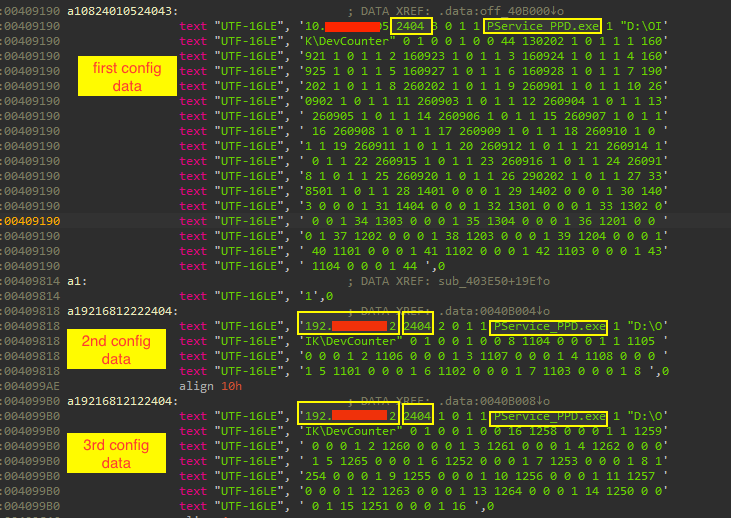
The config data contains values and checks that this payload uses through its execution. We saw four main components of its three configuration data settings that are hardcoded to its data section like the screenshot below: The first component is the IP address of devices where it tries to communicate via IEC-104 protocol, the next one is the port number (2404), third is the process name (PService_PPD.exe) it tries to kill aside from “PServicecontrol.exe” and a file path (D:\OIK\DevCounter) where it locates the process file path it tries to kill to rename it with .MZ file extension.
Detections
Below are the detections related to the Industroyer2 malware and other components found during the attack that was mentioned in the ESET blog and CERT-UA blog.
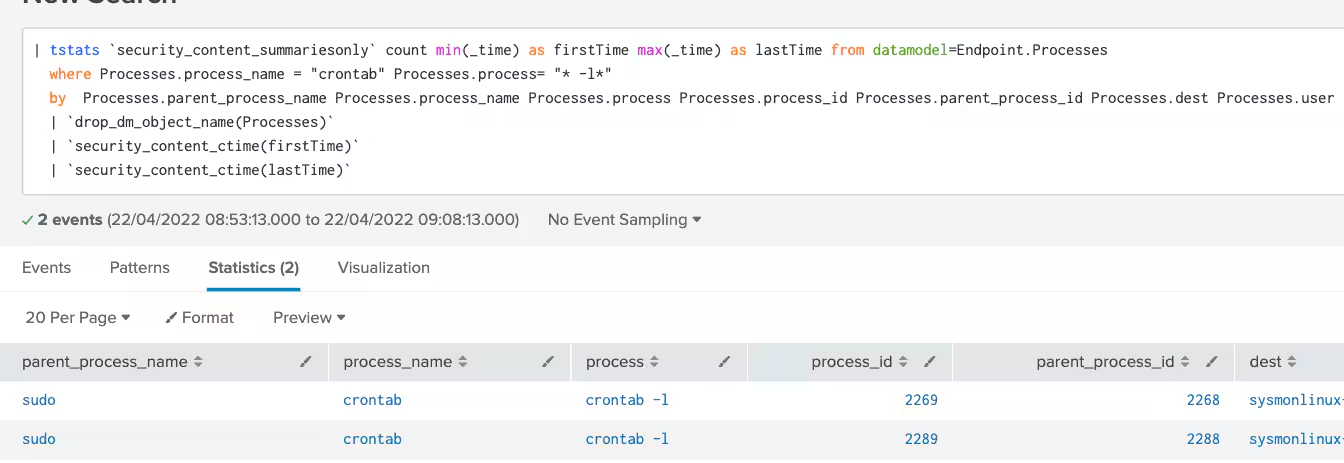
Linux Adding Crontab Using List Parameter
This analytic identifies a suspicious cron jobs modification using crontab list parameters. This command line parameter can be abused by malware like Industroyer2, adversaries, and red teamers to add a crontab entry to their malicious code to execute to the schedule they want.
| tstats `security_content_summariesonly` count min(_time) as firstTime max(_time) as lastTime from datamodel=Endpoint.Processes
where Processes.process_name = "crontab" Processes.process= "* -l*"
by Processes.parent_process_name Processes.process_name Processes.process Processes.process_id Processes.parent_process_id Processes.dest Processes.user
| `drop_dm_object_name(Processes)`
| `security_content_ctime(firstTime)`
| `security_content_ctime(lastTime)`
Linux Deleting Critical Directory Using RM Command
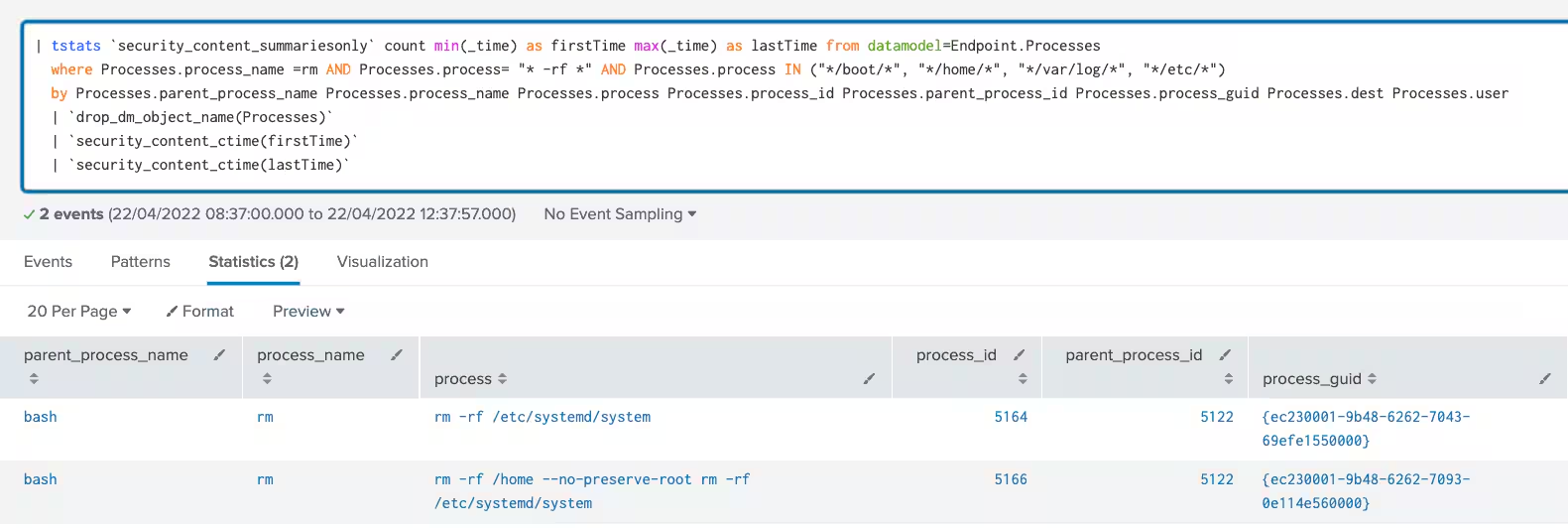
This analytic identifies a suspicious deletion of a critical folder in Linux machine using rm command. This technique was seen in Industroyer2 campaign to wipe or destroy energy facilities of a targeted sector.
| tstats `security_content_summariesonly` count min(_time) as firstTime max(_time) as lastTime from datamodel=Endpoint.Processes
where Processes.process_name =rm AND Processes.process= "* -rf *" AND Processes.process IN ("*/boot/*", "*/var/log/*", "*/etc/*", "*/dev/*")
by Processes.parent_process_name Processes.process_name Processes.process Processes.process_id Processes.parent_process_id Processes.process_guid Processes.dest Processes.user
| `drop_dm_object_name(Processes)`
| `security_content_ctime(firstTime)` | `security_content_ctime(lastTime)`
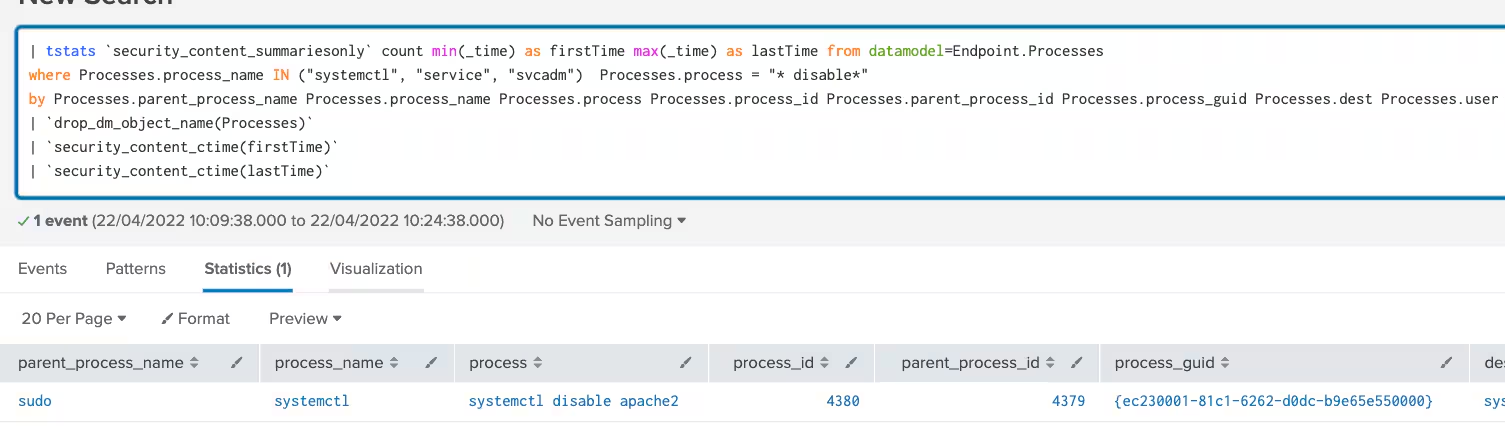
Linux Disable Services
This analytic identifies events that attempt to disable a service. This is typically identified in parallel with other instances of service enumeration of attempts to stop a service and then delete it.
| tstats `security_content_summariesonly` count min(_time) as firstTime max(_time) as lastTime from datamodel=Endpoint.Processes
where Processes.process_name IN ("systemctl", "service", "svcadm") Processes.process = "* disable*"
by Processes.parent_process_name Processes.process_name Processes.process Processes.process_id Processes.parent_process_id Processes.process_guid Processes.dest Processes.user
| `drop_dm_object_name(Processes)`
| `security_content_ctime(firstTime)` | `security_content_ctime(lastTime)`
Linux Shred Overwrite Command
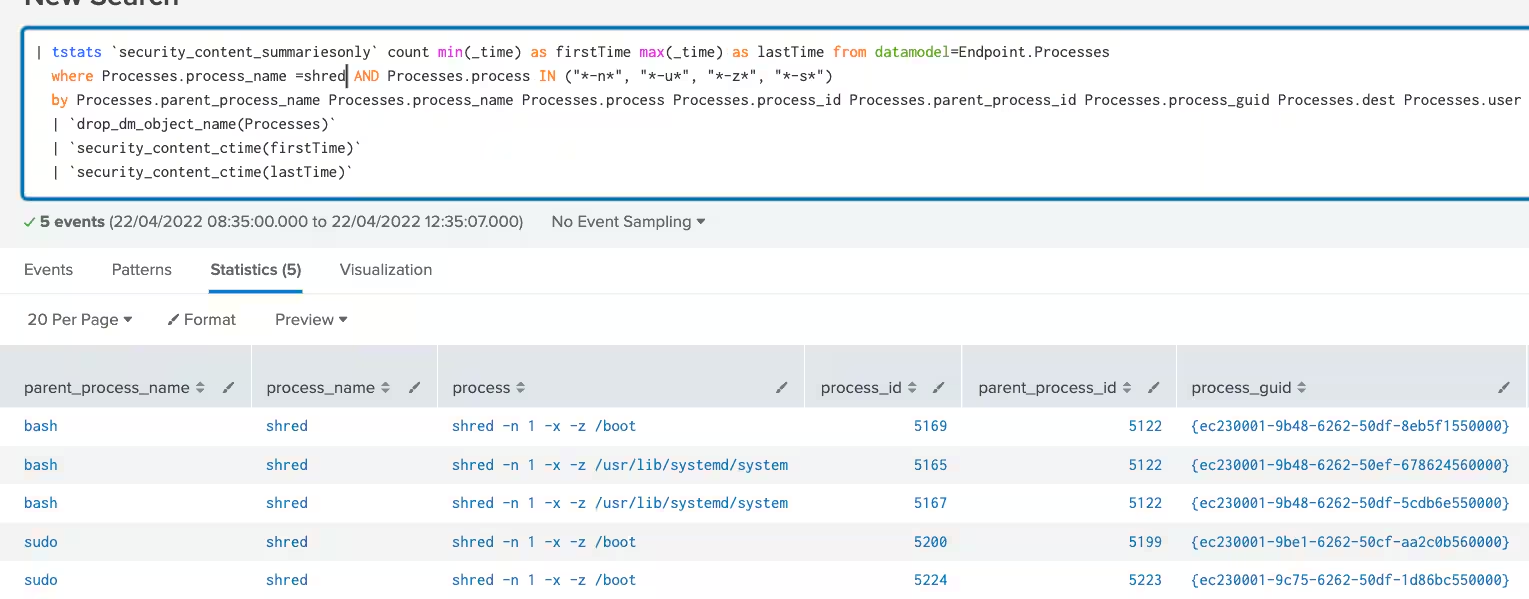
This analytic identifies a shred process to overwrite files in a linux machine. Shred Linux application is designed to overwrite a file to hide its contents or make the deleted file unrecoverable.
| tstats `security_content_summariesonly` count min(_time) as firstTime max(_time) as lastTime from datamodel=Endpoint.Processes
where Processes.process_name =shred AND Processes.process IN ("*-n*", "*-u*", "*-z*", "*-s*")
by Processes.parent_process_name Processes.process_name Processes.process Processes.process_id Processes.parent_process_id Processes.process_guid Processes.dest Processes.user
| `drop_dm_object_name(Processes)`
| `security_content_ctime(firstTime)` | `security_content_ctime(lastTime)`
Linux Stop Services
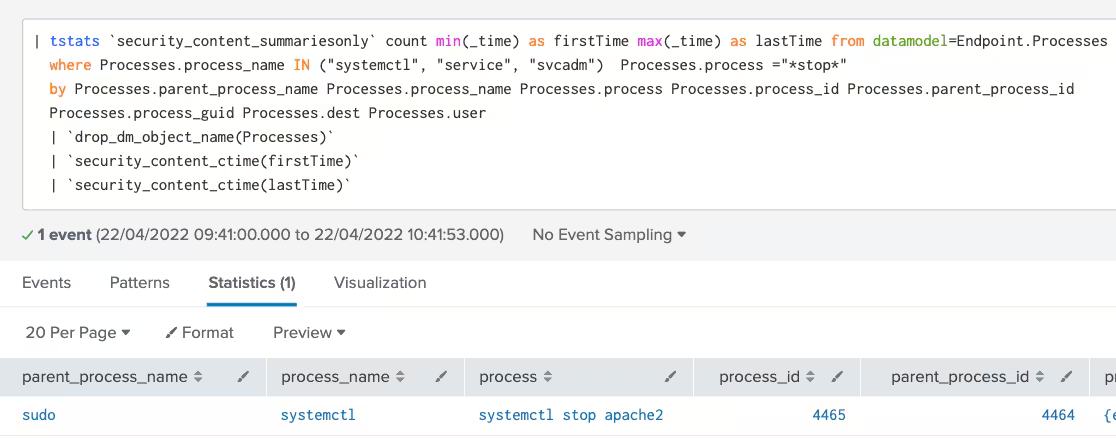
This analytic identifies events that attempt to stop or clear a service.
This is typically identified in parallel with other instances of service enumeration of attempts to stop a service and then delete it.
| tstats `security_content_summariesonly` count min(_time) as firstTime max(_time) as lastTime from datamodel=Endpoint.Processes
where Processes.process_name IN ("systemctl", "service", "svcadm") Processes.process ="*stop*"
by Processes.parent_process_name Processes.process_name Processes.process Processes.process_id Processes.parent_process_id
Processes.process_guid Processes.dest Processes.user
| `drop_dm_object_name(Processes)` | `security_content_ctime(firstTime)`
| `security_content_ctime(lastTime)`
Linux High Frequency Of File Deletion In Boot Folder
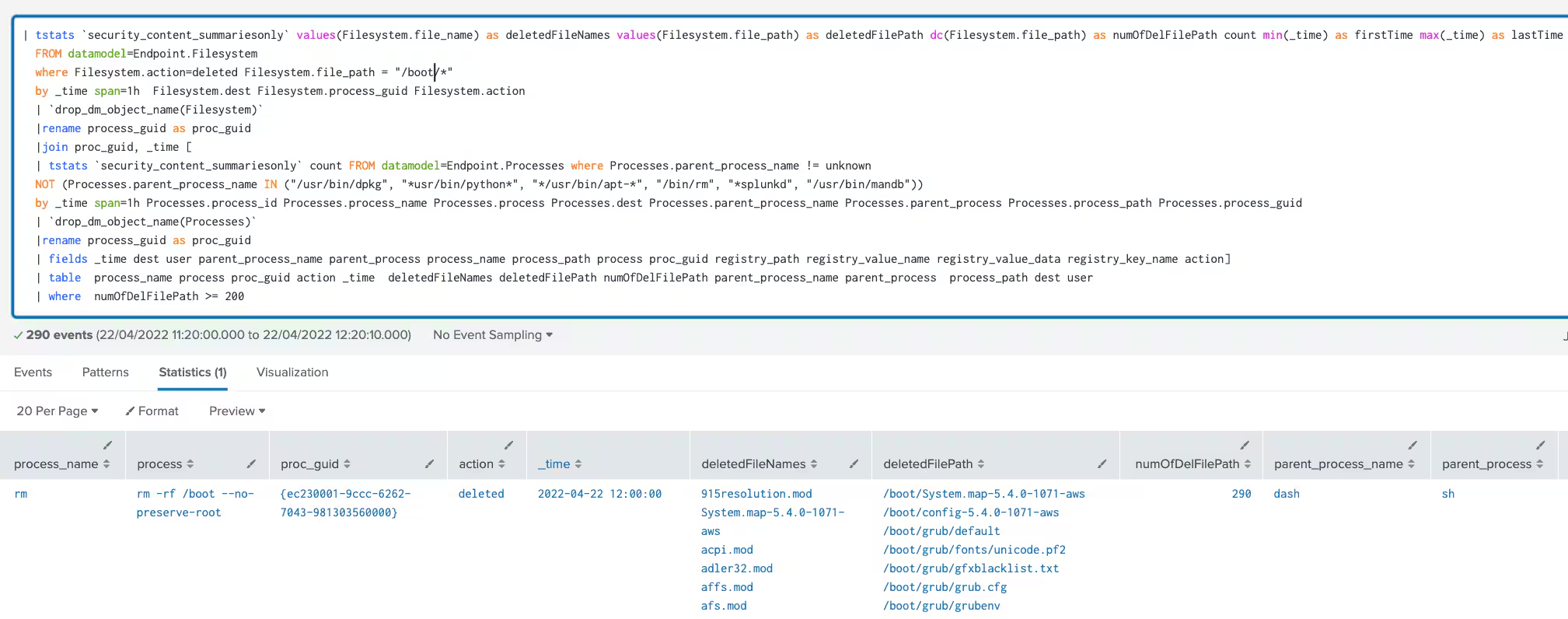
This analytic identifies a high frequency of file deletion relative to process name and process id /boot/ folder.
| tstats `security_content_summariesonly` values(Filesystem.file_name) as deletedFileNames values(Filesystem.file_path) as deletedFilePath dc(Filesystem.file_path) as numOfDelFilePath count min(_time) as firstTime max(_time) as lastTime
FROM datamodel=Endpoint.Filesystem
where Filesystem.action=deleted Filesystem.file_path = "/boot/*"
by _time span=1h Filesystem.dest Filesystem.process_guid Filesystem.action
| `drop_dm_object_name(Filesystem)`
|rename process_guid as proc_guid
|join proc_guid, _time [
| tstats `security_content_summariesonly` count FROM datamodel=Endpoint.Processes where Processes.parent_process_name != unknown
NOT (Processes.parent_process_name IN ("/usr/bin/dpkg", "*usr/bin/python*", "*/usr/bin/apt-*", "/bin/rm", "*splunkd", "/usr/bin/mandb"))
by _time span=1h Processes.process_id Processes.process_name Processes.process Processes.dest Processes.parent_process_name Processes.parent_process Processes.process_path Processes.process_guid
| `drop_dm_object_name(Processes)`
|rename process_guid as proc_guid
| fields _time dest user parent_process_name parent_process process_name process_path process proc_guid registry_path registry_value_name registry_value_data registry_key_name action]
| table process_name process proc_guid action _time deletedFileNames deletedFilePath numOfDelFilePath parent_process_name parent_process process_path dest user
| where numOfDelFilePath >= 200
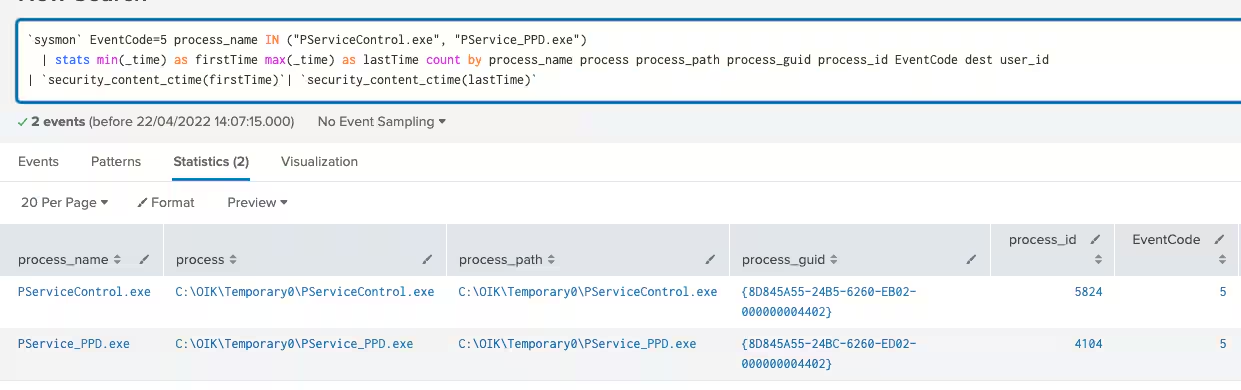
Windows Processes Killed By Industroyer2 Malware
This analytic identifies known processes killed by Industroyer2 malware.
This technique was seen in the Industroyer2 malware attack that tries to kill several processes of windows host machines related to the energy facility network.
`sysmon` EventCode=5 process_name IN ("PServiceControl.exe", "PService_PPD.exe")
| stats min(_time) as firstTime max(_time) as lastTime count by process_name process process_path process_guid process_id EventCode dest user_id
| `security_content_ctime(firstTime)`| `security_content_ctime(lastTime)`
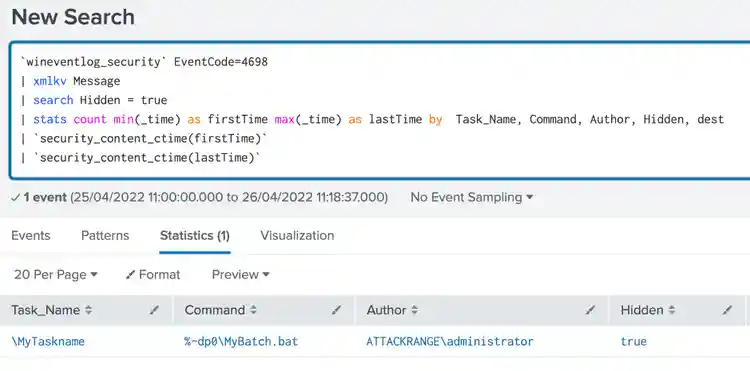
Windows Hidden Schedule Task Settings
The following query utilizes Windows Security EventCode 4698. A scheduled task was created to identify suspicious tasks registered on Windows either via schtasks.exe OR TaskService with hidden settings that are unique entry of malware like Industroyer2 or attack that uses lolbin to download other files or payload to the infected machine.
`wineventlog_security` EventCode=4698
| xmlkv Message
| search Hidden = true
| stats count min(_time) as firstTime max(_time) as lastTime by Task_Name, Command, Author, Hidden, dest
| `security_content_ctime(firstTime)` | `security_content_ctime(lastTime)`
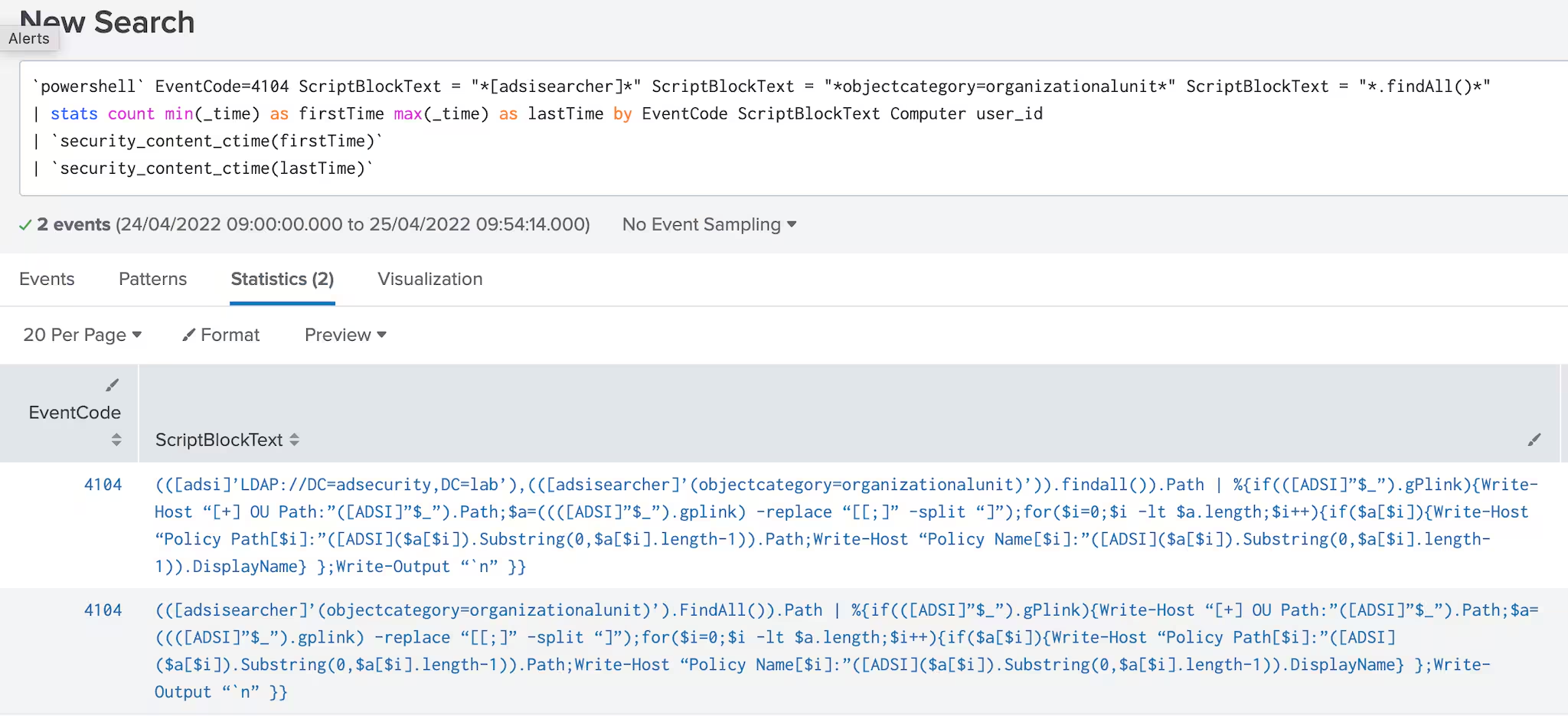
Windows Linked Policies In ADSI Discovery
This analytic utilizes PowerShell Script Block Logging (EventCode=4104) to identify the `[Adsisearcher]` type accelerator being used to query Active Directory for domain groups.
`powershell` EventCode=4104 ScriptBlockText = "*[adsisearcher]*" ScriptBlockText = "*objectcategory=organizationalunit*" ScriptBlockText = "*findAll()*"
| stats count min(_time) as firstTime max(_time) as lastTime by EventCode ScriptBlockText Computer user_id
| `security_content_ctime(firstTime)` | `security_content_ctime(lastTime)`
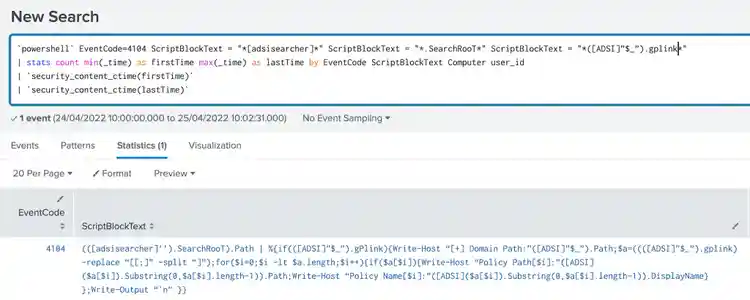
Windows Root Domain Linked Policies Discovery
This analytic utilizes PowerShell Script Block Logging (EventCode=4104) to identify the `[Adsisearcher]` type accelerator being used to query Active Directory for domain groups. Red Teams and adversaries may leverage `[Adsisearcher]` to enumerate root domain linked policies for situational awareness and Active Directory Discovery.
`powershell` EventCode=4104 ScriptBlockText = "*[adsisearcher]*" ScriptBlockText = "*.SearchRooT*" ScriptBlockText = "*([ADSI]”$_”).gplink*"
| stats count min(_time) as firstTime max(_time) as lastTime by EventCode ScriptBlockText Computer user_id
| `security_content_ctime(firstTime)`
| `security_content_ctime(lastTime)`
Execution
Persistence, Privilege Escalation
This query utilizes Windows Security EventCode 4698.
A scheduled task was created to identify suspicious tasks registered on
Windows either via schtasks.exe OR TaskService with a hidden setting.
* To see a detailed explanation on the different types please refer to this wiki.
IOC:
Mitigation
Please follow CISA and NSA Joint advisory on securing Operational Technology (OT).
Learn More
You can find the latest content about security analytic stories on GitHub and in Splunkbase. Splunk Security Essentials also has these detections available via push update. In the upcoming weeks, the Splunk Threat Research Team will be releasing a more detailed blog post on this analytic story. Stay tuned!
For a full list of security content, check out the release notes on Splunk Docs.
Feedback
Any feedback or requests? Feel free to put in an issue on GitHub and we’ll follow up. Alternatively, join us on the Slack channel #security-research. Follow these instructions If you need an invitation to our Splunk user groups on Slack.
We would like to thank the following for their contributions to this post: Teoderick Contreras, Rod Soto, Jose Hernandez, Patrick Barreiss, Lou Stella, Mauricio Velazco, Michael Haag, Bhavin Patel, and Eric McGinnis
Related Articles

Predicting Cyber Fraud Through Real-World Events: Insights from Domain Registration Trends

When Your Fraud Detection Tool Doubles as a Wellness Check: The Unexpected Intersection of Security and HR

Splunk Security Content for Threat Detection & Response: November Recap

Security Staff Picks To Read This Month, Handpicked by Splunk Experts

Behind the Walls: Techniques and Tactics in Castle RAT Client Malware

AI for Humans: A Beginner’s Field Guide

Splunk Security Content for Threat Detection & Response: November 2025 Update

Operation Defend the North: What High-Pressure Cyber Exercises Teach Us About Resilience and How OneCisco Elevates It
