Detecting Remcos Tool Used by FIN7 with Splunk
Splunk is committed to using inclusive and unbiased language. This blog post might contain terminology that we no longer use. For more information on our updated terminology and our stance on biased language, please visit our blog post. We appreciate your understanding as we work towards making our community more inclusive for everyone.

We decided to try to run a well-known Remote Access Trojan (RAT) called Remcos used by FIN7. This tool has been around for some time and has a reputation for being stealthy and effective in controlling compromised hosts. Sold as a remote computer monitoring tool, this tool has plenty of features that can allow an operator behind the control to do multiple operations against a compromised system.
The following is a walkthrough of Remcos executed via Attack Range Local. We will go over some of the multiple and intrusive operations this remote access tool can execute at compromised hosts. As a post-exploitation tool remcos is pretty effective in obtaining credentials, discovering system properties, command execution, and networking among other functions.
Remcos is composed of a Command & Control panel and agents that operate at the host level, before remcos can be deployed it needs to be built via the control panel. The vendor of this tool also offers extra obfuscation by offering an additional crypter for purchase, allowing operators to add additional obfuscation and encryption when building binaries.
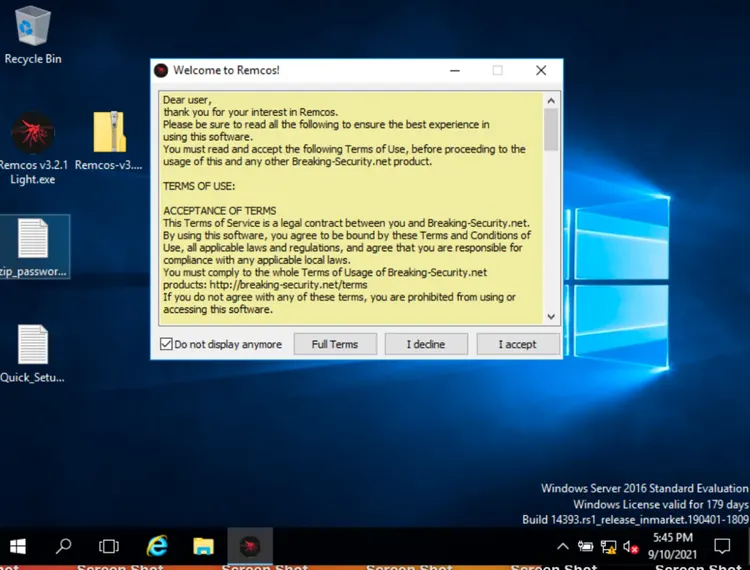
The vendor presents very clear terms of service warning against any illegal use of this tool.
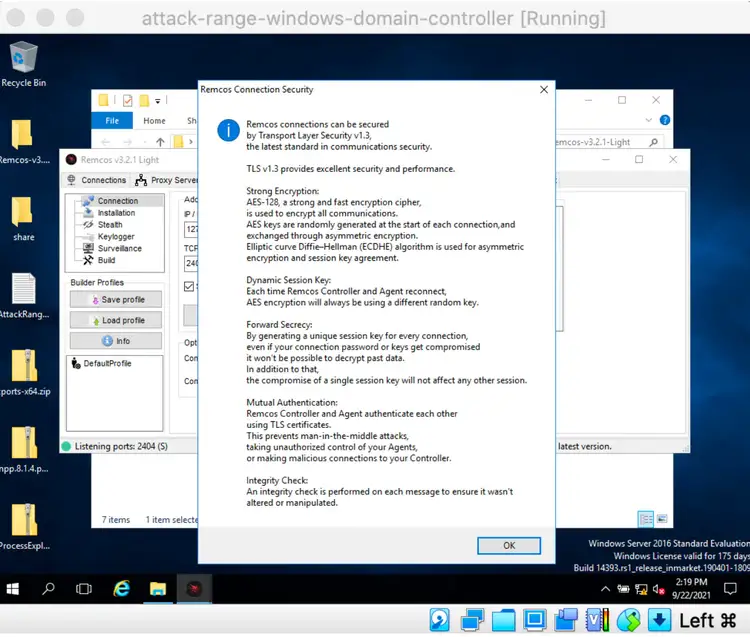
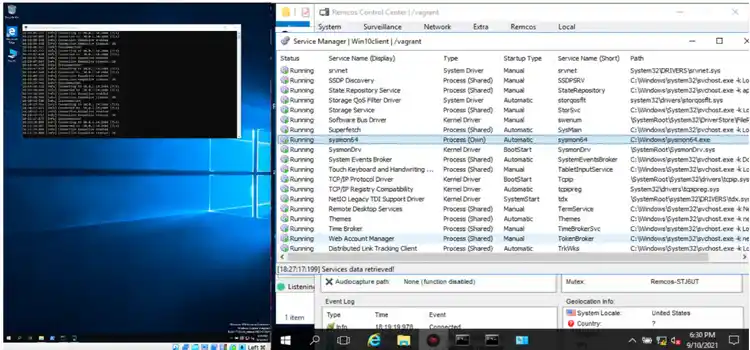
Remcos agent also communicates with the control panel using encryption via TLS v1.3 certificate, created during setup. Once we are able to transfer and execute the agent we can see how powerful this tool is against a compromised host. In the following screenshot, we can see one of the functions retrieving all services present at the compromised machine. This allows the operator to disable any of the running services. For example, the operator may choose to disable the sysmon service so that logs are no longer collected.
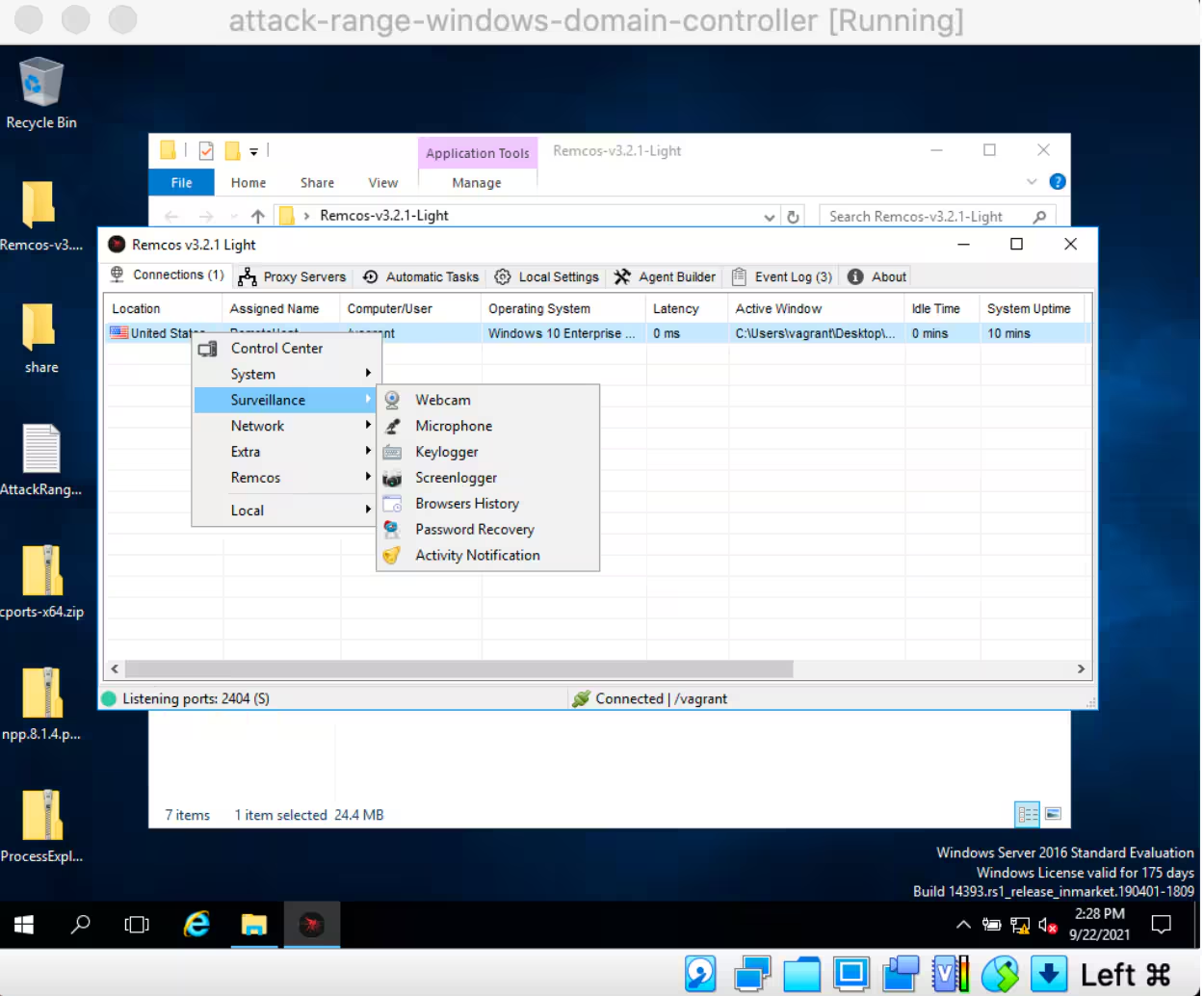
In the following screenshot, we can see some of the surveillance functions that are included in Remcos, included Webcam, Microphone, Keylogger, Browser History, Browsers History, Password Recovery, and Activity Notification. We will look at some of these from the reverse engineering perspective later in this post.
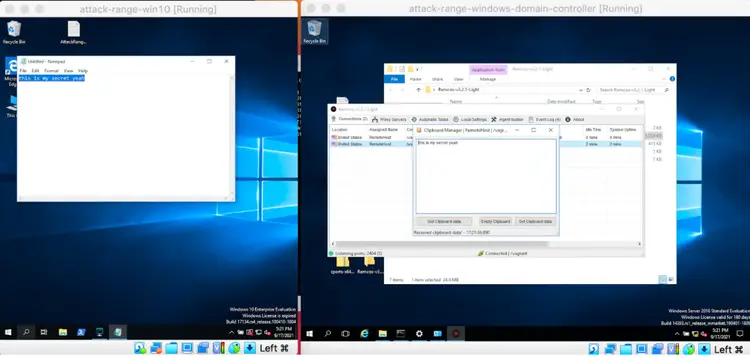
Here is an example of clipboard content extraction from a compromised host.
Detection
As seen above this tool can be very effective if used by malicious actors. This tool has been observed in use by the FIN7 group, so we decided to take a deeper look into it. The following are some of the observations and detection we were able to create replicating the install of this tool via the Attack Range tool.
Please note that in order to perform these detections successfully we had to add specific registry key items to our sysmon policy in Attack Range.
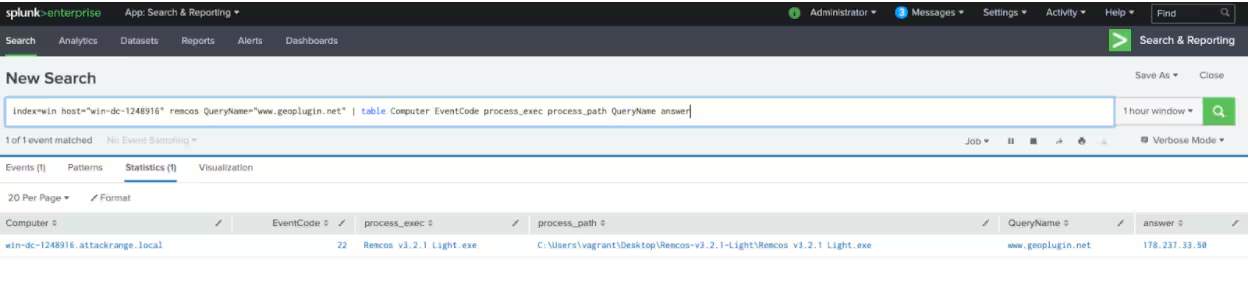
As we will see in the following searches, the vendor of this tool implements some telemetry mechanisms when this tool is installed. In the following screen shot, the use of the API call to geoplugin.net can be seen as we were installing the control panel. This API allows the vendor to register the location of the install.
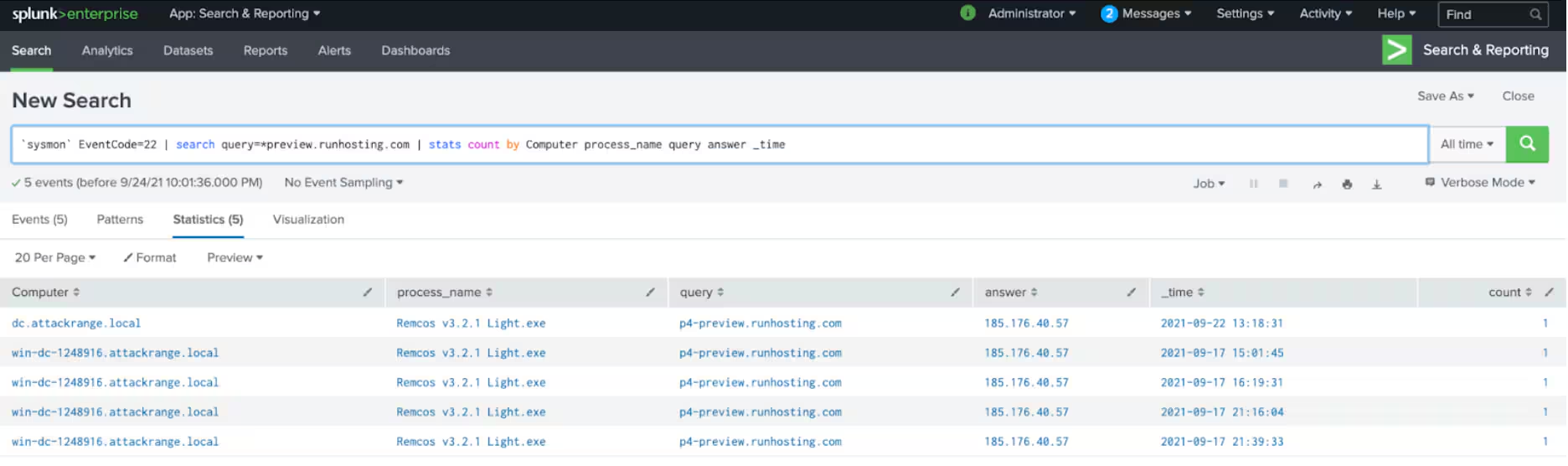
A specific DNS query was also detected during the installation process, specifically directed towards p4-preview.runhosting.com. Some other products from the same vendor have also been observed in this domain as well.
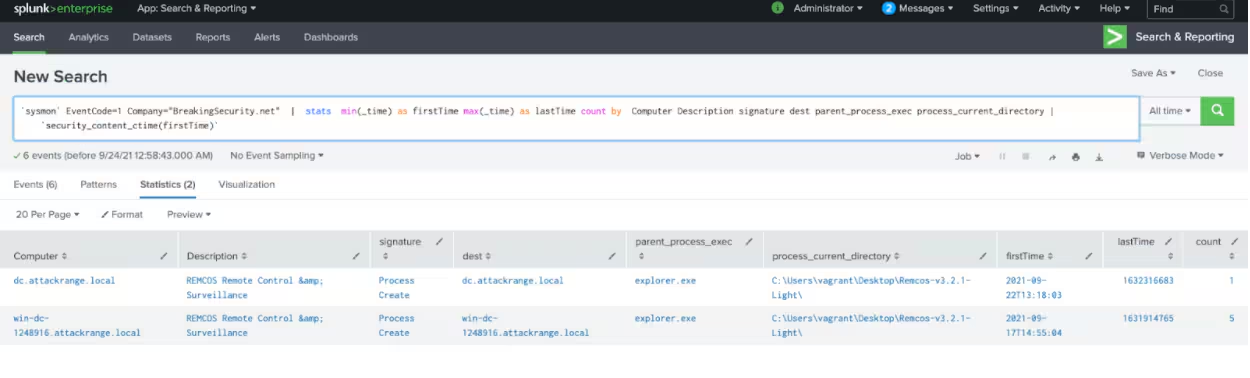
Another specific trait of this software is the vendor banner and process created when is being installed. Per vendor terms and conditions this is a legit software application and warns against illegal use, so their name shows in the application content through installation and operation. This specific search detects install of the C2 panel.
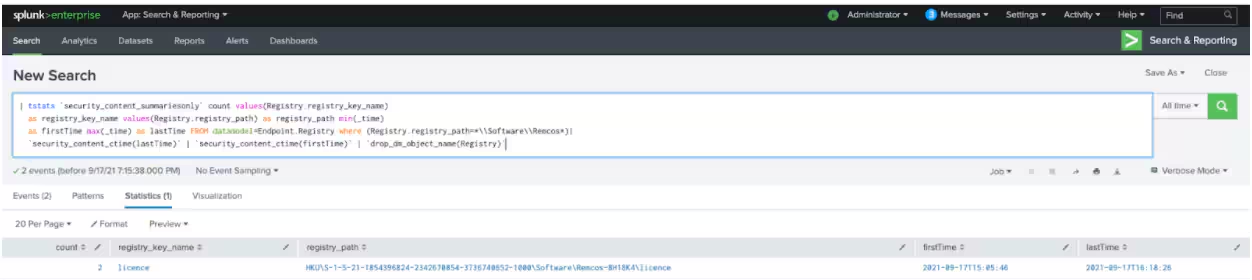
During the installation of this software also a specific registry key is set in place related to the licensing of this software. As seen in the search and screenshot below. The search below detects agent/client install at the compromised host.
Remcos Agent Analysis
The Remcos RAT agent contains several features to grab or exfiltrate data from the compromised machine. Below are the notable behaviors we saw during our analysis.
Mutex and Anti Sandbox
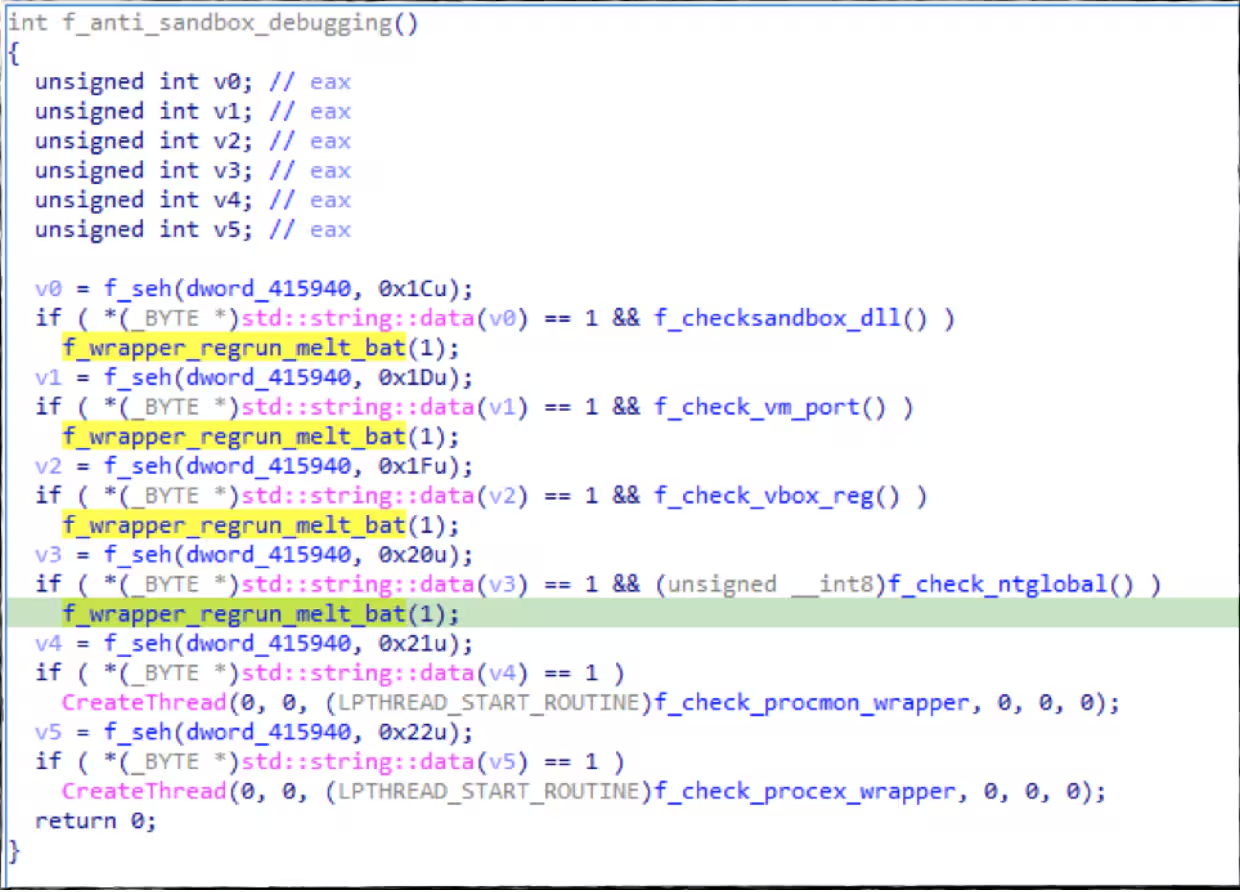
During Installation Remcos will create a mutex “Remcos_Mutex_Inj” to make sure that only one instance of its malware is running on a machine. Aside from that, it contains a function where it checks if its malware code is running on a virtual machine, sandbox or if there is a running procmon, and process explorer Sysinternals tool process in the compromised machine. If yes it will call another function that will exit the process and run a cleanup .bat file to remove its artifacts.
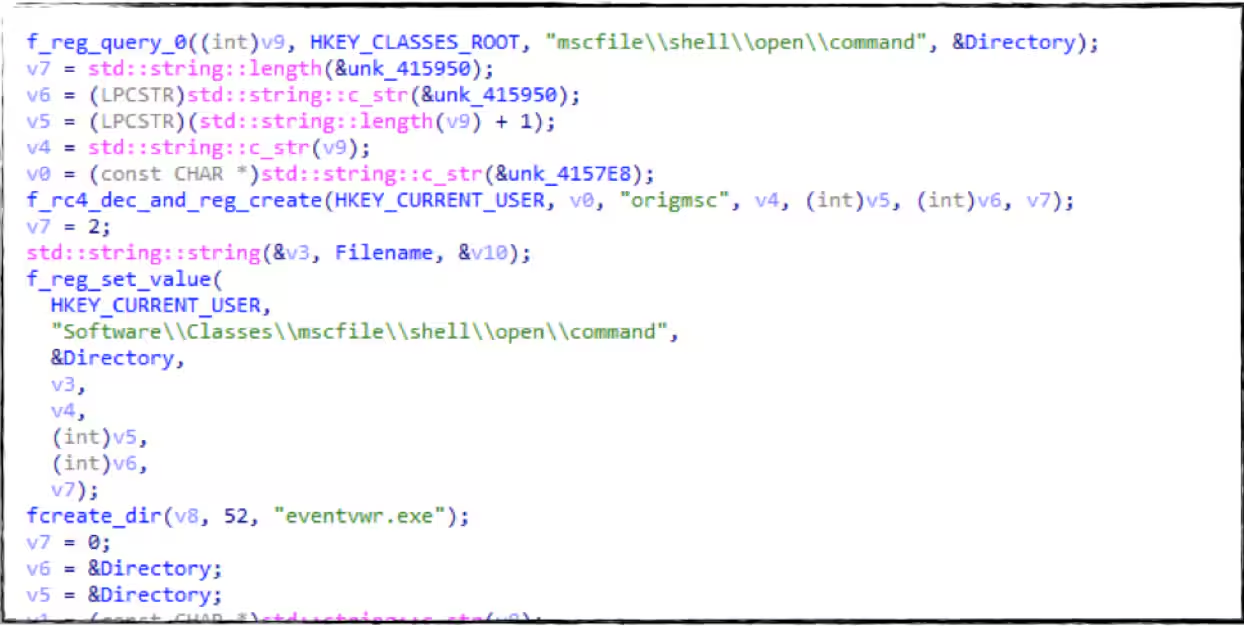
UAC Bypassed
It will try to bypass UAC by running a known “eventvwr” registry modification technique referencing its malware sample.
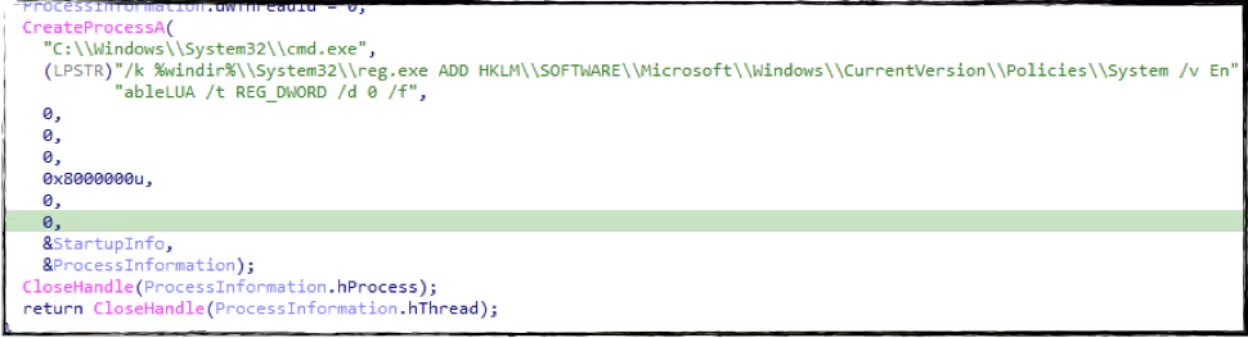
Another one is modifying the EnableLua registry value to disable UAC in the compromised machine.
Querying And Clearing Browser History and Cookies.
It also has a thread where it will check the default browser of the compromised machine or look for the chrome default user account folder, IE cookie, and firefox profile folder in %appdata% to grab and clear the history on those browsers.
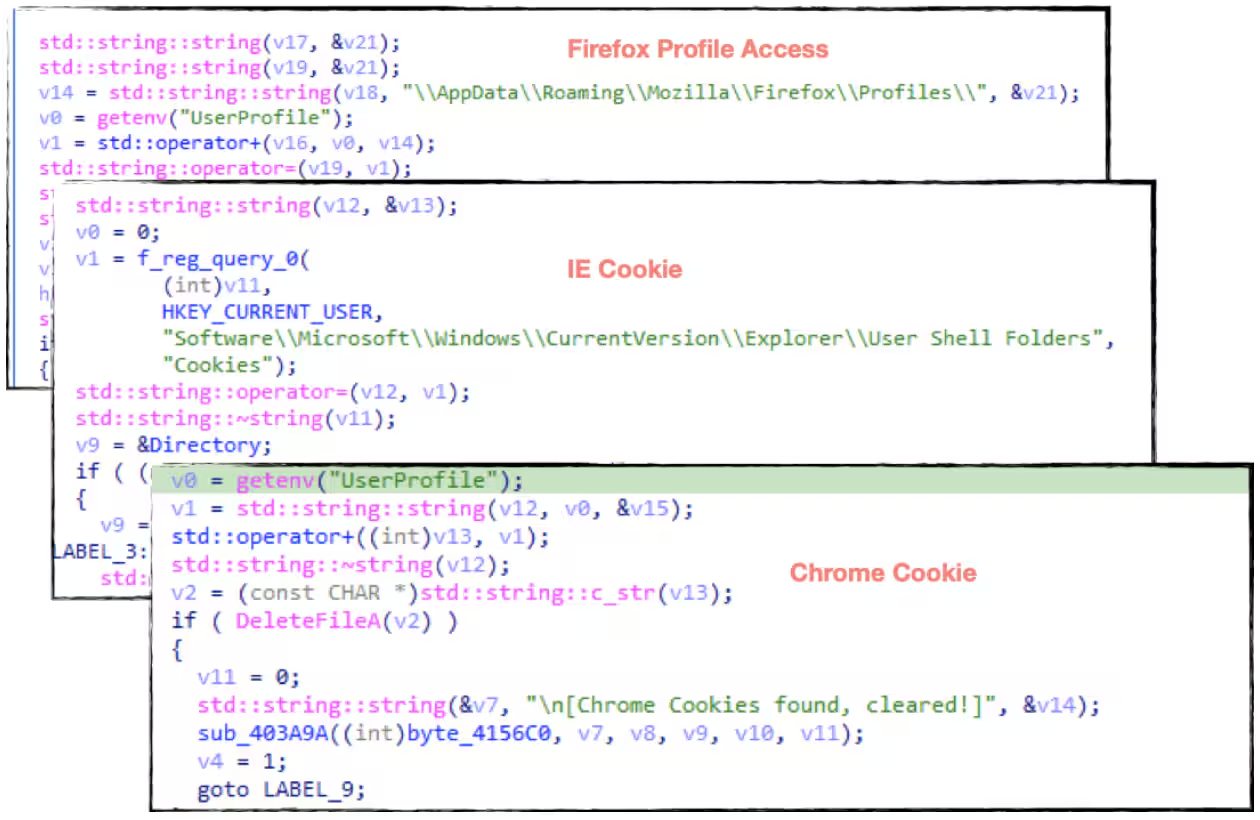
Persistence
It will also create a regrun entry for drop copy of itself in %appdata%\WIn32 folder to automatically execute its code upon reboot of the system.
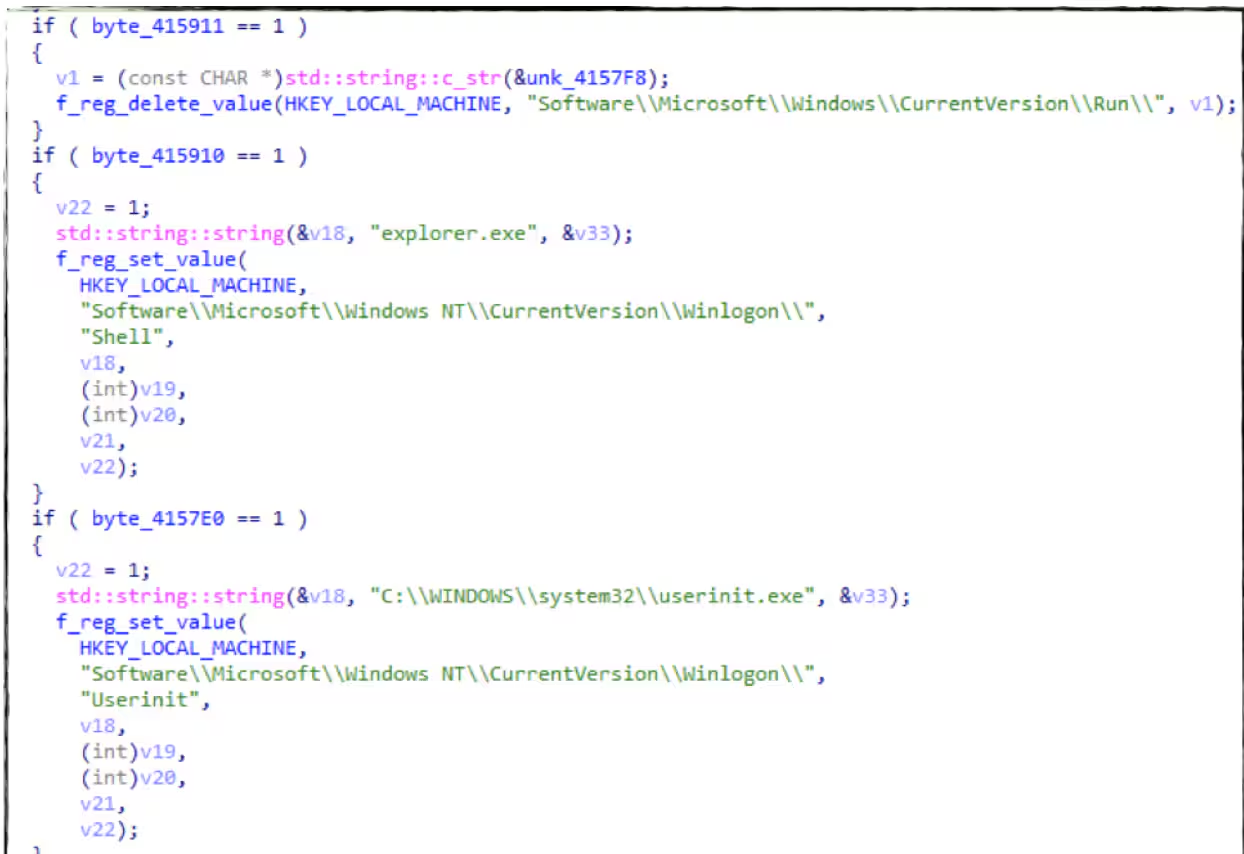
Remcos Data Collection
Get Product and Computer Information
This RAT will also parse the computer name, user name, and the product information of the compromised machine as part of its data collection and to know who/what machine is compromised.
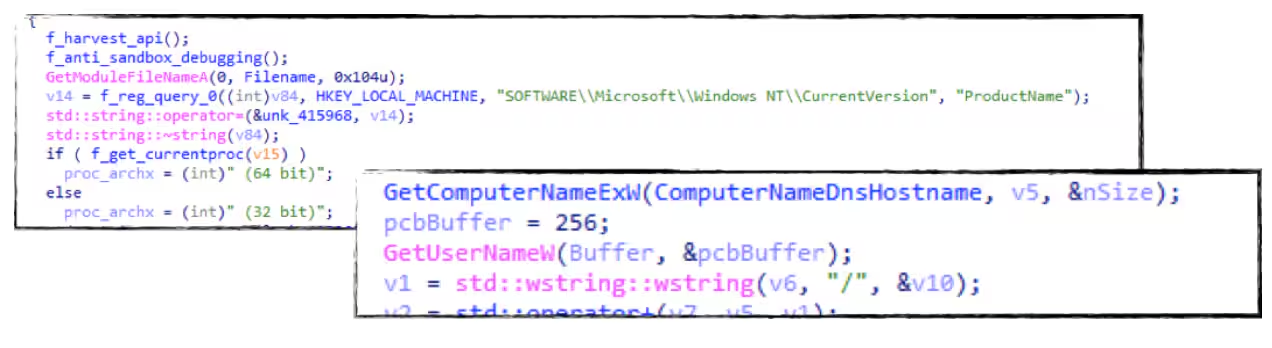
Capture Screenshots and Audio Recording
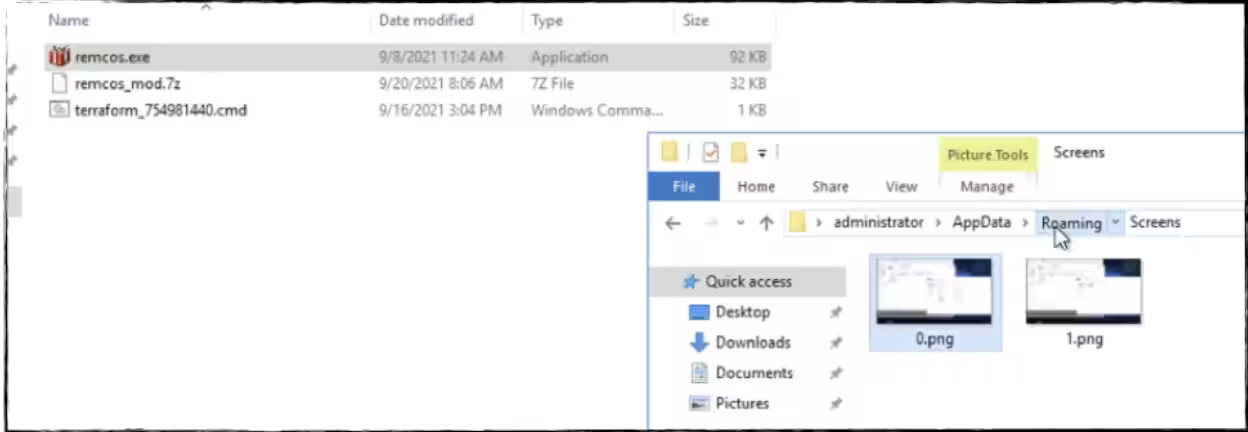
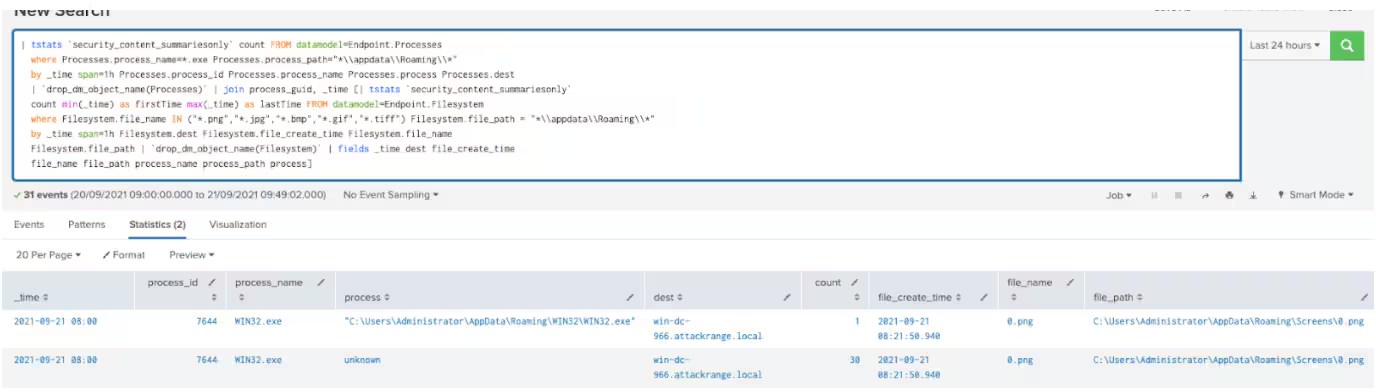
One notable feature of this RAT malware is to record audio and capture screenshots from the compromised machine that will be placed in %appdata%\audio\ (in .wav format) and %appdata%\screens folder. In our analysis, the screenshot capture happened every minute.
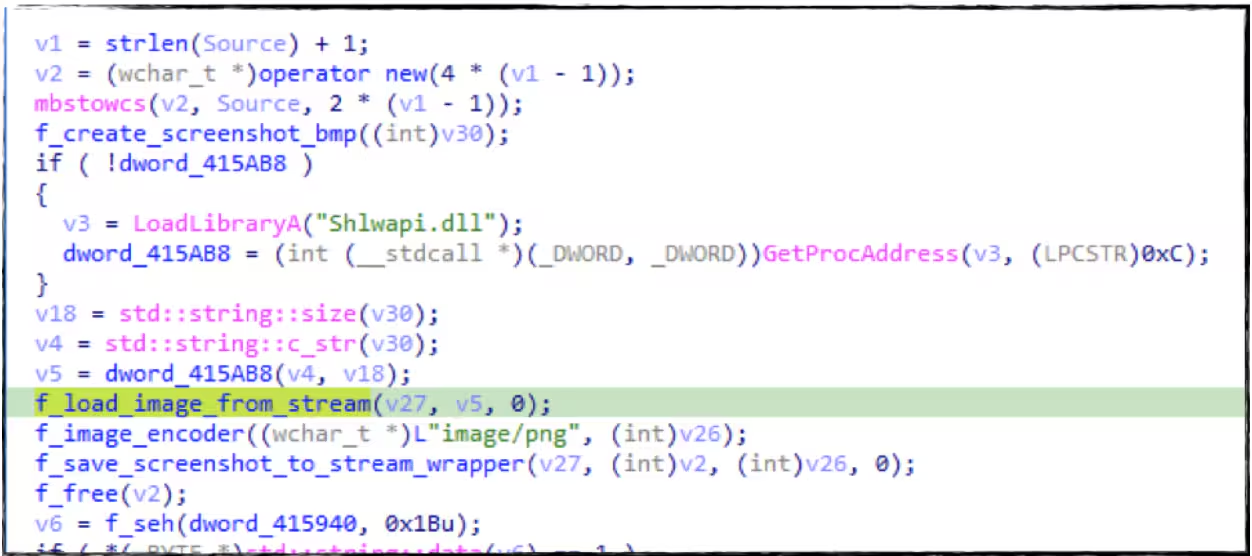
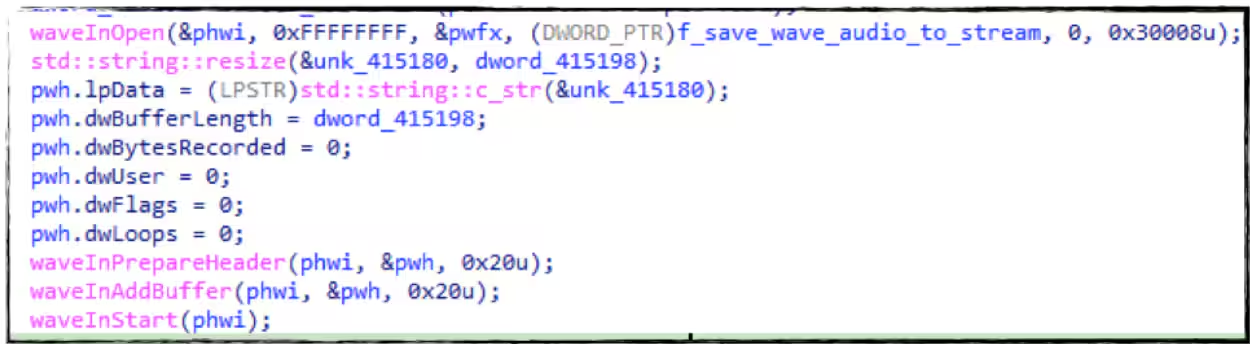
Below is the screenshot of Splunk Attack Range during the execution of Remcos RAT showing how it creates the .png file of each screenshot it takes in the compromised machine.
Keylogger and Clipboard Grabber
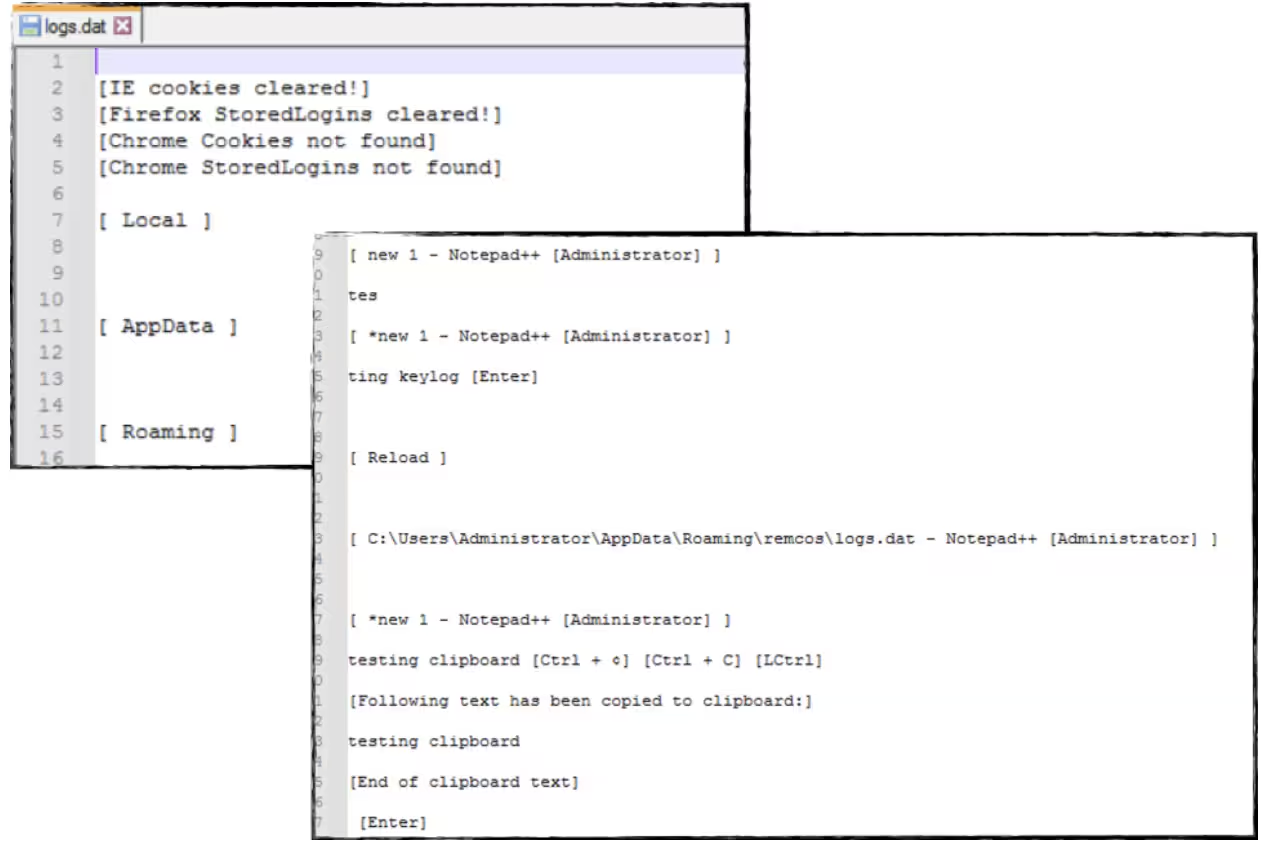
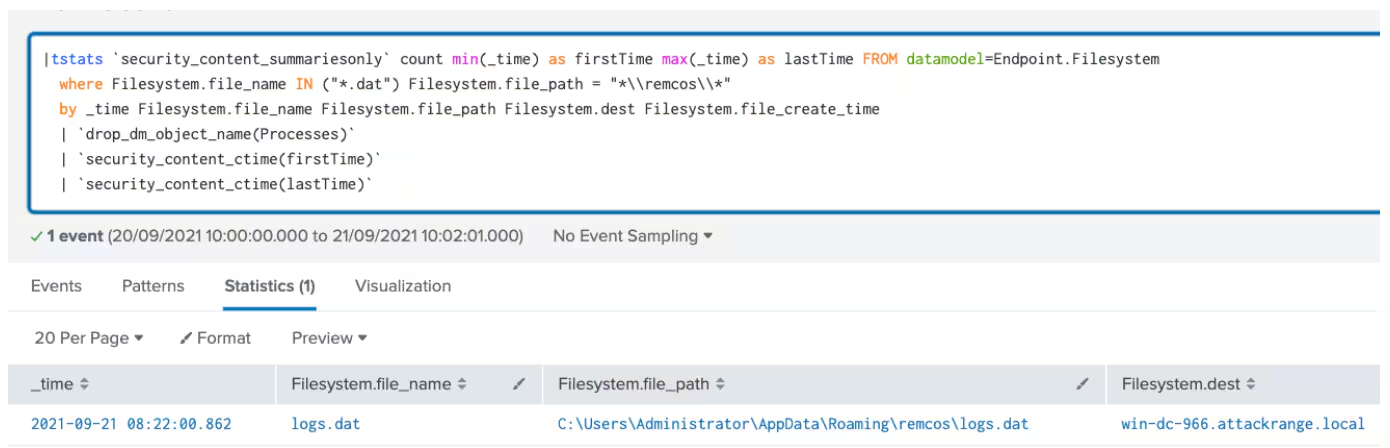
This RAT has another feature for keylogging and grabbing the clipboard data that will be placed in the%appdata%\remcos folder named as logs.dat file. It also serves as a debug log made by Remcos like clearing browser history and so on. Below is the snippet of logs.dat as we test this feature.
Uninstall.bat
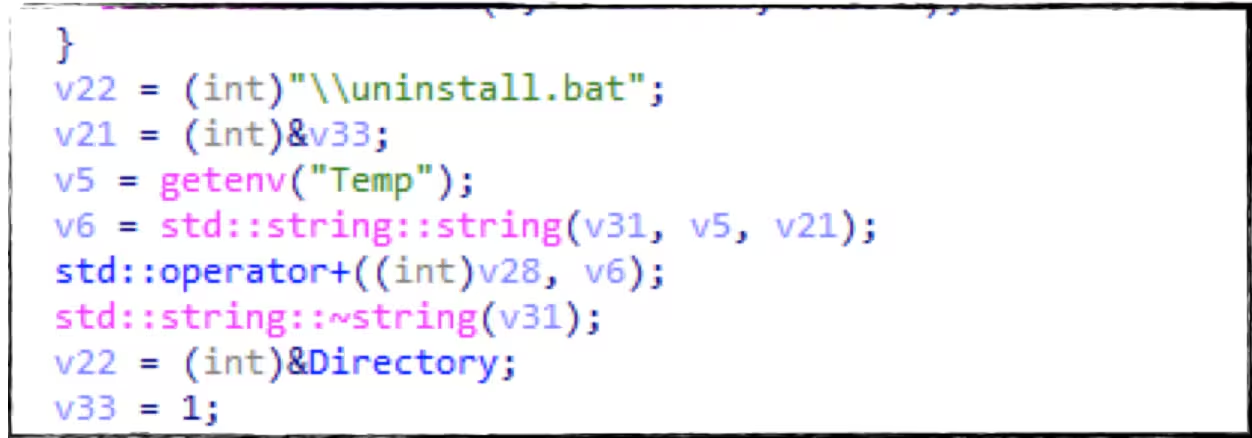
If this rat figures out that it is in a virtual machine or in a sandbox it will create and execute a batch file that will delete itself and some of its artifacts to evade analysis of its code.
Backdoor Command:
Below is the list of backdoor commands we saw in its code to manipulate the compromised host and gather or collect data from it.
Detections:
Suspicious Image Creation In Appdata Folder
| tstats `security_content_summariesonly` count FROM datamodel=Endpoint.Processes
  where Processes.process_name=*.exe Processes.process_path="*\\appdata\\Roaming\\*"
  by _time span=1h Processes.process_id Processes.process_name Processes.process Processes.dest
  | `drop_dm_object_name(Processes)` | join process_guid, _time [| tstats `security_content_summariesonly`
  count min(_time) as firstTime max(_time) as lastTime FROM datamodel=Endpoint.Filesystem
  where Filesystem.file_name IN ("*.png","*.jpg","*.bmp","*.gif","*.tiff") Filesystem.file_path = "*\\appdata\\Roaming\\*"
  by _time span=1h Filesystem.dest Filesystem.file_create_time Filesystem.file_name
  Filesystem.file_path | `drop_dm_object_name(Filesystem)` | fields _time dest file_create_time
  file_name file_path process_name process_path process]
Suspicious WAV file in Appdata Folder
| tstats `security_content_summariesonly` count FROM datamodel=Endpoint.Processes
  where Processes.process_name=*.exe Processes.process_path="*\\appdata\\Roaming\\*"
  by _time span=1h Processes.process_id Processes.process_name Processes.process Processes.dest
  | `drop_dm_object_name(Processes)` | join process_guid, _time [| tstats `security_content_summariesonly`
  count min(_time) as firstTime max(_time) as lastTime FROM datamodel=Endpoint.Filesystem
  where Filesystem.file_name IN ("*.wav") Filesystem.file_path = "*\\appdata\\Roaming\\*"
  by _time span=1h Filesystem.dest Filesystem.file_create_time Filesystem.file_name
  Filesystem.file_path | `drop_dm_object_name(Filesystem)` | fields file_name file_path
  process_name process_path process dest file_create_time _time ]

Remcos RAT File Creation in Remcos Folder
|tstats `security_content_summariesonly` count min(_time) as firstTime max(_time) as lastTime FROM datamodel=Endpoint.Filesystem
  where Filesystem.file_name IN ("*.dat") Filesystem.file_path = "*\\remcos\\*"
  by _time Filesystem.file_name Filesystem.file_path Filesystem.dest Filesystem.file_create_time
  | `drop_dm_object_name(Processes)`
  | `security_content_ctime(firstTime)`
  | `security_content_ctime(lastTime)`
Hashes
Contributors
We would like to thank the following for their contributions to this post.
- Teoderick Contreras
- Rod Soto
- Michael Haag
Related Articles

Predicting Cyber Fraud Through Real-World Events: Insights from Domain Registration Trends

When Your Fraud Detection Tool Doubles as a Wellness Check: The Unexpected Intersection of Security and HR

Splunk Security Content for Threat Detection & Response: November Recap

Security Staff Picks To Read This Month, Handpicked by Splunk Experts

Behind the Walls: Techniques and Tactics in Castle RAT Client Malware

AI for Humans: A Beginner’s Field Guide

Splunk Security Content for Threat Detection & Response: November 2025 Update

Operation Defend the North: What High-Pressure Cyber Exercises Teach Us About Resilience and How OneCisco Elevates It
