New Keyword App

One of the most common requests I get from new customers is that they want to centrally collect all their machine generated time series data and search for a keyword like error or RuntimeException. Obviously Splunk can do this. Then, the next set of questions concern things like give me the top hosts or applications producing this keyword, show me a baseline of last week vs this week for this keyword, show me a slope line on the trend for this or any keyword(s), find outliers that go beyond the average occurrences for the keyword and then try to predict what may happen in the future.

To answer these questions and then some, I’ve created an app template that you can download from Splunkbase and simply install the Keyword App. The app has no inputs as it uses your own indexed data. You can modify the default indexes for the role that uses the app in Manager to include indexes beyond main. Usually, what I do next in these blog entries is describe how to use the app. However, in this case, a picture is worth a thousand words. Rather than continue to entertain you with my prose, I’ll simply embed the the self explanatory dashboards here.
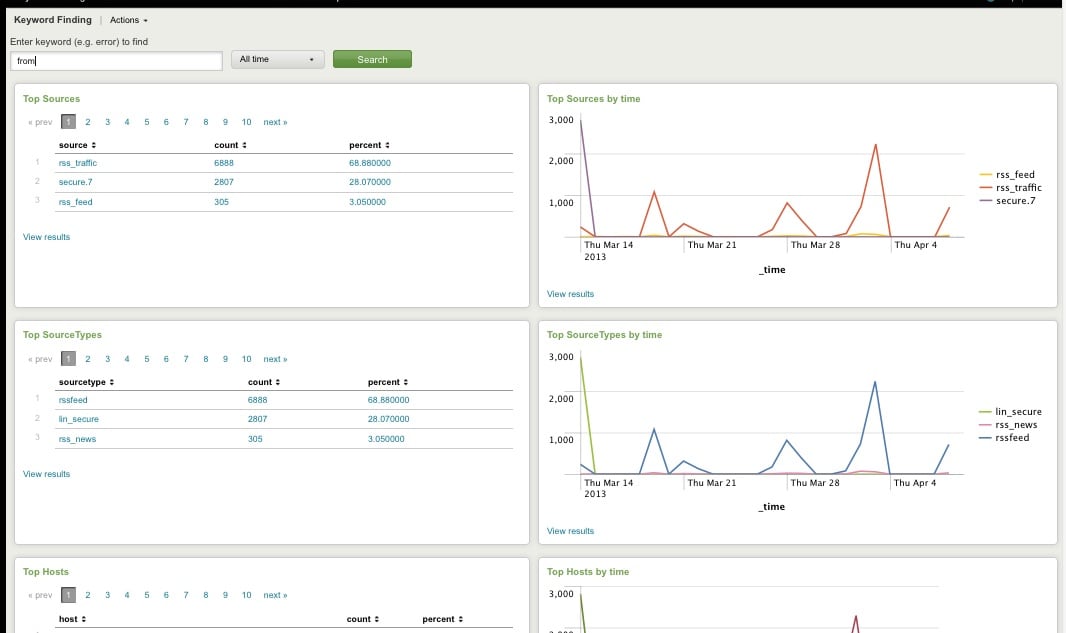
Top Host, Sourcetype, Source

Top Host, Sourcetype, and Source for Keyword
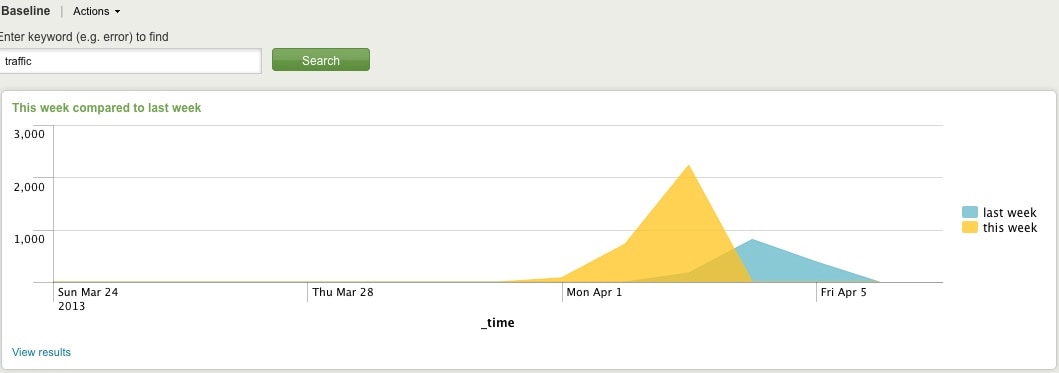
Comparing Present Count vs. Past Count
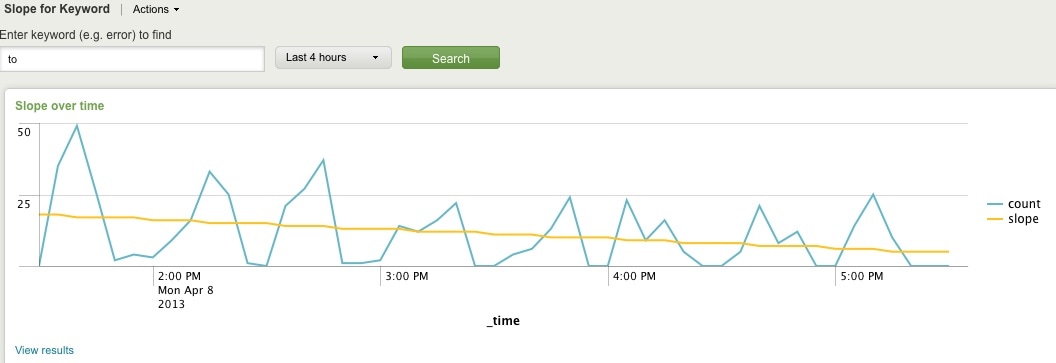
Slope for Trend
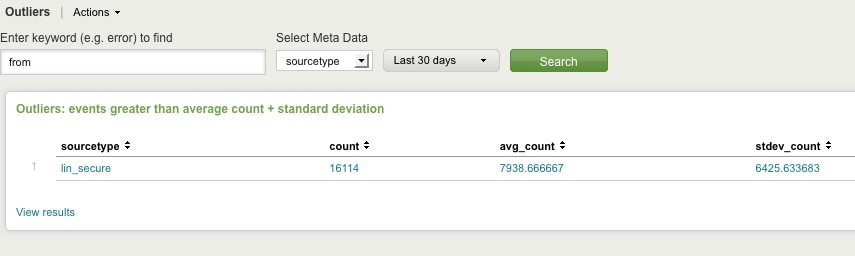
Find Outliers
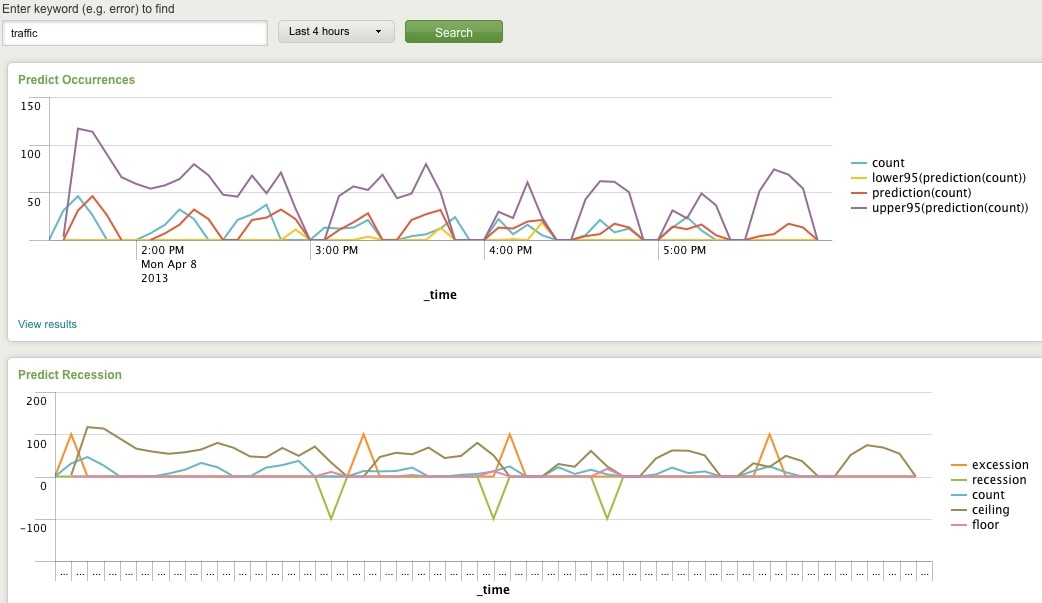
Predict Future Counts (Recession Predict is Jack Coate’s idea)

There’s a Donut Chart (Ron Naken’s Module) that allows you to split your list of keywords by top 10 host, source, or sourcetypes and see the distribution of events.
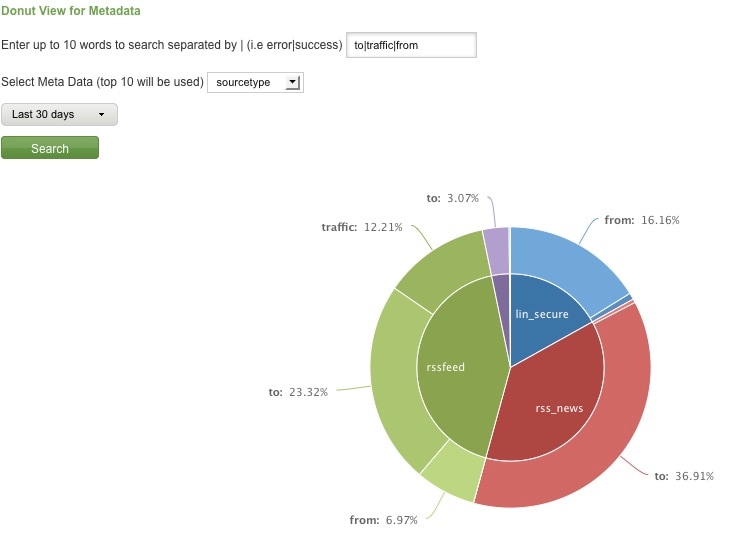
Split Keyword(s) Distribution by Top 10 Hosts, Source, or Sourcetype

Here are rare events based on your filter:
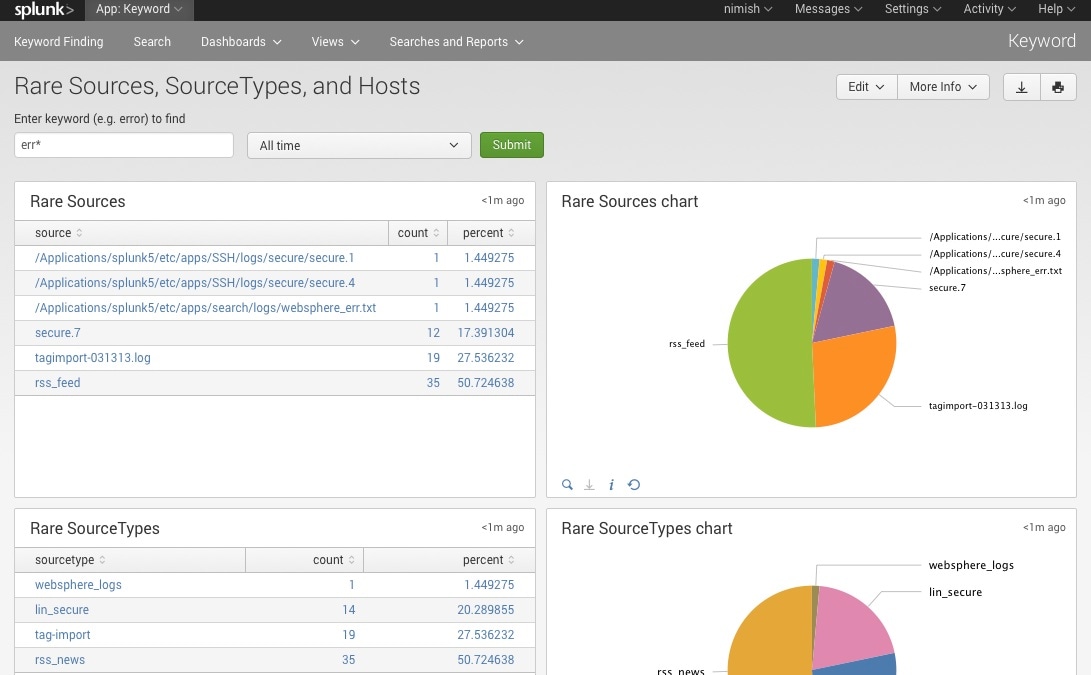
Rare

Finally, here are rare events based on punctuation.
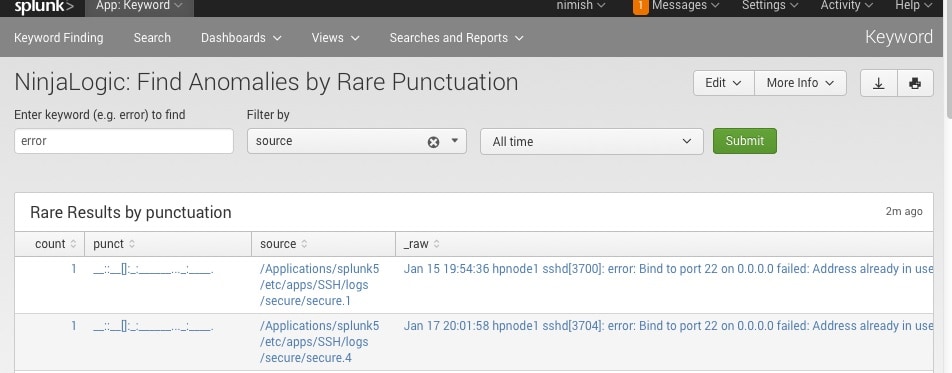
Punct

Conclusion

Hopefully, this template will satisfy all your needs out of the box. If you need to modify the searches, make a copy of the app’s default/data/ui/views/<dashboard>.xml file and put it into the app’s local/data/ui/views/<dashboard>.xml file and edit your local copy. I’m hoping this app will save you some time from configuring these common tasks.

Related Articles
7 High-Risk Events to Monitor Under GDPR: Lessons Learned from the ICO’s BA Penalty Notice
Security
5 Minute Read

7 High-Risk Events to Monitor Under GDPR: Lessons Learned from the ICO’s BA Penalty Notice

British Airways made the headlines when they were hacked, customer details stolen and were issued a Penalty Notice by the UK ICO. Matthias Maier took a closer look at the document and recapitulated the key takeaways any IT security person can learn from.
Detecting Ryuk Using Splunk Attack Range
Security
6 Minute Read

Detecting Ryuk Using Splunk Attack Range

A new alert, Ransomware Activity Targeting the Healthcare and Public Health Sector, issued by the CISA poses ongoing and possible imminent attacks against the healthcare sector. Learn how you can detect the Ryuk ransomware as payload with Splunk Attack Range.
Detecting Google Cloud Platform OAuth Token Abuse Using Splunk
Security
5 Minute Read

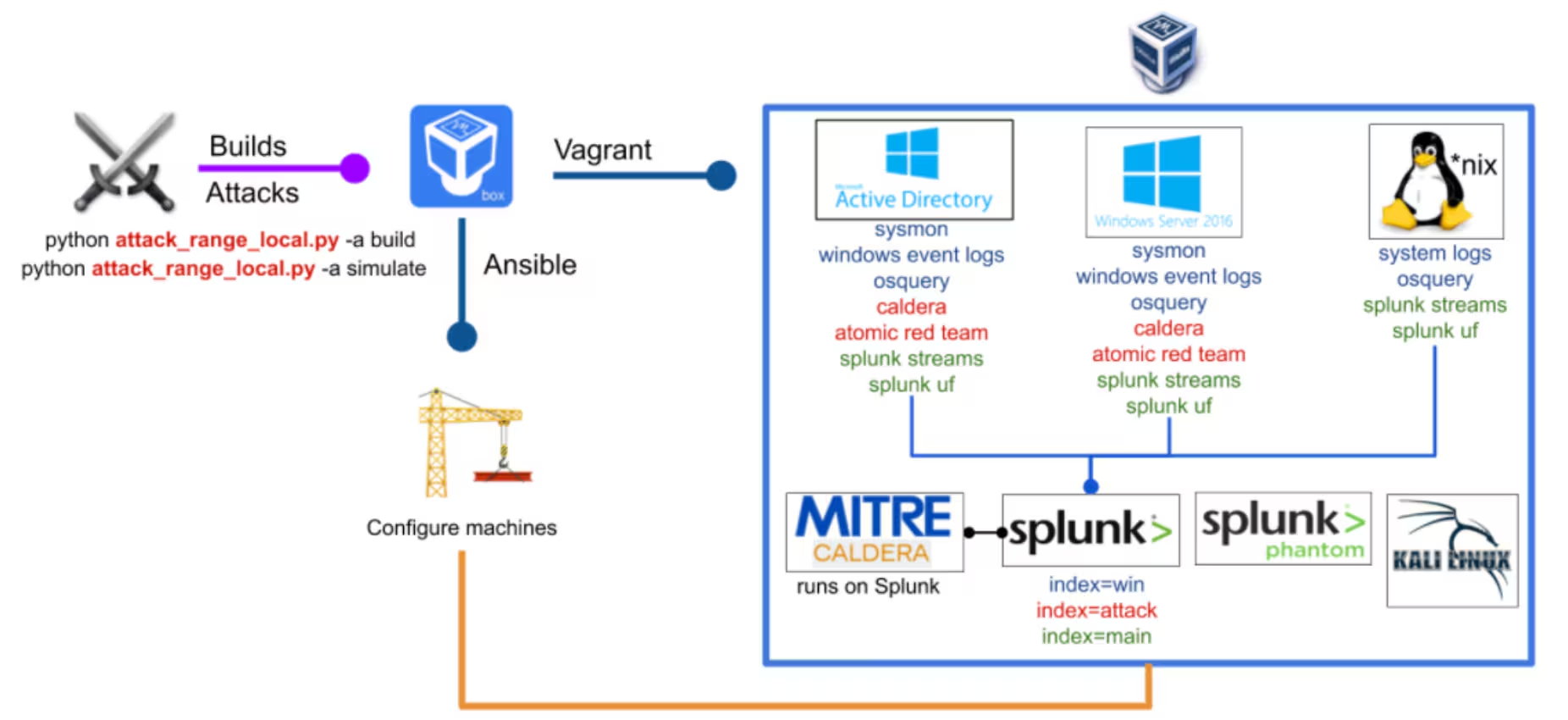
Detecting Google Cloud Platform OAuth Token Abuse Using Splunk

Google Cloud Platform's Identity Access Management (IAM) permissions can be used to move laterally and escalate privileges. Learn how to detect GCP OAuth token abuse and remediate these events with Splunk.
Detecting CVE-2020-1472 (CISA ED 20-04) Using Splunk Attack Range
Security
5 Minute Read

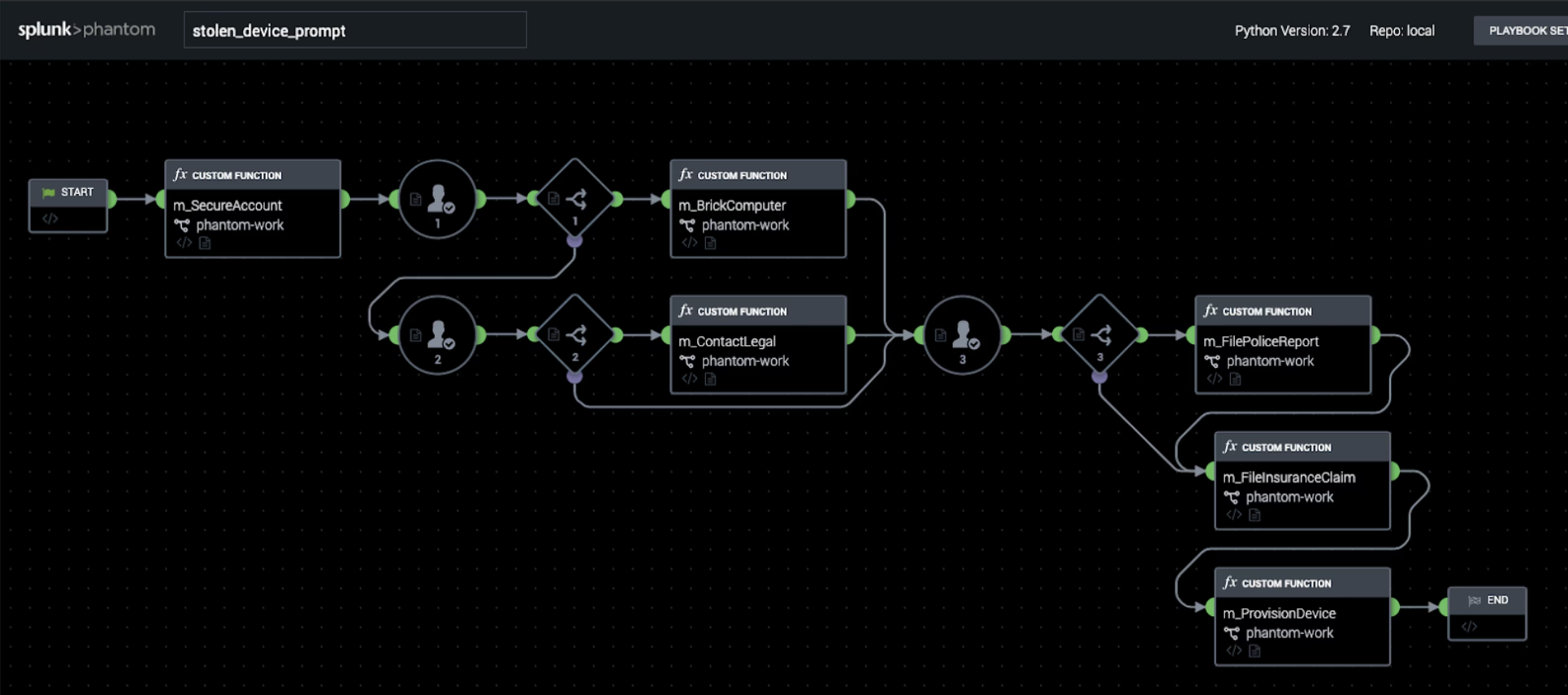
Detecting CVE-2020-1472 (CISA ED 20-04) Using Splunk Attack Range

Microsoft's recent security disclosure of CVE-2020-1472 is extremely harmful to systems that have not been patched or lack mitigations in place. Learn how to prevent and detect CVE-2020-1472 using Splunk Attack Range.
Adaptable Incident Response With Splunk Phantom Modular Workbooks
Security
5 Minute Read

Adaptable Incident Response With Splunk Phantom Modular Workbooks

Modular Workbooks allow you to effortlessly adapt your security operations workflow. Learn how Splunk Phantom SOAR can help divide tasks into phases, assign responsibilities to team members, and document your work.
Introducing a New Splunk Add-On for OT Security
Security
2 Minute Read

Introducing a New Splunk Add-On for OT Security

The Splunk Add-on for OT Security expands existing Splunk Enterprise Security frameworks to improve security visibility in OT environments for our customers, partners and community members.
Using Splunk to Detect Abuse of AWS Permanent and Temporary Credentials

Security
7 Minute Read

Using Splunk to Detect Abuse of AWS Permanent and Temporary Credentials

In this blog, the Splunk threat research team shows how to detect suspicious activity and possible abuse of AWS Permanent and Temporary credentials.
CI/CD Detection Engineering: Splunk's Attack Range, Part 2

Security
7 Minute Read

CI/CD Detection Engineering: Splunk's Attack Range, Part 2

In part 2 of our 3-part series, we walk you through how to use Splunk Security-Content, Attack Range and CircleCI to do detection development, continuous testing and deployment as a workflow in your SOC.
CI/CD Detection Engineering: Splunk's Security Content, Part 1
Security
8 Minute Read

CI/CD Detection Engineering: Splunk's Security Content, Part 1

This blog is part 1 of a 3 part series that includes a step-by-step walk-through of how to use Splunk Security-Content, Attack Range and CircleCI to do detection development, continuous testing, and deployment as a workflow in your security operation center.