New Keyword App

One of the most common requests I get from new customers is that they want to centrally collect all their machine generated time series data and search for a keyword like error or RuntimeException. Obviously Splunk can do this. Then, the next set of questions concern things like give me the top hosts or applications producing this keyword, show me a baseline of last week vs this week for this keyword, show me a slope line on the trend for this or any keyword(s), find outliers that go beyond the average occurrences for the keyword and then try to predict what may happen in the future.

To answer these questions and then some, I’ve created an app template that you can download from Splunkbase and simply install the Keyword App. The app has no inputs as it uses your own indexed data. You can modify the default indexes for the role that uses the app in Manager to include indexes beyond main. Usually, what I do next in these blog entries is describe how to use the app. However, in this case, a picture is worth a thousand words. Rather than continue to entertain you with my prose, I’ll simply embed the the self explanatory dashboards here.
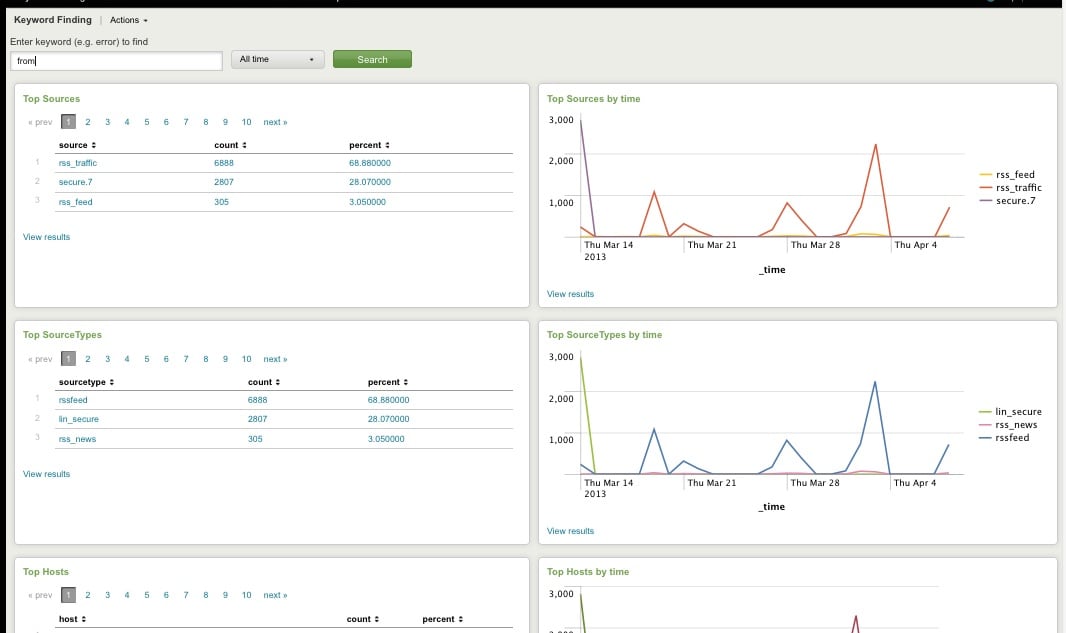
Top Host, Sourcetype, Source

Top Host, Sourcetype, and Source for Keyword
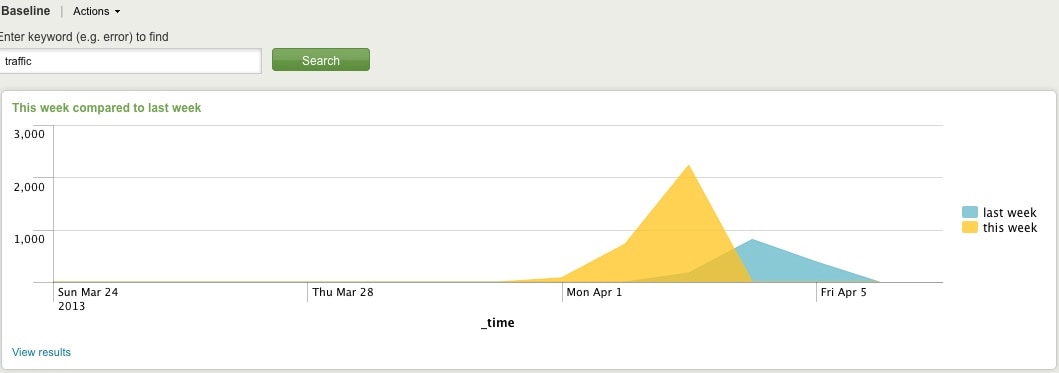
Comparing Present Count vs. Past Count
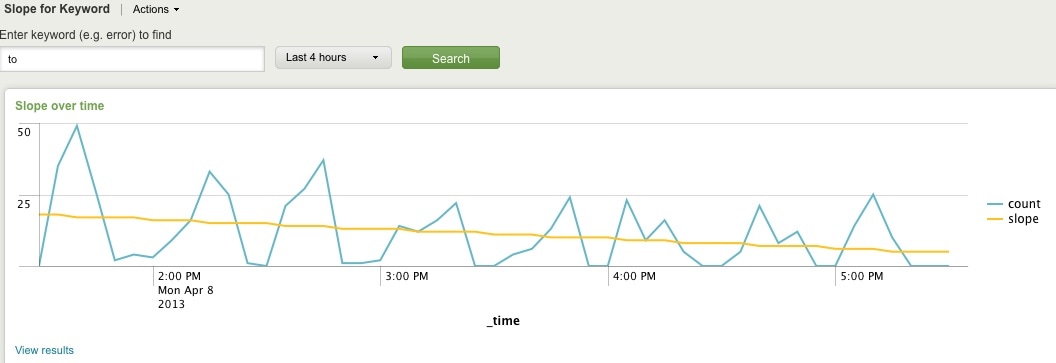
Slope for Trend
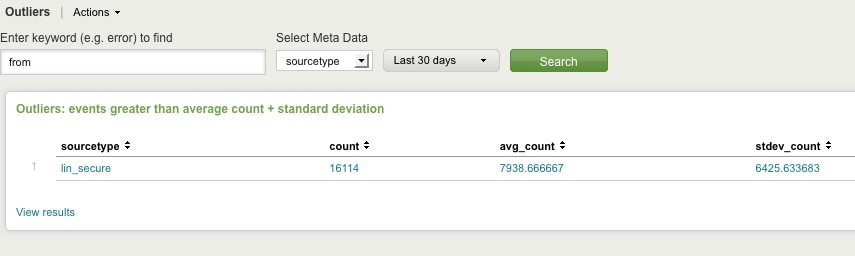
Find Outliers
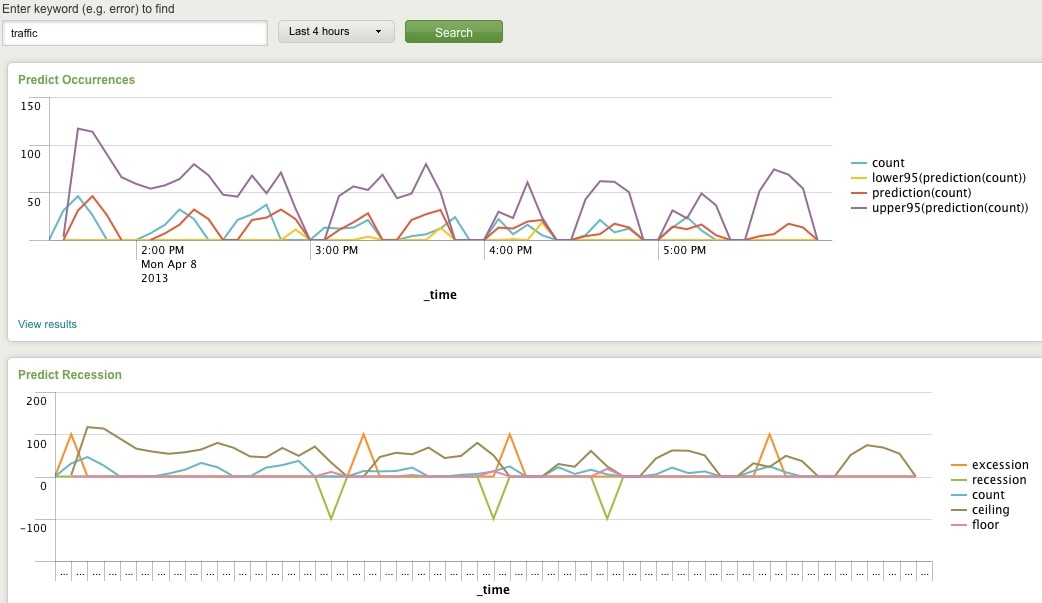
Predict Future Counts (Recession Predict is Jack Coate’s idea)

There’s a Donut Chart (Ron Naken’s Module) that allows you to split your list of keywords by top 10 host, source, or sourcetypes and see the distribution of events.
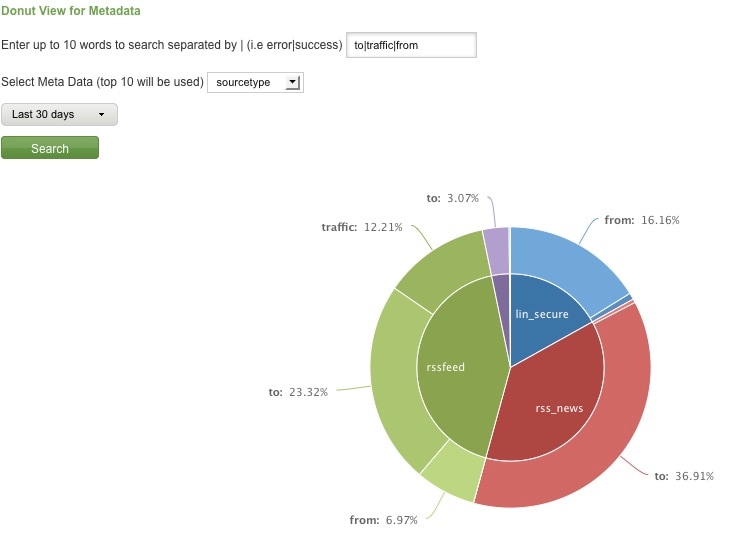
Split Keyword(s) Distribution by Top 10 Hosts, Source, or Sourcetype

Here are rare events based on your filter:
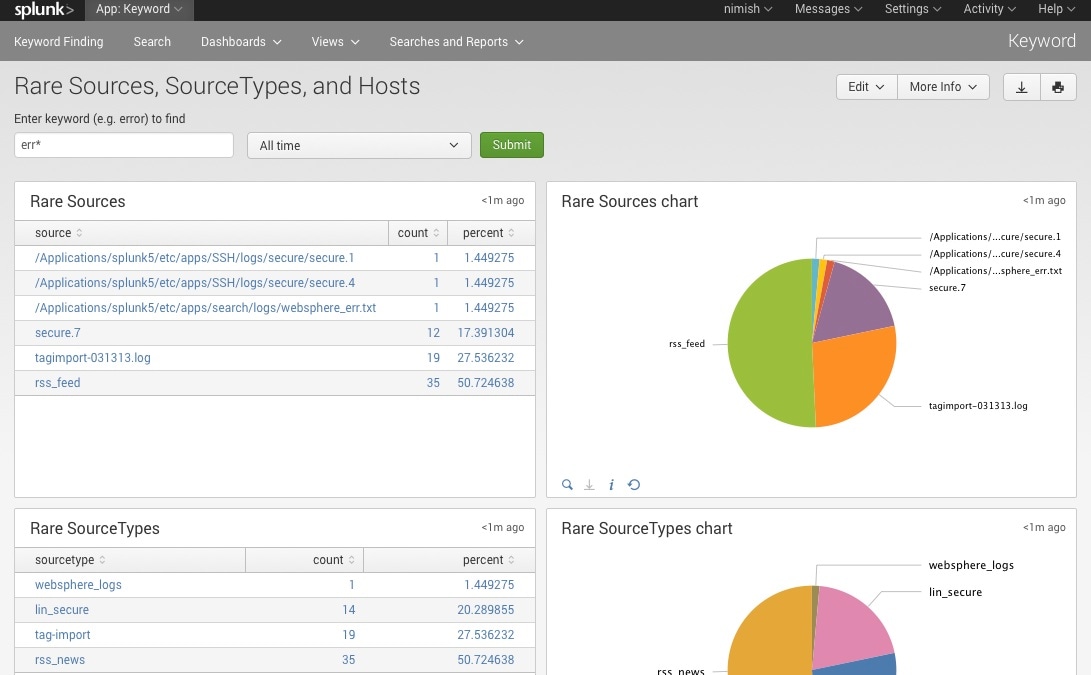
Rare

Finally, here are rare events based on punctuation.
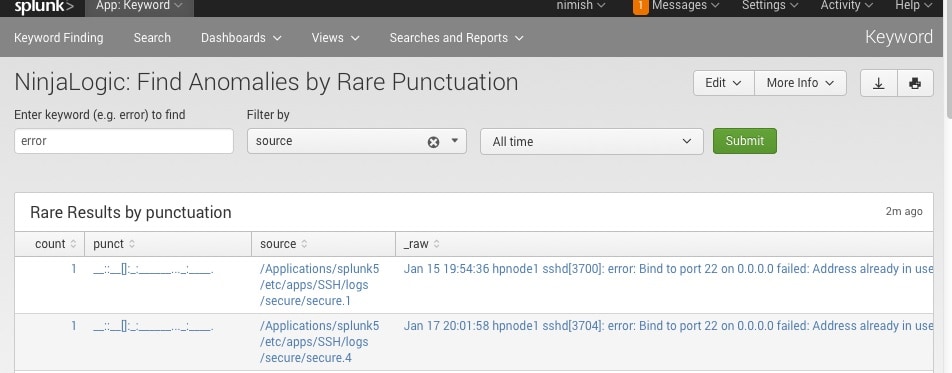
Punct

Conclusion

Hopefully, this template will satisfy all your needs out of the box. If you need to modify the searches, make a copy of the app’s default/data/ui/views/<dashboard>.xml file and put it into the app’s local/data/ui/views/<dashboard>.xml file and edit your local copy. I’m hoping this app will save you some time from configuring these common tasks.

Related Articles

I Scream, You Scream, We All Scream For BOTS!

Security
1 Minute Read

I Scream, You Scream, We All Scream For BOTS!

We are excited to announce our August Boss of the SOC (BOTS) V event! What’s new in BOTS V? I’m glad you asked. This year, we find our favorite brewery, Frothly, converting to a remote model and embracing the cloud for ‘all the things.'
Ransomware Groundhog Day: Elevating Your Program in a High-Threat Environment

Security
3 Minute Read

Ransomware Groundhog Day: Elevating Your Program in a High-Threat Environment

REvil attackers exploited Kaseya, a highly trusted management software. Here's how security leaders can take actionable steps to improve your business's defenses.
REvil Ransomware Threat Research Update and Detections

Security
8 Minute Read

REvil Ransomware Threat Research Update and Detections

On July 2, 2021, REvil group used Kaseya to distribute malware to its on-premises customers. Splunk has pushed out guidance to help understand and detect REvil. Learn more about the REvil ransomeware group, their tactics, and how to detect them using Splunk.
Kaseya, Sera. What REvil Shall Encrypt, Shall Encrypt
Security
19 Minute Read

Kaseya, Sera. What REvil Shall Encrypt, Shall Encrypt

Kaseya VSA, remote monitoring management (RMM) software heavily used by managed service providers (MSP), was compromised by REvil, and is being used to distribute ransomware to its on-premises customers. Find out more on how to detect REvil in your environment.
Fashionably Late: The Zero Trust Trend is Here to Stay
Security
3 Minute Read

Fashionably Late: The Zero Trust Trend is Here to Stay

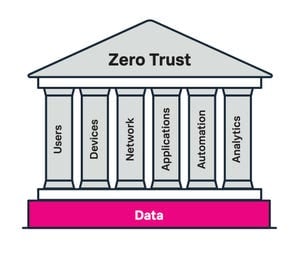
Whether you were hip to the zero trust trend before it started being cool, or are arriving fashionably late, learn how to leverage a data-driven approach to achieve zero trust outcomes and improve the overall security capabilities of the organization in the process.
I Pity the Spool: Detecting PrintNightmare CVE-2021-34527

Security
7 Minute Read

I Pity the Spool: Detecting PrintNightmare CVE-2021-34527
Read on for details around Detect PrintNightmare (CVE-2021-34527), a critical vulnerability that affects the Print Spooler service and can perform remote code execution.
Staff Picks for Splunk Security Reading June 2021
Security
5 Minute Read

Staff Picks for Splunk Security Reading June 2021

SOARing to the Clouds with Splunk SOAR
Security
2 Minute Read

SOARing to the Clouds with Splunk SOAR

Now available as part of Splunk Cloud, Splunk SOAR further delivers on our promise to modernize security operations – read on to learn more.
Introducing the World’s First Modern Cloud-Based SecOps Platform: Splunk Security Cloud
Security
3 Minute Read

Introducing the World’s First Modern Cloud-Based SecOps Platform: Splunk Security Cloud

Announcing the new Splunk Security Cloud – the only data-centric modern security operations platform that delivers enterprise-grade advanced security analytics, automated security operations, and threat intelligence with an open, unparalleled ecosystem.