New Keyword App

One of the most common requests I get from new customers is that they want to centrally collect all their machine generated time series data and search for a keyword like error or RuntimeException. Obviously Splunk can do this. Then, the next set of questions concern things like give me the top hosts or applications producing this keyword, show me a baseline of last week vs this week for this keyword, show me a slope line on the trend for this or any keyword(s), find outliers that go beyond the average occurrences for the keyword and then try to predict what may happen in the future.

To answer these questions and then some, I’ve created an app template that you can download from Splunkbase and simply install the Keyword App. The app has no inputs as it uses your own indexed data. You can modify the default indexes for the role that uses the app in Manager to include indexes beyond main. Usually, what I do next in these blog entries is describe how to use the app. However, in this case, a picture is worth a thousand words. Rather than continue to entertain you with my prose, I’ll simply embed the the self explanatory dashboards here.
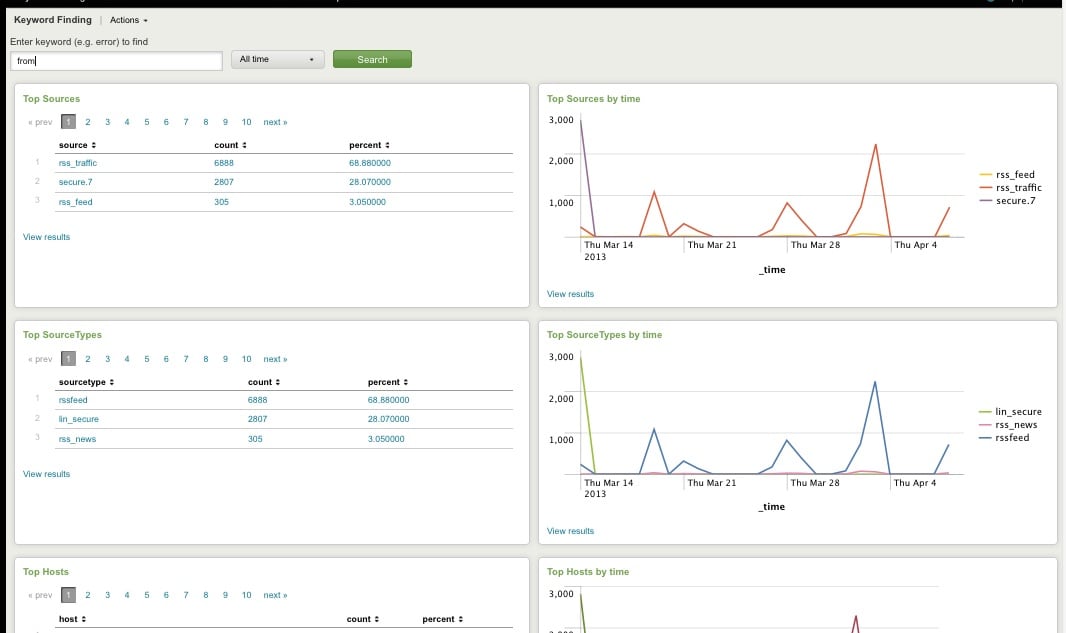
Top Host, Sourcetype, Source

Top Host, Sourcetype, and Source for Keyword
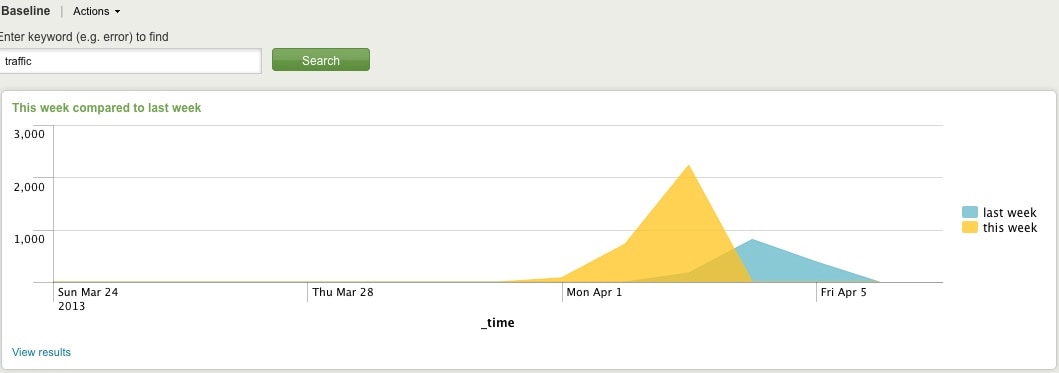
Comparing Present Count vs. Past Count
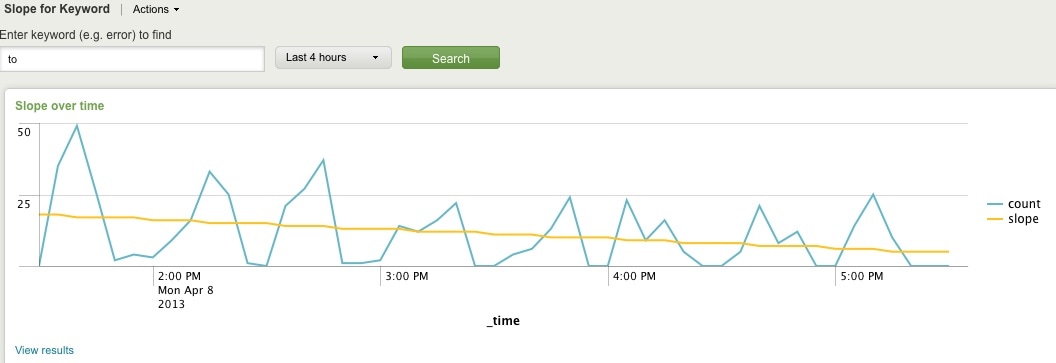
Slope for Trend
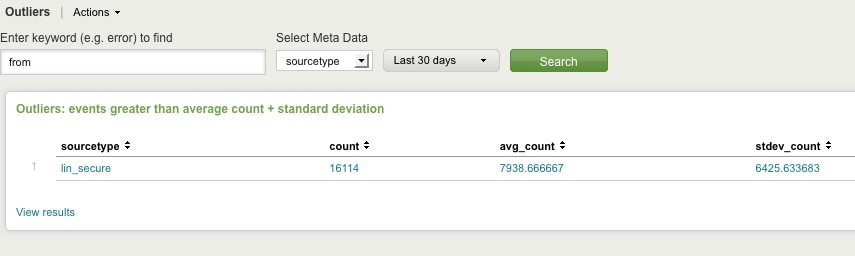
Find Outliers
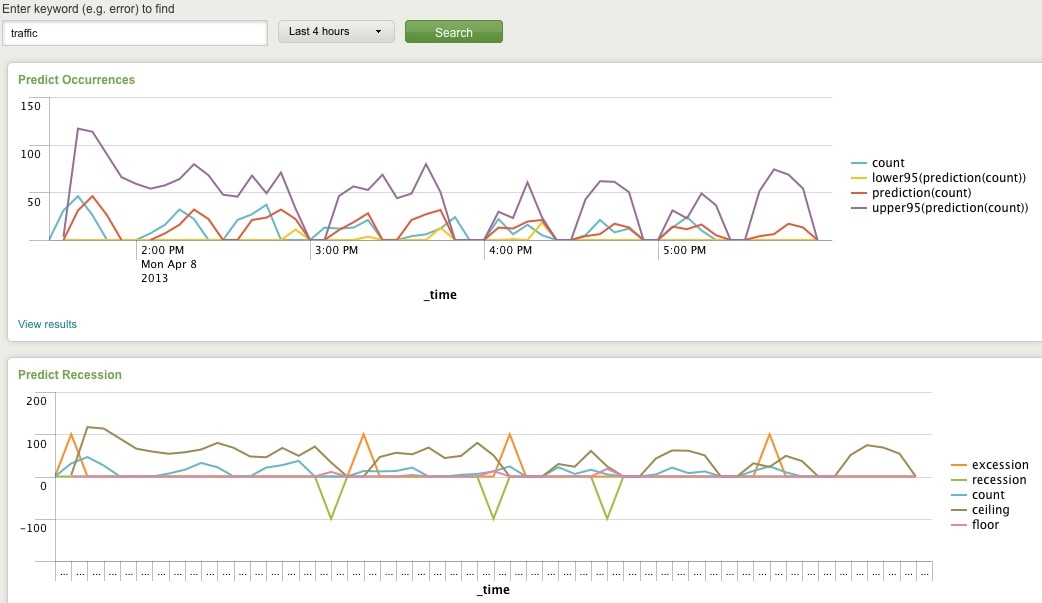
Predict Future Counts (Recession Predict is Jack Coate’s idea)

There’s a Donut Chart (Ron Naken’s Module) that allows you to split your list of keywords by top 10 host, source, or sourcetypes and see the distribution of events.
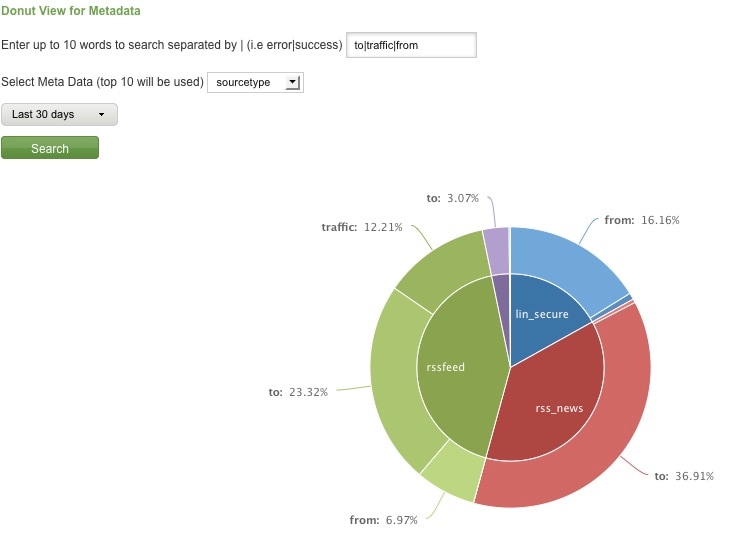
Split Keyword(s) Distribution by Top 10 Hosts, Source, or Sourcetype

Here are rare events based on your filter:
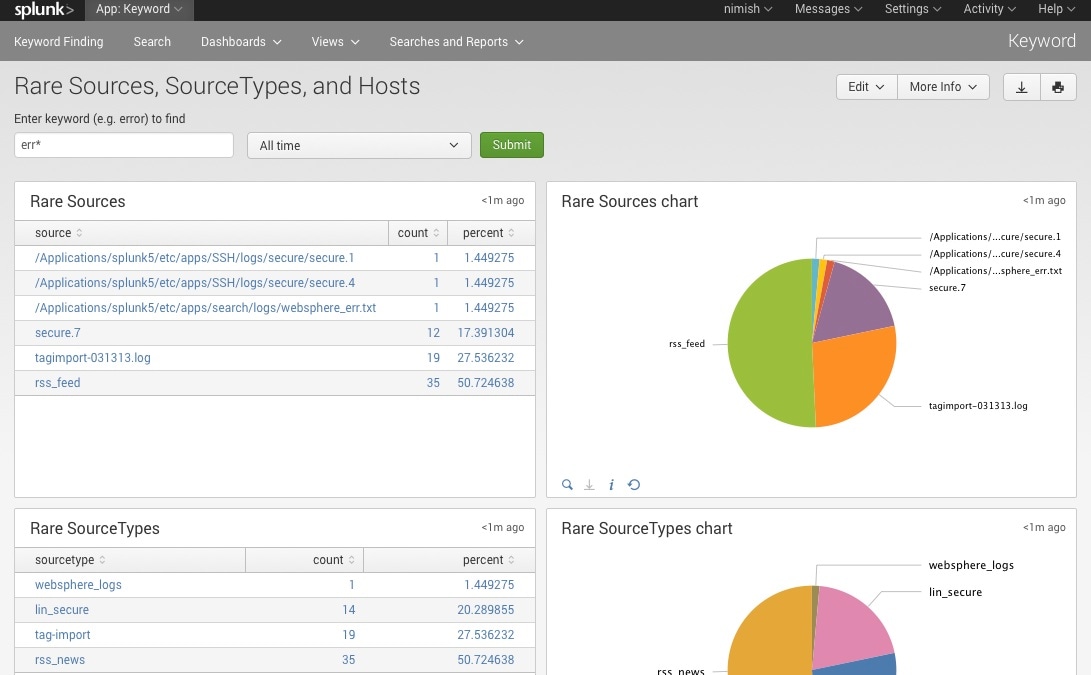
Rare

Finally, here are rare events based on punctuation.
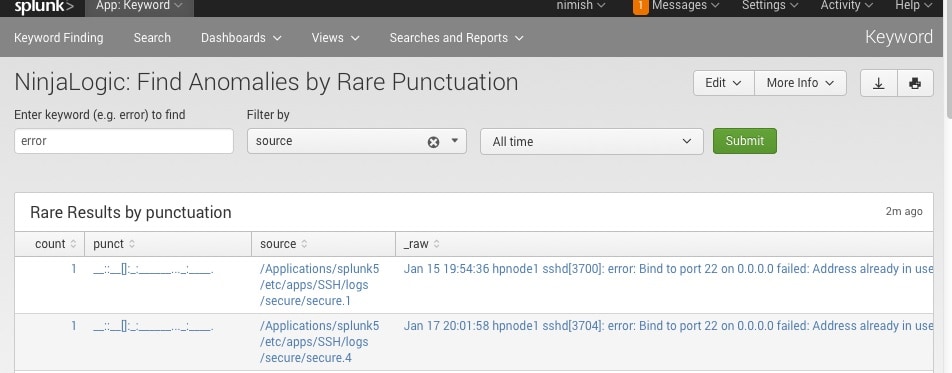
Punct

Conclusion

Hopefully, this template will satisfy all your needs out of the box. If you need to modify the searches, make a copy of the app’s default/data/ui/views/<dashboard>.xml file and put it into the app’s local/data/ui/views/<dashboard>.xml file and edit your local copy. I’m hoping this app will save you some time from configuring these common tasks.

Related Articles

Advanced Link Analysis: Part 2 - Implementing Link Analysis

Security
4 Minute Read

Advanced Link Analysis: Part 2 - Implementing Link Analysis

Learn how to step-by-step process to building the dashboard with Sigbay Link Analysis visualization app from scratch.
Detecting AWS IAM Privilege Escalation

Security
3 Minute Read

Detecting AWS IAM Privilege Escalation

The Splunk Threat Research team develops security research to help SOC analysts detect adversaries attempting to escalate their privileges and gain elevated access to AWS resources. Learn how we simulate these attacks using Atomic Red Team, collect and analyze the AWS cloudtrail logs, and utilize pre-packaged Splunk detections to detect these threats.
Splunk SOAR Playbooks: Conducting an Azure New User Census
Security
3 Minute Read

Splunk SOAR Playbooks: Conducting an Azure New User Census

Learn how to use automated playbooks to monitor new user accounts to ensure that threat actors like Hafnium cannot leverage the Active Directory system to exploit vulnerabilities.
Top In-Demand Cybersecurity Skills in the Upcoming Years
Security
2 Minute Read

Top In-Demand Cybersecurity Skills in the Upcoming Years

Automation is optimizing SOC workflows but also shaking up the cybersecurity workspace. Skills that were once in high demand are decreasing in value. Splunker Matthias Maier took a closer look into cybersecurity developments and shares which cybersecurity skills professionals should be focussing on in the upcoming years.
Staff Picks for Splunk Security Reading March 2021

Security
3 Minute Read

Staff Picks for Splunk Security Reading March 2021

These monthly postings will feature the favorite security-centric presentations, white papers and customer case studies from various peeps in the Splunk (or not) security world that WE think everyone should read. If you would like to read other months, please take a peek at previous posts in the "Staff Picks" series!
Automated Clean-up of HAFNIUM Shells and Processes with Splunk Phantom

Security
5 Minute Read

Automated Clean-up of HAFNIUM Shells and Processes with Splunk Phantom

Implement security playbooks to automatically delete Microsoft Exchange Webshells and terminate W3WP spawned processes with Splunk Phantom.
Analytics-Based Investigation and Automated Response with AWS + Splunk Security Solutions

Security
2 Minute Read

Analytics-Based Investigation and Automated Response with AWS + Splunk Security Solutions

Learn how AWS and these Splunk products work together to help you strengthen your security posture and defend against threats to your environment.
Orchestrate Framework Controls to Support Security Operations with Splunk SOAR

Security
2 Minute Read

Orchestrate Framework Controls to Support Security Operations with Splunk SOAR

Learn more about how to identify use cases for automation and dive deeper into the five steps of designing security workflows around framework regulations
How to Marie Kondo Your Incident Response with Case Management & Foundational Security Procedures
Security
3 Minute Read

How to Marie Kondo Your Incident Response with Case Management & Foundational Security Procedures

Learn how successful security teams “Marie Kondo” their security operations, cleaning up their “visible mess” to identify the true source of “disorder” (the cyber attack itself).