New Keyword App

One of the most common requests I get from new customers is that they want to centrally collect all their machine generated time series data and search for a keyword like error or RuntimeException. Obviously Splunk can do this. Then, the next set of questions concern things like give me the top hosts or applications producing this keyword, show me a baseline of last week vs this week for this keyword, show me a slope line on the trend for this or any keyword(s), find outliers that go beyond the average occurrences for the keyword and then try to predict what may happen in the future.

To answer these questions and then some, I’ve created an app template that you can download from Splunkbase and simply install the Keyword App. The app has no inputs as it uses your own indexed data. You can modify the default indexes for the role that uses the app in Manager to include indexes beyond main. Usually, what I do next in these blog entries is describe how to use the app. However, in this case, a picture is worth a thousand words. Rather than continue to entertain you with my prose, I’ll simply embed the the self explanatory dashboards here.
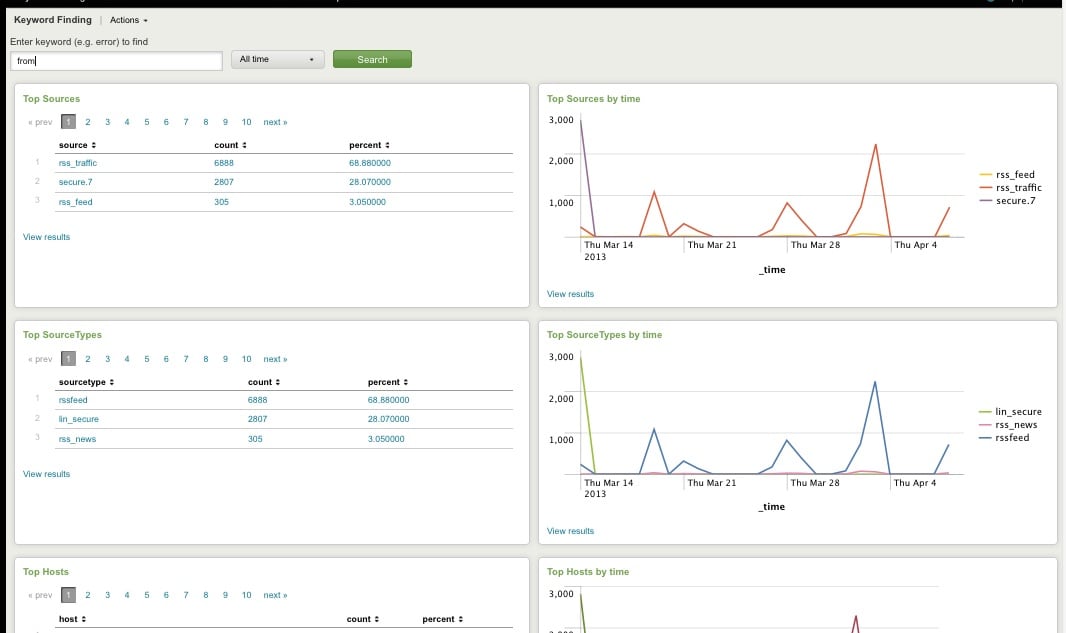
Top Host, Sourcetype, Source

Top Host, Sourcetype, and Source for Keyword
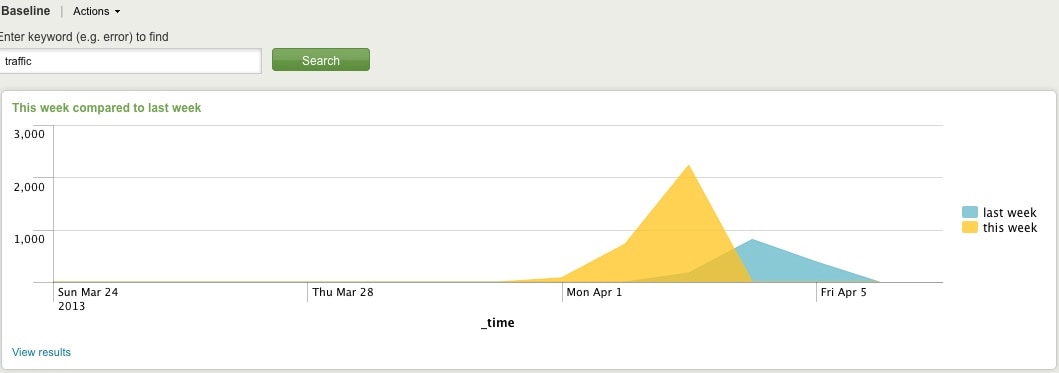
Comparing Present Count vs. Past Count
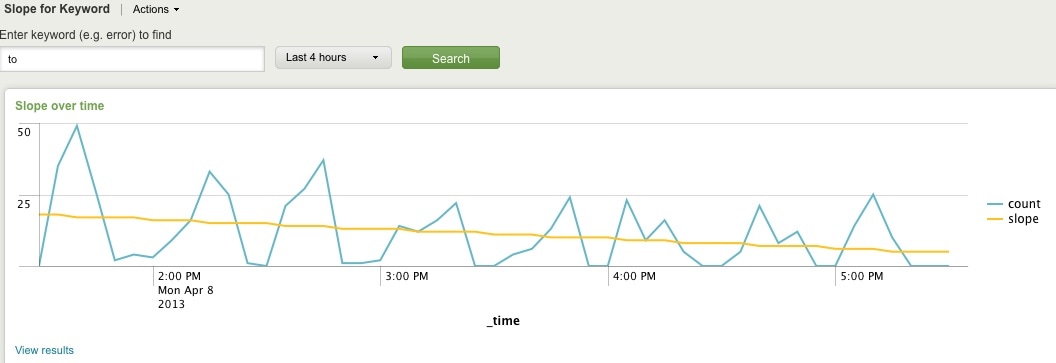
Slope for Trend
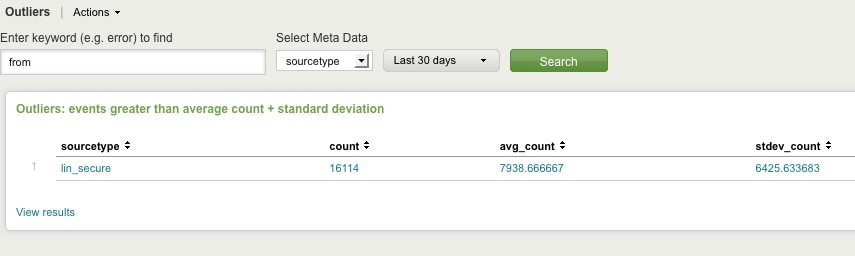
Find Outliers
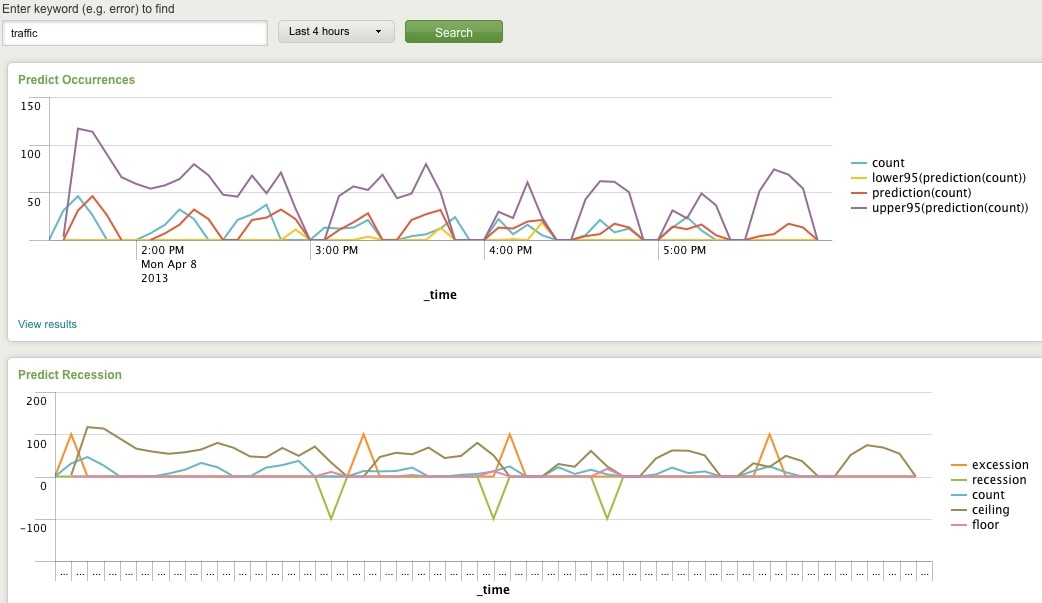
Predict Future Counts (Recession Predict is Jack Coate’s idea)

There’s a Donut Chart (Ron Naken’s Module) that allows you to split your list of keywords by top 10 host, source, or sourcetypes and see the distribution of events.
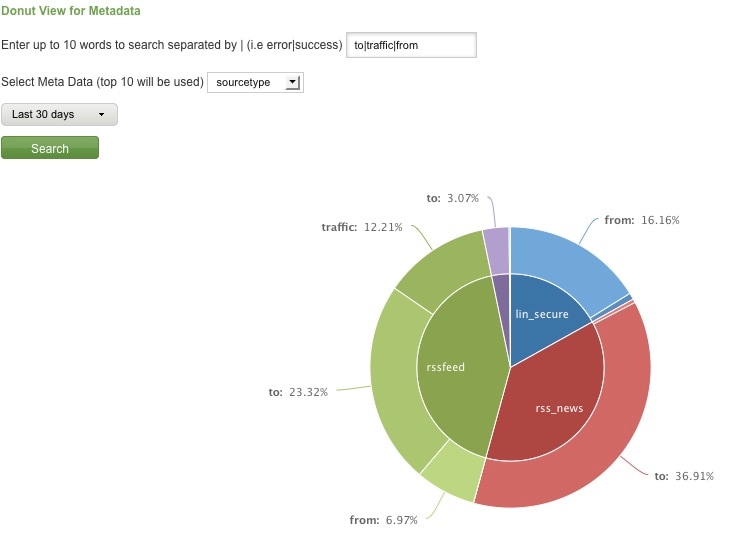
Split Keyword(s) Distribution by Top 10 Hosts, Source, or Sourcetype

Here are rare events based on your filter:
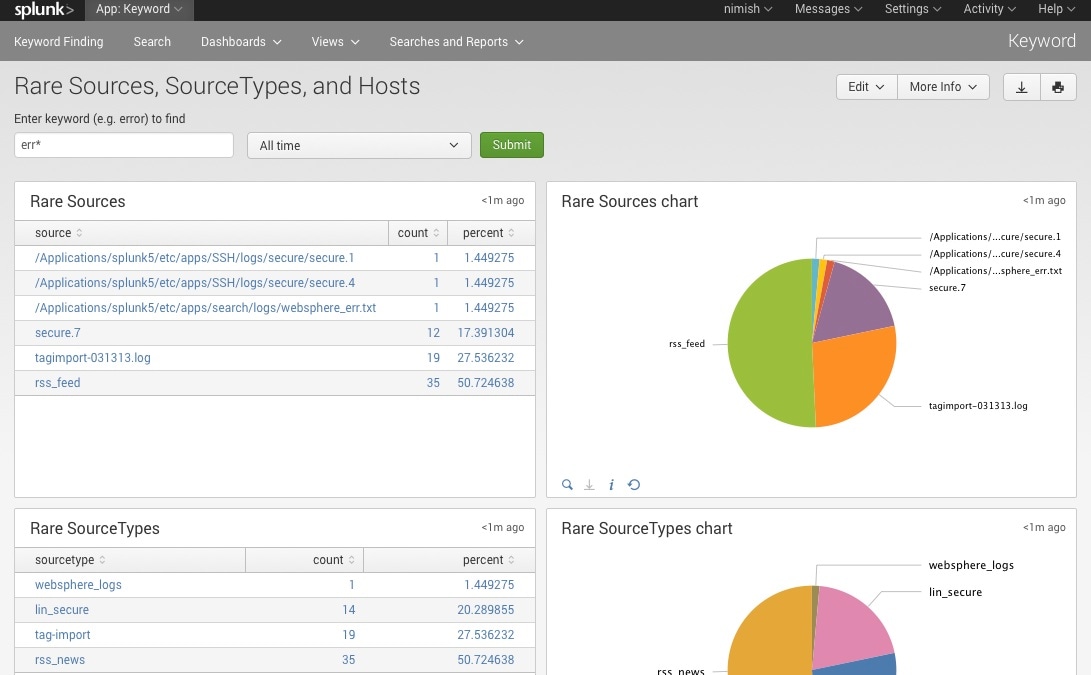
Rare

Finally, here are rare events based on punctuation.
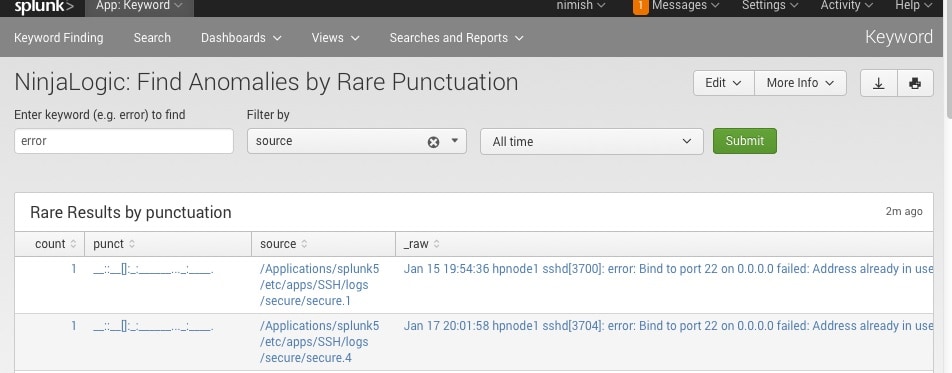
Punct

Conclusion

Hopefully, this template will satisfy all your needs out of the box. If you need to modify the searches, make a copy of the app’s default/data/ui/views/<dashboard>.xml file and put it into the app’s local/data/ui/views/<dashboard>.xml file and edit your local copy. I’m hoping this app will save you some time from configuring these common tasks.

Related Articles

Splunk SOAR Playbooks: GCP Unusual Service Account Usage

Security
4 Minute Read

Splunk SOAR Playbooks: GCP Unusual Service Account Usage

In this new Splunk SOAR Playbook, we'll show how a Splunk Enterprise search can trigger automated enrichment, an analyst prompt, and rapid response actions to prevent damage caused by malicious account access.
Super Speed with Phantom Slash Commands

Security
2 Minute Read

Super Speed with Phantom Slash Commands

Splunker Olivia Courtney shares a walkthrough of what you can do with the power of Phantom Slash Commands to investigate Splunk Phantom events.
Detecting Password Spraying Attacks: Threat Research Release May 2021

Security
5 Minute Read

Detecting Password Spraying Attacks: Threat Research Release May 2021

The Splunk Threat Research team walks you through a new analytic story to help SOC analysts detect adversaries executing password spraying attacks, and highlights a few detections from the May 2021 releases.
A Deeper Dive into TruSTAR Intel Workflows
Security
4 Minute Read

A Deeper Dive into TruSTAR Intel Workflows

Learn about TruSTAR's API 2.0, featuring TruSTAR Intel Workflows. This blog post provides a look at some technical aspects of the Indicator Prioritization Intel Workflow.
Tales of a Principal Threat Intelligence Analyst

Security
3 Minute Read

Tales of a Principal Threat Intelligence Analyst

Discover how threat intelligence can offer valuable insights to help fend off future attacks, no matter how covert or cunning they appear to be.
EO, EO, It’s Off to Work We Go! (Protecting Against the Threat of Ransomware with Splunk)

Security
10 Minute Read

EO, EO, It’s Off to Work We Go! (Protecting Against the Threat of Ransomware with Splunk)

We read the 'What We Urge You To Do To Protect Against The Threat of Ransomware' memo and Executive Order (EO14028) in-depth, and this blog is designed to provide you with the information and takeaways to start acting immediately.
Understanding Splunk Phantom’s Join Logic
Security
1 Minute Read

Understanding Splunk Phantom’s Join Logic

Have you ever built complex playbooks and tested them, only to find that they halted execution mid-stream? That’s probably because of your ‘join’ settings – read on to learn more.
Easily Automate Across Your AWS Environments with Splunk Phantom
Security
2 Minute Read

Easily Automate Across Your AWS Environments with Splunk Phantom

Splunk Phantom now has the flexibility to let you easily manage your AWS environment across hundreds or thousands of accounts – read on to learn more.
Partner Spotlight: IT-ISAC Members Automate and Simplify Intelligence Sharing with TruSTAR
Security
5 Minute Read

Partner Spotlight: IT-ISAC Members Automate and Simplify Intelligence Sharing with TruSTAR

We recently interviewed IT-ISAC Executive Director Scott Algeier to discuss why the organization chose to partner with TruSTAR, and the benefits its members are experiencing using TruSTAR to simplify integrations, automate data flows and make intel more actionable.