Easily Automate Across Your AWS Environments with Splunk Phantom
When running Splunk Phantom with AWS services, it can be tricky to make sure Splunk Phantom has the right access. When you’re managing multiple AWS accounts, the effort to configure Splunk Phantom’s access to every account can feel insurmountable. Fortunately, Amazon has the Security Token Service to solve this problem with temporary credentials, so we’ve integrated it with Splunk Phantom!

Temporary credentials are great, because you allow a user to access AWS resources without the overhead of creating an account, embedding credentials, or worrying about revoking or expiring them.

Using Splunk Phantom’s new AWS Security Token Service integration, we’re able to take advantage of the AssumeRole capability. You’ve diligently set up the roles you need to manage your AWS environment, so now let’s leverage that effort in Splunk Phantom.

How to AssumeRole in Splunk Phantom

So how do we actually do this in Splunk Phantom? From a high level, it’s a two-step process starting with the AWS Security Token Service integration. You’ll use it to AssumeRole with a specified Amazon Resource Name (ARN), then pass the credentials it returns to your AWS app, like S3 or Lambda.

Let’s walk through a simple example together.

Step 1

In your playbook, you’ll start with the AWS Security Token Service integration and its assume role action.

Step 2

The role_arn parameter is configured in AWS and is the ID of the role you want to assume. You can type the ARN directly, or supply it from the result of a previous action.

Step 3

At this point, we have the Credentials for the ARN we specified as the output of our assume role action, and now we can supply that output in another AWS integration’s Credentials field. In this example, we’re trying to list buckets in AWS S3.

And we’re done! The credentials will expire on their own, and you can get a fresh set whenever you need it.

Currently, we support AssumeRole functionality with the AWS Security Token Service in the following apps:

Look for the rest of our AWS integrations to include this functionality this summer!

Examples

Want to try out using the STS Token Service yourself? Head over to our open-source repository and download an example playbook!

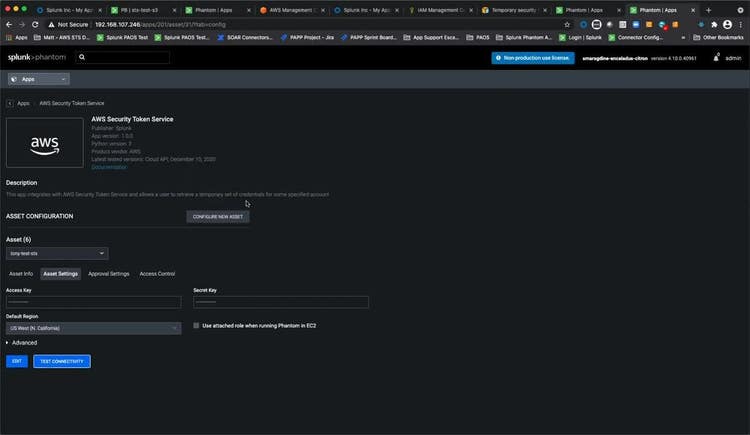
We focused on using the apps within Splunk Phantom today, but in the video below Tony Cihak does a fantastic job of showcasing the process from beginning to end with a simple example that includes some setup on the AWS side as well. In addition, he demonstrates using a role tied to an EC2 instance that you’re running Splunk Phantom on.
Related Articles

Predicting Cyber Fraud Through Real-World Events: Insights from Domain Registration Trends

Security
12 Minute Read

Predicting Cyber Fraud Through Real-World Events: Insights from Domain Registration Trends

By analyzing new domain registrations around major real-world events, researchers show how fraud campaigns take shape early, helping defenders spot threats before scams surface.
When Your Fraud Detection Tool Doubles as a Wellness Check: The Unexpected Intersection of Security and HR

Security
4 Minute Read

When Your Fraud Detection Tool Doubles as a Wellness Check: The Unexpected Intersection of Security and HR

Behavioral analytics can spot fraud and burnout. With UEBA built into Splunk ES Premier, one data set helps security and HR reduce risk, retain talent, faster.
Splunk Security Content for Threat Detection & Response: November Recap
Security
1 Minute Read

Splunk Security Content for Threat Detection & Response: November Recap

Discover Splunk's November security content updates, featuring enhanced Castle RAT threat detection, UAC bypass analytics, and deeper insights for validating detections on research.splunk.com.
Security Staff Picks To Read This Month, Handpicked by Splunk Experts

Security
2 Minute Read

Security Staff Picks To Read This Month, Handpicked by Splunk Experts

Our Splunk security experts share their favorite reads of the month so you can follow the most interesting, news-worthy, and innovative stories coming from the wide world of cybersecurity.
Behind the Walls: Techniques and Tactics in Castle RAT Client Malware
Security
10 Minute Read

Behind the Walls: Techniques and Tactics in Castle RAT Client Malware

Uncover CastleRAT malware's techniques (TTPs) and learn how to build Splunk detections using MITRE ATT&CK. Protect your network from this advanced RAT.
AI for Humans: A Beginner’s Field Guide

Security
12 Minute Read

AI for Humans: A Beginner’s Field Guide

Unlock AI with the our beginner's field guide. Demystify LLMs, Generative AI, and Agentic AI, exploring their evolution and critical cybersecurity applications.
Splunk Security Content for Threat Detection & Response: November 2025 Update

Security
5 Minute Read

Splunk Security Content for Threat Detection & Response: November 2025 Update

Learn about the latest security content from Splunk.
Operation Defend the North: What High-Pressure Cyber Exercises Teach Us About Resilience and How OneCisco Elevates It

Security
3 Minute Read

Operation Defend the North: What High-Pressure Cyber Exercises Teach Us About Resilience and How OneCisco Elevates It

The OneCisco approach is not about any single platform or toolset; it's about fusing visibility, analytics, and automation into a shared source of operational truth so that teams can act decisively, even in the fog of crisis.
Data Fit for a Sovereign: How to Consider Sovereignty in Your Digital Resilience Strategy
Security
5 Minute Read

Data Fit for a Sovereign: How to Consider Sovereignty in Your Digital Resilience Strategy

Explore how digital sovereignty shapes resilient strategies for European organisations. Learn how to balance control, compliance, and agility in your data infrastructure with Cisco and Splunk’s flexible, secure solutions for the AI era.