New Keyword App

One of the most common requests I get from new customers is that they want to centrally collect all their machine generated time series data and search for a keyword like error or RuntimeException. Obviously Splunk can do this. Then, the next set of questions concern things like give me the top hosts or applications producing this keyword, show me a baseline of last week vs this week for this keyword, show me a slope line on the trend for this or any keyword(s), find outliers that go beyond the average occurrences for the keyword and then try to predict what may happen in the future.

To answer these questions and then some, I’ve created an app template that you can download from Splunkbase and simply install the Keyword App. The app has no inputs as it uses your own indexed data. You can modify the default indexes for the role that uses the app in Manager to include indexes beyond main. Usually, what I do next in these blog entries is describe how to use the app. However, in this case, a picture is worth a thousand words. Rather than continue to entertain you with my prose, I’ll simply embed the the self explanatory dashboards here.
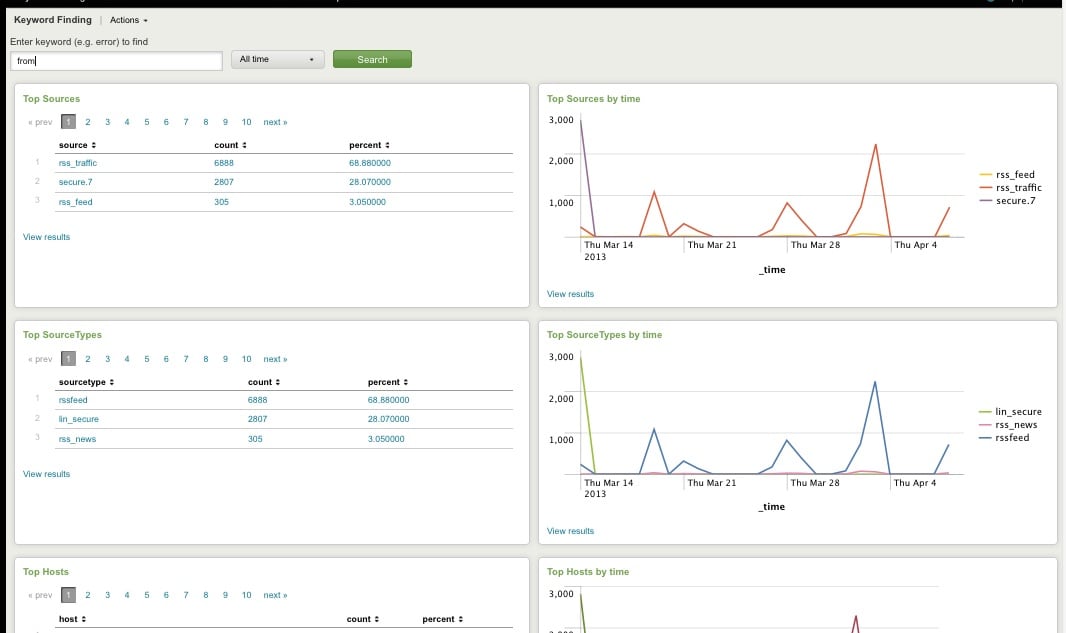
Top Host, Sourcetype, Source

Top Host, Sourcetype, and Source for Keyword
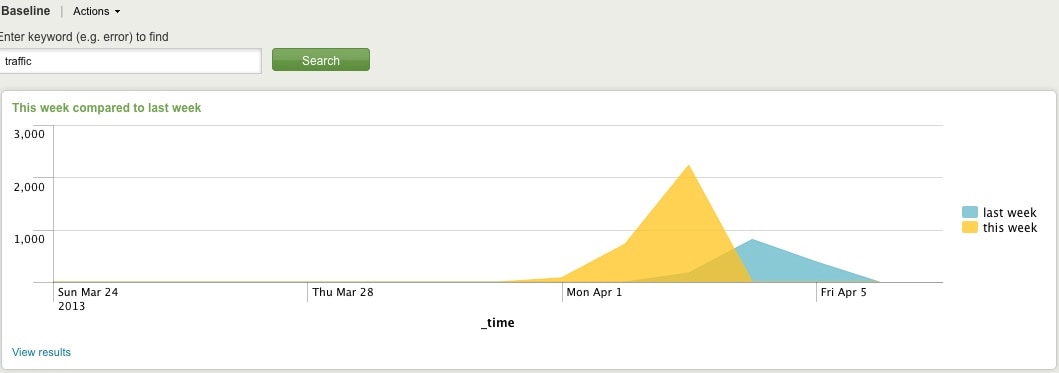
Comparing Present Count vs. Past Count
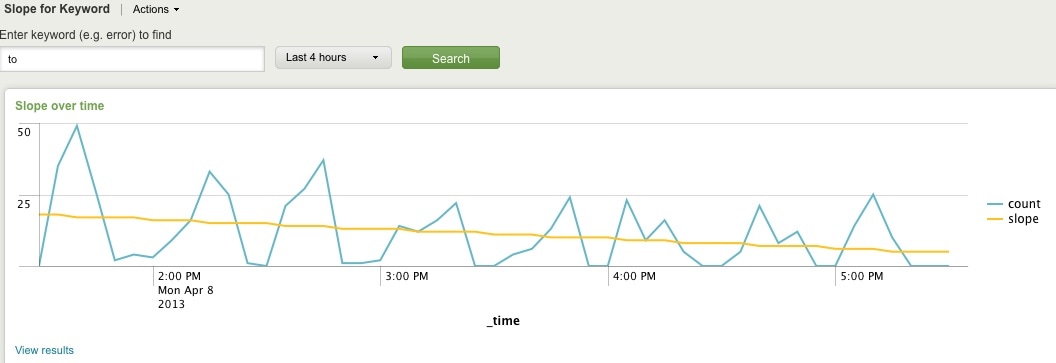
Slope for Trend
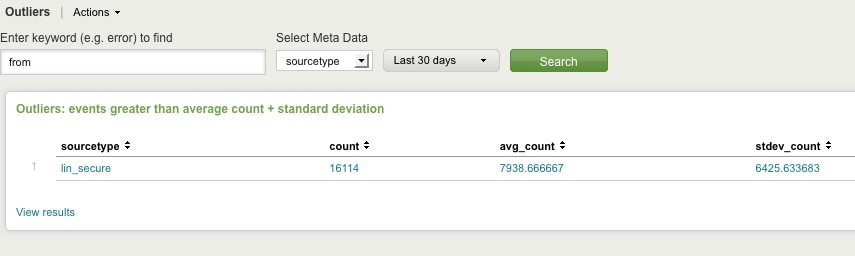
Find Outliers
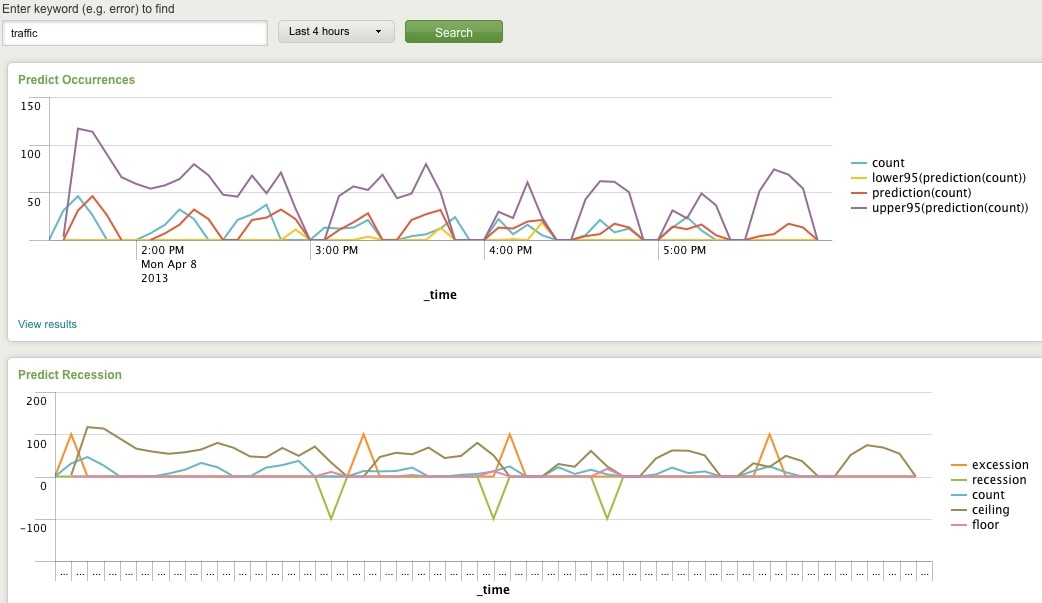
Predict Future Counts (Recession Predict is Jack Coate’s idea)

There’s a Donut Chart (Ron Naken’s Module) that allows you to split your list of keywords by top 10 host, source, or sourcetypes and see the distribution of events.
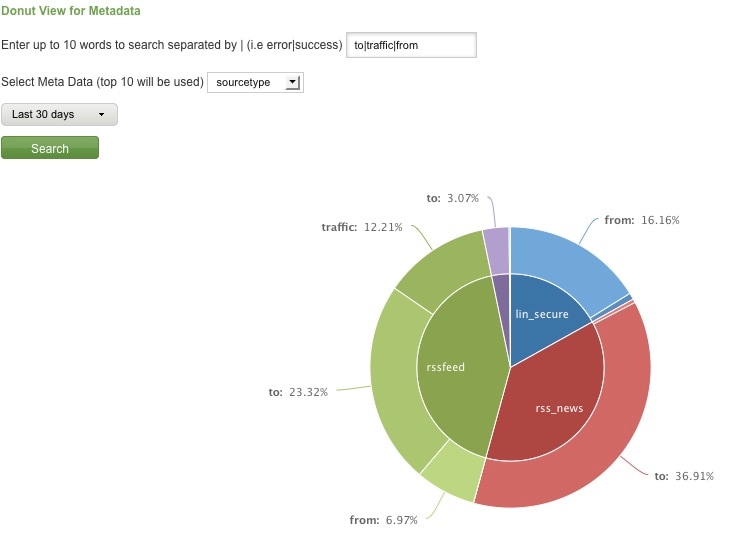
Split Keyword(s) Distribution by Top 10 Hosts, Source, or Sourcetype

Here are rare events based on your filter:
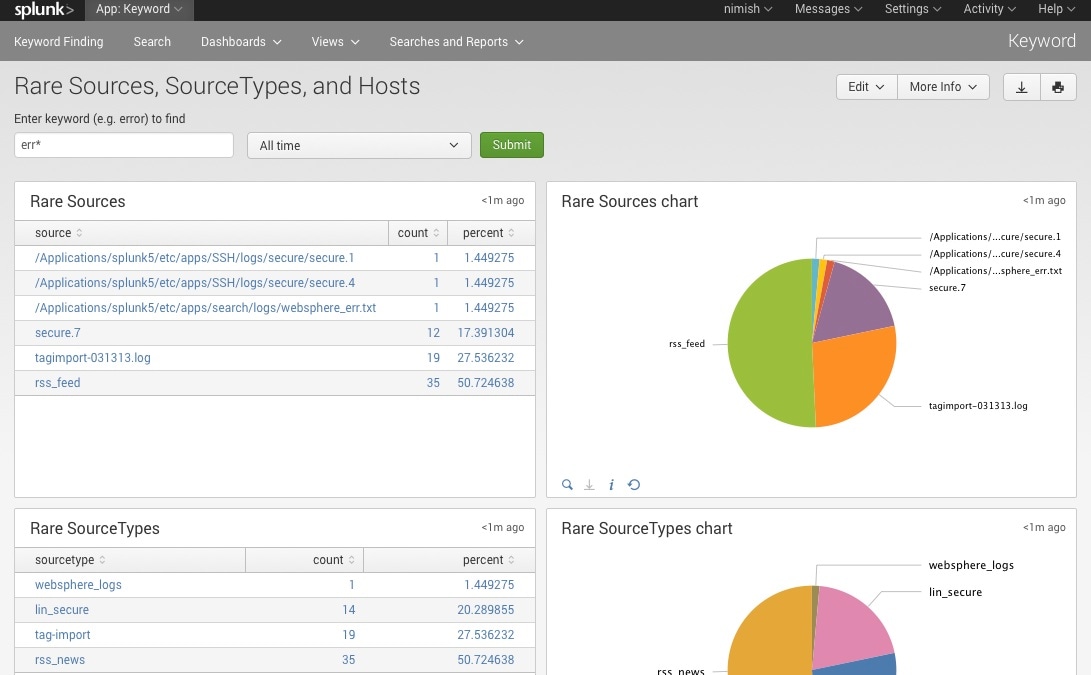
Rare

Finally, here are rare events based on punctuation.
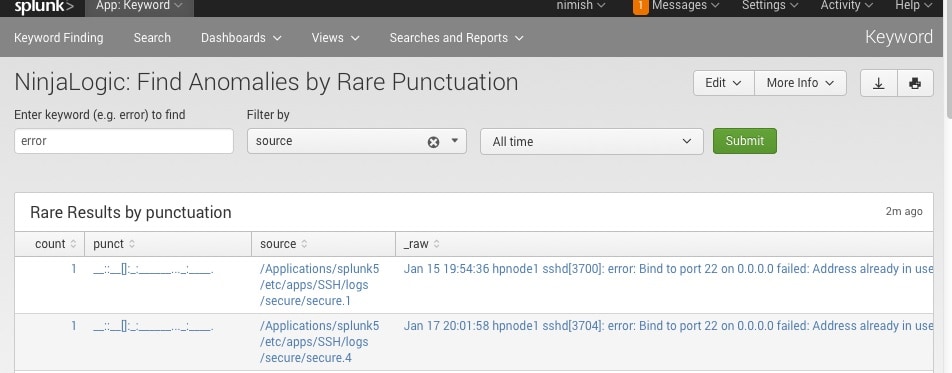
Punct

Conclusion

Hopefully, this template will satisfy all your needs out of the box. If you need to modify the searches, make a copy of the app’s default/data/ui/views/<dashboard>.xml file and put it into the app’s local/data/ui/views/<dashboard>.xml file and edit your local copy. I’m hoping this app will save you some time from configuring these common tasks.

Related Articles

Conti Threat Research Update and Detections
Security
5 Minute Read

Conti Threat Research Update and Detections

In this blog, the Splunk Threat Research team will show you how to use Splunk Attack Range to simulate cyber attacks from the Conti Ransomware group. It will also have pre-built detections that you can use to detect them in your environment.
Detecting SeriousSAM CVE-2021-36934 With Splunk

Security
4 Minute Read

Detecting SeriousSAM CVE-2021-36934 With Splunk

SeriousSAM or CVE-2021-36934 is a Privilege Escalation Vulnerability. The Splunk Threat Research team recommends performing an assessment to better understand the impact of this vulnerability in corporate environments.
Security Modernization Starts with Data and Splunk at Black Hat 2021
Security
2 Minute Read

Security Modernization Starts with Data and Splunk at Black Hat 2021

It’s time to take that breach vacation and get the inside scoop at what Splunk has happening at Black Hat 2021.
Get Started with Splunk for Security: Splunk Security Essentials

Security
2 Minute Read

Get Started with Splunk for Security: Splunk Security Essentials

Splunk Security Essentials (SSE) is now part of the Splunk security portfolio and fully supported with an active Splunk Cloud or Splunk Enterprise license. Start using SSE and apply prescriptive guidance and deploy pre-built security detections in your Splunk environment.
Detecting Trickbot with Splunk
Security
6 Minute Read

Detecting Trickbot with Splunk

The Splunk Threat Research Team has assessed several samples of Trickbot, a popular crimeware carrier that allows malicious actors to deliver multiple types of payloads. Use our pre-built Splunk detections to detect Trickbots.
API 2.0: TruSTAR Operationalizes Data Orchestration and Normalization for a New Era in Intelligence Management

Security
3 Minute Read

API 2.0: TruSTAR Operationalizes Data Orchestration and Normalization for a New Era in Intelligence Management

TruSTAR announces new features making intelligence more actionable by simplifying intelligence ingestion, automating data flows and better informing SIEM, SOAR and Vulnerability Management programs.
Data Exfiltration Detections: Threat Research Release, June 2021
Security
5 Minute Read

Data Exfiltration Detections: Threat Research Release, June 2021

Check out detections from the Splunk Threat Research team to detect data exfiltration – also known as data extrusion, data exportation, and data theft – in your environment.
Five Questions Your Organization Must Ask to Prepare For a Ransomware Attack
Security
5 Minute Read

Five Questions Your Organization Must Ask to Prepare For a Ransomware Attack

What questions should organizations be asking themselves and what steps should they take to prevent or mitigate the next ransomware threat? Splunk's Yassir Abousselham has put together a quick set of questions we’re asking at Splunk that can help you.
What's New with Splunk Enterprise Security 6.6?
Security
3 Minute Read

What's New with Splunk Enterprise Security 6.6?

Learn about the latest and greatest features of Splunk Enterprise Security 6.6.