New Keyword App

One of the most common requests I get from new customers is that they want to centrally collect all their machine generated time series data and search for a keyword like error or RuntimeException. Obviously Splunk can do this. Then, the next set of questions concern things like give me the top hosts or applications producing this keyword, show me a baseline of last week vs this week for this keyword, show me a slope line on the trend for this or any keyword(s), find outliers that go beyond the average occurrences for the keyword and then try to predict what may happen in the future.

To answer these questions and then some, I’ve created an app template that you can download from Splunkbase and simply install the Keyword App. The app has no inputs as it uses your own indexed data. You can modify the default indexes for the role that uses the app in Manager to include indexes beyond main. Usually, what I do next in these blog entries is describe how to use the app. However, in this case, a picture is worth a thousand words. Rather than continue to entertain you with my prose, I’ll simply embed the the self explanatory dashboards here.
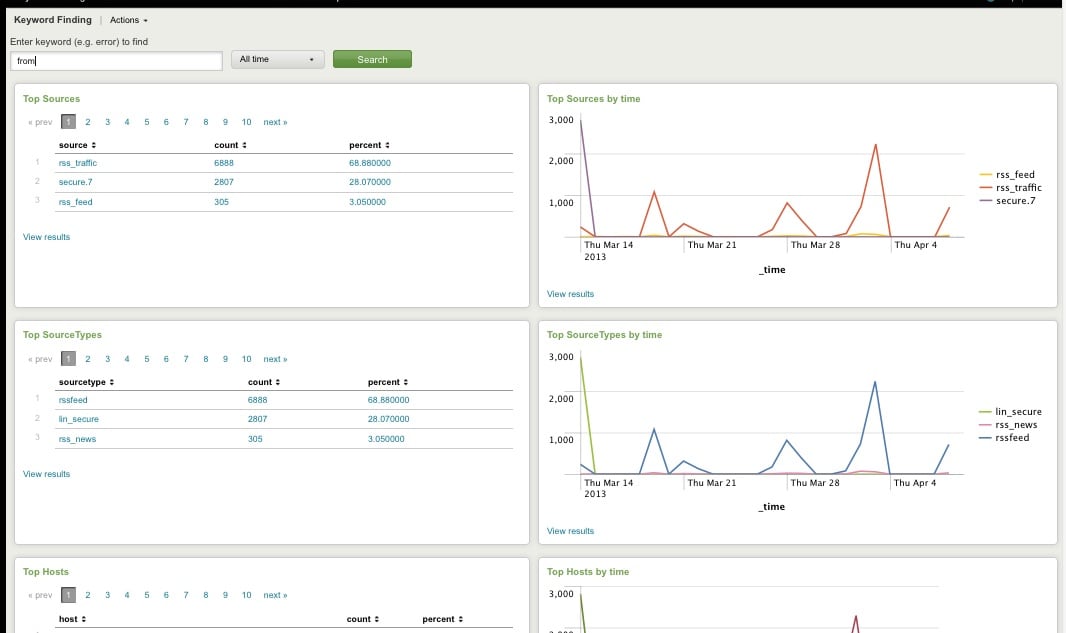
Top Host, Sourcetype, Source

Top Host, Sourcetype, and Source for Keyword
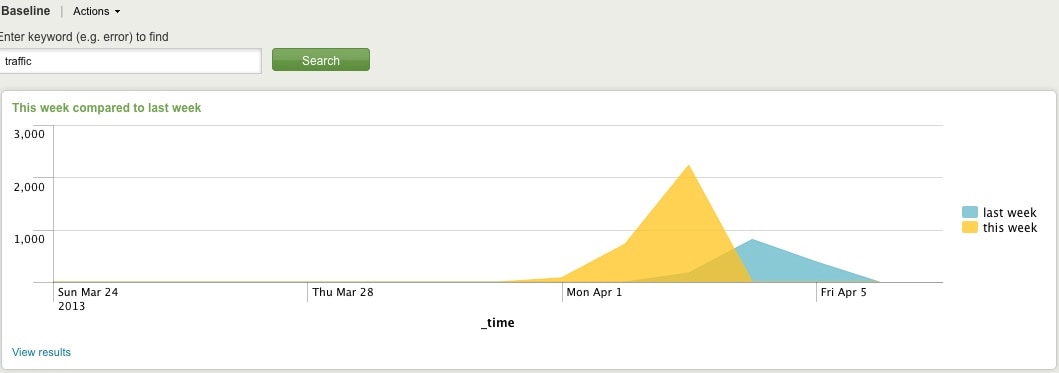
Comparing Present Count vs. Past Count
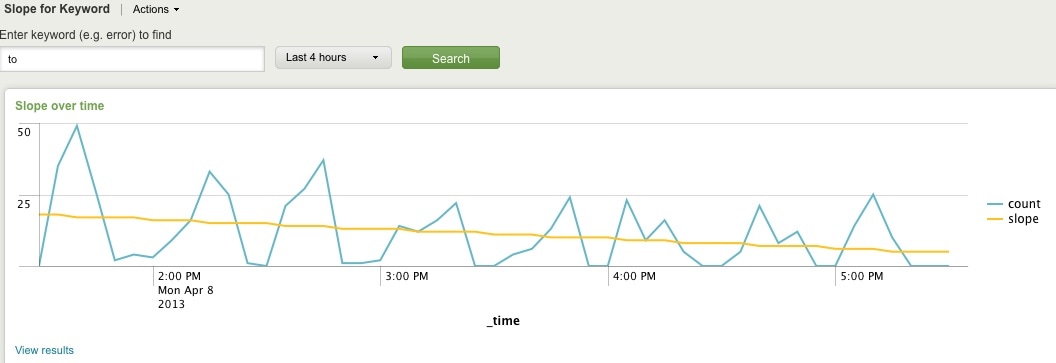
Slope for Trend
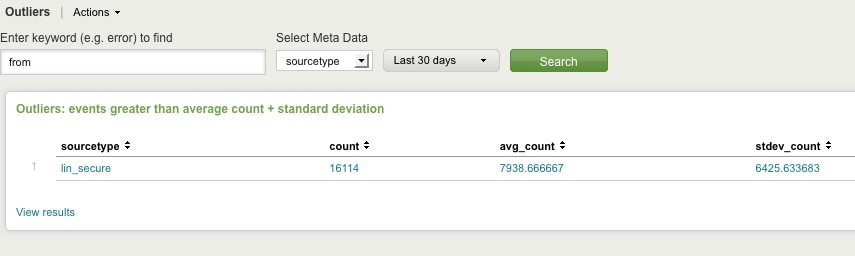
Find Outliers
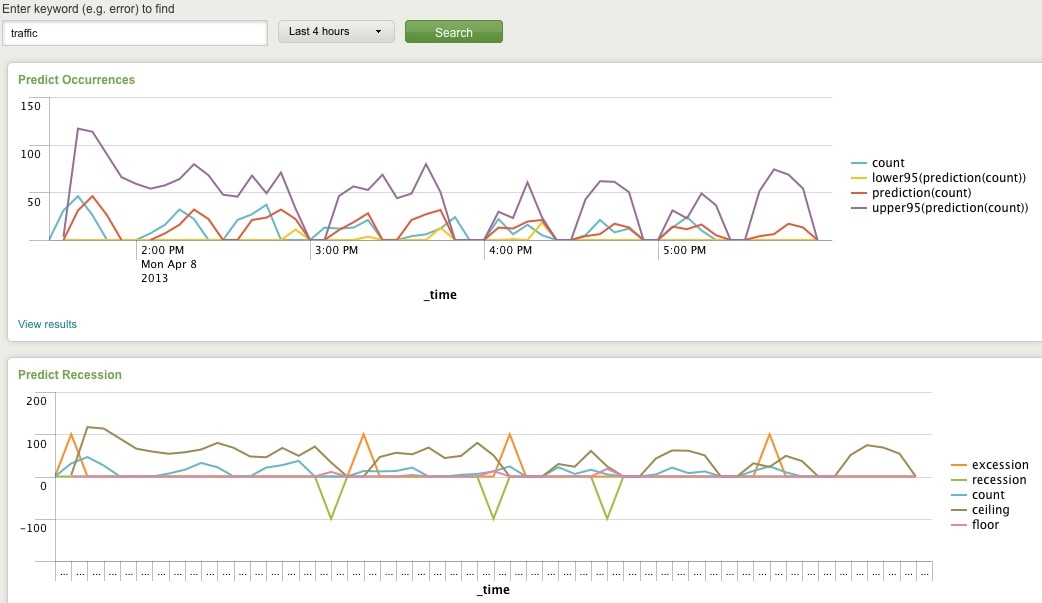
Predict Future Counts (Recession Predict is Jack Coate’s idea)

There’s a Donut Chart (Ron Naken’s Module) that allows you to split your list of keywords by top 10 host, source, or sourcetypes and see the distribution of events.
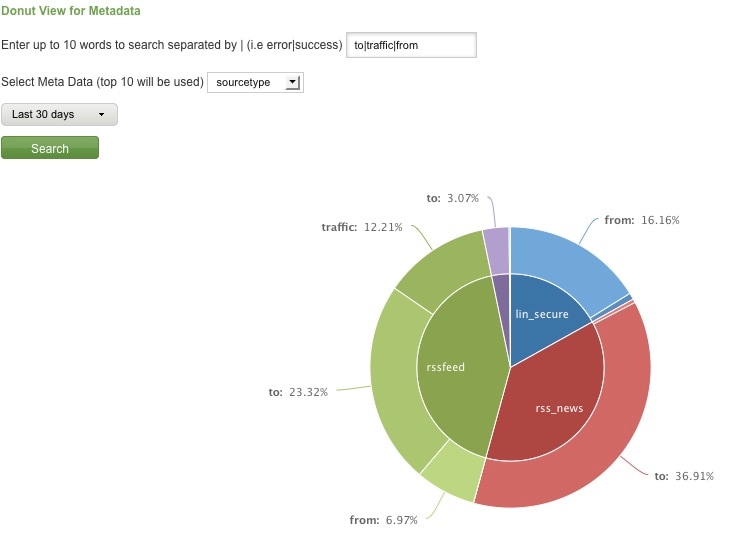
Split Keyword(s) Distribution by Top 10 Hosts, Source, or Sourcetype

Here are rare events based on your filter:
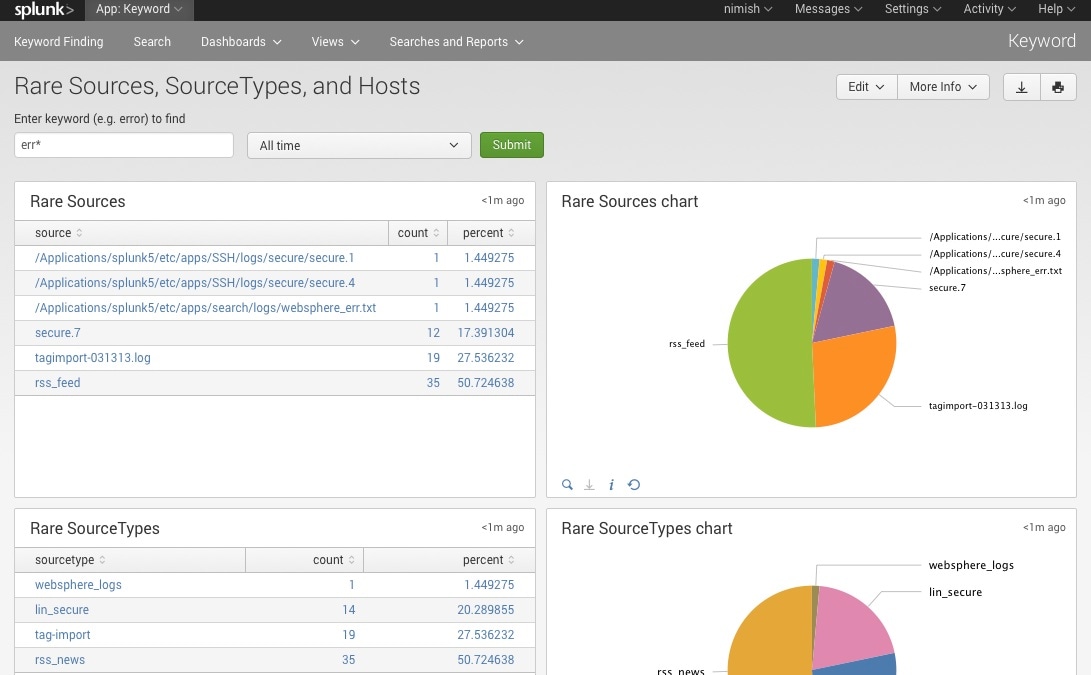
Rare

Finally, here are rare events based on punctuation.
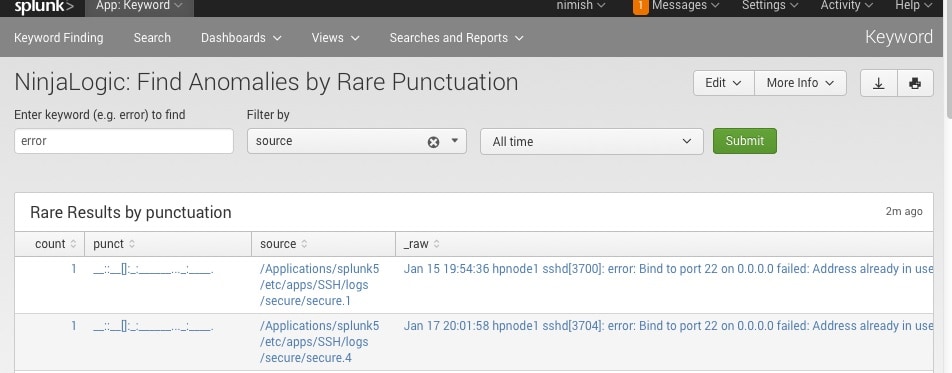
Punct

Conclusion

Hopefully, this template will satisfy all your needs out of the box. If you need to modify the searches, make a copy of the app’s default/data/ui/views/<dashboard>.xml file and put it into the app’s local/data/ui/views/<dashboard>.xml file and edit your local copy. I’m hoping this app will save you some time from configuring these common tasks.

Related Articles

Partner Spotlight: NCU-ISAO Members Gain Actionable Intelligence with TruSTAR
Security
4 Minute Read

Partner Spotlight: NCU-ISAO Members Gain Actionable Intelligence with TruSTAR

We recently spoke with Brian Hinze, NCU-ISAO Vice President, Member Services and Operations, to learn more about why NCU-ISAO chose TruSTAR for intelligence management, and how member organizations are using TruSTAR for information sharing and collaboration.
Is Your Cyber Team Overwhelmed by System Alerts?

Security
4 Minute Read

Is Your Cyber Team Overwhelmed by System Alerts?

Wondering how to prevent alert fatigue and turnover within your cyber team? Learn how Splunk can help Cyber professionals with a more efficient way to view, assess, and prioritize system alerts before devoting time to investigations.
Solving User Monitoring Use Cases With Splunk Enterprise Security

Security
4 Minute Read

Solving User Monitoring Use Cases With Splunk Enterprise Security

We all know Splunk’s data platform is capable of delivering incredible analytics and insights at scale, but how do we tie that power with all of the security content and premium solutions for security that Splunk provides? I thought it would be a good idea to jot some thoughts down about some common high level security use cases becauseI get asked this question so much.
What Do Organizations Value Most in a SIEM/Security Analytics Provider? In a Word: Actionability

Security
2 Minute Read

What Do Organizations Value Most in a SIEM/Security Analytics Provider? In a Word: Actionability

According to 451 Research’s Voice of the Enterprise survey data, 64% say integration and correlation of threat intelligence is very important when selecting a SIEM vendor. Learn where Splunk Enterprise Security can give you actionable insights.
Hunting for Detections in Attack Data with Machine Learning
Security
3 Minute Read

Hunting for Detections in Attack Data with Machine Learning

Learn how to leverage the real-world and simulated attack data that Splunk's Threat Research team collected to use machine learning to discover attack activity and identify how to transform insights into detections.
Splunk SOAR: Anyone Can Automate
Security
2 Minute Read

Splunk SOAR: Anyone Can Automate

If you haven’t heard the news, Splunk Phantom is now Splunk SOAR – available both on-prem and in the cloud. Read on to find out what that means for you.
Threat Advisory: Telegram Crypto Botnet STRT-TA01

Security
6 Minute Read

Threat Advisory: Telegram Crypto Botnet STRT-TA01

The Splunk Threat Research Team (STRT) has detected the resurface of a Crypto Botnet using Telegram, a widely used messaging application that can create bots and execute code remotely. Learn more about the indicators of the botnet operation and use our pre-built and tested detections to find them in your environment.
Trickbot Detections: Threat Research Release, July 2021
Security
4 Minute Read

Trickbot Detections: Threat Research Release, July 2021

The Splunk Threat Research Team (STRT) addressed Trickbot in the July release. Trickbot is a very popular crimeware carrier (Trojan) associated with current campaigns.
Staff Picks for Splunk Security Reading July 2021
Security
2 Minute Read

Staff Picks for Splunk Security Reading July 2021

These monthly postings will feature the favorite security-centric presentations, white papers and customer case studies from various peeps in the Splunk (or not) security world that WE think everyone should read. If you would like to read other months, please take a peek at previous posts in the "Staff Picks" series!