Introducing: The Splunk App for Okta
I alluded to this last week in my post about Okta-ing Splunk–we’re now Splunking Okta! Today, the Splunk App for Okta went live on Splunk Apps and we’ve already gained value from looking at how our Splunkers are logging into apps.
Download the Splunk App for Okta
Earlier this week, I was sitting in a change management meeting and our IT ops team was trying to plan a maintenance window impacting the fewest Splunkers possible. Using the app, we were able to determine two time windows with the lightest usage and plan the maintenance window accordingly. Also in the same meeting, we were able to determine the number of virtual machines affected by an issue with a single ESX host with the Splunk App for VMware, but that’s a post for another day.
About the App
The Splunk App for Okta connects to the Okta events API and returns data in a CIM-compatible format for Splunking. Version 1 of the app includes 4 default views: an overview dashboard, a security dashboard, an app drilldown, and a user drilldown. We’re working with Okta to extend the API and provide more views in future revisions. Also, if you’re in a distributed Splunk environment, the Splunk Plugin for Okta is ready for deployment to your indexers and other search components that may require field extractions.
Okta Overview
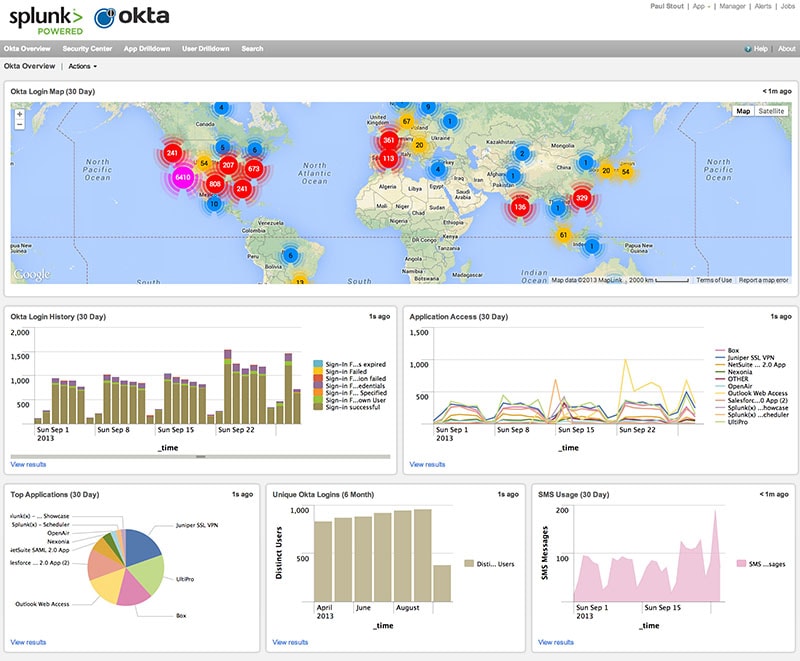
The overview dashboard shows a quick snapshot of Okta usage. The view plots successful logins on a map, provides graphs of the most-used applications and access trends, and provides some information on unique users (to gauge adoption) and SMS messages sent as a second factor of authentication. The dashboard has a time picker so you can choose the granularity with which the data is presented.
Security Dashboard
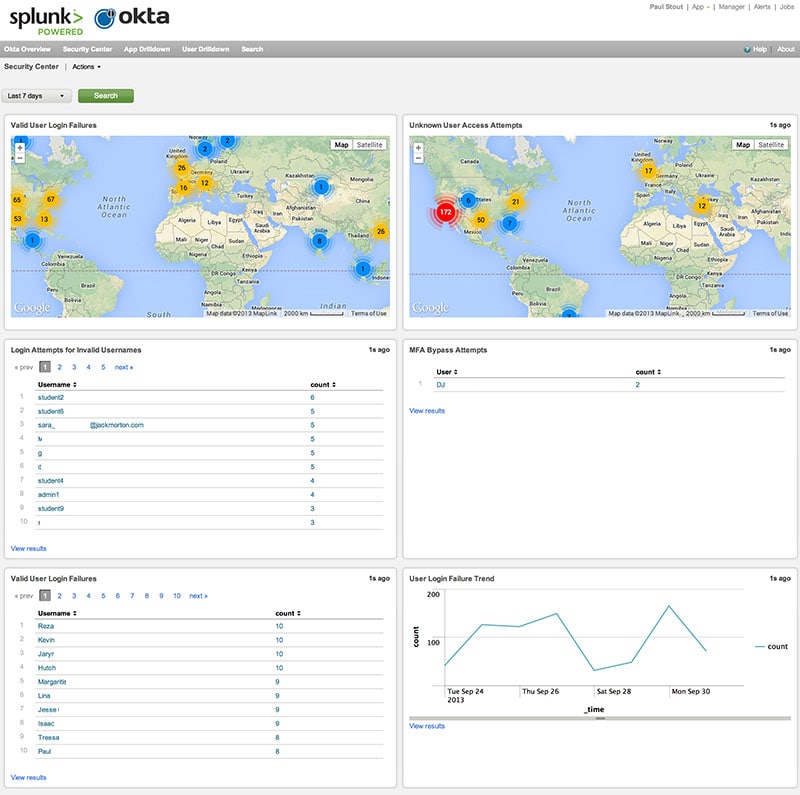
The security dashboard plots login failures by both valid users and invalid user attempts. In this screenshot, many of the names have been masked. It also shows a trendline for login failures and a panel for miltifactor authentication (MFA) bypass attempts. Okta informed us that infrequent errors of this nature could be caused by a user having multiple tabs open when a session times out, but repeated errors on the same user could indicate an attempt to break past the configured MFA tokens.
Like the overview dashboard, the security dashboard also has a time picker.
App Drilldown
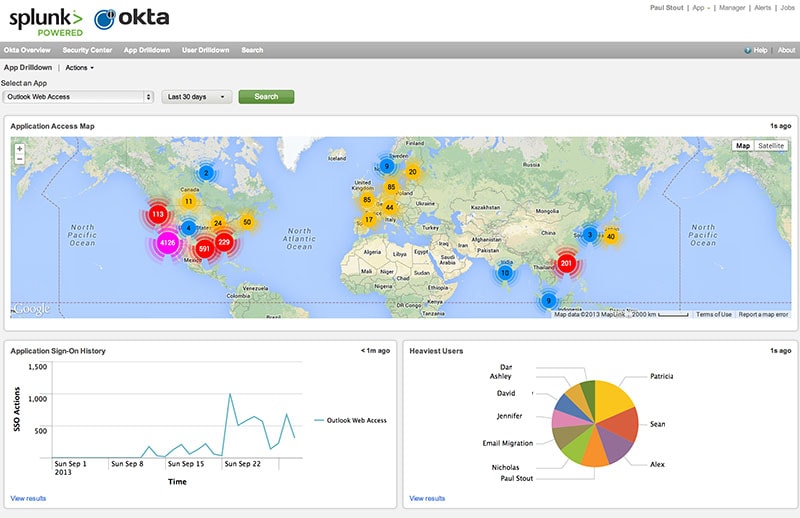
The app drilldown gives a more detailed view of application access data. The view plots access — by app — on a map, trends SSO login history, and shows the top users of that app over the selected time range. A drop-down populates from the access logs to allow selection of a specific app, and the view has a time range picker for control of granularity.
User Drilldown
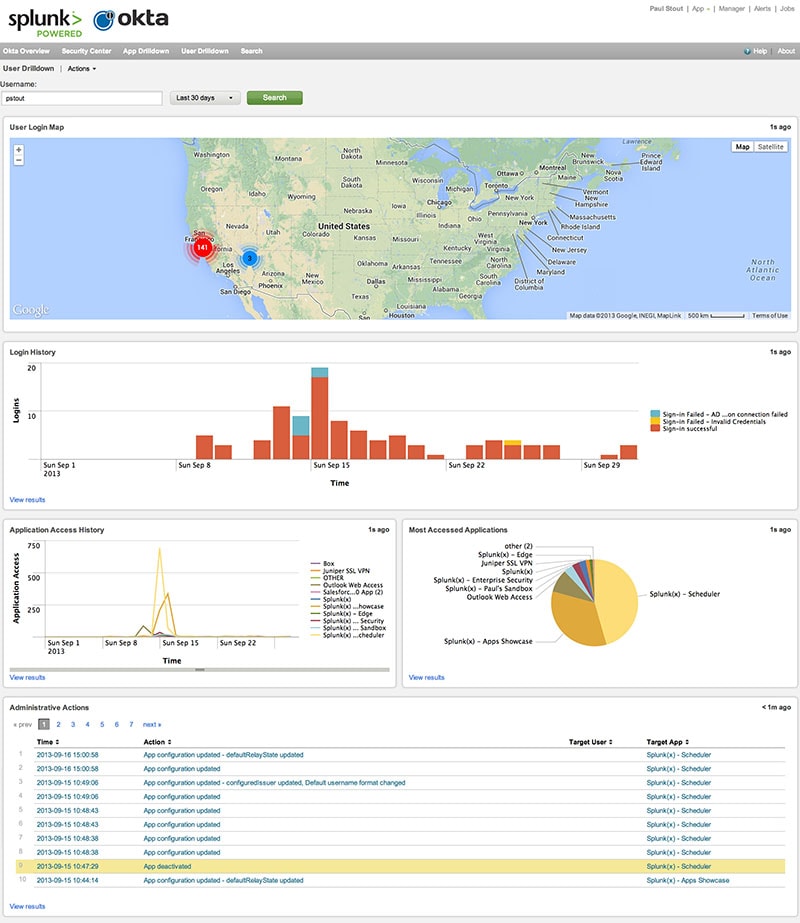
The user drilldown was cited as one of the most useful views during our internal review of the app. It has a text input field for a username and a time picker providing a very granular view of usage by user. In the screenshot, you can see my Okta logins both from our SF headquarters and the Cosmopolitan of Las Vegas for our 2013 user conference. The view also shows a graph of login events (success and failure), an application access graph, top applications, and a list of any administrative actions performed over the selected time range.
The last panel doesn’t just apply to Okta administrators; users changing a SWA password or app username also log “administrative events.” Extremely useful if someone mistypes a username and locks themselves out of an app!
We’ll continue to iterate on the Splunk App for Okta as the Okta API evolves and we receive feedback from (hopefully satisfied) splunkers! Happy Splunking!
----------------------------------------------------
Thanks!
Paul Stout
Related Articles

Predicting Cyber Fraud Through Real-World Events: Insights from Domain Registration Trends

When Your Fraud Detection Tool Doubles as a Wellness Check: The Unexpected Intersection of Security and HR

Splunk Security Content for Threat Detection & Response: November Recap

Security Staff Picks To Read This Month, Handpicked by Splunk Experts

Behind the Walls: Techniques and Tactics in Castle RAT Client Malware

AI for Humans: A Beginner’s Field Guide

Splunk Security Content for Threat Detection & Response: November 2025 Update

Operation Defend the North: What High-Pressure Cyber Exercises Teach Us About Resilience and How OneCisco Elevates It
